Dic BUICK LESABRE 2003 Owner's Manual
[x] Cancel search | Manufacturer: BUICK, Model Year: 2003, Model line: LESABRE, Model: BUICK LESABRE 2003Pages: 380, PDF Size: 2.75 MB
Page 1 of 380
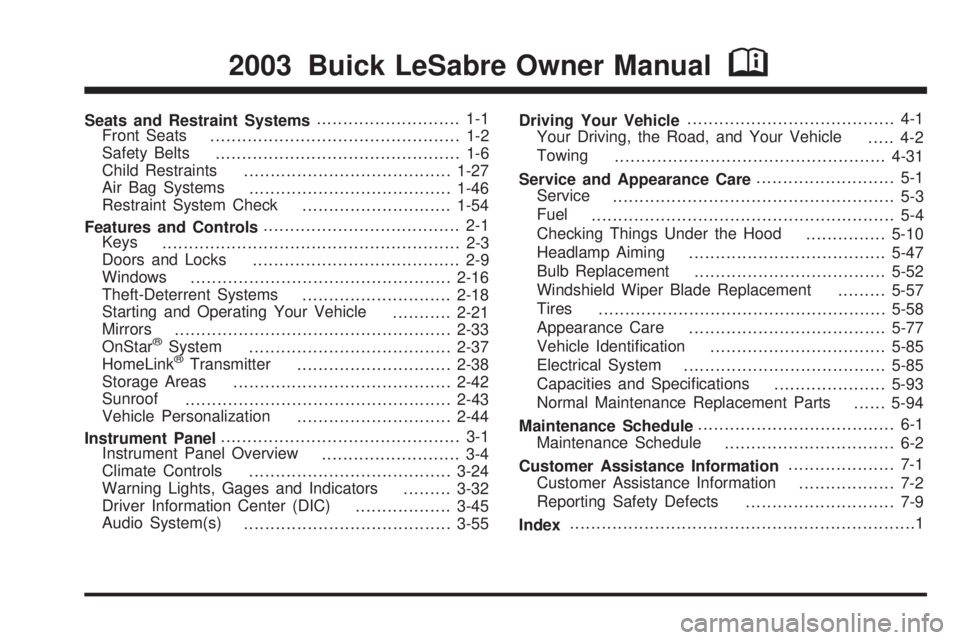
Seats and Restraint Systems........................... 1-1
Front Seats
............................................... 1-2
Safety Belts
.............................................. 1-6
Child Restraints
.......................................1-27
Air Bag Systems
......................................1-46
Restraint System Check
............................1-54
Features and Controls..................................... 2-1
Keys
........................................................ 2-3
Doors and Locks
....................................... 2-9
Windows
.................................................2-16
Theft-Deterrent Systems
............................2-18
Starting and Operating Your Vehicle
...........2-21
Mirrors
....................................................2-33
OnStar
žSystem
......................................2-37
HomeLinkžTransmitter
.............................2-38
Storage Areas
.........................................2-42
Sunroof
..................................................2-43
Vehicle Personalization
.............................2-44
Instrument Panel............................................. 3-1
Instrument Panel Overview
.......................... 3-4
Climate Controls
......................................3-24
Warning Lights, Gages and Indicators
.........3-32
Driver Information Center (DIC)
..................3-45
Audio System(s)
.......................................3-55Driving Your Vehicle....................................... 4-1
Your Driving, the Road, and Your Vehicle
..... 4-2
Towing
...................................................4-31
Service and Appearance Care.......................... 5-1
Service
..................................................... 5-3
Fuel
......................................................... 5-4
Checking Things Under the Hood
...............5-10
Headlamp Aiming
.....................................5-47
Bulb Replacement
....................................5-52
Windshield Wiper Blade Replacement
.........5-57
Tires
......................................................5-58
Appearance Care
.....................................5-77
Vehicle Identi®cation
.................................5-85
Electrical System
......................................5-85
Capacities and Speci®cations
.....................5-93
Normal Maintenance Replacement Parts
......5-94
Maintenance Schedule..................................... 6-1
Maintenance Schedule
................................ 6-2
Customer Assistance Information.................... 7-1
Customer Assistance Information
.................. 7-2
Reporting Safety Defects
............................ 7-9
Index.................................................................1
2003 Buick LeSabre Owner ManualM
Page 4 of 380
Vehicle Damage Warnings
Also, in this book you will ®nd these notices:
Notice:These mean there is something that could
damage your vehicle.
A notice will tell you about something that can damage
your vehicle. Many times, this damage would not be
covered by your warranty, and it could be costly. But the
notice will tell you what to do to help avoid the
damage.
When you read other manuals, you might see CAUTION
and NOTICE warnings in different colors or in different
words.
You'll also see warning labels on your vehicle. They use
the same words, CAUTION or NOTICE.
Vehicle Symbols
Your vehicle has components and labels that use
symbols instead of text. Symbols, used on your vehicle,
are shown along with the text describing the operation
or information relating to a speci®c component, control,
message, gage or indicator.
If you need help ®guring out a speci®c name of a
component, gage or indicator, reference the
following topics:
·Seats and Restraint Systems in Section 1
·Features and Controls in Section 2
·Instrument Panel Overview in Section 3
·Climate Controls in Section 3
·Warning Lights, Gages and Indicators in Section 3
·Audio System(s) in Section 3
·Engine Compartment Overview in Section 5
iv
Page 59 of 380
{CAUTION:
When an air bag in¯ates, there is dust in the
air. This dust could cause breathing problems
for people with a history of asthma or other
breathing trouble. To avoid this, everyone in
the vehicle should get out as soon as it is safe
to do so. If you have breathing problems but
can't get out of the vehicle after an air bag
in¯ates, then get fresh air by opening a
window or a door. If you experience breathing
problems following an air bag deployment, you
should seek medical attention.
Your vehicle has a feature that will automatically unlock
the doors and turn the interior lamps on when the air
bags in¯ate (if battery power is available). You can lock
the doors again and turn the interior lamps off by
using the door lock and interior lamp controls.In many crashes severe enough to in¯ate an air bag,
windshields are broken by vehicle deformation.
Additional windshield breakage may also occur from the
right front passenger air bag.·Air bags are designed to in¯ate only once. After an
air bag in¯ates, you'll need some new parts for
your air bag system. If you don't get them, the air
bag system won't be there to help protect you
in another crash. A new system will include air bag
modules and possibly other parts. The service
manual for your vehicle covers the need to replace
other parts.
·Your vehicle is equipped with an electronic frontal
sensor, which helps the sensing system distinguish
between a moderate frontal impact and a more
severe frontal impact. Your vehicle is also equipped
with a crash sensing and diagnostic module,
which records information about the frontal air bag
system. The module records information about
the readiness of the system, when the system
commands air bag in¯ation and driver's safety belt
usage at deployment. The module also records
speed, engine rpm, brake and throttle data.
·Let only quali®ed technicians work on your air bag
systems. Improper service can mean that an air
bag system won't work properly. See your dealer for
service.
1-53
Page 68 of 380

If your vehicle is equipped with the DIC, the numbers on
the back of your transmitter correspond to DRIVER #1
and DRIVER #2 on the DIC. For more information
see
Driver Information Center (DIC) on page 3-45.
W(Unlock):When this
button is pressed, the
driver's door will unlock
and the exterior lights will
¯ash twice.
If the unlock button is pressed again within ®ve seconds,
all doors will unlock, the exterior lamps will ¯ash twice
and the horn may sound. See ªSecurity Feedbackº later
in this section for more information.
Pressing the unlock button will also illuminate the
interior lamps. See ªEntry Lightingº under
Interior Lamps
on page 3-17.
Q(Lock):When this button is pressed, all doors will
lock, the exterior lamps will ¯ash once and the horn
may sound.
V(Trunk):The trunk will unlock if this button is
pressed when the ignition is in OFF. It will also
work when the ignition is on, but only while the transaxle
is in PARK (P) or NEUTRAL (N).
L(Instant Alarm):When this button is pressed, the
horn will sound and the headlamps and taillamps
will ¯ash for up to 30 seconds. This can be turned off by
pressing the instant alarm button again or by turning
the ignition on. If your vehicle is equipped with the
content theft-deterrent feature, you may also turn off the
instant alarm by unlocking the vehicle with a key.
Personalization Features
The following list of features, if available on your
vehicle, can be programmed to each driver's preference.
·Automatic Door Locks:This feature programs
your door locks to automatically lock or unlock
when shifting in and out of PARK (P).
·Security Feedback:This feature provides feedback
to the driver when the vehicle receives a command
from the remote keyless entry transmitter.
2-6
Page 69 of 380

·Delayed Locking:This feature lets the driver delay
the actual locking of the vehicle. When all doors
have been closed, the doors will lock automatically
after ®ve seconds.
·Perimeter Lighting:When the button with the
unlock symbol on the remote keyless entry
transmitter is pressed, the daytime running lamps
(DRL), parking lamps and back-up lamps will
turn on.
For more detailed information and programming
instructions, refer to
DIC Vehicle Personalization on
page 3-50for each individual feature listed above.
Security Feedback
This feature provides feedback when the vehicle
receives a command from the remote keyless entry
transmitter. Feedback is only provided if all doors are
closed, the ignition is off and the Retained Accessory
Power (RAP) is inactive. One of the following modes
may be selected for each transmitter:
Mode 1:No feedback when locking or unlocking
vehicle.
Mode 2:Parking lamps, back-up lamps and the DRL
exterior lamps will ¯ash twice when unlocking the vehicle
and ¯ash once when locking the vehicle.Mode 3:Horn chirps when all doors are unlocked
(second time the button is pressed) and when locking
the vehicle.
Mode 4:Parking lamps, back-up lamps and the DRL
exterior lamps will ¯ash twice each time the button with
the unlock symbol is pressed; the horn chirps when
all doors are unlocked. Parking lamps and the
DRL exterior lamps ¯ash once and the horn chirps
when locking the vehicle.
The exterior lamps will not ¯ash if the manual parking
lamps are on.
If your vehicle is equipped with the DIC, you must
program this feature using it. See
Driver Information
Center (DIC) on page 3-45.
If your vehicle is not equipped with the DIC, do the
following to change to another mode:
1. Close all the doors and turn the ignition on. Keep
all doors closed throughout this procedure.
2. Press and hold LOCK on the driver's power door
lock switch throughout this procedure. All the
doors will lock.
3. Press the trunk button on the transmitter. The
security feedback will remain in its current mode.
The horn will chirp as feedback.
2-7
Page 71 of 380

To replace the battery, do the following:
1. Insert a coin, or similar object, into the notch near
the key ring. Turn it counterclockwise to separate
the two halves of the transmitter.
2. Once the transmitter is separated, use a pencil
eraser to remove the old battery. Do not use a
metal object.
3. Remove and replace the battery as the instructions
inside the cover indicate. Use one Duracell
ž
battery, type DL±2032, or a similar type.
4. Snap the transmitter back together tightly to be sure
no moisture can enter.
5. Check the operation of the transmitter.
Doors and Locks
Door Locks
{CAUTION:
Unlocked doors can be dangerous.
·Passengers Ð especially children Ð can
easily open the doors and fall out of a
moving vehicle. When a door is locked, the
handle will not open it. You increase the
chance of being thrown out of the vehicle
in a crash if the doors are not locked. So,
wear safety belts properly and lock the
doors whenever you drive.
·Young children who get into unlocked
vehicles may be unable to get out. A child
can be overcome by extreme heat and can
suffer permanent injuries or even death
from heat stroke. Always lock your vehicle
whenever you leave it.
·Outsiders can easily enter through an
unlocked door when you slow down or
stop your vehicle. Locking your doors can
help prevent this from happening.
2-9
Page 73 of 380
Door Ajar Reminder
If your vehicle is equipped with the Driver Information
Center (DIC), and a door is not fully closed, the DIC will
display a DOOR AJAR message. See
Driver Information
Center (DIC) on page 3-45.
Delayed Locking
This feature lets the driver delay the actual locking of
the vehicle. When the driver's power door lock switch or
remote keyless entry lock button is pressed with the
key removed from the ignition, and the driver's
door open, a chime will sound three times to signal that
the delayed locking system is active. When all doors
have been closed, the doors will lock automatically after
®ve seconds. If any door is opened before this, the
®ve-second timer will reset itself once all the doors have
been closed again.
Pressing the driver's or passenger's power door lock
switch or the remote keyless entry transmitter button
again will override this feature.
Personal Choice Programming
The delayed locking feature can be turned on or off.
If your vehicle is equipped with the DIC, you must use it
to program this feature. See
Driver Information Center
(DIC) on page 3-45.To turn the feature on, do the following:
1. Close all the doors and turn the ignition on. Keep
all doors closed throughout this procedure.
2. Press and hold LOCK on the driver's power door
lock switch throughout this procedure. All the
doors will lock.
3. Press the unlock button on the transmitter. The lock
delay is still off and all doors will remain locked.
4. Press the unlock button on the transmitter again.
Lock delay is now active and all doors will unlock.
5. Release the power door lock switch.
To turn this feature off, repeat the previous procedure.
This procedure only changes the mode for the
transmitter used to change this setting.
Programmable Automatic
Door Locks
Close the doors and turn on the ignition. Every time you
move the shift lever out of PARK (P), all of the doors
will lock. And, every time you stop and move the
shift lever into PARK (P), the doors will unlock. If
someone needs to get out while you're not in PARK (P),
have that person use the manual door lock control or
power door lock switch. When the door is closed again,
it will not lock automatically. If you need to lock the
doors before shifting out of PARK (P), use the manual
door lock control or power door lock switch.
2-11
Page 74 of 380

Personalization Programming
You can program the automatic door locks feature to
change to the following modes:
Mode 0:No automatic door lock or unlock.
Mode 1:All doors automatically lock when shifted out
of PARK (P). No automatic door unlock.
Mode 2:All doors automatically lock when shifted out
of PARK (P). Only the driver's door automatically
unlocks when shifted into PARK (P).
Mode 3:All doors automatically lock when shifted out
of PARK (P). All doors automatically unlock when shifted
into PARK (P).
If your vehicle is equipped with the DIC, you must use
it to program this feature. See
Driver Information
Center (DIC) on page 3-45.
If your vehicle is not equipped with the DIC, use the
following procedure to change modes:
1. Close all the doors and turn the ignition on. Keep
all doors closed throughout this procedure.
2. Press and hold LOCK on the driver's power door
lock switch throughout this procedure. All the
doors will lock.3. Press the button with the lock symbol on the
remote keyless entry transmitter. The automatic
door locks will remain in the current mode.
4. Press the button with the lock symbol on the
transmitter again. Each time this button is pressed,
the mode will advance by one, going from
3 to 0 to 1, etc.
The door locks will cycle according to the mode
entered while customizing the memory door locks.
(Mode 0 has no feedback.)
5. Release the power door lock switch. The automatic
door locks will remain in the most recent mode
selected.
This procedure only changes the mode for the
transmitter used to change this setting.
2-12
Page 79 of 380

Power Windows
The power window controls located on the driver's door
armrest operate each of the windows while the
ignition is on or while Retained Accessory Power (RAP)
is active. In addition, each passenger door has a
control for its own window. See ªRetained Accessory
Power (RAP)º under
Ignition Positions on page 2-22for
more information.
Express-Down Window
The driver's and front passenger's windows have an
express-down feature. Pull the AUTO control back
all the way; release it and the window will lowerautomatically. To stop the window from lowering, pull
the AUTO control again. To partially open the window,
pull the AUTO control back slightly. To raise the
window, push and hold the AUTO control forward.
Window Lock Out
Press the LOCK button on the driver's door armrest to
disable all passenger window controls. The driver's
window controls will still be operable. If you have
a Driver Information Center (DIC), you can also set the
control to only lock out the rear window controls.
See
Driver Information Center (DIC) on page 3-45.
Press the LOCK button again to allow passengers to use
their window controls.
Sun Visors
Lighted Visor Vanity Mirror
When you open the cover to the passenger's visor
vanity mirror, the lamp will turn on.
Your vehicle may also have a lighted driver's visor
vanity mirror.
Dual Sun Visor
If your vehicle has this feature, each visor has two
parts, so that both the windshield and door glass can be
shaded at the same time. To use the dual sun visors,
¯ip the ®rst visor down and turn it toward the window.
Then, ¯ip the second visor down toward the windshield.
2-17
Page 84 of 380

Ignition Positions
With the key in the ignition switch, you can turn it to ®ve
different positions.
(A) ACCESSORY:This position lets you use your
electrical accessories such as power windows, power
sunroof (if equipped), radio and the windshield wipers.
To use, push in the ignition key and turn it toward
you. Your steering wheel will remain locked, just as it
was before you inserted the key.
(B) LOCK:This is the only position in which you can
remove the key. This position locks your ignition,
steering wheel and transaxle. It's a theft-deterrent
feature.
Notice:If your key seems stuck in LOCK and you
can't turn it, be sure you are using the correct key; if
so, is it all the way in? If it is, then turn the steering
wheel left and right while you turn the key hard.
Turn the key only with your hand. Using a tool
to force it could break the key or the ignition switch.
If none of these works, then your vehicle needs
service.
(C) OFF:This position lets you turn off the engine but
still turn the steering wheel. It doesn't lock the
steering wheel like LOCK and it doesn't send any
electrical power to the accessories. The instrument
panel cluster will remain powered in LOCK to illuminate
the gear shift indicator. The cluster will also activate
the parking brake light when the parking brake is
set. Use OFF if you must have your vehicle in motion
while the engine is not running.
(D) RUN:This is the position the switch returns to after
you start your engine and release the switch. This is
also the position for normal driving. Even when the
engine is not running, you can use RUN to operate your
electrical accessories and to display some instrument
panel warning lights.
(E) START:This position starts your engine. When the
engine starts, release the key. The ignition switch
will return to RUN for normal driving.
2-22