door lock BUICK LESABRE 2003 Owner's Manual
[x] Cancel search | Manufacturer: BUICK, Model Year: 2003, Model line: LESABRE, Model: BUICK LESABRE 2003Pages: 380, PDF Size: 2.75 MB
Page 1 of 380
Seats and Restraint Systems........................... 1-1
Front Seats
............................................... 1-2
Safety Belts
.............................................. 1-6
Child Restraints
.......................................1-27
Air Bag Systems
......................................1-46
Restraint System Check
............................1-54
Features and Controls..................................... 2-1
Keys
........................................................ 2-3
Doors and Locks
....................................... 2-9
Windows
.................................................2-16
Theft-Deterrent Systems
............................2-18
Starting and Operating Your Vehicle
...........2-21
Mirrors
....................................................2-33
OnStar
žSystem
......................................2-37
HomeLinkžTransmitter
.............................2-38
Storage Areas
.........................................2-42
Sunroof
..................................................2-43
Vehicle Personalization
.............................2-44
Instrument Panel............................................. 3-1
Instrument Panel Overview
.......................... 3-4
Climate Controls
......................................3-24
Warning Lights, Gages and Indicators
.........3-32
Driver Information Center (DIC)
..................3-45
Audio System(s)
.......................................3-55Driving Your Vehicle....................................... 4-1
Your Driving, the Road, and Your Vehicle
..... 4-2
Towing
...................................................4-31
Service and Appearance Care.......................... 5-1
Service
..................................................... 5-3
Fuel
......................................................... 5-4
Checking Things Under the Hood
...............5-10
Headlamp Aiming
.....................................5-47
Bulb Replacement
....................................5-52
Windshield Wiper Blade Replacement
.........5-57
Tires
......................................................5-58
Appearance Care
.....................................5-77
Vehicle Identi®cation
.................................5-85
Electrical System
......................................5-85
Capacities and Speci®cations
.....................5-93
Normal Maintenance Replacement Parts
......5-94
Maintenance Schedule..................................... 6-1
Maintenance Schedule
................................ 6-2
Customer Assistance Information.................... 7-1
Customer Assistance Information
.................. 7-2
Reporting Safety Defects
............................ 7-9
Index.................................................................1
2003 Buick LeSabre Owner ManualM
Page 10 of 380
If you have the independent front cushion moved down
as far as it will go, you may feel the lumbar support
higher in your back. Readjust the location of the cushion
until you are comfortable. You may also want to
adjust the seatback for maximum comfort.
Heated Seats
If your vehicle has this feature, press this button to turn
on the heating element in the seat.
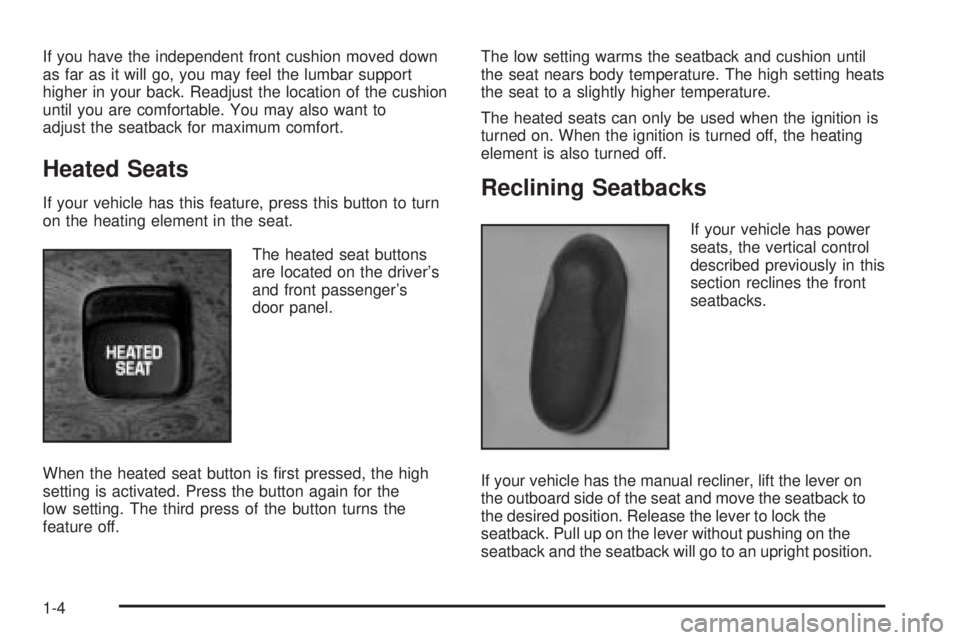
The heated seat buttons
are located on the driver's
and front passenger's
door panel.
When the heated seat button is ®rst pressed, the high
setting is activated. Press the button again for the
low setting. The third press of the button turns the
feature off.The low setting warms the seatback and cushion until
the seat nears body temperature. The high setting heats
the seat to a slightly higher temperature.
The heated seats can only be used when the ignition is
turned on. When the ignition is turned off, the heating
element is also turned off.Reclining Seatbacks
If your vehicle has power
seats, the vertical control
described previously in this
section reclines the front
seatbacks.
If your vehicle has the manual recliner, lift the lever on
the outboard side of the seat and move the seatback to
the desired position. Release the lever to lock the
seatback. Pull up on the lever without pushing on the
seatback and the seatback will go to an upright position.
1-4
Page 18 of 380
Driver Position
This part describes the driver's restraint system.
Lap-Shoulder Belt
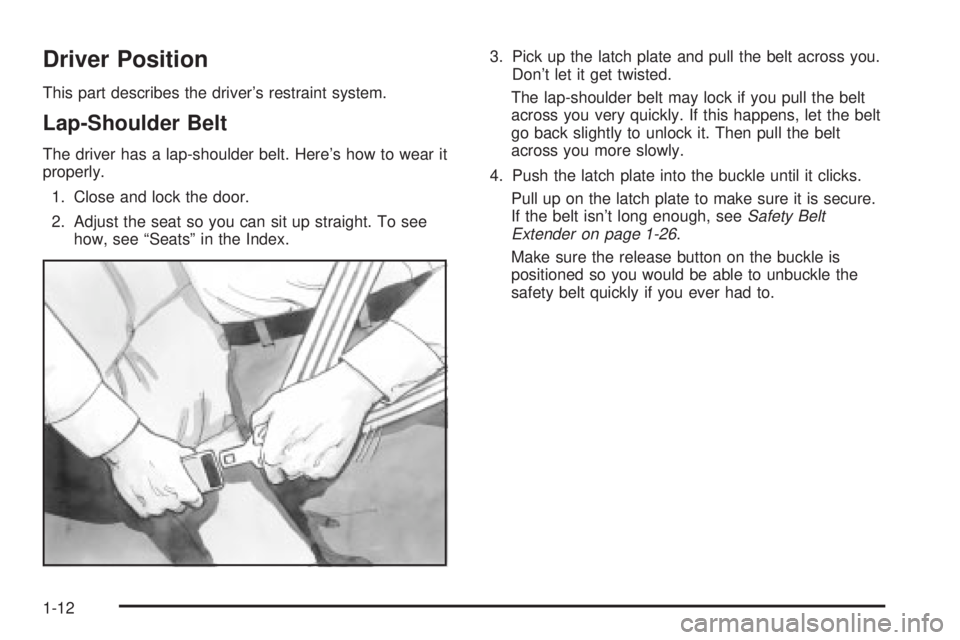
The driver has a lap-shoulder belt. Here's how to wear it
properly.
1. Close and lock the door.
2. Adjust the seat so you can sit up straight. To see
how, see ªSeatsº in the Index.3. Pick up the latch plate and pull the belt across you.
Don't let it get twisted.
The lap-shoulder belt may lock if you pull the belt
across you very quickly. If this happens, let the belt
go back slightly to unlock it. Then pull the belt
across you more slowly.
4. Push the latch plate into the buckle until it clicks.
Pull up on the latch plate to make sure it is secure.
If the belt isn't long enough, see
Safety Belt
Extender on page 1-26.
Make sure the release button on the buckle is
positioned so you would be able to unbuckle the
safety belt quickly if you ever had to.
1-12
Page 56 of 380
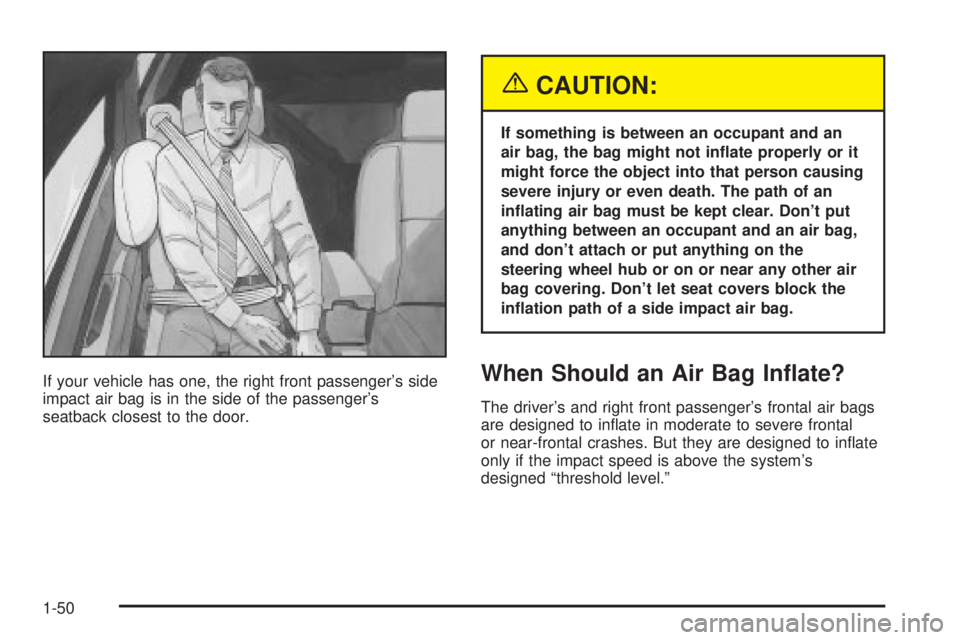
If your vehicle has one, the right front passenger's side
impact air bag is in the side of the passenger's
seatback closest to the door.
{CAUTION:
If something is between an occupant and an
air bag, the bag might not in¯ate properly or it
might force the object into that person causing
severe injury or even death. The path of an
in¯ating air bag must be kept clear. Don't put
anything between an occupant and an air bag,
and don't attach or put anything on the
steering wheel hub or on or near any other air
bag covering. Don't let seat covers block the
in¯ation path of a side impact air bag.
When Should an Air Bag In¯ate?
The driver's and right front passenger's frontal air bags
are designed to in¯ate in moderate to severe frontal
or near-frontal crashes. But they are designed to in¯ate
only if the impact speed is above the system's
designed ªthreshold level.º
1-50
Page 59 of 380
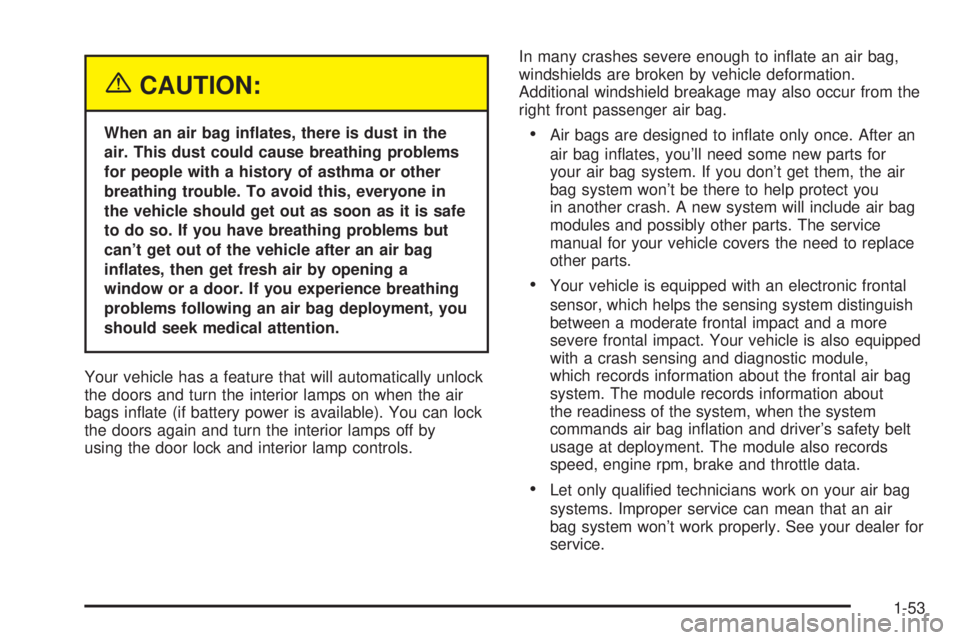
{CAUTION:
When an air bag in¯ates, there is dust in the
air. This dust could cause breathing problems
for people with a history of asthma or other
breathing trouble. To avoid this, everyone in
the vehicle should get out as soon as it is safe
to do so. If you have breathing problems but
can't get out of the vehicle after an air bag
in¯ates, then get fresh air by opening a
window or a door. If you experience breathing
problems following an air bag deployment, you
should seek medical attention.
Your vehicle has a feature that will automatically unlock
the doors and turn the interior lamps on when the air
bags in¯ate (if battery power is available). You can lock
the doors again and turn the interior lamps off by
using the door lock and interior lamp controls.In many crashes severe enough to in¯ate an air bag,
windshields are broken by vehicle deformation.
Additional windshield breakage may also occur from the
right front passenger air bag.·Air bags are designed to in¯ate only once. After an
air bag in¯ates, you'll need some new parts for
your air bag system. If you don't get them, the air
bag system won't be there to help protect you
in another crash. A new system will include air bag
modules and possibly other parts. The service
manual for your vehicle covers the need to replace
other parts.
·Your vehicle is equipped with an electronic frontal
sensor, which helps the sensing system distinguish
between a moderate frontal impact and a more
severe frontal impact. Your vehicle is also equipped
with a crash sensing and diagnostic module,
which records information about the frontal air bag
system. The module records information about
the readiness of the system, when the system
commands air bag in¯ation and driver's safety belt
usage at deployment. The module also records
speed, engine rpm, brake and throttle data.
·Let only quali®ed technicians work on your air bag
systems. Improper service can mean that an air
bag system won't work properly. See your dealer for
service.
1-53
Page 63 of 380

Keys...............................................................2-3
Remote Keyless Entry System.........................2-5
Remote Keyless Entry System Operation...........2-5
Doors and Locks.............................................2-9
Door Locks....................................................2-9
Central Door Unlocking System......................2-10
Power Door Locks........................................2-10
Door Ajar Reminder......................................2-11
Delayed Locking...........................................2-11
Programmable Automatic
Door Locks...............................................2-11
Rear Door Security Locks..............................2-13
Lockout Protection........................................2-13
Leaving Your Vehicle....................................2-13
Trunk..........................................................2-14
Windows........................................................2-16
Power Windows............................................2-17
Sun Visors...................................................2-17
Theft-Deterrent Systems..................................2-18
Content Theft-Deterrent.................................2-18
PASS-Key
žIII ..............................................2-19
PASS-KeyžIII Operation...............................2-20Starting and Operating Your Vehicle................2-21
New Vehicle Break-In....................................2-21
Ignition Positions..........................................2-22
Starting Your Engine.....................................2-23
Engine Coolant Heater..................................2-24
Automatic Transaxle Operation.......................2-25
Parking Brake..............................................2-27
Shifting Into Park (P).....................................2-28
Shifting Out of Park (P).................................2-30
Parking Over Things That Burn.......................2-31
Engine Exhaust............................................2-31
Running Your Engine While You
Are Parked...............................................2-32
Mirrors...........................................................2-33
Manual Rearview Mirror.................................2-33
Automatic Dimming Rearview Mirror................2-33
Automatic Dimming Rearview Mirror
with Compass...........................................2-33
Outside Power Mirrors...................................2-35
Outside Curb View Assist Mirror.....................2-36
Outside Convex Mirror...................................2-36
Outside Automatic Dimming
Heated Mirror...........................................2-36
Section 2 Features and Controls
2-1
Page 66 of 380

There is a master key that
works in all of the lock
cylinders (driver's
door, trunk, ignition, and
glove box).
There is also a VALET key
which only operates the
driver's door and the
ignition.Your vehicle has the PASS-KeyžIII vehicle theft
system. Both the master and VALET key have a
transponder in the key head that matches a decoder in
the vehicle's steering column. If a replacement key
or any additional key is needed, you must purchase this
key from your dealer. The key will have PK3
žstamped
on it. Keep the bar code tag that came with the
original keys. Give this tag to your dealer if you need a
new key made.
Any new PASS-Key
žIII key must be programmed
before it will start your vehicle. SeePASS-KeyžIII on
page 2-19for more information on programming
your new key.
If your vehicle is equipped with the OnStar
žSystem
with an active subscription and you lock your keys inside
the vehicle, OnStar
žmay be able to send a command
to unlock your vehicle. SeeOnStaržSystem on
page 2-37for more information.
Notice:Your vehicle has a number of features that
can help prevent theft. You can have a lot of
trouble getting into your vehicle if you ever lock
your keys inside. You may even have to damage
your vehicle to get in. So be sure you have
spare keys.
2-4
Page 67 of 380
Remote Keyless Entry System
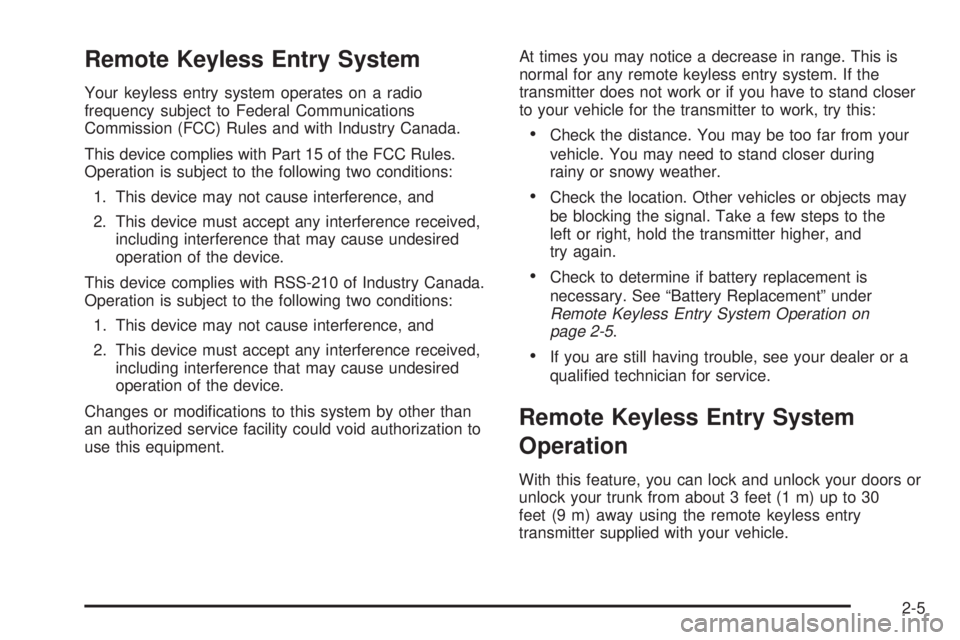
Your keyless entry system operates on a radio
frequency subject to Federal Communications
Commission (FCC) Rules and with Industry Canada.
This device complies with Part 15 of the FCC Rules.
Operation is subject to the following two conditions:
1. This device may not cause interference, and
2. This device must accept any interference received,
including interference that may cause undesired
operation of the device.
This device complies with RSS-210 of Industry Canada.
Operation is subject to the following two conditions:
1. This device may not cause interference, and
2. This device must accept any interference received,
including interference that may cause undesired
operation of the device.
Changes or modi®cations to this system by other than
an authorized service facility could void authorization to
use this equipment.At times you may notice a decrease in range. This is
normal for any remote keyless entry system. If the
transmitter does not work or if you have to stand closer
to your vehicle for the transmitter to work, try this:
·Check the distance. You may be too far from your
vehicle. You may need to stand closer during
rainy or snowy weather.
·Check the location. Other vehicles or objects may
be blocking the signal. Take a few steps to the
left or right, hold the transmitter higher, and
try again.
·Check to determine if battery replacement is
necessary. See ªBattery Replacementº under
Remote Keyless Entry System Operation on
page 2-5.
·If you are still having trouble, see your dealer or a
quali®ed technician for service.
Remote Keyless Entry System
Operation
With this feature, you can lock and unlock your doors or
unlock your trunk from about 3 feet (1 m) up to 30
feet (9 m) away using the remote keyless entry
transmitter supplied with your vehicle.
2-5
Page 68 of 380

If your vehicle is equipped with the DIC, the numbers on
the back of your transmitter correspond to DRIVER #1
and DRIVER #2 on the DIC. For more information
see
Driver Information Center (DIC) on page 3-45.
W(Unlock):When this
button is pressed, the
driver's door will unlock
and the exterior lights will
¯ash twice.
If the unlock button is pressed again within ®ve seconds,
all doors will unlock, the exterior lamps will ¯ash twice
and the horn may sound. See ªSecurity Feedbackº later
in this section for more information.
Pressing the unlock button will also illuminate the
interior lamps. See ªEntry Lightingº under
Interior Lamps
on page 3-17.
Q(Lock):When this button is pressed, all doors will
lock, the exterior lamps will ¯ash once and the horn
may sound.
V(Trunk):The trunk will unlock if this button is
pressed when the ignition is in OFF. It will also
work when the ignition is on, but only while the transaxle
is in PARK (P) or NEUTRAL (N).
L(Instant Alarm):When this button is pressed, the
horn will sound and the headlamps and taillamps
will ¯ash for up to 30 seconds. This can be turned off by
pressing the instant alarm button again or by turning
the ignition on. If your vehicle is equipped with the
content theft-deterrent feature, you may also turn off the
instant alarm by unlocking the vehicle with a key.
Personalization Features
The following list of features, if available on your
vehicle, can be programmed to each driver's preference.
·Automatic Door Locks:This feature programs
your door locks to automatically lock or unlock
when shifting in and out of PARK (P).
·Security Feedback:This feature provides feedback
to the driver when the vehicle receives a command
from the remote keyless entry transmitter.
2-6
Page 69 of 380

·Delayed Locking:This feature lets the driver delay
the actual locking of the vehicle. When all doors
have been closed, the doors will lock automatically
after ®ve seconds.
·Perimeter Lighting:When the button with the
unlock symbol on the remote keyless entry
transmitter is pressed, the daytime running lamps
(DRL), parking lamps and back-up lamps will
turn on.
For more detailed information and programming
instructions, refer to
DIC Vehicle Personalization on
page 3-50for each individual feature listed above.
Security Feedback
This feature provides feedback when the vehicle
receives a command from the remote keyless entry
transmitter. Feedback is only provided if all doors are
closed, the ignition is off and the Retained Accessory
Power (RAP) is inactive. One of the following modes
may be selected for each transmitter:
Mode 1:No feedback when locking or unlocking
vehicle.
Mode 2:Parking lamps, back-up lamps and the DRL
exterior lamps will ¯ash twice when unlocking the vehicle
and ¯ash once when locking the vehicle.Mode 3:Horn chirps when all doors are unlocked
(second time the button is pressed) and when locking
the vehicle.
Mode 4:Parking lamps, back-up lamps and the DRL
exterior lamps will ¯ash twice each time the button with
the unlock symbol is pressed; the horn chirps when
all doors are unlocked. Parking lamps and the
DRL exterior lamps ¯ash once and the horn chirps
when locking the vehicle.
The exterior lamps will not ¯ash if the manual parking
lamps are on.
If your vehicle is equipped with the DIC, you must
program this feature using it. See
Driver Information
Center (DIC) on page 3-45.
If your vehicle is not equipped with the DIC, do the
following to change to another mode:
1. Close all the doors and turn the ignition on. Keep
all doors closed throughout this procedure.
2. Press and hold LOCK on the driver's power door
lock switch throughout this procedure. All the
doors will lock.
3. Press the trunk button on the transmitter. The
security feedback will remain in its current mode.
The horn will chirp as feedback.
2-7