port BUICK LESABRE 2005 User Guide
[x] Cancel search | Manufacturer: BUICK, Model Year: 2005, Model line: LESABRE, Model: BUICK LESABRE 2005Pages: 392, PDF Size: 2.45 MB
Page 51 of 392

Securing a Child Restraint in the
Right Front Seat Position
If your vehicle is equipped with the LATCH system, see
Lower Anchorages and Top Tethers for Children
(LATCH System) on page 1-40. SeeTop Strap on
page 1-38if the child restraint has one.
There is no top strap anchor in the right front
passenger’s position. Do not secure a child seat in this
position if a national or local law requires that the
top strap be anchored, or if the instructions that come
with the child restraint say that the top strap must
be anchored.
Your vehicle has a right front passenger airbag.Never
put a rear facing child restraint in this seat. Here is why:
{CAUTION:
A child in a rear-facing child restraint can be
seriously injured or killed if the right front
passenger’s airbag inates. This is because
the back of the rear-facing child restraint
would be very close to the inating airbag.
Always secure a rear-facing child restraint in a
rear seat.A rear seat is a safer place to secure a forward-facing
child restraint. If you need to secure a forward-facing
child restraint in the right front seat, you will be using the
lap-shoulder belt to secure the child restraint in this
position. Be sure to follow the instructions that came with
the child restraint. Secure the child in the child restraint
when and as the instructions say.
1. Because your vehicle has a right front passenger
airbag, always move the seat as far back as it will
go before securing a forward-facing child restraint.
SeePower Seats on page 1-2orManual Seats
on page 1-2.
2. Put the child restraint on the seat.
3. Pick up the latch plate, and run the lap and shoulder
portions of the vehicle’s safety belt through or
around the restraint. The child restraint instructions
will show you how.
1-45
Page 54 of 392

Here are the most important things to know about the
airbag system:
{CAUTION:
You can be severely injured or killed in a crash
if you are not wearing your safety belt — even
if you have airbags. Wearing your safety belt
during a crash helps reduce your chance of
hitting things inside the vehicle or being
ejected from it. Airbags are designed to work
with safety belts but do not replace them.
Frontal airbags for the driver and right front
passenger are designed to deploy only in
moderate to severe frontal and near frontal
crashes. They are not designed to inate in
rollover, rear or low-speed frontal crashes, or in
many side crashes. And, for some unrestrained
occupants, frontal airbags may provide less
protection in frontal crashes than more forceful
airbags have provided in the past.
CAUTION: (Continued)
CAUTION: (Continued)
Side impact airbags for the driver and right
front passenger are designed to inate only in
moderate to severe crashes where something
hits the side of your vehicle. They are not
designed to inate in frontal, in rollover or in
rear crashes.
Everyone in your vehicle should wear a safety
belt properly — whether or not there is an
airbag for that person.
1-48
Page 102 of 392
OnStar®Personal Calling
As an OnStar®subscriber, the Personal Calling
capability is available if your hand-held cell phone is
lost, forgotten, or has a low battery. It is a hands-free
wireless phone that is integrated into the vehicle.
Calls can be placed nationwide using simple voice
commands with no additional contracts and no additional
roaming charges. To nd out more about OnStar
®
Personal Calling, refer to the OnStar®user’s guide in
the vehicle’s glove box or visit www.onstar.com or
www.onstarcanada.com; or speak with an OnStar
®
advisor by pressing the OnStar®button or by calling
1-888-4-ONSTAR (1-888-466-7827).
OnStar®Virtual Advisor
Virtual Advisor is a feature of OnStar®Personal Calling
that uses minutes to access up-to-date weather and
traffic reports for your area, news and sports updates,
stock quotes, entertainment and more. You are also able
to listen and reply to your E-mail through your vehicle’s
audio system. Customize your information prole at
www.myonstar.com. See the OnStar
®user’s guide for
more information.
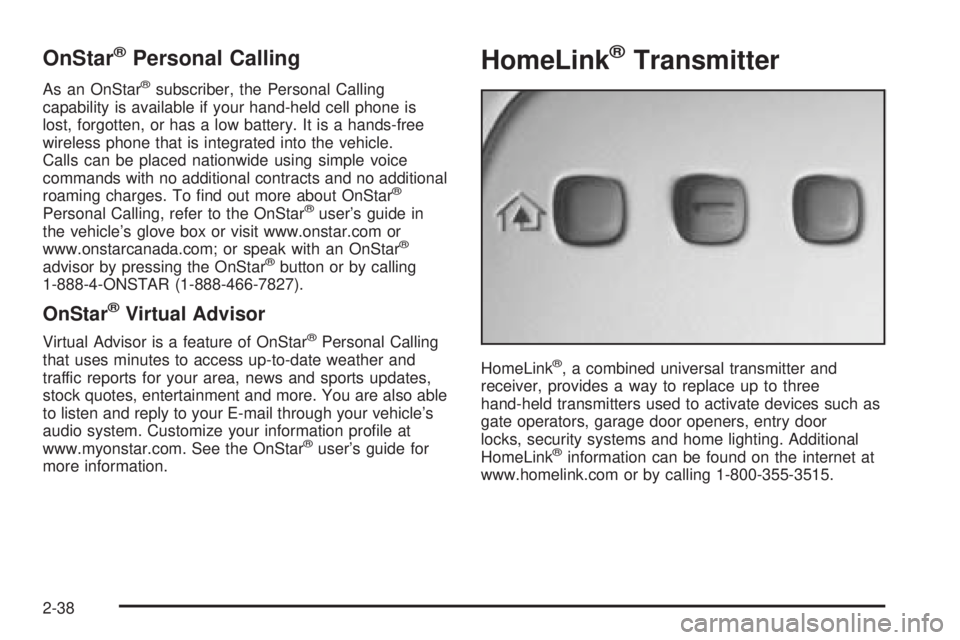
HomeLink®Transmitter
HomeLink®, a combined universal transmitter and
receiver, provides a way to replace up to three
hand-held transmitters used to activate devices such as
gate operators, garage door openers, entry door
locks, security systems and home lighting. Additional
HomeLink
®information can be found on the internet at
www.homelink.com or by calling 1-800-355-3515.
2-38
Page 131 of 392
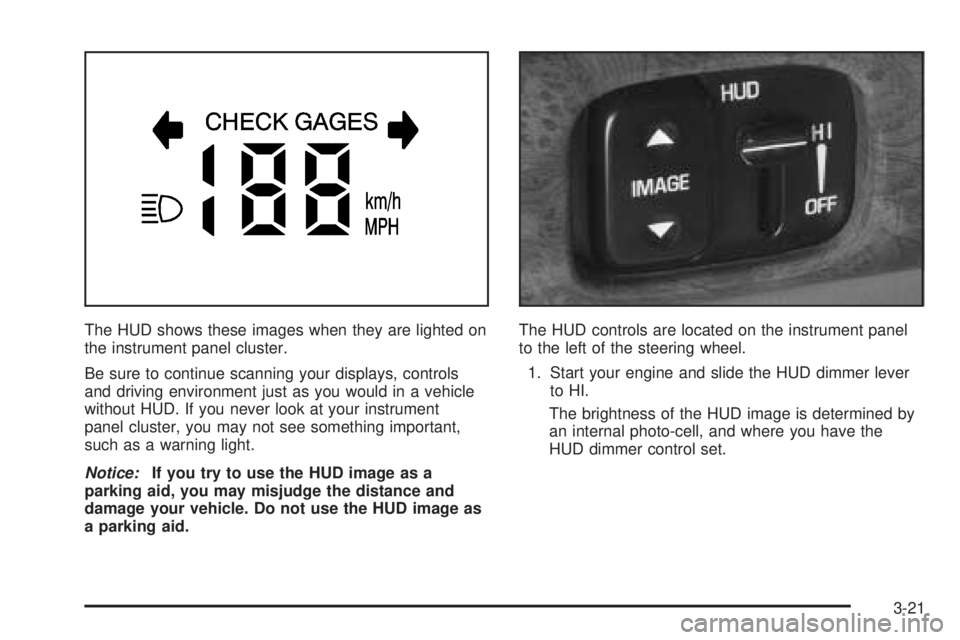
The HUD shows these images when they are lighted on
the instrument panel cluster.
Be sure to continue scanning your displays, controls
and driving environment just as you would in a vehicle
without HUD. If you never look at your instrument
panel cluster, you may not see something important,
such as a warning light.
Notice:If you try to use the HUD image as a
parking aid, you may misjudge the distance and
damage your vehicle. Do not use the HUD image as
a parking aid.The HUD controls are located on the instrument panel
to the left of the steering wheel.
1. Start your engine and slide the HUD dimmer lever
to HI.
The brightness of the HUD image is determined by
an internal photo-cell, and where you have the
HUD dimmer control set.
3-21
Page 160 of 392
If you see the CHECK TIRE PRESSURE message, you
should stop as soon as you can and check all your
tires for damage. If a tire is at, seeIf a Tire Goes Flat
on page 5-69. Also check the tire pressure in all four
tires as soon as you can. SeeInation - Tire Pressure
on page 5-60andCheck Tire Pressure System on
page 5-62. There are times when you will have to reset
(calibrate) the Check Tire Pressure System. See
Check Tire Pressure System on page 5-62.
RESET:This button, used along with other buttons, will
reset system functions.
ENG/MET (English/Metric):Use this button to change
the display between English and metric units.
DIC messages can be displayed in one of three
languages: English, French or Spanish. The language
of the display is set by pressing both the FUEL
INFO and RESET buttons for ve seconds. As the
buttons are held, each language will be displayed for
three seconds. Release the FUEL INFO and RESET
buttons when the desired language is displayed. All DIC
messages will now be in the selected language.
Language selection can also be done through the DIC
Personal Choice Programming. See “Language
Selection” underDIC Vehicle Personalization on
page 3-51.DIC Warnings and Messages
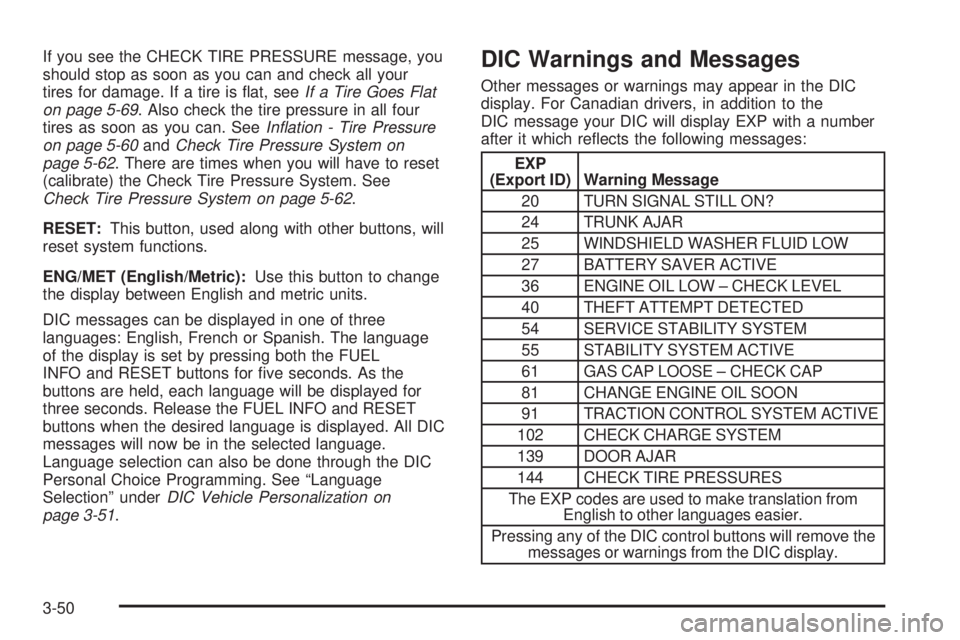
Other messages or warnings may appear in the DIC
display. For Canadian drivers, in addition to the
DIC message your DIC will display EXP with a number
after it which reects the following messages:
EXP
(Export ID) Warning Message
20 TURN SIGNAL STILL ON?
24 TRUNK AJAR
25 WINDSHIELD WASHER FLUID LOW
27 BATTERY SAVER ACTIVE
36 ENGINE OIL LOW – CHECK LEVEL
40 THEFT ATTEMPT DETECTED
54 SERVICE STABILITY SYSTEM
55 STABILITY SYSTEM ACTIVE
61 GAS CAP LOOSE – CHECK CAP
81 CHANGE ENGINE OIL SOON
91 TRACTION CONTROL SYSTEM ACTIVE
102 CHECK CHARGE SYSTEM
139 DOOR AJAR
144 CHECK TIRE PRESSURES
The EXP codes are used to make translation from
English to other languages easier.
Pressing any of the DIC control buttons will remove the
messages or warnings from the DIC display.
3-50
Page 166 of 392
Outside Curb View Assist Mirror
If your vehicle has the outside curb view assist mirror,
which tips the passenger mirror down while the vehicle is
in REVERSE (R), it can be made active or inactive
through the DIC. When TILT MIRRORS – OFF/ON
appears on the display, use the ENG/MET button to
toggle the arrow between OFF and ON. When you have
made your choice, press the RESET button to record
your selection. For more information on this feature, see
Outside Curb View Assist Mirror on page 2-36.
Driver ID
This feature displays the DRIVER ID, as identied by
the DIC. If this feature is ON, the DRIVER ID will
be displayed every time the ignition is turned on. If the
DRIVER ID is OFF, the DRIVER ID can be displayed
by pressing either a button on the remote keyless entry
transmitter or a memory seat button.
Language Selection
After DRIVER ID has been selected, “Language
English” will be displayed. Pressing the RESET button
selects English as the DIC language and ends
programming. If you prefer the language to be French
or Spanish, press the ENG/MET button when “Language
English” appears on the display. Hold the ENG/MET
button until the desired language is displayed, then
press the RESET button to select that language.
Audio System(s)
Notice:Before adding any sound equipment to
your vehicle, like a tape player, CB radio, mobile
telephone, or two-way radio, make sure that it can
be added by checking with your dealer. Also,
check federal rules covering mobile radio and
telephone units. If sound equipment can be added,
it is very important to do it properly. Added
sound equipment may interfere with the operation
of your vehicle’s engine, radio, or other systems,
and even damage them. Your vehicle’s systems may
interfere with the operation of sound equipment
that has been added improperly.
Figure out which audio system is in your vehicle, nd
out what your audio system can do, and how to operate
all of its controls.
Your vehicle has a feature called Retained Accessory
Power (RAP). With RAP, the audio system can be
played even after the ignition is turned off. SeeRetained
Accessory Power (RAP) on page 2-23for more
information.
3-56
Page 171 of 392
SCAN:Scan the stations within a PTY by performing
the following:
1. Press P-TYP to activate program type select mode.
The PTY symbol will appear on the display.
2. Turn the AUDIO knob to select a PTY.
3. Once the desired PTY is displayed, press and hold
either SEEK arrow, and the radio will begin
scanning the stations in the PTY.
4. Press either SEEK arrow to stop at a station.
If both PTY and TRAF are on, the radio will scan for
stations with the selected PTY and traffic
announcements.
BAND (Alternate Frequency):Alternate frequency
allows the radio to switch to a stronger station with the
same program type. To turn alternate frequency on,
press and hold BAND for two seconds. AF ON will
appear on the display. The radio may switch to stations
with a stronger frequency.
To turn alternate frequency off, press and hold BAND
again for two seconds. AF OFF will appear on the
display. The radio will not switch to other stations.RDS Messages
ALERT!:Alert warns of local or national emergencies.
When an alert announcement comes on the current
radio station, ALERT! will appear on the display. You will
hear the announcement, even if the volume is low or
a CD is playing. If a CD is playing, play will stop during
the announcement. Alert announcements cannot be
turned off.
ALERT! will not be affected by tests of the emergency
broadcast system. This feature is not supported by
all RDS stations.
INFO (Information):If the current station has a
message, INFO will appear on the display. Press this
button to see the message. The message may display
the artist, song title, call in phone numbers, etc.
If the entire message is not displayed, parts of the
message will appear every three seconds. To scroll
through the message, press and release the INFO button.
A new group of words will appear on the display after
every press of the button. Once the complete message
has been displayed, INFO will disappear from the display
until another new message is received. The last message
can be displayed by pressing the INFO button. You can
view the last message until a new message is received or
a different station is tuned to.
3-61
Page 174 of 392
DISP (Display):Press this button to see which track is
playing. Press it again within ve seconds to see
how long it has been playing. To change the default on
the display, track or elapsed time, press this button
until you see the display you want, then hold the button
until the display ashes. The selected display will
now be the default.
BAND:Press this button to listen to the radio when a
CD is playing. The inactive CD will remain safely
inside the radio for future listening.
CD:Press this button to play a CD when listening to
the radio.
Z(Eject):Press this button to eject the CD. Eject
may be activated with either the ignition or radio off. CDs
may be loaded with the ignition or radio off, if this
button is pressed rst.
CD Messages
CHECK CD:If this message appears on the radio
display, it could for one of the following reasons:
It is very hot. When the temperature returns to
normal, the CD should play.
You are driving on a very rough road. When the
road becomes smoother, the CD should play.
The CD is dirty, scratched, wet, or upside down.
The air is very humid. If so, wait about an hour and
try again.
There may have been a problem while burning
the CD.
The label may be caught in the CD player.
If the CD is not playing correctly, for any other reason,
try a known good CD.
If any error occurs repeatedly or if an error cannot be
corrected, contact your dealer. If the radio displays
an error message, write it down and provide it to your
dealer when reporting the problem.
3-64
Page 175 of 392
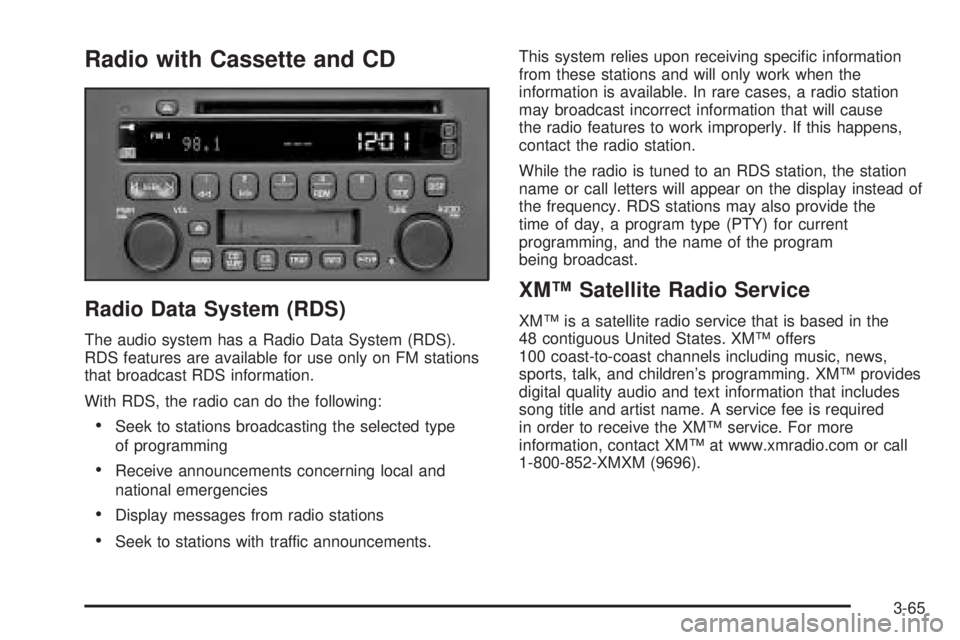
Radio with Cassette and CD
Radio Data System (RDS)
The audio system has a Radio Data System (RDS).
RDS features are available for use only on FM stations
that broadcast RDS information.
With RDS, the radio can do the following:
Seek to stations broadcasting the selected type
of programming
Receive announcements concerning local and
national emergencies
Display messages from radio stations
Seek to stations with traffic announcements.This system relies upon receiving specic information
from these stations and will only work when the
information is available. In rare cases, a radio station
may broadcast incorrect information that will cause
the radio features to work improperly. If this happens,
contact the radio station.
While the radio is tuned to an RDS station, the station
name or call letters will appear on the display instead of
the frequency. RDS stations may also provide the
time of day, a program type (PTY) for current
programming, and the name of the program
being broadcast.
XM™ Satellite Radio Service
XM™ is a satellite radio service that is based in the
48 contiguous United States. XM™ offers
100 coast-to-coast channels including music, news,
sports, talk, and children’s programming. XM™ provides
digital quality audio and text information that includes
song title and artist name. A service fee is required
in order to receive the XM™ service. For more
information, contact XM™ at www.xmradio.com or call
1-800-852-XMXM (9696).
3-65
Page 179 of 392
SCAN:Scan the stations within a PTY by performing
the following:
1. Press P-TYP to activate program type select mode.
P-TYPE will appear on the display.
2. Turn the AUDIO knob to select a PTY.
3. Once the desired PTY is displayed, press and hold
either SEEK arrow, and the radio will begin
scanning the stations in the PTY.
4. Press and hold either SEEK arrow to stop at
a station.
If both PTY and TRAF are on, the radio will scan for the
selected PTY and traffic announcements.
BAND (Alternate Frequency):Alternate frequency
allows the radio to switch to a stronger station with the
same program type. To turn alternate frequency on,
press and hold BAND for two seconds. AF ON will
appear on the display. The radio may switch to stations
with a stronger frequency.
To turn alternate frequency off, press and hold BAND
again for two seconds. AF OFF will appear on the
display. The radio will not switch to other stations.
This function does not apply to XM™ Satellite
Radio Service.RDS Messages
ALERT!:Alert warns of local or national emergencies.
When an alert announcement comes on the current radio
station, ALERT! will appear on the display. You will hear
the announcement, even if the volume is low or a
cassette tape or CD is playing. If a cassette tape or CD is
playing, play will stop during the announcement. Alert
announcements cannot be turned off.
ALERT! will not be affected by tests of the emergency
broadcast system. This feature is not supported by all
RDS stations.
INFO (Information):If the current station has a
message, INFO will appear on the display. Press this
button to see the message. The message may display
the artist, song title, call in phone numbers, etc.
If the entire message is not displayed, parts of the
message will appear every three seconds. To scroll
through the message, press the INFO button. A
new group of words will appear on the display after
every press of this button. Once the complete message
has been displayed, INFO will disappear from the
display until another new message is received. The last
message can be displayed by pressing the INFO
button. You can view the last message until a new
message is received or a different station is tuned to.
3-69