steering BUICK LESABRE 2005 User Guide
[x] Cancel search | Manufacturer: BUICK, Model Year: 2005, Model line: LESABRE, Model: BUICK LESABRE 2005Pages: 392, PDF Size: 2.45 MB
Page 115 of 392
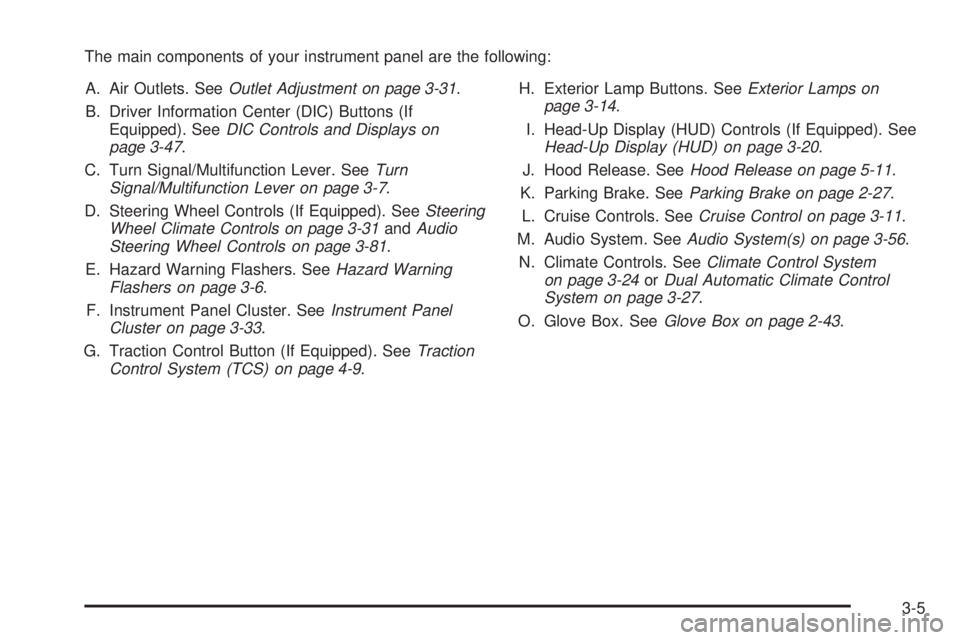
The main components of your instrument panel are the following:
A. Air Outlets. SeeOutlet Adjustment on page 3-31.
B. Driver Information Center (DIC) Buttons (If
Equipped). SeeDIC Controls and Displays on
page 3-47.
C. Turn Signal/Multifunction Lever. SeeTurn
Signal/Multifunction Lever on page 3-7.
D. Steering Wheel Controls (If Equipped). SeeSteering
Wheel Climate Controls on page 3-31andAudio
Steering Wheel Controls on page 3-81.
E. Hazard Warning Flashers. SeeHazard Warning
Flashers on page 3-6.
F. Instrument Panel Cluster. SeeInstrument Panel
Cluster on page 3-33.
G. Traction Control Button (If Equipped). SeeTraction
Control System (TCS) on page 4-9.H. Exterior Lamp Buttons. SeeExterior Lamps on
page 3-14.
I. Head-Up Display (HUD) Controls (If Equipped). See
Head-Up Display (HUD) on page 3-20.
J. Hood Release. SeeHood Release on page 5-11.
K. Parking Brake. SeeParking Brake on page 2-27.
L. Cruise Controls. SeeCruise Control on page 3-11.
M. Audio System. SeeAudio System(s) on page 3-56.
N. Climate Controls. SeeClimate Control System
on page 3-24orDual Automatic Climate Control
System on page 3-27.
O. Glove Box. SeeGlove Box on page 2-43.
3-5
Page 116 of 392
Hazard Warning Flashers
Your hazard warning ashers let you warn others. They
also let police know you have a problem. Your front
and rear turn signal lamps will ash on and off.
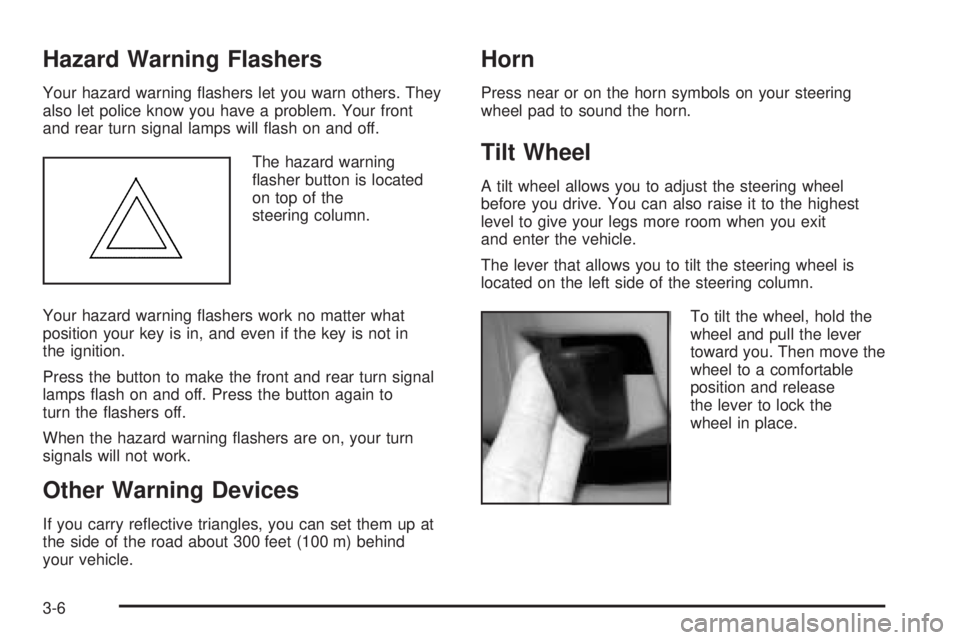
The hazard warning
asher button is located
on top of the
steering column.
Your hazard warning ashers work no matter what
position your key is in, and even if the key is not in
the ignition.
Press the button to make the front and rear turn signal
lamps ash on and off. Press the button again to
turn the ashers off.
When the hazard warning ashers are on, your turn
signals will not work.
Other Warning Devices
If you carry reective triangles, you can set them up at
the side of the road about 300 feet (100 m) behind
your vehicle.
Horn
Press near or on the horn symbols on your steering
wheel pad to sound the horn.
Tilt Wheel
A tilt wheel allows you to adjust the steering wheel
before you drive. You can also raise it to the highest
level to give your legs more room when you exit
and enter the vehicle.
The lever that allows you to tilt the steering wheel is
located on the left side of the steering column.
To tilt the wheel, hold the
wheel and pull the lever
toward you. Then move the
wheel to a comfortable
position and release
the lever to lock the
wheel in place.
3-6
Page 117 of 392
Turn Signal/Multifunction Lever
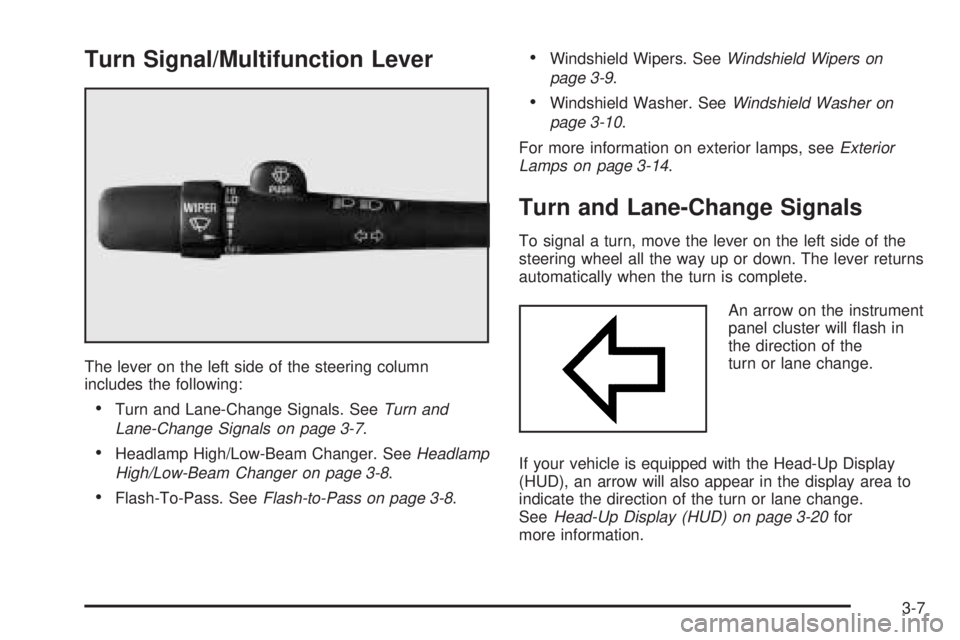
The lever on the left side of the steering column
includes the following:
Turn and Lane-Change Signals. SeeTurn and
Lane-Change Signals on page 3-7.
Headlamp High/Low-Beam Changer. SeeHeadlamp
High/Low-Beam Changer on page 3-8.
Flash-To-Pass. SeeFlash-to-Pass on page 3-8.
Windshield Wipers. SeeWindshield Wipers on
page 3-9.
Windshield Washer. SeeWindshield Washer on
page 3-10.
For more information on exterior lamps, seeExterior
Lamps on page 3-14.
Turn and Lane-Change Signals
To signal a turn, move the lever on the left side of the
steering wheel all the way up or down. The lever returns
automatically when the turn is complete.
An arrow on the instrument
panel cluster will ash in
the direction of the
turn or lane change.
If your vehicle is equipped with the Head-Up Display
(HUD), an arrow will also appear in the display area to
indicate the direction of the turn or lane change.
SeeHead-Up Display (HUD) on page 3-20for
more information.
3-7
Page 121 of 392
Cruise Control
The switches that operate cruise control are located on
the steering wheel.
With cruise control, you can maintain a speed of about
25 mph (40 km/h) or more without keeping your foot
on the accelerator. This is helpful on long trips.
Cruise control does not work at speeds below about
25 mph (40 km/h).
When you apply your brakes, the cruise control
shuts off.{CAUTION:
Cruise control can be dangerous where you
cannot drive safely at a steady speed. So, do
not use your cruise control on winding roads
or in heavy traffic.
Cruise control can be dangerous on slippery
roads. On such roads, fast changes in tire
traction can cause needless wheel spinning,
and you could lose control. Do not use cruise
control on slippery roads.
If your vehicle is in cruise control when the optional
traction control system begins to limit wheel spin, the
cruise control will automatically disengage. SeeTraction
Control System (TCS) on page 4-9. When road
conditions allow you to safely use it again, you may turn
the cruise control back on.
3-11
Page 124 of 392
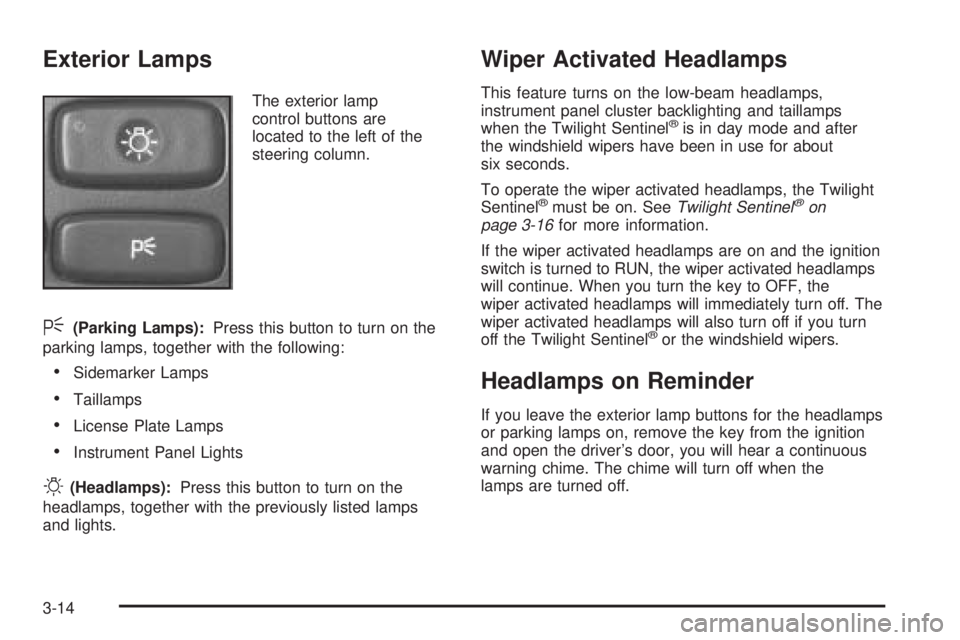
Exterior Lamps
The exterior lamp
control buttons are
located to the left of the
steering column.
<(Parking Lamps):Press this button to turn on the
parking lamps, together with the following:
Sidemarker Lamps
Taillamps
License Plate Lamps
Instrument Panel Lights
O(Headlamps):Press this button to turn on the
headlamps, together with the previously listed lamps
and lights.
Wiper Activated Headlamps
This feature turns on the low-beam headlamps,
instrument panel cluster backlighting and taillamps
when the Twilight Sentinel
®is in day mode and after
the windshield wipers have been in use for about
six seconds.
To operate the wiper activated headlamps, the Twilight
Sentinel
®must be on. SeeTwilight Sentinel®on
page 3-16for more information.
If the wiper activated headlamps are on and the ignition
switch is turned to RUN, the wiper activated headlamps
will continue. When you turn the key to OFF, the
wiper activated headlamps will immediately turn off. The
wiper activated headlamps will also turn off if you turn
off the Twilight Sentinel
®or the windshield wipers.
Headlamps on Reminder
If you leave the exterior lamp buttons for the headlamps
or parking lamps on, remove the key from the ignition
and open the driver’s door, you will hear a continuous
warning chime. The chime will turn off when the
lamps are turned off.
3-14
Page 126 of 392

Twilight Sentinel®
Twilight Sentinel®turns your headlamps on and off by
sensing how dark it is outside.
The lever for this feature is
located to the left of the
steering column.
To operate it, leave the exterior lamp button off.If you slide the lever all the way to MAX, your
headlamps will remain on for about three minutes after
you turn off your engine. As you slide the lever
toward OFF, the headlamps will turn off more quickly.
You can change this delay time from only a few seconds
to three minutes.
The exterior lamps can be completely shut off while the
vehicle is in PARK (P) by sliding the Twilight
Sentinel
®lever all the way to OFF. To turn the exterior
lamps back on, slide the lever toward MAX again,
or shift out of PARK (P).
Park Lamp Override Feature
If the Twilight Sentinel®lighting is active, it can be
disabled by manually turning on the parking lamps. The
lighting will be disabled until the ignition is moved
from RUN or until the outside light level becomes
daylight. The outside light level changing to daylight will
cause the Twilight Sentinel
®feature to deactivate.
The wiper-activated headlamps will override the twilight
disable feature.
3-16
Page 127 of 392
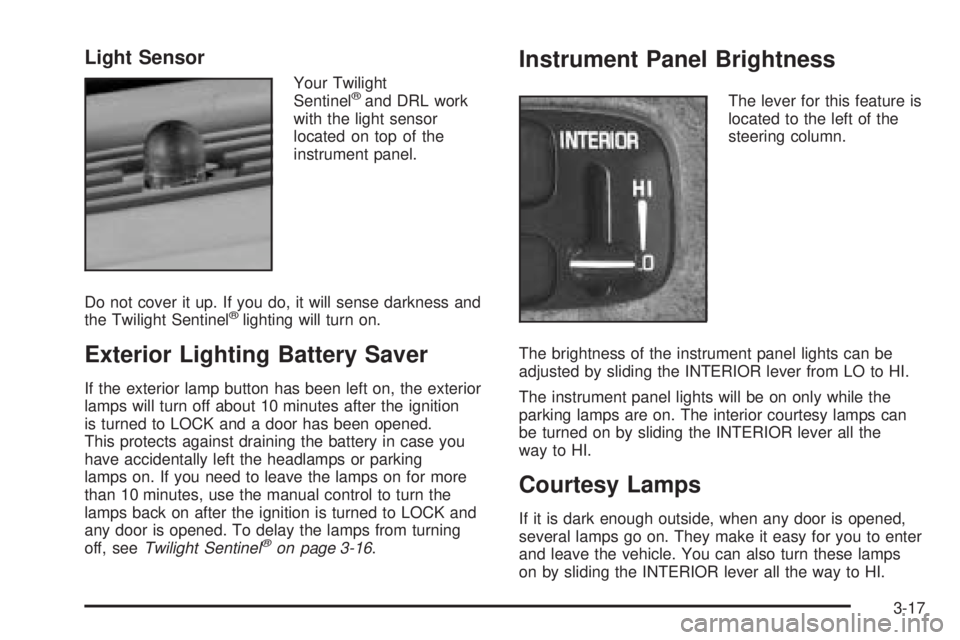
Light Sensor
Your Twilight
Sentinel®and DRL work
with the light sensor
located on top of the
instrument panel.
Do not cover it up. If you do, it will sense darkness and
the Twilight Sentinel
®lighting will turn on.
Exterior Lighting Battery Saver
If the exterior lamp button has been left on, the exterior
lamps will turn off about 10 minutes after the ignition
is turned to LOCK and a door has been opened.
This protects against draining the battery in case you
have accidentally left the headlamps or parking
lamps on. If you need to leave the lamps on for more
than 10 minutes, use the manual control to turn the
lamps back on after the ignition is turned to LOCK and
any door is opened. To delay the lamps from turning
off, seeTwilight Sentinel
®on page 3-16.
Instrument Panel Brightness
The lever for this feature is
located to the left of the
steering column.
The brightness of the instrument panel lights can be
adjusted by sliding the INTERIOR lever from LO to HI.
The instrument panel lights will be on only while the
parking lamps are on. The interior courtesy lamps can
be turned on by sliding the INTERIOR lever all the
way to HI.
Courtesy Lamps
If it is dark enough outside, when any door is opened,
several lamps go on. They make it easy for you to enter
and leave the vehicle. You can also turn these lamps
on by sliding the INTERIOR lever all the way to HI.
3-17
Page 131 of 392
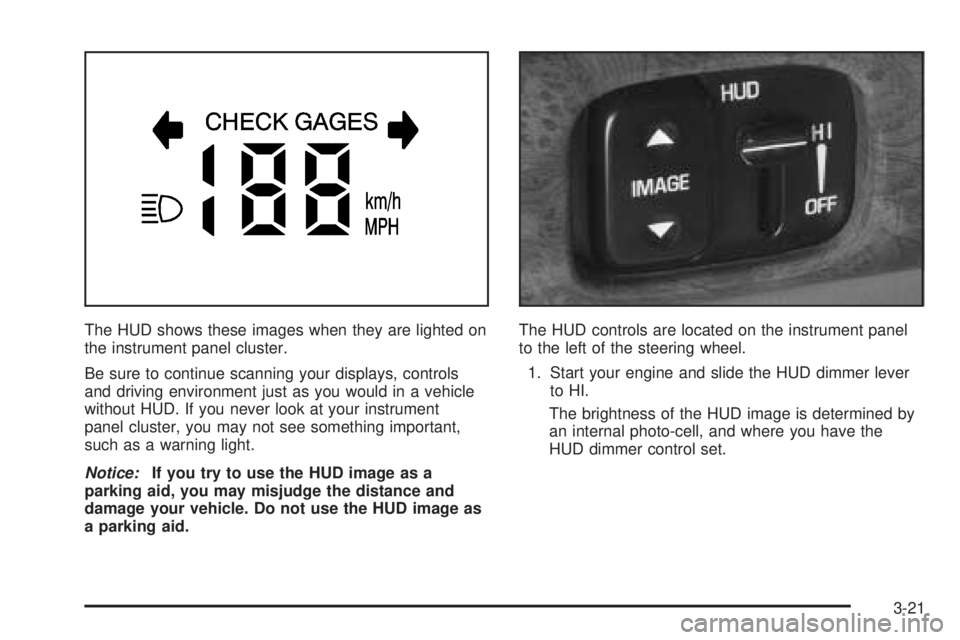
The HUD shows these images when they are lighted on
the instrument panel cluster.
Be sure to continue scanning your displays, controls
and driving environment just as you would in a vehicle
without HUD. If you never look at your instrument
panel cluster, you may not see something important,
such as a warning light.
Notice:If you try to use the HUD image as a
parking aid, you may misjudge the distance and
damage your vehicle. Do not use the HUD image as
a parking aid.The HUD controls are located on the instrument panel
to the left of the steering wheel.
1. Start your engine and slide the HUD dimmer lever
to HI.
The brightness of the HUD image is determined by
an internal photo-cell, and where you have the
HUD dimmer control set.
3-21
Page 132 of 392
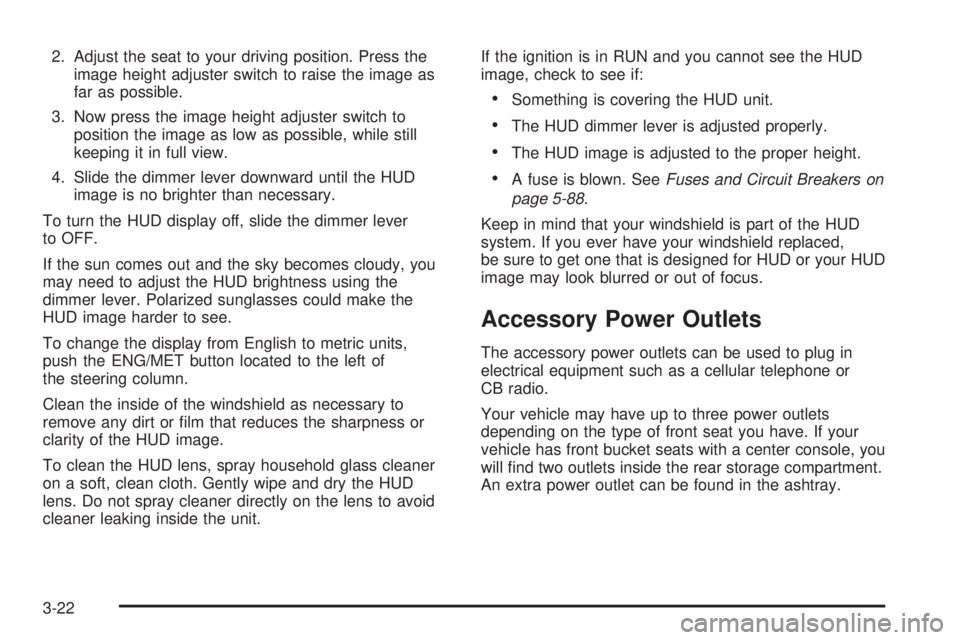
2. Adjust the seat to your driving position. Press the
image height adjuster switch to raise the image as
far as possible.
3. Now press the image height adjuster switch to
position the image as low as possible, while still
keeping it in full view.
4. Slide the dimmer lever downward until the HUD
image is no brighter than necessary.
To turn the HUD display off, slide the dimmer lever
to OFF.
If the sun comes out and the sky becomes cloudy, you
may need to adjust the HUD brightness using the
dimmer lever. Polarized sunglasses could make the
HUD image harder to see.
To change the display from English to metric units,
push the ENG/MET button located to the left of
the steering column.
Clean the inside of the windshield as necessary to
remove any dirt or lm that reduces the sharpness or
clarity of the HUD image.
To clean the HUD lens, spray household glass cleaner
on a soft, clean cloth. Gently wipe and dry the HUD
lens. Do not spray cleaner directly on the lens to avoid
cleaner leaking inside the unit.If the ignition is in RUN and you cannot see the HUD
image, check to see if:
Something is covering the HUD unit.
The HUD dimmer lever is adjusted properly.
The HUD image is adjusted to the proper height.
A fuse is blown. SeeFuses and Circuit Breakers on
page 5-88.
Keep in mind that your windshield is part of the HUD
system. If you ever have your windshield replaced,
be sure to get one that is designed for HUD or your HUD
image may look blurred or out of focus.
Accessory Power Outlets
The accessory power outlets can be used to plug in
electrical equipment such as a cellular telephone or
CB radio.
Your vehicle may have up to three power outlets
depending on the type of front seat you have. If your
vehicle has front bucket seats with a center console, you
will nd two outlets inside the rear storage compartment.
An extra power outlet can be found in the ashtray.
3-22
Page 141 of 392
Outlet Adjustment
Use the levers located in the middle of the front outlets
to change the direction of the airow.
In vehicles equipped with rear seat outlets, you can
adjust the direction of the airow using the lever in the
center of each outlet. Use the thumbwheel located
between the outlets to turn them on and off.
Operation Tips
Clear away any ice, snow or leaves from the air
inlets at the base of the windshield that may
block the ow of air into your vehicle.
Use of non-GM approved hood deectors may
adversely affect the performance of the system.
Keep the path under the front seats clear of
objects to help circulate the air inside of your vehicle
more effectively.
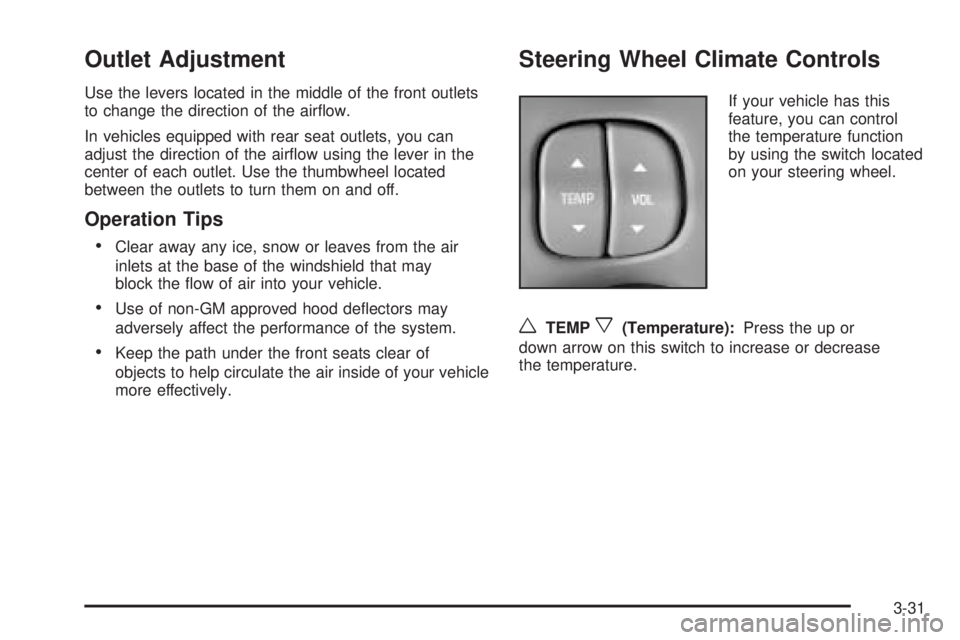
Steering Wheel Climate Controls
If your vehicle has this
feature, you can control
the temperature function
by using the switch located
on your steering wheel.
wTEMPx(Temperature):Press the up or
down arrow on this switch to increase or decrease
the temperature.
3-31