side mirrors BUICK LUCERNE 2006 Owner's Manual
[x] Cancel search | Manufacturer: BUICK, Model Year: 2006, Model line: LUCERNE, Model: BUICK LUCERNE 2006Pages: 416, PDF Size: 2.6 MB
Page 77 of 416
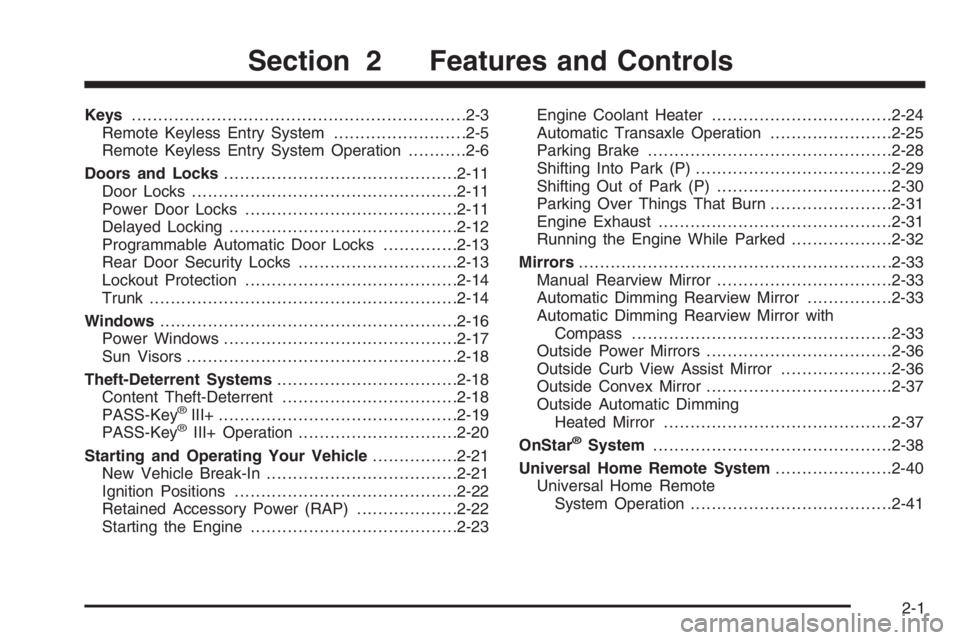
Keys...............................................................2-3
Remote Keyless Entry System.........................2-5
Remote Keyless Entry System Operation...........2-6
Doors and Locks............................................2-11
Door Locks..................................................2-11
Power Door Locks........................................2-11
Delayed Locking...........................................2-12
Programmable Automatic Door Locks..............2-13
Rear Door Security Locks..............................2-13
Lockout Protection........................................2-14
Trunk..........................................................2-14
Windows........................................................2-16
Power Windows............................................2-17
Sun Visors...................................................2-18
Theft-Deterrent Systems..................................2-18
Content Theft-Deterrent.................................2-18
PASS-Key
®III+.............................................2-19
PASS-Key®III+ Operation..............................2-20
Starting and Operating Your Vehicle................2-21
New Vehicle Break-In....................................2-21
Ignition Positions..........................................2-22
Retained Accessory Power (RAP)...................2-22
Starting the Engine.......................................2-23Engine Coolant Heater..................................2-24
Automatic Transaxle Operation.......................2-25
Parking Brake..............................................2-28
Shifting Into Park (P).....................................2-29
Shifting Out of Park (P).................................2-30
Parking Over Things That Burn.......................2-31
Engine Exhaust............................................2-31
Running the Engine While Parked...................2-32
Mirrors...........................................................2-33
Manual Rearview Mirror.................................2-33
Automatic Dimming Rearview Mirror................2-33
Automatic Dimming Rearview Mirror with
Compass.................................................2-33
Outside Power Mirrors...................................2-36
Outside Curb View Assist Mirror.....................2-36
Outside Convex Mirror...................................2-37
Outside Automatic Dimming
Heated Mirror...........................................2-37
OnStar®System.............................................2-38
Universal Home Remote System......................2-40
Universal Home Remote
System Operation......................................2-41
Section 2 Features and Controls
2-1
Page 94 of 416

Sun Visors
To block out glare, swing down the visor. The visors
can also be removed from the center mount and moved
to the side to block glare from the side.
Lighted Visor Vanity Mirror
Your sun visors may have lighted vanity mirrors. When
you open the cover to the visor vanity mirror, the
lamp will turn on.
Theft-Deterrent Systems
Vehicle theft is big business, especially in some cities.
Although your vehicle has a number of theft-deterrent
features, we know that nothing we put on it can make it
impossible to steal.
Content Theft-Deterrent
Your vehicle may have the optional content
theft-deterrent alarm system.
To activate the theft-deterrent system:
1. Open the door.
2. Lock the door with the power door lock switch or
the remote keyless entry transmitter. If you are
using the remote keyless entry transmitter, the door
does not need to be open.
3. Close all doors.
Once armed, the alarm will go off if someone tries to
enter the vehicle without using the remote keyless entry
transmitter or a key or turns the ignition on with an
incorrect key. The horn will sound and the turn signal
lamps will ash for approximately two minutes.
When the alarm is armed, the trunk may be opened
with the remote keyless entry transmitter. The power
door lock switches are disabled and the doors remain
locked. You must use your remote keyless entry
transmitter or your key to unlock the doors when the
system is armed.
2-18
Page 109 of 416

Mirrors
Manual Rearview Mirror
While sitting in a comfortable driving position, adjust the
mirror so you can see clearly behind your vehicle.
Grip the mirror in the center to move it up or down and
side to side. The control at the bottom of the mirror
is the day/night feature that allows adjustment to
the mirror so that the glare of headlamps from behind is
reduced. Push the control for daytime use; pull it for
night use.
Automatic Dimming Rearview Mirror
The vehicle may have an automatic dimming rearview
mirror. It may also have OnStar®controls. SeeOnStar®
System on page 2-38for more information.
At night, when glare from lights is high, the mirror will
gradually darken. This change may take a few seconds.
The mirror will return to its clear daytime state when
glare is reduced.
Mirror Operation
AUTO:Press this button to turn on the automatic
dimming feature.
OFF:Press this button to turn off the automatic
dimming feature.
O(On/Off):For mirrors equipped with OnStar®
controls, press this button to turn the automatic dimming
feature on or off.
The indicator light will be illuminated when this
feature is on.
Automatic Dimming Rearview Mirror
with Compass
Your vehicle may have an automatic dimming rearview
mirror with a compass. It may also have OnStar®
controls. SeeOnStar®System on page 2-38for more
information.
When cleaning the mirror, use a paper towel or similar
material dampened with glass cleaner. Do not spray
glass cleaner directly on the mirror as that may cause
the liquid cleaner to enter the mirror housing.
2-33
Page 111 of 416

Compass Variance
Compass variance is the difference between earth’s
magnetic north and true geographic north. The mirror is
set in zone eight upon leaving the factory. It will be
necessary to adjust the compass to compensate
for compass variance if the vehicle is outside zone
eight. Under certain circumstances, as during a
long distance cross-country trip, it will be necessary to
adjust for compass variance. If not adjusted to
account for compass variance, the compass could give
false readings.
To adjust for compass variance, do the following:
1. Find the current location and variance zone number
on the following zone map.
2. Press and hold the COMPASS button (or the on/off
button for mirrors equipped with OnStar
®controls)
until a zone number appears in the display.
3. Once a zone number appears in the display, press
the COMPASS button (or the on/off button for
mirrors equipped with OnStar
®controls) quickly until
the correct zone number appears in the display. If
C appears in the compass window, the compass
may need calibration. See “Compass Calibration”
explained previously.
2-35
Page 112 of 416

Outside Power Mirrors
The controls for the
outside power mirrors are
located on the driver’s
door armrest.
Press the left or right side of the selector switch located
beneath the control pad to choose the left or right
mirror.
To adjust the mirror, press one of the four arrows
located on the control pad to move the mirror in the
direction you want it to go. Adjust each outside mirror so
that you can see a little of your vehicle, and the area
behind your vehicle.
The mirrors may also have an arrow that ashes when
the turn signal is used. SeeTurn and Lane-Change
Signals on page 3-7.
Outside Curb View Assist Mirror
If your vehicle is equipped with memory mirrors, it will
also be capable of performing the curb view assist mirror
feature. This feature will allow the driver’s and
passenger’s side mirror to tilt to a factory programmed
position when the vehicle is in REVERSE (R). This
feature may be useful in allowing you to view the curb
when you are parallel parking.
When the vehicle is shifted out of REVERSE (R) and
either a thirty second delay has occurred, the vehicle
speed is greater than 8 mph (13 km/h), or the ignition is
turned to off, the driver’s and passenger’s side mirror
will return to its original position.
SeeDIC Vehicle Customization on page 3-65for more
information.
2-36
Page 113 of 416

Outside Convex Mirror
The passenger’s side mirror is convex. A convex
mirror’s surface is curved so more can be seen from the
driver’s seat.
{CAUTION:
A convex mirror can make things (like other
vehicles) look farther away than they really are.
If you cut too sharply into the right lane, you
could hit a vehicle on your right. Check your
inside mirror or glance over your shoulder
before changing lanes.
Outside Automatic Dimming
Heated Mirror
If you have this feature, the outside driver’s mirror will
adjust for the glare of headlamps behind you.
When you operate the rear window defogger, the
heated driver’s and passenger’s outside rearview mirrors
are warmed to help clear them of ice and snow. See
“Rear Window Defogger” underClimate Control System
on page 3-23orDual Automatic Climate Control
System on page 3-26for more information.
Your vehicle may also have a turn signal indicator on
the mirror. An arrow on the outside rearview mirror
will ash in the direction of the turn or lane change. See
Turn and Lane-Change Signals on page 3-7for more
information.
2-37
Page 123 of 416

Memory Seat and Mirrors
Your vehicle may have the memory package.
The controls for this feature are located on the driver’s
door panel, and are used to program and recall
memory settings for the driver’s seat and the outside
mirrors.
To save your positions in memory, do the following:
1. Adjust the driver’s seat, including the seatback
recliner and lumbar, and both outside mirrors to
your preferred position.
2. Press and hold button 1 until two beeps sound
through the driver’s side front speaker to let you
know that the position has been stored.
A second seating and mirror position can be
programmed by repeating the above steps and pressing
button 2 for a second driver.To recall your memory positions, the vehicle must be in
PARK (P). Press and release either button 1 or
button 2 corresponding to the desired driving position.
The seat and outside mirrors will move to the position
previously stored for the identied driver. You will hear a
single beep.
If you use the remote keyless entry transmitter to enter
your vehicle and the remote recall memory feature
is on, automatic seat and mirror movement will occur.
See “MEMORY SEAT RECALL” underDIC Vehicle
Customization on page 3-65for more information.
To stop recall movement of the memory feature at any
time, press one of the power seat controls, memory
buttons, or power mirror buttons.
If something has blocked the driver’s seat while recalling
a memory position, the driver’s seat recall may stop
working. If this happens, press the appropriate control
for the area that is not recalling for two seconds,
after the obstruction is removed. Then try recalling the
memory position again by pressing the appropriate
memory button. If the memory position is still not
recalling, see your GM dealer for service.
2-47
Page 131 of 416
Turn Signal/Multifunction Lever
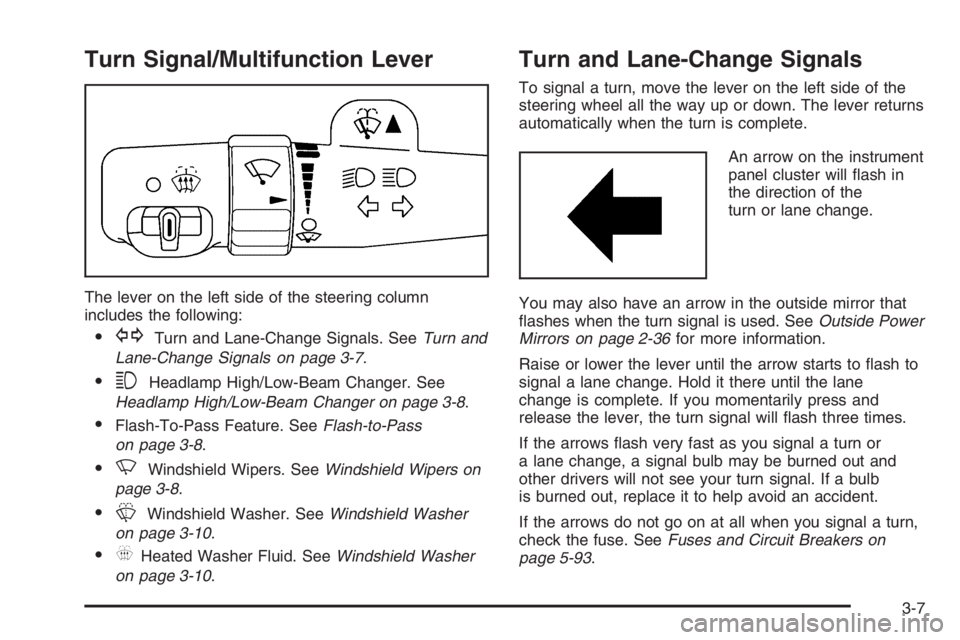
The lever on the left side of the steering column
includes the following:
GTurn and Lane-Change Signals. SeeTurn and
Lane-Change Signals on page 3-7.
3Headlamp High/Low-Beam Changer. See
Headlamp High/Low-Beam Changer on page 3-8.
Flash-To-Pass Feature. SeeFlash-to-Pass
on page 3-8.
NWindshield Wipers. SeeWindshield Wipers on
page 3-8.
LWindshield Washer. SeeWindshield Washer
on page 3-10.
_Heated Washer Fluid. SeeWindshield Washer
on page 3-10.
Turn and Lane-Change Signals
To signal a turn, move the lever on the left side of the
steering wheel all the way up or down. The lever returns
automatically when the turn is complete.
An arrow on the instrument
panel cluster will ash in
the direction of the
turn or lane change.
You may also have an arrow in the outside mirror that
ashes when the turn signal is used. SeeOutside Power
Mirrors on page 2-36for more information.
Raise or lower the lever until the arrow starts to ash to
signal a lane change. Hold it there until the lane
change is complete. If you momentarily press and
release the lever, the turn signal will ash three times.
If the arrows ash very fast as you signal a turn or
a lane change, a signal bulb may be burned out and
other drivers will not see your turn signal. If a bulb
is burned out, replace it to help avoid an accident.
If the arrows do not go on at all when you signal a turn,
check the fuse. SeeFuses and Circuit Breakers on
page 5-93.
3-7
Page 149 of 416

See “Rear Window Defogger” later in this section for
information on clearing the rear window of fog or ice.
Turn the right knob to select the defog or defrost mode.
-(Defog):This mode directs half of the air to the
windshield and the side window outlets and half to the
oor outlets. When you select this mode, the system
turns recirculation off and runs the air conditioning
compressor unless the outside temperature is near or
below freezing. Pressing the recirculation button
will have no effect other than turning on the indicator
light while in defog mode.
0(Defrost):This mode directs most of the air to the
windshield and the side window outlets. When you select
this mode, the system turns recirculation off. Pressing the
recirculation button will have no effect other than turning
on the indicator light while in defrost mode.
Rear Window Defogger
The rear window defogger uses a warming grid to
remove fog from the rear window.
<(Rear Window Defogger):Press this button to turn
the rear window defogger on or off. An indicator light
below the button will come on to let you know that the
rear window defogger is activated. Be sure to clear
as much snow from the rear window as possible.The rear window defogger will only work when the
ignition is in run. The rear window defogger will stay on
for approximately 20 minutes after the button is
pressed if you are traveling at slower vehicle speeds.
At higher vehicle speeds, the rear defogger may stay on
continuously. If turned on again, the defogger will only
run for approximately 10 minutes before turning off.
The defogger can be turned off by pressing the button
again, by turning the ignition to B (ACCESSORY) or
C (RUN), or by turning off the engine.
If your vehicle has heated outside rearview mirrors,
the mirrors will heat to help clear fog or frost from the
surface of the mirror when the rear window defogger
is on. SeeOutside Automatic Dimming Heated
Mirror on page 2-37for more information.
Notice:Do not use anything sharp on the inside
of the rear window. If you do, you could cut or
damage the warming grid, and the repairs would
not be covered by your warranty. Do not attach
a temporary vehicle license, tape, a decal or
anything similar to the defogger grid.
3-25
Page 154 of 416

Defogging and Defrosting
Fog on the inside of windows is a result of high humidity
(moisture) condensing on the cool window glass. This
can be minimized if the climate control system is
used properly. There are two modes to clear fog from
your windshield, defog and defrost.
W(Floor/Defog):Use this mode to clear the windows
of fog or moisture and to warm the passengers.
Turning the control to this mode directs approximately
half of the air to the oor outlets and the remaining air
is directed to the side window outlets and to the
windshield. When you select this mode, the system
turns off recirculation and runs the air-conditioning
compressor unless the outside temperature is at or
below freezing. The recirculation mode cannot be
selected while in the oor/defog mode.
0(Defrost):Use this mode to remove fog or frost
from the windshield more quickly. Turning the control to
this mode directs most of the air to the windshield
and the side window outlets. In this mode, the system
will automatically turn off recirculation and run the
air-conditioning compressor, unless the outside
temperature is at or below freezing. Recirculation cannot
be selected while in the defrost mode. Do not drive
the vehicle until all the windows are clear.
Rear Window Defogger
The rear window defogger uses a warming grid to
remove fog or frost from the rear window.
<(Rear Defogger):Press this button to turn the rear
window defogger on or off. An indicator light below
the button will come on to let you know that the rear
window defogger is activated. Be sure to clear as much
snow from the rear window as possible.
The rear window defogger will only work when the
ignition is in C (RUN). The rear window defogger will
stay on for approximately 20 minutes after the button is
pressed if you are traveling at slower vehicle speeds.
At higher vehicle speeds the rear window defogger may
stay on continuously. If turned on again, the defogger
will only run for approximately 10 minutes before turning
off. The defogger can be turned off by pressing the
button again, by turning the ignition to B (ACCESSORY)
or C (RUN), or by turning off the engine.
The heated outside rearview mirrors will heat to help clear
fog or frost from the surface of the mirror when the rear
window defogger is on. SeeOutside Automatic Dimming
Heated Mirror on page 2-37for more information.
Notice:Do not use a razor blade or sharp object to
clear the inside rear window. Do not adhere
anything to the defogger grid lines in the rear glass.
These actions may damage the rear defogger.
Repairs would not be covered by your warranty.
3-30