mirror BUICK LUCERNE 2007 User Guide
[x] Cancel search | Manufacturer: BUICK, Model Year: 2007, Model line: LUCERNE, Model: BUICK LUCERNE 2007Pages: 496, PDF Size: 2.77 MB
Page 134 of 496
Outside Curb View Assist Mirror
If your vehicle is equipped with memory mirrors, it
will also be capable of performing the curb view
assist mirror feature. This feature will allow the
driver’s and passenger’s side mirror to tilt to a
factory programmed position when the vehicle
is in REVERSE (R). This feature may be useful in
allowing you to view the curb when you are parallel
parking.
When the vehicle is shifted out of REVERSE (R)
or the ignition is turned to off, the driver’s and
passenger’s side mirror will return to its original
position.
SeeDIC Vehicle Customization on page 231for
more information.
Outside Convex Mirror
The passenger’s side mirror is convex. A convex
mirror’s surface is curved so more can be
seen from the driver’s seat.
{CAUTION:
A convex mirror can make things (like
other vehicles) look farther away than
they really are. If you cut too sharply into
the right lane, you could hit a vehicle on
your right. Check your inside mirror or
glance over your shoulder before
changing lanes.
134
Page 135 of 496
Outside Automatic Dimming
Heated Mirror
If you have this feature, the outside driver’s mirror
will adjust for the glare of headlamps behind you.
When you operate the rear window defogger, the
heated driver’s and passenger’s outside rearview
mirrors are warmed to help clear them of ice and
snow. See “Rear Window Defogger” underClimate
Control System on page 182orDual Automatic
Climate Control System on page 186for more
information.
Your vehicle may also have a turn signal indicator
on the mirror. An arrow on the outside rearview
mirror will ash in the direction of the turn or lane
change. SeeTurn and Lane-Change Signals
on page 162for more information.
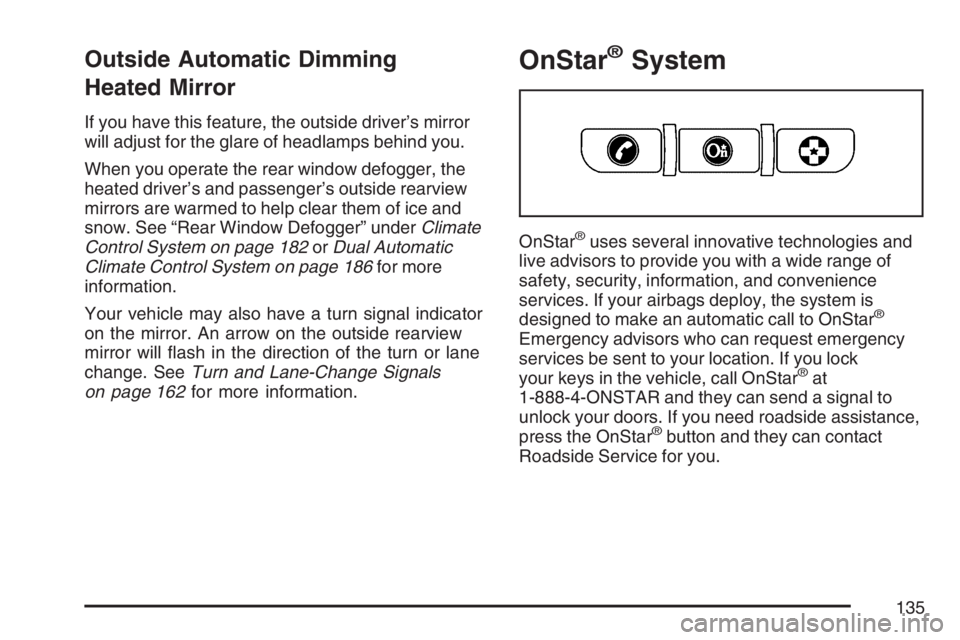
OnStar®System
OnStar®uses several innovative technologies and
live advisors to provide you with a wide range of
safety, security, information, and convenience
services. If your airbags deploy, the system is
designed to make an automatic call to OnStar
®
Emergency advisors who can request emergency
services be sent to your location. If you lock
your keys in the vehicle, call OnStar
®at
1-888-4-ONSTAR and they can send a signal to
unlock your doors. If you need roadside assistance,
press the OnStar
®button and they can contact
Roadside Service for you.
135
Page 162 of 496
Turn Signal/Multifunction Lever
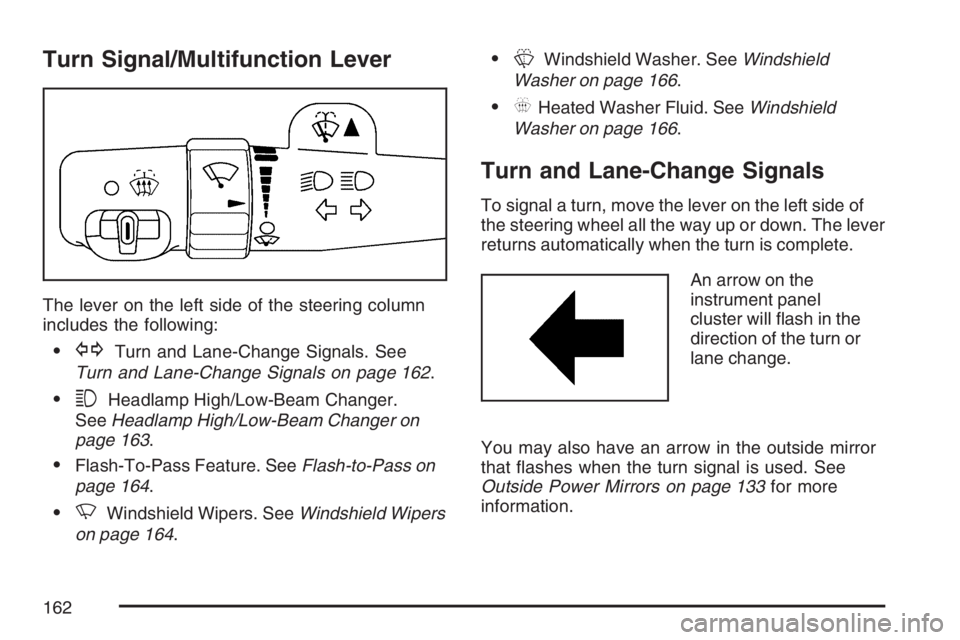
The lever on the left side of the steering column
includes the following:
GTurn and Lane-Change Signals. See
Turn and Lane-Change Signals on page 162.
3Headlamp High/Low-Beam Changer.
SeeHeadlamp High/Low-Beam Changer on
page 163.
Flash-To-Pass Feature. SeeFlash-to-Pass on
page 164.
NWindshield Wipers. SeeWindshield Wipers
on page 164.
LWindshield Washer. SeeWindshield
Washer on page 166.
_Heated Washer Fluid. SeeWindshield
Washer on page 166.
Turn and Lane-Change Signals
To signal a turn, move the lever on the left side of
the steering wheel all the way up or down. The lever
returns automatically when the turn is complete.
An arrow on the
instrument panel
cluster will ash in the
direction of the turn or
lane change.
You may also have an arrow in the outside mirror
that ashes when the turn signal is used. See
Outside Power Mirrors on page 133for more
information.
162
Page 165 of 496
Rainsense™ II Wipers
If your vehicle has this feature, the moisture sensor
is mounted on the interior of the windshield beside
the rearview mirror and is used to automatically
operate the wipers. This system operates by
monitoring the amount of moisture build-up on the
windshield. Wipes occur as needed to clear the
windshield depending on the driving conditions and
the sensitivity setting. In light rain or snow, fewer
wipes will occur. In heavy rain or snow, wipes will
occur more frequently. The system operates in the
delay mode. If the system is left on for long periods
of time, occasional wipes may occur without any
moisture on the windshield. This is normal and
indicates that the Rainsense™ system is active.
The Rainsense™ system is activated by turning
the wiper control band to one of the ve sensitivity
levels within the delay area. The position closest
to off is the lowest sensitivity setting, level one.This allows more rain or snow to collect on the
windshield between wipes. Turning the wiper band
away from you to higher sensitivity levels increases
the sensitivity of the system and frequency of
wipes. The highest sensitivity setting, level ve is
closest to low. A single wipe will occur each time
you turn the wiper stalk to a higher sensitivity level
to indicate that the sensitivity level has been
increased.
Notice:Going through an automatic car wash
with the wipers on can damage them. Turn the
wipers off when going through an automatic
car wash.
The MIST and wash cycles operate as normal and
are not affected by the Rainsense™ function. The
system can be overridden at any time by manually
changing the wiper control to low or high speed.
Notice:Do not place stickers or other items
on the exterior glass surface directly in front of
the rain sensor. Doing this could cause the
rain sensor to malfunction.
165
Page 185 of 496
Rear Window Defogger
The rear window defogger uses a warming grid to
remove fog from the rear window.
<(Rear Window Defogger):Press this button
to turn the rear window defogger on or off. An
indicator light below the button will come on to
let you know that the rear window defogger is
activated. Be sure to clear as much snow from
the rear window as possible.
The rear window defogger will only work when the
ignition is in run. The rear window defogger will stay
on for about 20 minutes after the button is pressed
if you are traveling at slower vehicle speeds. At
higher vehicle speeds, the rear defogger may stay
on continuously. If turned on again, the defogger
will only run for about 10 minutes before turning off.
The defogger can be turned off by pressing
the button again, by turning the ignition to
ACCESSORY or RUN, or by turning off the engine.If your vehicle has heated outside rearview mirrors,
the mirrors will heat to help clear fog or frost from
the surface of the mirror when the rear window
defogger is on. SeeOutside Automatic Dimming
Heated Mirror on page 135for more information.
Notice:Do not use anything sharp on the
inside of the rear window. If you do, you could
cut or damage the warming grid, and the repairs
would not be covered by your warranty. Do not
attach a temporary vehicle license, tape, a decal
or anything similar to the defogger grid.
185
Page 191 of 496
0(Defrost):Use this mode to remove fog or
frost from the windshield more quickly. Turning the
control to this mode directs most of the air to the
windshield and the side window outlets. In this
mode, the system will automatically turn off
recirculation and run the air-conditioning
compressor, unless the outside temperature is at or
below freezing. Recirculation cannot be selected
while in the defrost mode. Do not drive the vehicle
until all the windows are clear.
Rear Window Defogger
The rear window defogger uses a warming grid to
remove fog or frost from the rear window.
<(Rear Defogger):Press this button to turn
the rear window defogger on or off. An indicator
light below the button will come on to let you know
that the rear window defogger is activated. Be
sure to clear as much snow from the rear window
as possible.The rear window defogger will only work when the
ignition is in RUN. The rear window defogger will
stay on for about 20 minutes after the button is
pressed if you are traveling at slower vehicle
speeds. At higher vehicle speeds the rear window
defogger may stay on continuously. If turned
on again, the defogger will only run for about
10 minutes before turning off. The defogger can be
turned off by pressing the button again, by turning
the ignition to ACCESSORY or RUN, or by turning
off the engine.
The heated outside rearview mirrors will heat to
help clear fog or frost from the surface of the mirror
when the rear window defogger is on. SeeOutside
Automatic Dimming Heated Mirror on page 135for
more information.
Notice:Do not use a razor blade or sharp
object to clear the inside rear window. Do not
adhere anything to the defogger grid lines
in the rear glass. These actions may damage
the rear defogger. Repairs would not be
covered by your warranty.
191
Page 218 of 496
Remote Key
To access this display, the vehicle must be in
PARK (P). This display allows you to match the
Remote Keyless Entry (RKE) transmitter to your
vehicle. To match an RKE transmitter to your
vehicle, do the following:
1. Press the vehicle information button until
PRESS
VTO RELEARN REMOTE KEY
displays.
2. Press the set/reset button.
The message REMOTE KEY LEARNING
ACTIVE will display.
3. Press and hold the lock and unlock buttons
on the rst transmitter at the same time for
about 15 seconds.
A chime will sound indicating that the
transmitter is matched.
4. To match additional transmitters at this time,
repeat Step 3.
Each vehicle can have a maximum of
eight transmitters matched to it.
5. To exit the programming mode, you must
cycle the key to OFF.
Blank Display
This display shows no information.
Customization Menu Items
U
(Customization):Press this button to enter
the feature settings menu. This display allows
you to customize the feature settings on your
vehicle. SeeDIC Vehicle Customization on
page 231for more information.
DIC Compass
Your vehicle may have a compass in the Driver
Information Center (DIC). The information below
explains how to operate this feature in the DIC.
If your vehicle has a compass in the mirror, see
Automatic Dimming Rearview Mirror with Compass
on page 132.
218
Page 237 of 496
NO CHANGE:No change will be made to this
feature. The current setting will remain.
Select one of the available choices and press
the set/reset button while it is displayed on the
DIC to select it.
CHIME VOLUME
This feature allows you to select the volume level
of the chime.
Press the customization button until CHIME
VOLUME appears on the DIC display. Press the
set/reset button to access the settings for this
feature. Then press the customization button to
scroll through the following choices:
NORMAL (default):The chime volume will be set
to a normal level.
LOUD:The chime volume will be set to a
loud level.
NO CHANGE:No change will be made to this
feature. The current setting will remain.
Select one of the available choices and press
the set/reset button while it is displayed on the DIC
to select it.
PARK TILT MIRRORS
If your vehicle has this feature, it allows you to
select whether or not the outside mirror(s) will
automatically tilt down when the vehicle is shifted
into REVERSE (R). SeeOutside Curb View Assist
Mirror on page 134for more information.
Press the customization button until PARK TILT
MIRRORS appears on the DIC display. Press the
set/reset button to access the settings for this
feature. Then press the customization button to
scroll through the following choices:
OFF (default):Neither outside mirror will be tilted
down when the vehicle is shifted into
REVERSE (R).
DRIVER MIRROR:The driver’s outside mirror will
be tilted down when the vehicle is shifted into
REVERSE (R).
PASSENGER MIRROR:The passenger’s outside
mirror will be tilted down when the vehicle is
shifted into REVERSE (R).
BOTH MIRRORS:The driver’s and passenger’s
outside mirrors will be tilted down when the vehicle
is shifted into REVERSE (R).
237
Page 238 of 496
NO CHANGE:No change will be made to this
feature. The current setting will remain.
Select one of the available choices and press
the set/reset button while it is displayed on the DIC
to select it.
EASY EXIT SEAT
If the vehicle has this feature, it allows you to
select your preference for the easy exit seat
feature. SeeMemory Seat and Mirrors on page 13
for more information.
Press the customization button until EASY EXIT
SEAT appears in the display. Press the set/reset
button to access the settings for this feature.
Then press the customization button to scroll
through the following choices:
OFF (default):No seat exit recall will occur.ON:The driver’s seat will move back when the
key is removed from the ignition.
The automatic easy exit seat movement will only
occur one time after the key is removed from the
ignition. If the automatic movement has already
occurred, and you put the key back in the ignition
and remove it again, the seat will stay in the original
exit position, unless a memory recall took place
prior to removing the key again.
NO CHANGE:No change will be made to this
feature. The current setting will remain.
Select one of the available choices and press
the set/reset button while it is displayed on the DIC
to select it.
238
Page 239 of 496

MEMORY SEAT RECALL
If the vehicle has this feature, it allows you to
select your preference for the memory seat recall
feature. SeeMemory Seat and Mirrors on
page 13for more information.
Press the customization button until MEMORY
SEAT RECALL appears in the display. Press the
set/reset button to access the settings for this
feature. Then press the customization button to
scroll through the following choices:
OFF (default):No memory seat recall will occur.
ON:The driver’s seat will automatically move
to the stored driving position when the unlock
button on the Remote Keyless Entry (RKE)
transmitter is pressed.
NO CHANGE:No change will be made to this
feature. The current setting will remain.
Select one of the available choices and press
the set/reset button while it is displayed on the DIC
to select it.
REMOTE START
If your vehicle has this feature, it allows you to turn
the remote start off or on. The remote start feature
allows you to start the engine from outside of the
vehicle using your Remote Keyless Entry (RKE)
transmitter. See “Remote Vehicle Start” under
Remote Keyless Entry (RKE) System Operation
on page 95for more information.
Press the customization button until REMOTE
START appears on the DIC display. Press the
set/reset button to access the settings for this
feature. Then press the customization button to
scroll through the following choices:
OFF:The remote start feature will be disabled.
ON (default):The remote start feature will
be enabled.
NO CHANGE:No change will be made to this
feature. The current setting will remain.
Select one of the available choices and press
the set/reset button while it is displayed on the DIC
to select it.
239