steering BUICK LUCERNE 2007 Owner's Guide
[x] Cancel search | Manufacturer: BUICK, Model Year: 2007, Model line: LUCERNE, Model: BUICK LUCERNE 2007Pages: 496, PDF Size: 2.77 MB
Page 173 of 496
Fog Lamps
-(Fog Lamps):If your vehicle has fog lamps,
the button is located on the exterior lamps control.
The exterior lamps control is located on the
instrument panel to the left of the steering column.
Your ignition must be in RUN for the fog lamps to
illuminate.
To turn the fog lamps on, press the exterior lamps
button. A light will come on in the instrument
panel cluster to let you know that the fog lamps
are on. SeeInstrument Panel Cluster on page 194.
Press the exterior lamps button again to turn the
fog lamps off.
The ignition must be in RUN and the parking
lamps must be on for your fog lamps to work.
The fog lamps will go off while you change
to high-beam headlamps.
Some localities have laws that require the
headlamps to be on along with the fog lamps.
Cornering Lamps
If your vehicle has this feature, the cornering lamps
come on when: the headlamps or parking lamps are
on, the vehicle is not in PARK (P), and you signal a
turn with the turn signal/multifunction lever. They
provide more light for cornering.
Exterior Lighting Battery Saver
If the exterior lamp button has been left on, the
exterior lamps will turn off about 10 minutes after
the ignition is turned to OFF and a door has been
opened. This protects against draining the battery
in case you have accidentally left the headlamps or
parking lamps on. If you need to leave the lamps on
for more than 10 minutes, use the manual control to
turn the lamps back on after the ignition is turned to
OFF and any door is opened.
173
Page 189 of 496
wx(Driver’s Temperature Controls):Press
these buttons next to the fan control to manually
increase or decrease the temperature inside
your vehicle.
wx(Passenger’s Temperature Controls):
Press these buttons next to the mode control to
manually increase or decrease the temperature for
the front passenger. If the passenger’s climate
control system is off, pressing one of these buttons
will turn it on.
PASS (Passenger’s Climate Control):Press
this button to turn the passenger’s climate control
systems on or off.
If the PASS button is pressed to turn the
passenger temperature setting off, the driver’s
temperature setting will control the temperature
for the entire vehicle.
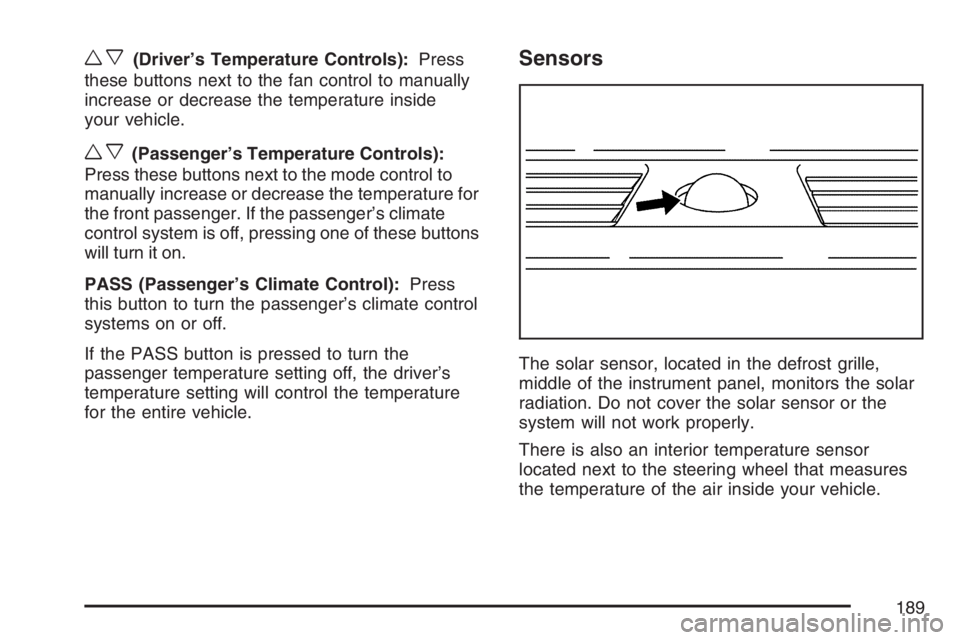
Sensors
The solar sensor, located in the defrost grille,
middle of the instrument panel, monitors the solar
radiation. Do not cover the solar sensor or the
system will not work properly.
There is also an interior temperature sensor
located next to the steering wheel that measures
the temperature of the air inside your vehicle.
189
Page 227 of 496

SERVICE BRAKE ASSIST
This message displays if there is a problem with the
brake system. The brake system warning light and
the anti-lock brake system warning light may also
be displayed on the instrument panel cluster. See
Brake System Warning Light on page 201and
Anti-Lock Brake System Warning Light on page 202
for more information. If this happens, stop as soon
as possible and turn off the vehicle. Restart the
vehicle and check for the message on the DIC
display. If the message is displayed or appears
again when you begin driving, the brake system
needs service. See your dealer as soon as
possible. SeeBrakes on page 367for more
information.
SERVICE BRAKE SYSTEM
This message displays if the ignition is on to
inform the driver that the brake uid level is low.
Have the brake system serviced by your dealer as
soon as possible. The brake system warning
light also appears on the instrument panel cluster
when this message appears on the DIC. See
Brake System Warning Light on page 201.
SERVICE PARK ASSIST
If your vehicle has this feature, this message
displays if there is a problem with the Ultrasonic
Rear Parking Assist (URPA) system. Do not
use this system to help you park. SeeUltrasonic
Rear Parking Assist (URPA) on page 178for more
information. See your dealer for service.
SERVICE POWER STEERING
Your vehicle may have a speed variable assist
steering system. SeeSteering on page 285.
This message displays if a problem is detected with
the speed variable assist steering system. When
this message is displayed, you may notice that the
effort required to steer the vehicle decreases or
feels lighter, but you will still be able to steer the
vehicle.
227
Page 229 of 496
SERVICE TRACTION CONTROL
This message displays when the Traction Control
System (TCS) is not functioning properly. A warning
light also appears on the instrument panel cluster.
SeeTraction Control System (TCS) Warning Light
on page 202. SeeTraction Control System (TCS)
on page 283for more information. Have the TCS
serviced by your dealer as soon as possible.
SERVICE TRANSMISSION
This message displays when there is a problem
with the transaxle. See your dealer for service.
SERVICE VEHICLE SOON
This message displays when a non-emissions
related malfunction occurs. Have the vehicle
serviced by your dealer as soon as possible.
SPEED LIMITED TO XXX MPH (km/h)
This message displays when your vehicle speed is
limited to 80 mph (128 km/h) because the vehicle
detects a problem in the speed variable assist
steering, magnetic ride control, or automatic
leveling control systems. Have your vehicle
serviced by your dealer.
STABILITRAK NOT READY
If your vehicle has StabiliTrak®, this message may
display and the Traction Control System and
StabiliTrak
®Warning Light on the instrument panel
cluster may be on after rst driving the vehicle
and exceeding 19 mph (30 km/h) for 30 seconds.
The StabiliTrak
®system is not functional until
the light has turned off. SeeStabiliTrak®System
on page 284for more information.
STARTING DISABLED SERVICE
THROTTLE
This message displays if the starting of the engine
is disabled due to the electronic throttle control
system. Have your vehicle serviced by your dealer
immediately.
This message only appears while the ignition is in
RUN, and will not disappear until the problem
is resolved.
This message cannot be acknowledged.
229
Page 241 of 496

Audio System(s)
Determine which radio your vehicle has and then
read the pages following to familiarize yourself
with its features.
Driving without distraction is a necessity for a safer
driving experience. SeeDefensive Driving on
page 276. By taking a few moments to read this
manual and get familiar with your vehicle’s audio
system, you can use it with less effort, as well as
take advantage of its features. While your vehicle
is parked, set up your audio system by presetting
your favorite radio stations, setting the tone and
adjusting the speakers. Then, when driving
conditions permit, you can tune to your favorite
stations using the presets and steering wheel
controls if the vehicle has them.{CAUTION:
This system provides you with a far greater
access to audio stations and song listings.
Giving extended attention to entertainment
tasks while driving can cause a crash and
you or others can be injured or killed.
Always keep your eyes on the road and
your mind on the drive — avoid engaging
in extended searching while driving.
Keeping your mind on the drive is important for
safe driving. For more information, seeDefensive
Driving on page 276.
Here are some ways in which you can help avoid
distraction while driving.
While your vehicle is parked:
Familiarize yourself with all of its controls.
Familiarize yourself with its operation.
241
Page 242 of 496
Set up your audio system by presetting your
favorite radio stations, setting the tone, and
adjusting the speakers. Then, when driving
conditions permit, you can tune to your favorite
radio stations using the presets and steering
wheel controls if the vehicle has them.
Notice:Before adding any sound equipment
to your vehicle, such as an audio system, CD
player, CB radio, mobile telephone, or two-way
radio, make sure that it can be added by
checking with your dealer. Also, check federal
rules covering mobile radio and telephone
units. If sound equipment can be added, it is
very important to do it properly. Added sound
equipment may interfere with the operation of
your vehicle’s engine, radio, or other systems,
and even damage them. Your vehicle’s systems
may interfere with the operation of sound
equipment that has been added.
Your vehicle has a feature called Retained
Accessory Power (RAP). With RAP, the audio
system can be played even after the ignition
is turned off. SeeRetained Accessory Power
(RAP) on page 115for more information.Setting the Time
(Without Date Display)
If your vehicle has an AM/FM base radio with a
single CD player and preset buttons numbered one
through six, the radio will have a clock button for
setting the time. You can set the time by following
these steps:
1. Press the clock button until the hour numbers
begin ashing on the display. Press the clock
button a second time and the minute numbers
will begin ashing on the display.
2. While either the hour or the minute numbers
are ashing, turn the tune knob, located on
the upper right side of the radio, clockwise
or counterclockwise to increase or decrease
the time. Instead of using the tune knob,
you can also press the SEEK, FWD (forward),
or REV (reverse) buttons to adjust the time.
3. Press the clock button again until the clock
display stops ashing to set the currently
displayed time; otherwise, the ashing will
stop after ve seconds and the current time
displayed will be automatically set.
242
Page 253 of 496
Finding a Station
BAND:Press this button to switch between AM,
FM, or XM™ (if equipped). The selection displays.
f(Tune):Turn this knob to select radio stations.
©SEEK¨:Press the right or left SEEK arrow
to go to the next or to the previous station and
stay there.
To scan stations, press and hold either SEEK arrow
for a few seconds until a beep sounds. The radio
goes to a station, plays for a few seconds, then
goes to the next station. Press either SEEK arrow
again to stop scanning.
The radio only seeks and scans stations with a
strong signal that are in the selected band.
4(Information) (XM™ Satellite Radio Service,
MP3, and RDS Features):Press the information
button to display additional text information related
to the current FM-RDS or XM™ station, or MP3
song. A choice of additional information such as:
Channel, Song, Artist, and CAT (category) can
appear. Continue pressing the information button to
highlight the desired label, or press the pushbutton
positioned under any one of the labels and the
information about that label displays.
While information is not available, No Info displays.
Storing a Radio Station as a Favorite
Drivers are encouraged to set up their radio station
favorites while the vehicle is in PARK (P). Tune
to your favorite stations using the presets, favorites
button, and steering wheel controls if the vehicle
has this feature. SeeDefensive Driving on
page 276.
253
Page 271 of 496

Navigation/Radio System
Your vehicle may have a navigation radio system.
The navigation system has built-in features
intended to minimize driver distraction. Technology
alone, no matter how advanced, can never replace
your own judgment. See the Navigation System
manual for some tips to help you reduce
distractions while driving.
Theft-Deterrent Feature
THEFTLOCK®is designed to discourage theft of
your vehicle’s radio. It works by using a secret code
to disable all radio functions whenever battery
power is removed and the radio is placed in a
different vehicle. This feature requires no user input
to be activated. The radio is automatically armed
when it is put into the vehicle for the rst time.
If THEFTLOCK
®is activated, the radio will not
operate if stolen. The radio will display LOCKED.
If this occurs, the radio will need to be returned
to your GM dealer.
Audio Steering Wheel Controls
If your vehicle has audio
steering wheel controls,
they may be differ
depending on your
vehicle’s options. Some
audio controls can be
adjusted at the steering
wheel. They include the
following:
xw(Next/Previous):Press the up or the down
arrow to go to the next or to the previous radio
station stored as a favorite.
When a CD is playing, press the up or the down
arrow to go to the next or previous track.
271
Page 275 of 496
Your Driving, the Road, and Your
Vehicle..................................................... 276
Defensive Driving...................................... 276
Drunken Driving........................................ 277
Control of a Vehicle.................................. 280
Braking...................................................... 280
Anti-Lock Brake System (ABS).................. 281
Braking in Emergencies............................. 283
Traction Control System (TCS).................. 283
StabiliTrak
®System................................... 284
Panic Brake Assist.................................... 285
Steering.................................................... 285
Off-Road Recovery.................................... 288
Passing..................................................... 288
Loss of Control.......................................... 290
Driving at Night......................................... 291Driving in Rain and on Wet Roads............ 293
City Driving............................................... 296
Freeway Driving........................................ 297
Before Leaving on a Long Trip.................. 298
Highway Hypnosis..................................... 299
Hill and Mountain Roads........................... 300
Winter Driving........................................... 302
If Your Vehicle is Stuck in Sand, Mud,
Ice, or Snow.......................................... 306
Rocking Your Vehicle to Get It Out........... 307
Loading Your Vehicle................................ 307
Towing........................................................ 313
Towing Your Vehicle ................................. 313
Recreational Vehicle Towing...................... 313
Towing a Trailer........................................ 315
Section 4 Driving Your Vehicle
275
Page 280 of 496

Control of a Vehicle
You have three systems that make your
vehicle go where you want it to go. They are the
brakes, the steering, and the accelerator. All
three systems have to do their work at the places
where the tires meet the road.
Sometimes, as when you are driving on snow or
ice, it is easy to ask more of those control systems
than the tires and road can provide. That means
you can lose control of your vehicle. SeeTraction
Control System (TCS) on page 283.
Adding non-GM accessories can affect your
vehicle’s performance. SeeAccessories and
Modications on page 325.
Braking
SeeBrake System Warning Light on page 201.
Braking action involves perception time and
reaction time.
First, you have to decide to push on the brake
pedal. That is perception time. Then you have to
bring up your foot and do it. That is reaction time.
Average reaction time is about three-fourths of a
second. But that is only an average. It might be less
with one driver and as long as two or three seconds
or more with another. Age, physical condition,
alertness, coordination, and eyesight all play a part.
So do alcohol, drugs, and frustration. But even in
three-fourths of a second, a vehicle moving at
60 mph (100 km/h) travels 66 feet (20 m). That
could be a lot of distance in an emergency, so
keeping enough space between your vehicle and
others is important.
And, of course, actual stopping distances vary
greatly with the surface of the road, whether it is
pavement or gravel; the condition of the road,
whether it is wet, dry, or icy; tire tread; the
condition of the brakes; the weight of the vehicle;
and the amount of brake force applied.
280