cruise control BUICK LUCERNE 2007 Owner's Manual
[x] Cancel search | Manufacturer: BUICK, Model Year: 2007, Model line: LUCERNE, Model: BUICK LUCERNE 2007Pages: 496, PDF Size: 2.77 MB
Page 155 of 496
Instrument Panel Overview........................ 158
Hazard Warning Flashers.......................... 160
Other Warning Devices............................. 160
Horn.......................................................... 160
Tilt Wheel.................................................. 161
Heated Steering Wheel............................. 161
Turn Signal/Multifunction Lever.................. 162
Turn and Lane-Change Signals................. 162
Headlamp High/Low-Beam Changer.......... 163
Flash-to-Pass............................................ 164
Windshield Wipers..................................... 164
Rainsense™ II Wipers............................... 165
Windshield Washer.................................... 166
Cruise Control........................................... 167
Exterior Lamps.......................................... 170
Wiper Activated Headlamps....................... 171
Headlamps on Reminder........................... 171
Daytime Running Lamps (DRL)................. 172
Fog Lamps................................................ 173
Cornering Lamps....................................... 173
Exterior Lighting Battery Saver.................. 173
Instrument Panel Brightness...................... 174
Courtesy Lamps........................................ 174
Entry Lighting............................................ 174Delayed Entry Lighting.............................. 174
Theater Dimming....................................... 175
Delayed Exit Lighting ................................. 175
Perimeter Lighting..................................... 175
Front Reading Lamps................................ 175
Electric Power Management...................... 176
Inadvertent Power Battery Saver............... 177
Battery Run-Down Protection..................... 177
Ultrasonic Rear Parking Assist (URPA)...... 178
Accessory Power Outlet(s)........................ 181
Ashtray(s) and Cigarette Lighter................ 182
Climate Controls......................................... 182
Climate Control System............................. 182
Dual Automatic Climate Control System.... 186
Outlet Adjustment...................................... 192
Passenger Compartment Air Filter............. 192
Warning Lights, Gages, and Indicators..... 194
Instrument Panel Cluster........................... 194
Speedometer and Odometer...................... 196
Trip Odometer........................................... 196
Tachometer............................................... 196
Safety Belt Reminder Light........................ 196
Section 3 Instrument Panel
155
Page 156 of 496
Passenger Safety Belt Reminder Light....... 197
Airbag Readiness Light............................. 197
Passenger Airbag Status Indicator............. 198
Charging System Light.............................. 200
Brake System Warning Light..................... 201
Anti-Lock Brake System Warning Light...... 202
Traction Control System (TCS)
Warning Light........................................ 202
StabiliTrak
®Indicator Light......................... 203
Engine Coolant Temperature
Warning Light........................................ 204
Engine Coolant Temperature Gage............ 204
Tire Pressure Light.................................... 205
Malfunction Indicator Lamp........................ 206
Oil Pressure Light..................................... 209
Security Light............................................ 210
Fog Lamp Light......................................... 210
Cruise Control Light.................................. 210
Highbeam On Light................................... 210
Fuel Gage................................................. 211Driver Information Center (DIC).................. 212
DIC Controls and Displays........................ 212
DIC Compass............................................ 218
DIC Warnings and Messages.................... 221
DIC Vehicle Customization........................ 231
Audio System(s)......................................... 241
Setting the Time (Without Date Display).... 242
Setting the Time (With Date Display)......... 243
Radio with CD (Base)............................... 245
Radio with CD (MP3)................................ 251
Using an MP3........................................... 262
XM Radio Messages................................. 269
Navigation/Radio System........................... 271
Theft-Deterrent Feature............................. 271
Audio Steering Wheel Controls.................. 271
Radio Reception........................................ 272
Care of Your CDs..................................... 273
Care of the CD Player.............................. 274
Backglass Antenna.................................... 274
XM™ Satellite Radio Antenna System....... 274
Section 3 Instrument Panel
156
Page 159 of 496
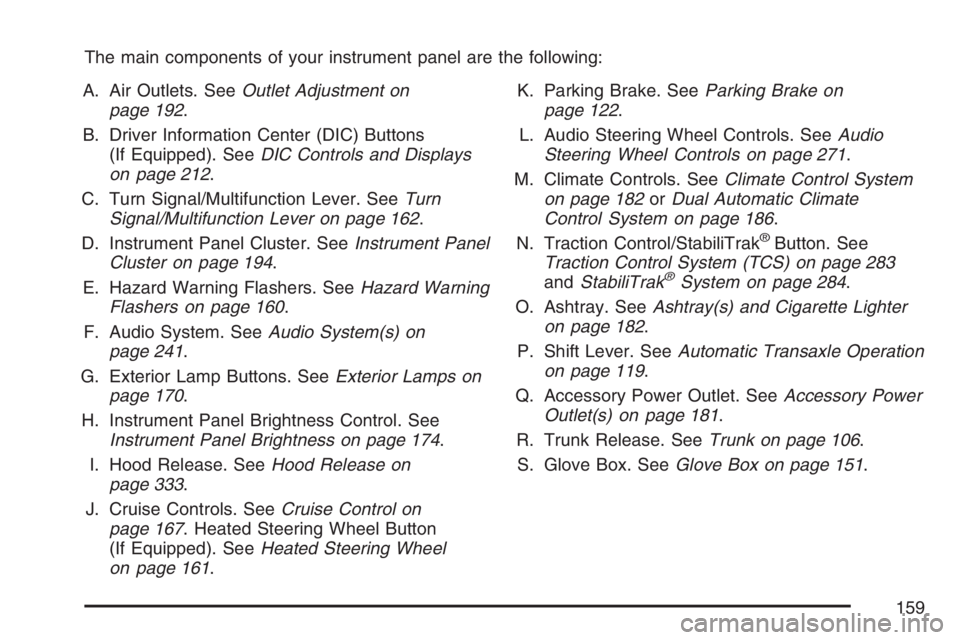
The main components of your instrument panel are the following:
A. Air Outlets. SeeOutlet Adjustment on
page 192.
B. Driver Information Center (DIC) Buttons
(If Equipped). SeeDIC Controls and Displays
on page 212.
C. Turn Signal/Multifunction Lever. SeeTurn
Signal/Multifunction Lever on page 162.
D. Instrument Panel Cluster. SeeInstrument Panel
Cluster on page 194.
E. Hazard Warning Flashers. SeeHazard Warning
Flashers on page 160.
F. Audio System. SeeAudio System(s) on
page 241.
G. Exterior Lamp Buttons. SeeExterior Lamps on
page 170.
H. Instrument Panel Brightness Control. See
Instrument Panel Brightness on page 174.
I. Hood Release. SeeHood Release on
page 333.
J. Cruise Controls. SeeCruise Control on
page 167. Heated Steering Wheel Button
(If Equipped). SeeHeated Steering Wheel
on page 161.K. Parking Brake. SeeParking Brake on
page 122.
L. Audio Steering Wheel Controls. SeeAudio
Steering Wheel Controls on page 271.
M. Climate Controls. SeeClimate Control System
on page 182orDual Automatic Climate
Control System on page 186.
N. Traction Control/StabiliTrak
®Button. See
Traction Control System (TCS) on page 283
andStabiliTrak
®System on page 284.
O. Ashtray. SeeAshtray(s) and Cigarette Lighter
on page 182.
P. Shift Lever. SeeAutomatic Transaxle Operation
on page 119.
Q. Accessory Power Outlet. SeeAccessory Power
Outlet(s) on page 181.
R. Trunk Release. SeeTrunk on page 106.
S. Glove Box. SeeGlove Box on page 151.
159
Page 167 of 496
Cruise Control
With cruise control, you can maintain a speed of
about 25 mph (40 km/h) or more without keeping
your foot on the accelerator. This can really help on
long trips. Cruise control does not work at speeds
below about 25 mph (40 km/h).
{CAUTION:
Cruise control can be dangerous where
you cannot drive safely at a steady speed.
So, do not use your cruise control on
winding roads or in heavy traffic.
Cruise control can be dangerous on
slippery roads. On such roads, fast
changes in tire traction can cause
excessive wheel slip, and you could
lose control. Do not use cruise control
on slippery roads.If your vehicle is in cruise control when the traction
control system, if your vehicle has this feature,
begins to limit wheel spin, the cruise control will
automatically disengage. SeeTraction Control
System (TCS) on page 283. When road conditions
allow you to safely use it again, the cruise control
can be turned back on.
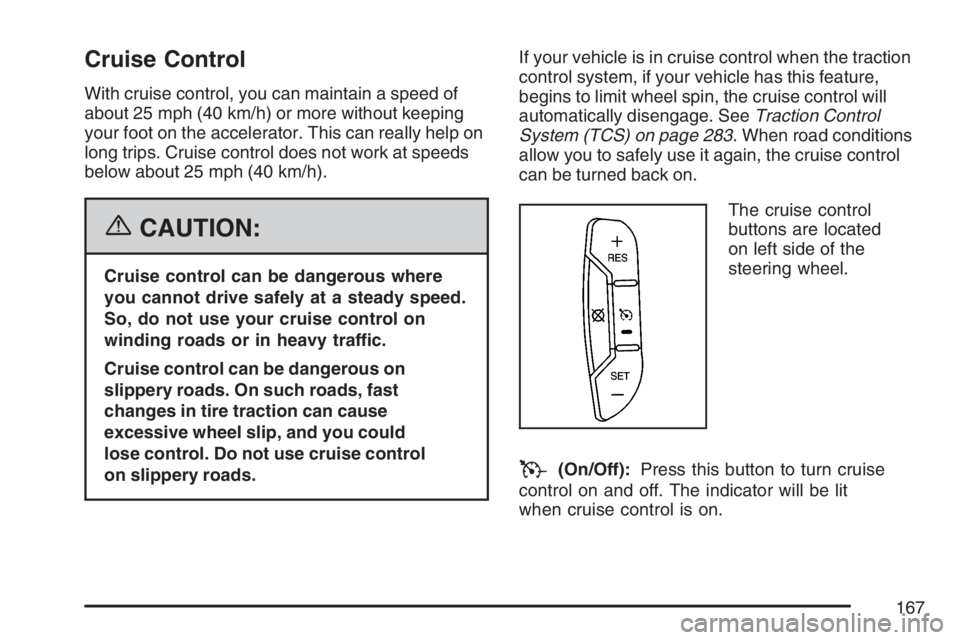
The cruise control
buttons are located
on left side of the
steering wheel.
T(On/Off):Press this button to turn cruise
control on and off. The indicator will be lit
when cruise control is on.
167
Page 168 of 496
+ RES (Resume/Accelerate):Press this button
to make the vehicle accelerate or resume to
a previously set speed.
SET–:Press this button to set the speed or
make the vehicle decelerate.
[(Cancel):Press this button to cancel cruise
control.
Setting Cruise Control
Cruise control will not work if the parking brake is
set, or if the master cylinder brake uid level is low.
The cruise control light on the instrument panel
cluster will come on after the cruise control
has been set to the desired speed. See
Instrument Panel Cluster on page 194.
{CAUTION:
If you leave your cruise control on when
you are not using cruise, you might hit a
button and go into cruise when you do
not want to. You could be startled and
even lose control. Keep the cruise control
switch off until you want to use cruise
control.
1. Press the cruise control on/off button.
2. Get up to the speed you want.
3. Press and release the SET– button located on
the steering wheel.
4. Take your foot off the accelerator.
168
Page 169 of 496
Resuming a Set Speed
Suppose you set the cruise control at a desired
speed and then you apply the brake. This shuts off
the cruise control, but it does not need to be reset.
Once you are driving about 25 mph (40 km/h) or
more, press the +RES button on the steering
wheel. The vehicle will go back to your chosen
speed and stay there.
Increasing Speed While Using Cruise
Control
To increase the cruise speed while using cruise
control:
Press and hold the +RES button on the
steering wheel until you reach your new
desired speed, then release it.
To increase vehicle speed in small increments,
press the +RES button.
Reducing Speed While Using Cruise
Control
To reduce your speed while using cruise control:
Press and hold the SET– button on the
steering wheel until you reach the lower
speed you want, then release it.
To slow down in very small amounts, press
the SET– button on the steering wheel
briey. Each time this is done, you will
go about 1 mph (1.6 km/h) slower.
Passing Another Vehicle While Using
Cruise Control
Use the accelerator pedal to increase vehicle
speed. When you take your foot off the pedal, the
vehicle will slow down to the cruise speed you
set earlier.
169
Page 170 of 496
Using Cruise Control on Hills
How well the cruise control will work on hills
depends upon the vehicle speed, load and the
steepness of the hills. When going up steep hills,
you may have to step on the accelerator pedal
to maintain your speed. When going downhill, you
may have to brake or shift to a lower gear to
keep your speed down. Of course, applying the
brake ends the cruise control. Many drivers
nd this to be too much trouble and do not use
cruise control on steep hills.
Ending Cruise Control
There are three ways to end cruise control:
Step lightly on the brake pedal.
Press the[(cancel) button on the steering
wheel.
Press theT(on/off) button on the steering
wheel.
Erasing Speed Memory
The cruise control set speed memory is erased by
turning off the cruise control or the ignition.
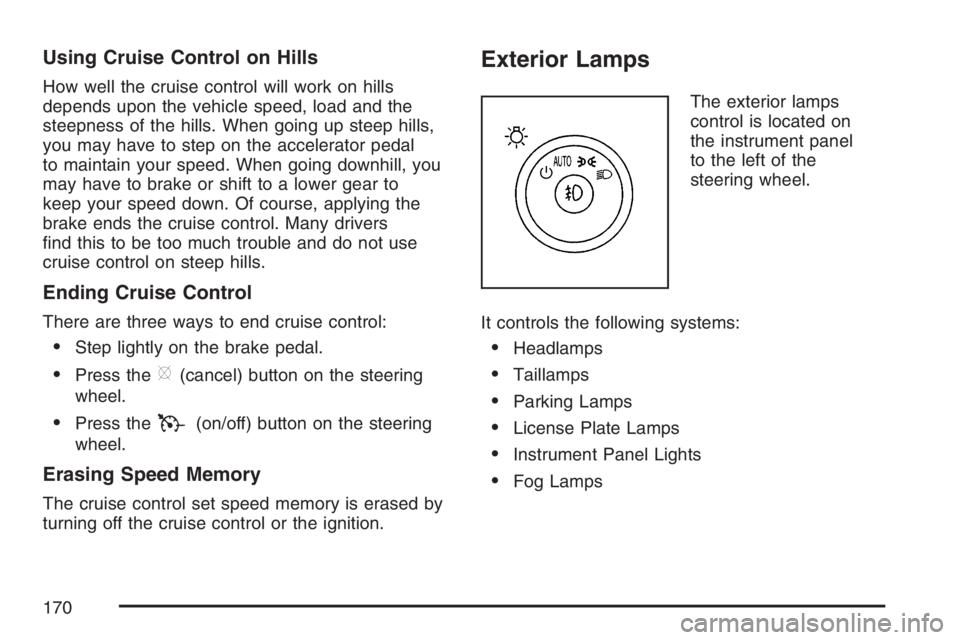
Exterior Lamps
The exterior lamps
control is located on
the instrument panel
to the left of the
steering wheel.
It controls the following systems:
Headlamps
Taillamps
Parking Lamps
License Plate Lamps
Instrument Panel Lights
Fog Lamps
170
Page 210 of 496
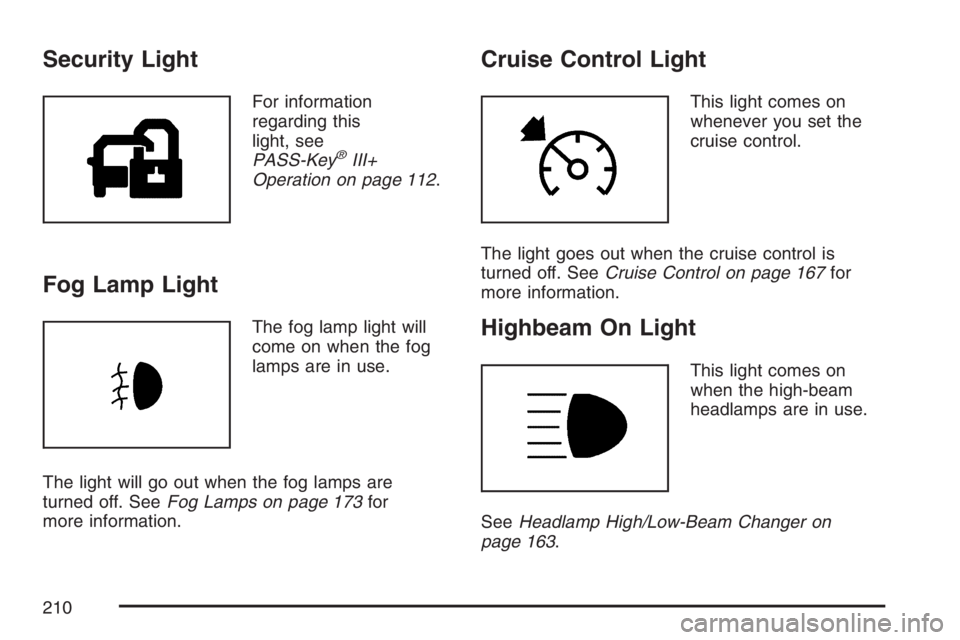
Security Light
For information
regarding this
light, see
PASS-Key
®III+
Operation on page 112.
Fog Lamp Light
The fog lamp light will
come on when the fog
lamps are in use.
The light will go out when the fog lamps are
turned off. SeeFog Lamps on page 173for
more information.
Cruise Control Light
This light comes on
whenever you set the
cruise control.
The light goes out when the cruise control is
turned off. SeeCruise Control on page 167for
more information.
Highbeam On Light
This light comes on
when the high-beam
headlamps are in use.
SeeHeadlamp High/Low-Beam Changer on
page 163.
210
Page 283 of 496
Remember: ABS does not change the time you
need to get your foot up to the brake pedal or
always decrease stopping distance. If you get too
close to the vehicle in front of you, you will not have
time to apply your brakes if that vehicle suddenly
slows or stops. Always leave enough room up
ahead to stop, even though you have ABS.
Using ABS
Do not pump the brakes. Just hold the brake pedal
down rmly and let anti-lock work for you. You may
hear the anti-lock pump or motor operate, and feel
the brake pedal pulsate, but this is normal.
Braking in Emergencies
With ABS, you can steer and brake at the same
time. In many emergencies, steering can help you
more than even the very best braking.
Traction Control System (TCS)
Your vehicle has a traction control system that limits
wheel spin. This is especially useful in slippery road
conditions. The system operates only if it senses
that the front wheels are spinning too much or
beginning to lose traction. When this happens, the
system works the front brakes and reduces engine
power (by closing the throttle and managing engine
spark) to limit wheel spin.
The traction control system and StabiliTrak
®
warning light will ash when the traction control
system is limiting wheel spin. SeeTraction Control
System (TCS) Warning Light on page 202for
more information. You may feel or hear the system
working, but this is normal.
If your vehicle is in cruise control when the
traction control system begins to limit wheel spin,
the cruise control will automatically disengage.
When road conditions allow you to safely use
it again, you may re-engage the cruise control.
SeeCruise Control on page 167for more
information.
283
Page 484 of 496
Cleaning (cont.)
Washing Your Vehicle.............................. 422
Weatherstrips........................................... 422
Windshield and Wiper Blades................... 423
Climate Control System............................... 182
Air Filter, Passenger Compartment........... 192
Dual Automatic......................................... 186
Outlet Adjustment..................................... 192
Collision Damage Repair............................. 472
Comfort Guides, Rear Safety Belt................. 39
Compact Spare Tire.................................... 418
Compass............................ 19,130, 132, 218
Content Theft-Deterrent............................... 110
Control of a Vehicle..................................... 280
Convenience Net......................................... 152
Coolant
Engine Temperature Gage........................ 204
Engine Temperature Warning Light........... 204
Heater, Engine......................................... 117
Cooled Seats................................................ 12
Cooling System..................................354, 360
Cornering Lamps......................................... 173
Courtesy Lamps.......................................... 174
Cruise Control............................................. 167
Cruise Control Light.................................... 210
Cupholder(s)................................................ 151Customer Assistance Information
Courtesy Transportation........................... 469
Customer Assistance for
Text Telephone (TTY) Users................. 464
Customer Assistance Offices.................... 464
Customer Satisfaction Procedure.............. 460
GM Mobility Reimbursement Program...... 465
Reporting Safety Defects to
General Motors..................................... 478
Reporting Safety Defects to the
Canadian Government.......................... 477
Reporting Safety Defects to the
United States Government.................... 477
Roadside Assistance Program.................. 466
Service Publications Ordering
Information........................................... 478
D
Daytime Running Lamps............................. 172
Delayed Entry Lighting................................ 174
Delayed Exit Lighting................................... 175
DIC Compass.............................................. 218
Disc, MP3................................................... 262
Doing Your Own Service Work.................... 326
484