dome BUICK LUCERNE 2009 User Guide
[x] Cancel search | Manufacturer: BUICK, Model Year: 2009, Model line: LUCERNE, Model: BUICK LUCERNE 2009Pages: 436
Page 172 of 436
Speedometer and Odometer
The speedometer shows the vehicle speed in both
miles per hour (mph) and kilometers per hour (km/h).
The odometer shows how far the vehicle has been
driven, in either miles or kilometers.
This vehicle has a tamper resistant odometer.
If the vehicle needs a new odometer installed, the new
one can be set to the mileage total of the old odometer.
If this is not possible, it is set to zero and a label must be
put on the driver’s door to show the old mileage reading
when the new odometer was installed.
Trip Odometer
A trip odometer show how far the vehicle has been
driven since the odometer was last set to zero.
SeeDriver Information Center (DIC) on page 3-49
for information on resetting the trip odometer.
Tachometer
The tachometer displays the engine speed in revolutions
per minute (rpm).
3-34
Page 187 of 436
Driver Information Center (DIC)
Your vehicle has a Driver Information Center (DIC).
All messages will appear in the DIC display located
below the speedometer in the instrument panel cluster.
The DIC buttons are located on the instrument panel,
to the left of the instrument panel cluster.
The DIC comes on when the ignition is on. After a short
delay, the DIC will display the information that was last
displayed before the engine was turned off.
The DIC displays trip, fuel, and vehicle system
information, and warning messages if a system problem
is detected. The bottom line of the DIC shows the shift
lever position indicator. SeeAutomatic Transmission
Operation on page 2-25for more information.
If your vehicle’s DIC has these features, the compass
direction and the outside air temperature may also
display on the DIC when viewing the trip and fuel
information. The compass direction appears on the
top right corner of the DIC display. The outside air
temperature automatically appears in the bottom right
corner of the DIC display. If there is a problem with
the system that controls the temperature display,
the numbers will be replaced with dashes. If this occurs,
have the vehicle serviced by your dealer/retailer.
The DIC also allows some features to be customized.
SeeDIC Vehicle Customization on page 3-66for
more information.
DIC Operation and Displays
The DIC has different displays which can be accessed
by pressing the DIC buttons located on the instrument
panel, to the left of the instrument panel cluster.
DIC Buttons
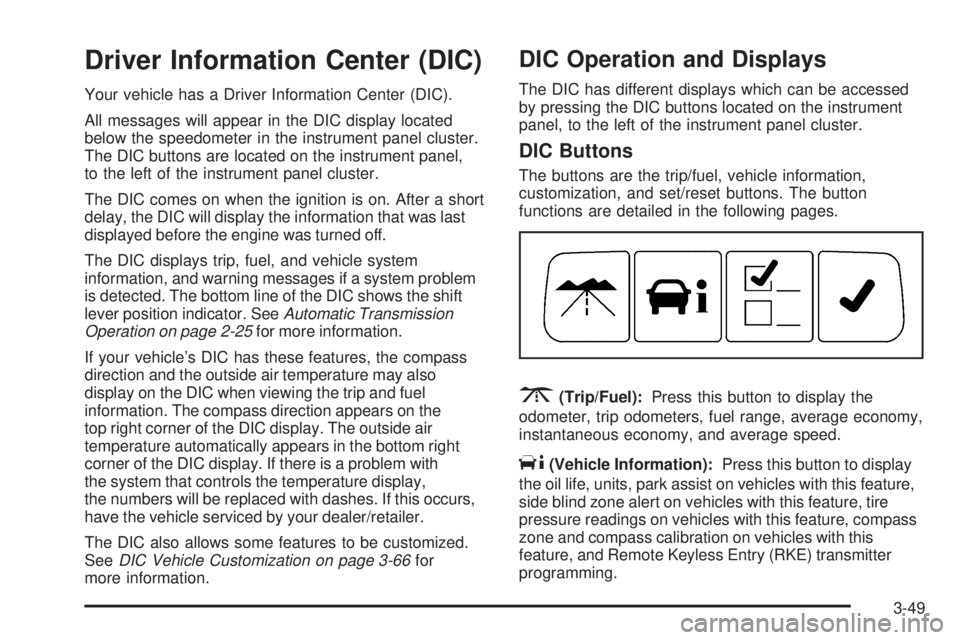
The buttons are the trip/fuel, vehicle information,
customization, and set/reset buttons. The button
functions are detailed in the following pages.
3(Trip/Fuel):Press this button to display the
odometer, trip odometers, fuel range, average economy,
instantaneous economy, and average speed.
T(Vehicle Information):Press this button to display
the oil life, units, park assist on vehicles with this feature,
side blind zone alert on vehicles with this feature, tire
pressure readings on vehicles with this feature, compass
zone and compass calibration on vehicles with this
feature, and Remote Keyless Entry (RKE) transmitter
programming.
3-49
Page 188 of 436
U(Customization):Press this button to customize
the feature settings on your vehicle. SeeDIC Vehicle
Customization on page 3-66for more information.
V(Set/Reset):Press this button to set or reset certain
functions and to turn off or acknowledge messages
on the DIC.
Trip/Fuel Menu Items
3
(Trip/Fuel):Press this button to scroll through the
following menu items:
Odometer
Press the trip/fuel button until ODOMETER displays.
This display shows the distance the vehicle has
been driven in either miles (mi) or kilometers (km).
Trip A and Trip B
Press the trip/fuel button until TRIP A or TRIP B
displays. This display shows the current distance traveled
in either miles (mi) or kilometers (km) since the last reset
for each trip odometer. Both trip odometers can be used
at the same time.Each trip odometer can be reset to zero separately by
pressing the set/reset button while the desired trip
odometer is displayed.
The trip odometer has a feature called the retro-active
reset. This can be used to set the trip odometer to the
number of miles (kilometers) driven since the ignition was
last turned on. This can be used if the trip odometer is not
reset at the beginning of the trip.
To use the retro-active reset feature, press and
hold the set/reset button for at least four seconds.
The trip odometer will display the number of miles (mi)
or kilometers (km) driven since the ignition was last
turned on and the vehicle was moving. Once the vehicle
begins moving, the trip odometer will accumulate
mileage. For example, if the vehicle was driven 5 miles
(8 km) before it is started again, and then the retro-active
reset feature is activated, the display will show 5 miles
(8 km). As the vehicle begins moving, the display will then
increase to 5.1 miles (8.2 km), 5.2 miles (8.4 km), etc.
If the retro-active reset feature is activated after the
vehicle is started, but before it begins moving, the display
will show the number of miles (mi) or kilometers (km) that
were driven during the last ignition cycle.
3-50
Page 197 of 436
ERROR
This message displays while viewing the odometer or
trip odometers if there is a problem with the instrument
panel cluster. See your dealer/retailer for service.
FUEL LEVEL LOW
This message displays when your vehicle is low on fuel.
Rell the fuel tank as soon as possible. SeeFuel Gage
on page 3-48andFilling the Tank on page 5-10for more
information.
HEATED WASH (Washer) FLUID
SYSTEM OFF
This message displays when you manually turn off the
heated windshield washer uid system or when the
system automatically turns off. See “Heated Washer
Fluid” underWindshield Washer on page 3-11for more
information.
HEATING WASH (Washer) FLUID
WASH (Washer) WIPES PENDING
This message displays when you turn on the heated
windshield washer uid system. See “Heated Washer
Fluid” underWindshield Washer on page 3-11for more
information.
HOOD OPEN
If your vehicle has the remote start feature, this
message displays when the hood is not closed properly.
Make sure that the hood is closed completely.
SeeHood Release on page 5-13.
ICE POSSIBLE DRIVE WITH CARE
This message displays when the outside air temperature
is cold enough to create icy road conditions. Adjust
your driving accordingly.
LANE DEPARTURE SYSTEM
UNAVAILABLE
If your vehicle has the Lane Departure Warning (LDW)
system, this message may display if the LDW system
does not activate due to a temporary condition.
SeeLane Departure Warning (LDW) on page 2-44
for more information.
LEFT REAR DOOR OPEN
This message displays when the driver side rear door is
not closed properly. Make sure that the door is closed
completely.
3-59
Page 261 of 436

Repeat this until help arrives but only when you feel
really uncomfortable from the cold. Moving about
to keep warm also helps.
If it takes some time for help to arrive, now and then
when you run the engine, push the accelerator pedal
slightly so the engine runs faster than the idle speed.
This keeps the battery charged to restart the vehicle and
to signal for help with the headlamps. Do this as little as
possible to save fuel.
If Your Vehicle is Stuck in Sand,
Mud, Ice, or Snow
Slowly and cautiously spin the wheels to free the
vehicle when stuck in sand, mud, ice, or snow. See
Rocking Your Vehicle to Get It Out on page 4-18.
If the vehicle has a traction system, it can often help to
free a stuck vehicle. Refer to the vehicle’s traction
system in the Index. If stuck too severely for the traction
system to free the vehicle, turn the traction system off
and use the rocking method.
{CAUTION:
If you let your vehicle’s tires spin at high speed,
they can explode, and you or others could be
injured. The vehicle can overheat, causing an
engine compartment re or other damage. Spin
the wheels as little as possible and avoid going
above 35 mph (55 km/h) as shown on the
speedometer.
For information about using tire chains on the vehicle,
seeTire Chains on page 5-80.
4-17
Page 355 of 436
Wheel Replacement
Replace any wheel that is bent, cracked, or badly rusted
or corroded. If wheel nuts keep coming loose, the wheel,
wheel bolts, and wheel nuts should be replaced. If the
wheel leaks air, replace it (except some aluminum
wheels, which can sometimes be repaired). See your
dealer/retailer if any of these conditions exist.
Your dealer/retailer will know the kind of wheel you need.
Each new wheel should have the same load-carrying
capacity, diameter, width, offset, and be mounted
the same way as the one it replaces.
If you need to replace any of your wheels, wheel bolts,
wheel nuts, or Tire Pressure Monitor System (TPMS)
sensors, replace them only with new GM original
equipment parts. This way, you will be sure to have
the right wheel, wheel bolts, wheel nuts, and TPMS
sensors for your vehicle.{CAUTION:
Using the wrong replacement wheels, wheel bolts,
or wheel nuts on your vehicle can be dangerous.
It could affect the braking and handling of your
vehicle, make your tires lose air and make you
lose control. You could have a collision in which
you or others could be injured. Always use the
correct wheel, wheel bolts, and wheel nuts for
replacement.
Notice:The wrong wheel can also cause problems
with bearing life, brake cooling, speedometer or
odometer calibration, headlamp aim, bumper height,
vehicle ground clearance, and tire or tire chain
clearance to the body and chassis.
SeeChanging a Flat Tire on page 5-82for more
information.
5-79
Page 401 of 436
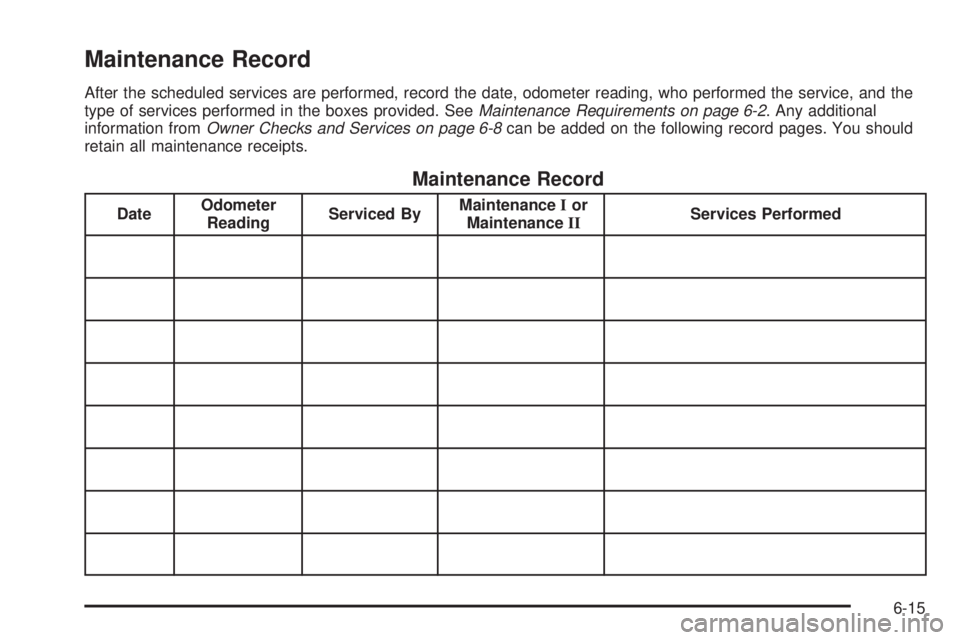
Maintenance Record
After the scheduled services are performed, record the date, odometer reading, who performed the service, and the
type of services performed in the boxes provided. SeeMaintenance Requirements on page 6-2. Any additional
information fromOwner Checks and Services on page 6-8can be added on the following record pages. You should
retain all maintenance receipts.
Maintenance Record
DateOdometer
ReadingServiced ByMaintenanceIor
MaintenanceIIServices Performed
6-15
Page 402 of 436
Maintenance Record (cont’d)
DateOdometer
ReadingServiced ByMaintenanceIor
MaintenanceIIServices Performed
6-16
Page 403 of 436
Maintenance Record (cont’d)
DateOdometer
ReadingServiced ByMaintenanceIor
MaintenanceIIServices Performed
6-17
Page 404 of 436
Maintenance Record (cont’d)
DateOdometer
ReadingServiced ByMaintenanceIor
MaintenanceIIServices Performed
6-18