parking BUICK LUCERNE 2010 Owner's Manual
[x] Cancel search | Manufacturer: BUICK, Model Year: 2010, Model line: LUCERNE, Model: BUICK LUCERNE 2010Pages: 474
Page 7 of 474
Section 1 In Brief
Instrument Panel. . . . . . . . . . . . . . . . . . . . . . . . . . . . . . . . . . . 1-2
Initial Drive Information . . . . . . . . . . . . . . . . . . . . . . . . . . . 1-4
Remote Keyless Entry (RKE) System . . . . . . . . . . . 1-4
Remote Vehicle Start . . . . . . . . . . . . . . . . . . . . . . . . . . . 1-4
Door Locks . . . . . . . . . . . . . . . . . . . . . . . . . . . . . . . . . . . . . 1-5
Trunk Release . . . . . . . . . . . . . . . . . . . . . . . . . . . . . . . . . . 1-5
Windows . . . . . . . . . . . . . . . . . . . . . . . . . . . . . . . . . . . . . . . . 1-6
Seat Adjustment . . . . . . . . . . . . . . . . . . . . . . . . . . . . . . . . 1-6
Heated Seats . . . . . . . . . . . . . . . . . . . . . . . . . . . . . . . . . . . 1-8
Heated and Ventilated Seats . . . . . . . . . . . . . . . . . . . . 1-8
Head Restraint Adjustment . . . . . . . . . . . . . . . . . . . . . . 1-8
Safety Belt . . . . . . . . . . . . . . . . . . . . . . . . . . . . . . . . . . . . . . 1-8
Sensing System for Passenger Airbag . . . . . . . . . . 1-9
Mirror Adjustment . . . . . . . . . . . . . . . . . . . . . . . . . . . . . . . 1-9
Steering Wheel Adjustment . . . . . . . . . . . . . . . . . . . . 1-10
Interior Lighting . . . . . . . . . . . . . . . . . . . . . . . . . . . . . . . . 1-11
Exterior Lighting . . . . . . . . . . . . . . . . . . . . . . . . . . . . . . . 1-12
Windshield Wiper/Washer . . . . . . . . . . . . . . . . . . . . . . 1-13
Climate Controls . . . . . . . . . . . . . . . . . . . . . . . . . . . . . . . 1-13 Vehicle Features
. . . . . . . . . . . . . . . . . . . . . . . . . . . . . . . . . . 1-14
Radio(s) . . . . . . . . . . . . . . . . . . . . . . . . . . . . . . . . . . . . . . . 1-14
Satellite Radio . . . . . . . . . . . . . . . . . . . . . . . . . . . . . . . . . 1-16
Portable Audio Devices . . . . . . . . . . . . . . . . . . . . . . . . 1-16
Steering Wheel Controls . . . . . . . . . . . . . . . . . . . . . . . 1-16
Bluetooth
®. . . . . . . . . . . . . . . . . . . . . . . . . . . . . . . . . . . . . 1-17
Navigation System . . . . . . . . . . . . . . . . . . . . . . . . . . . . . 1-17
Driver Information Center (DIC) . . . . . . . . . . . . . . . . 1-18
Cruise Control . . . . . . . . . . . . . . . . . . . . . . . . . . . . . . . . . 1-19
Lane Departure Warning (LDW) . . . . . . . . . . . . . . . 1-19
Side Blind Zone Alert (SBZA) . . . . . . . . . . . . . . . . . . 1-20
Ultrasonic Parking Assist . . . . . . . . . . . . . . . . . . . . . . 1-20
Power Outlets . . . . . . . . . . . . . . . . . . . . . . . . . . . . . . . . . 1-20
Universal Remote System . . . . . . . . . . . . . . . . . . . . . 1-21
Performance and Maintenance . . . . . . . . . . . . . . . . . .1-21
Traction Control System (TCS) . . . . . . . . . . . . . . . . 1-21
StabiliTrak
®. . . . . . . . . . . . . . . . . . . . . . . . . . . . . . . . . . . . 1-22
Tire Pressure Monitor . . . . . . . . . . . . . . . . . . . . . . . . . . 1-22
Tire Sealant and Compressor Kit . . . . . . . . . . . . . . 1-23
Engine Oil Life System . . . . . . . . . . . . . . . . . . . . . . . . 1-23
Fuel E85 (85% Ethanol) . . . . . . . . . . . . . . . . . . . . . . . 1-23
Driving for Better Fuel Economy . . . . . . . . . . . . . . . 1-23
Roadside Assistance Program . . . . . . . . . . . . . . . . . 1-24
OnStar
®. . . . . . . . . . . . . . . . . . . . . . . . . . . . . . . . . . . . . . . 1-24
1-1
Page 9 of 474

A.Outlet Adjustment on page 4‑27.
B. DIC Operation and Displays
on page 4‑47(If Equipped).
C. Turn Signal/Multifunction Lever on page 4‑5.
D. Instrument Panel Cluster on page 4‑30.
E. Hazard Warning Flashers on page 4‑3.
F. Audio System(s) on page 4‑74.
G. Exterior Lamps on page 4‑12.
H. Trunk Release. See Trunk on page 3‑12.
I. Instrument Panel Brightness on page 4‑14.
J. Hood Release on page 6‑13.
K. Lane Departure Warning (LDW)
on page 3‑42(If Equipped). L.
Cruise Control
on page 4‑9.Heated Steering
Wheelon page 4‑4(If Equipped).
M. Parking Brake on page 3‑26.
N. Audio Steering Wheel Controls
on page 4‑105(If Equipped).
O. Climate Control System
on page 4‑18orDual
Automatic Climate Control System on page 4‑22.
P. Traction Control System (TCS)
on page 5‑6and
StabiliTrak®System on page 5‑6.
Q. Front Storage Area on page 3‑51.
R. Shift Lever. See Automatic Transmission Operation
on page 3‑24.
S. Accessory Power Outlet(s) on page 4‑17.
T. Glove Box on page 3‑51.
1-3
Page 11 of 474
When the vehicle starts, the parking lamps will turn on
and remain on as long as the engine is running. The
doors will be locked and the climate control system may
come on.
The engine will continue to run for 10 minutes. Repeat
the steps for a 10-minute time extension. Remote start
can be extended only once.
Canceling a Remote Start
To cancel a remote start:
.Aim the RKE transmitter at the vehicle and press
and hold
/until the parking lamps turn off.
.Turn on the hazard warning flashers.
.Turn the ignition on and then back off.
See Remote Vehicle Start on page 3‑7.
Door Locks
From the outside, unlock the door using either the key
or the RKE transmitter.
From the inside, use the power door lock switches or
manual lock knobs located at the top of the door panel
near the window.
Power Door Locks
On vehicles with power door locks, the switches are
located on the front doors.
"(Unlock): Press to unlock the doors.
Q(Lock):Remove the key from the ignition and press
to lock the doors.
For more information, see:
.Door Locks on page 3‑9.
.Power Door Locks on page 3‑10.
.Remote Keyless Entry (RKE) System Operationon page 3‑4.
Trunk Release
In addition to the trunk release button on the RKE
transmitter, there is a remote release
Vbutton
located to the left of the steering wheel, next to the
instrument panel brightness control. Press to open the
trunk.
See Trunk on page 3‑12.
1-5
Page 18 of 474
Exterior Lighting
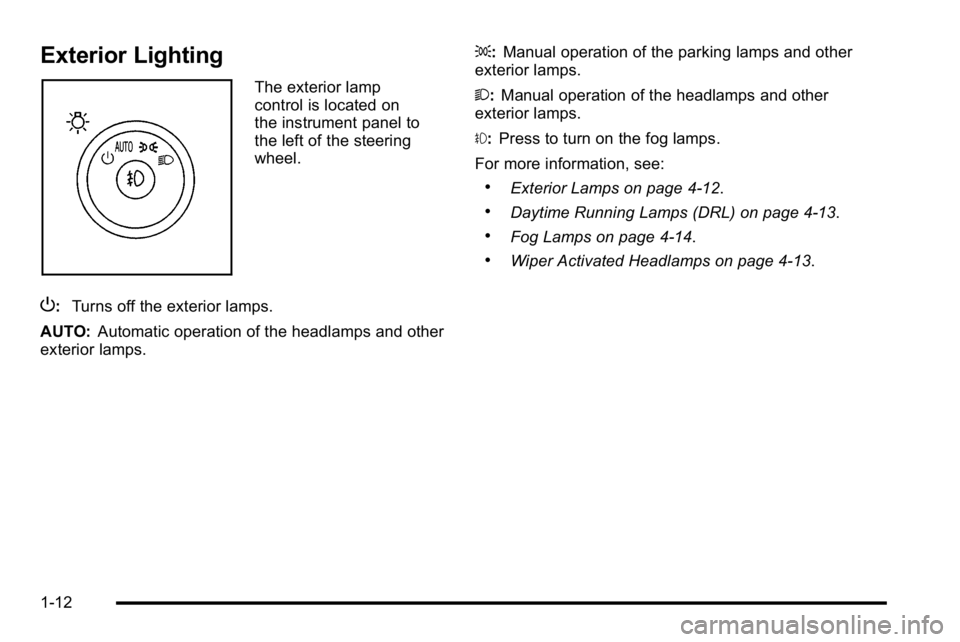
The exterior lamp
control is located on
the instrument panel to
the left of the steering
wheel.
P: Turns off the exterior lamps.
AUTO: Automatic operation of the headlamps and other
exterior lamps. ;:
Manual operation of the parking lamps and other
exterior lamps.
2: Manual operation of the headlamps and other
exterior lamps.
#: Press to turn on the fog lamps.
For more information, see:
.Exterior Lamps on page 4‑12.
.Daytime Running Lamps (DRL) on page 4‑13.
.Fog Lamps on page 4‑14.
.Wiper Activated Headlamps on page 4‑13.
1-12
Page 26 of 474
Side Blind Zone Alert (SBZA)
For vehicles with this feature, it may alert you to
vehicles located in your side blind zone. When the
system detects a vehicle in the side blind zone, an
SBZA display will light up in the corresponding outside
side mirror indicating that it may not be safe to change
lanes.
The system is enabled at every vehicle startup. It can
be disabled through the Driver Information Center (DIC).
If the message SIDE BLIND ZONE SYS.
UNAVAILABLE appears on the DIC, the system
has been disabled because the sensor is blocked
and cannot detect vehicles in the blind zone. The
sensors, located behind the rear quarter panels, may
be blocked by mud, dirt, snow, ice, slush, or even heavy
rainstorms. The vehicle does not need service.
SeeSide Blind Zone Alert (SBZA)
on page 3‑39for
more information.
Ultrasonic Parking Assist
For vehicles with this feature, it uses sensors on the
rear bumper to detect objects while parking the vehicle.
It operates at speeds less than 8 km/h (5 mph) while in
R (Reverse).
Keep the sensors on the vehicle's rear bumper clean to
ensure proper operation.
The system can be disabled through the Driver
Information Center (DIC).
See Ultrasonic Rear Parking Assist (URPA)
on
page 3‑37for more information.
Power Outlets
The accessory power outlets can be used to plug in
electrical equipment, such as a cellular telephone.
The vehicle may have up to three power outlets
depending on the type of front seat installed.
If the vehicle has front bucket seats with a center
console, there are two outlets inside the rear storage
compartment. An extra power outlet can be found
under the climate control system next to the ashtray.
See Accessory Power Outlet(s) on page 4‑17.
1-20
Page 109 of 474
Section 3 Features and Controls
Keys. . . . . . . . . . . . . . . . . . . . . . . . . . . . . . . . . . . . . . . . . . . . . . . . 3-3
Remote Keyless Entry (RKE) System . . . . . . . . . . . 3-4
Remote Keyless Entry (RKE) System Operation . . . . . . . . . . . . . . . . . . . . . . . . . . . . . . . . . . . . . 3-4
Remote Vehicle Start . . . . . . . . . . . . . . . . . . . . . . . . . . . 3-7
Doors and Locks . . . . . . . . . . . . . . . . . . . . . . . . . . . . . . . . . . 3-9
Door Locks . . . . . . . . . . . . . . . . . . . . . . . . . . . . . . . . . . . . . 3-9
Power Door Locks . . . . . . . . . . . . . . . . . . . . . . . . . . . . . 3-10
Delayed Locking . . . . . . . . . . . . . . . . . . . . . . . . . . . . . . . 3-10
Programmable Automatic Door Locks . . . . . . . . . . 3-10
Rear Door Security Locks . . . . . . . . . . . . . . . . . . . . . . 3-11
Lockout Protection . . . . . . . . . . . . . . . . . . . . . . . . . . . . . 3-12
Trunk . . . . . . . . . . . . . . . . . . . . . . . . . . . . . . . . . . . . . . . . . . 3-12
Windows . . . . . . . . . . . . . . . . . . . . . . . . . . . . . . . . . . . . . . . . . . 3-14
Power Windows . . . . . . . . . . . . . . . . . . . . . . . . . . . . . . . 3-15
Sun Visors . . . . . . . . . . . . . . . . . . . . . . . . . . . . . . . . . . . . . 3-16
Theft-Deterrent Systems . . . . . . . . . . . . . . . . . . . . . . . . .3-16
Content Theft-Deterrent . . . . . . . . . . . . . . . . . . . . . . . . 3-16
PASS-Key
®III+ Electronic Immobilizer . . . . . . . . . 3-17
PASS-Key®III+ Electronic Immobilizer
Operation . . . . . . . . . . . . . . . . . . . . . . . . . . . . . . . . . . . . 3-17 Starting and Operating Your Vehicle
. . . . . . . . . . . .3-19
New Vehicle Break-In . . . . . . . . . . . . . . . . . . . . . . . . . . 3-19
Ignition Positions . . . . . . . . . . . . . . . . . . . . . . . . . . . . . . 3-20
Retained Accessory Power (RAP) . . . . . . . . . . . . . 3-21
Starting the Engine . . . . . . . . . . . . . . . . . . . . . . . . . . . . 3-21
Engine Coolant Heater . . . . . . . . . . . . . . . . . . . . . . . . . 3-23
Automatic Transmission Operation . . . . . . . . . . . . . 3-24
Parking Brake . . . . . . . . . . . . . . . . . . . . . . . . . . . . . . . . . 3-26
Shifting Into Park . . . . . . . . . . . . . . . . . . . . . . . . . . . . . . 3-27
Shifting Out of Park . . . . . . . . . . . . . . . . . . . . . . . . . . . . 3-30
Parking Over Things That Burn . . . . . . . . . . . . . . . . 3-30
Engine Exhaust . . . . . . . . . . . . . . . . . . . . . . . . . . . . . . . . 3-31
Running the Vehicle While Parked . . . . . . . . . . . . . 3-32
Mirrors . . . . . . . . . . . . . . . . . . . . . . . . . . . . . . . . . . . . . . . . . . . . 3-33
Automatic Dimming Rearview Mirror . . . . . . . . . . . 3-33
Compass . . . . . . . . . . . . . . . . . . . . . . . . . . . . . . . . . . . . . . 3-33
Outside Power Mirrors . . . . . . . . . . . . . . . . . . . . . . . . . 3-35
Outside Automatic Dimming Mirror . . . . . . . . . . . . . 3-35
Park Tilt Mirrors . . . . . . . . . . . . . . . . . . . . . . . . . . . . . . . . 3-36
Outside Convex Mirror . . . . . . . . . . . . . . . . . . . . . . . . . 3-36
Outside Heated Mirrors . . . . . . . . . . . . . . . . . . . . . . . . 3-36
3-1
Page 110 of 474
Section 3 Features and Controls
Object Detection Systems. . . . . . . . . . . . . . . . . . . . . . .3-37
Ultrasonic Rear Parking Assist (URPA) . . . . . . . . 3-37
Side Blind Zone Alert (SBZA) . . . . . . . . . . . . . . . . . . 3-39
Lane Departure Warning (LDW) . . . . . . . . . . . . . . . 3-42
Universal Home Remote System . . . . . . . . . . . . . . . .3-44
Universal Home Remote System Operation (With Three Round LED) . . . . . . . . . . . . . . . . . . . . 3-44 Storage Areas
. . . . . . . . . . . . . . . . . . . . . . . . . . . . . . . . . . . . 3-51
Glove Box . . . . . . . . . . . . . . . . . . . . . . . . . . . . . . . . . . . . . 3-51
Cupholders . . . . . . . . . . . . . . . . . . . . . . . . . . . . . . . . . . . . 3-51
Front Storage Area . . . . . . . . . . . . . . . . . . . . . . . . . . . . 3-51
Center Console Storage . . . . . . . . . . . . . . . . . . . . . . 3-51
Center Flex Storage Unit . . . . . . . . . . . . . . . . . . . . . . 3-51
Rear Seat Armrest . . . . . . . . . . . . . . . . . . . . . . . . . . . . . 3-51
Convenience Net . . . . . . . . . . . . . . . . . . . . . . . . . . . . . . 3-51
Sunroof . . . . . . . . . . . . . . . . . . . . . . . . . . . . . . . . . . . . . . . . . . . 3-52
3-2
Page 113 of 474
Q(Lock):Press to lock all the doors. If enabled
through the Driver Information Center (DIC), the parking
lamps flash once to indicate locking has occurred.
If enabled through the DIC, the horn chirps when
Qis
pressed again within five seconds. See DIC Vehicle
Customization
on page 4‑65for additional information.
Pressing
Qmay arm the content theft‐deterrent system.
See Content Theft-Deterrent on page 3‑16.
"(Unlock): Press once to unlock the driver door. If"is
pressed again within five seconds, all remaining doors
unlock. The interior lamps come on and stay on for
20 seconds or until the ignition is turned on. If enabled
through the DIC, the parking lamps flash twice to
indicate unlocking has occurred. See DIC Vehicle
Customization
on page 4‑65.
Pressing
"on the RKE transmitter disarms the content
theft‐deterrent system. See Content Theft-Deterrent
on
page 3‑16.
V(Remote Trunk Release): Press and hold for
about one second to unlock the trunk. The transmission
must be in P (Park).
L(Vehicle Locator/Panic Alarm): Press and release
to locate the vehicle. The turn signal lamps flash and
the horn sounds three times.
Press and hold
Lfor more than two seconds to
activate the panic alarm. The turn signal lamps flash
and the horn sounds repeatedly for 30 seconds. The
alarm turns off when the ignition is moved to ON/RUN
or
Lis pressed again. The ignition must be in LOCK/
OFF for the panic alarm to work.
The vehicle comes with two transmitters. Each
transmitter will have a number on it, "1" or "2". These
numbers correspond to the driver of the vehicle. For
example, the memory seat position for driver 1 will be
recalled when using the transmitter labeled "1",
if enabled through the DIC. See Memory Seat and
Mirrors
on page 2‑7and DIC Vehicle Customizationon page 4‑65for more information.
3-5
Page 115 of 474
Remote Vehicle Start
Your vehicle may have a remote starting feature. This
feature allows you to start the engine from outside the
vehicle. It may also start the vehicle's heating or air
conditioning systems, rear window defogger, and
heated seats. SeeHeated Seats
on page 2‑4and
Heated and Ventilated Seatson page 2‑6for
additional information. When the remote start system is
active, the climate control system will heat or cool the
inside of the vehicle at the setting the vehicle was set to
when the vehicle was last turned off. The rear window
defogger will be turned on by the climate control system
when it is cold outside. If the vehicle has heated seats,
they may also turn on when it is cold outside. Cooled
seats are not activated during a remote start. Normal
operation of the system will return after the key is
turned to the ON/RUN position.
Laws in some communities may restrict the use of
remote starters. For example, some laws may require a
person using the remote start to have the vehicle in
view when doing so. Check local regulations for any
requirements on remote starting of vehicles.
Do not use the remote start feature if your vehicle is low
on fuel. Your vehicle may run out of fuel.
If your vehicle has the remote start feature, the RKE
transmitter functions will have an increased range of
operation. However, the range may be less while the
vehicle is running. There are other conditions which can affect the
performance of the transmitter, see
Remote Keyless
Entry (RKE) System
on page 3‑4for additional
information.
/ (Remote Start): This button will be on the RKE
transmitter if you have remote start.
To start the vehicle using the remote start feature:
1. Aim the transmitter at the vehicle.
2. Press and release the transmitter's lock button, then immediately press and hold the transmitter's
remote start button until the turn signal lights
flash or if the vehicle's lights are not visible, press
and hold the remote start button for at least
four seconds.
When the vehicle starts, the parking lamps will turn
on and remain on while the vehicle is running. The
vehicle's doors will be locked.
3. If it is the first remote start since the vehicle has been driven, repeat these steps, while the engine
is still running, to extend the engine running time
by 10 minutes. Remote start can be extended
one time.
After entering the vehicle during a remote start, insert
and turn the key to ON/RUN to drive the vehicle.
If the vehicle is left running it will automatically shut
off after 10 minutes unless a time extension has
been done.
3-7
Page 116 of 474

To manually shut off a remote start:
.Aim the RKE transmitter at the vehicle and press
the remote start button until the parking lamps
turn off.
.Turn on the hazard warning flashers.
.Turn the ignition switch on and then off.
The vehicle can be started remotely two separate times
between driving sequences. The engine will run for
10 minutes after each remote start.
Or, you can extend the engine run time by another
10 minutes within the first 10 minute remote start time
frame, and before the engine stops.
For example, if the lock button and then the remote start
buttons are pressed again after the vehicle has been
running for five minutes, 10 minutes are added, allowing
the engine to run for 15 minutes.
The additional 10 minutes are considered a second
remote vehicle start. Once two remote starts, or a single remote start with
one time extension have been done, the vehicle must
be started with the key.
After the key is removed from the ignition, another
remote start can be performed.
The vehicle cannot be started remotely if the key is in
the ignition, the hood is not closed, or if there is an
emission control system malfunction.
Remote Start Ready
If your vehicle does not have the remote vehicle start
feature, it may have the remote start ready feature. This
feature allows your dealer to add the manufacturer's
remote vehicle start feature.
See your dealer if you would like to add the
manufacturer's remote vehicle start feature to your
vehicle.
3-8