warning BUICK LUCERNE 2011 Manual Online
[x] Cancel search | Manufacturer: BUICK, Model Year: 2011, Model line: LUCERNE, Model: BUICK LUCERNE 2011Pages: 450, PDF Size: 3.63 MB
Page 187 of 450
Black plate (31,1)Buick Lucerne Owner Manual - 2011
If there is a problem with the airbag system, an airbag
Driver Information Center (DIC) message can also
come on. SeeDIC Warnings and Messages
on
page 4‑49for more information.
Passenger Airbag Status Indicator
The vehicle has the passenger sensing system.
See Passenger Sensing Systemon page 2‑64for
important safety information. The overhead console
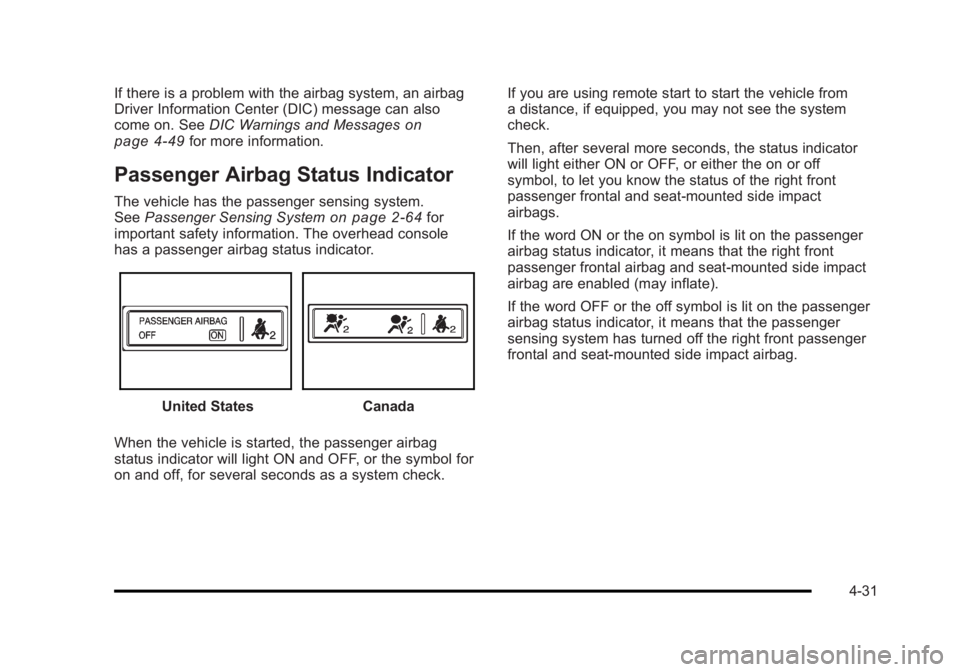
has a passenger airbag status indicator.
United StatesCanada
When the vehicle is started, the passenger airbag
status indicator will light ON and OFF, or the symbol for
on and off, for several seconds as a system check. If you are using remote start to start the vehicle from
a distance, if equipped, you may not see the system
check.
Then, after several more seconds, the status indicator
will light either ON or OFF, or either the on or off
symbol, to let you know the status of the right front
passenger frontal and seat-mounted side impact
airbags.
If the word ON or the on symbol is lit on the passenger
airbag status indicator, it means that the right front
passenger frontal airbag and seat-mounted side impact
airbag are enabled (may inflate).
If the word OFF or the off symbol is lit on the passenger
airbag status indicator, it means that the passenger
sensing system has turned off the right front passenger
frontal and seat‐mounted side impact airbag.
4-31
Page 188 of 450
Black plate (32,1)Buick Lucerne Owner Manual - 2011
If, after several seconds, both status indicator lights
remain on, or if there are no lights at all, there may be a
problem with the lights or the passenger sensing
system. See your dealer for service.
{WARNING:
If the airbag readiness light ever comes on and
stays on, it means that something may be wrong
with the airbag system. To help avoid injury to
yourself or others, have the vehicle serviced right
away. SeeAirbag Readiness Light
on page 4‑30
for more information, including important safety
information.
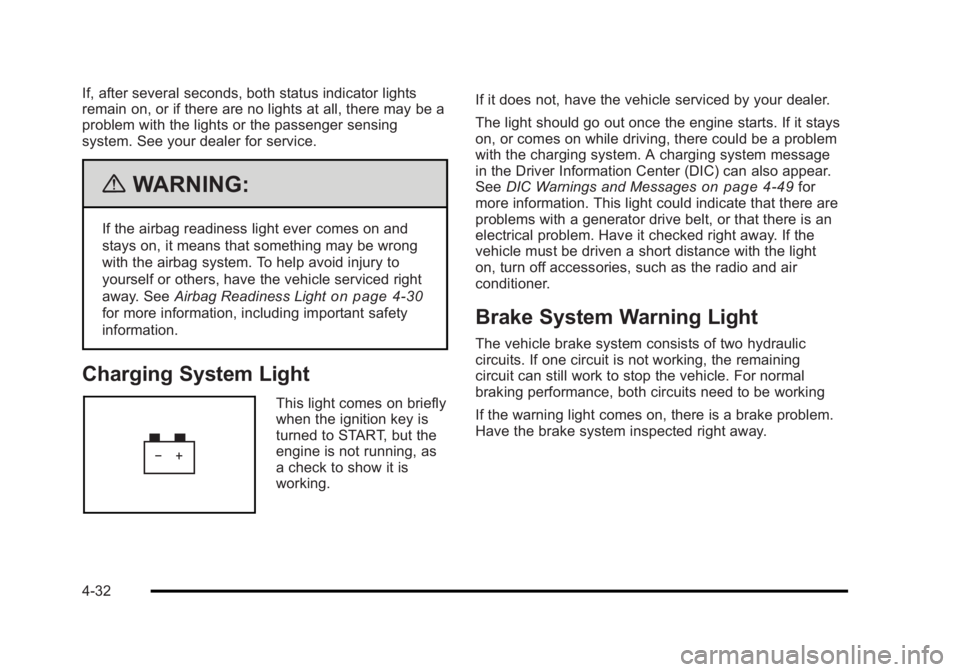
Charging System Light
This light comes on briefly
when the ignition key is
turned to START, but the
engine is not running, as
a check to show it is
working. If it does not, have the vehicle serviced by your dealer.
The light should go out once the engine starts. If it stays
on, or comes on while driving, there could be a problem
with the charging system. A charging system message
in the Driver Information Center (DIC) can also appear.
See
DIC Warnings and Messages
on page 4‑49for
more information. This light could indicate that there are
problems with a generator drive belt, or that there is an
electrical problem. Have it checked right away. If the
vehicle must be driven a short distance with the light
on, turn off accessories, such as the radio and air
conditioner.
Brake System Warning Light
The vehicle brake system consists of two hydraulic
circuits. If one circuit is not working, the remaining
circuit can still work to stop the vehicle. For normal
braking performance, both circuits need to be working
If the warning light comes on, there is a brake problem.
Have the brake system inspected right away.
4-32
Page 189 of 450
Black plate (33,1)Buick Lucerne Owner Manual - 2011
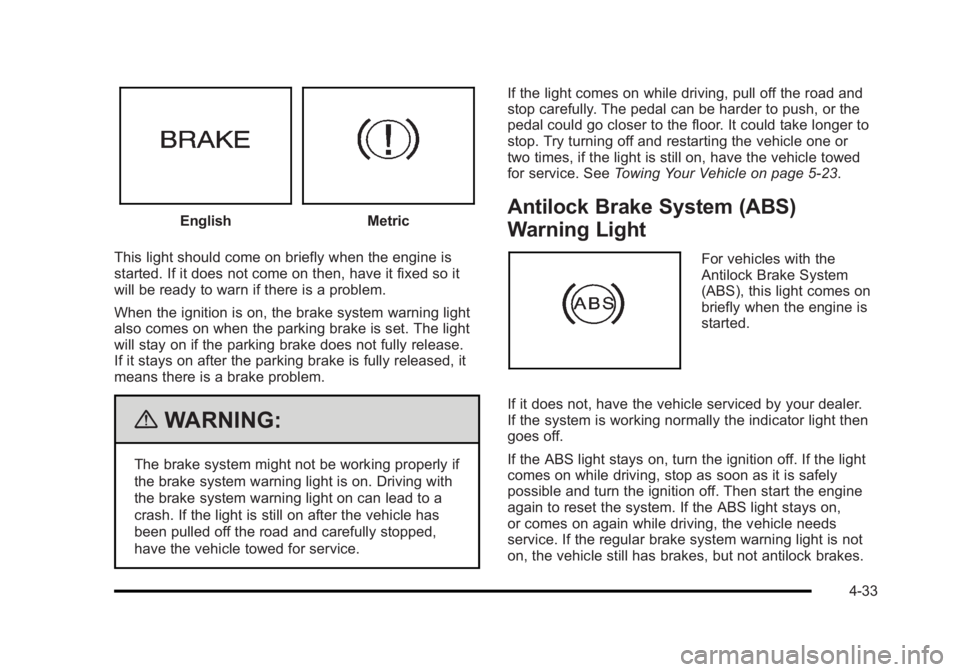
EnglishMetric
This light should come on briefly when the engine is
started. If it does not come on then, have it fixed so it
will be ready to warn if there is a problem.
When the ignition is on, the brake system warning light
also comes on when the parking brake is set. The light
will stay on if the parking brake does not fully release.
If it stays on after the parking brake is fully released, it
means there is a brake problem.
{WARNING:
The brake system might not be working properly if
the brake system warning light is on. Driving with
the brake system warning light on can lead to a
crash. If the light is still on after the vehicle has
been pulled off the road and carefully stopped,
have the vehicle towed for service. If the light comes on while driving, pull off the road and
stop carefully. The pedal can be harder to push, or the
pedal could go closer to the floor. It could take longer to
stop. Try turning off and restarting the vehicle one or
two times, if the light is still on, have the vehicle towed
for service. See
Towing Your Vehicle on page 5‑23.
Antilock Brake System (ABS)
Warning Light
For vehicles with the
Antilock Brake System
(ABS), this light comes on
briefly when the engine is
started.
If it does not, have the vehicle serviced by your dealer.
If the system is working normally the indicator light then
goes off.
If the ABS light stays on, turn the ignition off. If the light
comes on while driving, stop as soon as it is safely
possible and turn the ignition off. Then start the engine
again to reset the system. If the ABS light stays on,
or comes on again while driving, the vehicle needs
service. If the regular brake system warning light is not
on, the vehicle still has brakes, but not antilock brakes.
4-33
Page 190 of 450
Black plate (34,1)Buick Lucerne Owner Manual - 2011
If the regular brake system warning light is also on, the
vehicle does not have antilock brakes and there is a
problem with the regular brakes. SeeBrake System
Warning Light on page 4‑32.
For vehicles with a Driver Information Center (DIC), see
DIC Warnings and Messages
on page 4‑49for all
brake related DIC messages.
Traction Control System (TCS)
Warning Light
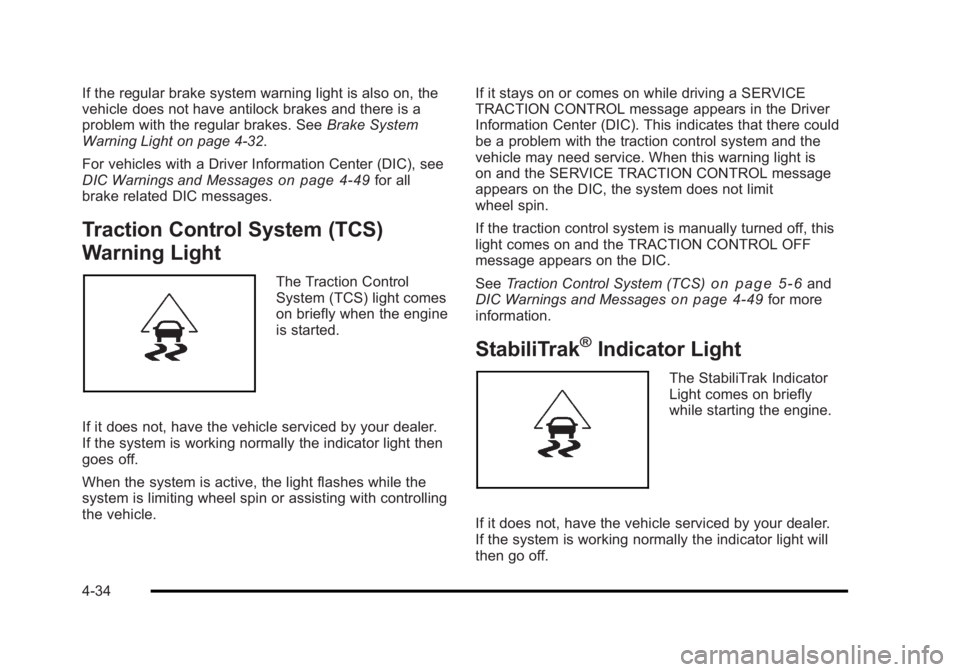
The Traction Control
System (TCS) light comes
on briefly when the engine
is started.
If it does not, have the vehicle serviced by your dealer.
If the system is working normally the indicator light then
goes off.
When the system is active, the light flashes while the
system is limiting wheel spin or assisting with controlling
the vehicle. If it stays on or comes on while driving a SERVICE
TRACTION CONTROL message appears in the Driver
Information Center (DIC). This indicates that there could
be a problem with the traction control system and the
vehicle may need service. When this warning light is
on and the SERVICE TRACTION CONTROL message
appears on the DIC, the system does not limit
wheel spin.
If the traction control system is manually turned off, this
light comes on and the TRACTION CONTROL OFF
message appears on the DIC.
See
Traction Control System (TCS)on page 5‑6and
DIC Warnings and Messageson page 4‑49for more
information.
StabiliTrak®Indicator Light
The StabiliTrak Indicator
Light comes on briefly
while starting the engine.
If it does not, have the vehicle serviced by your dealer.
If the system is working normally the indicator light will
then go off.
4-34
Page 191 of 450
Black plate (35,1)Buick Lucerne Owner Manual - 2011
This light may come on while the vehicle is first driven
and the STABILITRAK NOT READY message will
appear in the Driver Information Center (DIC). See
StabiliTrak
®Systemon page 5‑5for more
information.
If the light stays on, or comes on while driving a
SERVICE STABILITRAK message will appear in the
DIC. This indicates that there may be a problem with
the StabiliTrak system and the vehicle may need
service. When this warning light is on and the SERVICE
STABILITRAK message appears on the DIC, the
system will not assist with controlling the vehicle.
When the system is active, the light will flash while the
system is assisting with controlling the vehicle.
See StabiliTrak
®Systemon page 5‑5andDIC
Warnings and Messageson page 4‑49for more
information.
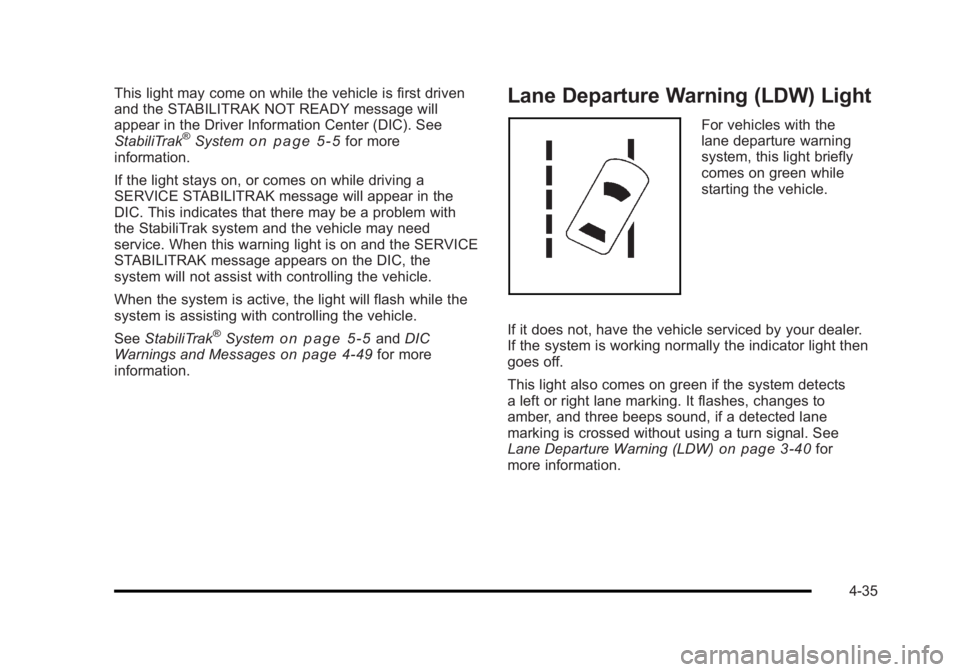
Lane Departure Warning (LDW) Light
For vehicles with the
lane departure warning
system, this light briefly
comes on green while
starting the vehicle.
If it does not, have the vehicle serviced by your dealer.
If the system is working normally the indicator light then
goes off.
This light also comes on green if the system detects
a left or right lane marking. It flashes, changes to
amber, and three beeps sound, if a detected lane
marking is crossed without using a turn signal. See
Lane Departure Warning (LDW)
on page 3‑40for
more information.
4-35
Page 192 of 450
Black plate (36,1)Buick Lucerne Owner Manual - 2011
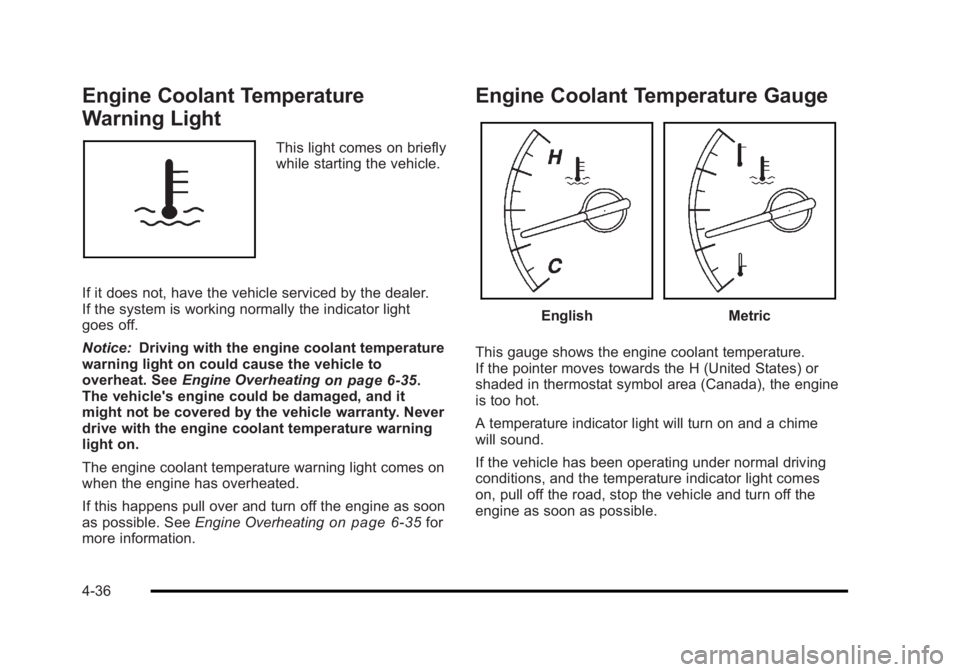
Engine Coolant Temperature
Warning Light
This light comes on briefly
while starting the vehicle.
If it does not, have the vehicle serviced by the dealer.
If the system is working normally the indicator light
goes off.
Notice: Driving with the engine coolant temperature
warning light on could cause the vehicle to
overheat. See Engine Overheating
on page 6‑35.
The vehicle's engine could be damaged, and it
might not be covered by the vehicle warranty. Never
drive with the engine coolant temperature warning
light on.
The engine coolant temperature warning light comes on
when the engine has overheated.
If this happens pull over and turn off the engine as soon
as possible. See Engine Overheating
on page 6‑35for
more information.
Engine Coolant Temperature Gauge
EnglishMetric
This gauge shows the engine coolant temperature.
If the pointer moves towards the H (United States) or
shaded in thermostat symbol area (Canada), the engine
is too hot.
A temperature indicator light will turn on and a chime
will sound.
If the vehicle has been operating under normal driving
conditions, and the temperature indicator light comes
on, pull off the road, stop the vehicle and turn off the
engine as soon as possible.
4-36
Page 196 of 450
Black plate (40,1)Buick Lucerne Owner Manual - 2011
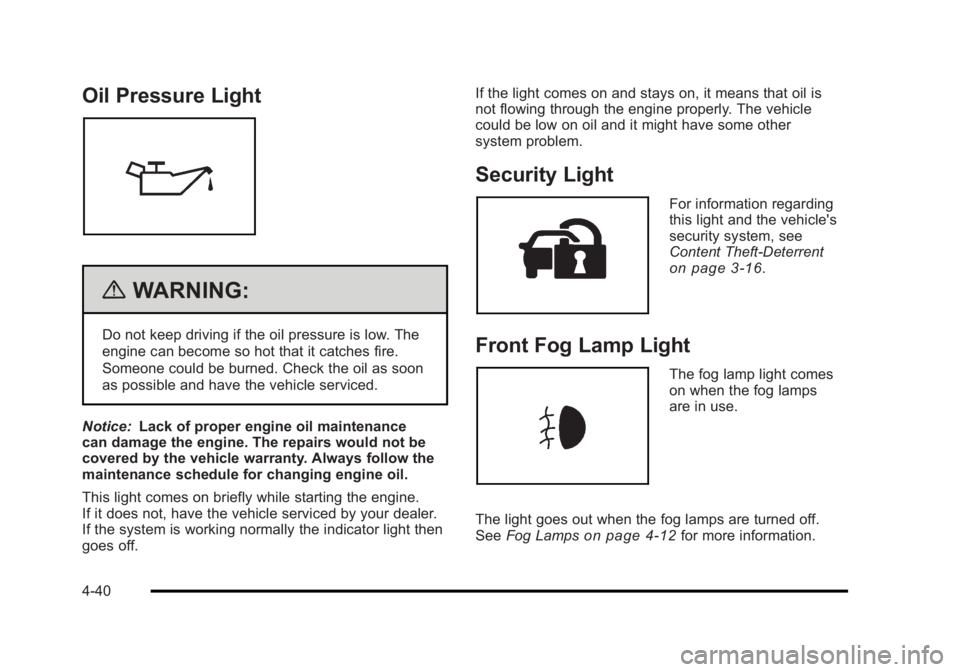
Oil Pressure Light
{WARNING:
Do not keep driving if the oil pressure is low. The
engine can become so hot that it catches fire.
Someone could be burned. Check the oil as soon
as possible and have the vehicle serviced.
Notice: Lack of proper engine oil maintenance
can damage the engine. The repairs would not be
covered by the vehicle warranty. Always follow the
maintenance schedule for changing engine oil.
This light comes on briefly while starting the engine.
If it does not, have the vehicle serviced by your dealer.
If the system is working normally the indicator light then
goes off. If the light comes on and stays on, it means that oil is
not flowing through the engine properly. The vehicle
could be low on oil and it might have some other
system problem.
Security Light
For information regarding
this light and the vehicle's
security system, see
Content Theft-Deterrent
on page 3‑16.
Front Fog Lamp Light
The fog lamp light comes
on when the fog lamps
are in use.
The light goes out when the fog lamps are turned off.
See Fog Lamps
on page 4‑12for more information.
4-40
Page 197 of 450
Black plate (41,1)Buick Lucerne Owner Manual - 2011
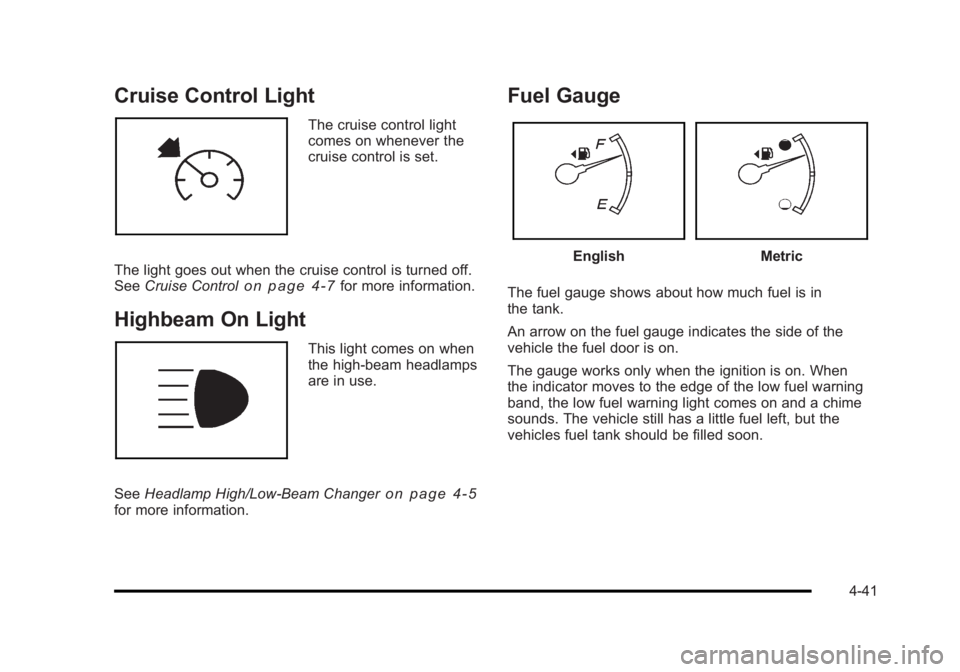
Cruise Control Light
The cruise control light
comes on whenever the
cruise control is set.
The light goes out when the cruise control is turned off.
See Cruise Control
on page 4‑7for more information.
Highbeam On Light
This light comes on when
the high-beam headlamps
are in use.
See Headlamp High/Low-Beam Changer
on page 4‑5for more information.
Fuel Gauge
EnglishMetric
The fuel gauge shows about how much fuel is in
the tank.
An arrow on the fuel gauge indicates the side of the
vehicle the fuel door is on.
The gauge works only when the ignition is on. When
the indicator moves to the edge of the low fuel warning
band, the low fuel warning light comes on and a chime
sounds. The vehicle still has a little fuel left, but the
vehicles fuel tank should be filled soon.
4-41
Page 198 of 450
Black plate (42,1)Buick Lucerne Owner Manual - 2011
Here are some things that some owners ask about.
None of these show a problem with the fuel gauge:
.At the service station, the gas pump shuts off
before the gauge reads full.
.It takes more (or less) fuel to fill up than the gauge
indicated. For example, the gauge may have
indicated half full, but it took more (or less) than
half the tank's capacity to fill it.
.The gauge moves up a little while turning a corner,
speeding up or making a hard stop.
.The gauge does not go back to empty when the
ignition is turned off.
Driver Information Center (DIC)
Your vehicle has a Driver Information Center (DIC).
All messages will appear in the DIC display located
below the speedometer in the instrument panel cluster.
The DIC buttons are located on the instrument panel, to
the left of the instrument panel cluster.
The DIC comes on when the ignition is on. After a short
delay, the DIC will display the information that was last
displayed before the engine was turned off.The DIC displays trip, fuel, and vehicle system
information, and warning messages if a system
problem is detected. The bottom line of the DIC
shows the shift lever position indicator. See
Automatic
Transmission Operation
on page 3‑24for more
information.
If your vehicle's DIC has these features, the compass
direction and the outside air temperature may also
display on the DIC when viewing the trip and fuel
information. The compass direction appears on the
top right corner of the DIC display. The outside air
temperature automatically appears in the bottom right
corner of the DIC display. If there is a problem with
the system that controls the temperature display, the
numbers will be replaced with dashes. If this occurs,
have the vehicle serviced by your dealer.
The DIC also allows some features to be customized.
See DIC Vehicle Customization
on page 4‑58for more
information.
DIC Operation and Displays
The DIC has different displays which can be accessed
by pressing the DIC buttons located on the instrument
panel, to the left of the instrument panel cluster.
4-42
Page 200 of 450

Black plate (44,1)Buick Lucerne Owner Manual - 2011
To use the retro-active reset feature, press and hold
the set/reset button for at least four seconds. The trip
odometer will display the number of kilometers (km) or
miles (mi) driven since the ignition was last turned on
and the vehicle was moving. Once the vehicle begins
moving, the trip odometer will accumulate mileage. For
example, if the vehicle was driven 8 km (5 miles) before
it is started again, and then the retro-active reset feature
is activated, the display will show 8 km (5 miles). As the
vehicle begins moving, the display will then increase to
8.2 km (5.1 miles), 8.4 km (5.2 miles), etc.
If the retro-active reset feature is activated after the
vehicle is started, but before it begins moving, the
display will show the number of kilometers (km) or
miles (mi) that were driven during the last ignition cycle.
Fuel Range
Press the trip/fuel button until FUEL RANGE displays.
This display shows the approximate number of
remaining kilometers (km) or miles (mi) the vehicle can
be driven without refueling.
The fuel range estimate is based on an average of the
vehicle's fuel economy over recent driving history and
the amount of fuel remaining in the fuel tank. This
estimate will change if driving conditions change. For
example, if driving in traffic and making frequent stops,
this display may read one number, but if the vehicle is
driven on a freeway, the number may change even
though the same amount of fuel is in the fuel tank.This is because different driving conditions produce
different fuel economies. Generally, freeway driving
produces better fuel economy than city driving.
If your vehicle is low on fuel, the FUEL LEVEL LOW
message will be displayed. See
“FUEL LEVEL LOW”
under DIC Warnings and Messages
on page 4‑49for
more information.
Average Economy
Press the trip/fuel button until AVG ECONOMY
displays. This display shows the approximate average
liters per 100 kilometers (L/100 km) or miles per gallon
(mpg). This number is calculated based on the number
of L/100 km (mpg) recorded since the last time this
menu item was reset. To reset AVG ECONOMY, press
and hold the set/reset button. The display will return
to zero.
Instantaneous Economy
Press the trip/fuel button until INST ECONOMY
displays. This display shows the current fuel economy
at a particular moment and will change frequently as
driving conditions change. This display shows the
instantaneous fuel economy in liters per 100 kilometers
(L/100 km) or miles per gallon (mpg). Unlike average
economy, this screen cannot be reset.
4-44