trunk BUICK PARK AVENUE 1996 User Guide
[x] Cancel search | Manufacturer: BUICK, Model Year: 1996, Model line: PARK AVENUE, Model: BUICK PARK AVENUE 1996Pages: 388, PDF Size: 20.04 MB
Page 119 of 388
Rear License Plate Holder
To use the rear license plate holder, open the trunk lid
and slide your license plate into the slot. Always close
the trunk to prevent theft of the plate.
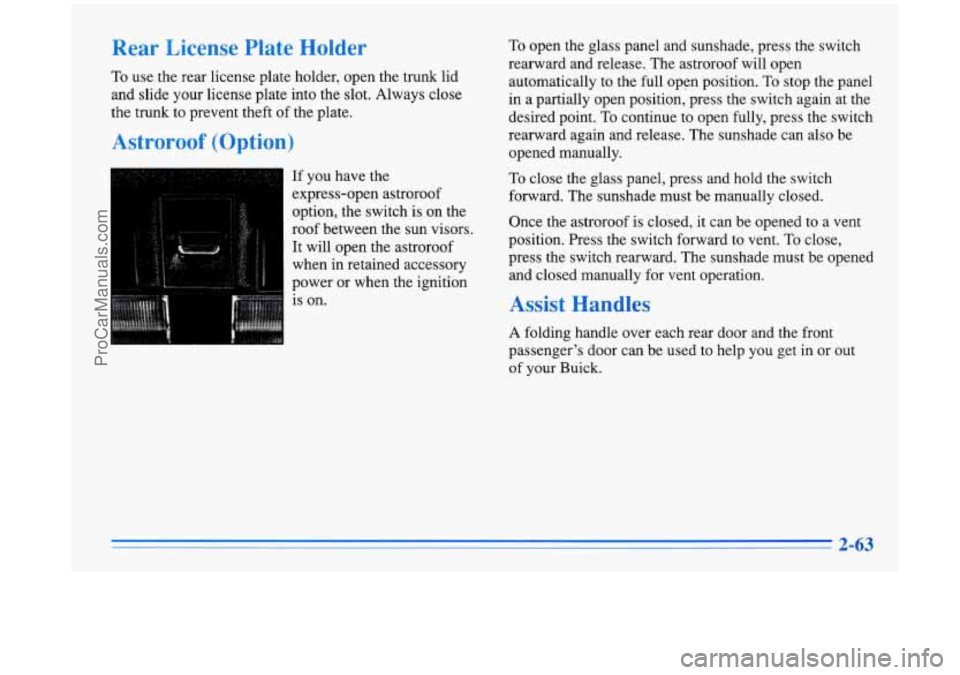
Astroroof (Option)
If you have the
express-open astroroof
option, the switch is
on the
roof between the sun visors.
It will open the astroroof
when in retained accessory
power or when the ignition
is on.
To open the glass panel and sunshade, press the switch
rearward and release. The astroroof will open
automatically to the full open position.
To stop the panel
in a partially open position, press the switch again at the
desired point. To continue to open fully, press the switch
rearward again and release. The sunshade can also be
opened manually.
To close the glass panel, press and hold the switch
forward. The sunshade must be manually closed.
Once the astroroof is closed, it can be opened to a vent
position. Press the switch forward to vent. To close,
press the switch rearward. The sunshade must be opened
and closed manually for vent operation.
Assist Handles
A folding handle over each rear door and the front
passenger’s door can be used to help you get in or out
of your Buick.
2-63
ProCarManuals.com
Page 121 of 388
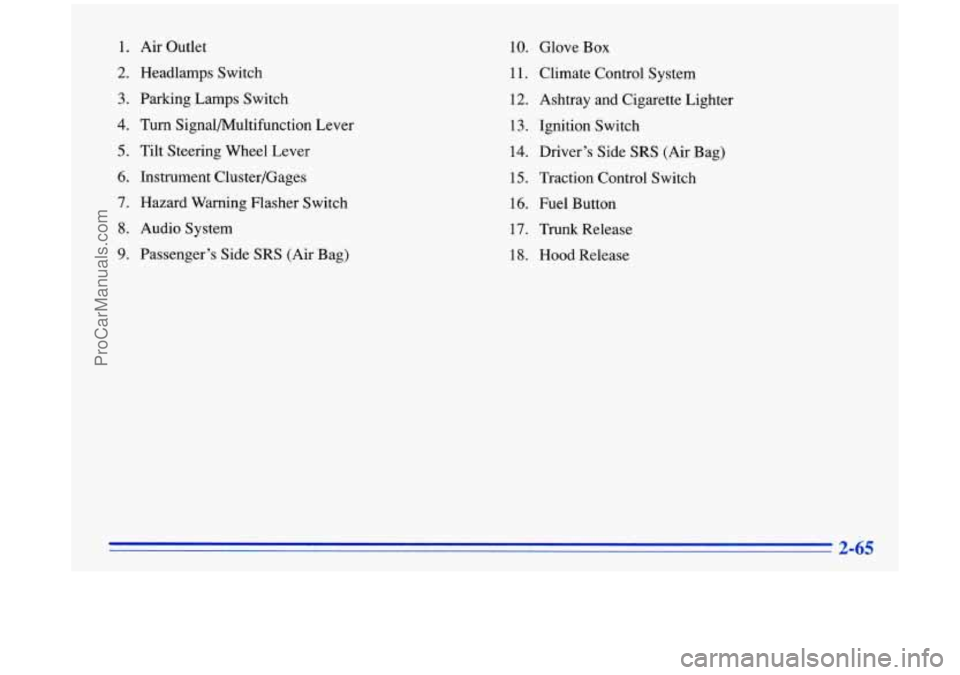
1. Air Outlet
2. Headlamps Switch
3. Parking Lamps Switch
4. Turn Signal/Multifunction Lever
5. Tilt Steering Wheel Lever
6. Instrument Cluster/Gages
7. Hazard Warning Flasher Switch
8. Audio System
9. Passenger’s Side SRS (Air Bag)
10. Glove Box
11. Climate Control System
12. Ashtray and Cigarette Lighter
13. Ignition Switch
14. Driver’s Side
SRS (Air Bag)
15. Traction Control Switch
16. Fuel Button
17.
Trunk Release
18. Hood Release
ProCarManuals.com
Page 137 of 388
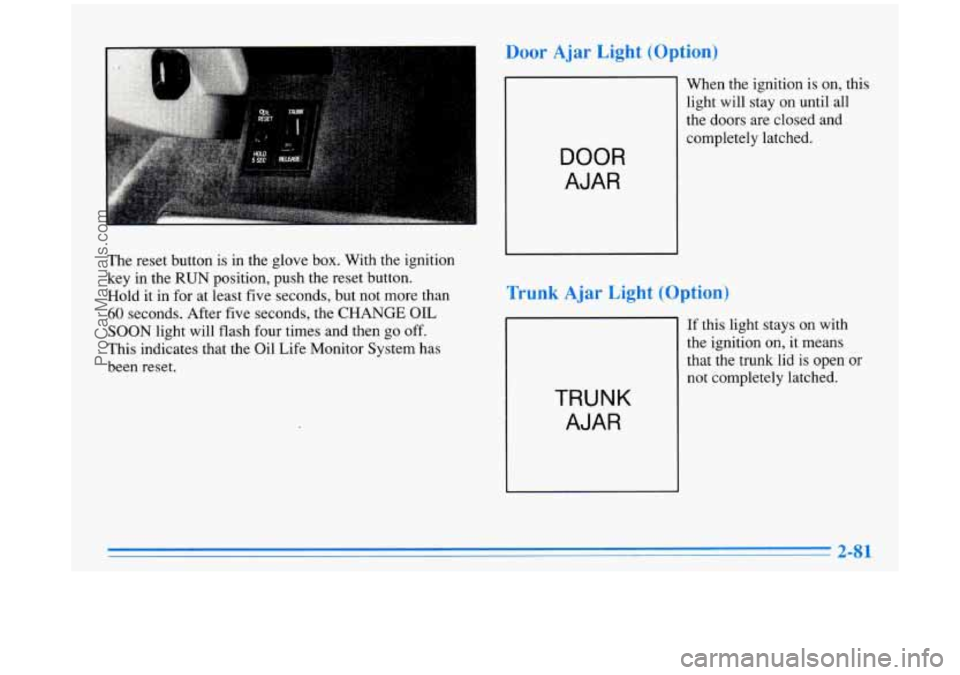
The reset button is in the glove box. With the ignition
key in the
RUN position, push the reset button.
Hold it in for at least five seconds, but not more than
60 seconds. After five seconds, the CHANGE OIL
SOON light will flash four times and then go off.
This indicates that the Oil Life Monitor System has
been reset.
Door Ajar Light (Option)
When the ignition is on, this
light will stay on until all
the doors are closed and
DOOR
AJAR
Trunk Ajar Light (Option)
TRUNK
AJAR
If this light stays on with
the ignition on, it means
that the trunk lid is open
or
not completely latched.
ProCarManuals.com
Page 198 of 388
Winter Driving
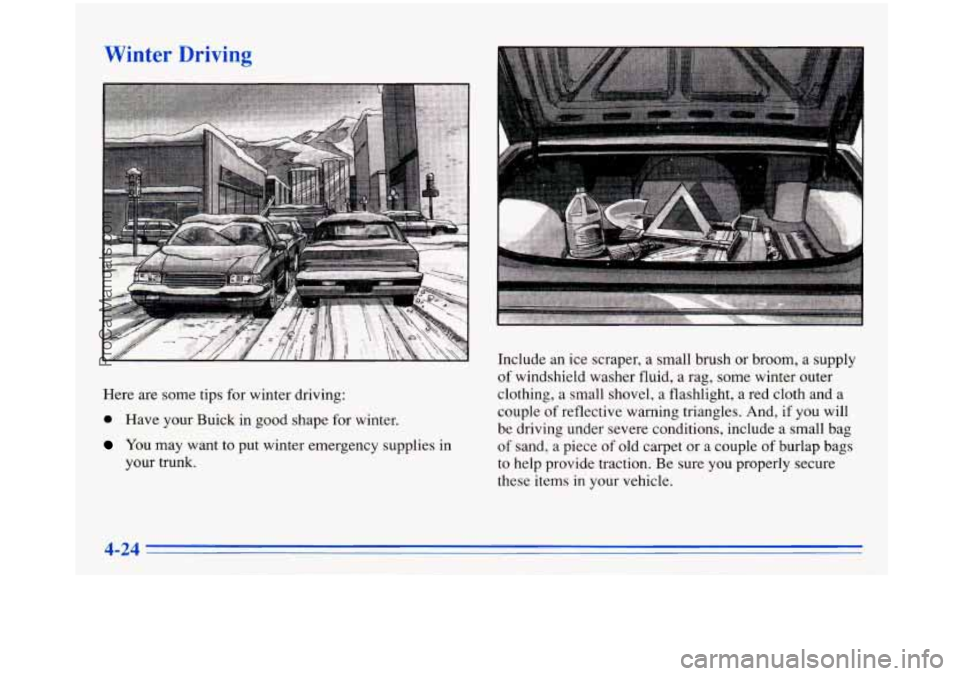
Here are some tips for winter driving:
@ Have your Buick in good shape for winter,
You may’warlt to put winter emergency supplies in
your
trunk.
Include an ice scraper, a small brush or broom, a supply
of windshield washer fluid, a rag, some winter outer
clothing, a small shovel, a flashlight, a red cloth and a
couple
of reflective warning triangles. And, if you will
be driving under severe conditions, include a small bag
of sand, a piece
of old carpet or a couple of burlap bags
to help provide traction. Be sure you properly secure
these items
in your vehicle.
4-24
_.
ProCarManuals.com
Page 203 of 388
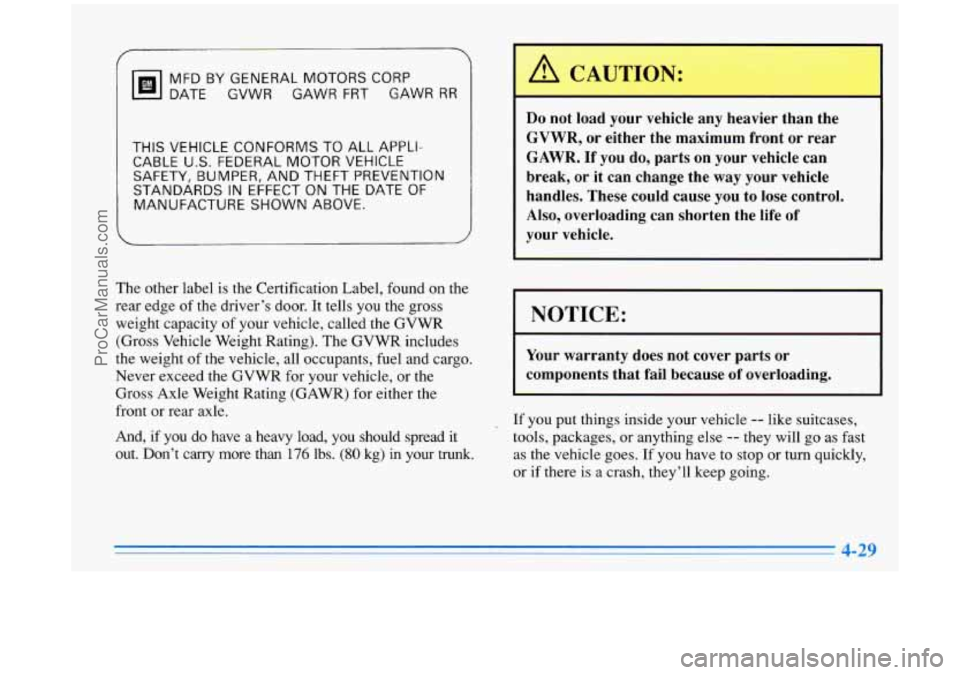
MFDBYGENERALMOTORSCORP DATE GVWR GAWR
FRT GAWR RR
THIS VEHICLE CONFORMS TO ALL APPLI-
CABLE
U.S. FEDERAL MOTOR VEHICLE
SAFETY, BUMPER, AND THEFT PREVENTION
STANDARDS
IN EFFECT ON THE DATE OF
MANUFACTURE SHOWN ABOVE.
The other label is the Certification Label, found on the
rear edge of the driver’s door. It tells you the gross
weight capacity of your vehicle, called the GVWR
(Gross Vehicle Weight Rating). The GVWR includes
the weight of the vehicle, all occupants, fuel and cargo.
Never exceed the GVWR for your vehicle, or the
Gross Axle Weight Rating (GAWR) for either the
front
or rear axle.
And,
if you do have a heavy load, you should spread it
out. Don’t carry more than 176 lbs. (80 kg) in your trunk.
Do not load your vehicle any heavier than the
GVWR, or either the maximum front or rear
GAWR. If you do, parts on your vehicle can
break, or it can change the way your vehicle
handles. These could cause you to lose control.
Also, overloading can shorten the life
of
your vehicle.
I NOTICE:
Your warranty does not cover parts or
components that
fail because of overloading.
, If you put things inside your vehicle -- like suitcases,
tools, packages,
or anything else -- they will go as fast
as the vehicle goes.
If you have to stop or turn quickly,
or if there is
a crash, they’ll keep going.
4-29
ProCarManuals.com
Page 204 of 388
Towing a Trailer
Things you put inside your vehicle can strike and
injure people in
a sudden stop or turn, or in
a crash.
0 Put things in the trunk of your vehicle. In a
trunk, put them as far forward as you can.
Try to spread the weight evenly.
inside the vehicle
so that some of them are
above the tops of the seats.
0 Don’t leave an unsecured child restraint in
your vehicle.
0 When you carry something inside the
vehicle, secure it whenever you can.
Never stack heavier things, like suitcases,
Electronic Level Control
This feature keeps the rear of your vehicle level as the
load changes. It’s automatic
-- you don’t need to
adjust anything.
If you don’t use the corn equipment and drive
properly, you can lose control when
you pull a
trailer. For example, if the trailer is too heavy, the
brakes may not work well
-- or even at all. You
and your passengers could be seriously injured.
Pull
a trailer only if you have followed all the
steps in this section. Ask your Buick dealer for
advice and information about towing
a trailer
with your vehicle.
NOTICE:
Pulling a trailer improperly can damage your
vehicle and result in costly repairs not covered
by
your warranty. To pull a trailer correctly, follow
the advice in this part, and see your Buick dealer
for important information about towing
a trailer
with your vehicle.
ProCarManuals.com
Page 235 of 388
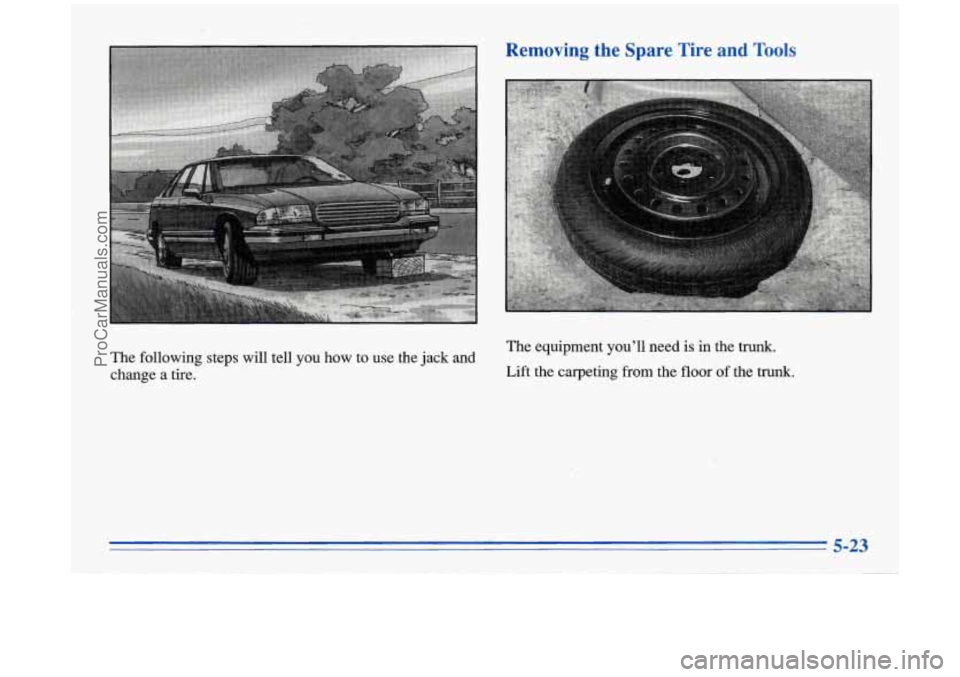
Removing the Spare Tire and Tools
The equipment you’ll need is in the trunk.
The following steps will tell you how touse the jack and
change a tire. Lift the carpeting
from the floor of the trunk.
5-23
ProCarManuals.com
Page 236 of 388
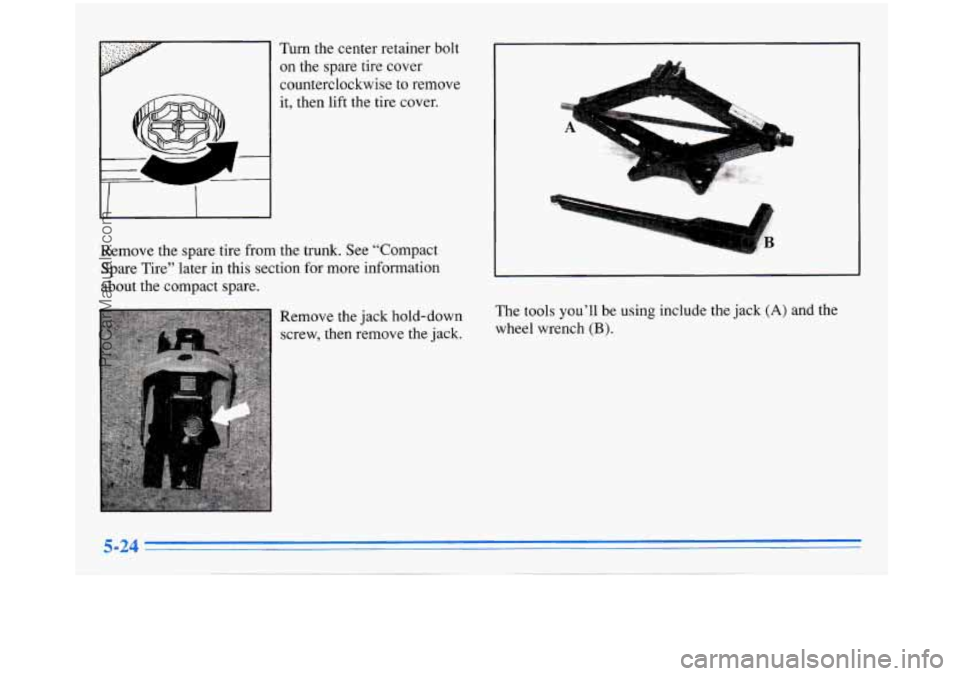
Turn the center retainer bolt on the spare tire cover
counterclockwise to remove
it, then lift the tire cover.
Remove the spare tire from the trunk. See “Compact
Spare Tire” later in this section for more information
about the compact spare.
Remove the jack hold-down
screw, then remove the jack.
1
The tools you’ll be using include the jack (A) and the
wheel wrench
(B).
ProCarManuals.com
Page 237 of 388
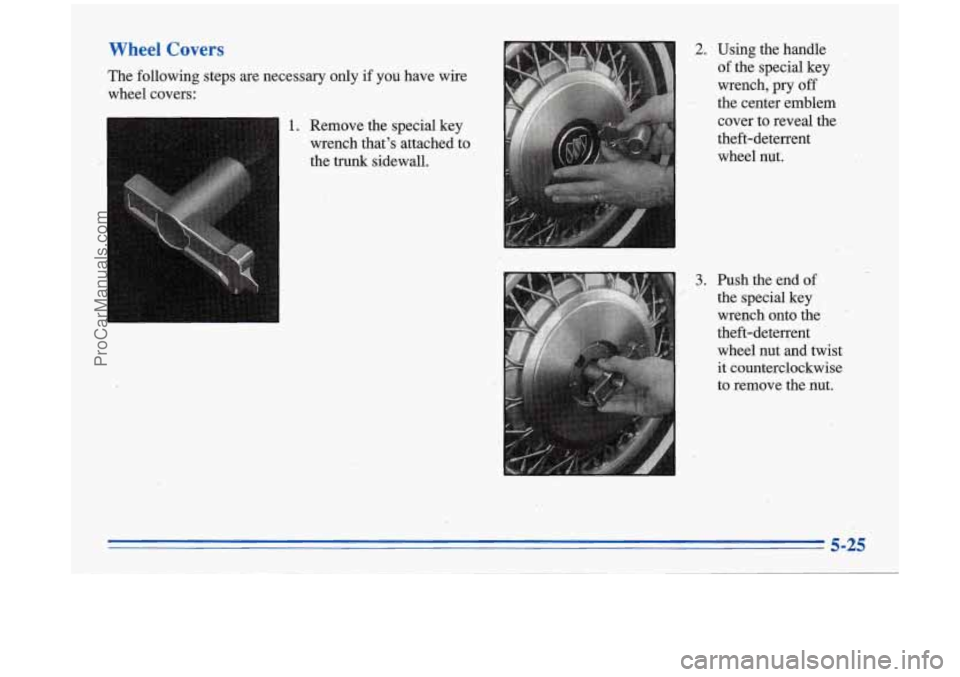
Wheel Covers
The following steps are necessary only if you have wire
wheel covers:
1. Remove the special key
wrench that's attached to
the trunk sidewall.
2. Using the handle
.of the special key
wrench,
pry off
the center emblem
cover to reveal the
theft-deterrent wheel nut.
3. Push the end. of
the special key
wrench onto the
theft-deteq-ent
wheel nut and'twist
it counterclockwise
to remove the nut.
,.
5-25
ProCarManuals.com
Page 243 of 388
i -
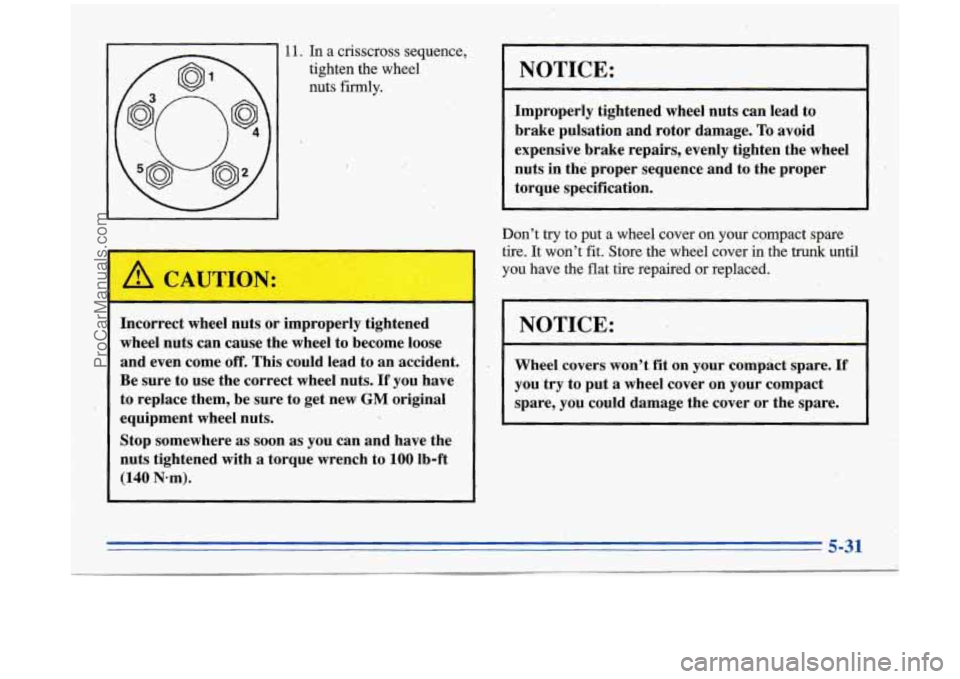
11. In a crisscross sequence;
tighten the wheel
nuts firmly.
A CAUTION:
Incorrect wheel nuts or improperly tightened
wheel nuts can cause the wheel to become loose
and even come
off. This could lead to an accident.
Be sure to use the correct wheel nuts.
If you have
to replace them, be sure to get new
GM original
equipment wheel nuts.
Stop somewhere
as soon as you can and have the
nuts tightened with
a torque wrench to 100’lb-ft
(140 N-m).
NOTICE:
Improperly tightened wheel nuts can lead to
brake pulsation and rotor damage.
To avoid
expensive brake repairs, evenly tighten the wheel
nuts in the proper sequence and to the proper torque specification.
Don’t
try to put a wheel cover on your compact spare
tire. It won’t fit. Store the wheel cover
in the trunk until
you have the flat tire repaired or replaced.
NOTICE:
Wheel covers won’t fit on your compact spare. If
you try to put a wheel cover on your compact
spare, you could damage the cover or the spare.
5-31
ProCarManuals.com