engine BUICK PARK AVENUE 1996 Owner's Guide
[x] Cancel search | Manufacturer: BUICK, Model Year: 1996, Model line: PARK AVENUE, Model: BUICK PARK AVENUE 1996Pages: 388, PDF Size: 20.04 MB
Page 135 of 388
Don’t keep driving if the oil pressure is low. If
you do, your engine can become so hot that it
catches fire.
You or others could be burned.
Check your oil as soon as possible and have your
vehicle serviced.
NOTICE:
Damage to your engine from neglected oil
problems can be costly and
is not covered by
your warranty.
Check Oil Level Light (Option)
CHECK
OIL LEVEL
The CHECK OIL LEVEL
light comes on for three
seconds as a bulb check
each time the ignition key is
turned to the
RUN position.
If the light doesn’t come on,
have your vehicle serviced.
If the engine oil is more than one quart low, the light
will come on briefly, then go off for
15-25 seconds, and
then come back on for
20-40 seconds.
However, the system will not register low engine oil if it
has not been more than eight minutes since the engine
was last shut off.
If the CHECK OIL LEVEL light comes back on, the
engine oil should be checked at the dipstick then
brought up to the proper level if necessary. See “Engine
Oil” in the Index.
2-79
ProCarManuals.com
Page 136 of 388
Change Oil Soon Light (Option)
CHANGE
OIL SOON
This light is activated by the
Engine Oil Life Monitor
System. The system
determines the condition of
the engine oil and lets you
know when the oil should be changed. (See “Engine
Oil” in the Index.)
It does this by using information about engine speed
(revolutions per minute), coolant temperature and
vehicle speed. The system uses this data to determine
how much the oil has degraded. When to
change your oil depends on driving habits and
conditions because these directly affect engine speed,
coolant temperature and vehicle speed. Because of this,
the CHANGE OIL SOON light may come
on as early as
2,000 miles or less for harsh conditions.
The CHANGE
OIL SOON light comes on for five
seconds as a bulb check each time the ignition key
is turned
to the RUN position. It will stay on for
60 seconds once 90% of the oil life has been used
and each time the engine is started after that.
If the
CHANGE
OIL SOON light is on continuously, there
is a problem with the Oil Life Monitor System and
service is required.
After changing the engine oil, the system should be
reset. This will cause the CHANGE
OIL SOON light to
be lit again for the bulb check period
of three seconds.
2-80
ProCarManuals.com
Page 138 of 388
Fuel Gage
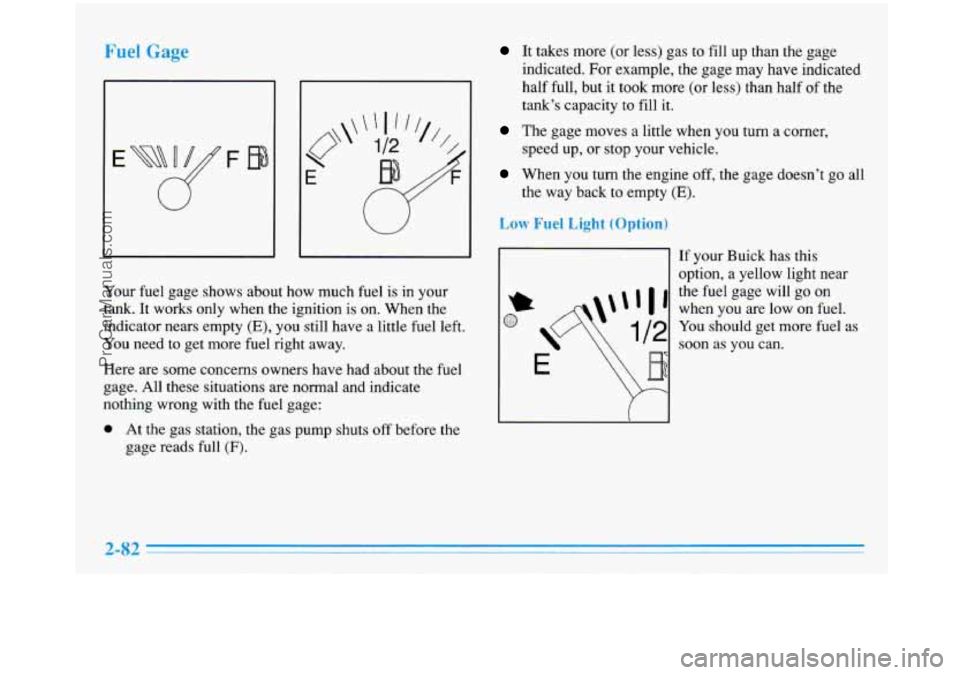
Your fuel gage shows about how much fuel is in your
tank.
It works only when the ignition is on. When the
indicator nears empty
(E), you still have a little fuel left.
You need to get more fuel right away.
Here are some concerns owners have had about the fuel
gage. All these situations are normal and indicate
nothing wrong with the fuel gage:
0 At the gas station, the gas pump shuts off before the
gage reads full
(F).
It takes more (or less) gas to fill up than the gage
indicated. For example, the gage may have indicated
half full, but it took more (or less) than half of the
tank’s capacity to fill
it.
The gage moves a little when you turn a corner,
speed up, or stop your vehicle.
When you turn the engine off, the gage doesn’t go all
the way back to empty
(E).
Low Fuel Light (Optio
I1
If your Buick has this
option, a yellow light near
the fuel gage will go on
when you are low on fuel.
You should get more fuel as
soon as you can.
2-82
ProCarManuals.com
Page 144 of 388
Temperature Button
To adjust the comfort level you want maintained inside
the vehicle, push the TEMP button. If you want a
warrner comfort level, push the red arrow. If
you want a
cooler comfort level, push the blue arrow. Your comfort
setting is shown in the display.
Fan Button
The speed of the blower fan is controlled automatically
if you have the system set for AUTO. Pressing the
FAN button will display and hold the current blower fan setting.
If you want the blower fan to run at a lower speed, push
the bottom
of the FAN button. The fan speed will
decrease with every push
of the button until the lowest
speed is reached. If you want to increase the fan speed,
push the top of the FAN button. Notice the fan
indicators on the display.
Mode Controls
Press the AIR FLOW button to deliver air through the
floor, middle or windshield outlets. The system will stay
in the selected mode until the AUTO button is pushed.
Press the up arrow on the AIR FLOW button to cycle
through the available modes.
Automatic Operation
Press the AUTO button when you want the system to
automatically adjust to changes in the temperature inside
the vehicle, the outside temperature and the sun load on
the vehicle. When the system is set for automatic
operation, air will come from the floor, middle or
windshield outlets depending on the temperature inside
the vehicle, the outside temperature and sun load. Fan
speed will vary as the system gets to and maintains the
comfort setting
you have selected through the use of the
TEMP button.
To find your comfort setting, start with the system in
AUTO mode and the TEMP button adjusted to a display
of 75°F
(24"C), give the vehicle about 20 minutes to
stabilize, and adjust your comfort setting if necessary, by
using the TEMP button. The display will show the
comfort setting for
a few seconds and then it will
display the outside temperature.
If you want to see your
current automatic fan speed, airflow direction and
comfort setting, press the AUTO button.
In cold weather, the system will delay turning on the
fan, to avoid blowing cold air. The length of the delay
depends on the engine coolant temperature and the
outside temperature. Pushing the FAN, AIR FLOW or
FRONT buttons will override this delay, turn off the
AUTO setting and change the fan speed.
3-4
ProCarManuals.com
Page 146 of 388
FRONT This selection is used to defrost the
windshield by directing the airflow toward the windshield.
If
FRONT is selected while in the AUTO mode, the fan
speed and the air temperature from the front defroster will
vary. If a manual
fan speed setting is selected, the fan
speed will remain at that selection until another fan speed
selection is made or the AUTO mode
is selected. To turn
off FRONT, press the AUTO or AIR FLOW button.
FRONT defrost will work better if any ice or snow is
cleared from the hood and the air inlet area between the
base
of the windshield and the hood.
Air Condi,,.
On hot days, open the windows long enough to let hot
inside air escape. This reduces the time it takes for your
vehicle to cool down. Then keep your windows closed
for the air conditioner to work its best.
If you have the electronic touch system, for quick
cool-down on very
hot days, use MAX with the
temperature and fan speed adjusted to COOL and
HIGH.
For normal cooling on hot days, use NORM and adjust the
temperature and fan speed for your comfort. If REClRC is
selected while
in the NORM air conditioning mode, the
system works like
MAX and recirculates the air. Use
BI-LEV to deliver warm air to the floor and cooler air to
the middle instrument panel outlets.
If you have the dual automatic comfortemp system and
on very hot days using the AUTO mode, the system will
automatically enter the RECIRC mode and the
temperature door will be positioned at the full cold
position for maximum cooling. If the system
is not in
the AUTO mode, RECIRC should be selected to provide
maximum cooling. You can choose the extreme comfort
setting of
60°F (16"C), but the system will not cool any
faster by choosing the extreme comfort setting.
When the air conditioner is on, you may sometimes notice
slight changes in your vehicle's engine speed and power.
This is normal because
the system is designed to cycle the
compressor on and
off to keep the desired temperature.
ProCarManuals.com
Page 149 of 388
Ventilation Tips
0
0
0
0
Keep the hood and front air inlet free of ice, snow or
any other obstruction such as leaves. The heater and
defroster will work better, reducing the chance of
fogging your windows.
When you enter a vehicle with the electronic touch
system in cold weather, select HTR to supply air
through the floor outlets. Then move the FAN lever
to HIGH for a few moments before driving away.
This will blow moist air from the intake outlets
toward the floor, not the windshield. It reduces the
chance of fogging your windows. If you have the
dual automatic comfortemp system, the AUTO
setting will do this for you. Manual operation of the
automatic comfortemp system in the
FLOOR mode
will also supply air through the floor outlets.
Keep the air path under the front seats clear of objects.
This helps air to circulate throughout your vehicle.
When the engine idles for a long time, the exterior
temperature sensor may cause the system
to blow air
that is too cool. Once the vehicle is moving again,
the system will try to maintain the set temperature
inside your vehicle.
0 When you start your vehicle and the EXT display
flashes (dual automatic comfortemp system only) for
some time, the system may need repair. See your
Buick dealer.
Defogging and Defrosting
On cool but humid days, use FRONT to keep the
windshield and side windows clear and to quickly
remove fog, frost or ice from the windshield.
If you have the the electronic touch system, adjust the
TEMPERATURE lever toward
WARM and the FAN
lever toward HIGH.
If you have the dual automatic cornfortemp system,
while in the AUTO mode, the fan speed will vary.
If a
manual fan speed setting
is selected, the fan speed will
remain at that selection until the engine is turned
off or
another selection has been made. To turn off FRONT,
press
AUTO or AIR FLOW.
3-9
ProCarManuals.com
Page 152 of 388
Audio Systems
Your Delco@ audio system has been designed to operate
easily and give years
of listening pleasure. You will get
the most enjoyment out of
it if you acquaint yourself
with it first. Find out what your Delco system can do
and how to operate all its controls, to be sure you’re
getting the most out of the advanced engineering that
went into it.
Setting the Clock
Press and hold HRS until the correct hour appears. Press
and hold
MIN until the correct minute appears.
You may set the clock with the ignition
off if you
press
RECALL first and follow the same procedure
described above.
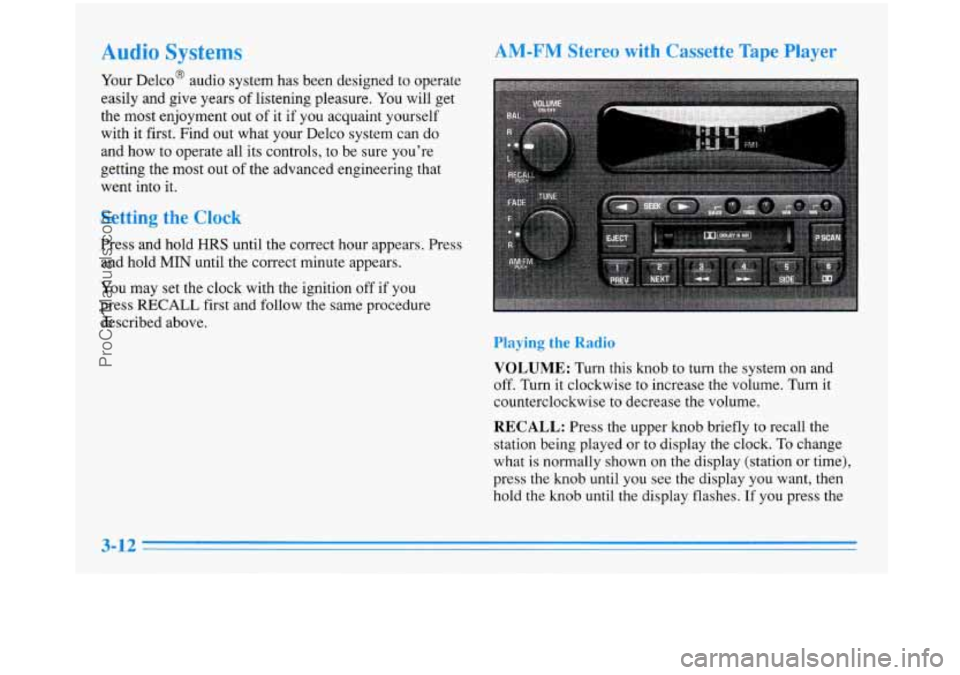
AM-FM Stereo with Cassette Tape Player
Playing the Radio
VOLUME: Turn this knob to turn the system on and
off. Turn it clockwise to increase the volume. Turn it
counterclockwise to decrease the volume.
RECALL: Press the upper knob briefly to recall the
station being played or to display the clock.
To change
what
is normally shown on the display (station or time),
press the knob until you see the display you want, then
hold the knob until the display flashes.
If you press the
3-12
ProCarManuals.com
Page 170 of 388
To help avoid hearing loss or damage:
FM stereo will give you the best sound. But FM signals
will reach only about 10 to
40 miles (1 6 to 65 km). Tall
buildings or hills can interfere with FM signals, causing
the sound to come and go.
The range for most AM stations
is greater than for FM,
especially at night. The longer range, however, can
cause stations to interfere with each other. AM can pick
up noise from things like storms and power lines. Try
reducing the treble to reduce this noise if you ever get it.
AI Iudi Sy
Hearing damage from loud noise is almost undetectable
until it is too late. Your hearing can adapt to higher
volumes
of sound. Sound that seems normal can be loud
and harmful to your hearing. Take precautions by
adjusting the
volume control on your radio to a safe
sound level before your hearing adapts to
it.
0 Adjust the volume control to the lowest setting.
Increase volume slowly until you hear comfortably
and clearly.
NOTICE:
~ Before you add any sound equipment to your
vehicle
-- like a tape player, CB radio, mobile
telephone or two-way radio
-- be sure you can
add what you want.
If you can, it’s very
important to do it properly. Added sound
equipment may interfere with the operation of
your vehicle’s engine, Delco radio
or other
systems, and even damage them. Your vehicle’s
systems may interfere with the operation
of
sound equipment that has been added
improperly.
So, before adding sound equipment, check with
your dealer and be sure to check Federal rules
covering mobile radio and telephone units.
ProCarManuals.com
Page 180 of 388
Avoid needless heavy braking. Some people drive in
spurts
-- heavy acceleration followed by heavy
braking
-- rather than keeping pace with traffic. This is a
mistake. Your brakes may not have time to cool between
hard stops. Your brakes will wear
out much faster if you
do a
lot of heavy braking. If you keep pace with the
traffic and allow realistic following distances, you will
eliminate a lot of unnecessary braking. That means
better braking and longer brake life.
If your engine ever stops while you’re driving, brake
normally but don’t pump your brakes.
If you do, the
pedal may get harder to push down.
If your engine
stops, you will still have some power brake assist. But
you will use
it when you brake. Once the power assist is
used up, it may take longer to stop and the brake pedal
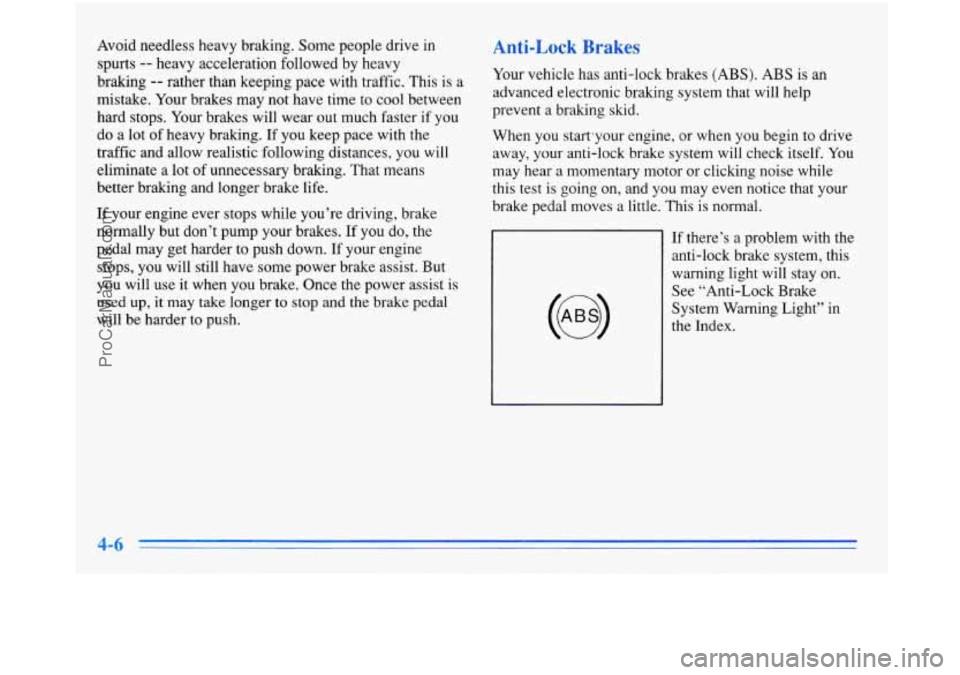
will be harder to push. Your vehicle has anti-lock brakes
(ABS). ABS is
an
advanced electronic braking system that will help
prevent a braking skid.
When you start’your engine, or when you begin to drive
away, your anti-lock brake system will check itself.
You
may hear a momentary motor or clicking noise while
this test is going on, and you may even notice that your
brake pedal moves a little. This is normal.
If there’s a problem with the anti-lock brake system, this
warning light will stay
on.
See “Anti-Lock Brake
System Warning Light” in
the Index.
ProCarManuals.com
Page 182 of 388
Remember: Anti-lock doesn’t change the time you need
to get your foot up to the brake pedal or always decrease
stopping distance. If
you get too close to the vehicle in
front of you, you won’t have time to apply your brakes
if that vehicle suddenly slows or stops. Always leave
enough room up ahead to stop, even though you have
anti-lock brakes.
Using Anti-Lock
Don’t pump the brakes. Just hold the brake pedal down and let anti-lock work for you. You may feel the system
working, or you may notice some noise, but this is normal.
Traction Control System (Option)
Your vehicle may have a traction control system that
limits wheel spin. This is especially useful in slippery
road conditions. The system operates only if it senses
that one or both of the front wheels are spinning or
beginning to lose traction. When this happens, the
system works the front brakes and reduces engine power
to
limit wheel spin.
You may feel or hear the system working, but this
is normal.
If your vehicle is in cruise control when the traction
control system begins to limit wheel spin,
the cruise
control will automatically disengage. When road conditions allow
you to safely use it again, you may
re-engage the cruise control. (See “Cruise Control” in
the Index.)
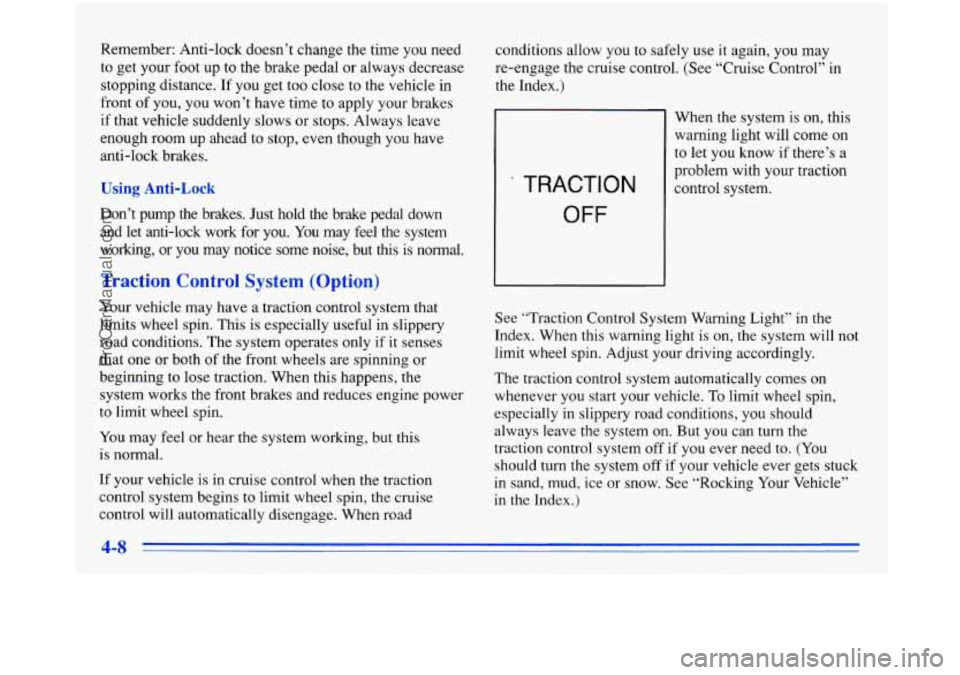
TRACTION
OFF
When the system is on, this
warning light will come on
to let you know if there’s a
problem with your traction
control system.
See “Traction Control System Warning Light” in the
Index. When this warning light
is on, the system will not
limit wheel spin. Adjust your driving accordingly.
The traction control system automatically comes on
whenever you start your vehicle.
To limit wheel spin,
especially in slippery road conditions, you should always leave the system on. But you can turn the
traction control system off
if you ever need to. (You
should turn the system
off if your vehicle ever gets stuck
in sand, mud, ice or snow. See “Rocking Your Vehicle”
in the Index.)
ProCarManuals.com