clock BUICK PARK AVENUE 1996 Owners Manual
[x] Cancel search | Manufacturer: BUICK, Model Year: 1996, Model line: PARK AVENUE, Model: BUICK PARK AVENUE 1996Pages: 388, PDF Size: 20.04 MB
Page 69 of 388
To replace the battery: Trunk
1.
2.
3.
4.
5.
Insert a coin into the notch near the keyring. Turn the
coin counterclockwise to separate the two halves
of
the transmitter.
Once the transmitter
is separated, use a pencil to
remove the old battery.
Do not use a metal object.
Remove and replace the battery as the instructions
under the cover indicate.
Be sure not to touch any
of the black boxes or the
green surfaces. Any static transferred from your
body to these areas may cause the transmitter to
be inoperative.
Snap the transmitter back together tightly to be sure
no moisture can enter.
Resynchronize the transmitter
by pressing and
holding
the LOCK and UNLOCK buttons for about
eight seconds within range of
the vehicle. Once the
transmitter is resynchronized, the horn will chirp and
the exterior lamps will flash once.
Trunk Lock Release
To unlock the trunk from the outside, insert the door key
and turn it.
Remote Trunk Release
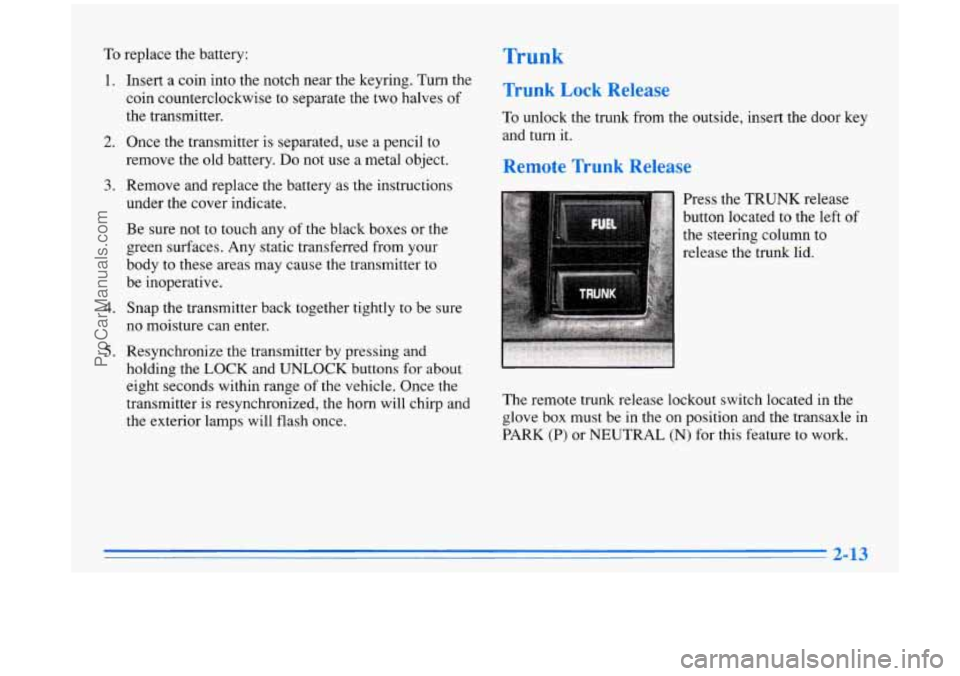
Press the TRUNK release
button located
to the left of
the steering column to
release the trunk lid.
The remote trunk release lockout switch located in the
glove box must be in the on position and the transaxle in
PARK
(P) or NEUTRAL (N) for this feature to work.
ProCarManuals.com
Page 152 of 388
Audio Systems
Your Delco@ audio system has been designed to operate
easily and give years
of listening pleasure. You will get
the most enjoyment out of
it if you acquaint yourself
with it first. Find out what your Delco system can do
and how to operate all its controls, to be sure you’re
getting the most out of the advanced engineering that
went into it.
Setting the Clock
Press and hold HRS until the correct hour appears. Press
and hold
MIN until the correct minute appears.
You may set the clock with the ignition
off if you
press
RECALL first and follow the same procedure
described above.
AM-FM Stereo with Cassette Tape Player
Playing the Radio
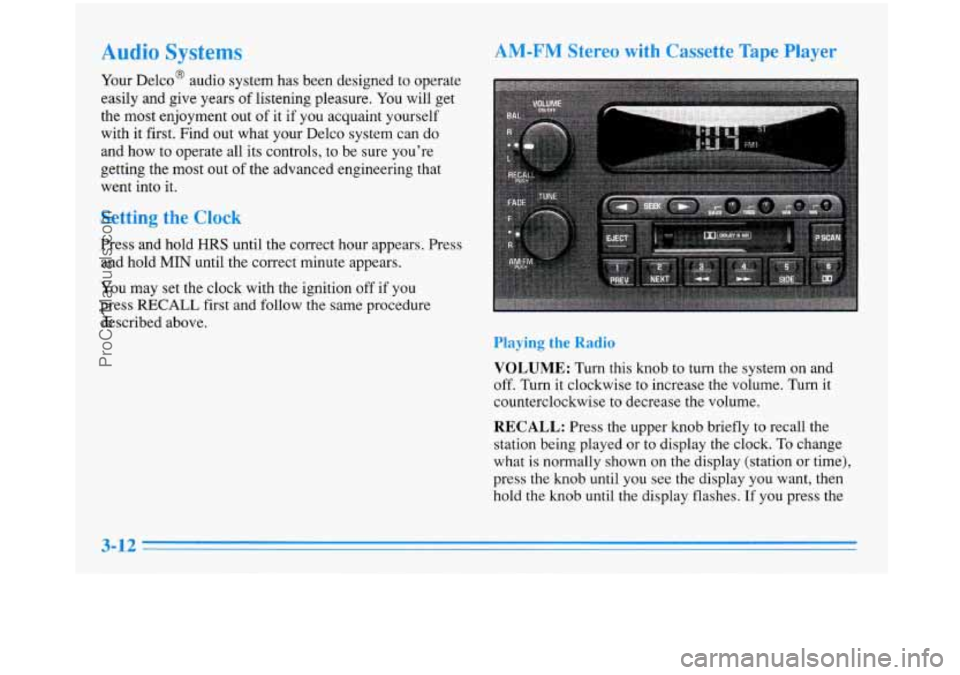
VOLUME: Turn this knob to turn the system on and
off. Turn it clockwise to increase the volume. Turn it
counterclockwise to decrease the volume.
RECALL: Press the upper knob briefly to recall the
station being played or to display the clock.
To change
what
is normally shown on the display (station or time),
press the knob until you see the display you want, then
hold the knob until the display flashes.
If you press the
3-12
ProCarManuals.com
Page 153 of 388
knob when the ignition is off, the clock will show for a
few seconds.
Finding a Station
AM-FM:
Press the lower knob to select AM, FM1 or
FM2. The display shows your selection.
TUNE: Turn the lower knob to choose radio stations.
SEEK: Press the forward or backward arrow to go to
the next higher or lower station. The sound will be
muted while seeking.
SCAN: Press one of the SEEK arrows for two seconds
and
SCAN will appear on the display. Use SCAN to
listen to stations for a few seconds. The radio will go to
a station, stop for
a few seconds, then go on to the next
station. Press one
of the SEEK arrows again to stop
scanning. The sound will be muted while scanning.
PUSHBUTTONS: The six numbered pushbuttons let
you return
to your favorite stations. You can set up to
18 stations (six AM, six FMl and six FM2).
1. Press AM-FM to select the band.
2. Find the station you want by using TUNE or SEEK.
3. Press and hold one of the six numbered buttons.
4. The sound will mute. When it returns, release the
button. Whenever you press that numbered button,
the station you set will return.
P SCAN: Press this button to listen to each of your
preset stations for a few seconds. The radio will
go to
the first preset station, stop for a few seconds, then go
on to the next preset station. Press
P SCAN again to stop
scanning.
If a preset station has weak reception, the
radio will not stop at the preset station.
Setting the Tone
BASS:
Press this knob lightly so it extends. Turn the
knob to increase or decrease bass.
TREB: Press this button lightly so it extends. Turn the
knob to increase
or decrease treble.
Push the knobs back in when you are not using them.
Adjusting the Speakers
BAL: Turn the control behind the upper knob to move
the sound to the left or right speakers. Use the middle
position to balance these speakers.
FADE: Turn the control behind the lower knob to move
the sound to
the front or rear speakers. Use the middle
position to balance these speakers.
ProCarManuals.com
Page 155 of 388
AM-FM Stereo with Cassette Tape Player
and Automatic Tone Control
Playing the Radio
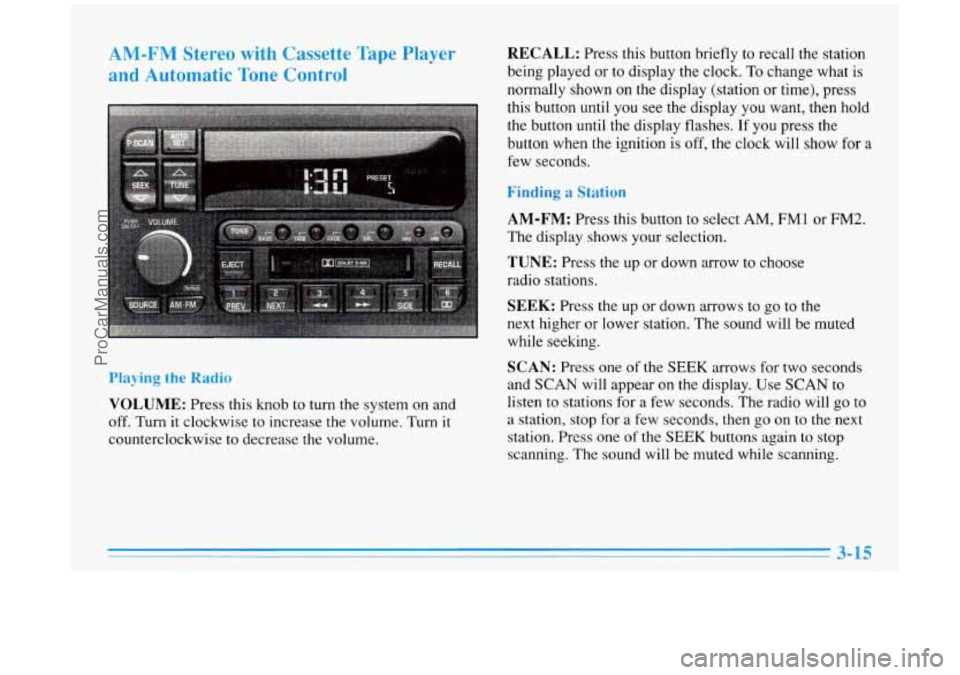
VOLUME: Press this knob to turn the system on and
off.
Turn it clockwise to increase the volume. Turn it
counterclockwise to decrease the volume.
RECALL: Press this button briefly to recall the station
being played or to display the clock. To change what is
normally shown on the display (station or time), press
this button until you see the display you want, then hold
the button until the display flashes.
If you press the
button when the ignition is
off, the clock will show for a
few seconds.
Finding a Station
AM-FM:
Press this button to select AM, FMl or FM2.
The display shows your selection.
TUNE: Press the up or down arrow to choose
radio stations.
SEEK: Press the up or down arrows to go to the
next higher or lower station. The sound will be muted
while seeking.
SCAN: Press one of the SEEK arrows for two seconds
and SCAN will appear on the display. Use SCAN
to
listen to stations for a few seconds. The radio will go to
a station, stop for a few seconds, then go on
to the next
station. Press one
of the SEEK buttons again to stop
scanning. The sound will be muted while scanning.
ProCarManuals.com
Page 158 of 388
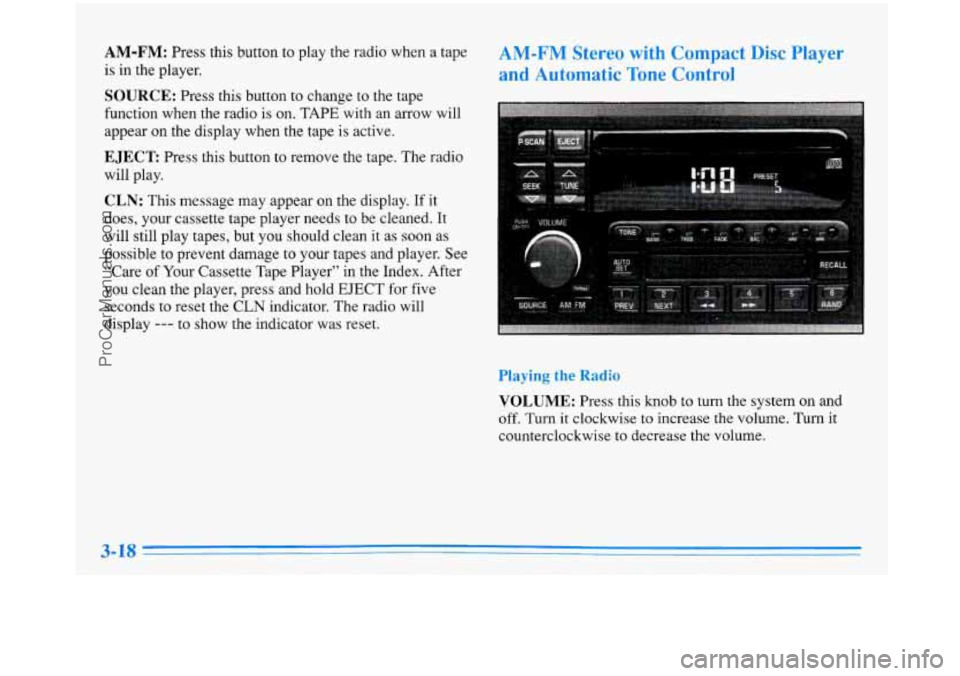
AM-FM: Press this button to play the radio when a tape
is in the player.
SOURCE: Press this button to change to the tape
function when the radio is on. TAPE with an arrow will
appear
on the display when the tape is active.
EJECT Press this button to remove the tape. The radio
will play.
CLN: This message may appear on the display. If it
does, your cassette tape player needs to be cleaned. It
will still play tapes, but you should clean it as soon as
possible to prevent damage
to your tapes and player. See
“Care
of Your Cassette Tape Player” in the Index. After
you clean the player, press and hold EJECT for five
seconds to reset the CLN indicator. The radio will
display
--- to show the indicator was reset.
AM-FM Stereo with Compact Disc Player
and Automatic Tone Control
Playing the Radio
VOLUME: Press this knob to turn the system on and
off.
Turn it clockwise to increase the volume. Turn it
counterclockwise to decrease the volume.
ProCarManuals.com
Page 159 of 388
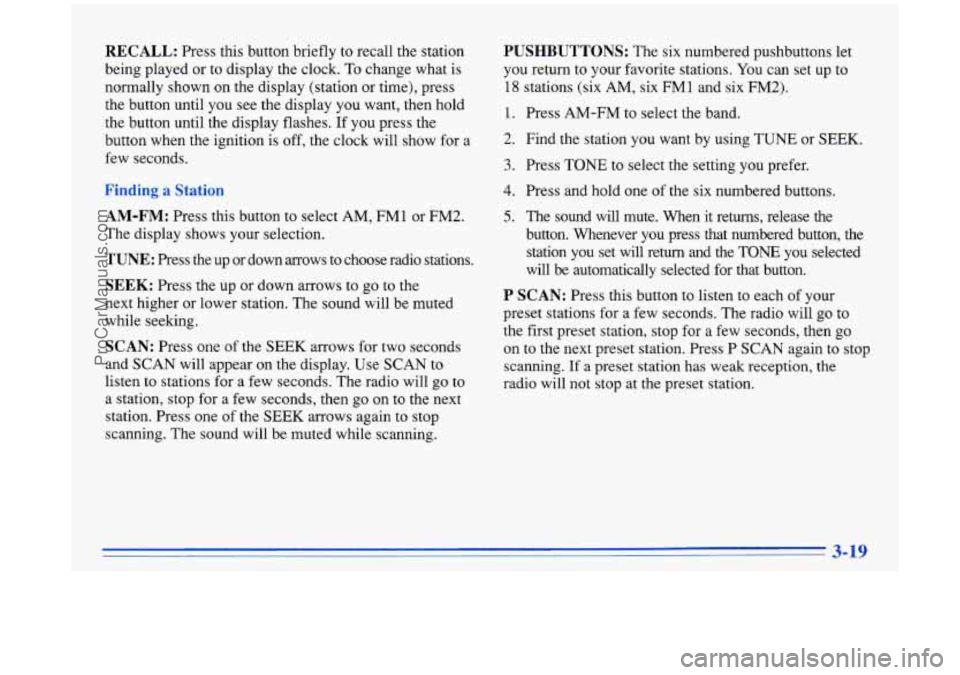
RECALL: Press this button briefly to recall the station
being played or to display the clock.
To change what is
normally shown on the display (station or time), press
the button until you see the display you want, then hold
the button until the display flashes. If you press the
button when the ignition is off, the clock will show for a
few seconds.
,a!
AM-FM: Press this button to select AM, FM1 or FM2.
The display shows your selection.
TUNE: Press the up or down arrows to choose radio stations.
SEEK: Press the up or down arrows to go to the
next higher or lower station. The sound will be muted
while seeking.
SCAN: Press one of the SEEK arrows for two seconds
and SCAN will appear on the display. Use SCAN
to
listen to stations for a few seconds. The radio will go to
a station, stop for a few seconds, then go on to the next
station. Press one of the SEEK arrows again to stop
scanning. The sound will be muted while scanning.
PUSHBUTTONS: The six numbered pushbuttons let
you return to your favorite stations. You can set up to
18 stations (six AM, six FMl and six FM2).
1.
2.
3.
4.
5.
Press AM-FM to select the band.
Find the station you want by using TUNE or SEEK.
Press TONE to select the setting you prefer.
Press and hold one of the six numbered buttons.
The sound will mute. When it returns, release the
button. Whenever you press that numbered button, the station you set will return and the TONE you selected
will be automatically selected for that button.
P SCAN: Press this button to listen to each of your
preset stations for a few seconds. The radio will go to
the first preset station, stop for a few seconds, then go
on to the next preset station. Press P SCAN again to stop
scanning.
If a preset station has weak reception, the
radio will not stop at the preset station.
3-19
ProCarManuals.com
Page 162 of 388
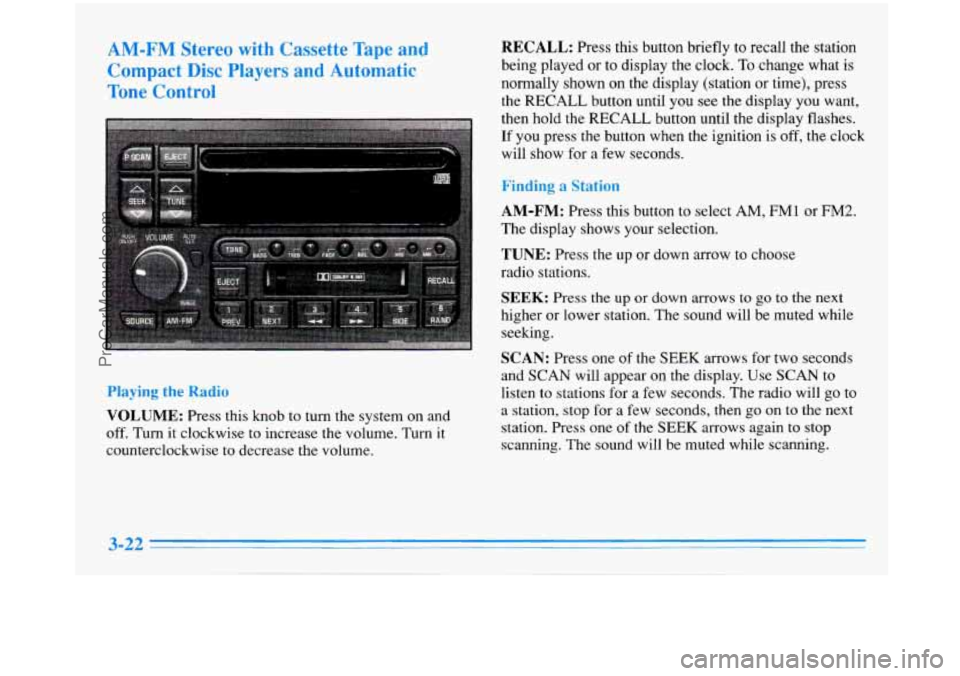
AM-FM Stereo with Cassette Tape and
Compact Disc PIayers and Automatic
Tone Control RECALL: Press this button briefly to recall the station
being played or to display the clock. To change what is
normally shown on the display (station
or time), press
the RECALL button until you see the display you want,
then hold the RECALL button until the display flashes.
If you press the button when the ignition is off, the clock
will show for
a few seconds.
Finding a Station
Playing the
Radio
VOLUME: Press this knob to turn the system on and
off. Turn
it clockwise to increase the volume. Turn it
counterclockwise
to decrease the volume.
AM-FM: Press this button to select AM, FMl or FM2.
The display shows your selection.
TUNE: Press the up or down arrow to choose
radio stations.
SEEK: Press the up or down arrows to go to the next
higher or lower station. The sound will be muted while
seeking.
SCAN: Press one of the SEEK arrows for two seconds
and SCAN will appear on the display. Use SCAN
to
listen to stations for a few seconds. The radio will go to
a station, stop for a few seconds, then go on to the next
station. Press one
of the SEEK arrows again to stop
scanning. The sound will be muted while scanning.
3-22
ProCarManuals.com
Page 185 of 388
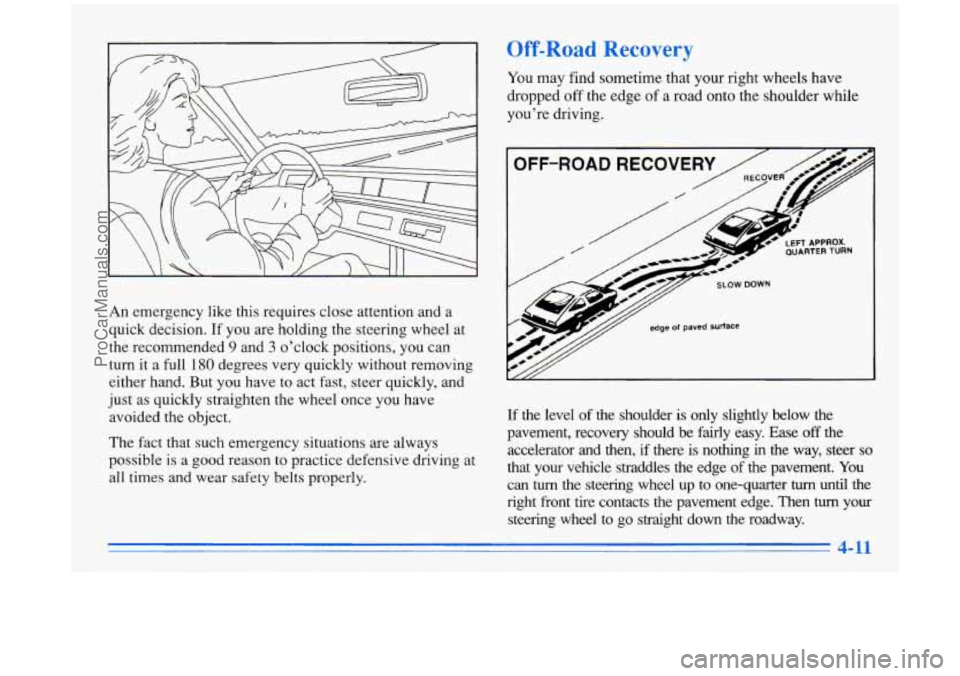
Off-Road Recovery
An emergency like this requires close attention and a
quick decision. If you are holding the steering wheel at
the recommended
9 and 3 o’clock positions, you can
turn it a full
180 degrees very quickly without removing
either hand. But
you have to act fast, steer quickly, and
just as quickly straighten the wheel once you have
avoided the object.
The fact that such emergency situations are always
possible
is a good reason to practice defensive driving at
all times and wear safety belts properly. You
may find sometime that your right wheels have
dropped
off the edge of a road onto the shoulder while
you’re driving.
OFF-ROAD RECOVERY
7/ SLOW DOWN
y// edge of paved surface -
If the level of the shoulder is only slightly below the
pavement, recovery should be fairly easy. Ease
off the
accelerator
and then, if there is nothing in the way, steer so
that your vehicle straddles the edge of the pavement. You
can the steering wheel up
to one-quarter turn until the
right front tire contacts the pavement edge. Then turn your
steering wheel to go straight down the roadway.
4-11
ProCarManuals.com
Page 231 of 388
Horn )., Add CL=-~=- to the Radiator
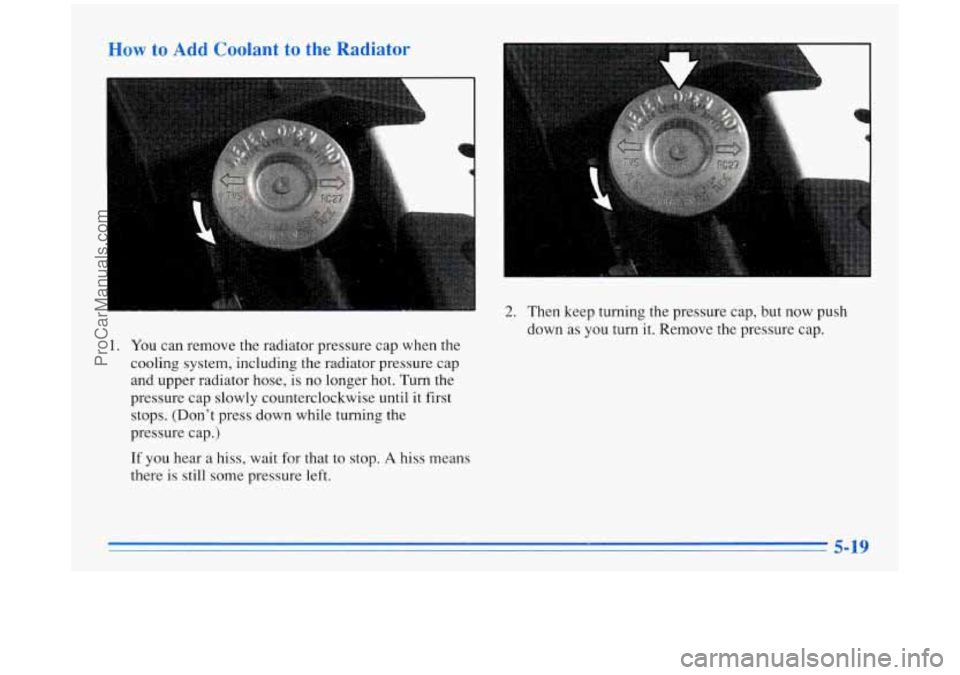
1. You can remove the radiator pressure cap when the
cooling system, including the radiator pressure cap
and upper radiator hose, is no longer hot. Turn the
pressure cap slowly counterclockwise until it first
stops. (Don’t press down while turning the
pressure cap.)
If you hear a hiss, wait for that to stop. A hiss means
there
is still some pressure left.
2. Then keep turning the pressure cap, but now push
down as
you turn it. Remove the pressure cap.
5-19
ProCarManuals.com
Page 236 of 388
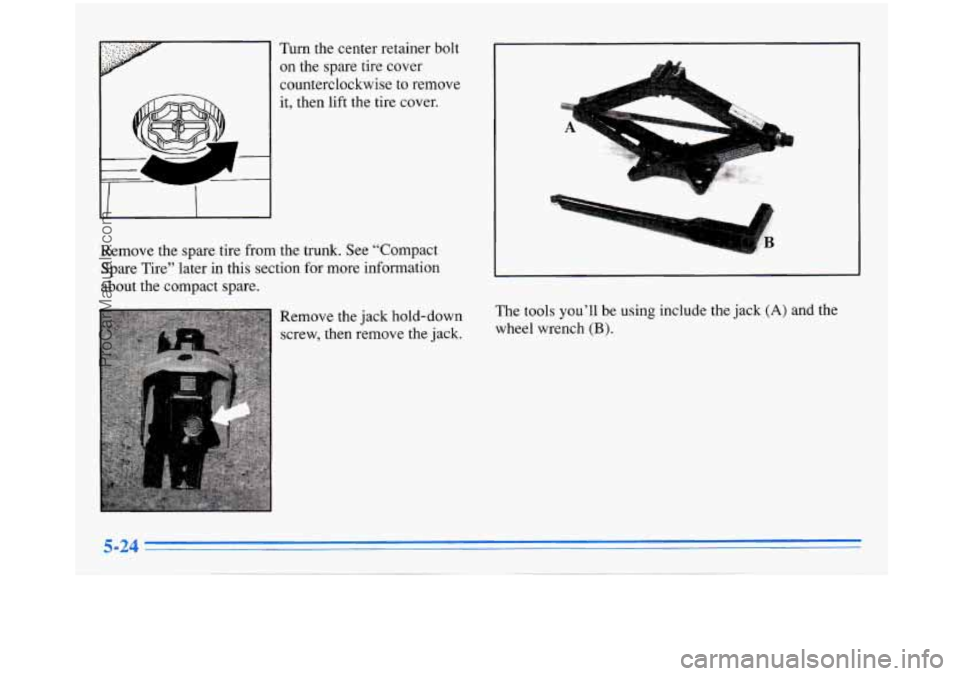
Turn the center retainer bolt on the spare tire cover
counterclockwise to remove
it, then lift the tire cover.
Remove the spare tire from the trunk. See “Compact
Spare Tire” later in this section for more information
about the compact spare.
Remove the jack hold-down
screw, then remove the jack.
1
The tools you’ll be using include the jack (A) and the
wheel wrench
(B).
ProCarManuals.com