remote control BUICK PARK AVENUE 1997 Owners Manual
[x] Cancel search | Manufacturer: BUICK, Model Year: 1997, Model line: PARK AVENUE, Model: BUICK PARK AVENUE 1997Pages: 420, PDF Size: 21.93 MB
Page 61 of 420
Section 2 Features and Controls
Here you can learn about the many standard and optional features on your Buick, and information on starting, shifting
and braking. Also explained are the instrument panel and the warning systems that tell you if everything is working
properly
-- and what to do if you have a problem.
2-2
2-4
2-8
2- 14
2-15 2-16
2- 17
2-
19
2-20
2-2 1
2-22
2-23
2-27
2-28
2-30
2-3
1
Keys
Door Locks
Remote Keyless Entry System
TrUnk
Theft
Content Theft Deterrent
PASS-Key@
III
New Vehicle “Break-In”
Ignition Positions
Starting Your Engine
Engine Coolant Heater
Automatic Transaxle Operation
Parking Brake Shifting Into PARK
(P)
Shifting Out of PARK (P)
Parking Over Things That
Burn
2-3 1
2-32
2-33
2-34
2-34
2-44
2-46
2-50
2-55
2-64
2-64
2-68
2-73
2-82
2-84 Engine Exhaust
Running
Your Engine While You’re Parked
Windows
Tilt Wheel
Turn Signal/Multifunction Lever
Exterior Lamps
Interior Lamps
Mirrors
Storage Compartments
Astroroof
Universal Transmitter
Instrument Panel
Warning Lights, Gages and Indicators
Head-Up Display (HUD)
Driver Information Center (DIC)
2-1
ProCarManuals.com
Page 64 of 420
Door Locks
I
Unlocked doors can be dangerous.
Passengers
-- especially children -- can easily
open the doors and fall out. When a door is
locked, the inside handle won’t open
it.
Outsiders can easily enter through an unlocked
door when you slow down or stop your vehicle.
This may not be
so obvious: You increase the
chance
of being thrown out of the vehicle in a
crash
if the doors aren’t locked. Wear safety belts
properly, lock your doors, and you will be far
better
off whenever you drive your vehicle.
There are several ways to lock and unlock your vehicle.
From the outside, use your door key or Remote Keyless
Entry transmitter.
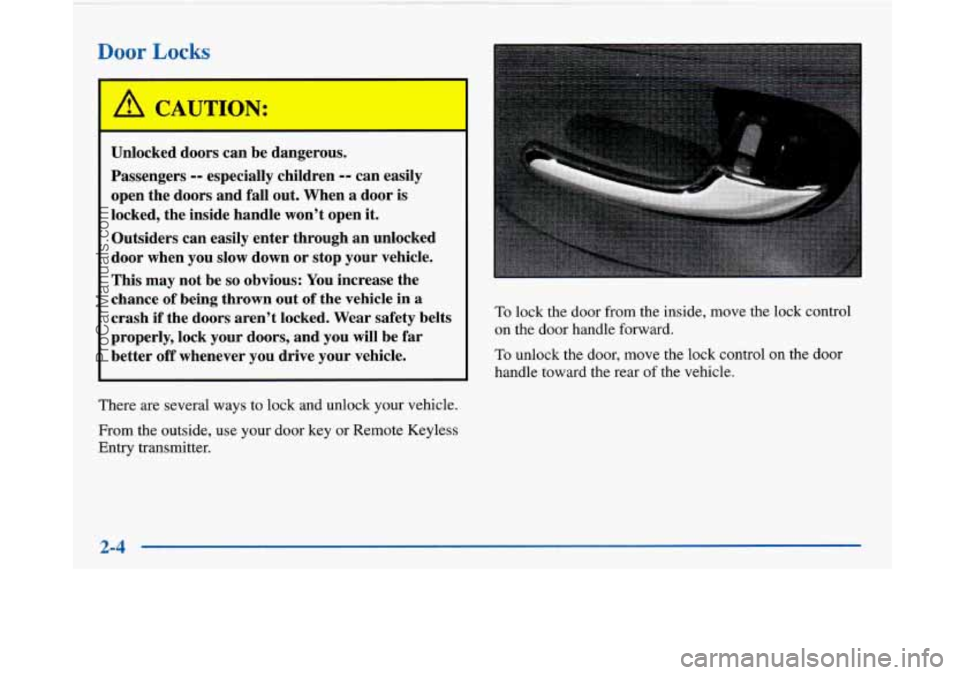
To lock the door from the inside, move the lock control
on the door handle forward.
To unlock the door, move the lock control on the door
handle toward the rear
of the vehicle.
2-4
ProCarManuals.com
Page 70 of 420
Synchronization
If only the instant alarm button works, the transmitter
needs to be resynchronized to the receiver. Do this by
pressing and holding both the LOCK and
UNLOCK
buttons on the transmitter for about eight seconds; you
must be within range of the vehicle.
Once the transmitter has been resynchronized, the horn
will chirp and the exterior lamps will flash once. The
system should now operate properly.
Theft-Deterrent System
The remote keyless entry transmitter will arm the
theft-deterrent system whenever the doors are
closed and you push the
LOCK button when the
ignition is
OFF. It will disarm the system when you
push UNLOCK.
Personal Choice Features (If Equipped)
-Each remote keyless entry transmitter can be
programmed to the driver’s preference for memory door locks, security feedback, delayed locking and perimeter
lighting. See each feature in the Index. You can also
personalize your comfort control temperature, mode and
fan settings. See “Comfort Controls Personal Choice” in
the Index.
If your vehicle is equipped with the Driver Information
Center (DIC), you can also program these features
through the DIC. See “Driver Information Center” in
the Index.
2-10
ProCarManuals.com
Page 106 of 420
Twilight Sentinel Interior Lamps
Instrument Panel Intensity Control
Instrument panel light brightness can be adjusted by
rotating the headlamp
knob clockwise.
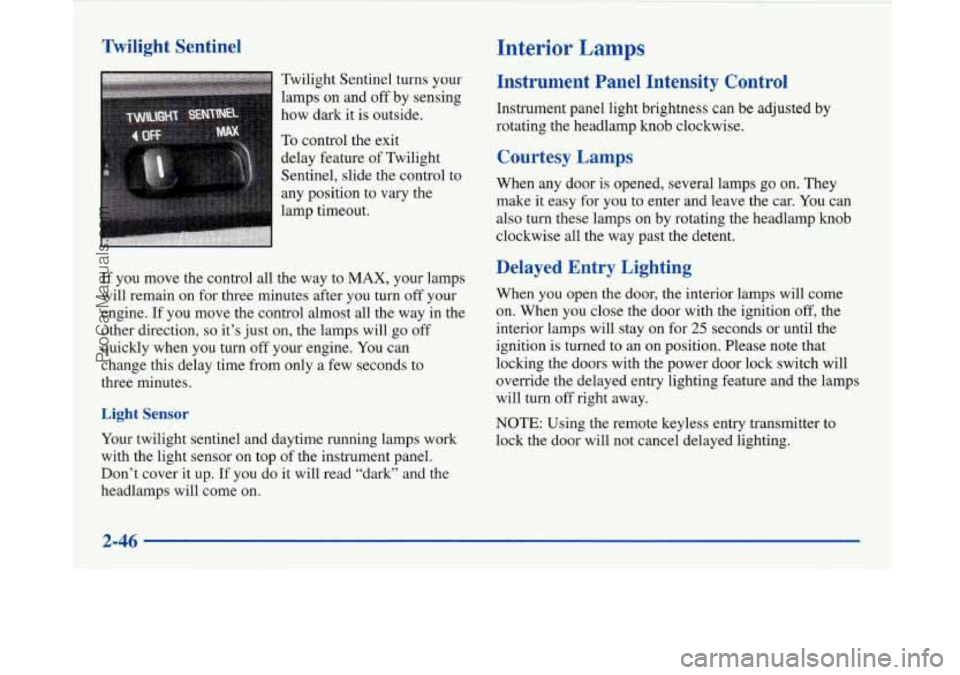
Twilight
Sentinel turns your
lamps on and
off by sensing
how dark
it is outside.
To control the exit
delay feature of Twilight
Sentinel, slide the control to
any position to vary the
lamp timeout.
If you move the control all the way to MAX, your lamps
will remain on for three minutes after you turn off your
engine.
If you move the control almost all the way in the
other direction,
so it’s just on, the lamps will go off
quickly when you
turn off your engine. You can
change this delay time from only a few seconds to
three minutes.
Light Sensor
Your twilight sentinel and daytime running lamps work
with the light sensor on top of the instrument panel.
Don’t cover it up. If you do
it will read “dark” and the
headlamps will come on.
Courtesy Lamps
When any door is opened, several lamps go on. They
make it easy for
you to enter and leave the car. You can
also turn these lamps on by rotating the headlamp knob
clockwise all the way past the detent.
Delayed Entry Lighting
When you open the door, the interior lamps will come
on. When you close the door with the ignition
off, the
interior lamps will stay on for
25 seconds or until the
ignition is turned to an on position. Please note that
locking the doors with the power door lock switch will
override the delayed entry lighting feature and the lamps
will turn off right away.
NOTE: Using the remote keyless entry transmitter to
lock the door will not cancel delayed lighting.
2-46
ProCarManuals.com
Page 114 of 420
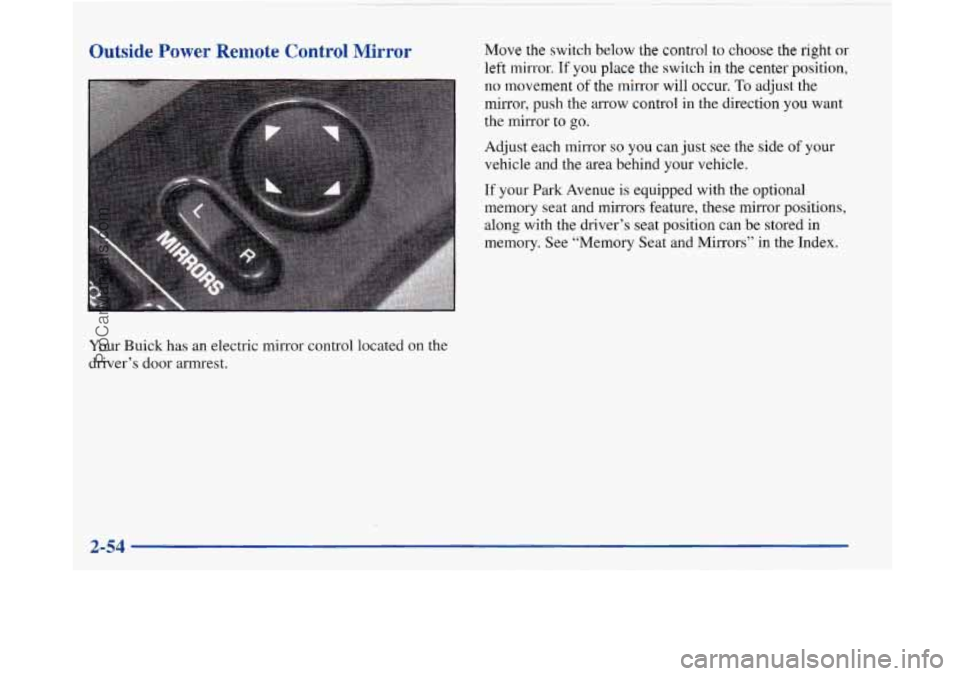
Outside Power Remote Control Mirror
Your Buick has an electric mirror control located on the
driver’s door armrest.
Move the switch below the control to choose the right or
left mirror. If you place the switch in the center position,
no movement of the mirror will occur. To adjust the
mirror, push the arrow control in the direction you want
the mirror to go.
Adjust each mirror
so you can just see the side of your
vehicle and the area behind your vehicle.
If your Park Avenue is equipped with the optional
memory seat and mirrors feature, these mirror positions,
along with the driver’s seat position can be stored in
memory. See “Memory Seat and Mirrors” in the Index.
ProCarManuals.com
Page 145 of 420
Personal Choice DIC Display
This feature allows two different drivers to store and
recall their own preferred display mode. The Personal
Choice settings displayed on the DIC
are determined by
the transmitter used to enter the vehicle. After the
UNLOCK button of a remote keyless entry transmitter
is pressed and the ignition is in RUN, the DIC will
display the last settings of the identified driver. The
settings can also be changed by briefly pressing one of
the MEMORY buttons located on the driver’s door.
The DIC can also be used to program personal choice
features available with your vehicle, such as, memory
seats, memory door locks, security feedback, delayed
locking and perimeter lighting.
See “Personal Choice
Features” in the Index and “DIC Personal Choice
Programming” later
in this part. The DIC is used to
program information for DRIVER
#1 and DRIVER #2.
The DIC will identify a person as UNKNOWN
DRIVER
if they are neither DRIVER #1 nor DRIVER
#2.
Driver Information Center Controls
and Displays
There are two lines in the DIC display. The bottom line
of the display area is left blank. You can have your
dealer program your name to appear on this display line.
See your dealer for more information.
When you turn the ignition on, the DIC will display
your DRIVER NUMBER. The system will then perform
a status check and display any messages if a problem
is detected.
If there are
no problems detected, the display will return
to the mode selected by that driver the last time the
ignition was turned
off.
If a problem is detected, a diagnostic message will
appear in the display. The following pages will show the
messages you may see on the DIC display.
The message center is continuously updated with the
vehicle’s performance status.
ProCarManuals.com
Page 148 of 420
Warnings and Messages
Other messages or warnings may appear in the DIC
display such as:
WINDSHIELD WASHER FLUID LOW
0 ENG COOLANT LOW - CHECK LEVEL
ENGINE OIL LOW - CHECK LEVEL
CHANGE ENGINE OIL SOON
CHECK TIRE PRESSURES
TRACTION CONTROL SYSTEM ACTIVE
DOOR AJAR
TRUNK AJAR
Pressing any
of the DIC buttons will remove the above
messages or warnings from the DIC display.
Driver Information Center
Personal Choice Programming
The DIC can be used to program personal choice
features available with your vehicle, such as memory
seats, memory door locks, security feedback, delayed
locking and perimeter lighting. See “Personal Choice
Features” in the Index.
The DIC is used to program the personal choices of
two drivers. The driver’s are recognized by DRIVER
#1
and DRIVER #2. You will let the DIC know which
driver you are by using your Remote Keyless Entry
transmitter or by pressing the appropriate memory
seat control button located on the driver’s door. The
remote transmitter was pre-programmed to belong
to
DRIVER #1 or DRIVER #2.
The last driver number remembered by the DIC will show
on the display each time the UNLOCK button on the same
transmitter is pressed, and the ignition is turned on.
When you press UNLOCK on your transmitter, the DIC
will automatically change driver numbers and the
vehicle will recall the personal choice settings that were
last made to correspond to your transmitter.
ProCarManuals.com
Page 152 of 420
Perimeter Lighting
When the UNLOCK button on the transmitter is
pressed, the
DRL lamps (high-beams at reduced
intensity), parking lamps and back-up lamps will turn on
if it is dark enough according to the twilight sentinel.
You can control activation of this feature by choosing
OFF or ON when the PERIMETER LIGHTS choice is
displayed on the DIC. Make your choice by pressing the
ENGMET button and record your choice by pressing
the RESET button.
Memory Seat Recall
NOTE: If you want to choose PERIMETER
LIGHTS ON, you must also choose LIGHTS for
UNLOCK FEEDBACK while making the security
feedback choices.
For more information on this feature, see “Perimeter
Lighting” in the Index. This feature recalls the position
of your seat.
You can program this feature to be active by choosing
ON when the SEAT RECALL choice appears, or
inactive by choosing
OFF when the SEAT RECALL
choice appears on the DIC. Make your choices by
pressing the ENGMET button and store them to
memory by then pressing the RESET button.
You can also program this feature to recall your memory
seat position or the exit seat position.
Memory Position: Choose ON when the SEAT
RECALL choice appears, and then choose MEMORY
when the RECALL POSITION choice appears.
Exit Position: Choose ON when the SEAT RECALL
choice appears, and then choose EXIT when the
RECALL POSITION choice appears and your seat
will move all the way down and back for easy exit.
The seat will also move when you enter the vehicle
after unlocking
it with a Remote Keyless Entry
transmitter. This will allow for easy entry as well.
For more information on this feature, see “Memory Seats” in the Index.
2-92
ProCarManuals.com
Page 154 of 420
Comfort Controls
This section tells you how to operate your comfort
controls. Your comfort control system uses
ozone-friendly
R- 134a refrigerant.
With these systems, you can control the heating, cooling
and ventilation in your Buick. Your vehicle also has a
flow-through ventilation system described later in
this section.
Personal Choice Comfort Controls
(If Equipped)
This feature allows two different drivers to store and
recall their own climate control settings for temperature, air delivery mode, fan and passenger climate control
(ordoff) status. The Personal Choice settings recalled
are determined by the transmitter used to enter the
vehicle. After the
UNLOCK button of a remote keyless
entry transmitter is pressed, and the ignition is in
RUN,
the climate control will adjust to the last settings of the
identified driver. The settings can also be changed by
briefly pressing one of the
MEMORY seat switches
located on the driver’s door panel. When adjustments
are made, the new settings
are automatically saved for
the driver.
Dual Automatic ComforTemp Climate Control
Your Buick has the dual automatic comfortemp climate
control system. The following information tells you how
it works.
You will hear a beep each time a button is pushed and a
small light on the button will indicate which buttons are
active. The lights are on all buttons except
TEMP, FAN
and
AIR FLOW. The display will show fan speed,
comfort level setting and airflow direction for a few seconds whenever any button, except for the rear
defog, is pushed, and then it will display the outside
temperature. The outside temperature reading is most
accurate when the vehicle is moving.
During stops, when driving slow, or when the engine is
first started after a short trip, the outside temperature
reading can be affected by road or engine heat. In order
to ensure proper automatic climate control operation, the outside temperature display may not update as quickly
as expected.
3-2
ProCarManuals.com
Page 162 of 420
Audio Systems
Your Delco audio system has been designed to operate
easily and give years of listening pleasure. You will get the
most enjoyment out of it if you acquaint yourself with it
first. Find out what your Delco system can do and how to
operate all its controls, to be sure you’re getting the mos\
t
out
of the advanced engineering that went into it.
Setting the Clock
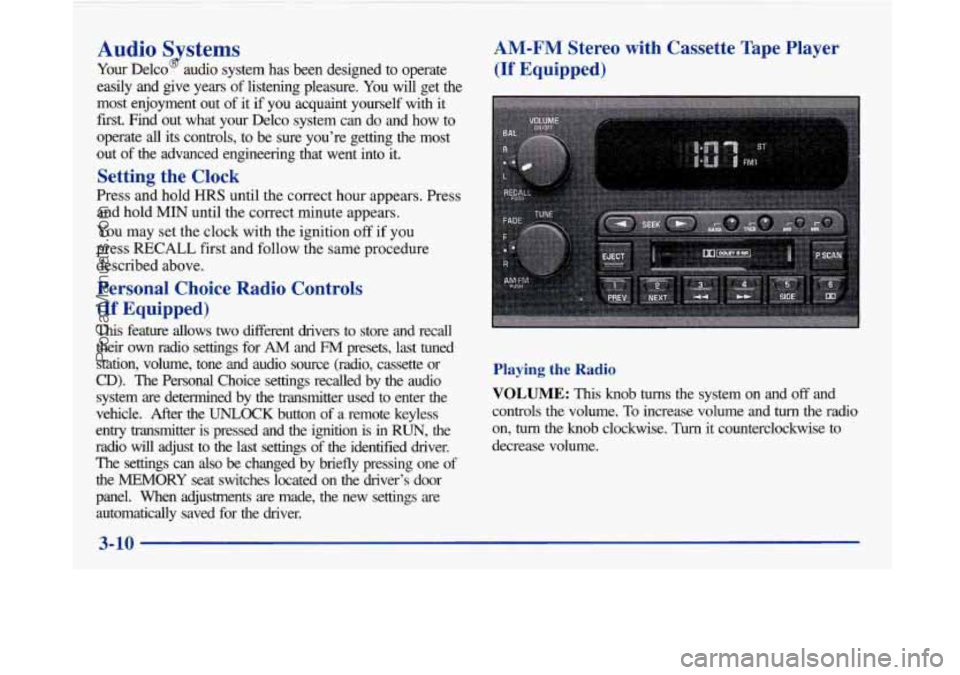
Press and hold HRS until the correct hour appears. Press
and hold
MIN until the correct minute appears.
You may set the clock with the ignition
off if you
press
RECALL first and follow the same procedure
described above.
Personal Choice Radio Controls
(If Equipped)
This feature allows two different drivers to store and recall
their
own radio settings for AM and FM presets, last tuned
station, volume, tone and audio source (radio, cassette or
CD). The Personal Choice settings recalled by the audio
system
are determined by the transmitter used to enter the
vehicle. After the
UNLOCK button of a remote keyless
entry transmitter is pressed and the ignition is in
RUN, the
radio will adjust to the last settings of the identified drive\
r. The settings can also
be changed by briefly pressing one of
the MEMORY seat switches located on the diver’s door
panel. When adjustments are made, the new settings are automatically saved for the driver.
AM-FM Stereo with Cassette Tape Player
(If Equipped)
Playing the Radio
VOLUME: This knob turns the system on and off and
controls the volume.
To increase volume and turn the radio
on,
turn the knob clockwise. Turn it counterclockwise to
decrease volume.
3-10
-
ProCarManuals.com