service reset BUICK PARK AVENUE 1997 Owners Manual
[x] Cancel search | Manufacturer: BUICK, Model Year: 1997, Model line: PARK AVENUE, Model: BUICK PARK AVENUE 1997Pages: 420, PDF Size: 21.93 MB
Page 136 of 420
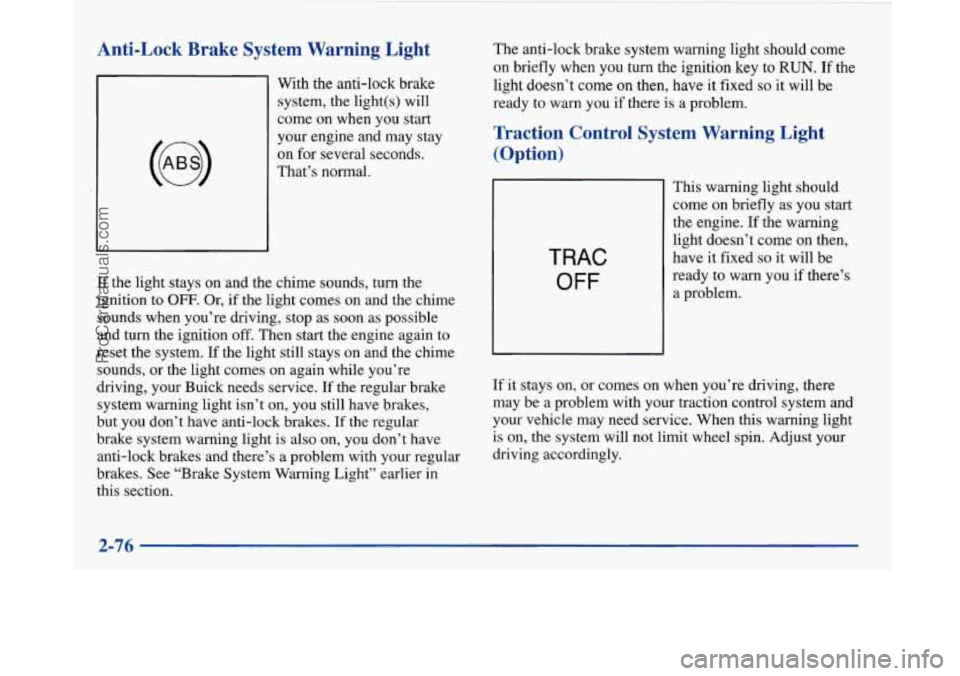
Anti-Lock Brake System Warning Light
With the anti-lock brake
system, the light(s) will
come on when you start
your engine and may stay
on for several seconds.
That’s normal.
If the light stays on and the chime sounds, turn the
ignition to
OFF. Or, if the light comes on and the chime
sounds when you’re driving, stop as soon as possible
and turn the ignition
off. Then start the engine again to
reset the system. If the light still stays on and the chime
sounds, or the light comes on again while you’re
driving, your Buick needs service.
If the regular brake
system warning light isn’t on, you still have brakes,
but you don’t have anti-lock brakes. If the regular
brake system warning light is also on, you don’t have
anti-lock brakes and there’s a problem with your regular
brakes. See “Brake System Warning Light” earlier in
this section. The
anti-lock brake system warning light should come
on briefly when you turn the ignition
key to RUN. If the
light doesn’t
come on then, have it fixed so it will be
ready
to warn you if there is a problem.
Traction Control System Warning Light
(Option)
TRAC
OFF
This warning light should
come
on briefly as you start
the engine. If the warning
light doesn’t come
on then,
have it fixed
so it will be
ready to warn you if there’s
a problem.
If it stays on, or comes on when you’re driving, there
may be a problem with your traction control system and
your vehicle may need service. When this warning light
is on, the system will not limit wheel spin. Adjust your
driving accordingly.
2-76
~
ProCarManuals.com
Page 146 of 420

ODO/TRIP
When this button is pressed, the display will show the
total mileage, and Trip
1 or Trip 2 miles. Trip 1 and
Trip
2 will display the miles traveled since the last reset.
To reset the trip odometer, press the ODO/TRIP button
until the trip miles are shown in the DIC display, then
press the RESET button. The trip odometer will now
accumulate miles until the next reset.
FUEL INFO
Average Fuel Economy:
Press the FUEL button until
the display shows FUEL ECONOMY AVERAGE.
Average fuel economy is viewed as a long term
approximation of your overall driving and driving
conditions. To learn the average fuel economy from a
new starting point, press the RESET button while the
average fuel economy is displayed in the DIC.
Instantaneous Fuel Economy: Press the FUEL button
until the display shows FUEL ECONOMY INST.
Instantaneous fuel economy varies with your driving
conditions, such as acceleration, braking and the grade
of
the road being traveled. The RESET button does not
function in this mode.
Fuel Range: Press the FUEL button until the display
shows FUEL RANGE. The fuel range will calculate the
remaining distance you can drive without refueling. This
calculation is based on the average fuel economy for the
last
25 miles driven, and the fuel remaining in the fuel
tank. The
RESET button does not function in this mode.
Fuel Used: Press the FUEL button until the display
shows FUEL USED. This display will show you how
much fuel has been used since the last reset. To learn
how much fuel is used from a new starting point, press
the RESET button while the fuel used is displayed in
the DIC.
GAGES
Oil Pressure:
Press the GAGES button until OIL
PRESSURE appears in the display. If there are no
problems detected with the oil pressure, the display will
show OIL PRESSURE NORMAL. If a low oil pressure
condition
is detected, the display will show OIL
PRESSURE LOW. If you see the OIL PRESSURE
LOW message, you could be low on oil or your oil is
not going through the engine properly. See your dealer
for service.
2-86
ProCarManuals.com
Page 186 of 420
Care of Your Cassette Tape Player
A tape player that is not cleaned regularly can cause
reduced sound quality, ruined cassettes or a damaged
mechanism. Cassette tapes should be stored in their
cases away from contaminants, direct sunlight and
extreme heat. If they aren’t, they may not operate
properly or may cause failure of the tape player.
Your tape player should be cleaned regul-arly after every
50 hours of use. Your radio may display CLN to indicate
that you have used your tape player for
50 hours without
resetting the tape clean timer. If this message appears
on the display, your cassette tape player needs to be
cleaned. It will still play tapes, but you should clean it as
soon as possible
to prevent damage to your tapes and
player. If you notice a reduction in sound quality, try a
known good cassette to see if it is the tape or the tape
player at fault. If this other cassette has no improvement
in sound quality, clean the tape player. Cleaning
may be done with a scrubbing action,
non-abrasive cleaning cassette with pads which scrub
the tape head as the hubs of the cleaner cassette turn.
A scrubbing action cleaning cassette is available through
your Buick dealership.
You may also choose a non-scrubbing action, wet-type
cleaner which uses a cassette with a fabric belt to clean
the tape head. This type of cleaning cassette may not
clean as thoroughly as the scrubbing type cleaner.
After you clean the player, press and hold EJECT for
five seconds to reset the CLN indicator. The radio will
display
--- to show the indicator was reset.
Cassettes
are subject to wear and the sound quality
may degrade over time. Always make sure the cassette
tape is in good condition before you have your tape
player serviced.
3-34
ProCarManuals.com
Page 280 of 420
Engine Oil Additives
Don’t add anything to your oil. Your Buick dealer is
ready
to advise if you think something should be added.
When to Change Engine Oil
If any one of these is true for you, use the short tripkity
maintenance schedule:
e
e
0
0
0
Most trips are less than 5 to 10 miles (8 to 16 km).
This is particularly important when outside
temperatures are below freezing.
Most trips include extensive idling (such as frequent
driving in stop-and-go traffic).
Most trips are through dusty areas.
You frequently tow a trailer or use a carrier on top of
your vehicle.
The vehicle
is used for delivery service, police, taxi
or other commercial application. Driving under these conditions causes engine oil to break
down sooner.
If any one of these is true for your vehicle,
then you need to change your
oil and filter every
3,000 miles (5 000 km) or 3 months -- whichever occurs
first. (See “Change Engine Oil Soon”
in the Index.)
If none of them is true, use the long triphighway
maintenance schedule. Change the oil and filter every
7,500 miles (12 500 km) or 12 months -- whichever
occurs first. Driving a vehicle with a fully warmed
engine under highway conditions causes engine oil to
break down slower.
If the optional CHANGE ENGINE
OIL SOON message
comes on, you will need to change your oil sooner than
either mileage specified. Depending upon driving habits,
the CHANGE ENGINE OIL
SOON message may come
on as early as
2,000 miles or less from the last time the
oil life index was reset. (See “Oil Life Index” in the
Index.)
Always reset the oil life monitor after every
oil change.
6-16
ProCarManuals.com
Page 313 of 420
Check Tire Pressure System (If Equipped)
The check tire pressure system can alert you to a large
change
in the pressure of one tire. The system won’t alert
you before you drive that a tire is low or flat. You must
begin driving before the system will work properly.
The CHECK
TIRE PRESSURES message will appear
on the Driver Information Center (DIC) if pressure in
one tire becomes at least
€0 psi (69 kPa) lower or higher
than the other three tires. The warning message can be
removed from the display by pressing any DIC button.
Removing the message does not reset the system. The
check tire pressure system won’t alert you if more than
one tire is low or high, or if the system
is not calibrated
properly. It also won’t tell you which tire is low or high.
If
the anti-lock brake system warning light comes on,
the check tire pressure system may not be working
properly. See your dealer for service. (Also, see
“Anti-Lock Brake System Warning Light” in the Index.)
The check tire pressure system detects differences in tire
rotation speeds that
are caused by changes in tire
pressure. The system can alert you about a low
tire
-- but it doesn’t replace normal tire maintenance.
See “Tires” in the Index. When
the CHECK TIRE PRESSURES message appears
on the Driver Information Center, you should stop as
soon as you can and check all your tires for damage. (If
a tire is flat, see “If a Tire Goes Flat” in the Index.) Also
check the tire pressure in all four tires as soon as you
can. See “Inflation-Tire Pressure” in the Index.
Any time
you adjust a tire’s pressure or have one or
more tires repaired or replaced, you’ll need to reset
(calibrate) the check tire pressure system. You’ll also
need to reset the system whenever you rotate the tires,
buy new tires, install or remove the compact spare, and
whenever the vehicle’s battery has been disconnected.
Don’t reset the check tire pressure system without first
correcting the cause of the problem and checking and
adjusting the pressure in all four tires. If you reset the
system when the tire pressures are incorrect, the check
tire pressure system will not work properly and may not
alert you when a tire is low or high.
6-49
ProCarManuals.com
Page 314 of 420
To reset (calibrate) the system:
1. Turn the ignition switch to RUN.
2. Press the GAGES button on the DIC until TIRE
PRESSURE appears on the display.
3. Press and hold the DIC RESET button for about
five seconds. After five seconds, the display will
show TIRE PRESSURE RESET. If
TIRE
PRESSURE RESET does not appear on the display
after about five seconds, see your dealer for service.
After you release the DIC RESET button, TIRE
PRESSURE NORMAL will appear on the display.
The system completes the calibration process during
driving. During the first
10 to 20 miles (15 to 30 km) of
driving, the system will not alert you if
a tire is high or
low. After
20 to 80 miles (30 to 125 km), the system
will only alert you about pressure differences of
12 psi
(85 kPa) or more. After about 80 miles (125 km) of
driving, the system will alert you if one tire is
10 psi
(69 kPa) different from the other three tires.
Tire Inspection and Rotation
Tires should be rotated every 6,000 to 8,000 miles
(10 000 to 13 000 km). Any time you notice unusual wear,
rotate your tires
as soon as possible and check wheel
alignment. Also check for damaged tires or wheels. See
“When It’s Time for New Tires” and “Wheel
Replacement’’ later in
this section for more information.
The purpose of regular rotation is to achieve more uniform
wear for
all tires on the vehicle. The fist rotation is the
most important. See “Scheduled Maintenance Services” in
the Index for scheduled rotation intervals.
I
7
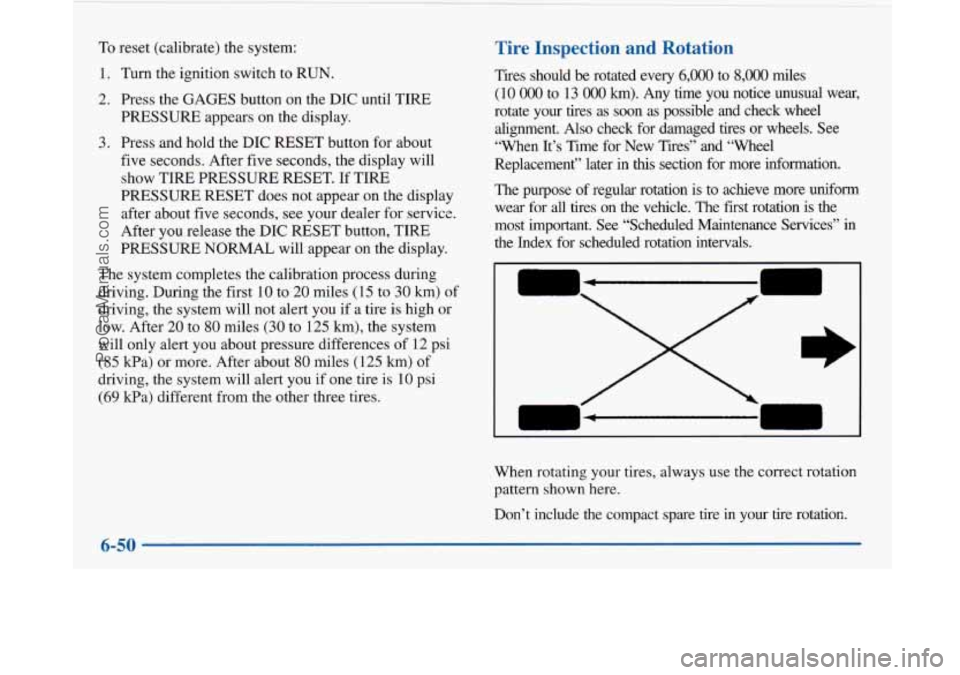
When rotating your tires, always use the correct rotation
pattern shown here.
Don’t include the compact spare tire
in your tire rotation
6-50
ProCarManuals.com
Page 351 of 420
Short TripKity Maintenance Schedule
The services shown in this schedule up to 100,000 miles
(166
000 km) should be performed after 100,000 miles
(166
000 km) at the same intervals. The services shown
at 150,000 miles (240
000 km) should be performed at
the same interval after 150,000 miles (240
000 km).
See “Owner Checks and Services” and “Periodic
Maintenance Inspections” following.
Footnotes
The U.S. Environmental Protection Agency or the
California Air Resources Board has determined that the
failure to perform this maintenance item will not nullify
the emission warranty or
limit recall liability prior to the
completion of the vehicle’s useful life. We, however,
urge that all recommended maintenance services be
performed at the indicated intervals and the maintenance
be recorded.
# Lubricate the suspension, steering linkage, transaxle
shift linkage, parking brake cable guides and the
underbody contact points and linkage.
* If your vehicle has an Engine Oil Life Monitor, the
monitor will show you when to change the oil
-- usually
between
3,000 miles (5 000 km) and 7,500 miles
(12
500 km) since your last oil change. Under severe
conditions, the indicator may come on before
3,000 miles (5 000 km). Never drive your vehicle more
than
7,500 miles (12 500 km) or 12 months, (whichever
occurs first), without an oil change.
The system won’t detect dust in the oil.
So if you
drive in a dusty area be sure to change your oil every
3,000 miles (5 000 km) or sooner if the CHANGE OIL
light comes on. Remember to reset the Oil Life Monitor
when the oil has been changed. For more information,
see “Engine Oil Life Monitor” in the Index.
+ A good time to check your brakes is during tire
rotation. See “Brake System Inspection” under “Periodic
Maintenance Inspection” in Part C of this schedule.
ProCarManuals.com
Page 372 of 420
Long Tripmighway ,Maintenance Schedule I
The services shown in this schedule up to 100,000 miles
(166
000 km) should be performed after 100,000 miles
(166
000 km) at the same intervals. The services shown
at 150,000 miles
(240 000 km) should be performed at
the same interval after 150,000 miles
(240 000 km).
See “Owner Checks and Services” and “Periodic
Maintenance Inspections” following.
Footnotes
? The U.S. Environmental Protection Agency or the
California Air Resources Board has determined that the
failure to perform this maintenance item will not nullify
the emission warranty or limit recall liability prior to the
completion of the vehicle’s useful life. We, however,
urge that all recommended maintenance services be
performed at the indicated intervals and the maintenance
be recorded.
# Lubricate the suspension, steering linkage, transaxle
shift linkage, parking brake cable guides and the
underbody contact points and linkage.
* If your vehicle has an Engine Oil Life Monitor, the
monitor will show you when to change the oil
-- usually
between
3,000 miles (5 000 km) and 7,500 miles
(12 500 km) since your last oil change. Under severe
conditions, the indicator may come on before
3,000 miles (5 000 km). Never drive your vehicle more
than
7,500 miles (12 500 km) or 12 months without an
oil change.
The system won’t detect dust in the oil.
So if you
drive in a dusty area, be sure to change your oil every
3,000 miles (5 000 km) or sooner if the CHANGE OIL
light comes on. Remember to reset the Oil Life Monitor
when the oil has been changed. For more information,
see “Engine Oil Life Monitor” in the Index.
+ A good time to check your brakes is during tire
rotation. See “Brake System Inspection” under “Periodic
Maintenance Inspections” in Part
C of this schedule.
7-28
ProCarManuals.com