change time BUICK PARK AVENUE 1998 User Guide
[x] Cancel search | Manufacturer: BUICK, Model Year: 1998, Model line: PARK AVENUE, Model: BUICK PARK AVENUE 1998Pages: 426, PDF Size: 23.59 MB
Page 166 of 426

'Ms section tells you how to operate your comfort
ctrrtt.ro8s. Your comfort control system uses
trxone-friendIy
hi- B 348 refrigerant.
With these systems, you can control the heating, cooling
and ventilation in your vehicle. Your vehicle also has a
flow-through ventilation system described
Eater in
this section.
This feature allows two different drivers to store and
recall their own climate control settings for temperature,
air delivery node, fan and passenger climate COXI~FO~
fdom status. The Personal Choice settings recalled are
determined by the transmitter used to enter the vehicle.
After the UNLOCK button of a remote keyless entry
transmitter
is pressed, and the igrrition is in RUN, the
climate
control will adjust to the last settings of the
identified driver.
The settings can also be changed by
briefly pressing one
of the MEMORY seat switches
located on the
driver's door panel. When adjustments
are made, the new settings are automatically saved for
the
driver.
Your vehicle has the dual automatic cornfortemp climate
control system. The fdowing
infomation tells you how
1: works.
Yorr will hear a beep each time a button is pushed and a
small light orr the button will indicate which buttons lire
active.
The lights are QIP ali buttons except EMP, FAN
and AIR FLOW. The display will show fm speed,
comfort level setting
and airf'~ direction for a few
seconds whenever any button,
except for the rear defog,
is pushed, and then it will display the outside
temperature. The outside temperature reading
is most
accurate when the vehicle
is movi~g.
During stops, when drivkg slow, QF when the engine is
first sta-ted after a short trip, the outside temperature
reading can be affected by road or engine heat. In order
to enswe proper automatic climate control operation, the
outside temperature
display may not update BS quickly
as expected.
ProCarManuals.com
Page 168 of 426
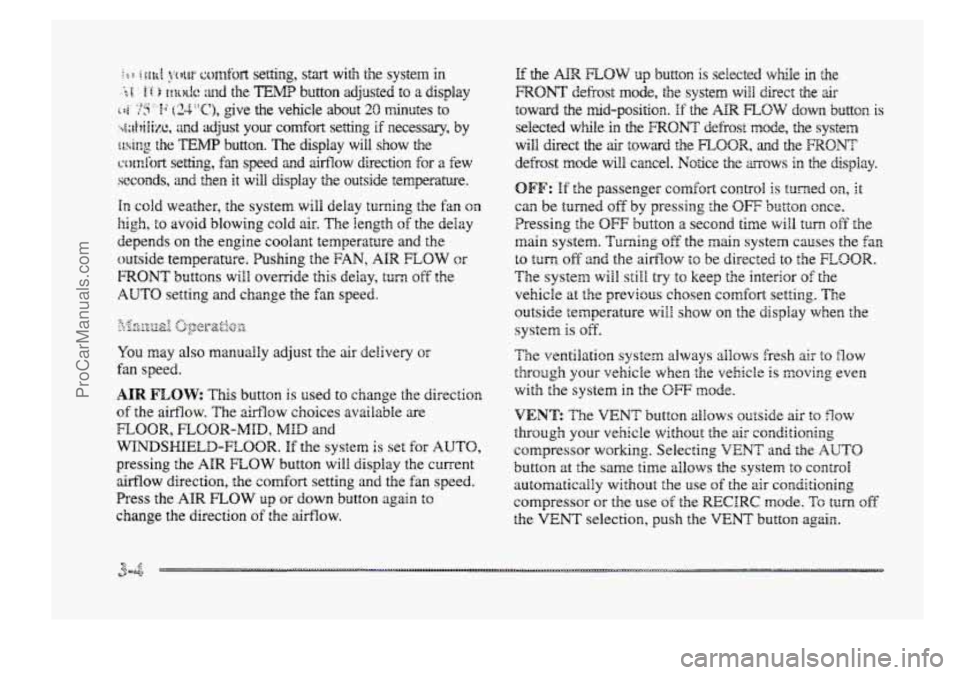
in cold weather, the system will delay turning t5 re f anon
high, to avoid blowing cold air. The Iength of the delay
depends on the engine coolant temperature and the
outside temperature.
Pushing the FAN, AIR FLOW or
FRONT buttons will override this delay, turn off the
AUTO setting and change the fan speed.
You may also manually adjust the air delivery or
fan speed.
AIR FLOW This button is used to change the direction
of the airflow. The airflow choices available are
WINDSHIELD-FIBOR. If the systen is set for AUTO,
pressing the AIR FLOW button will display the current
airflow direction, the comfort setting and the fan
speed.
Press the AIR FLOW up or down button again to
change the direction of the airflow.
FLOOR, FLOOR-MID, MID and
OFF: If the passenger comfort CQII~~O~ is tuned on, It
can be turned off by pressing the OW button once.
Pressing the
OFF button a second time wiil turn off the
main system. Turning off the main system causes the fan
to turn off and the airflow to be directed to the FLOOR.
The system will still try to keep the interior of the
vehicle at
the previous chosen comfsrt settifig. The
outside temperature
will show on the display when the
system is off.
The ventilation system always allows fresh air t~ flow
through your vehicle when the vehicle is moving even
with
the system in the OFF mode.
VENT: The VENT button aEIows outside air to flow
through your vehicle without the air conditioning
compressor
working. Selecting VENT and the AUTO
button at the same time allows the system to contsoi
automatically without
the use of the ais: conditioning
compressor or the use of the MCIRC mode. To turn off
the VENT selection, push the VENT button again.
ProCarManuals.com
Page 178 of 426
__ . . . ... .,. . .
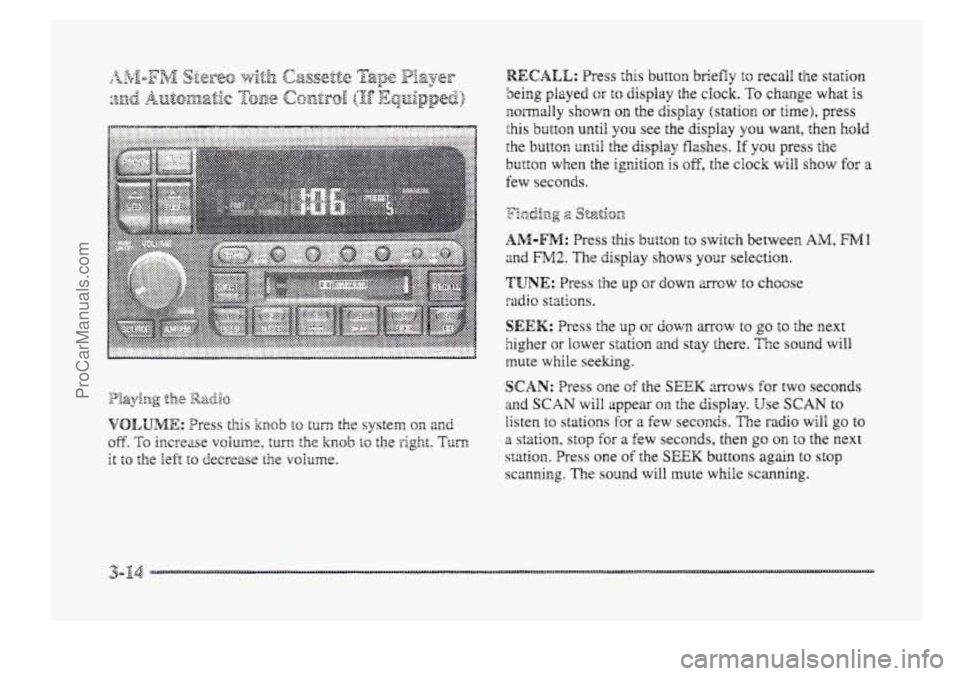
RECALL: Press this button briefly to recall the station
being played or to display the clock. To change whzt is
normally shown on the display (station OH time), press
this button until you see the display you want, then hold
the
button until the display flashes. If you press the
button when the ignition is oE, the clock will show for a
few seconds.
y:..., -2 p&Ij%p -0 2 Sf-&.on
AM-FM: Press this bl~tt~n to switch between AlM, FMl
and FM2. The display shows your selection.
'TUNE: Press the up or down mow to choose
radio stations.
SEEK: Press Lie up or down mcw to go to the next
5igher ar lower station and stay there. The sound will
mute while seeking.
s
SCAN: Tress one of the SEEK arrows for two seconds
and SCAN will appear 011. the display. Use SCAN to
listen to stations for a few seconds. The radio will go to
a station, stop €or a few seconds, then go on to the next
station, Press one of the SEEK buttons again to st~p
scanning, The sound will mute while scanning.
ProCarManuals.com
Page 185 of 426
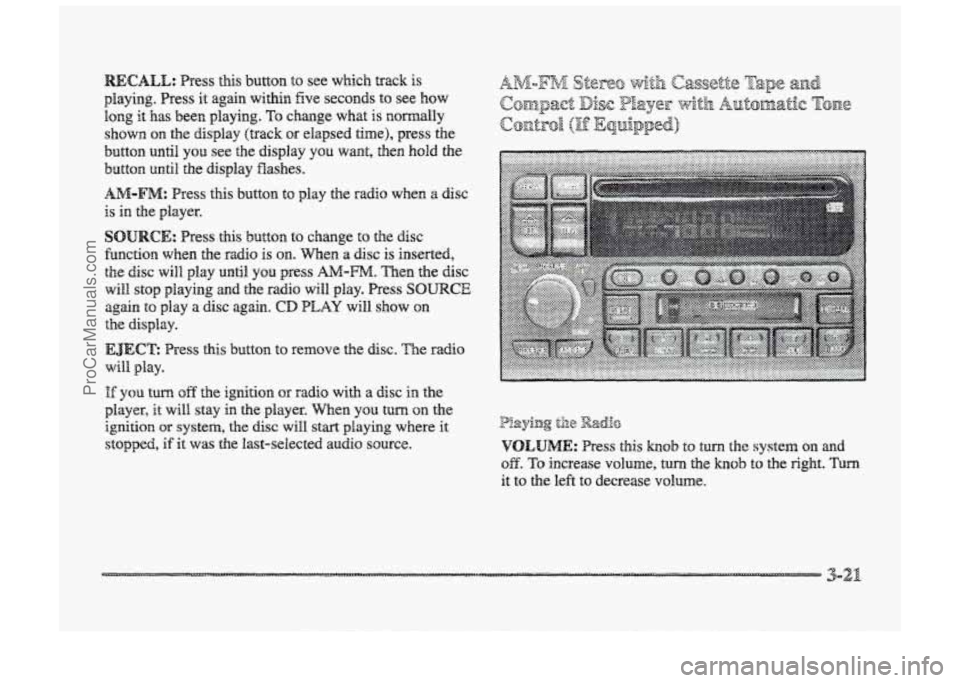
playing. Press it again within five seconds to see how
long it has been playing. TQ change what is normally
shown
on the display (track or elapsed time), press the
button until YOU see the display YOU want, then hold the
button until the display Washes.
AM-FM: Press this button to play the radio when a disc
is in the player.
SOURCE: Press this button to change to the disc
fbnction when he radio is on. When a disc is inserted,
the disc will play until YOU press AA4-m. Then the disc
will stop playing and the radio will play. Press SOURCE
again to play a disc again. CD PLAY will show on
EJECE Press this button to ~~XIIQV~ the disc. The EXI~O
will. play.
the display.
I% you turn off the ignition or radio with a disc in the
player, it will stay in the player. men YOU turn on the
ignition OF system, the disc will start playing where it
stopped, if it was the last-selected audio source.
P!aying til8 Radio
VOLUME: Press this hob to turn the system on md
OB. To increase volume, turn the knob to the right. Turn
it to the left to decrease VO~UIIE.
3-21
ProCarManuals.com
Page 186 of 426
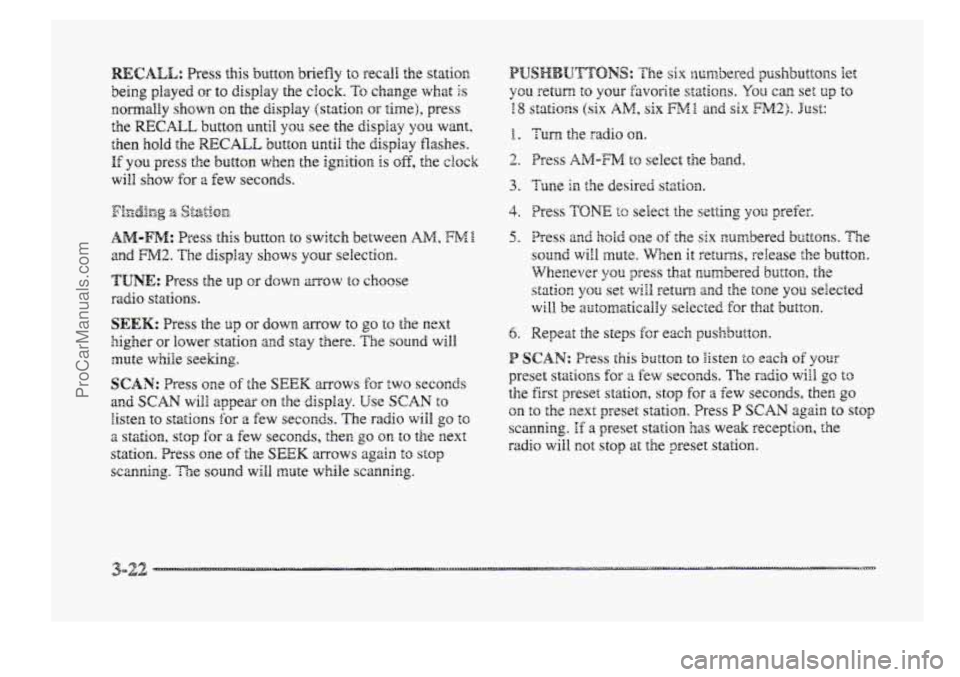
RECALL: Press this button briefly to recal! the statim
being played or to display the clock. To change what Is
EomalEy shown on the display (station or time), press
the RECALL butttorn until yon see the display YSU want.
then hold the RECALL button until the display flashes.
If you press the button when the ignition is off, the ck~k
wiEI show for 8 Eew seconds.
AM-FM: Press this button to switch between AM, FME.
and FM2. The display shows your selection.
TUNE: Press the up OF down mow to choose
sadi~ stations.
SEEK: Press the up or down arrow to go to the next
higher or lower station and stay there. The sound will
mute while seeking.
SCAN: Press one sf the SEEK mows for EWO seconds
and SCAN wiPB appear on the display. Use SCAN to
listen to stations for a few seconds. The radio wiIB go to
2 stzti~n, stop for a few seconds, the^ go on to the next
station. Press one of the SEEK mows again to stop
scanning. Tie sound will mute while scanning.
f . Turn the radio on.
2. Press AIM-FM to select the band.
4. Press TONI2 tc select the set*iing YSU prefer.
5. Press an@ hodd me of the six numbered buttons. The
sound will mute. When it returns, release the button.
Whenever you press that cumbered button, the
station
you set will return and the tone you selected
will be automatically selected for that button.
6. Repeat the steps Ex e3ch pushb~tton.
P SCAN: Press this button BQ Bisten to each of your
preset stations for a fcw seconds. The radio will go to
the first preset station, stop for a €ew seconds, then go
on to the next preset statim. Press P SCAN again to stop
scanning. If a preset station has we& reception, the
radio will not stop at the preset station.
3-22 ....._. -
ProCarManuals.com
Page 193 of 426
8 me air is very humid. If so, w& about an hour and
try again.
@ The CD changer door is open. Completely close the
@ An empty magazine is inserted in the CD changer.
door
to restore noma1 operation.
Try the magazine again with a disc loaded on one of
the trays.
If any error occurs repeatedly or if an error cannot be
corrected, please contact your dealer.
If your radio
displays
an emor number other than the error codes
listed previously, write it down
and provide it to your
dedes when reporting the problem.
PREV (I): Press this button to go to the start of the
current track, if more than eight seconds have played.
If
you hold the button or press it more than once, the
player will continue moving back through the disc
to the
previous track. The sound will mute whiIe seeking.
NEXT (2): Press this button to go to the next track on the
disc. E you hold the button or press it more than once, the
player
will continue moving forwad through he disc to
the next track. The sound
wili mute while seeking.
44 (3): Press and hold this button to quickly reverse
within
a track. You will hear sound.
bb (4): Press and hold this button to quick!y advance
within a track. You will hear SQU~.
SIDE (5): Press this button to select the next disc in the
magazine.
Each time you press SIDE, the disc number
on the radio display will go to the next available CD. If
a CD cannot be played, its number will be skipped when
selecting discs while
using the SIDE button.
RAND (6): Press this button to enter the random play
rnode.RAND will appear an the display. While in this
mode, tracks
and discs will &e played in random order.
Press the button again to turn off the random feature and
return to noma1 operation.
RECALL: Press this button to see what track is
currently playing. Press RECALL again within five
seconds to see how long the track
has been playing. EL
TM will appear on the display when in elapsed time
mode. When a new track starts to play, the track number
will also appear. Press
RECALL a third time and the
time
of day will be displayed.
SOURCE: Press this button to play a CD if YQU have a
magazine loaded in the changer and the radio is playing.
To return to the radio while a CD is playing, press
AM-FM. You can also press this button to switch
between a cassette tape,
CD or the CD changer if a11
three are loaded.
ProCarManuals.com
Page 194 of 426
With this feature, your vehicle wGl recall the latest radio
settings as adjusted the last time your vehicle was
operated. This feature allows two different drivers to
store and recall their QW~ radio settings for AM 2nd FM
presets, last tuned station, volume, tone and audio
source (radio, cassette or CD). The settings recaiied by
the radio are determined by which transmitter (i'I'' or
"2") was used to enter the vehicle. The number on the
back
of the transmitter corresponds to driver I. or to
driver 2. After the UNLOCK button is pressed orr the
transmitter and the ignition is in RUN. the radio settings
will azmtsmaticalEy adjust to where dzey were last set by
the identified drivcr. ?he settings can also be changed by
briefly pressing one of' the MELMORY seat brattoas ( I or
2) located on the driver's door. Wlzen chsnges are made,
the new settings will be saved for the driver.
THEFTLOCK'" is designed to discourage theft of your
radio. It works by using a secret code to disable ail radio
functions whenever battery power is removed.
If THEFTLOCK is active, the TXEFTLBCK indicator
wili3 Eash when fie ignition is off.
The THEFTLOCK featwe for the radio nay be used 01-
ignored. If igrP,ored, the system plays normai!y and the
radio is not protected by the feature. If THEFTLOCK is
activated, your rdio will not operate if stolen.
Wkn THEmLBCK is activated, :he radio wilS display
LOC to indicate a locked cenditiora anytime battery
power is removed. If your battery loses power br any
reason, you ness8 rrnlock the radio with the secret code
before it will operate.
ProCarManuals.com
Page 211 of 426
Remember: Anti-lock doesn’t change the the you need
to get your foot up to the br&e pedal or always decrease
stopping distance. If you get too dose to the vehicle in
front of you, you won’t have time to apply your brakes
If that vehicle suddenly slows or stcps. Always leave
enough
room up ahead tu stop, even though yorr have
anti-lock brakes.
Don’t pump the brakes. Just hold the brake pedal down
5mly and let anti-lock work for you. You may feel a
slight brake pedal gulsation or notice some noise, but
this is normal.
?F? 5-~~l:”~p.Tp LC :~?$<:4:?~$ ,y...,iq:py; (TF &&@$B&) r ,y a% *.-blL& . ,%*i ...,‘. --’3 li Y z .i I A -2.
YQW vehicle may have a traction control system thzat
limits wheel spin. This is especially useful in slippery
road conditions. The system operates only if it senses
that one
or both of the front wheels are spinning or
beginning to lose traction. When this happens, the
system works the front brakes and reduces engine power
to limit wheel spin.
You may feel or hear the system working, but this
is nomal.
__ . ... a
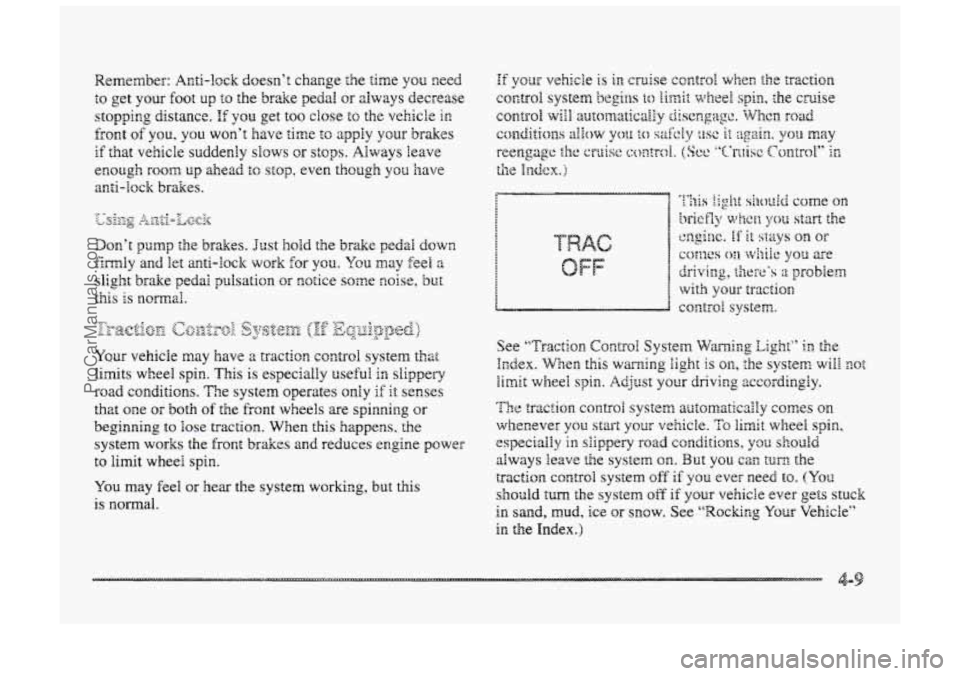
See ‘‘T~-acti~m Contra1 System Warning Eight” ii: the
Irzdex. WEen this warning light is on, the system will mt
limit wheel spin. Adjust your driving zccsrdingly.
The traction COII~FO~ system arr;2smaticaily comes on
whenever you start your vehicle. To limit wheel spin,
especially in siippery road conditio~s, y3u shouEd
always leave the system on. But you can turn- the
traction control system off‘ if you ever need to. (YQQ
should turn the system off if pur vehicBe ever gets stuck
in sand, mud, ice or snow. See “Rockr~g Your Vehicle”
in the Index.)
ProCarManuals.com
Page 216 of 426
@ I4o not get too ciose to the vehicle you want to pass
while you’re awaiting an opportunity. For one thing,
fblhwing too closely reduces YQUP area of visiorn,
cspecidly if you’re following a larger vehide. Also,
you won’t have adequate space if the vehicle
ahead suddenly slows cx stops. Keep back a
reasonable distance.
8 When it looks like a chance to pass is coming up,
start to accelerate but stay in the right lane and don‘t
get too close. Time YOUF move so you will be
increasing speed as the time comes to move into the
other lane.
If the way is clear to pass, you will have a
“running start” that more than makes up for the
distance
you would lose by dropping back. And if
something happens to cause you to cancef your pass,
you need only slow down and drop back again and
wait for another opportunity.
If other cars =e lined up to pass a slow vehicle, wait
your
turn. But take care that someone isn’t trying to
pass YOU as you pull out +LO pass the slow vehicle.
Remember
to glance over your shoulder and check
the
blind spot.
8 Check your minors, giance over your shoulder, and
start your left Bane change signal before moving out
of the right lane to pass. When you =e far enough
ahead
of the passed vehicle BO see its front in your
inside
minor, activate your right lafie change signal
2nd move back into the right laze. (Remember that
your
right outside mirror is convex. The vehicle YSU
just passed may seem to be f~ther away from you
than it really is.)
@ Don’t overtake a sEowIy moving vehdcIe too rapidly.
Even
though the br&e lamps are not flashing, it may
be slowing down or starting to turn.
@ If you’re being passed, make it easy for the
foilowing driver to get ahead of you. Perhaps you
can ease a littie to the right.
ProCarManuals.com
Page 261 of 426
0:. .. . .
If 8 Goes FE&
It’s unusual for a tire to “blow out” while you’re driving,
especially
if you maintain your tires properly. If air goes
i...
...
out of a &e, it’s much moie likely to leak out slowly.
But if you should ever have a “blowout,” here are
a few
tips about what to expect
and what to do: 1 ‘i
< 1 If a front tire fails, the flat tire will create a drag that
’, !! pulls the vehicle toward that side. Take YOLK foot off the g accelerator pedal and grip the steering wheel firmly.
P Steer to maintain lane position, and then gently brake to
-4 ,i a stop well out of the traffic lane.
.2? .
skid and may require the same correction you’d use in a
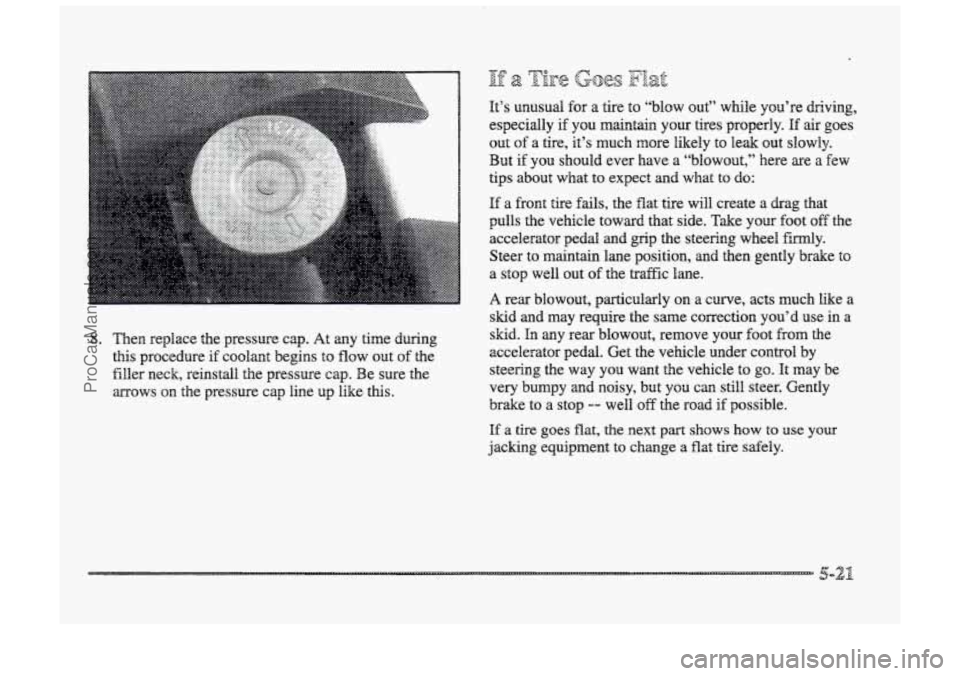
8. Then replace the pressure cap. At any time during
this procedure if
CQQ~EUI~ begins to flow out of the
filler neck, reinstall the pressure cap. Be sure the
mows
on the pressure cap line up like this.
s~. h any kearblowout, remove your foot kom the
accelerator pedal. Get the vehicle under control by
steering the
way you want the vehicle to go. It may be
very bumpy and noisy, but you can still steer. Gently
brake to
a stop -- well off the road if possible.
If a tire goes flat, the next part shows how to use your
jacking equipment to change a flat
tire safely.
ProCarManuals.com