engine BUICK PARK AVENUE 1998 Owner's Manual
[x] Cancel search | Manufacturer: BUICK, Model Year: 1998, Model line: PARK AVENUE, Model: BUICK PARK AVENUE 1998Pages: 426, PDF Size: 23.59 MB
Page 146 of 426
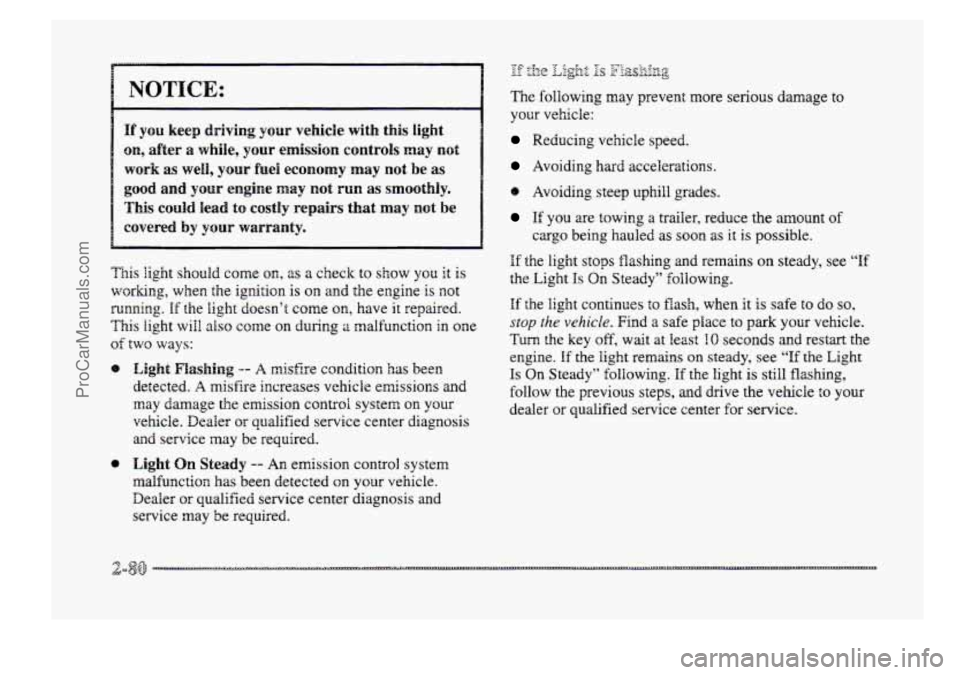
NOTICE:
If you keep driving your vehicle with this light
on, after a whiie, your emission controls rnay not
work as well, your fuel economy may not be as
good and your engine may not PUR as smoothly.
This could lead to costly repairs that may not be
covered by pur warranty.
This jight should corne on, as a check to show YOU it is
working, when the ignition is
on and the engine is not
running. If the light doesn’t come on, have it repaired.
This light will also come QII during ;I malfunction in one
of ~WO ways:
8 Light Flashing -- A misfire condition has been
detected.
A misfire increases vehicle emissions and
may damage the emission controi system on your
vehicle. Dealer or qualified service center diagnosis
and service rnay be required.
@ Eight On Steady -- An emission control system
malfunction
has been detected on your vehicle.
Dealer
or qualified service center diagnosis and
service
may be required.
-.- 8:. f. ,fie ~ 2s F‘fp&-!&g --
The following may prevent more serious damage to
your vehicle:
Reducing vehicle speed.
Avoiding hard accelerations.
e Avoiding steep uphill grades.
If YOU are towing a trailer, reduce the amount of
cargo being hauled as soon as it is possible.
If the light stops flashing and remains on steady, see “If
the Light Is On Steady” following.
Sf the light continues to flash, when it is safe to do so,
stop the vehicle. Find a safe place to park your vehicle.
Turn the key off, wait at least IO seconds and restart the
engine.
If the light remains on steady, see “If the Light
Is On Steady” following. If the light is still flashing,
follow the previous steps,
and drive the vehcle to your
dealer or qualified service center €or service.
ProCarManuals.com
Page 147 of 426
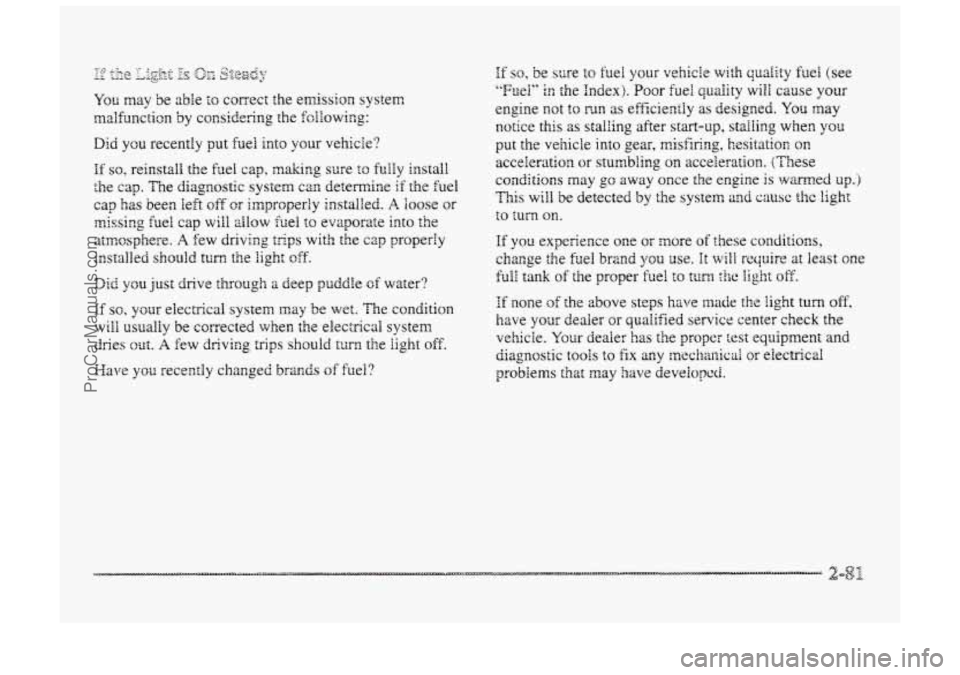
If so, your electrical system may be wet. The condition
will usually be cgrrected when the electrical system
dries out. A few driving trips should turn the light off.
Maw
you recently changed brands of fuel?
If so, be sure to he1 your vehicie with quality fuel (see
"Fuel" in the Index). Poor fuel quality will cause your
engine not to FJ~ as efficiently as designed. YQU may
notice this as stalling after start-up, stalling when you
pent the vehicle into gear, misfiring, hesitation on
acceleration or stumbling on acceleration. (These
conditions may
go away once the engine is warned up. j
This will be detected by the system and cause the light
to turn OR.
If you experience one or more of these conditions,
chmge the fuel
brand you use. It will n-ecpire at least one
full tank of the proper fuel to tuna the light off.
If none of the above steps hove lrirade the light turn off,
have your dealer or qualified service center check the
vehicle. Your dealer has the proper test equipment and
diagnostic tools to fix any nnechanicai or electnictrl
problems that
may have developed.
ProCarManuals.com
Page 148 of 426
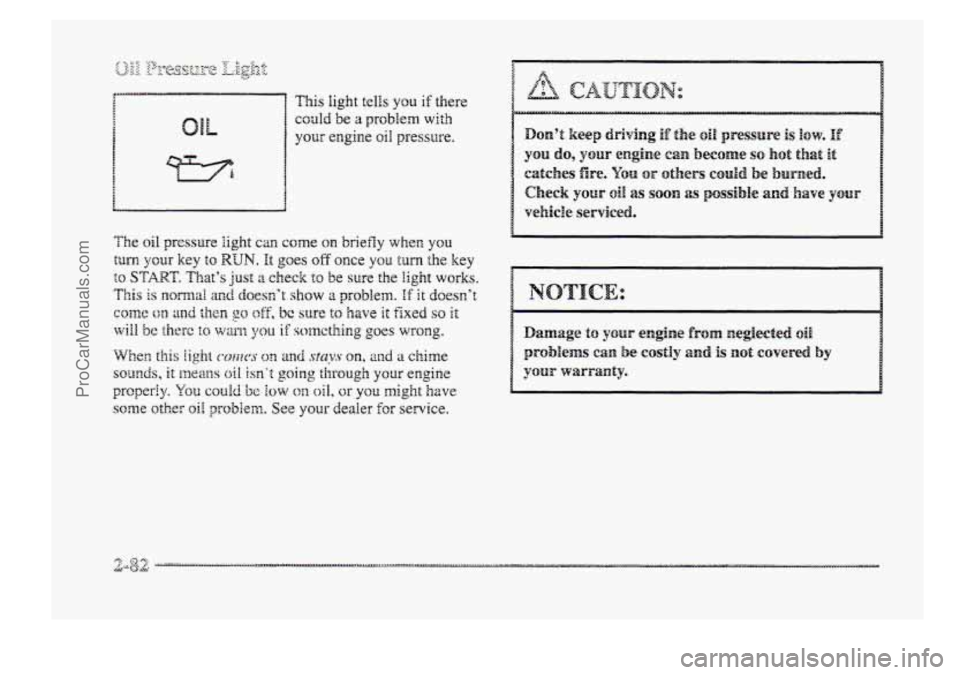
could be a problem with
your engine 0i1 pressure.
ProCarManuals.com
Page 155 of 426
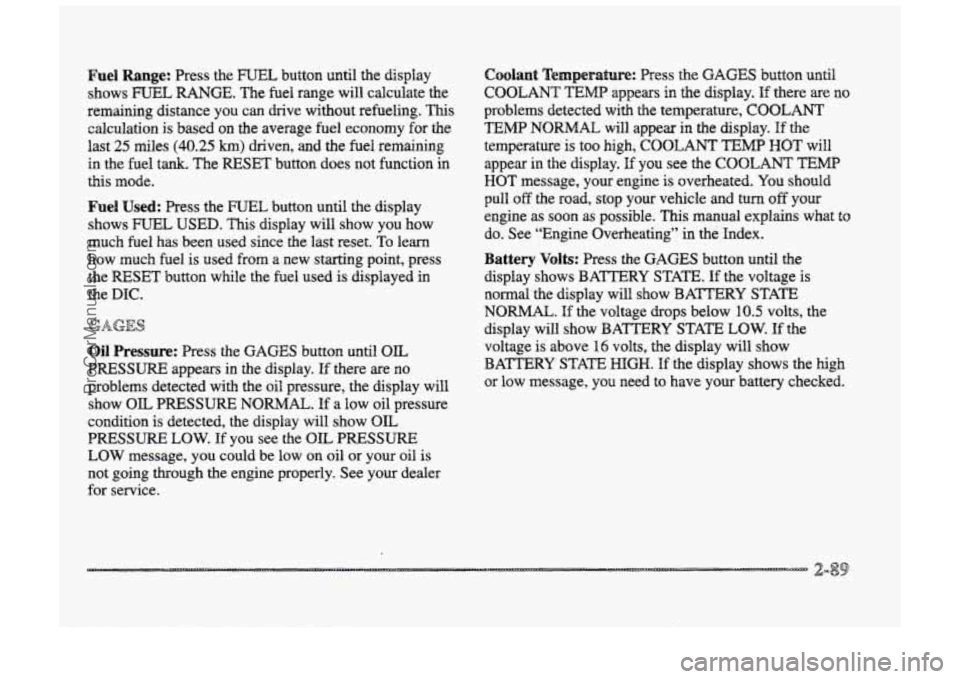
Fuel Range: Press the FUEL button until the display
shows
FUEL RANGE. The fuel range will calculate the
remaining distance you can chive without refueling. This
calculation is based on the average fuel economy for the
last 25 miles (40.25 km) driven, and the fuel remaining
in the fuel
tank. The RESET button does not function in
this mode.
Fuel Used: Press the mTEk button until the display
shows
IFCTIEL USED. This display will show you how
much fuel has been used since the last reset.
TQ learn
how much fuel is used from a new starting point, press
the RESET button while the fbel used is displayed
-h
the DIC.
Oil Pressure: Press the GAGES button until OIL
PRESSURE appears in the display. If there are no
problems detected with the oil pressure, the display
will
show OIL PRESSURE NORMAL. If a low oil pressure
condition is detected, the display
will show OIL
PRESSURE LOW. If you see the OIL PRESSURE
LOW message, you could be low on oil or your oil is
not going through the engine properly. See your dealer
for service.
Coolant Temperature: Press the GAGES button until
COOLANT TEMB appears in the display. If there are no
problems detected with the temperature, C~C&4NI’
TEMP NORMAL will appear in the display. If the
temperature is too
high, COOLANT TEMP HOT will
appear in the display. If you see the COOLANT TEMP
HOT message, your engine is overheated. You should
pull off the road, stop your vehicle and turn off your
engine as soon as possible.
This manual explains what to
do. See “Engine Overheating” in the Index.
Battery Volts: Press the GAGES button until the
display shows BATTERY STAm.
If the voltage is
normal the display will show BATTERY STATE
NORMAE. If the voltage drops below 10.5 volts, the
display will show
BATTERY STAm LOW. If the
voltage
is above 16 volts, the display will show
BATTERY STATE
HIGH. If the display shows the high
or low message, you need
to have your battery checked.
ProCarManuals.com
Page 156 of 426
Oil Life Monitor (Index): Psess the GAGES button
until OIL LIFE INDEX appears in the display. The OIL
LEE INDEX NORMAL display will show an estimate
of the oil’s remaining useful Me. When the oil life index
is less
than IO%, the display will show OIL LIFE
INDEX CHANGE OIL. When you have the oil changed
according
to the maintenance schedule (see
“Maintenance Schedule” in the Index), you will have to
reset the oil We monitor.
To do this, press and hold the
RESET’
button for more than five seconds while the oil
life index
is being displayed on the DPC. The oil life will
change to
100%.
Tire Psessure Status: Press the GAGES button until
‘FWE IPWSSUWE appears in the display. TWE
PRESSUWE NORMAL is displayed when the Check
Tire Pressure System believes your ve~cle’s tire
pressures are normal. If a potential tire pressure problem
is detected, the display will show gIRE PRESSURE
LOW CHECK TIRES. If you see the azRE
PRESSURE LOW: CHECK TIRES message, you
should
st~p as soon as you can and check all your tires
for damage. (If a tire is flat, see ‘‘If a Tire Goes Flat” in
the Index.)
Also check the tire pressure in all four tires
as
soon as you can. See “Inflation - Tire Pressure” and
“Check Tire Pressure System” in the Index. mere
are
times when you will have to reset (calibrate)
the
Check Tire Pressure System. See “Check Tire
Pressure System” in
the Index.
jJ&m&qgs sj& &ssag@j
Other messages or warnings may appear in the DE
display such as:
0 WINDSHIELD WASHER FLUID LOW
ENG COOLANT LOW - CHECK LEVEL
ENGINE OIL LOW - CHECK LEVEL
0 CHANGE ENGINE OIL SOON
0 TRACTION CONTROL SYSTEM ACTIVE
0 DOOR AJAR
0 TRUNKAJAR
Pressing any of the DIC control buttons will remove the
above messages or warnings
from the DIC display.
ProCarManuals.com
Page 166 of 426

'Ms section tells you how to operate your comfort
ctrrtt.ro8s. Your comfort control system uses
trxone-friendIy
hi- B 348 refrigerant.
With these systems, you can control the heating, cooling
and ventilation in your vehicle. Your vehicle also has a
flow-through ventilation system described
Eater in
this section.
This feature allows two different drivers to store and
recall their own climate control settings for temperature,
air delivery node, fan and passenger climate COXI~FO~
fdom status. The Personal Choice settings recalled are
determined by the transmitter used to enter the vehicle.
After the UNLOCK button of a remote keyless entry
transmitter
is pressed, and the igrrition is in RUN, the
climate
control will adjust to the last settings of the
identified driver.
The settings can also be changed by
briefly pressing one
of the MEMORY seat switches
located on the
driver's door panel. When adjustments
are made, the new settings are automatically saved for
the
driver.
Your vehicle has the dual automatic cornfortemp climate
control system. The fdowing
infomation tells you how
1: works.
Yorr will hear a beep each time a button is pushed and a
small light orr the button will indicate which buttons lire
active.
The lights are QIP ali buttons except EMP, FAN
and AIR FLOW. The display will show fm speed,
comfort level setting
and airf'~ direction for a few
seconds whenever any button,
except for the rear defog,
is pushed, and then it will display the outside
temperature. The outside temperature reading
is most
accurate when the vehicle
is movi~g.
During stops, when drivkg slow, QF when the engine is
first sta-ted after a short trip, the outside temperature
reading can be affected by road or engine heat. In order
to enswe proper automatic climate control operation, the
outside temperature
display may not update BS quickly
as expected.
ProCarManuals.com
Page 168 of 426
in cold weather, the system will delay turning t5 re f anon
high, to avoid blowing cold air. The Iength of the delay
depends on the engine coolant temperature and the
outside temperature.
Pushing the FAN, AIR FLOW or
FRONT buttons will override this delay, turn off the
AUTO setting and change the fan speed.
You may also manually adjust the air delivery or
fan speed.
AIR FLOW This button is used to change the direction
of the airflow. The airflow choices available are
WINDSHIELD-FIBOR. If the systen is set for AUTO,
pressing the AIR FLOW button will display the current
airflow direction, the comfort setting and the fan
speed.
Press the AIR FLOW up or down button again to
change the direction of the airflow.
FLOOR, FLOOR-MID, MID and
OFF: If the passenger comfort CQII~~O~ is tuned on, It
can be turned off by pressing the OW button once.
Pressing the
OFF button a second time wiil turn off the
main system. Turning off the main system causes the fan
to turn off and the airflow to be directed to the FLOOR.
The system will still try to keep the interior of the
vehicle at
the previous chosen comfsrt settifig. The
outside temperature
will show on the display when the
system is off.
The ventilation system always allows fresh air t~ flow
through your vehicle when the vehicle is moving even
with
the system in the OFF mode.
VENT: The VENT button aEIows outside air to flow
through your vehicle without the air conditioning
compressor
working. Selecting VENT and the AUTO
button at the same time allows the system to contsoi
automatically without
the use of the ais: conditioning
compressor or the use of the MCIRC mode. To turn off
the VENT selection, push the VENT button again.
ProCarManuals.com
Page 174 of 426
"
Your DeBco Electronics audio system has been designed
to operate easily and give years of listeing pleasmi.
You will get the most enjoyment out of it if you acquaint
yourself with it
first. Find out what your Delco
Electronics system can
do and how to operate all its .
controls, to be sure you're getting the most out of the?.. J
advanced engineering that went into it. . .
Setting &he Chock
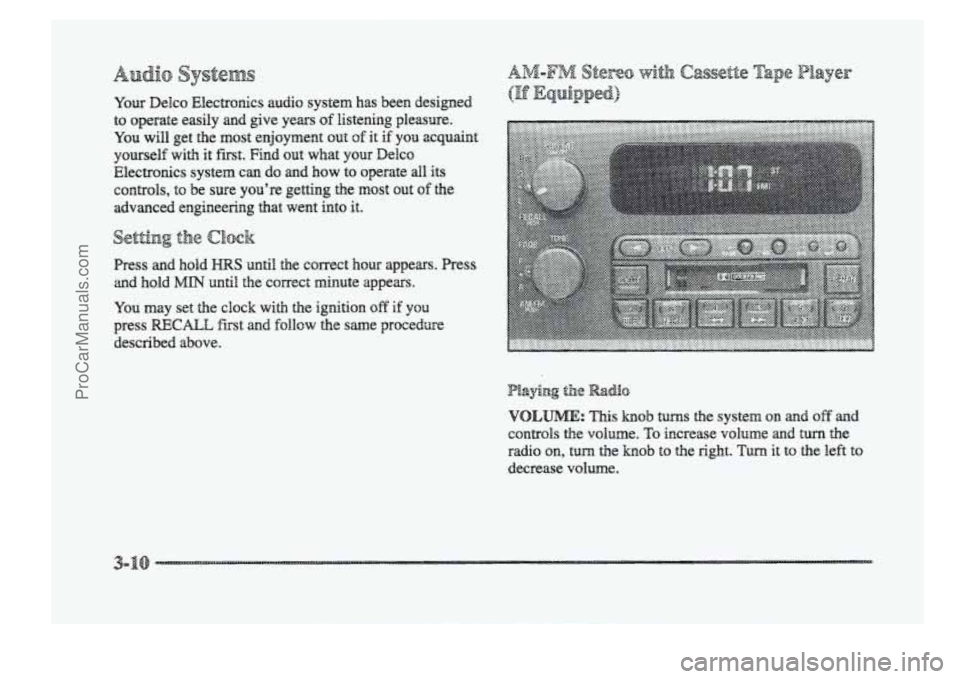
Press and hold until the correct how appears. Press
and hold MIN until the correct minute appears.
You may set the clock with the ignition off if YOU
press RECALL fist and follow the same procedure
described above.
VOLUME: This hob turns the system on and off anad
controls the volume. To increase volume and turn the
radio
on, turn the knob to the right. Turn it to the left to
decrease volume.
ProCarManuals.com
Page 209 of 426
Avoid Reedless heavy braking. Some people drive in
spurts -- heavy acceleration followed by heavy
braking -- rather than keeping pace with traffic. This is a
mistake. Your brakes may not have time to COO^ between
hard stops. Your brakes will wear out much Easter if you
dc a lot of heavy braking. If YOU keep pace with the
traffic ‘ad allow realistic follewing distances, you will
eliminate a lot of unnecessary braking. That means
better
braking and longer brake life.
If your engine ever steps while you’re driving, brake
nomctHBy but don’t pump your brakes. HE you do, the
pedal may get harder to push down. If your engine
stops, you will still have some power brake assist. But
you will use it when you brake. Once the power assist is
used
up, it may take longer to stop and the brake pedal
will be hxder to push.
ProCarManuals.com
Page 211 of 426
Remember: Anti-lock doesn’t change the the you need
to get your foot up to the br&e pedal or always decrease
stopping distance. If you get too dose to the vehicle in
front of you, you won’t have time to apply your brakes
If that vehicle suddenly slows or stcps. Always leave
enough
room up ahead tu stop, even though yorr have
anti-lock brakes.
Don’t pump the brakes. Just hold the brake pedal down
5mly and let anti-lock work for you. You may feel a
slight brake pedal gulsation or notice some noise, but
this is normal.
?F? 5-~~l:”~p.Tp LC :~?$<:4:?~$ ,y...,iq:py; (TF &&@$B&) r ,y a% *.-blL& . ,%*i ...,‘. --’3 li Y z .i I A -2.
YQW vehicle may have a traction control system thzat
limits wheel spin. This is especially useful in slippery
road conditions. The system operates only if it senses
that one
or both of the front wheels are spinning or
beginning to lose traction. When this happens, the
system works the front brakes and reduces engine power
to limit wheel spin.
You may feel or hear the system working, but this
is nomal.
__ . ... a
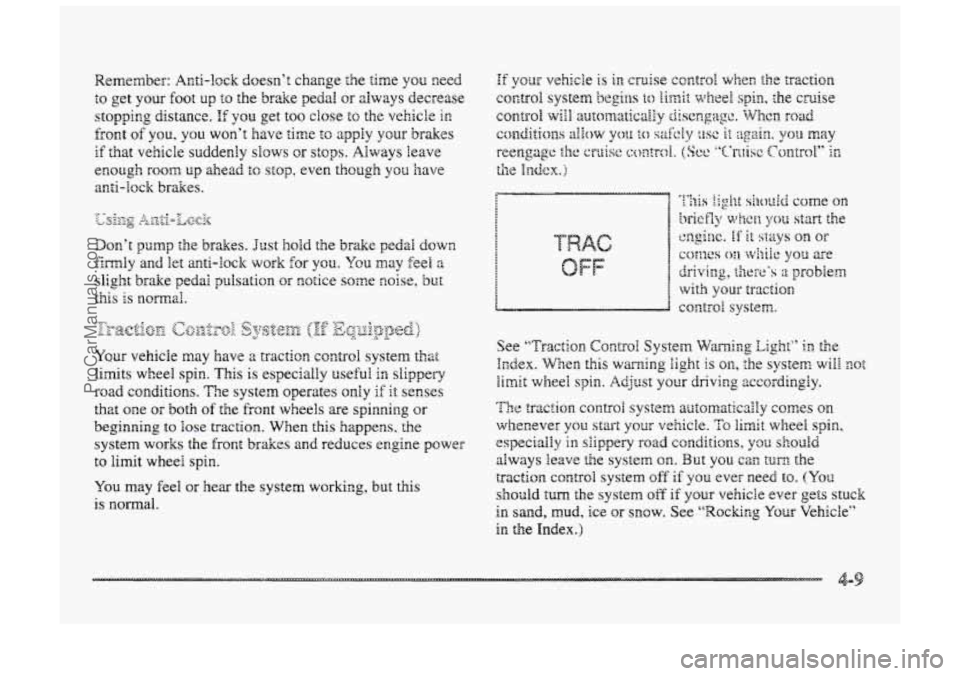
See ‘‘T~-acti~m Contra1 System Warning Eight” ii: the
Irzdex. WEen this warning light is on, the system will mt
limit wheel spin. Adjust your driving zccsrdingly.
The traction COII~FO~ system arr;2smaticaily comes on
whenever you start your vehicle. To limit wheel spin,
especially in siippery road conditio~s, y3u shouEd
always leave the system on. But you can turn- the
traction control system off‘ if you ever need to. (YQQ
should turn the system off if pur vehicBe ever gets stuck
in sand, mud, ice or snow. See “Rockr~g Your Vehicle”
in the Index.)
ProCarManuals.com