keyless BUICK PARK AVENUE 2003 User Guide
[x] Cancel search | Manufacturer: BUICK, Model Year: 2003, Model line: PARK AVENUE, Model: BUICK PARK AVENUE 2003Pages: 372, PDF Size: 2.8 MB
Page 82 of 372
Remember, the theft-deterrent system won't activate if
you lock the doors with a key or use the manual
door lock. It activates only if you use a power door lock
switch with the door open, or with the remote keyless
entry transmitter. You should also remember that
you can start your vehicle with the correct ignition key if
the alarm has been set off.
Here's how to avoid setting off the alarm by accident:
·If you don't want to activate the theft-deterrent
system, the vehicle should be locked with the door
key
afterthe doors are closed.
·Always unlock a door with a key, or use the remote
keyless entry transmitter. Unlocking a door any
other way will set off the alarm.
If you set off the alarm by accident, unlock any door
with your key. You can also turn off the alarm by
pressing the unlock button on the remote keyless entry
transmitter. The alarm won't stop if you try to unlock
a door any other way.
Testing the Alarm
The alarm can be tested by following these steps:
1. From inside the vehicle, roll down the driver's
window and open the driver's door.
2. Activate the system by locking the doors using the
power door lock switch while the door is open, or
using the remote keyless entry transmitter.
3. Get out of the car, close the door and wait for the
SECURITY light to go out.
4. Then reach in through the window, unlock the door
with the manual door lock and open the door. This
should set off the alarm.
If the alarm does not sound when it should, but the
vehicle's lamps ¯ash, check to see if the horn works.
The horn fuse may be blown. To replace the fuse,
see
Fuses and Circuit Breakers on page 5-87.
If the alarm does not sound or the vehicle's lamps do
not ¯ash, the vehicle should be serviced by an
authorized service center.
2-18
Page 110 of 372
Open:Press and hold the switch rearward to the ®rst
position to open the glass panel and sunshade. The
sunshade can also be opened manually.
Comfort Stop:Press and release the switch rearward
to the second position to express open the glass
panel to the comfort stop position. The comfort stop
position is designed to help reduce noise and make
passengers more comfortable.
Express Open:When the glass panel is express
opening, pressing the switch in any direction will stop it
in a partially-opened position. The glass panel may
be fully opened by pressing the switch rearward again.
If you press and hold the switch in the express open
position for more than one and a half seconds, the
express open operation will be overridden and
the sunroof will operate manually.
Close:To close the glass panel, press and hold the
switch forward. As the glass panel reaches the closed
position, it will open slightly toward the vent position and
then drop down to the closed position to provide a
better seal. The sunshade must be closed manually.
Vent:Once the sunroof is closed, it can be opened to
the vent position by pushing the switch upward. To
close the glass panel, pull the switch downward. The
sunshade must be opened and closed manually for vent
operation.Vehicle Personalization
Memory Seat and Mirrors
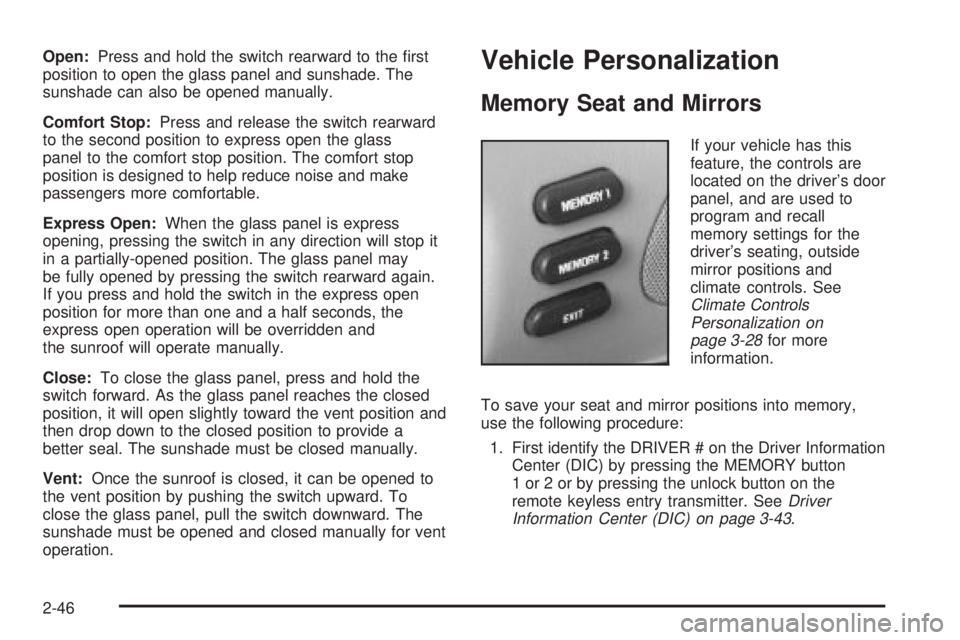
If your vehicle has this
feature, the controls are
located on the driver's door
panel, and are used to
program and recall
memory settings for the
driver's seating, outside
mirror positions and
climate controls. See
Climate Controls
Personalization on
page 3-28
for more
information.
To save your seat and mirror positions into memory,
use the following procedure:
1. First identify the DRIVER # on the Driver Information
Center (DIC) by pressing the MEMORY button
1 or 2 or by pressing the unlock button on the
remote keyless entry transmitter. See
Driver
Information Center (DIC) on page 3-43.
2-46
Page 126 of 372
Twilight Sentinelž
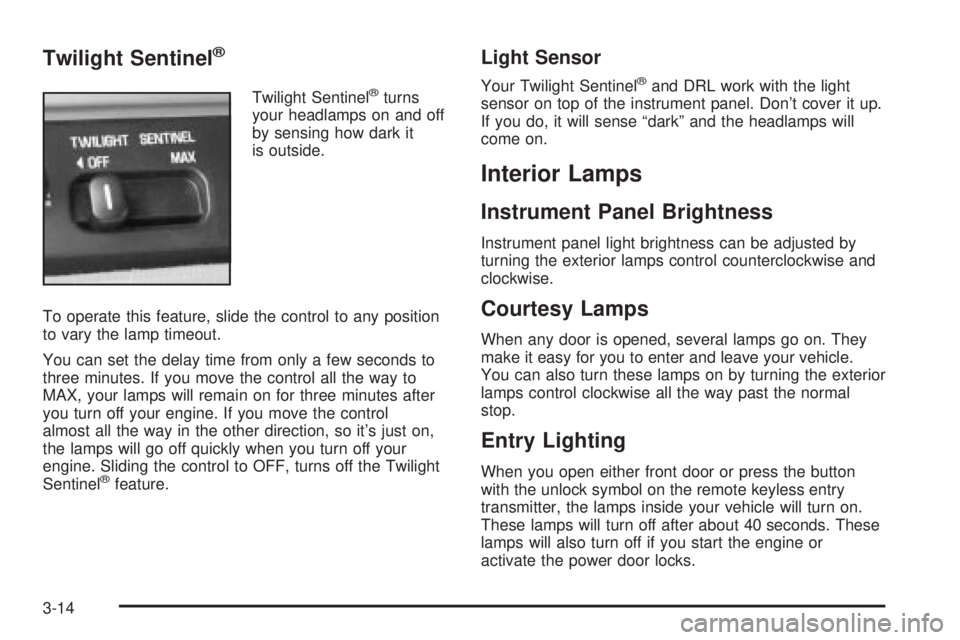
Twilight Sentinelžturns
your headlamps on and off
by sensing how dark it
is outside.
To operate this feature, slide the control to any position
to vary the lamp timeout.
You can set the delay time from only a few seconds to
three minutes. If you move the control all the way to
MAX, your lamps will remain on for three minutes after
you turn off your engine. If you move the control
almost all the way in the other direction, so it's just on,
the lamps will go off quickly when you turn off your
engine. Sliding the control to OFF, turns off the Twilight
Sentinel
žfeature.
Light Sensor
Your Twilight Sentinelžand DRL work with the light
sensor on top of the instrument panel. Don't cover it up.
If you do, it will sense ªdarkº and the headlamps will
come on.
Interior Lamps
Instrument Panel Brightness
Instrument panel light brightness can be adjusted by
turning the exterior lamps control counterclockwise and
clockwise.
Courtesy Lamps
When any door is opened, several lamps go on. They
make it easy for you to enter and leave your vehicle.
You can also turn these lamps on by turning the exterior
lamps control clockwise all the way past the normal
stop.
Entry Lighting
When you open either front door or press the button
with the unlock symbol on the remote keyless entry
transmitter, the lamps inside your vehicle will turn on.
These lamps will turn off after about 40 seconds. These
lamps will also turn off if you start the engine or
activate the power door locks.
3-14
Page 127 of 372
Delayed Entry Lighting
When you open the door, the interior lamps will come on.
When you close the door with the ignition off, the interior
lamps will stay on for 25 seconds or until the ignition is
turned to an on position. Locking the doors with the power
door lock switch will override the delayed entry lighting
feature and the lamps will turn off right away.
Using the remote keyless entry transmitter to lock the
door will not cancel delayed lighting.
Theater Dimming
This feature allows for a three to ®ve-second fade out of
the courtesy lamps instead of immediate turn off.
Delayed Exit Lighting
With this feature, the interior lamps will come on for
25 seconds after you remove the key from the ignition.
This will give you time to ®nd the door handle or
lock switches.
Parade Dimming
This feature prohibits the dimming of your instrument
panel displays during daylight while your headlamps are
on. This feature operates with the light sensor for the
Twilight Sentinel
žand is fully automatic. When the light
sensor reads darkness outside, you will be able to
dim your instrument panel displays once again.
Perimeter Lighting
When the button with the unlock symbol on the remote
keyless entry transmitter is pressed, the DRL, parking
lamps and back-up lamps will come on if it is dark
enough outside.
This feature will only be activated when the security
feedback feature is programmed to be in Modes 1, 3
or 5 on the transmitter. Modes 0, 2 and 4 do not respond
with exterior lights ¯ashing when unlocking the vehicle
so perimeter lighting will not be active.
This feature can be programmed on or off for each
transmitter.
To turn the feature off do the following:
1. Press and hold LOCK on the driver's door
lock switch throughout this procedure. All doors will
lock.
2. Press the remote alarm button on the transmitter to
enter the programming mode. Perimeter lighting
remains on at this time and the horn will chirp two
times.
3. Press the remote alarm button on the transmitter
again. Perimeter lighting is disabled and the horn
will chirp one time.
4. Release the door lock switch. The perimeter lighting
feature is now off.
3-15
Page 140 of 372
The ®lter should be replaced as part of routine
scheduled maintenance. SeePart A: Scheduled
Maintenance Services on page 6-4for replacement
intervals. See your dealer for details on changing the
®lter.
Once you remove your ®lter, if you choose not to
replace it, it will not damage your vehicle. However, the
air will no longer be ®ltered.
Steering Wheel Climate Controls
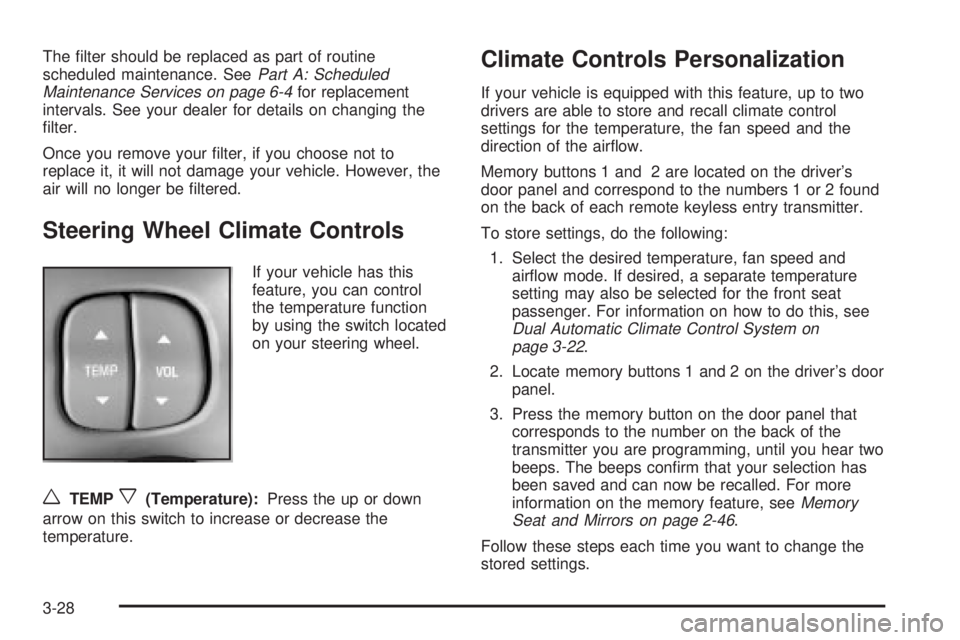
If your vehicle has this
feature, you can control
the temperature function
by using the switch located
on your steering wheel.
wTEMPx(Temperature):Press the up or down
arrow on this switch to increase or decrease the
temperature.
Climate Controls Personalization
If your vehicle is equipped with this feature, up to two
drivers are able to store and recall climate control
settings for the temperature, the fan speed and the
direction of the air¯ow.
Memory buttons 1 and 2 are located on the driver's
door panel and correspond to the numbers 1 or 2 found
on the back of each remote keyless entry transmitter.
To store settings, do the following:
1. Select the desired temperature, fan speed and
air¯ow mode. If desired, a separate temperature
setting may also be selected for the front seat
passenger. For information on how to do this, see
Dual Automatic Climate Control System on
page 3-22.
2. Locate memory buttons 1 and 2 on the driver's door
panel.
3. Press the memory button on the door panel that
corresponds to the number on the back of the
transmitter you are programming, until you hear two
beeps. The beeps con®rm that your selection has
been saved and can now be recalled. For more
information on the memory feature, see
Memory
Seat and Mirrors on page 2-46.
Follow these steps each time you want to change the
stored settings.
3-28
Page 141 of 372
To recall the climate control settings last stored on your
transmitter, press the unlock button on your remote
keyless entry transmitter and put the ignition in
ACCESSORY or RUN. The settings will be recalled.
Warning Lights, Gages and
Indicators
This part describes the warning lights and gages that
may be on your vehicle. The pictures will help you
locate them.
Warning lights and gages can signal that something is
wrong before it becomes serious enough to cause
an expensive repair or replacement. Paying attention to
your warning lights and gages could also save you
or others from injury.
Warning lights come on when there may be or is a
problem with one of your vehicle's functions. As you will
see in the details on the next few pages, some
warning lights come on brie¯y when you start the
engine just to let you know they're working. If you are
familiar with this section, you should not be alarmed
when this happens.Gages can indicate when there may be or is a problem
with one of your vehicle's functions. Often gages
and warning lights work together to let you know when
there's a problem with your vehicle.
When one of the warning lights comes on and stays on
when you are driving, or when one of the gages
shows there may be a problem, check the section that
tells you what to do about it. Please follow this
manual's advice. Waiting to do repairs can be costly ±
and even dangerous. So please get to know your
warning lights and gages. They're a big help.
Your vehicle may also have a DIC that works along with
the warning lights and gages. See
Driver Information
Center (DIC) on page 3-43.
3-29
Page 158 of 372
SERVICE STABILITY SYSTEM ± 54:If you ever see
the SERVICE STABILITY SYSTEM message, it
means there may be a problem with your stability
enhancement system. If you see this message, try to
reset the system (stop; turn off the engine; then start the
engine again). If the SERVICE STABILITY SYSTEM
message still comes on, it means there is a problem.
You should see your dealer for service. Reduce
your speed and drive accordingly.
STABILITY SYSTEM ACTIVE ± 55:You may see the
STABILITY SYSTEM ACTIVE message on the Driver
Information Center. It means that an advanced,
computer-controlled system has come on to help your
vehicle continue to go in the direction in which you're
steering. This stability enhancement system activates
when the computer senses that your vehicle is just
starting to spin, as it might if you hit a patch of ice or
other slippery spot on the road. When the system is on,
you may hear a noise or feel a vibration in the brake
pedal. This is normal.
When the STABILITY SYSTEM ACTIVE message is on,
you should continue to steer in the direction you want
to go. The system is designed to help you in bad
weather or other difficult driving situations by making the
most of whatever road conditions will permit. If the
STABILITY SYSTEM ACTIVE message comes on, you'll
know that something has caused your vehicle to start
to spin, so you should consider slowing down.Tire Pressure Status ± 140:If you see the TIRE
PRESSURE LOW message, you should stop as soon
as you can and check all your tires for damage. (If a tire
is ¯at, see
If a Tire Goes Flat on page 5-68.) Also
check the tire pressure in all four tires as soon as you
can. See
In¯ation -- Tire Pressure on page 5-59andCheck Tire Pressure System on page 5-60.
There are times when you will have to reset (calibrate)
the Check Tire Pressure System. See
Check Tire
Pressure System on page 5-60.
DIC Vehicle Personalization
The DIC is used to program personal choices for up to
two drivers. The drivers are recognized as DRIVER #1
and DRIVER #2. The DIC will identify a person as
UNKNOWN DRIVER if they are neither DRIVER #1 nor
DRIVER #2. You will let the DIC know which driver
you are by using your remote keyless entry transmitter
or by pressing one of the MEMORY buttons located
on the driver's door. Each remote keyless entry
transmitter was pre-programmed to belong to
DRIVER #1 or DRIVER #2. Each transmitter may be
programmed differently for each driver.
3-46
Page 162 of 372
·If you choose LIGHTS for LOCK FEEDBACK and
OFF for UNLOCK FEEDBACK, your exterior
lamps will ¯ash when locking your vehicle and you
will receive no security feedback when unlocking
your vehicle.
·If you choose LIGHTS for LOCK FEEDBACK and
LIGHTS for UNLOCK FEEDBACK, your exterior
lamps will ¯ash when locking and unlocking
your vehicle.
·If you choose LIGHTS + HORN for LOCK
FEEDBACK and OFF for UNLOCK FEEDBACK,
your exterior lamps will ¯ash and the horn will chirp
when locking your vehicle and you will receive
no security feedback when unlocking your vehicle.
·If you choose LIGHTS + HORN for LOCK
FEEDBACK and LIGHTS for UNLOCK FEEDBACK,
your exterior lamps will ¯ash and the horn will
chirp when locking your vehicle and your exterior
lamps will ¯ash when unlocking your vehicle.
For more information on this feature, see ªSecurity
Feedbackº under
Remote Keyless Entry System
Operation on page 2-5.
Perimeter Lighting
When the button with the unlock symbol on the
transmitter is pressed, the DRL lamps (high-beams at
reduced intensity), parking lamps and back-up lamps will
turn on if it is dark enough according to the Twilight
Sentinel
ž.
You can control activation of this feature by choosing
OFF or ON when the PERIMETER LIGHTS choice
is displayed on the DIC. Make your choice by pressing
the ENG/MET button and record your choice by
pressing the RESET button.
If you want to choose PERIMETER LIGHTS ON, you
must also choose LIGHTS for UNLOCK FEEDBACK
while making the security feedback choices.
For more information on this feature, see ªPerimeter
Lightingº under
Exterior Lamps on page 3-12.
Memory Seat Recall
This feature recalls the position of your seat. When this
feature is active, the memory seat and mirror positions
will be recalled for the identi®ed driver when the remote
keyless entry transmitter is used to enter the vehicle.
You can program this feature to be active by choosing
ON when the SEAT RECALL choice appears, or
inactive by choosing OFF when the SEAT RECALL
choice appears on the DIC.
3-50
Page 163 of 372
You can also program this feature to recall your
memory seat position or the exit seat position.
·Memory Position: Choose ON when the SEAT
RECALL choice appears, and then choose
MEMORY when the RECALL POSITION choice
appears.
·Exit Position: Choose ON when the SEAT RECALL
choice appears, then choose EXIT when the
RECALL POSITION choice appears and your seat
will move to the stored exit position. The seat
will also move when you enter the vehicle after
unlocking it with a remote keyless entry transmitter.
This will allow for easy entry as well.
For more information on this feature, see
Memory Seat
and Mirrors on page 2-46.
Window Lock Out
The number of passenger windows locked out by the
WINDOW LOCK button can be programmed through the
DIC.
If you choose ALL PASS, all three passenger window
switches will be inactive when the WINDOW LOCK
button is enabled.
If you choose REAR, only the two rear passenger
window switches will be locked out when the WINDOW
LOCK button is enabled.To change modes do the following:
1. Move the arrow on the display between ALL PASS
and REAR by pressing the ENG/MET button.
2. Once you have made your selection, press the
RESET button. Your choice will be retained in
memory.
For more information on this feature, see ªWindow Lock
Outº under
Power Windows on page 2-16.
Audio System(s)
Notice:Before you add any sound equipment to
your vehicle ± like a tape player, CB radio, mobile
telephone or two-way radio ± be sure you can
add what you want. If you can, it's very important to
do it properly. Added sound equipment may
interfere with the operation of your vehicle's engine,
radio or other systems, and even damage them.
Your vehicle's systems may interfere with the
operation of sound equipment that has been added
improperly.
So, before adding sound equipment, check with
your dealer and be sure to check federal rules
covering mobile radio and telephone units.
3-51
Page 177 of 372
Compact Disc Changer Errors
E (Error):If this message and a number appear on the
display, an error has occurred and the compact disc
temporarily cannot play.
The CD changer will send an error message to the
receiver to indicate:
·E30:Disc Loaded Incorrectly (Label Side Up)
·E34:CD Changer Door Open (Completely close the
door to restore normal operation.)
·E35:CD Changer Cartridge Empty (Try the
magazine again with a disc loaded on one of
the trays.)
If the error occurred while trying to play a CD in the
compact disc player or changer, the following conditions
may have caused the error:
·You're driving on a very rough road. When the road
becomes smoother, the disc should play.
·The disc is dirty, scratched, wet or upside down.
·The air is very humid. If so, wait about an hour and
try again.
If any error occurs repeatedly or if an error cannot be
corrected, contact your dealership. If your radio displays
an error number other than the error codes listed
previously, write it down and provide it to your dealership
when reporting the problem.
Personal Choice Radio Controls
If your vehicle has this feature it will enable two drivers
to store and recall personal settings for radio presets,
last tuned station, volume, tone, and audio source
(radio, cassette, or CD).
The memory buttons 1 and 2 for this feature are located
on the driver's door panel and correspond to the
numbers 1 and 2 found on the back of each remote
keyless entry transmitter.
To recall audio sources, press the unlock button on the
remote keyless entry transmitter and turn the ignition
on. The source last listened to will be recalled for
the identi®ed driver 1 or 2.
To program this feature, do the following:
1. Set all radio preferences. For more information see
ªSetting Preset Stationsº and ªSetting the Toneº
listed for your particular radio.
2. Locate the memory buttons on the driver's door
panel.
3. Press one of the memory buttons 1 or 2 until you
hear two beeps. The beeps con®rm that your
selection has been saved and can now be recalled.
Follow these steps each time you want to change the
stored settings.
3-65