tow BUICK PARK AVENUE 2003 User Guide
[x] Cancel search | Manufacturer: BUICK, Model Year: 2003, Model line: PARK AVENUE, Model: BUICK PARK AVENUE 2003Pages: 372, PDF Size: 2.8 MB
Page 96 of 372
Running Your Engine While You
Are Parked
It's better not to park with the engine running. But if you
ever have to, here are some things to know.
{CAUTION:
Idling the engine with the climate control
system off could allow dangerous exhaust into
your vehicle. See the earlier Caution under
ªEngine Exhaust.º
Also, idling in a closed-in place can let deadly
carbon monoxide (CO) into your vehicle even if
the climate control fan is at the highest setting.
One place this can happen is a garage.
Exhaust Ð with CO Ð can come in easily.
NEVER park in a garage with the engine
running.
Another closed-in place can be a blizzard. See
ªWinter Drivingº in the Index.
{CAUTION:
It can be dangerous to get out of your vehicle
if the shift lever is not fully in PARK (P) with
the parking brake ®rmly set. Your vehicle can
roll. Do not leave your vehicle when the engine
is running unless you have to. If you have left
the engine running, the vehicle can move
suddenly. You or others could be injured. To
be sure your vehicle will not move, even when
you are on fairly level ground, always set your
parking brake and move the shift lever to
PARK (P).
Follow the proper steps to be sure your vehicle won't
move. See
Shifting Into Park (P) on page 2-28.
If you are parking on a hill and if you're pulling a trailer,
also see
Towing a Trailer on page 4-32.
2-32
Page 97 of 372
Mirrors
Manual Rearview Mirror
When you are sitting in a comfortable driving position,
adjust the mirror so you can see clearly behind your
vehicle. Grip the mirror in the center to move it up
or down and side to side. The day/night adjustment
allows you to adjust the mirror to avoid glare from the
lamps behind you. Pull the tab forward for daytime use;
push it back for night use.
Automatic Dimming Rearview Mirror
Your vehicle may have an automatic dimming rearview
mirror. Your vehicle's mirror may also contain OnStarž
controls. SeeOnStaržSystem on page 2-37for
more information.
At night, when the glare is too high, the mirror will
gradually darken to reduce glare. This change may take
a few seconds. The mirror will return to its clear
daytime state when the glare is reduced.
Mirror Operation
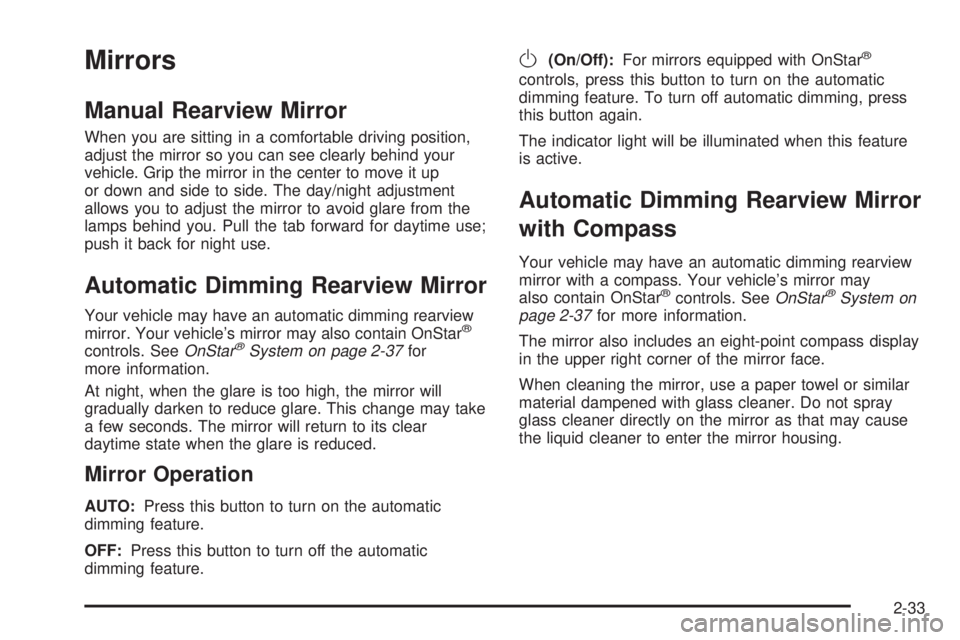
AUTO:Press this button to turn on the automatic
dimming feature.
OFF:Press this button to turn off the automatic
dimming feature.
O(On/Off):For mirrors equipped with OnStarž
controls, press this button to turn on the automatic
dimming feature. To turn off automatic dimming, press
this button again.
The indicator light will be illuminated when this feature
is active.
Automatic Dimming Rearview Mirror
with Compass
Your vehicle may have an automatic dimming rearview
mirror with a compass. Your vehicle's mirror may
also contain OnStar
žcontrols. SeeOnStaržSystem on
page 2-37for more information.
The mirror also includes an eight-point compass display
in the upper right corner of the mirror face.
When cleaning the mirror, use a paper towel or similar
material dampened with glass cleaner. Do not spray
glass cleaner directly on the mirror as that may cause
the liquid cleaner to enter the mirror housing.
2-33
Page 110 of 372
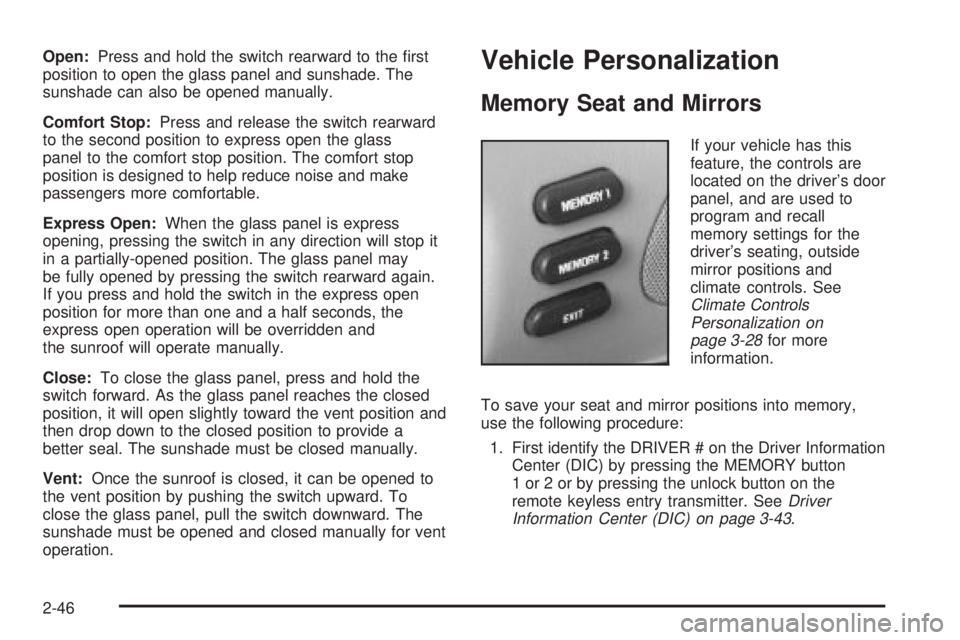
Open:Press and hold the switch rearward to the ®rst
position to open the glass panel and sunshade. The
sunshade can also be opened manually.
Comfort Stop:Press and release the switch rearward
to the second position to express open the glass
panel to the comfort stop position. The comfort stop
position is designed to help reduce noise and make
passengers more comfortable.
Express Open:When the glass panel is express
opening, pressing the switch in any direction will stop it
in a partially-opened position. The glass panel may
be fully opened by pressing the switch rearward again.
If you press and hold the switch in the express open
position for more than one and a half seconds, the
express open operation will be overridden and
the sunroof will operate manually.
Close:To close the glass panel, press and hold the
switch forward. As the glass panel reaches the closed
position, it will open slightly toward the vent position and
then drop down to the closed position to provide a
better seal. The sunshade must be closed manually.
Vent:Once the sunroof is closed, it can be opened to
the vent position by pushing the switch upward. To
close the glass panel, pull the switch downward. The
sunshade must be opened and closed manually for vent
operation.Vehicle Personalization
Memory Seat and Mirrors
If your vehicle has this
feature, the controls are
located on the driver's door
panel, and are used to
program and recall
memory settings for the
driver's seating, outside
mirror positions and
climate controls. See
Climate Controls
Personalization on
page 3-28
for more
information.
To save your seat and mirror positions into memory,
use the following procedure:
1. First identify the DRIVER # on the Driver Information
Center (DIC) by pressing the MEMORY button
1 or 2 or by pressing the unlock button on the
remote keyless entry transmitter. See
Driver
Information Center (DIC) on page 3-43.
2-46
Page 117 of 372
Horn
Press on the center area of the steering wheel to sound
the horn.
Tilt Wheel
A tilt wheel allows you to adjust the steering wheel
before you drive. You can also raise it to the highest
level to give your legs more room when you exit
and enter the vehicle.
The lever that allows you to tilt the steering wheel is
located on the left side of the steering column.
To tilt the wheel, hold the
wheel and pull the lever
toward you. Then move the
steering wheel to a
comfortable position and
release the lever to
lock the wheel in place.
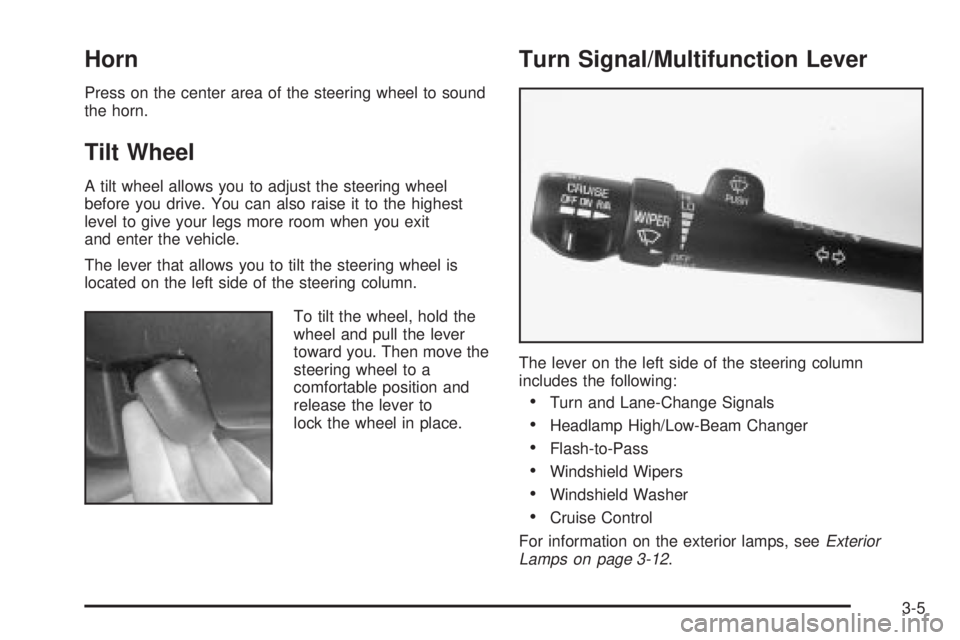
Turn Signal/Multifunction Lever
The lever on the left side of the steering column
includes the following:
·Turn and Lane-Change Signals
·Headlamp High/Low-Beam Changer
·Flash-to-Pass
·Windshield Wipers
·Windshield Washer
·Cruise Control
For information on the exterior lamps, see
Exterior
Lamps on page 3-12.
3-5
Page 118 of 372
Turn and Lane-Change Signals
The turn signal has two upward (for right) and two
downward (for left) positions. These positions allow you
to signal a turn or a lane change.
To signal a turn, move the lever all the way up or down.
When the turn is ®nished, the lever will return
automatically.
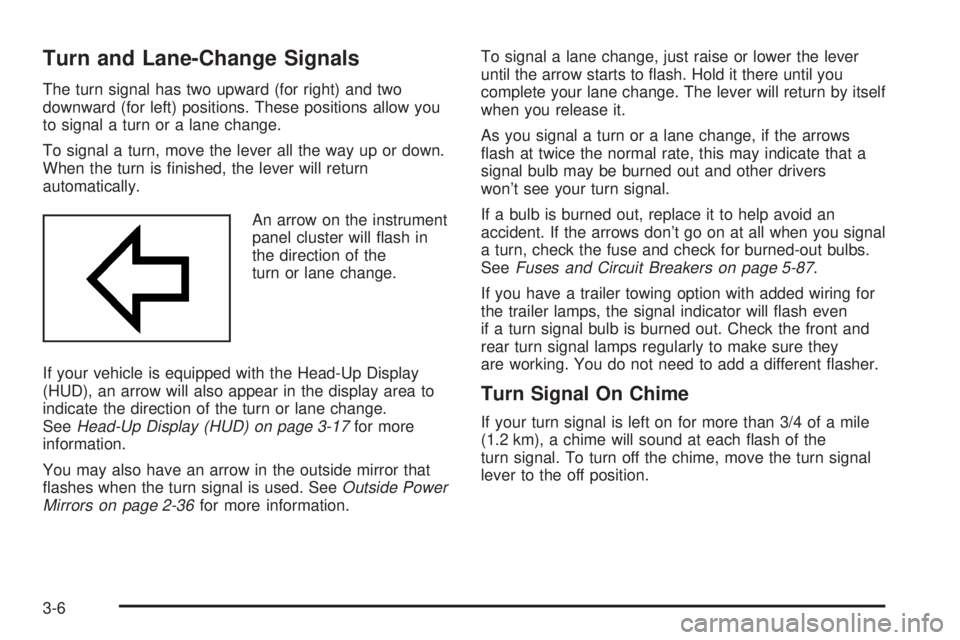
An arrow on the instrument
panel cluster will ¯ash in
the direction of the
turn or lane change.
If your vehicle is equipped with the Head-Up Display
(HUD), an arrow will also appear in the display area to
indicate the direction of the turn or lane change.
See
Head-Up Display (HUD) on page 3-17for more
information.
You may also have an arrow in the outside mirror that
¯ashes when the turn signal is used. See
Outside Power
Mirrors on page 2-36for more information.To signal a lane change, just raise or lower the lever
until the arrow starts to ¯ash. Hold it there until you
complete your lane change. The lever will return by itself
when you release it.
As you signal a turn or a lane change, if the arrows
¯ash at twice the normal rate, this may indicate that a
signal bulb may be burned out and other drivers
won't see your turn signal.
If a bulb is burned out, replace it to help avoid an
accident. If the arrows don't go on at all when you signal
a turn, check the fuse and check for burned-out bulbs.
See
Fuses and Circuit Breakers on page 5-87.
If you have a trailer towing option with added wiring for
the trailer lamps, the signal indicator will ¯ash even
if a turn signal bulb is burned out. Check the front and
rear turn signal lamps regularly to make sure they
are working. You do not need to add a different ¯asher.
Turn Signal On Chime
If your turn signal is left on for more than 3/4 of a mile
(1.2 km), a chime will sound at each ¯ash of the
turn signal. To turn off the chime, move the turn signal
lever to the off position.
3-6
Page 119 of 372
Headlamp High/Low-Beam Changer
To change the headlamps from low beam to high or high
to low, pull the turn signal lever toward you, then
release it.
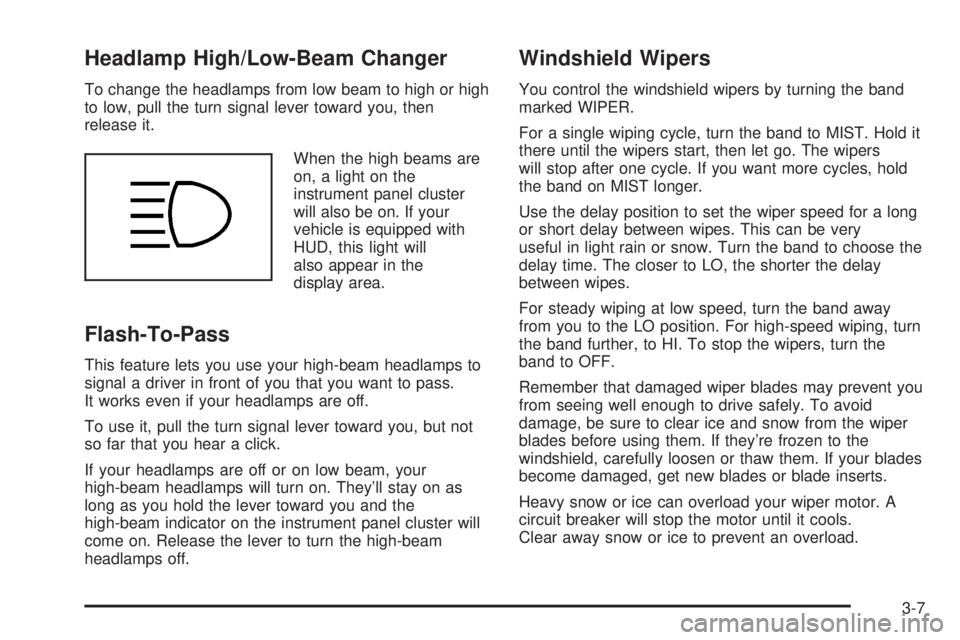
When the high beams are
on, a light on the
instrument panel cluster
will also be on. If your
vehicle is equipped with
HUD, this light will
also appear in the
display area.
Flash-To-Pass
This feature lets you use your high-beam headlamps to
signal a driver in front of you that you want to pass.
It works even if your headlamps are off.
To use it, pull the turn signal lever toward you, but not
so far that you hear a click.
If your headlamps are off or on low beam, your
high-beam headlamps will turn on. They'll stay on as
long as you hold the lever toward you and the
high-beam indicator on the instrument panel cluster will
come on. Release the lever to turn the high-beam
headlamps off.
Windshield Wipers
You control the windshield wipers by turning the band
marked WIPER.
For a single wiping cycle, turn the band to MIST. Hold it
there until the wipers start, then let go. The wipers
will stop after one cycle. If you want more cycles, hold
the band on MIST longer.
Use the delay position to set the wiper speed for a long
or short delay between wipes. This can be very
useful in light rain or snow. Turn the band to choose the
delay time. The closer to LO, the shorter the delay
between wipes.
For steady wiping at low speed, turn the band away
from you to the LO position. For high-speed wiping, turn
the band further, to HI. To stop the wipers, turn the
band to OFF.
Remember that damaged wiper blades may prevent you
from seeing well enough to drive safely. To avoid
damage, be sure to clear ice and snow from the wiper
blades before using them. If they're frozen to the
windshield, carefully loosen or thaw them. If your blades
become damaged, get new blades or blade inserts.
Heavy snow or ice can overload your wiper motor. A
circuit breaker will stop the motor until it cools.
Clear away snow or ice to prevent an overload.
3-7
Page 137 of 372
Sensors
The solar sensor on your vehicle monitors the solar
radiation and the air inside of your vehicle, then uses the
information to maintain the selected temperature by
initiating needed adjustments to the temperature, the fan
speed and the air delivery system. The system may
also supply cooler air to the side of the vehicle facing the
sun. The recirculation mode will also be activated, as
necessary. Do not cover the solar sensor located in the
center of the instrument panel, near the windshield,
or the system will not work properly.
Defogging and Defrosting
Fog on the inside of windows is a result of high humidity
(moisture) condensing on the cool window glass. This
can be minimized if the climate control system is
used properly.
1FRONT:Press the FRONT button to defrost the
windshield by directing air¯ow toward the windshield and
outboard outlets (for the side windows). To turn off
FRONT, press the AUTO or AIR FLOW buttons.
If the AIR FLOW up button is pressed while in the
FRONT defrost mode, the system will direct the
air toward the instrument panel outlets. If the AIR FLOW
down button is pressed while in the FRONT defrost
mode, the system will direct the air toward the ¯oor, and
the FRONT defrost mode will cancel. Do not drive the
vehicle until all the windows are clear.
Rear Window Defogger
The rear window defogger uses a warming grid to
remove fog or frost from the rear window.
=REAR:Press this button to turn the rear window
defogger on or off. Be sure to clear as much snow from
the rear window as possible.
At speeds above 30 mph (48 km/h), the defogger will
operate continuously until you press the REAR
button again. After 10 minutes of driving below 30 mph
(48 km/h), the defogger will turn off automatically. If
you need additional warming time, push the button
again. The system will then operate for ®ve minutes
before going off by itself.
If your vehicle has heated outside rearview mirrors, the
mirrors will heat to help clear fog or frost from the
surface of the mirror when the rear window defogger
button is pressed.
Notice:Don't use a razor blade or something else
sharp on the inside of the rear window. If you
do, you could cut or damage the defogger and the
repairs would not be covered by your warranty.
Do not attach a temporary vehicle license, tape, a
decal or anything similar to the defogger grid.
3-25
Page 138 of 372
Passenger Temperature Control
If your vehicle has the optional separate passenger's
temperature control, then the driver and the right
front passenger can select separate temperature
settings. This feature allows the front passenger to
select a temperature that is 5É F (3É C) warmer or cooler
than the driver's selected temperature.
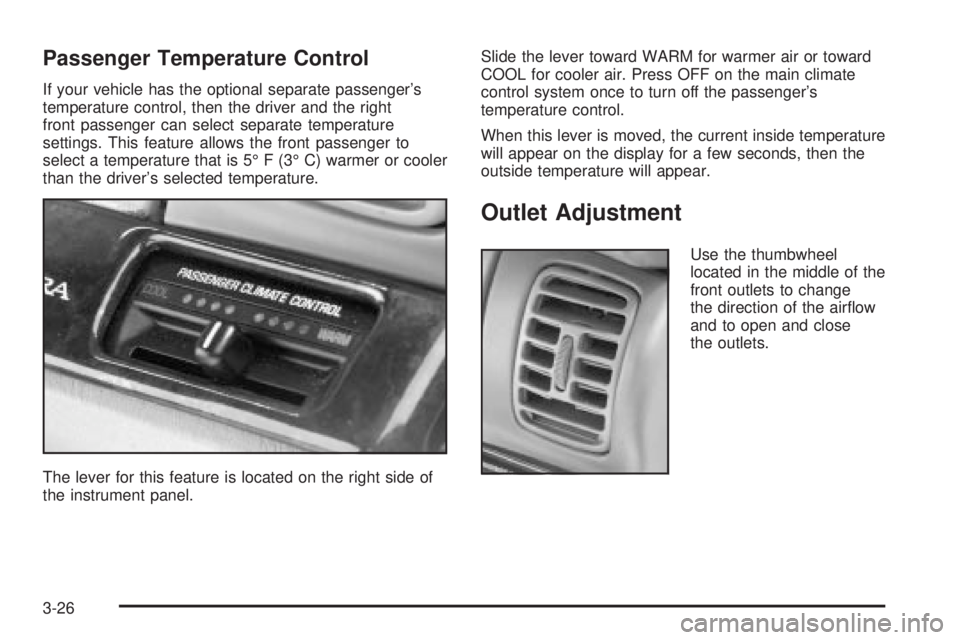
The lever for this feature is located on the right side of
the instrument panel.Slide the lever toward WARM for warmer air or toward
COOL for cooler air. Press OFF on the main climate
control system once to turn off the passenger's
temperature control.
When this lever is moved, the current inside temperature
will appear on the display for a few seconds, then the
outside temperature will appear.
Outlet Adjustment
Use the thumbwheel
located in the middle of the
front outlets to change
the direction of the air¯ow
and to open and close
the outlets.
3-26
Page 147 of 372
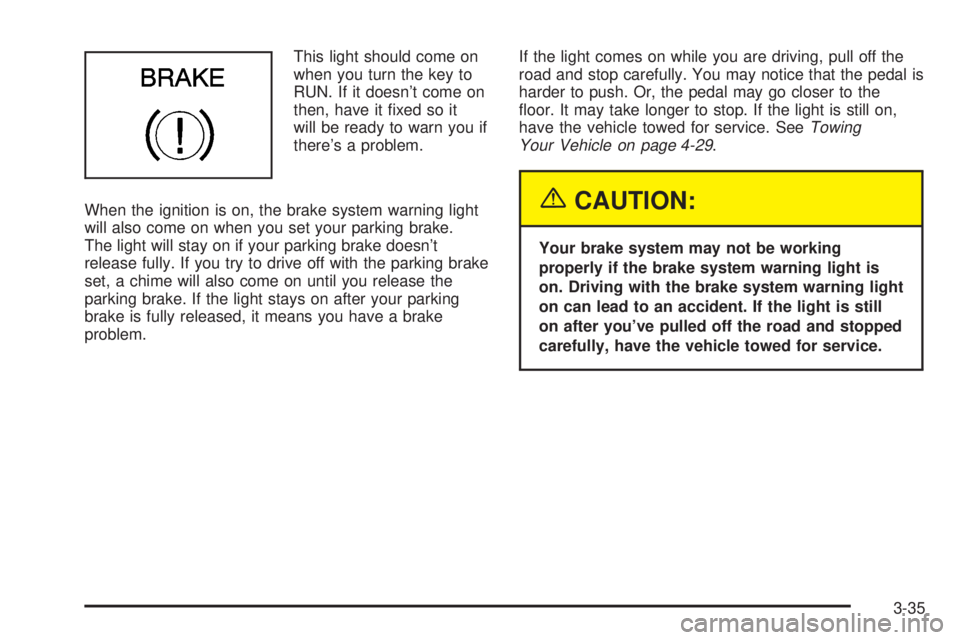
This light should come on
when you turn the key to
RUN. If it doesn't come on
then, have it ®xed so it
will be ready to warn you if
there's a problem.
When the ignition is on, the brake system warning light
will also come on when you set your parking brake.
The light will stay on if your parking brake doesn't
release fully. If you try to drive off with the parking brake
set, a chime will also come on until you release the
parking brake. If the light stays on after your parking
brake is fully released, it means you have a brake
problem.If the light comes on while you are driving, pull off the
road and stop carefully. You may notice that the pedal is
harder to push. Or, the pedal may go closer to the
¯oor. It may take longer to stop. If the light is still on,
have the vehicle towed for service. See
Towing
Your Vehicle on page 4-29.
{CAUTION:
Your brake system may not be working
properly if the brake system warning light is
on. Driving with the brake system warning light
on can lead to an accident. If the light is still
on after you've pulled off the road and stopped
carefully, have the vehicle towed for service.
3-35
Page 150 of 372
Notice:Modi®cations made to the engine,
transaxle, exhaust, intake or fuel system of your
vehicle or the replacement of the original tires with
other than those of the same Tire Performance
Criteria (TPC) can affect your vehicle's emission
controls and may cause this light to come on.
Modi®cations to these systems could lead to costly
repairs not covered by your warranty. This may
also result in a failure to pass a required Emission
Inspection/Maintenance test.
This light should come on, as a check to show you it is
working, when the ignition is on and the engine is
not running. If the light doesn't come on, have it
repaired. This light will also come on during a
malfunction in one of two ways:
·Light FlashingÐ A mis®re condition has been
detected. A mis®re increases vehicle emissions and
may damage the emission control system on your
vehicle. Diagnosis and service may be required.
·Light On SteadyÐ An emission control system
malfunction has been detected on your vehicle.
Diagnosis and service may be required.
If the Light Is Flashing
The following may prevent more serious damage to
your vehicle:
·Reducing vehicle speed.
·Avoiding hard accelerations.
·Avoiding steep uphill grades.
·If you are towing a trailer, reduce the amount of
cargo being hauled as soon as it is possible.
If the light stops ¯ashing and remains on steady, see ªIf
the Light Is On Steadyº following.
If the light continues to ¯ash, when it is safe to do so,
stop the vehicle.Find a safe place to park your vehicle.
Turn the key off, wait at least 10 seconds and restart
the engine. If the light remains on steady, see ªIf
the Light Is On Steadyº following. If the light is still
¯ashing, follow the previous steps, and see your dealer
for service as soon as possible.
If the Light Is On Steady
You may be able to correct the emission system
malfunction by considering the following:
Did you recently put fuel into your vehicle?
If so, reinstall the fuel cap, making sure to fully install
the cap. See
Filling Your Tank on page 5-7. The
diagnostic system can determine if the fuel cap has
been left off or improperly installed. A loose or missing
fuel cap will allow fuel to evaporate into the atmosphere.
A few driving trips with the cap properly installed
should turn the light off.
3-38