trunk BUICK PARK AVENUE 2003 User Guide
[x] Cancel search | Manufacturer: BUICK, Model Year: 2003, Model line: PARK AVENUE, Model: BUICK PARK AVENUE 2003Pages: 372, PDF Size: 2.8 MB
Page 115 of 372
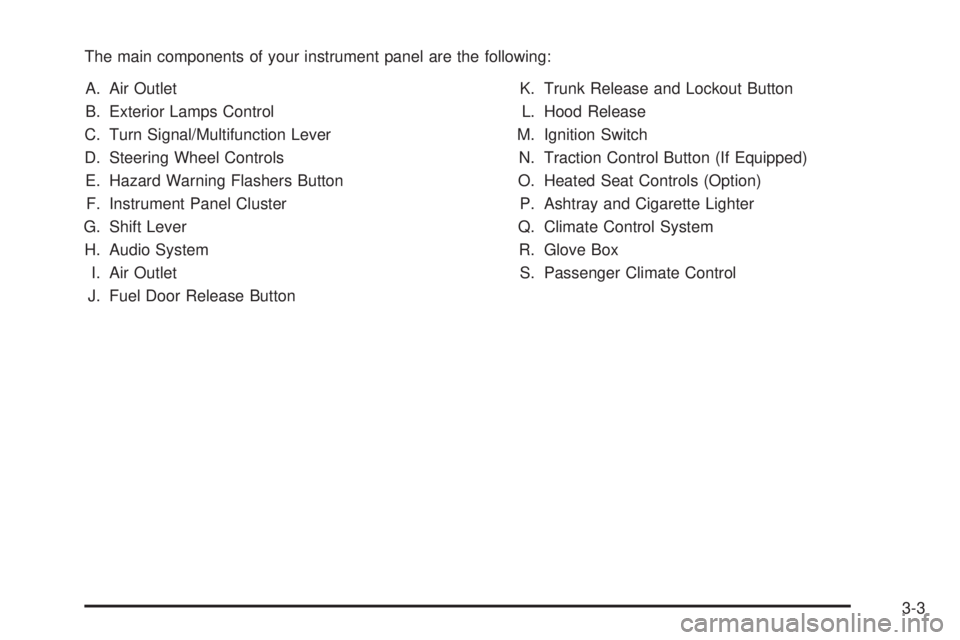
The main components of your instrument panel are the following:
A. Air Outlet
B. Exterior Lamps Control
C. Turn Signal/Multifunction Lever
D. Steering Wheel Controls
E. Hazard Warning Flashers Button
F. Instrument Panel Cluster
G. Shift Lever
H. Audio System
I. Air Outlet
J. Fuel Door Release ButtonK. Trunk Release and Lockout Button
L. Hood Release
M. Ignition Switch
N. Traction Control Button (If Equipped)
O. Heated Seat Controls (Option)
P. Ashtray and Cigarette Lighter
Q. Climate Control System
R. Glove Box
S. Passenger Climate Control
3-3
Page 129 of 372
Rear Reading Lamps
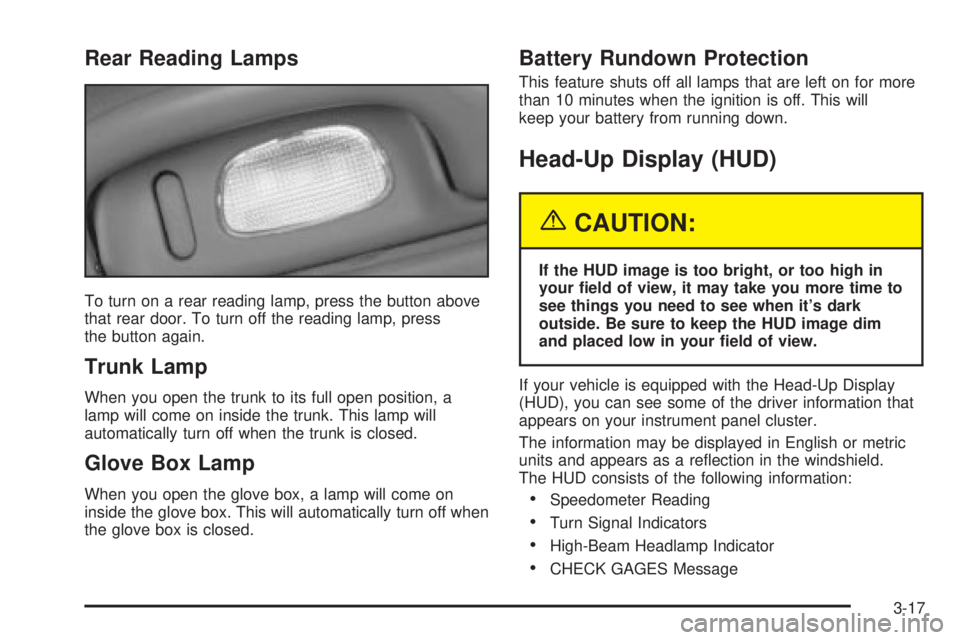
To turn on a rear reading lamp, press the button above
that rear door. To turn off the reading lamp, press
the button again.
Trunk Lamp
When you open the trunk to its full open position, a
lamp will come on inside the trunk. This lamp will
automatically turn off when the trunk is closed.
Glove Box Lamp
When you open the glove box, a lamp will come on
inside the glove box. This will automatically turn off when
the glove box is closed.
Battery Rundown Protection
This feature shuts off all lamps that are left on for more
than 10 minutes when the ignition is off. This will
keep your battery from running down.
Head-Up Display (HUD)
{CAUTION:
If the HUD image is too bright, or too high in
your ®eld of view, it may take you more time to
see things you need to see when it's dark
outside. Be sure to keep the HUD image dim
and placed low in your ®eld of view.
If your vehicle is equipped with the Head-Up Display
(HUD), you can see some of the driver information that
appears on your instrument panel cluster.
The information may be displayed in English or metric
units and appears as a re¯ection in the windshield.
The HUD consists of the following information:
·Speedometer Reading
·Turn Signal Indicators
·High-Beam Headlamp Indicator
·CHECK GAGES Message
3-17
Page 132 of 372
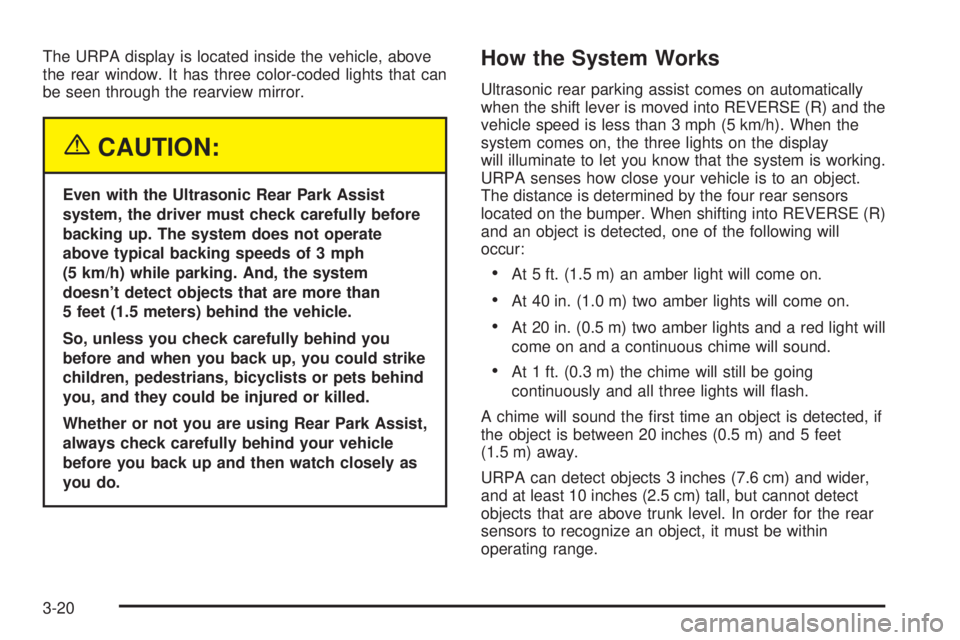
The URPA display is located inside the vehicle, above
the rear window. It has three color-coded lights that can
be seen through the rearview mirror.
{CAUTION:
Even with the Ultrasonic Rear Park Assist
system, the driver must check carefully before
backing up. The system does not operate
above typical backing speeds of 3 mph
(5 km/h) while parking. And, the system
doesn't detect objects that are more than
5 feet (1.5 meters) behind the vehicle.
So, unless you check carefully behind you
before and when you back up, you could strike
children, pedestrians, bicyclists or pets behind
you, and they could be injured or killed.
Whether or not you are using Rear Park Assist,
always check carefully behind your vehicle
before you back up and then watch closely as
you do.
How the System Works
Ultrasonic rear parking assist comes on automatically
when the shift lever is moved into REVERSE (R) and the
vehicle speed is less than 3 mph (5 km/h). When the
system comes on, the three lights on the display
will illuminate to let you know that the system is working.
URPA senses how close your vehicle is to an object.
The distance is determined by the four rear sensors
located on the bumper. When shifting into REVERSE (R)
and an object is detected, one of the following will
occur:
·At 5 ft. (1.5 m) an amber light will come on.
·At 40 in. (1.0 m) two amber lights will come on.
·At 20 in. (0.5 m) two amber lights and a red light will
come on and a continuous chime will sound.
·At 1 ft. (0.3 m) the chime will still be going
continuously and all three lights will ¯ash.
A chime will sound the ®rst time an object is detected, if
the object is between 20 inches (0.5 m) and 5 feet
(1.5 m) away.
URPA can detect objects 3 inches (7.6 cm) and wider,
and at least 10 inches (2.5 cm) tall, but cannot detect
objects that are above trunk level. In order for the rear
sensors to recognize an object, it must be within
operating range.
3-20
Page 133 of 372
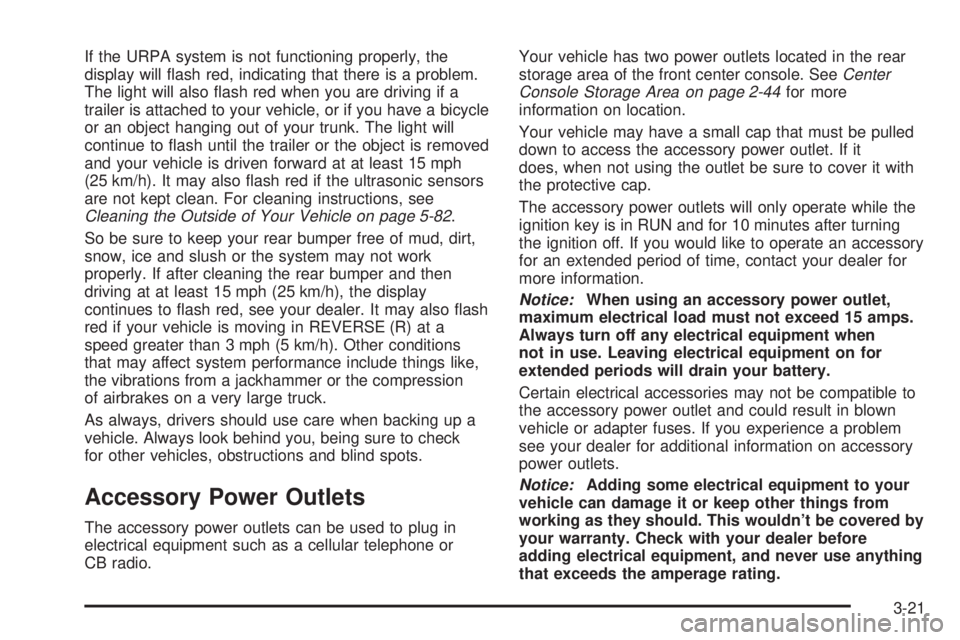
If the URPA system is not functioning properly, the
display will ¯ash red, indicating that there is a problem.
The light will also ¯ash red when you are driving if a
trailer is attached to your vehicle, or if you have a bicycle
or an object hanging out of your trunk. The light will
continue to ¯ash until the trailer or the object is removed
and your vehicle is driven forward at at least 15 mph
(25 km/h). It may also ¯ash red if the ultrasonic sensors
are not kept clean. For cleaning instructions, see
Cleaning the Outside of Your Vehicle on page 5-82.
So be sure to keep your rear bumper free of mud, dirt,
snow, ice and slush or the system may not work
properly. If after cleaning the rear bumper and then
driving at at least 15 mph (25 km/h), the display
continues to ¯ash red, see your dealer. It may also ¯ash
red if your vehicle is moving in REVERSE (R) at a
speed greater than 3 mph (5 km/h). Other conditions
that may affect system performance include things like,
the vibrations from a jackhammer or the compression
of airbrakes on a very large truck.
As always, drivers should use care when backing up a
vehicle. Always look behind you, being sure to check
for other vehicles, obstructions and blind spots.
Accessory Power Outlets
The accessory power outlets can be used to plug in
electrical equipment such as a cellular telephone or
CB radio.Your vehicle has two power outlets located in the rear
storage area of the front center console. See
Center
Console Storage Area on page 2-44for more
information on location.
Your vehicle may have a small cap that must be pulled
down to access the accessory power outlet. If it
does, when not using the outlet be sure to cover it with
the protective cap.
The accessory power outlets will only operate while the
ignition key is in RUN and for 10 minutes after turning
the ignition off. If you would like to operate an accessory
for an extended period of time, contact your dealer for
more information.
Notice:When using an accessory power outlet,
maximum electrical load must not exceed 15 amps.
Always turn off any electrical equipment when
not in use. Leaving electrical equipment on for
extended periods will drain your battery.
Certain electrical accessories may not be compatible to
the accessory power outlet and could result in blown
vehicle or adapter fuses. If you experience a problem
see your dealer for additional information on accessory
power outlets.
Notice:Adding some electrical equipment to your
vehicle can damage it or keep other things from
working as they should. This wouldn't be covered by
your warranty. Check with your dealer before
adding electrical equipment, and never use anything
that exceeds the amperage rating.
3-21
Page 157 of 372
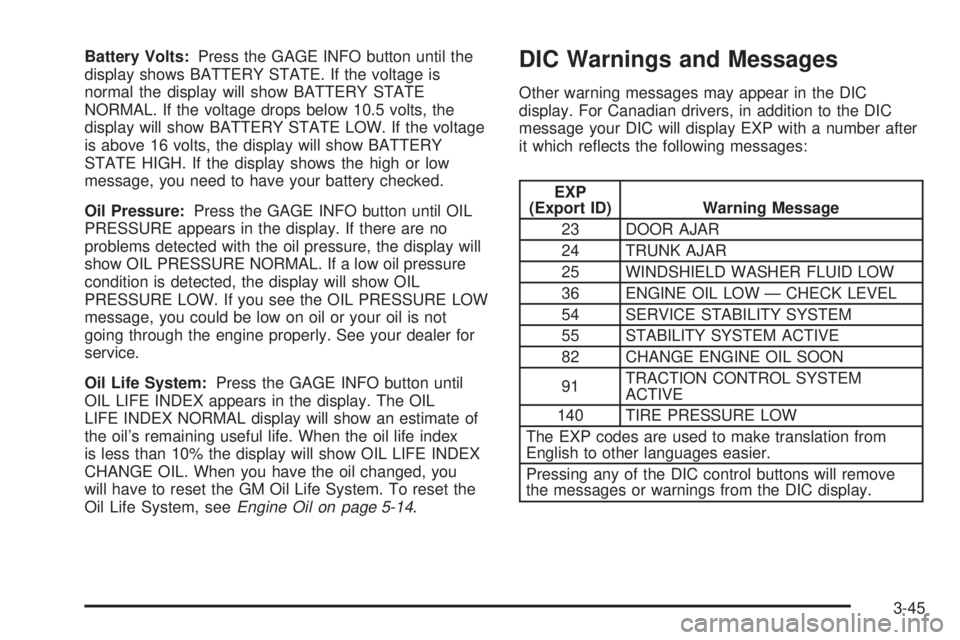
Battery Volts:Press the GAGE INFO button until the
display shows BATTERY STATE. If the voltage is
normal the display will show BATTERY STATE
NORMAL. If the voltage drops below 10.5 volts, the
display will show BATTERY STATE LOW. If the voltage
is above 16 volts, the display will show BATTERY
STATE HIGH. If the display shows the high or low
message, you need to have your battery checked.
Oil Pressure:Press the GAGE INFO button until OIL
PRESSURE appears in the display. If there are no
problems detected with the oil pressure, the display will
show OIL PRESSURE NORMAL. If a low oil pressure
condition is detected, the display will show OIL
PRESSURE LOW. If you see the OIL PRESSURE LOW
message, you could be low on oil or your oil is not
going through the engine properly. See your dealer for
service.
Oil Life System:Press the GAGE INFO button until
OIL LIFE INDEX appears in the display. The OIL
LIFE INDEX NORMAL display will show an estimate of
the oil's remaining useful life. When the oil life index
is less than 10% the display will show OIL LIFE INDEX
CHANGE OIL. When you have the oil changed, you
will have to reset the GM Oil Life System. To reset the
Oil Life System, see
Engine Oil on page 5-14.
DIC Warnings and Messages
Other warning messages may appear in the DIC
display. For Canadian drivers, in addition to the DIC
message your DIC will display EXP with a number after
it which re¯ects the following messages:
EXP
(Export ID) Warning Message
23 DOOR AJAR
24 TRUNK AJAR
25 WINDSHIELD WASHER FLUID LOW
36 ENGINE OIL LOW Ð CHECK LEVEL
54 SERVICE STABILITY SYSTEM
55 STABILITY SYSTEM ACTIVE
82 CHANGE ENGINE OIL SOON
91TRACTION CONTROL SYSTEM
ACTIVE
140 TIRE PRESSURE LOW
The EXP codes are used to make translation from
English to other languages easier.
Pressing any of the DIC control buttons will remove
the messages or warnings from the DIC display.
3-45
Page 174 of 372
Compact Disc Messages
E (Error):If you're driving on a very rough road or if it's
very hot, the disc may not play and an E and a
number may appear on the display. When the road
becomes smooth or the temperature returns to normal,
the disc should play. If the disc comes out, it could
be for one of the following reasons:
·E20:The disc is upside down, dirty, scratched,
or wet.
·E20:There's too much moisture in the air. Wait
about an hour and try again.
·E20:There may have been a problem while
burning the CD.
·E20:The label may be caught in the CD player.
If the CD is not playing correctly, for any other reason,
try a known good CD.
If any error occurs repeatedly or if an error can not be
corrected, contact your dealer. If your radio displays
an error number, write it down and provide it to
your dealer when reporting the problem.
Trunk-Mounted CD Changer
With the optional compact disc changer, you can play
up to 12 discs continuously. Normal size discs may
be played using the trays supplied in the magazine.
The small discs (8 cm) can be played only with specially
designed trays.
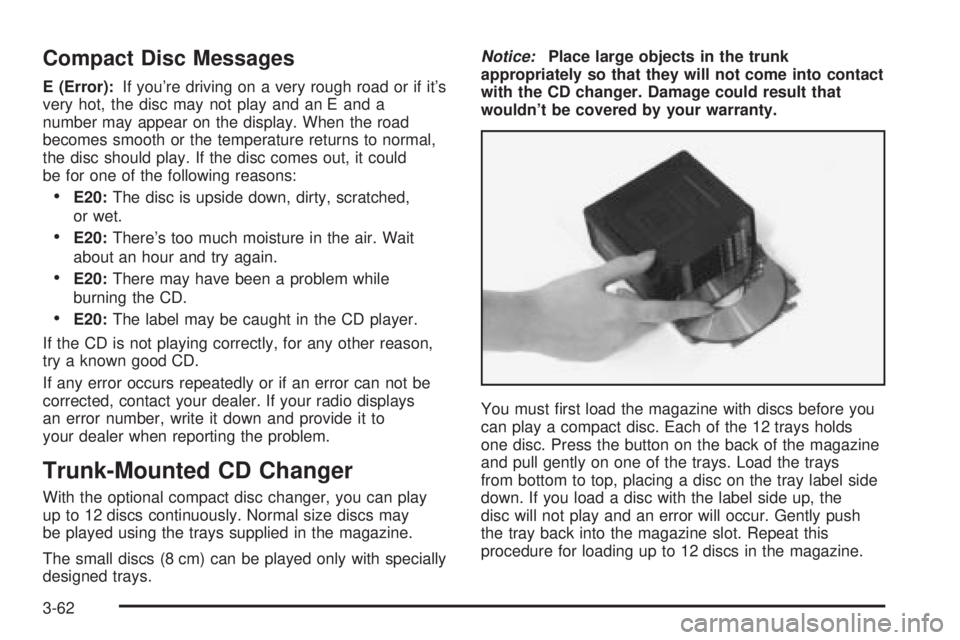
Notice:Place large objects in the trunk
appropriately so that they will not come into contact
with the CD changer. Damage could result that
wouldn't be covered by your warranty.
You must ®rst load the magazine with discs before you
can play a compact disc. Each of the 12 trays holds
one disc. Press the button on the back of the magazine
and pull gently on one of the trays. Load the trays
from bottom to top, placing a disc on the tray label side
down. If you load a disc with the label side up, the
disc will not play and an error will occur. Gently push
the tray back into the magazine slot. Repeat this
procedure for loading up to 12 discs in the magazine.
3-62
Page 206 of 372
Winter Driving
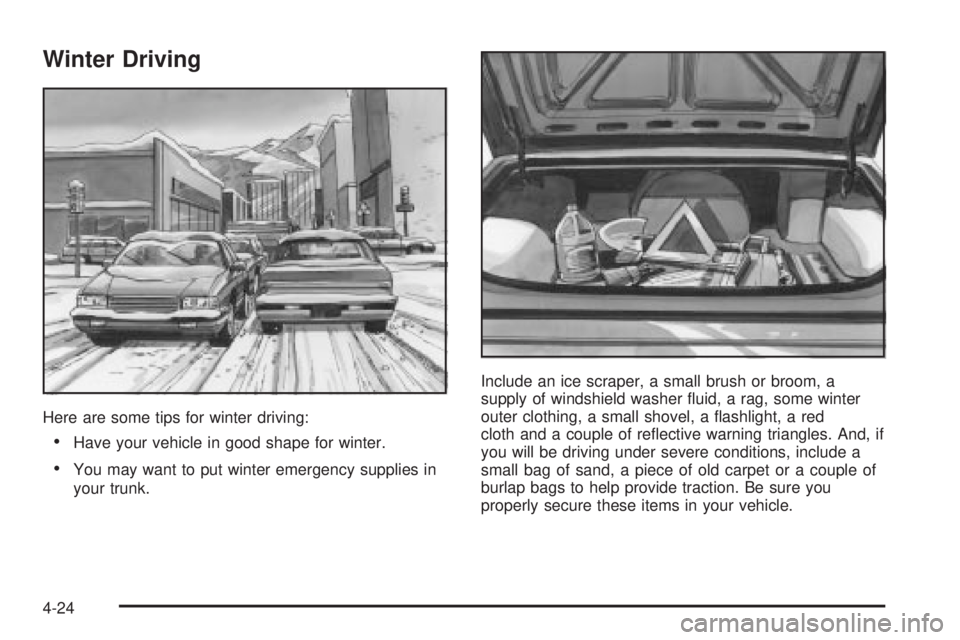
Here are some tips for winter driving:
·Have your vehicle in good shape for winter.
·You may want to put winter emergency supplies in
your trunk.Include an ice scraper, a small brush or broom, a
supply of windshield washer ¯uid, a rag, some winter
outer clothing, a small shovel, a ¯ashlight, a red
cloth and a couple of re¯ective warning triangles. And, if
you will be driving under severe conditions, include a
small bag of sand, a piece of old carpet or a couple of
burlap bags to help provide traction. Be sure you
properly secure these items in your vehicle.
4-24
Page 213 of 372
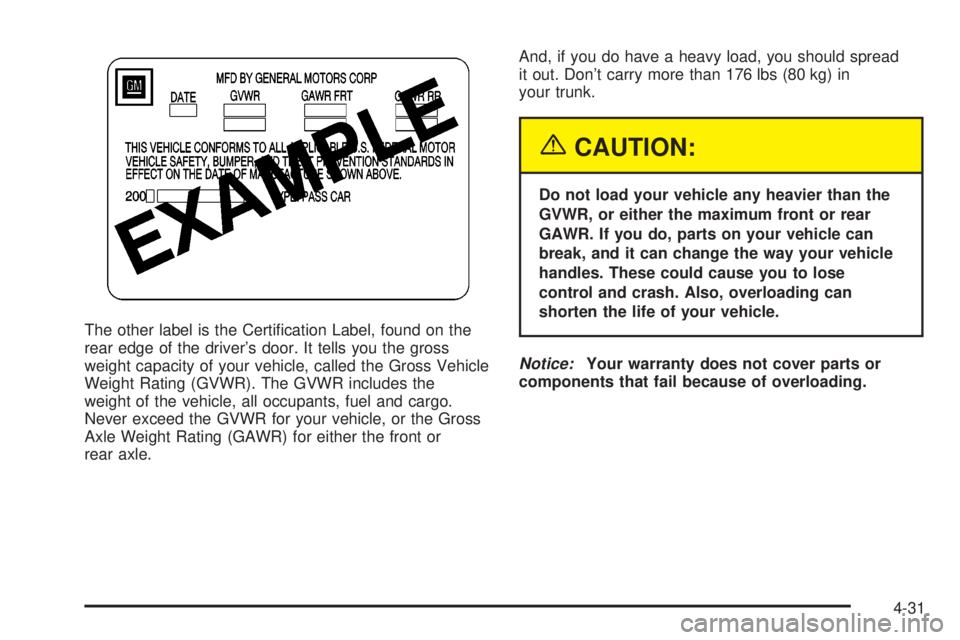
The other label is the Certi®cation Label, found on the
rear edge of the driver's door. It tells you the gross
weight capacity of your vehicle, called the Gross Vehicle
Weight Rating (GVWR). The GVWR includes the
weight of the vehicle, all occupants, fuel and cargo.
Never exceed the GVWR for your vehicle, or the Gross
Axle Weight Rating (GAWR) for either the front or
rear axle.And, if you do have a heavy load, you should spread
it out. Don't carry more than 176 lbs (80 kg) in
your trunk.
{CAUTION:
Do not load your vehicle any heavier than the
GVWR, or either the maximum front or rear
GAWR. If you do, parts on your vehicle can
break, and it can change the way your vehicle
handles. These could cause you to lose
control and crash. Also, overloading can
shorten the life of your vehicle.
Notice:Your warranty does not cover parts or
components that fail because of overloading.
4-31
Page 214 of 372
If you put things inside your vehicle ± like suitcases,
tools, packages, or anything else ± they will go as fast
as the vehicle goes. If you have to stop or turn
quickly, or if there is a crash, they'll keep going.
{CAUTION:
Things you put inside your vehicle can strike
and injure people in a sudden stop or turn, or
in a crash.
·Put things in the trunk of your vehicle. In a
trunk, put them as far forward as you can.
Try to spread the weight evenly.
·Never stack heavier things, like suitcases,
inside the vehicle so that some of them
are above the tops of the seats.
·Don't leave an unsecured child restraint in
your vehicle.
·When you carry something inside the
vehicle, secure it whenever you can.
Automatic Level Control
This feature keeps the rear of your vehicle level as the
load changes. It's automatic ± you don't need to
adjust anything.
Towing a Trailer
{CAUTION:
If you do not use the correct equipment and
drive properly, you can lose control when you
pull a trailer. For example, if the trailer is too
heavy, the brakes may not work well Ð or even
at all. You and your passengers could be
seriously injured. You may also damage your
vehicle; the resulting repairs would not be
covered by your warranty. Pull a trailer only if
you have followed all the steps in this section.
Ask your dealer for advice and information
about towing a trailer with your vehicle.
Your vehicle can tow a trailer if it is equipped with the
proper trailer towing equipment. To identify what
the vehicle trailering capacity is for your vehicle, you
should read the information in ªWeight of the Trailerº that
appears later in this section. But trailering is different
than just driving your vehicle by itself. Trailering means
changes in handling, durability and fuel economy.
Successful, safe trailering takes correct equipment, and
it has to be used properly.
4-32
Page 227 of 372
Filling Your Tank
{CAUTION:
Fuel vapor is highly ¯ammable. It burns
violently, and that can cause very bad injuries.
Do not smoke if you are near fuel or refueling
your vehicle. Keep sparks, ¯ames and smoking
materials away from fuel.
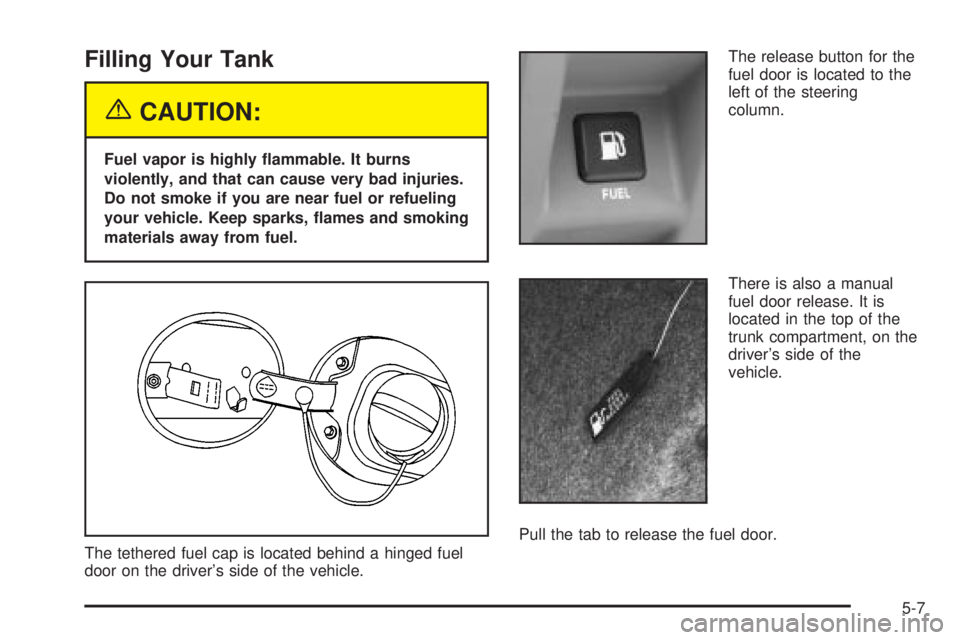
The tethered fuel cap is located behind a hinged fuel
door on the driver's side of the vehicle.The release button for the
fuel door is located to the
left of the steering
column.
There is also a manual
fuel door release. It is
located in the top of the
trunk compartment, on the
driver's side of the
vehicle.
Pull the tab to release the fuel door.
5-7