service BUICK PARK AVENUE 2003 Owner's Guide
[x] Cancel search | Manufacturer: BUICK, Model Year: 2003, Model line: PARK AVENUE, Model: BUICK PARK AVENUE 2003Pages: 372, PDF Size: 2.8 MB
Page 153 of 372
Security Light
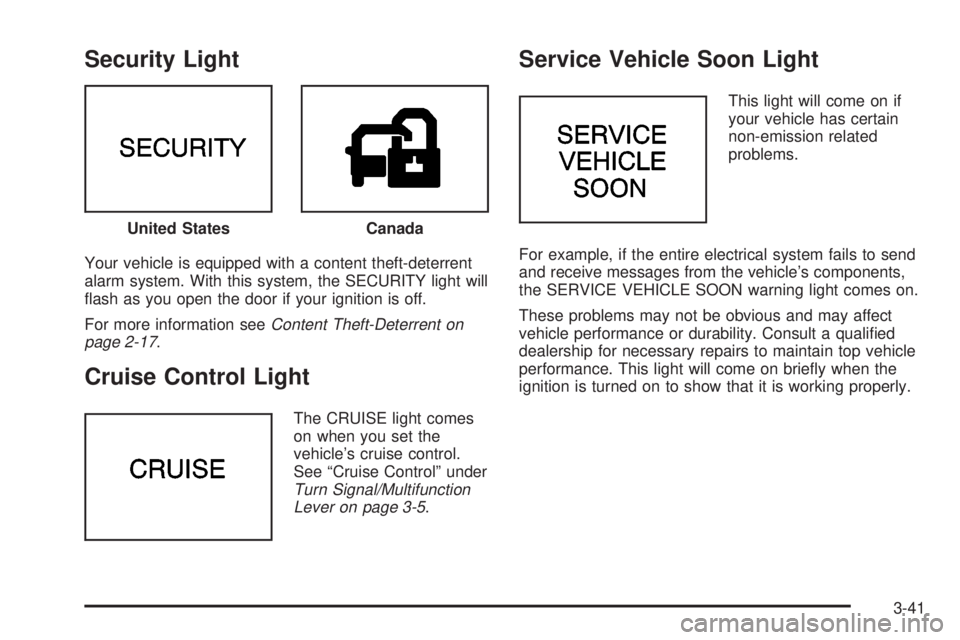
Your vehicle is equipped with a content theft-deterrent
alarm system. With this system, the SECURITY light will
¯ash as you open the door if your ignition is off.
For more information see
Content Theft-Deterrent on
page 2-17.
Cruise Control Light
The CRUISE light comes
on when you set the
vehicle's cruise control.
See ªCruise Controlº under
Turn Signal/Multifunction
Lever on page 3-5.
Service Vehicle Soon Light
This light will come on if
your vehicle has certain
non-emission related
problems.
For example, if the entire electrical system fails to send
and receive messages from the vehicle's components,
the SERVICE VEHICLE SOON warning light comes on.
These problems may not be obvious and may affect
vehicle performance or durability. Consult a quali®ed
dealership for necessary repairs to maintain top vehicle
performance. This light will come on brie¯y when the
ignition is turned on to show that it is working properly. United States
Canada
3-41
Page 154 of 372
Fuel Gage
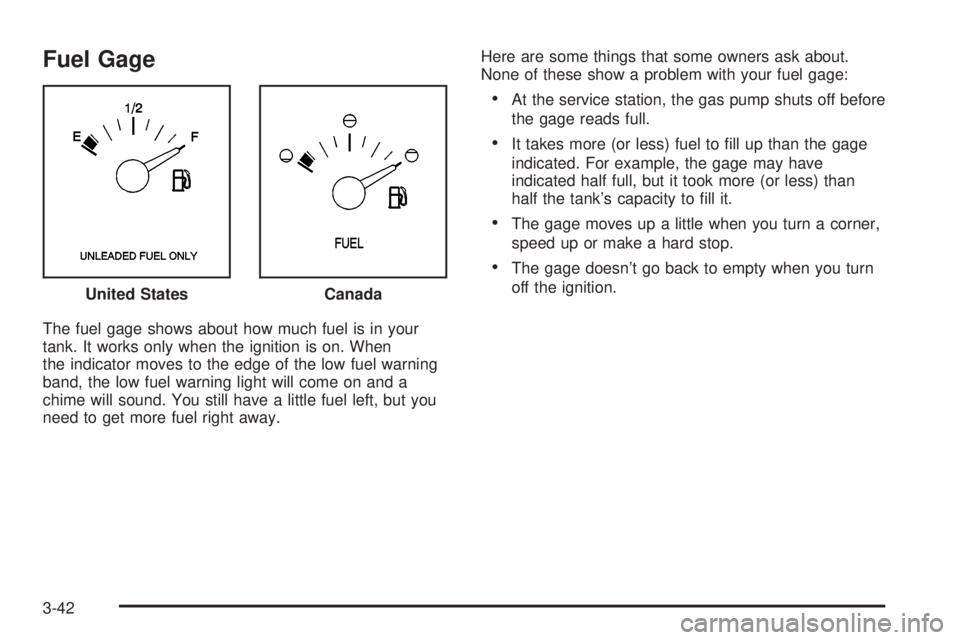
The fuel gage shows about how much fuel is in your
tank. It works only when the ignition is on. When
the indicator moves to the edge of the low fuel warning
band, the low fuel warning light will come on and a
chime will sound. You still have a little fuel left, but you
need to get more fuel right away.Here are some things that some owners ask about.
None of these show a problem with your fuel gage:
·At the service station, the gas pump shuts off before
the gage reads full.
·It takes more (or less) fuel to ®ll up than the gage
indicated. For example, the gage may have
indicated half full, but it took more (or less) than
half the tank's capacity to ®ll it.
·The gage moves up a little when you turn a corner,
speed up or make a hard stop.
·The gage doesn't go back to empty when you turn
off the ignition.
United States
Canada
3-42
Page 157 of 372
Battery Volts:Press the GAGE INFO button until the
display shows BATTERY STATE. If the voltage is
normal the display will show BATTERY STATE
NORMAL. If the voltage drops below 10.5 volts, the
display will show BATTERY STATE LOW. If the voltage
is above 16 volts, the display will show BATTERY
STATE HIGH. If the display shows the high or low
message, you need to have your battery checked.
Oil Pressure:Press the GAGE INFO button until OIL
PRESSURE appears in the display. If there are no
problems detected with the oil pressure, the display will
show OIL PRESSURE NORMAL. If a low oil pressure
condition is detected, the display will show OIL
PRESSURE LOW. If you see the OIL PRESSURE LOW
message, you could be low on oil or your oil is not
going through the engine properly. See your dealer for
service.
Oil Life System:Press the GAGE INFO button until
OIL LIFE INDEX appears in the display. The OIL
LIFE INDEX NORMAL display will show an estimate of
the oil's remaining useful life. When the oil life index
is less than 10% the display will show OIL LIFE INDEX
CHANGE OIL. When you have the oil changed, you
will have to reset the GM Oil Life System. To reset the
Oil Life System, see
Engine Oil on page 5-14.
DIC Warnings and Messages
Other warning messages may appear in the DIC
display. For Canadian drivers, in addition to the DIC
message your DIC will display EXP with a number after
it which re¯ects the following messages:
EXP
(Export ID) Warning Message
23 DOOR AJAR
24 TRUNK AJAR
25 WINDSHIELD WASHER FLUID LOW
36 ENGINE OIL LOW Ð CHECK LEVEL
54 SERVICE STABILITY SYSTEM
55 STABILITY SYSTEM ACTIVE
82 CHANGE ENGINE OIL SOON
91TRACTION CONTROL SYSTEM
ACTIVE
140 TIRE PRESSURE LOW
The EXP codes are used to make translation from
English to other languages easier.
Pressing any of the DIC control buttons will remove
the messages or warnings from the DIC display.
3-45
Page 158 of 372
SERVICE STABILITY SYSTEM ± 54:If you ever see
the SERVICE STABILITY SYSTEM message, it
means there may be a problem with your stability
enhancement system. If you see this message, try to
reset the system (stop; turn off the engine; then start the
engine again). If the SERVICE STABILITY SYSTEM
message still comes on, it means there is a problem.
You should see your dealer for service. Reduce
your speed and drive accordingly.
STABILITY SYSTEM ACTIVE ± 55:You may see the
STABILITY SYSTEM ACTIVE message on the Driver
Information Center. It means that an advanced,
computer-controlled system has come on to help your
vehicle continue to go in the direction in which you're
steering. This stability enhancement system activates
when the computer senses that your vehicle is just
starting to spin, as it might if you hit a patch of ice or
other slippery spot on the road. When the system is on,
you may hear a noise or feel a vibration in the brake
pedal. This is normal.
When the STABILITY SYSTEM ACTIVE message is on,
you should continue to steer in the direction you want
to go. The system is designed to help you in bad
weather or other difficult driving situations by making the
most of whatever road conditions will permit. If the
STABILITY SYSTEM ACTIVE message comes on, you'll
know that something has caused your vehicle to start
to spin, so you should consider slowing down.Tire Pressure Status ± 140:If you see the TIRE
PRESSURE LOW message, you should stop as soon
as you can and check all your tires for damage. (If a tire
is ¯at, see
If a Tire Goes Flat on page 5-68.) Also
check the tire pressure in all four tires as soon as you
can. See
In¯ation -- Tire Pressure on page 5-59andCheck Tire Pressure System on page 5-60.
There are times when you will have to reset (calibrate)
the Check Tire Pressure System. See
Check Tire
Pressure System on page 5-60.
DIC Vehicle Personalization
The DIC is used to program personal choices for up to
two drivers. The drivers are recognized as DRIVER #1
and DRIVER #2. The DIC will identify a person as
UNKNOWN DRIVER if they are neither DRIVER #1 nor
DRIVER #2. You will let the DIC know which driver
you are by using your remote keyless entry transmitter
or by pressing one of the MEMORY buttons located
on the driver's door. Each remote keyless entry
transmitter was pre-programmed to belong to
DRIVER #1 or DRIVER #2. Each transmitter may be
programmed differently for each driver.
3-46
Page 181 of 372
Care of Your Cassette Tape Player
A tape player that is not cleaned regularly can cause
reduced sound quality, ruined cassettes or a damaged
mechanism. Cassette tapes should be stored in their
cases away from contaminants, direct sunlight and
extreme heat. If they aren't, they may not operate
properly or may cause failure of the tape player.
Your tape player should be cleaned regularly after every
50 hours of use. Your radio may display CLN to
indicate that you have used your tape player for
50 hours without resetting the tape clean timer. If this
message appears on the display, your cassette
tape player needs to be cleaned. It will still play tapes,
but you should clean it as soon as possible to
prevent damage to your tapes and player. If you notice
a reduction in sound quality, try a known good
cassette to see if the tape or the tape player is at fault.
If this other cassette has no improvement in sound
quality, clean the tape player.
For best results, use a scrubbing action, non-abrasive
cleaning cassette with pads which scrub the tape
head as the hubs of the cleaner cassette turn. The
recommended cleaning cassette is available through
your dealership.The cut tape detection feature of your cassette tape
player may identify the cleaning cassette as a damaged
tape, in error. If the cleaning cassette ejects, insert
the cassette at least three times to ensure thorough
cleaning.
You may also choose a non-scrubbing action, wet-type
cleaner which uses a cassette with a fabric belt to
clean the tape head. This type of cleaning cassette will
not eject on its own. A non-scrubbing action cleaner
may not clean as thoroughly as the scrubbing type
cleaner. The use of a non-scrubbing action, dry-type
cleaning cassette is not recommended.
After you clean the player, press and hold the EJECT
button for ®ve seconds to reset the CLN indicator.
The radio will display --- to show the indicator was reset.
Cassettes are subject to wear and the sound quality
may degrade over time. Always make sure the cassette
tape is in good condition before you have your tape
player serviced.
3-69
Page 203 of 372
The exit ramp can be curved, sometimes quite sharply.
The exit speed is usually posted. Reduce your speed
according to your speedometer, not to your sense
of motion. After driving for any distance at higher
speeds, you may tend to think you are going slower
than you actually are.
Before Leaving on a Long Trip
Make sure you're ready. Try to be well rested. If you
must start when you're not fresh Ð such as after a day's
work Ð don't plan to make too many miles that ®rst
part of the journey. Wear comfortable clothing and shoes
you can easily drive in.
Is your vehicle ready for a long trip? If you keep it
serviced and maintained, it's ready to go. If it needs
service, have it done before starting out. Of course,
you'll ®nd experienced and able service experts in GM
dealerships all across North America. They'll be
ready and willing to help if you need it.Here are some things you can check before a trip:
·Windshield Washer Fluid:Is the reservoir full? Are
all windows clean inside and outside?
·Wiper Blades:Are they in good shape?
·Fuel, Engine Oil, Other Fluids:Have you checked
all levels?
·Lamps:Are they all working? Are the lenses clean?
·Tires:They are vitally important to a safe,
trouble-free trip. Is the tread good enough for
long-distance driving? Are the tires all in¯ated to the
recommended pressure?
·Weather Forecasts:What's the weather outlook
along your route? Should you delay your trip a
short time to avoid a major storm system?
·Maps:Do you have up-to-date maps?
4-21
Page 204 of 372
Highway Hypnosis
Is there actually such a condition as ªhighway
hypnosisº? Or is it just plain falling asleep at the wheel?
Call it highway hypnosis, lack of awareness, or
whatever.
There is something about an easy stretch of road with
the same scenery, along with the hum of the tires on the
road, the drone of the engine, and the rush of the
wind against the vehicle that can make you sleepy. Don't
let it happen to you! If it does, your vehicle can leave
the road in
less than a second,and you could crash and
be injured.
What can you do about highway hypnosis? First, be
aware that it can happen.
Then here are some tips:
·Make sure your vehicle is well ventilated, with a
comfortably cool interior.
·Keep your eyes moving. Scan the road ahead and
to the sides. Check your rearview mirrors and your
instruments frequently.
·If you get sleepy, pull off the road into a rest,
service or parking area and take a nap, get some
exercise, or both. For safety, treat drowsiness
on the highway as an emergency.
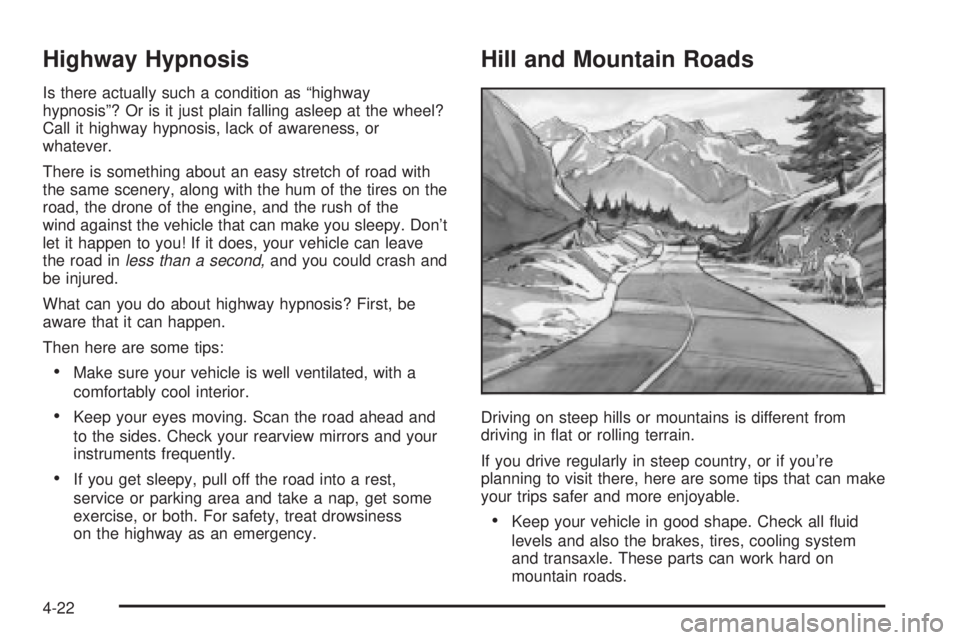
Hill and Mountain Roads
Driving on steep hills or mountains is different from
driving in ¯at or rolling terrain.
If you drive regularly in steep country, or if you're
planning to visit there, here are some tips that can make
your trips safer and more enjoyable.
·Keep your vehicle in good shape. Check all ¯uid
levels and also the brakes, tires, cooling system
and transaxle. These parts can work hard on
mountain roads.
4-22
Page 211 of 372
Release the accelerator pedal while you shift, and press
lightly on the accelerator pedal when the transaxle is
in gear. By slowly spinning your wheels in the forward
and reverse directions, you will cause a rocking
motion that may free your vehicle. If that doesn't get
you out after a few tries, you may need to be towed out.
If you do need to be towed out, see ªTowing Your
Vehicleº following.
Towing
Towing Your Vehicle
Consult your dealer or a professional towing service if
you need to have your disabled vehicle towed. See
Roadside Assistance Program on page 7-5.
If you want to tow your vehicle behind another vehicle
for recreational purposes (such as behind a motorhome),
see ªRecreational Vehicle Towingº following.
Recreational Vehicle Towing
Recreational vehicle towing means towing your vehicle
behind another vehicle ± such as behind a motorhome.
The two most common types of recreational vehicle
towing are known as ªdinghy towingº (towing your vehicle
with all four wheels on the ground) and ªdolly towingº
(towing your vehicle with two wheels on the ground and
two wheels up on a device known as a ªdollyº).With the proper preparation and equipment, many
vehicles can be towed in these ways. See ªDinghy
Towingº and ªDolly Towing,º following.
Here are some important things to consider before you
do recreational vehicle towing:
·What's the towing capacity of the towing vehicle?
Be sure you read the tow vehicle manufacturer's
recommendations.
·How far will you tow? Some vehicles have
restrictions on how far and how long they can tow.
·Do you have the proper towing equipment?
See your dealer or trailering professional for
additional advice and equipment recommendations.
·Is your vehicle ready to be towed? Just as you
would prepare your vehicle for a long trip, you'll
want to make sure your vehicle is prepared to be
towed. See
Before Leaving on a Long Trip on
page 4-21.
Dinghy Towing
Notice:Towing your vehicle with all four wheels on
the ground will damage drivetrain components.
Your vehicle was not designed to be towed with all four
wheels on the ground. If your vehicle must be towed,
you should use a dolly. See ªDolly Towingº that follows
for more information.
4-29
Page 220 of 372
When You Are Ready to Leave After
Parking on a Hill
1. Apply your regular brakes and hold the pedal down
while you:
·start your engine,
·shift into a gear, and
·release the parking brake.
2. Let up on the brake pedal.
3. Drive slowly until the trailer is clear of the chocks.
4. Stop and have someone pick up and store
the chocks.
Maintenance When Trailer Towing
Your vehicle will need service more often when you're
pulling a trailer. See the Maintenance Schedule for more
on this. Things that are especially important in trailer
operation are automatic transaxle ¯uid (don't over®ll),
engine oil, drive belt, cooling system and brake system.
Each of these is covered in this manual, and the
Index will help you ®nd them quickly. If you're trailering,
it's a good idea to review this information before you
start your trip.
Check periodically to see that all hitch nuts and bolts
are tight.
Engine Cooling When Trailer Towing
Your cooling system may temporarily overheat during
severe operating conditions. SeeEngine Overheating on
page 5-27.
4-38
Page 221 of 372
Service............................................................5-3
Doing Your Own Service Work.........................5-3
Adding Equipment to the Outside of
Your Vehicle..............................................5-4
Fuel................................................................5-4
Gasoline Octane............................................5-4
Gasoline Speci®cations....................................5-5
California Fuel...............................................5-5
Additives.......................................................5-6
Fuels in Foreign Countries...............................5-6
Filling Your Tank............................................5-7
Filling a Portable Fuel Container.......................5-9
Checking Things Under
the Hood....................................................5-10
Hood Release..............................................5-10
Engine Compartment Overview.......................5-12
Engine Oil...................................................5-14
Supercharger Oil..........................................5-19
Engine Air Cleaner/Filter................................5-20
Automatic Transaxle Fluid..............................5-22
Engine Coolant.............................................5-24
Radiator Pressure Cap..................................5-27
Engine Overheating.......................................5-27
Cooling System............................................5-30
Power Steering Fluid.....................................5-38Windshield Washer Fluid................................5-38
Brakes........................................................5-40
Battery........................................................5-42
Jump Starting...............................................5-43
Headlamp Aiming...........................................5-47
Bulb Replacement..........................................5-49
Halogen Bulbs..............................................5-49
Headlamps..................................................5-50
Front Turn Signal Lamps...............................5-52
Rear Turn Signal, Stoplamps and
Back-Up Lamps........................................5-52
Rear Quarter Panel Turn Signal and
Stoplamps................................................5-56
Replacement Bulbs.......................................5-57
Windshield Wiper Blade Replacement..............5-58
Tires..............................................................5-59
In¯ation Ð Tire Pressure...............................5-59
Check Tire Pressure System..........................5-60
Tire Inspection and Rotation...........................5-62
When It Is Time for New Tires.......................5-63
Buying New Tires.........................................5-64
Uniform Tire Quality Grading..........................5-65
Wheel Alignment and Tire Balance..................5-66
Wheel Replacement......................................5-66
Section 5 Service and Appearance Care
5-1