change time BUICK PARK AVENUE 2004 User Guide
[x] Cancel search | Manufacturer: BUICK, Model Year: 2004, Model line: PARK AVENUE, Model: BUICK PARK AVENUE 2004Pages: 410, PDF Size: 4.45 MB
Page 132 of 410
When it is dark enough outside, your high-beam
headlamps will change to low-beam headlamps at full
brightness. The other lamps that turn on with your
headlamps will also turn on. When it is bright enough
outside, the regular lamps will turn off, and your
high-beam headlamps change to the reduced brightness
of DRL.
To idle your vehicle with the DRL off, shift the transaxle
into PARK (P). The DRL will stay off until you shift
out of PARK (P).
To turn off all exterior lighting at night when you are
parked, turn off the exterior lamp control and slide the
Twilight Sentinel
®control all the way to the left.
When released, the control will return to the Twilight
Sentinel
®minimum delay position and the lights will
turn off.
As with any vehicle, you should turn on the regular
headlamp system when you need it.
Cornering Lamps
The cornering lamps come on when the headlamps or
parking lamps are on and you signal a turn with the
multifunction lever. They provide more light for
cornering.
Twilight Sentinel®
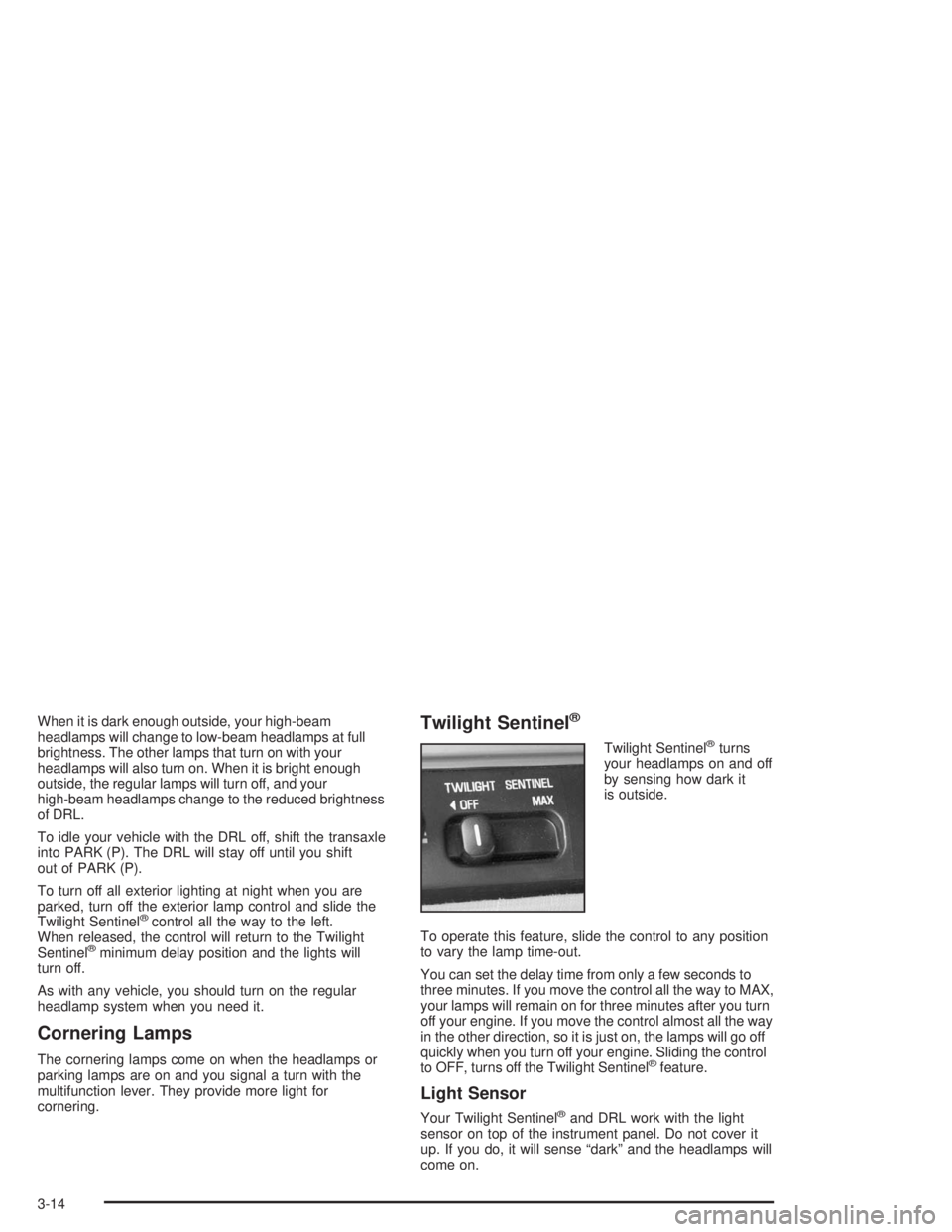
Twilight Sentinel®turns
your headlamps on and off
by sensing how dark it
is outside.
To operate this feature, slide the control to any position
to vary the lamp time-out.
You can set the delay time from only a few seconds to
three minutes. If you move the control all the way to MAX,
your lamps will remain on for three minutes after you turn
off your engine. If you move the control almost all the way
in the other direction, so it is just on, the lamps will go off
quickly when you turn off your engine. Sliding the control
to OFF, turns off the Twilight Sentinel
®feature.
Light Sensor
Your Twilight Sentinel®and DRL work with the light
sensor on top of the instrument panel. Do not cover it
up. If you do, it will sense “dark” and the headlamps will
come on.
3-14
Page 142 of 410
Climate Controls
Dual Automatic Climate Control
System
With this system you can control the heating, cooling
and ventilation for your vehicle.
Automatic Operation
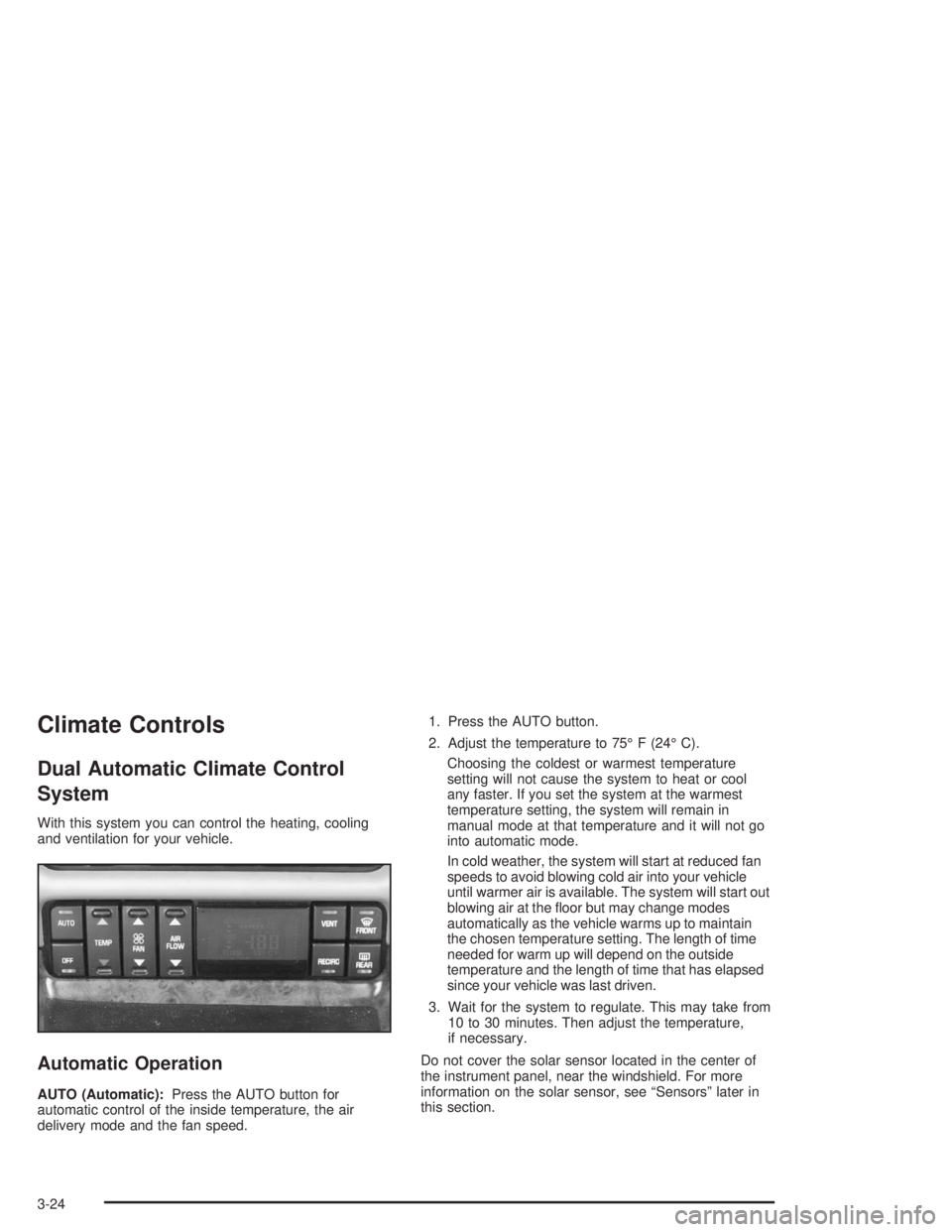
AUTO (Automatic):Press the AUTO button for
automatic control of the inside temperature, the air
delivery mode and the fan speed.1. Press the AUTO button.
2. Adjust the temperature to 75° F (24° C).
Choosing the coldest or warmest temperature
setting will not cause the system to heat or cool
any faster. If you set the system at the warmest
temperature setting, the system will remain in
manual mode at that temperature and it will not go
into automatic mode.
In cold weather, the system will start at reduced fan
speeds to avoid blowing cold air into your vehicle
until warmer air is available. The system will start out
blowing air at the oor but may change modes
automatically as the vehicle warms up to maintain
the chosen temperature setting. The length of time
needed for warm up will depend on the outside
temperature and the length of time that has elapsed
since your vehicle was last driven.
3. Wait for the system to regulate. This may take from
10 to 30 minutes. Then adjust the temperature,
if necessary.
Do not cover the solar sensor located in the center of
the instrument panel, near the windshield. For more
information on the solar sensor, see “Sensors” later in
this section.
3-24
Page 149 of 410
Climate Controls Personalization
If your vehicle is equipped with this feature, up to two
drivers are able to store and recall climate control
settings for the temperature, the fan speed and the
direction of the airow.
Memory buttons 1 and 2 are located on the driver’s
door panel and correspond to the numbers 1 or 2 found
on the back of each remote keyless entry transmitter.
To store settings, do the following:
1. Select the desired temperature, fan speed and
airow mode. If desired, a separate temperature
setting may also be selected for the front seat
passenger. For information on how to do this,
seeDual Automatic Climate Control System on
page 3-24.
2. Locate memory buttons 1 and 2 on the driver’s
door panel.3. Press the memory button on the door panel that
corresponds to the number on the back of the
transmitter you are programming, until you hear two
beeps. The beeps conrm that your selection has
been saved and can now be recalled. For more
information on the memory feature, seeMemory
Seat and Mirrors on page 2-51.
Follow these steps each time you want to change the
stored settings.
To recall the climate control settings last stored on your
transmitter, press the unlock button on your remote
keyless entry transmitter and put the ignition in
ACCESSORY or RUN. The settings will be recalled.
3-31
Page 165 of 410
Driver Information Center (DIC)
Your vehicle may be equipped with a Driver Information
Center (DIC). The DIC will display information about
how your vehicle is functioning, as well as warning
messages if a system problem is detected.
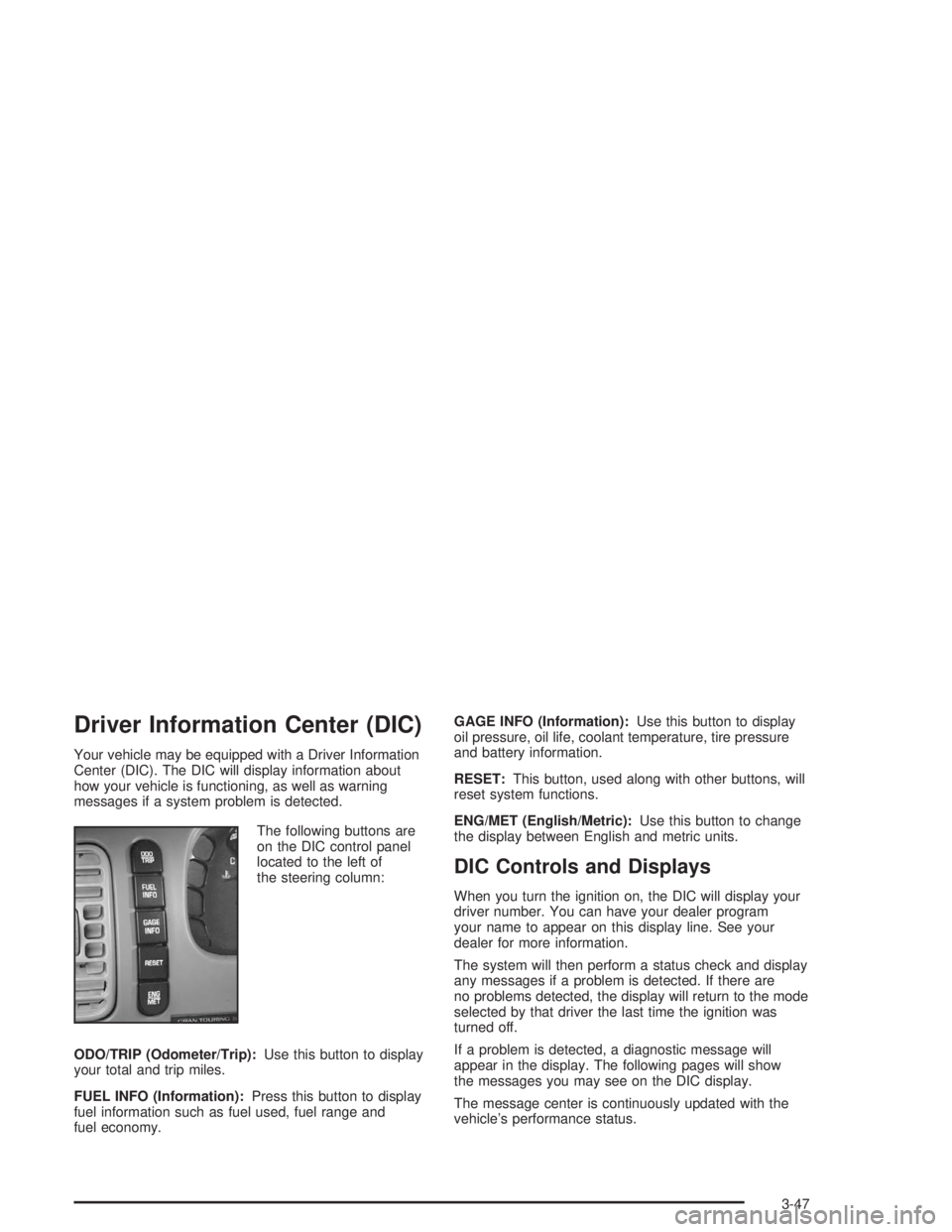
The following buttons are
on the DIC control panel
located to the left of
the steering column:
ODO/TRIP (Odometer/Trip):Use this button to display
your total and trip miles.
FUEL INFO (Information):Press this button to display
fuel information such as fuel used, fuel range and
fuel economy.GAGE INFO (Information):Use this button to display
oil pressure, oil life, coolant temperature, tire pressure
and battery information.
RESET:This button, used along with other buttons, will
reset system functions.
ENG/MET (English/Metric):Use this button to change
the display between English and metric units.
DIC Controls and Displays
When you turn the ignition on, the DIC will display your
driver number. You can have your dealer program
your name to appear on this display line. See your
dealer for more information.
The system will then perform a status check and display
any messages if a problem is detected. If there are
no problems detected, the display will return to the mode
selected by that driver the last time the ignition was
turned off.
If a problem is detected, a diagnostic message will
appear in the display. The following pages will show
the messages you may see on the DIC display.
The message center is continuously updated with the
vehicle’s performance status.
3-47
Page 172 of 410
Programmable Automatic Door Locks
The automatic door lock modes, when shifting in and out
of PARK (P), can be changed through the DIC. You can
change these modes using different selections from the
following DIC displays:
AUTO DOOR LOCKS – OFF/ON
UNLOCK IN PARK – OFF/ON
If you choose OFF for AUTO DOOR LOCKS, your door
locks will operate normally with no automatic feature.
If you choose ON for AUTO DOOR LOCKS, and ON for
UNLOCK IN PARK, your doors will lock every time
you shift out of PARK (P), and the doors will unlock
every time you stop and shift into PARK (P).
If you choose ON for AUTO DOOR LOCKS, and OFF for
UNLOCK IN PARK, your door locks will lock every time
you shift out of PARK (P), and there will be no automatic
door unlock when shifting back into PARK (P).
When you choose ON for UNLOCK in PARK, the DIC
will display WHICH DOORS-ALL/DRIVER. You have the
choice of unlocking all doors, or just the driver’s door.To change modes, do the following:
1. Move the arrow on the display between ON and
OFF by pressing the ENG/MET button.
2. Once you have made your selection, press the
RESET button and your choice will be retained
in memory.
SeeProgrammable Automatic Door Locks on page 2-12
for more information about this feature.
Delayed Locking
The delayed locking feature, which delays the actual
locking of the vehicle, can be made active or inactive
through the DIC. When DELAYED LOCKING-OFF-ON
appears on the display, use the ENG/MET button to
toggle the arrow between OFF and ON. When you have
made your choice, press the RESET button to record
your selection.
For more information on this feature, seeDelayed
Locking on page 2-11.
3-54
Page 177 of 410
To change the default on the display, station or time,
press this button until you see the display you want, then
hold the button until the display ashes. The selected
display will now be the default.
Finding a Station
AM-FM:Press this button to switch between FM1,
FM2, and AM. The display will show your selection.
wTUNEx:Press the up or the down arrow to select
radio stations.
wSEEKx:Press the up or the down arrow to go to
the next or to the previous station and stay there.
To scan stations, press and hold either SEEK arrow for
two seconds and SCAN will appear on the display.
The radio will go to a station, play for a few seconds,
then go on to the next station. Press either SEEK arrow
again to stop scanning.The radio will seek and scan only to stations that are in
the selected band and only to those with a strong signal.
P SCAN (Preset Scan):Press this button to listen to
each of your preset stations for a few seconds.
The radio will go to the rst preset station, play for a
few seconds, then go on to the next preset station.
Press P SCAN again to stop scanning presets.
The radio will scan only to preset stations that are in the
selected band and only to those with a strong signal.
AUTO SET (Automatic Set):Press this button,
after selecting AM or FM, to seek and set the
12 strongest FM or the 6 strongest AM stations on your
preset pushbuttons. AUTO SET will appear on the
display and will ash while seeking until this function is
complete. To return to the stations you manually
set, press AUTO SET again.
3-59
Page 182 of 410
To change the default on the display, station or time,
press this button until you see the display you want, then
hold this button until the display ashes. The select
display will now be the default.
Finding a Station
AM-FM:Press this button to switch between FM1,
FM2, and AM. The display will show your selection.
wTUNEx:Press the up or the down arrow to select
radio stations.
wSEEKx:Press the up or the down arrow to go to
the next or to the previous station and stay there.
To scan, press either SEEK arrow for two seconds and
SCAN will appear on the display. The radio will go to a
station, play for a few seconds, then go on to the next
station. Press either SEEK arrow again to stop scanning.The radio will seek and scan only to stations that are in
the selected band and only to those with a strong signal.
P SCAN (Preset Scan):Press this button to listen to
each of your preset stations for a few seconds.
The radio will go to the rst preset station, play for a
few seconds, then go on to the next preset station.
Press P SCAN again to stop scanning.
The radio will scan only to preset stations that are in the
selected band and only to those with a strong signal.
AUTO SET (Automatic Set):Press this button,
after selecting AM or FM, to seek and set the
12 strongest FM or the 6 strongest AM stations on your
preset pushbuttons. AUTO SET will appear on the
display
and ash while seeking until this function is complete.
To return to the stations you manually set, press AUTO
SET again.
3-64
Page 187 of 410
If playing a CD-R the sound quality may be reduced
due to CD-R quality, the method of recording, the quality
of the music that has been recorded, and the way the
CD-R has been handled. You may experience an
increase in skipping, difficulty in nding tracks, and/or
difficulty in loading and ejecting. If these problems occur
try a known good CD.
Do not add paper labels to CDs, they could get caught
in the CD player.
Do not play 3 inch CDs without a standard adapter CD.
If an error appears on the display, see “CD Messages”
later in this section.
1 PREV (Previous):Press this pushbutton to go to the
start of the current track, if more than eight seconds
have played. If you hold this pushbutton or press it
more than once, the player will continue moving back
through the CD.
2 NEXT:Press this pushbutton to go to the next track.
If you hold this pushbutton or press it more than once,
the player will continue moving forward through the CD.3r(Reverse):Press and hold this pushbutton to
quickly reverse within a track. You will hear sound at a
reduced level. Release the pushbutton to play the
passage.
4
[(Forward):Press and hold this pushbutton to
quickly advance within a track. You will hear sound at a
reduced level. Release the pushbutton to play the
passage.
6 RAND (Random):Press this pushbutton to hear
the tracks in random, rather than sequential, order.
Press it again to turn off random play.
RECALL:Press this button to see which track is
playing. Press it again within ve seconds to see how
long it has been playing. To change the default on
the display, track or elapsed time, press this button until
you see the display you want, then hold this button
until the display ashes. The selected display will now
be the default.
AM-FM:Press this button to listen to the radio when a
CD is playing. The inactive CD will remain safely
inside the radio for future listening.
3-69
Page 191 of 410
All of the CD functions are controlled by the radio
buttons except for ejecting the magazine. Whenever a
CD magazine with CDs is loaded in the changer,
CHNGR will appear on the display. If the CD changer is
checking the magazine for CDs, CHNGR will ash on
the display until the changer is ready to play. When a
CD begins playing, the CD and track number will appear
on the display. The CD numbers are listed on the
front of the magazine.
Playing a CD
If an error appears on the display, see “CD Messages”
later in this section.
1 PREV (Previous):Press this pushbutton to go to the
start of the current track, if more than eight seconds
have played. If you hold this button or press it more than
once, the player will continue moving back through
the CD.
2 NEXT:Press this pushbutton to go to the next track
on the CD. If you hold this button or press it more
than once, the player will continue moving forward
through the CD.3
r(Reverse):Press and hold this pushbutton to
reverse quickly within a track. You will hear sound at
a reduced level. Release the pushbutton to play
the passage.
4
[(Forward):Press and hold this pushbutton to
advance quickly within a track. You will hear sound
at a reduced level. Release the pushbutton to play the
passage.
5 SIDE:Press this pushbutton to select the next CD
in the magazine. Each time you press this button,
the CD number on the radio display will go to that of the
next available CD. If a CD cannot be played, the number
will be skipped when selecting CDs while using this
button.
6 RAND (Random):Press this pushbutton to hear
tracks and CDs in random, rather than sequential, order.
RAND will appear on the display. Press RAND again
to turn off random play.
RECALL:Press this button to see what track is
currently playing. Press it again within ve seconds to
see how long the track has been playing. EL TM
will appear on the display when in elapsed time mode.
When a new track starts to play, the track number
will appear on the display. Press this button a third time
and the time of day will appear on the display.
3-73
Page 193 of 410
Personal Choice Radio Controls
If your vehicle has this feature it will enable two drivers
to store and recall personal settings for radio presets,
last tuned station, volume, tone, and audio source
(radio, cassette, or CD).
The memory buttons 1 and 2 for this feature are located
on the driver’s door panel and correspond to the
numbers 1 and 2 found on the back of each remote
keyless entry transmitter.
To recall audio sources, press the unlock button on the
remote keyless entry transmitter and turn the ignition
on. The source last listened to will be recalled for
the identied driver 1 or 2.
To program this feature, do the following:
1. Set all radio preferences. For more information see
“Setting Preset Stations” and “Setting the Tone”
listed for your particular radio.
2. Locate the memory buttons on the driver’s door
panel.
3. Press one of the memory buttons 1 or 2 until you
hear two beeps. The beeps conrm that your
selection has been saved and can now be recalled.
Follow these steps each time you want to change the
stored settings.
Theft-Deterrent Feature
THEFTLOCK®is designed to discourage theft of your
radio. It works by using a secret code to disable all radio
functions whenever battery power is interrupted.
If THEFTLOCK
®is active, the THEFTLOCK®indicator
will ash when the ignition is off.
The THEFTLOCK
®feature for the radio may be used or
ignored. If ignored, the system plays normally and the
radio is not protected by the feature. If THEFTLOCK
®is
activated, your radio will not operate if stolen.
When THEFTLOCK
®is activated, the radio will display
LOC to indicate a locked condition anytime battery
power is removed. If your battery loses power for any
reason, you must unlock the radio with the secret
code before it will operate.
Activating the Theft-Deterrent Feature
The instructions which follow explain how to enter
your secret code to activate the THEFTLOCK®system.
Read through all nine steps before starting the
procedure.
If you allow more than 15 seconds to elapse between
any steps, the radio automatically reverts to time
and you must start the procedure over at Step 4.
3-75