tow BUICK PARK AVENUE 2004 User Guide
[x] Cancel search | Manufacturer: BUICK, Model Year: 2004, Model line: PARK AVENUE, Model: BUICK PARK AVENUE 2004Pages: 410, PDF Size: 4.45 MB
Page 97 of 410
1. Hold the brake pedal down with your right foot and
set the parking brake.
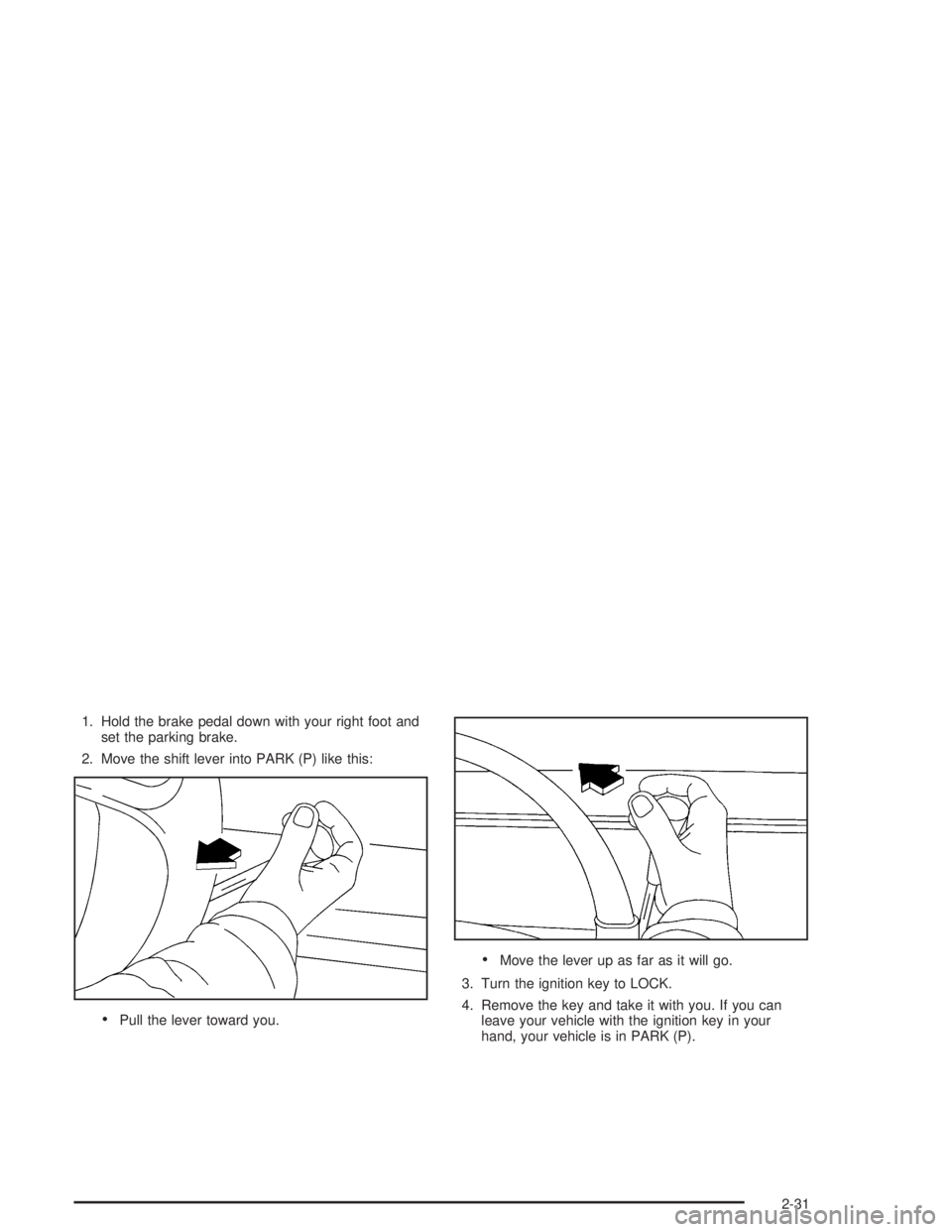
2. Move the shift lever into PARK (P) like this:
Pull the lever toward you.
Move the lever up as far as it will go.
3. Turn the ignition key to LOCK.
4. Remove the key and take it with you. If you can
leave your vehicle with the ignition key in your
hand, your vehicle is in PARK (P).
2-31
Page 98 of 410
Leaving Your Vehicle With the Engine
Running
{CAUTION:
It can be dangerous to leave your vehicle with
the engine running. Your vehicle could move
suddenly if the shift lever is not fully in
PARK (P) with the parking brake rmly set.
And, if you leave the vehicle with the engine
running, it could overheat and even catch re.
You or others could be injured. Do not leave
your vehicle with the engine running.
If you have to leave your vehicle with the engine
running, be sure your vehicle is in PARK (P) and
your parking brake is rmly set before you leave it.
After you’ve moved the shift lever into PARK (P), hold
the regular brake pedal down. Then, see if you can
move the shift lever away from PARK (P) without rst
pulling it toward you. If you can, it means that the
shift lever wasn’t fully locked into PARK (P).
Torque Lock
If you are parking on a hill and you don’t shift your
transaxle into PARK (P) properly, the weight of
the vehicle may put too much force on the parking pawl
in the transaxle. You may nd it difficult to pull the
shift lever out of PARK (P). This is called “torque lock.”
To prevent torque lock, set the parking brake and
then shift into PARK (P) properly before you leave the
driver’s seat. To nd out how, seeShifting Into Park (P)
on page 2-30.
When you are ready to drive, move the shift lever out
of PARK (P)beforeyou release the parking brake.
If torque lock does occur, you may need to have another
vehicle push yours a little uphill to take some of the
pressure from the parking pawl in the transaxle, so you
can pull the shift lever out of PARK (P).
2-32
Page 101 of 410
Running Your Engine While You
Are Parked
It is better not to park with the engine running. But if
you ever have to, here are some things to know.
{CAUTION:
Idling the engine with the climate control
system off could allow dangerous exhaust into
your vehicle. See the earlier Caution under
Engine Exhaust on page 2-34.
Also, idling in a closed-in place can let deadly
carbon monoxide (CO) into your vehicle even if
the climate control fan is at the highest setting.
One place this can happen is a garage.
Exhaust — with CO — can come in easily.
NEVER park in a garage with the engine
running.
Another closed-in place can be a blizzard.
SeeWinter Driving on page 4-26.
{CAUTION:
It can be dangerous to get out of your vehicle
if the shift lever is not fully in PARK (P) with
the parking brake rmly set. Your vehicle can
roll. Do not leave your vehicle when the engine
is running unless you have to. If you have
left the engine running, the vehicle can move
suddenly. You or others could be injured.
To be sure your vehicle will not move, even
when you are on fairly level ground, always set
your parking brake and move the shift lever
to PARK (P).
Follow the proper steps to be sure your vehicle will not
move. SeeShifting Into Park (P) on page 2-30.
If you are parking on a hill and if you are pulling a
trailer, also seeTowing a Trailer on page 4-38.
2-35
Page 103 of 410
Automatic Dimming Rearview
Mirror with Compass
Your vehicle may have an automatic dimming rearview
mirror with a compass. Your vehicle’s mirror may
also contain OnStar
®controls. SeeOnStar®System on
page 2-41for more information.
The mirror also includes an eight-point compass display
in the upper right corner of the mirror face.
When cleaning the mirror, use a paper towel or similar
material dampened with glass cleaner. Do not spray
glass cleaner directly on the mirror as that may cause
the liquid cleaner to enter the mirror housing.
Mirror Operation
MIRROR:Press this button to turn on the automatic
dimming feature. Press it again to turn off the automatic
dimming feature.
O(On/Off):For mirrors equipped with OnStar®
controls, press and hold this button for several seconds
to turn on the automatic dimming feature. Press and
hold it again to turn the automatic dimming feature off.
The green indicator light will come on when this
feature is active. The automatic dimming feature will be
active each time the vehicle is started.
Compass Operation
COMPASS:Press this button once to turn the compass
on or off.
O(On/Off):For mirrors equipped with OnStar®controls,
press this button once to turn the compass on or off.
When the ignition and the compass feature are on, the
compass will show two character boxes for about
two seconds. After two seconds, the mirror will display
the compass heading.
Compass Calibration
When on, the compass automatically calibrates as the
vehicle is driven. If, after two seconds, the display
does not show a compass heading (N for North,
for example), there may be a strong magnetic eld
interfering with the compass. Such interference may be
caused by a magnetic antenna mount, magnetic
note pad holder or a similar magnetic item. If the letter
C should ever appear in the compass window, the
compass may need calibration.
The mirror can be calibrated by driving the vehicle in
circles at 5 mph (8 km/h) or less until the display reads
a direction.
Mirrors equipped with OnStar
®controls can be placed
in calibration mode by pressing and holding the
on/off button untilaCisshown in the compass display.
2-37
Page 116 of 410
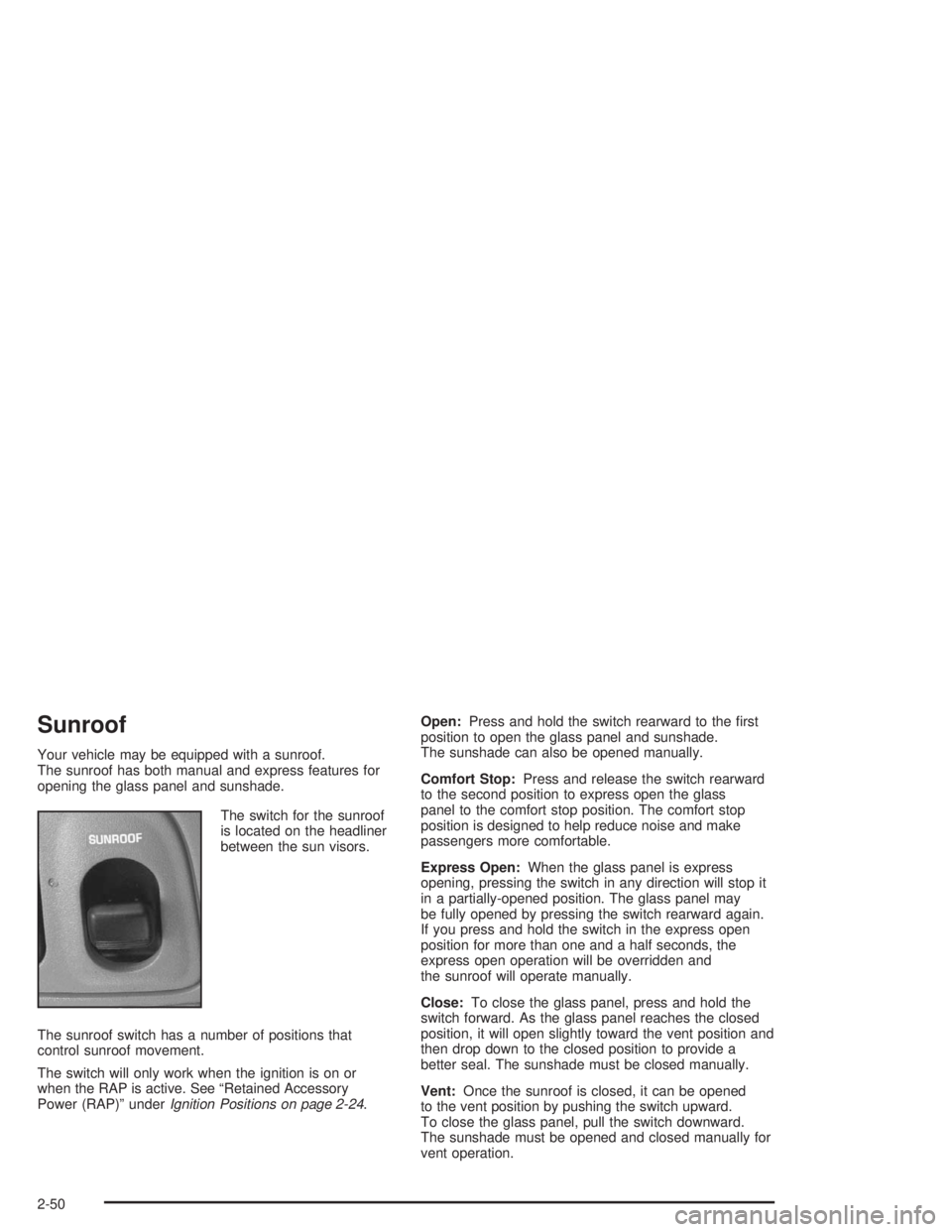
Sunroof
Your vehicle may be equipped with a sunroof.
The sunroof has both manual and express features for
opening the glass panel and sunshade.
The switch for the sunroof
is located on the headliner
between the sun visors.
The sunroof switch has a number of positions that
control sunroof movement.
The switch will only work when the ignition is on or
when the RAP is active. See “Retained Accessory
Power (RAP)” underIgnition Positions on page 2-24.Open:Press and hold the switch rearward to the rst
position to open the glass panel and sunshade.
The sunshade can also be opened manually.
Comfort Stop:Press and release the switch rearward
to the second position to express open the glass
panel to the comfort stop position. The comfort stop
position is designed to help reduce noise and make
passengers more comfortable.
Express Open:When the glass panel is express
opening, pressing the switch in any direction will stop it
in a partially-opened position. The glass panel may
be fully opened by pressing the switch rearward again.
If you press and hold the switch in the express open
position for more than one and a half seconds, the
express open operation will be overridden and
the sunroof will operate manually.
Close:To close the glass panel, press and hold the
switch forward. As the glass panel reaches the closed
position, it will open slightly toward the vent position and
then drop down to the closed position to provide a
better seal. The sunshade must be closed manually.
Vent:Once the sunroof is closed, it can be opened
to the vent position by pushing the switch upward.
To close the glass panel, pull the switch downward.
The sunshade must be opened and closed manually for
vent operation.
2-50
Page 123 of 410
Horn
Press on the center area of the steering wheel to sound
the horn.
Tilt Wheel
A tilt wheel allows you to adjust the steering wheel
before you drive. You can also raise it to the highest
level to give your legs more room when you exit
and enter the vehicle.
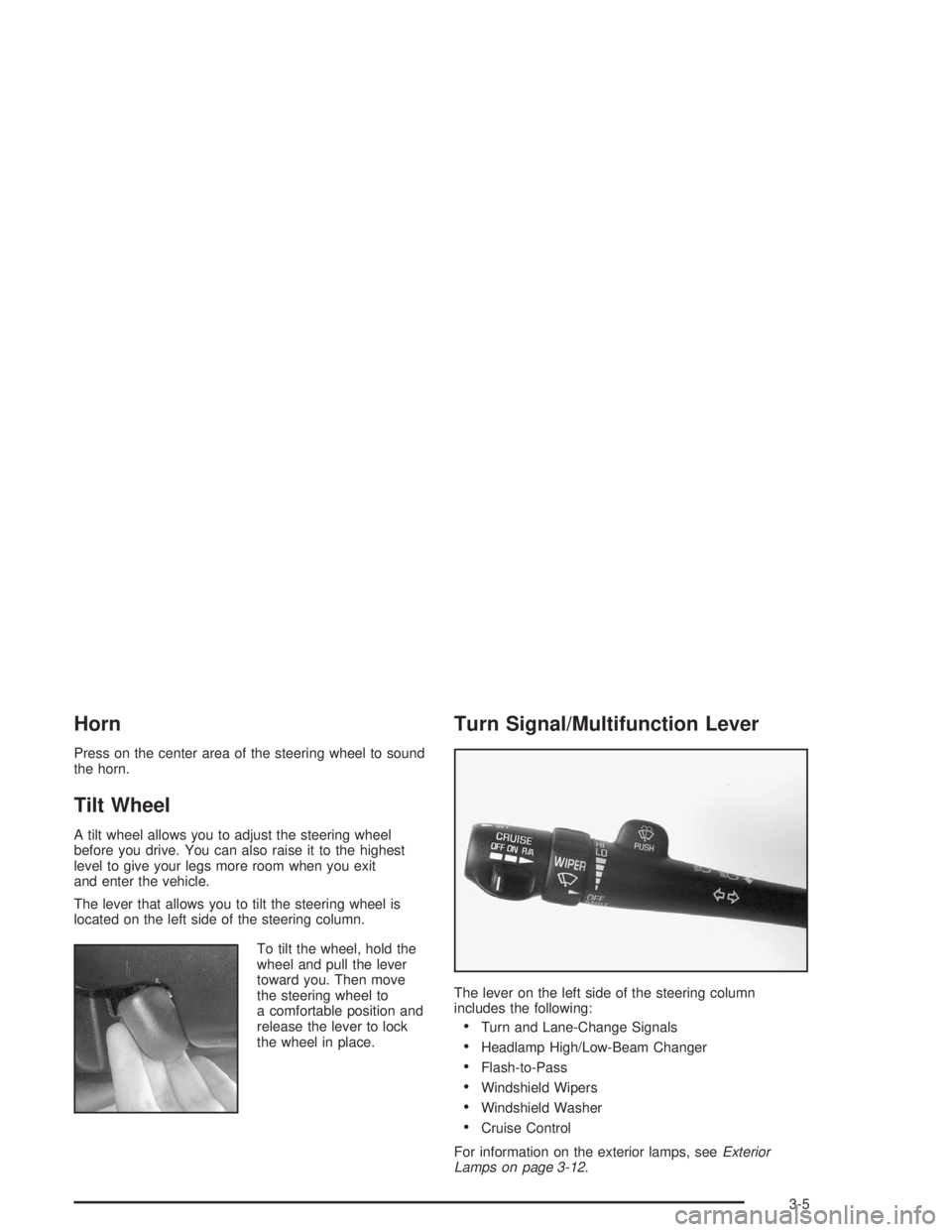
The lever that allows you to tilt the steering wheel is
located on the left side of the steering column.
To tilt the wheel, hold the
wheel and pull the lever
toward you. Then move
the steering wheel to
a comfortable position and
release the lever to lock
the wheel in place.
Turn Signal/Multifunction Lever
The lever on the left side of the steering column
includes the following:
Turn and Lane-Change Signals
Headlamp High/Low-Beam Changer
Flash-to-Pass
Windshield Wipers
Windshield Washer
Cruise Control
For information on the exterior lamps, seeExterior
Lamps on page 3-12.
3-5
Page 124 of 410
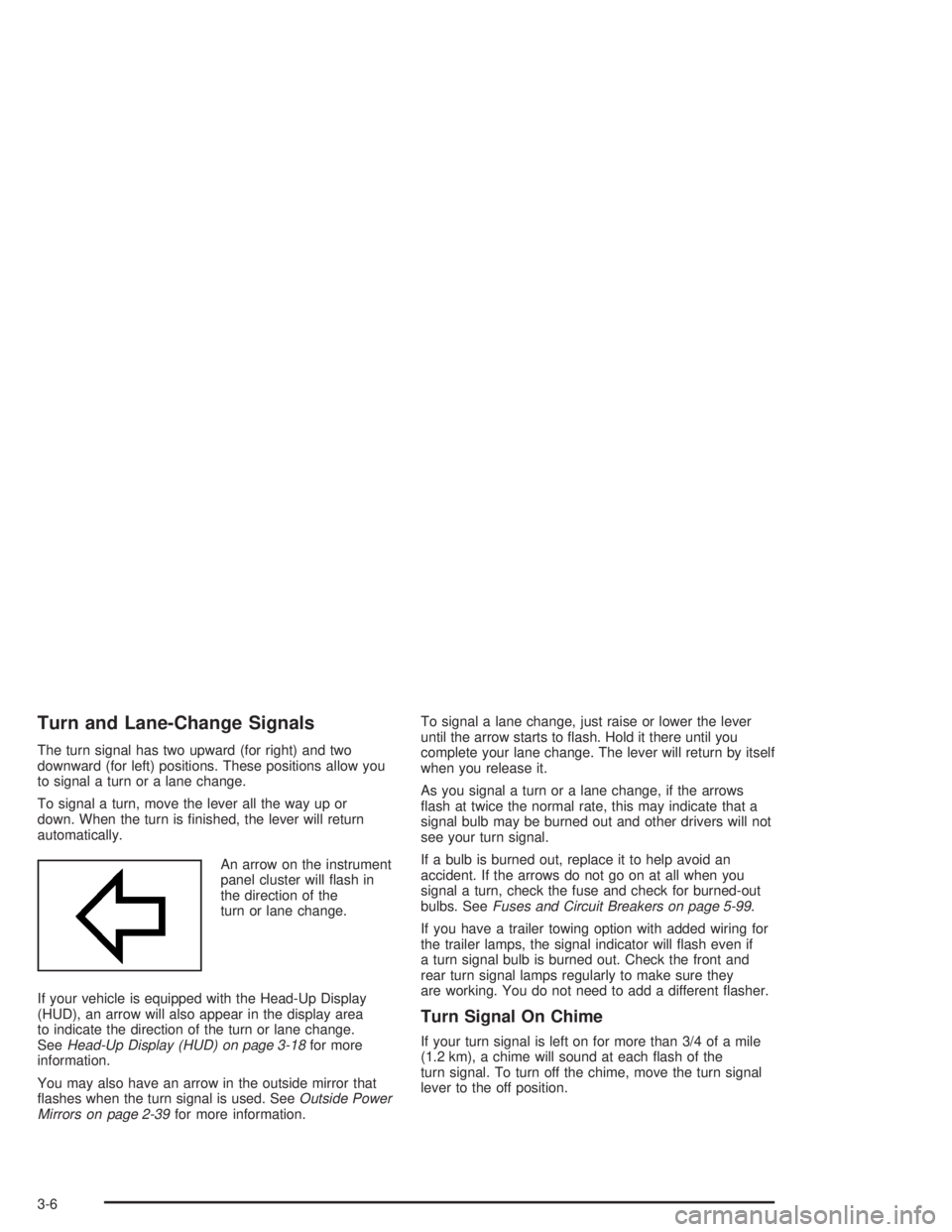
Turn and Lane-Change Signals
The turn signal has two upward (for right) and two
downward (for left) positions. These positions allow you
to signal a turn or a lane change.
To signal a turn, move the lever all the way up or
down. When the turn is nished, the lever will return
automatically.
An arrow on the instrument
panel cluster will ash in
the direction of the
turn or lane change.
If your vehicle is equipped with the Head-Up Display
(HUD), an arrow will also appear in the display area
to indicate the direction of the turn or lane change.
SeeHead-Up Display (HUD) on page 3-18for more
information.
You may also have an arrow in the outside mirror that
ashes when the turn signal is used. SeeOutside Power
Mirrors on page 2-39for more information.To signal a lane change, just raise or lower the lever
until the arrow starts to ash. Hold it there until you
complete your lane change. The lever will return by itself
when you release it.
As you signal a turn or a lane change, if the arrows
ash at twice the normal rate, this may indicate that a
signal bulb may be burned out and other drivers will not
see your turn signal.
If a bulb is burned out, replace it to help avoid an
accident. If the arrows do not go on at all when you
signal a turn, check the fuse and check for burned-out
bulbs. SeeFuses and Circuit Breakers on page 5-99.
If you have a trailer towing option with added wiring for
the trailer lamps, the signal indicator will ash even if
a turn signal bulb is burned out. Check the front and
rear turn signal lamps regularly to make sure they
are working. You do not need to add a different asher.
Turn Signal On Chime
If your turn signal is left on for more than 3/4 of a mile
(1.2 km), a chime will sound at each ash of the
turn signal. To turn off the chime, move the turn signal
lever to the off position.
3-6
Page 125 of 410
Headlamp High/Low-Beam Changer
To change the headlamps from low beam to high or
high to low, pull the turn signal lever toward you,
then release it.
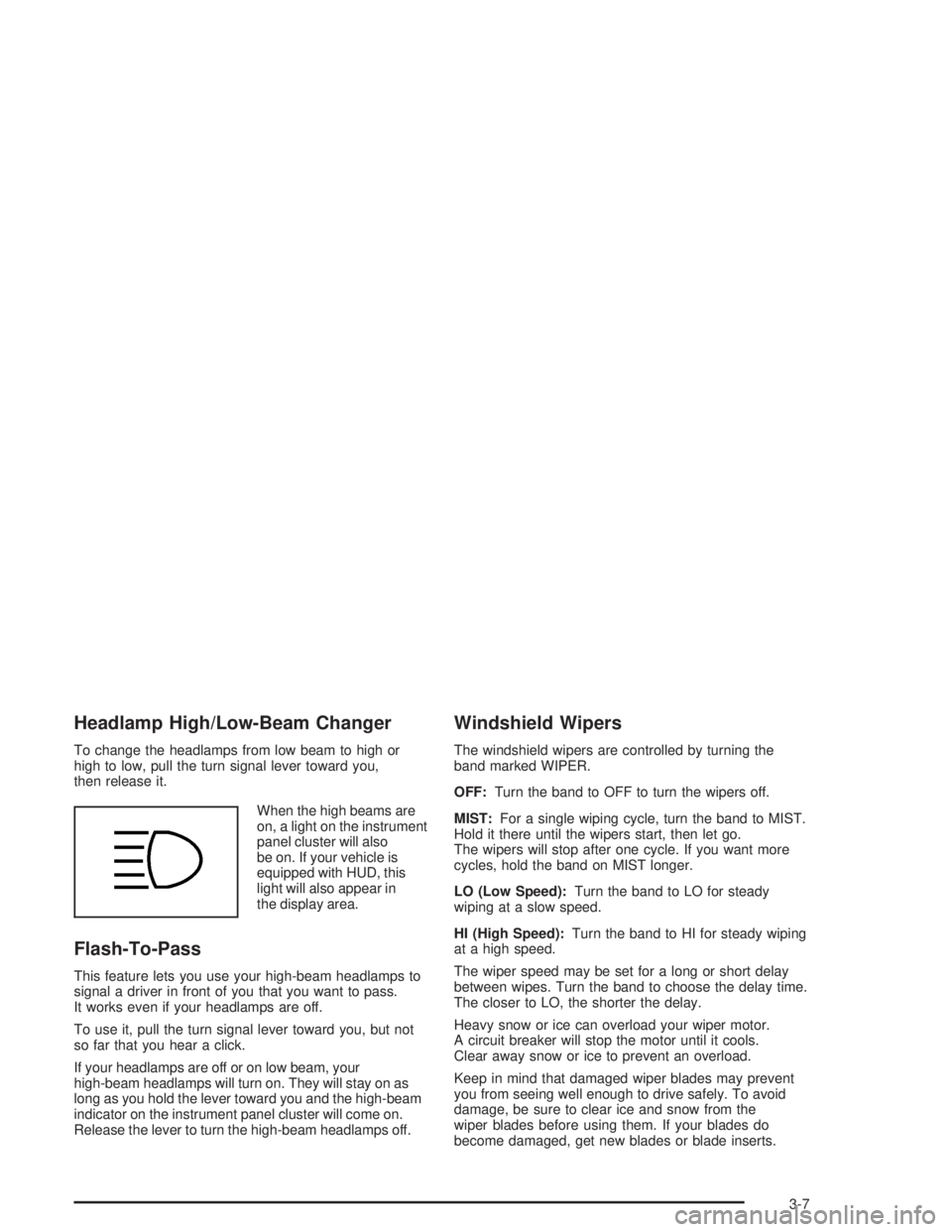
When the high beams are
on, a light on the instrument
panel cluster will also
be on. If your vehicle is
equipped with HUD, this
light will also appear in
the display area.
Flash-To-Pass
This feature lets you use your high-beam headlamps to
signal a driver in front of you that you want to pass.
It works even if your headlamps are off.
To use it, pull the turn signal lever toward you, but not
so far that you hear a click.
If your headlamps are off or on low beam, your
high-beam headlamps will turn on. They will stay on as
long as you hold the lever toward you and the high-beam
indicator on the instrument panel cluster will come on.
Release the lever to turn the high-beam headlamps off.
Windshield Wipers
The windshield wipers are controlled by turning the
band marked WIPER.
OFF:Turn the band to OFF to turn the wipers off.
MIST:For a single wiping cycle, turn the band to MIST.
Hold it there until the wipers start, then let go.
The wipers will stop after one cycle. If you want more
cycles, hold the band on MIST longer.
LO (Low Speed):Turn the band to LO for steady
wiping at a slow speed.
HI (High Speed):Turn the band to HI for steady wiping
at a high speed.
The wiper speed may be set for a long or short delay
between wipes. Turn the band to choose the delay time.
The closer to LO, the shorter the delay.
Heavy snow or ice can overload your wiper motor.
A circuit breaker will stop the motor until it cools.
Clear away snow or ice to prevent an overload.
Keep in mind that damaged wiper blades may prevent
you from seeing well enough to drive safely. To avoid
damage, be sure to clear ice and snow from the
wiper blades before using them. If your blades do
become damaged, get new blades or blade inserts.
3-7
Page 145 of 410
Defogging and Defrosting
Fog on the inside of windows is a result of high humidity
(moisture) condensing on the cool window glass.
This can be minimized if the climate control system is
used properly.
1FRONT:Press the FRONT button to defrost the
windshield by directing airow toward the windshield
and outboard outlets (for the side windows). To turn off
FRONT, press the AUTO or AIR FLOW buttons.
If the AIR FLOW up button is pressed while in the
FRONT defrost mode, the system will direct the
air toward the instrument panel outlets. If the AIR FLOW
down button is pressed while in the FRONT defrost
mode, the system will direct the air toward the oor, and
the FRONT defrost mode will cancel. Do not drive the
vehicle until all the windows are clear.
Rear Window Defogger
The rear window defogger uses a warming grid to
remove fog or frost from the rear window.
=REAR:Press this button to turn the rear window
defogger on or off. Be sure to clear as much snow from
the rear window as possible.
At speeds above 30 mph (48 km/h), the defogger
will operate continuously until you press the REAR
button again. After 10 minutes of driving below
30 mph (48 km/h), the defogger will turn off
automatically. If you need additional warming time,
push the button again. The system will then operate
for ve minutes before going off by itself.
If your vehicle has heated outside rearview mirrors,
the mirrors will heat to help clear fog or frost from the
surface of the mirror when the rear window defogger
button is pressed.
Notice:Using a razor blade or sharp object to
clear the inside rear window may damage the rear
window defogger. Repairs would not be covered
by your warranty. Do not clear the inside of the
rear window with sharp objects.
3-27
Page 146 of 410
Passenger Temperature Control
If your vehicle has the optional separate passenger’s
temperature control, then the driver and the right
front passenger can select separate temperature
settings. This feature allows the front passenger to
select a temperature that is 5° F (3° C) warmer or cooler
than the driver’s selected temperature.
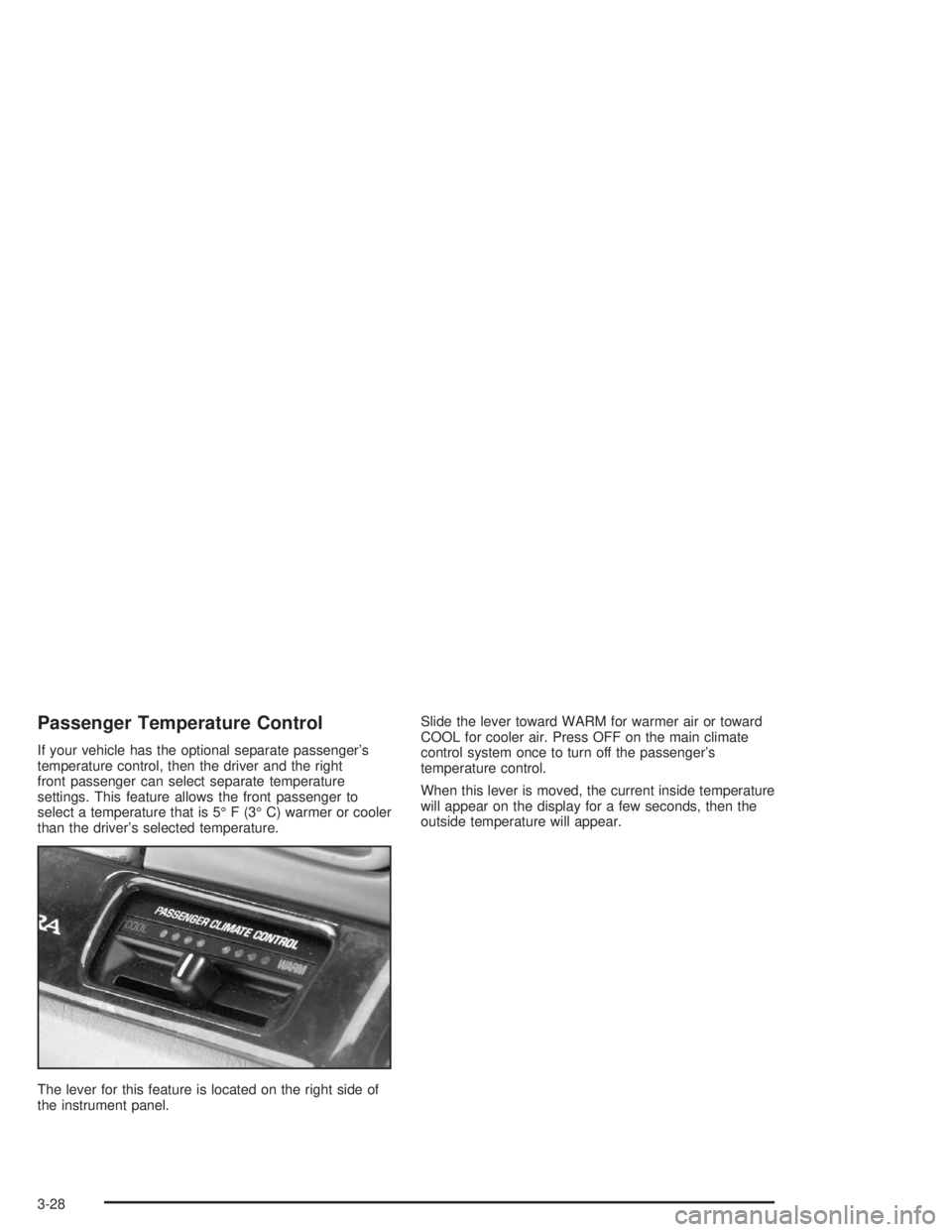
The lever for this feature is located on the right side of
the instrument panel.Slide the lever toward WARM for warmer air or toward
COOL for cooler air. Press OFF on the main climate
control system once to turn off the passenger’s
temperature control.
When this lever is moved, the current inside temperature
will appear on the display for a few seconds, then the
outside temperature will appear.
3-28