ECU BUICK PARK AVENUE 2004 Owner's Guide
[x] Cancel search | Manufacturer: BUICK, Model Year: 2004, Model line: PARK AVENUE, Model: BUICK PARK AVENUE 2004Pages: 410, PDF Size: 4.45 MB
Page 110 of 410
Keep the original transmitter for use in other vehicles as
well as for future HomeLink®programming. It is also
recommended that upon the sale of the vehicle, the
programmed HomeLink
®buttons should be erased for
security purposes. Refer to “Erasing HomeLink®Buttons”
or, for assistance, contact HomeLink®on the internet at:
www.homelink.com or by calling 1-800-355-3515.
Be sure that people and objects are clear of the
garage door or gate operator you are programming.
When programming a garage door, it is advised to
park outside of the garage.
It is recommended that a new battery be installed in
your hand-held transmitter for quicker and more
accurate transmission of the radio frequency.
Your vehicle’s engine should be turned off while
programming the transmitter. Follow these steps to
program up to three channels:
1. Press and hold down the two outside buttons,
releasing only when the indicator light begins to
ash, after 20 seconds. Do not hold down the
buttons for longer than 30 seconds and do not
repeat this step to program a second and/or third
transmitter to the remaining two HomeLink
®buttons.
2. Position the end of your hand-held transmitter about
1 to 3 inches (3 to 8 cm) away from the HomeLink
®
buttons while keeping the indicator light in view.3. Simultaneously press and hold both the desired
button on HomeLink
®and the hand-held transmitter
button. Do not release the buttons until Step 4
has been completed.
Some entry gates and garage door openers may
require you to substitute Step 3 with the procedure
noted in “Gate Operator and Canadian
Programming” later in this section.
4. The indicator light will ash slowly at rst and then
rapidly after HomeLink
®successfully receives the
frequency signal from the hand-held transmitter.
Release both buttons.
5. Press and hold the newly-trained HomeLink
®button
and observe the indicator light.
If the indicator light stays on constantly, programming
is complete and your device should activate when the
HomeLink
®button is pressed and released.
To program the remaining two HomeLink®buttons,
begin with Step 2 under “Programming HomeLink®.”
Do not repeat Step 1 as this will erase all of the
programmed channels.
If the indicator light blinks rapidly for two seconds
and then turns to a constant light, continue with
Steps 6 through 8 following to complete the
programming of a rolling-code equipped device
(most commonly, a garage door opener).
2-44
Page 114 of 410
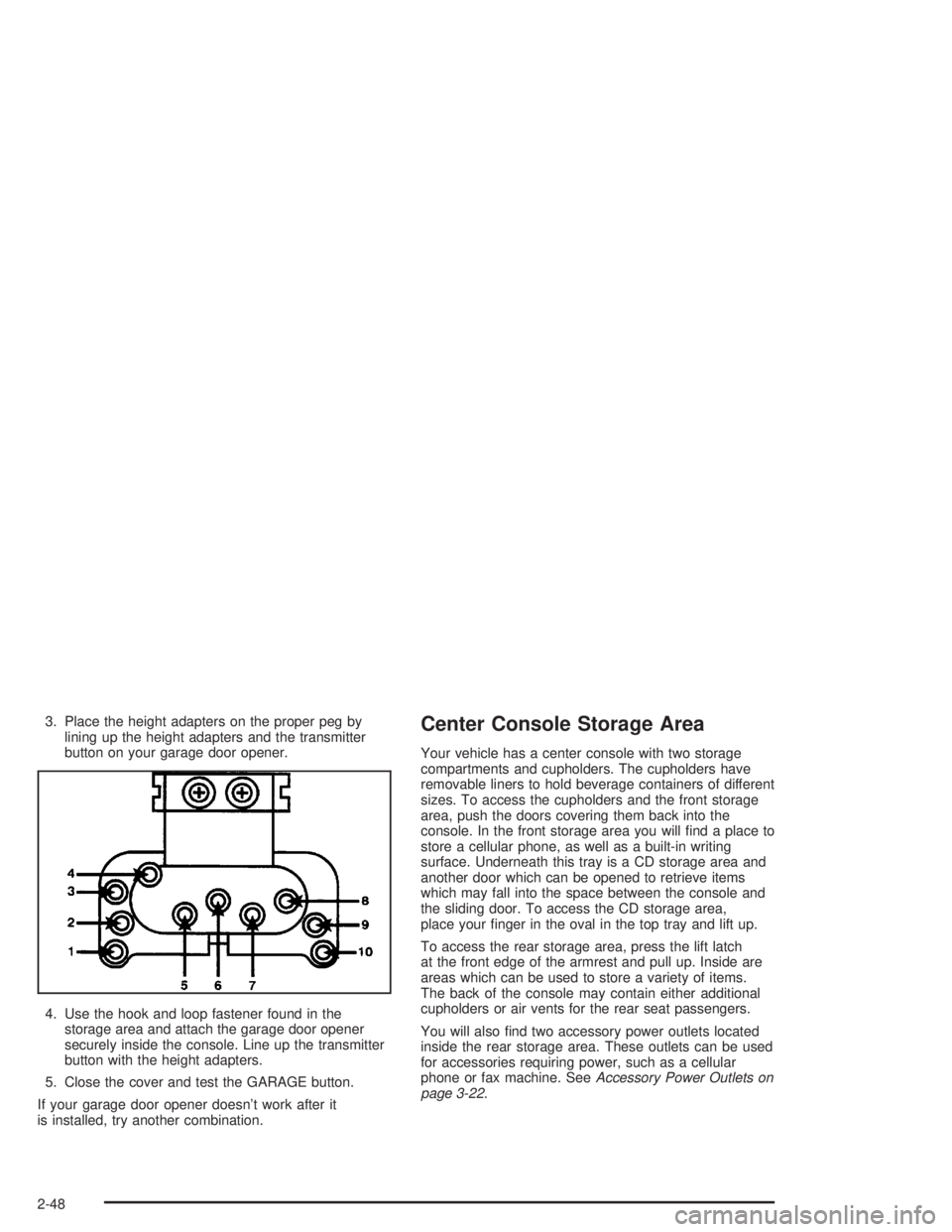
3. Place the height adapters on the proper peg by
lining up the height adapters and the transmitter
button on your garage door opener.
4. Use the hook and loop fastener found in the
storage area and attach the garage door opener
securely inside the console. Line up the transmitter
button with the height adapters.
5. Close the cover and test the GARAGE button.
If your garage door opener doesn’t work after it
is installed, try another combination.Center Console Storage Area
Your vehicle has a center console with two storage
compartments and cupholders. The cupholders have
removable liners to hold beverage containers of different
sizes. To access the cupholders and the front storage
area, push the doors covering them back into the
console. In the front storage area you will nd a place to
store a cellular phone, as well as a built-in writing
surface. Underneath this tray is a CD storage area and
another door which can be opened to retrieve items
which may fall into the space between the console and
the sliding door. To access the CD storage area,
place your nger in the oval in the top tray and lift up.
To access the rear storage area, press the lift latch
at the front edge of the armrest and pull up. Inside are
areas which can be used to store a variety of items.
The back of the console may contain either additional
cupholders or air vents for the rear seat passengers.
You will also nd two accessory power outlets located
inside the rear storage area. These outlets can be used
for accessories requiring power, such as a cellular
phone or fax machine. SeeAccessory Power Outlets on
page 3-22.
2-48
Page 119 of 410
Instrument Panel Overview...............................3-2
Hazard Warning Flashers................................3-4
Other Warning Devices...................................3-4
Horn.............................................................3-5
Tilt Wheel.....................................................3-5
Turn Signal/Multifunction Lever.........................3-5
Exterior Lamps.............................................3-12
Interior Lamps..............................................3-15
Head-Up Display (HUD).................................3-18
Ultrasonic Rear Parking Assist (URPA)............3-20
Accessory Power Outlets...............................3-22
Ashtrays and Cigarette Lighter........................3-23
Climate Controls............................................3-24
Dual Automatic Climate Control System...........3-24
Outlet Adjustment.........................................3-29
Passenger Compartment Air Filter...................3-30
Steering Wheel Climate Controls.....................3-30
Climate Controls Personalization.....................3-31
Warning Lights, Gages and Indicators.............3-32
Instrument Panel Cluster................................3-33
Speedometer and Odometer...........................3-35
Tachometer.................................................3-35
Safety Belt Reminder Light.............................3-36
Air Bag Readiness Light................................3-36
Battery Warning Light....................................3-37
Brake System Warning Light..........................3-38Anti-Lock Brake System Warning Light.............3-39
Traction Control System (TCS) Warning Light......3-39
Engine Coolant Temperature Gage..................3-40
Malfunction Indicator Lamp.............................3-41
Oil Pressure Light.........................................3-44
Security Light...............................................3-45
Cruise Control Light......................................3-45
Service Vehicle Soon Light............................3-45
Fuel Gage...................................................3-46
Driver Information Center (DIC).......................3-47
DIC Controls and Displays.............................3-47
DIC Warnings and Messages.........................3-50
DIC Vehicle Personalization............................3-51
Audio System(s).............................................3-57
Setting the Time...........................................3-58
Radio with Cassette......................................3-58
Radio with Cassette and CD..........................3-63
Trunk-Mounted CD Changer...........................3-71
Personal Choice Radio Controls......................3-75
Theft-Deterrent Feature..................................3-75
Audio Steering Wheel Controls.......................3-78
Understanding Radio Reception......................3-78
Care of Your Cassette Tape Player.................3-79
Care of Your CDs.........................................3-80
Care of Your CD Player................................3-80
Heated Backlite Antenna................................3-80
Section 3 Instrument Panel
3-1
Page 134 of 410
Perimeter Lighting
When the unlock button on the remote keyless entry
transmitter is pressed, the DRL, parking lamps and
back-up lamps will come on if it is dark enough outside.
This feature will only be activated when the security
feedback feature is programmed to be in Modes 1, 3
or 5 on the transmitter. Modes 0, 2 and 4 do not respond
with exterior lights ashing when unlocking the vehicle
so perimeter lighting will not be active.
This feature can be programmed on or off for each
transmitter.
To turn the feature off do the following:
1. Press and hold LOCK on the driver’s door lock switch
throughout this procedure. All doors will lock.
2. Press the remote alarm button on the transmitter to
enter the programming mode. Perimeter lighting
remains on at this time and the horn will chirp
two times.
3. Press the remote alarm button on the transmitter
again. Perimeter lighting is disabled and the horn
will chirp one time.
4. Release the door lock switch. The perimeter lighting
feature is now off.To turn the feature on do the following:
1. Press and hold LOCK on the driver’s door lock
switch throughout this procedure. All doors will
lock.
2. Press the remote alarm button on the transmitter to
enter the programming mode. Perimeter lighting
remains off at this time and the horn will chirp
one time.
3. Press the remote alarm button on the transmitter
again. Perimeter lighting is now enabled and the
horn will chirp two times.
4. Release the door lock switch. The perimeter lighting
feature is now on.
Perimeter lighting can also be activated through the
DIC. SeeDIC Vehicle Personalization on page 3-51
orDriver Information Center (DIC) on page 3-47.
3-16
Page 163 of 410
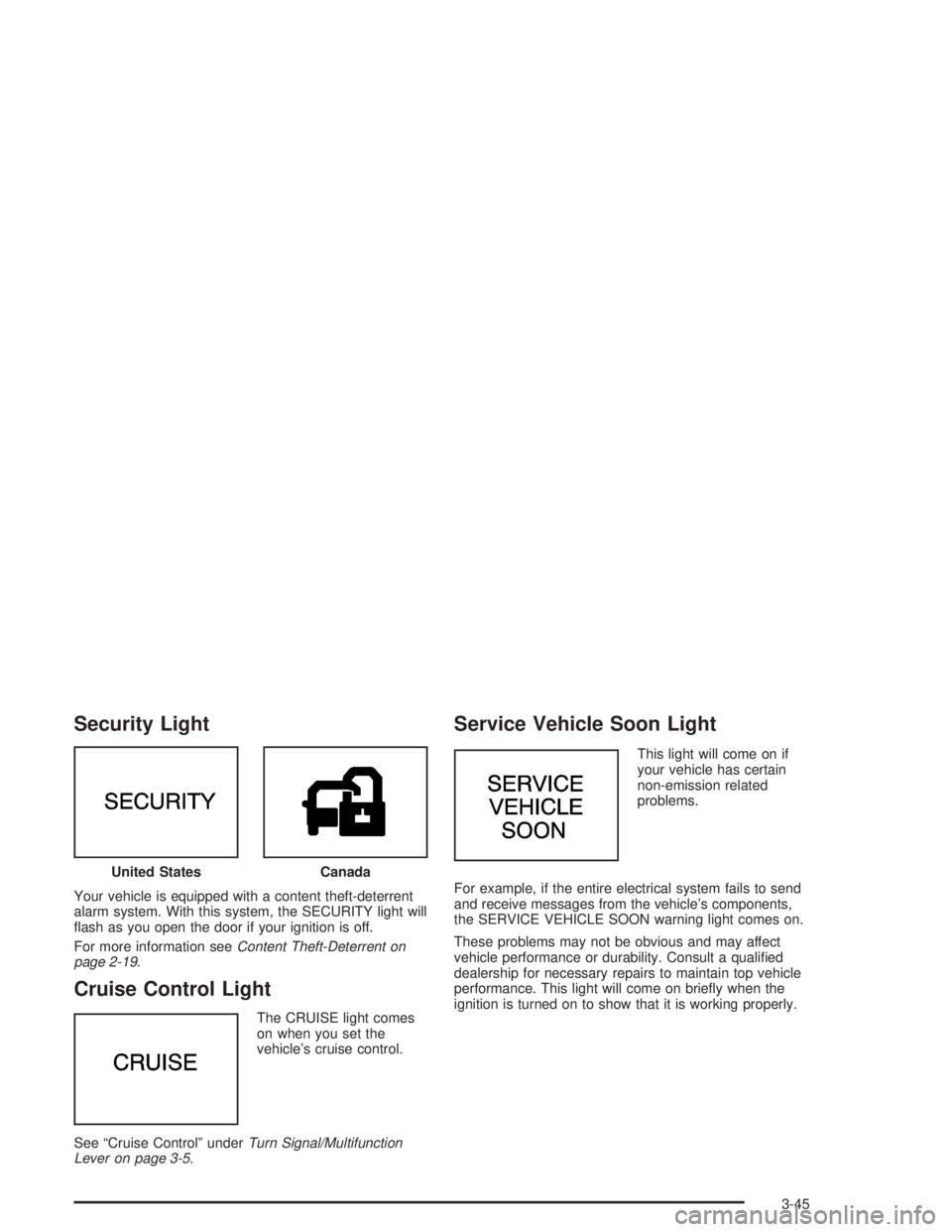
Security Light
Your vehicle is equipped with a content theft-deterrent
alarm system. With this system, the SECURITY light will
ash as you open the door if your ignition is off.
For more information seeContent Theft-Deterrent on
page 2-19.
Cruise Control Light
The CRUISE light comes
on when you set the
vehicle’s cruise control.
See “Cruise Control” underTurn Signal/Multifunction
Lever on page 3-5.
Service Vehicle Soon Light
This light will come on if
your vehicle has certain
non-emission related
problems.
For example, if the entire electrical system fails to send
and receive messages from the vehicle’s components,
the SERVICE VEHICLE SOON warning light comes on.
These problems may not be obvious and may affect
vehicle performance or durability. Consult a qualied
dealership for necessary repairs to maintain top vehicle
performance. This light will come on briey when the
ignition is turned on to show that it is working properly. United States
Canada
3-45
Page 170 of 410
If you unlock the vehicle using your door key instead of
your transmitter, the DIC will not identify the driver
and will recall the information from the last transmitter
used or the last driver using one of the MEMORY
buttons. If this happens and you were not the last driver
of the vehicle, press your correct driver number on
the appropriate MEMORY button or press the unlock
button on your transmitter.
The DIC can be used to program the following personal
choice features available with your vehicle:
Outside Curb View Assist Mirror
Programmable Automatic Door Locks
Delayed Locking
Security Feedback
Perimeter Lighting
Memory Seat Recall
Window Lock OutSee the following steps for personalization programming
instructions.
1. Turn the ignition on and keep the transaxle in
PARK (P).
2. Inform the DIC which driver you are by pressing the
unlock button on your transmitter or the appropriate
MEMORY button.
3. Press and hold the ENG/MET button for ve
seconds. WELCOME TO BUICK OPTION
FEATURE will appear in the display.
The next display will be your driver number and the
message ARMREST BUTTON CHANGES
DRIVER #. Follow the instructions in the display.
You are now in the selection mode and the DIC is
ready to program your personal choices in memory.
The selections you make for the personal choice
features will be saved after the display reads
FEATURE OPTION SELECTION DONE.
Each feature that can be personalized will appear in
the display. Once you have made a selection for
a feature, the DIC will move on to the next personal
choice feature.
3-52
Page 173 of 410
Security Feedback
By choosing different combinations of these selections,
you can choose the type of transmitter activated
feedback you receive when locking and unlocking your
vehicle with your transmitter. Each time you make a
selection by pressing the ENG/MET button, press
the RESET button to record your choice.
LOCK FEEDBACK – OFF/ON
LOCK FEEDBACK – LIGHTS/LIGHTS + HORN
UNLOCK FEEDBACK – OFF/LIGHTS
If you choose ON for LOCK FEEDBACK you will also
need to choose LIGHTS or LIGHTS + HORN.
You can select the following modes:
If you choose OFF for LOCK FEEDBACK and OFF
for UNLOCK FEEDBACK, you will receive no
security feedback when locking or unlocking your
vehicle.
If you choose OFF for LOCK FEEDBACK and
LIGHTS for UNLOCK FEEDBACK, you will receive
no security feedback when locking your vehicle
and the exterior lamps will ash when unlocking
your vehicle.
If you choose LIGHTS for LOCK FEEDBACK and
OFF for UNLOCK FEEDBACK, your exterior
lamps will ash when locking your vehicle and you
will receive no security feedback when unlocking
your vehicle.
If you choose LIGHTS for LOCK FEEDBACK and
LIGHTS for UNLOCK FEEDBACK, your exterior
lamps will ash when locking and unlocking
your vehicle.
If you choose LIGHTS + HORN for LOCK
FEEDBACK and OFF for UNLOCK FEEDBACK,
your exterior lamps will ash and the horn will chirp
when locking your vehicle and you will receive
no security feedback when unlocking your vehicle.
If you choose LIGHTS + HORN for LOCK
FEEDBACK and LIGHTS for UNLOCK FEEDBACK,
your exterior lamps will ash and the horn will
chirp when locking your vehicle and your exterior
lamps will ash when unlocking your vehicle.
For more information on this feature, see “Security
Feedback” underRemote Keyless Entry System
Operation on page 2-6.
3-55
Page 174 of 410
Perimeter Lighting
When the unlock button on the transmitter is pressed,
the DRL lamps (high-beams at reduced intensity),
parking lamps and back-up lamps will turn on, if it is
dark enough according to the Twilight Sentinel
®.
You can control activation of this feature by choosing
OFF or ON when the PERIMETER LIGHTS choice
is displayed on the DIC. Make your choice by pressing
the ENG/MET button and record your choice by
pressing the RESET button.
If you want to choose PERIMETER LIGHTS ON, you
must also choose LIGHTS for UNLOCK FEEDBACK
while making the security feedback choices.
For more information on this feature, see “Perimeter
Lighting” underExterior Lamps on page 3-12.
Memory Seat Recall
This feature recalls the position of your seat. When this
feature is active, the memory seat and mirror positions
will be recalled for the identied driver when the remote
keyless entry transmitter is used to enter the vehicle.
You can program this feature to be active by choosing
ON when the SEAT RECALL choice appears, or
inactive by choosing OFF when the SEAT RECALL
choice appears on the DIC.
You can also program this feature to recall your
memory seat position or the exit seat position.
Memory Position: Choose ON when the SEAT
RECALL choice appears, and then choose
MEMORY when the RECALL POSITION choice
appears.
Exit Position: Choose ON when the SEAT RECALL
choice appears, then choose EXIT when the
RECALL POSITION choice appears and your seat
will move to the stored exit position. The seat will
also move when you enter the vehicle after unlocking
it with a remote keyless entry transmitter. This will
allow for easy entry as well.
For more information on this feature, seeMemory Seat
and Mirrors on page 2-51.
3-56
Page 194 of 410
1. Write down any three or four-digit number from 000
to 1999 and keep it in a safe place separate from
the vehicle.
2. Turn the ignition on.
3. Turn the radio off.
4. Press the 1 and 4 pushbuttons at the same time.
Hold them down until --- shows on the display.
Next you will use the secret code number which you
have written down.
5. Press MIN and 000 will appear on the display.
6. Press MIN again to make the last two digits agree
with your code.
7. Press HRS to make the rst one or two digits agree
with your code.
8. Press AM-FM after you have conrmed that the
code matches the secret code you have written
down. The display will show REP to let you know
that you need to repeat Steps 5 through 7 to conrm
your secret code.
9. Press AM-FM again, SEC will appear on the display
indicating that your radio is secure.Unlocking the Theft-Deterrent Feature
After a Power Loss
Enter your secret code as follows; pause no more than
15 seconds between steps:
1. Turn the ignition on. LOC will appear on the
display.
2. Press MIN and 000 will appear on the display.
3. Press MIN again to make the last two digits agree
with your code.
4. Press HRS to make the rst one or two digits agree
with your code.
5. Press AM-FM after you have conrmed that the
code matches the secret code you have written
down. SEC will appear on the display, indicating the
radio is now operable and secure.
If you enter the wrong code eight times, INOP will appear
on the display. You will have to wait an hour with the
ignition on before you can try again. When you try again,
you will only have three more chances (eight tries per
chance) to enter the correct code before INOP appears.
If you lose or forget your code, contact your dealer.
3-76
Page 195 of 410
Disabling the Theft-Deterrent Feature
Enter your secret code as follows; pause no more than
15 seconds between steps:
1. Turn the ignition on.
2. Turn the radio off.
3. Press the 1 and 4 pushbuttons at the same time.
Hold them down until SEC appears on the display.
4. Press MIN and 000 will appear on the display.
5. Press MIN again to make the last two digits agree
with your code.
6. Press HRS to make the rst one or two digits agree
with your code.
7. Press AM-FM after you have conrmed that the
code matches the secret code you have written
down. --- will appear on the display, indicating that
the radio is no longer secured.If the code entered is incorrect, SEC will appear on the
display. The radio will remain secured until the correct
code is entered.
When battery power is removed and later applied to a
secured radio, the radio will not turn on and LOC
will appear on the display.
To unlock a secured radio see “Unlocking the
Theft-Deterrent Feature After a Power Loss” earlier in
this section.
3-77