door lock BUICK PARK AVENUE 2005 Owner's Manual
[x] Cancel search | Manufacturer: BUICK, Model Year: 2005, Model line: PARK AVENUE, Model: BUICK PARK AVENUE 2005Pages: 388, PDF Size: 2.55 MB
Page 1 of 388
Seats and Restraint Systems........................... 1-1
Front Seats
............................................... 1-2
Safety Belts
.............................................. 1-6
Child Restraints
.......................................1-27
Airbag System
.........................................1-49
Restraint System Check
............................1-57
Features and Controls..................................... 2-1
Keys
........................................................ 2-3
Doors and Locks
....................................... 2-9
Windows
.................................................2-16
Theft-Deterrent Systems
............................2-18
Starting and Operating Your Vehicle
...........2-22
Mirrors
....................................................2-34
OnStar
®System
......................................2-39
HomeLink®Transmitter
.............................2-40
Storage Areas
.........................................2-44
Sunroof
..................................................2-47
Vehicle Personalization
.............................2-48
Instrument Panel............................................. 3-1
Instrument Panel Overview
.......................... 3-4
Climate Controls
......................................3-25
Warning Lights, Gages, and Indicators
........3-32
Driver Information Center (DIC)
..................3-46
Audio System(s)
.......................................3-55Driving Your Vehicle....................................... 4-1
Your Driving, the Road, and Your Vehicle
..... 4-2
Towing
...................................................4-35
Service and Appearance Care.......................... 5-1
Service
..................................................... 5-3
Fuel
......................................................... 5-4
Checking Things Under the Hood
...............5-10
Headlamp Aiming
.....................................5-45
Bulb Replacement
....................................5-47
Windshield Wiper Blade Replacement
.........5-57
Tires
......................................................5-58
Appearance Care
.....................................5-82
Vehicle Identication
.................................5-91
Electrical System
......................................5-91
Capacities and Specications
...................5-100
Normal Maintenance Replacement Parts
....5-101
Maintenance Schedule..................................... 6-1
Maintenance Schedule
................................ 6-2
Customer Assistance and Information.............. 7-1
Customer Assistance and Information
........... 7-2
Reporting Safety Defects
...........................7-10
Index................................................................ 1
2005 Buick Park Avenue Owner ManualM
Page 18 of 388
Driver Position
This part describes the driver’s restraint system.
Lap-Shoulder Belt
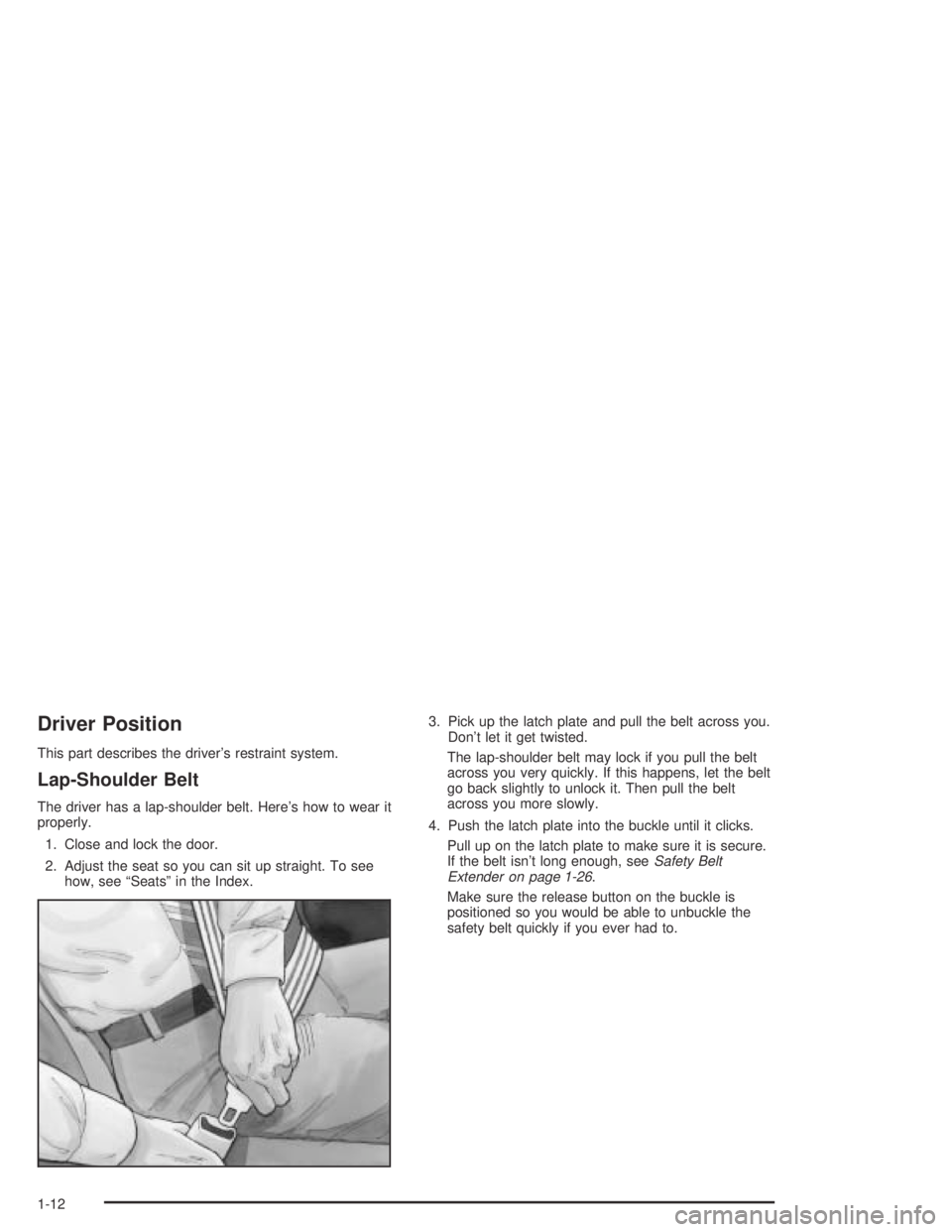
The driver has a lap-shoulder belt. Here’s how to wear it
properly.
1. Close and lock the door.
2. Adjust the seat so you can sit up straight. To see
how, see “Seats” in the Index.3. Pick up the latch plate and pull the belt across you.
Don’t let it get twisted.
The lap-shoulder belt may lock if you pull the belt
across you very quickly. If this happens, let the belt
go back slightly to unlock it. Then pull the belt
across you more slowly.
4. Push the latch plate into the buckle until it clicks.
Pull up on the latch plate to make sure it is secure.
If the belt isn’t long enough, seeSafety Belt
Extender on page 1-26.
Make sure the release button on the buckle is
positioned so you would be able to unbuckle the
safety belt quickly if you ever had to.
1-12
Page 65 of 388
Keys...............................................................2-3
Remote Keyless Entry System.........................2-5
Remote Keyless Entry System Operation...........2-6
Doors and Locks.............................................2-9
Door Locks....................................................2-9
Central Door Unlocking System......................2-10
Power Door Locks........................................2-10
Door Ajar Reminder......................................2-11
Delayed Locking...........................................2-11
Programmable Automatic Door Locks..............2-11
Rear Door Security Locks..............................2-13
Lockout Protection........................................2-13
Leaving Your Vehicle....................................2-13
Trunk..........................................................2-14
Windows........................................................2-16
Power Windows............................................2-17
Sun Visors...................................................2-18
Theft-Deterrent Systems..................................2-18
Content Theft-Deterrent.................................2-18
PASS-Key
®III ..............................................2-20
PASS-Key®III Operation...............................2-20Starting and Operating Your Vehicle................2-22
New Vehicle Break-In....................................2-22
Ignition Positions..........................................2-22
Retained Accessory Power (RAP)...................2-23
Starting Your Engine.....................................2-24
Engine Coolant Heater..................................2-25
Automatic Transaxle Operation.......................2-26
Parking Brake..............................................2-29
Shifting Into Park (P).....................................2-30
Shifting Out of Park (P).................................2-31
Parking Over Things That Burn.......................2-32
Engine Exhaust............................................2-32
Running Your Engine While You Are Parked. . . .2-33
Mirrors...........................................................2-34
Manual Rearview Mirror.................................2-34
Automatic Dimming Rearview Mirror................2-34
Automatic Dimming Rearview Mirror with
Compass.................................................2-34
Outside Manual Mirrors..................................2-36
Outside Power Mirrors...................................2-37
Outside Curb View Assist Mirror.....................2-37
Outside Convex Mirror...................................2-38
Outside Automatic Dimming Heated Mirror........2-38
Section 2 Features and Controls
2-1
Page 68 of 388
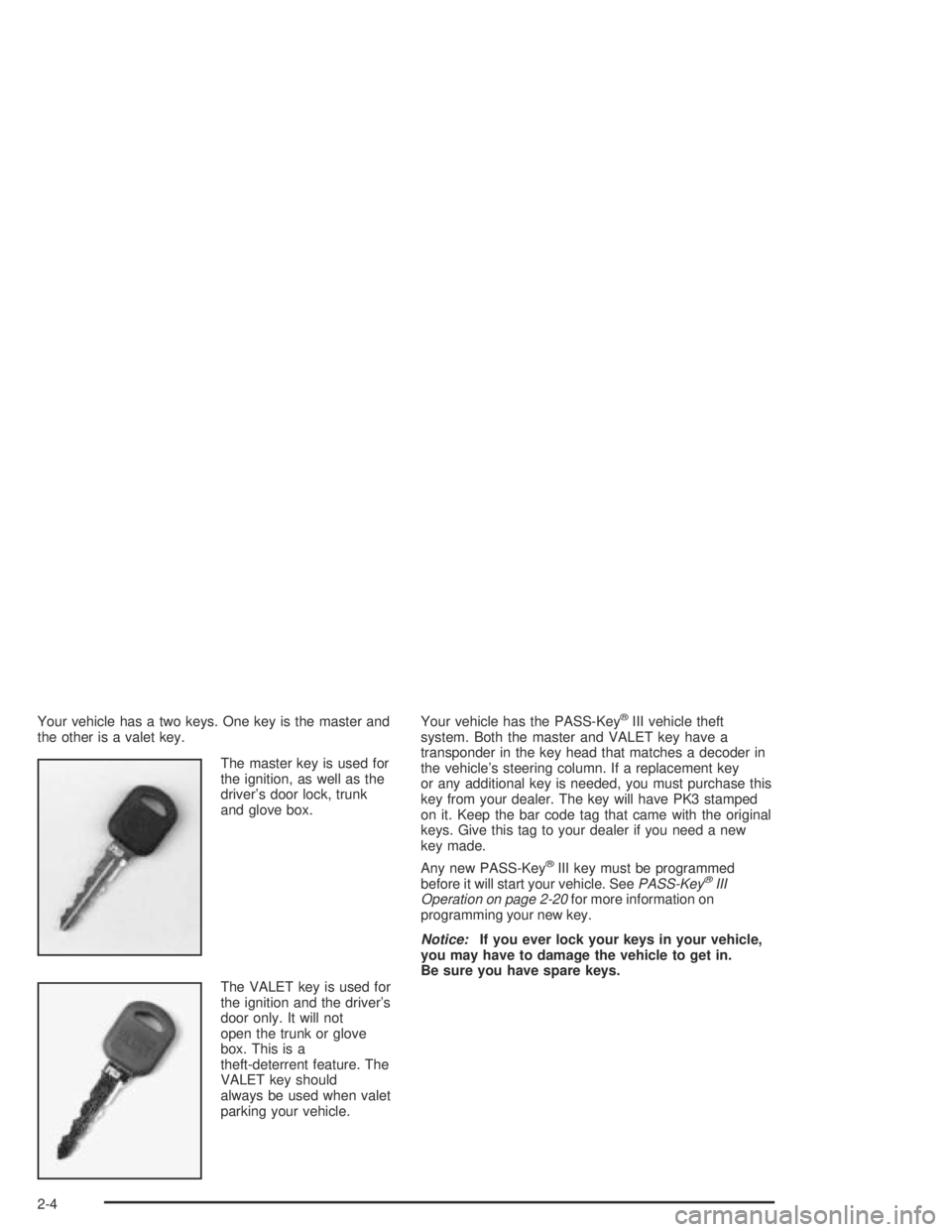
Your vehicle has a two keys. One key is the master and
the other is a valet key.
The master key is used for
the ignition, as well as the
driver’s door lock, trunk
and glove box.
The VALET key is used for
the ignition and the driver’s
door only. It will not
open the trunk or glove
box. This is a
theft-deterrent feature. The
VALET key should
always be used when valet
parking your vehicle.Your vehicle has the PASS-Key®III vehicle theft
system. Both the master and VALET key have a
transponder in the key head that matches a decoder in
the vehicle’s steering column. If a replacement key
or any additional key is needed, you must purchase this
key from your dealer. The key will have PK3 stamped
on it. Keep the bar code tag that came with the original
keys. Give this tag to your dealer if you need a new
key made.
Any new PASS-Key
®III key must be programmed
before it will start your vehicle. SeePASS-Key®III
Operation on page 2-20for more information on
programming your new key.
Notice:If you ever lock your keys in your vehicle,
you may have to damage the vehicle to get in.
Be sure you have spare keys.
2-4
Page 70 of 388
Remote Keyless Entry
System Operation
With this feature, you can lock and unlock your doors or
unlock your trunk from about 3 feet (1 m) up to
30 feet (9 m) away using the remote keyless entry
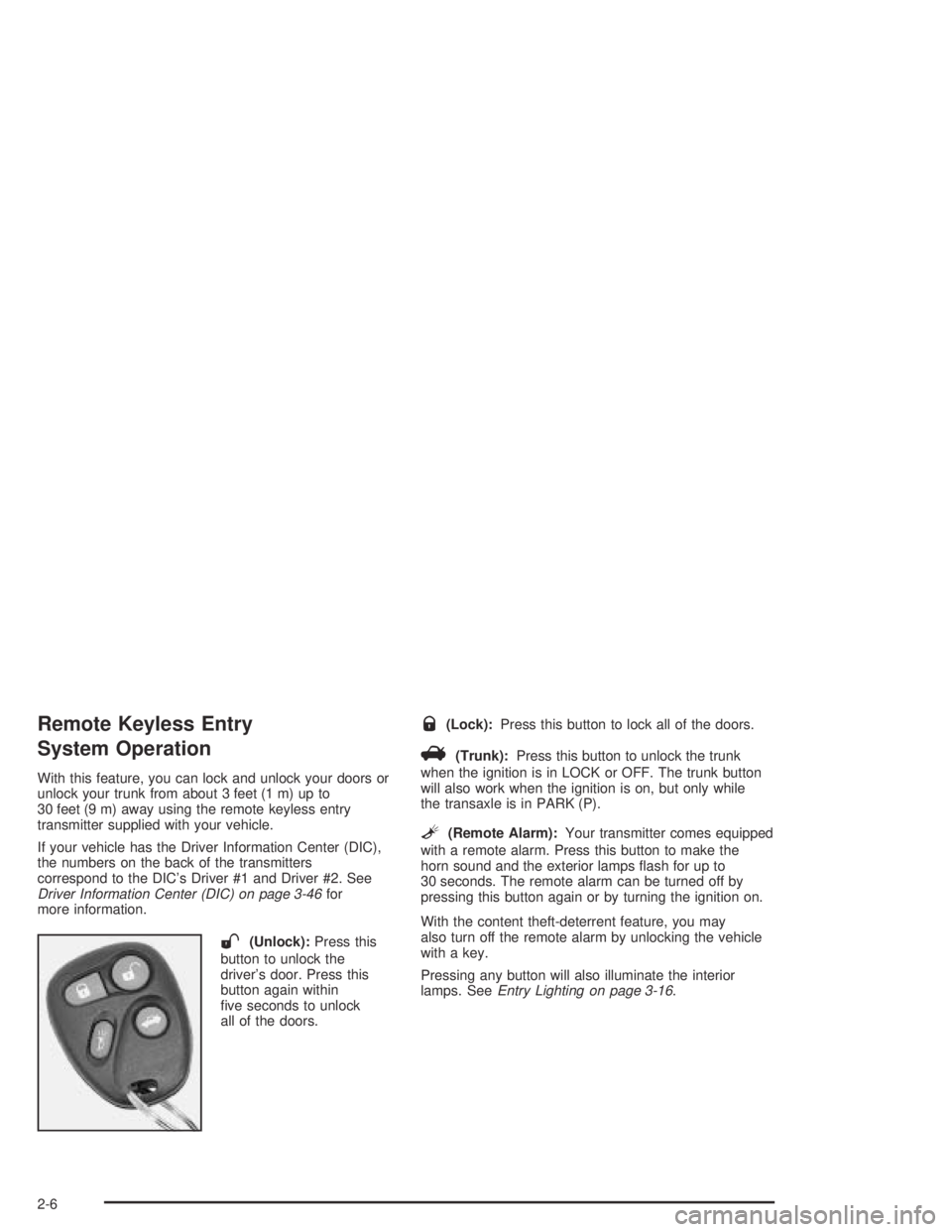
transmitter supplied with your vehicle.
If your vehicle has the Driver Information Center (DIC),
the numbers on the back of the transmitters
correspond to the DIC’s Driver #1 and Driver #2. See
Driver Information Center (DIC) on page 3-46for
more information.
W(Unlock):Press this
button to unlock the
driver’s door. Press this
button again within
ve seconds to unlock
all of the doors.
Q(Lock):Press this button to lock all of the doors.
V(Trunk):Press this button to unlock the trunk
when the ignition is in LOCK or OFF. The trunk button
will also work when the ignition is on, but only while
the transaxle is in PARK (P).
L(Remote Alarm):Your transmitter comes equipped
with a remote alarm. Press this button to make the
horn sound and the exterior lamps ash for up to
30 seconds. The remote alarm can be turned off by
pressing this button again or by turning the ignition on.
With the content theft-deterrent feature, you may
also turn off the remote alarm by unlocking the vehicle
with a key.
Pressing any button will also illuminate the interior
lamps. SeeEntry Lighting on page 3-16.
2-6
Page 71 of 388
Personalization Features
Each remote keyless entry transmitter can be
programmed to the driver’s preference for automatic
door locks, security feedback, delayed locking, memory
seat, perimeter lighting, outside curb view assist
mirror and window lockout. Each of these
personalization features will be explained in this manual.
If your vehicle is equipped with the Driver Information
Center (DIC), you can also program any of these
features through the DIC. SeeDriver Information
Center (DIC) on page 3-46.
You can also personalize your climate control
temperature, air delivery mode and fan speed. See
Climate Controls Personalization on page 3-31.
Security Feedback
This feature provides feedback when the vehicle
receives a command from the remote keyless entry
transmitter. The following modes may be selected:
Mode 0:No feedback when locking or
unlocking vehicle.
Mode 1:No feedback when locking; exterior lamps
ash when unlocking vehicle.
Mode 2:Exterior lamps ash when locking; no feedback
when unlocking vehicle.Mode 3:Exterior lamps ash when locking and when
unlocking vehicle.
Mode 4:Exterior lamps ash and horn chirps when
locking; no feedback when unlocking vehicle.
Mode 5:Exterior lamps ash and horn chirps when
locking; exterior lamps ash when unlocking vehicle.
Each remote keyless entry transmitter can be
programmed to a different mode according to the
user’s preference. To change to another mode do
the following:
1. Press and hold LOCK on the power door
lock switch on the driver’s door throughout
the procedure.
2. Press the trunk button on the transmitter. The horn
will chirp and the transmitter will remain in its
current mode.
3. Press the trunk button again. Each time the trunk
button is pressed, the horn will chirp and the
transmitter will advance to the next mode.
4. Release the power door lock switch.
If your vehicle is equipped with the Driver Information
Center (DIC), you can also program these features
through the DIC. SeeDriver Information Center (DIC)
on page 3-46.
2-7
Page 72 of 388
Theft-Deterrent System
The remote keyless entry transmitter will arm the
theft-deterrent system whenever the doors are closed
and you push the lock button when the ignition is off. It
will disarm the system when you push the unlock button.
Matching Transmitter(s) to
Your Vehicle
Each remote keyless entry transmitter is coded to
prevent another transmitter from unlocking your vehicle.
If a transmitter is lost or stolen, a replacement can
be purchased through your dealer. Remember to bring
any remaining transmitters with you when you go to
your dealer. When the dealer matches the replacement
transmitter to your vehicle, any remaining transmitters
must also be matched. Once your dealer has coded the
new transmitter, the lost transmitter will not unlock
your vehicle. Each vehicle can have a maximum of four
transmitters matched to it.
See your dealer to match additional transmitters to
your vehicle.
Battery Replacement
Under normal use, the battery in your remote keyless
entry transmitter should last about four years.You can tell the battery is weak if the transmitter will not
work at the normal range in any location. If you have
to get close to your vehicle before the transmitter works,
it is probably time to change the battery.
Notice:When replacing the battery, use care not
to touch any of the circuitry. Static from your
body transferred to these surfaces may damage
the transmitter.
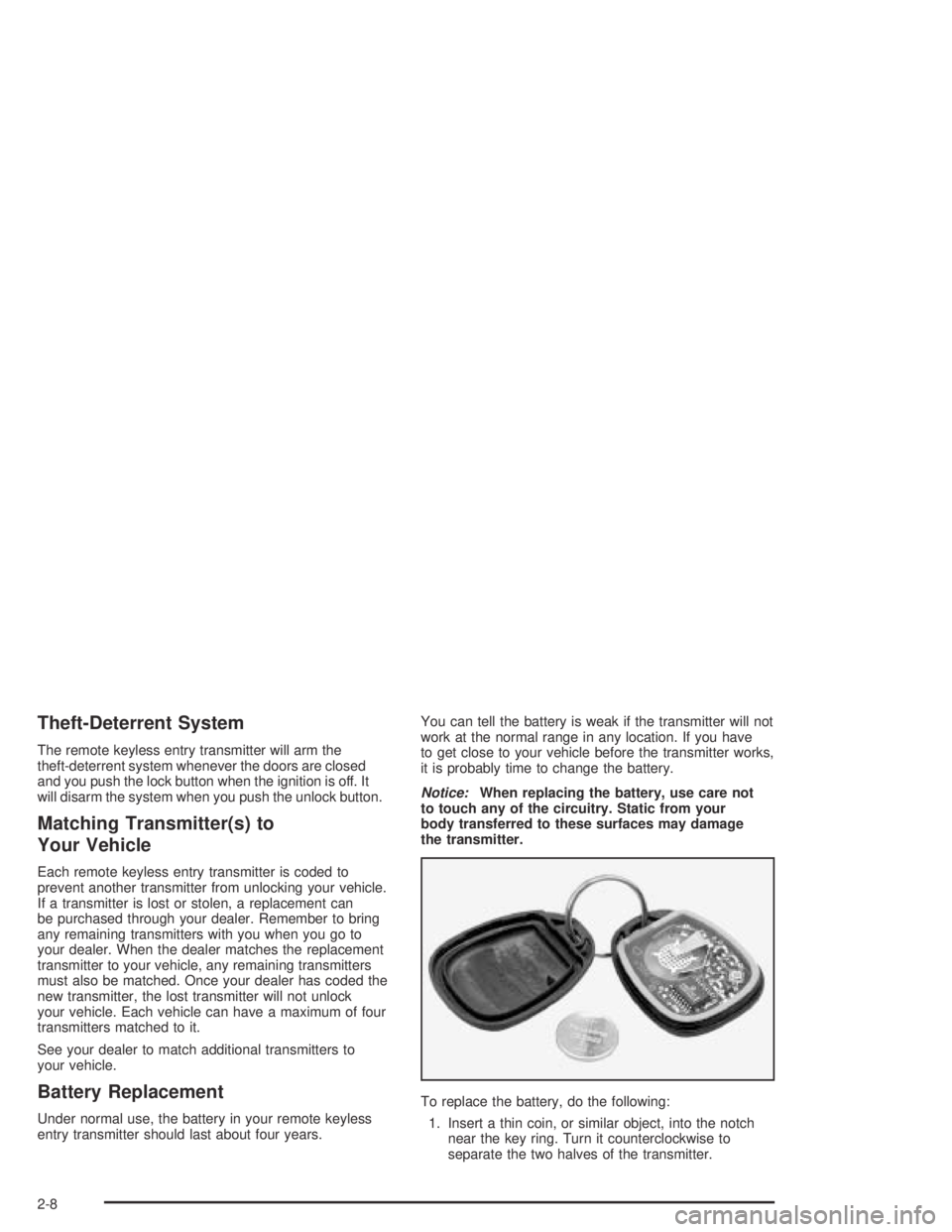
To replace the battery, do the following:
1. Insert a thin coin, or similar object, into the notch
near the key ring. Turn it counterclockwise to
separate the two halves of the transmitter.
2-8
Page 73 of 388
2. Once the transmitter is separated, use a pencil
eraser to remove the old battery. Do not use a
metal object.
3. Remove and replace the battery as the instructions
under the cover indicate. Use a Duracell
®battery,
type DL-2032, or a similar type.
4. Snap the transmitter back together tightly to be sure
no moisture can enter.
5. Test the operation of the transmitter with your
vehicle. If the transmitter does not work,
resynchronize the transmitter.
Resynchronization
After replacing the battery in your transmitter, or if only
the remote alarm works, the transmitter needs to be
resynchronized to the receiver. Do this by pressing and
holding both the lock and unlock buttons at the same
time for about eight seconds. You must be within range
of the vehicle.
Once the transmitter has been resynchronized, the horn
will chirp and the exterior lamps will ash once. The
system should now operate properly.
Doors and Locks
Door Locks
{CAUTION:
Unlocked doors can be dangerous.
Passengers — especially children — can
easily open the doors and fall out of a
moving vehicle. When a door is locked, the
handle will not open it. You increase the
chance of being thrown out of the vehicle
in a crash if the doors are not locked. So,
wear safety belts properly and lock the
doors whenever you drive.
Young children who get into unlocked
vehicles may be unable to get out. A child
can be overcome by extreme heat and can
suffer permanent injuries or even death
from heat stroke. Always lock your vehicle
whenever you leave it.
Outsiders can easily enter through an
unlocked door when you slow down or
stop your vehicle. Locking your doors can
help prevent this from happening.
2-9
Page 74 of 388
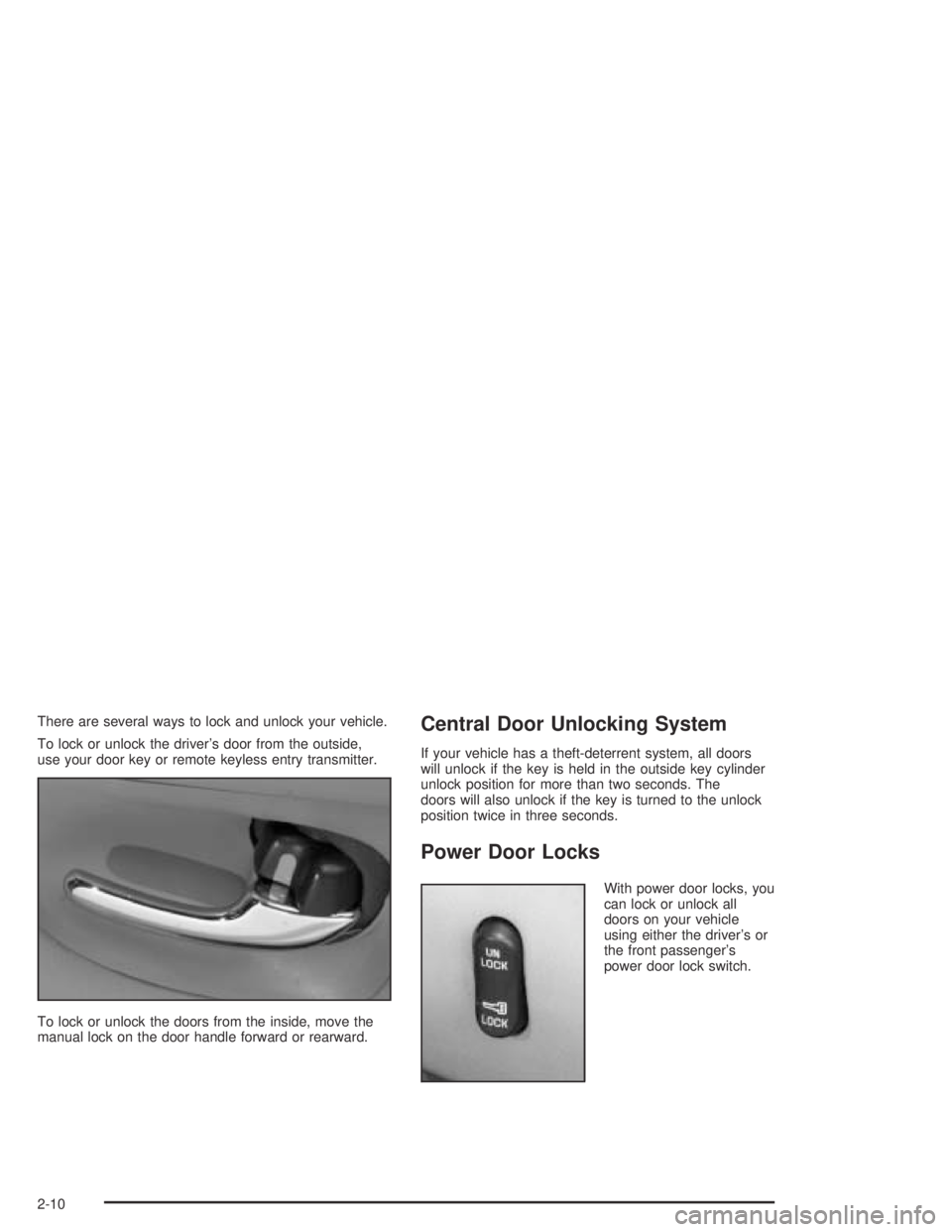
There are several ways to lock and unlock your vehicle.
To lock or unlock the driver’s door from the outside,
use your door key or remote keyless entry transmitter.
To lock or unlock the doors from the inside, move the
manual lock on the door handle forward or rearward.Central Door Unlocking System
If your vehicle has a theft-deterrent system, all doors
will unlock if the key is held in the outside key cylinder
unlock position for more than two seconds. The
doors will also unlock if the key is turned to the unlock
position twice in three seconds.
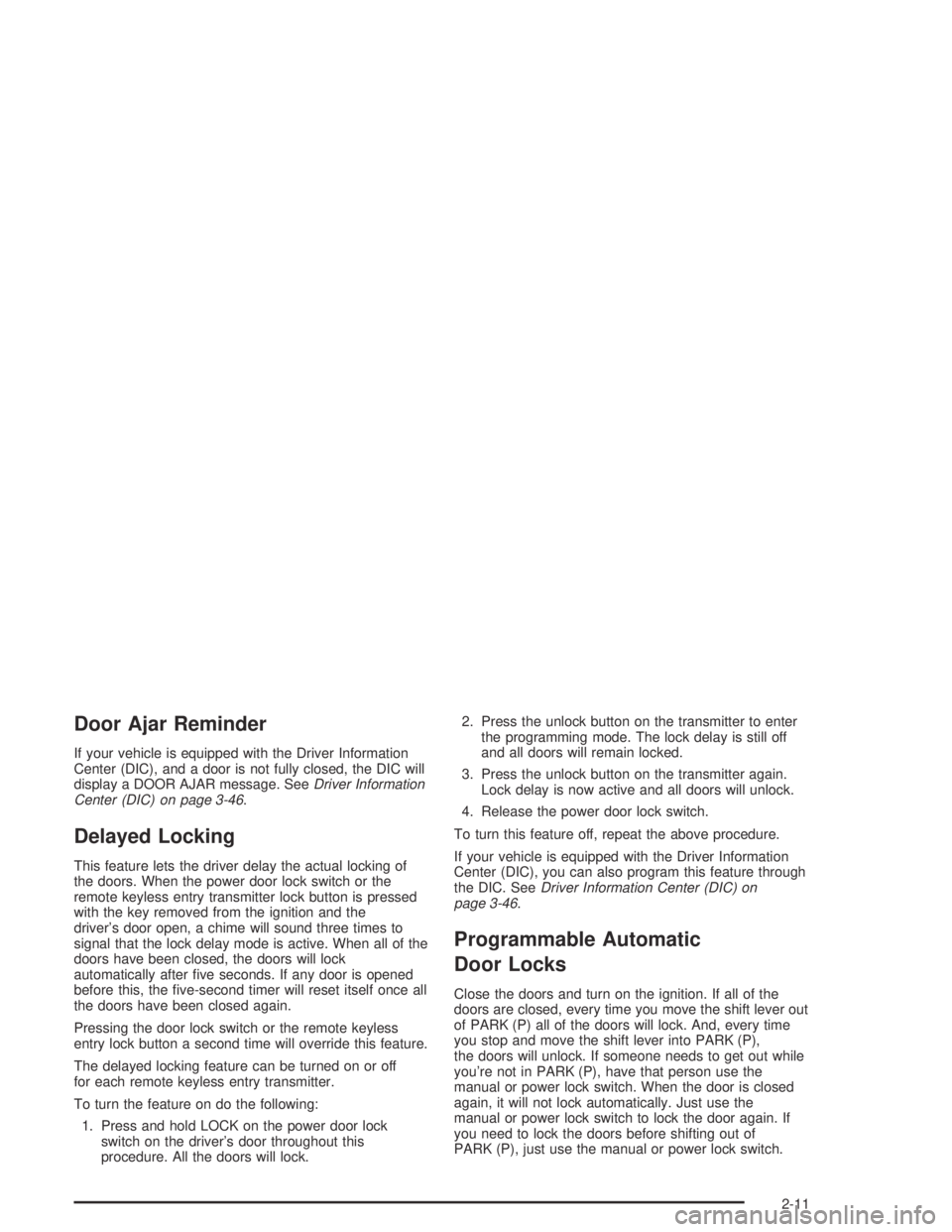
Power Door Locks
With power door locks, you
can lock or unlock all
doors on your vehicle
using either the driver’s or
the front passenger’s
power door lock switch.
2-10
Page 75 of 388
Door Ajar Reminder
If your vehicle is equipped with the Driver Information
Center (DIC), and a door is not fully closed, the DIC will
display a DOOR AJAR message. SeeDriver Information
Center (DIC) on page 3-46.
Delayed Locking
This feature lets the driver delay the actual locking of
the doors. When the power door lock switch or the
remote keyless entry transmitter lock button is pressed
with the key removed from the ignition and the
driver’s door open, a chime will sound three times to
signal that the lock delay mode is active. When all of the
doors have been closed, the doors will lock
automatically after ve seconds. If any door is opened
before this, the ve-second timer will reset itself once all
the doors have been closed again.
Pressing the door lock switch or the remote keyless
entry lock button a second time will override this feature.
The delayed locking feature can be turned on or off
for each remote keyless entry transmitter.
To turn the feature on do the following:
1. Press and hold LOCK on the power door lock
switch on the driver’s door throughout this
procedure. All the doors will lock.2. Press the unlock button on the transmitter to enter
the programming mode. The lock delay is still off
and all doors will remain locked.
3. Press the unlock button on the transmitter again.
Lock delay is now active and all doors will unlock.
4. Release the power door lock switch.
To turn this feature off, repeat the above procedure.
If your vehicle is equipped with the Driver Information
Center (DIC), you can also program this feature through
the DIC. SeeDriver Information Center (DIC) on
page 3-46.
Programmable Automatic
Door Locks
Close the doors and turn on the ignition. If all of the
doors are closed, every time you move the shift lever out
of PARK (P) all of the doors will lock. And, every time
you stop and move the shift lever into PARK (P),
the doors will unlock. If someone needs to get out while
you’re not in PARK (P), have that person use the
manual or power lock switch. When the door is closed
again, it will not lock automatically. Just use the
manual or power lock switch to lock the door again. If
you need to lock the doors before shifting out of
PARK (P), just use the manual or power lock switch.
2-11