battery BUICK RAINIER 2007 Owner's Guide
[x] Cancel search | Manufacturer: BUICK, Model Year: 2007, Model line: RAINIER, Model: BUICK RAINIER 2007Pages: 534, PDF Size: 2.87 MB
Page 262 of 534
Notice:Do not store the headphones in heat
or direct sunlight. This could damage the
headphones and repairs will not be covered by
your warranty. Keep the headphones stored
in a cool, dry place.
Both sets of rear seat headphones may include
foam ear pads that can be replaced.
Foam ear pads on these headphones may
become worn or damaged. The headphone foam
ear pads can become damaged if they are not
handled or stored properly. If the foam ear pads do
become damaged or worn out, the pads can be
replaced separately from the headphone set.
It is not necessary to replace the complete
headphone set.
The headphone replacement foam ear pads can
be ordered in pairs. See your dealer for more
information.Battery Replacement
To change the batteries, do the following:
1. Loosen the screw on the battery compartment
door located on the left side of the headphone
earpiece.
2. Replace the two AAA batteries in the
compartment. Make sure that they are
installed correctly, using the diagram on the
inside of the battery compartment.
3. Tighten the screw to close the
compartment door.
If the headphones are to be stored for a long
period of time, remove the batteries and keep them
in a cool, dry place.
262
Page 268 of 534
To resume playback, press the play/pause button
on the DVD player faceplate or the remote
control. The movie should resume play from where
it was last stopped, if the disc has not been
ejected and the stop button has not been pressed
twice. If the disc has been ejected or if the stop
button has been pressed twice, the disc will
resume play at the beginning.
Ejecting a Disc (DVD Player without
Sunroof)
Press the eject button on the DVD player faceplate
to eject the disc. There is not an eject button on
the remote control.
If a disc is ejected from the player, but is not
removed, the DVD player will reload the disc after
a short period of time. The disc will be stored
in the DVD player. The DVD player will not resume
play of the disc automatically.
Ejecting a Disc (DVD Player with Sunroof)
Press and hold the stop/eject button for more
than two seconds on the DVD player faceplate to
eject the disc. There is not an eject button on
the remote control.If a disc is ejected from the player, but is not
removed, the DVD player will reload the disc after
a short period of time. The disc will be stored
in the DVD player. The DVD player will not resume
play of the disc automatically.
Remote Control
To use the remote control, aim it at the transmitter
window below the video screen and press the
desired button. Direct sunlight or very bright light
may affect the ability of the RSE system to
receive signals from the remote control. If the
remote control does not seem to be working, the
batteries may need to be replaced. See “Battery
Replacement” later in this section.
Objects blocking the line of sight may also affect
the function of the remote control.
Notice:Storing the remote control in a hot
area or in direct sunlight may damage it,
and the repairs will not be covered by your
warranty. Keep the remote control stored in a
cool, dry place.
To extend the life of the batteries, the remote
control does not have a press and hold feature.
268
Page 271 of 534
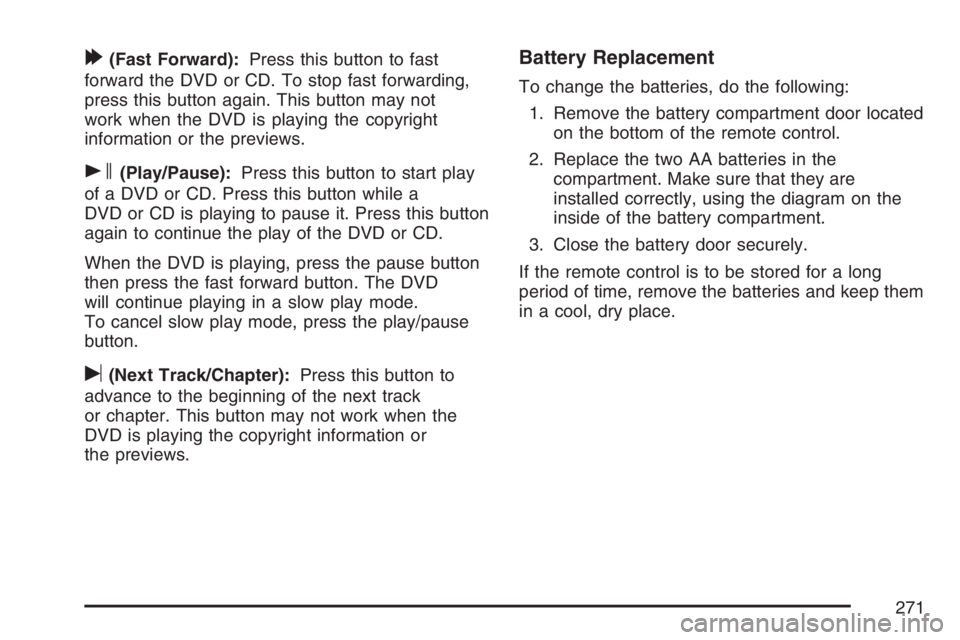
[(Fast Forward):Press this button to fast
forward the DVD or CD. To stop fast forwarding,
press this button again. This button may not
work when the DVD is playing the copyright
information or the previews.
s(Play/Pause):Press this button to start play
of a DVD or CD. Press this button while a
DVD or CD is playing to pause it. Press this button
again to continue the play of the DVD or CD.
When the DVD is playing, press the pause button
then press the fast forward button. The DVD
will continue playing in a slow play mode.
To cancel slow play mode, press the play/pause
button.
u(Next Track/Chapter):Press this button to
advance to the beginning of the next track
or chapter. This button may not work when the
DVD is playing the copyright information or
the previews.
Battery Replacement
To change the batteries, do the following:
1. Remove the battery compartment door located
on the bottom of the remote control.
2. Replace the two AA batteries in the
compartment. Make sure that they are
installed correctly, using the diagram on the
inside of the battery compartment.
3. Close the battery door securely.
If the remote control is to be stored for a long
period of time, remove the batteries and keep them
in a cool, dry place.
271
Page 328 of 534
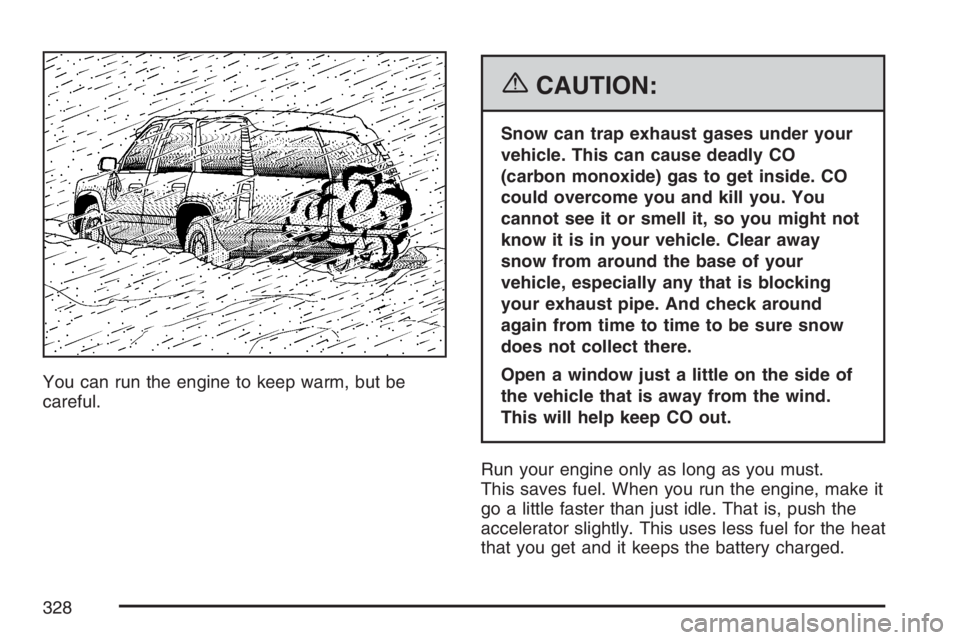
You can run the engine to keep warm, but be
careful.
{CAUTION:
Snow can trap exhaust gases under your
vehicle. This can cause deadly CO
(carbon monoxide) gas to get inside. CO
could overcome you and kill you. You
cannot see it or smell it, so you might not
know it is in your vehicle. Clear away
snow from around the base of your
vehicle, especially any that is blocking
your exhaust pipe. And check around
again from time to time to be sure snow
does not collect there.
Open a window just a little on the side of
the vehicle that is away from the wind.
This will help keep CO out.
Run your engine only as long as you must.
This saves fuel. When you run the engine, make it
go a little faster than just idle. That is, push the
accelerator slightly. This uses less fuel for the heat
that you get and it keeps the battery charged.
328
Page 329 of 534
You will need a well-charged battery to restart the
vehicle, and possibly for signaling later on with
your headlamps. Let the heater run for a while.
Then, shut the engine off and close the window
almost all the way to preserve the heat. Start
the engine again and repeat this only when you
feel really uncomfortable from the cold. But do it as
little as possible. Preserve the fuel as long as
you can. To help keep warm, you can get out of
the vehicle and do some fairly vigorous exercises
every half hour or so until help comes.
If Your Vehicle is Stuck in Sand,
Mud, Ice, or Snow
In order to free your vehicle when it is stuck,
you will need to spin the wheels, but you do not
want to spin your wheels too fast. The method
known as rocking can help you get out when you
are stuck, but you must use caution.
{CAUTION:
If you let your vehicle’s tires spin at high
speed, they can explode, and you or others
could be injured. And, the transmission or
other parts of the vehicle can overheat.
That could cause an engine compartment
re or other damage. When you are stuck,
spin the wheels as little as possible. Do not
spin the wheels above 35 mph (55 km/h) as
shown on the speedometer.
Notice:Spinning the wheels can destroy parts
of your vehicle as well as the tires. If you
spin the wheels too fast while shifting
the transmission back and forth, you can
destroy the transmission.
For information about using tire chains on your
vehicle, seeTire Chains on page 433.
329
Page 352 of 534
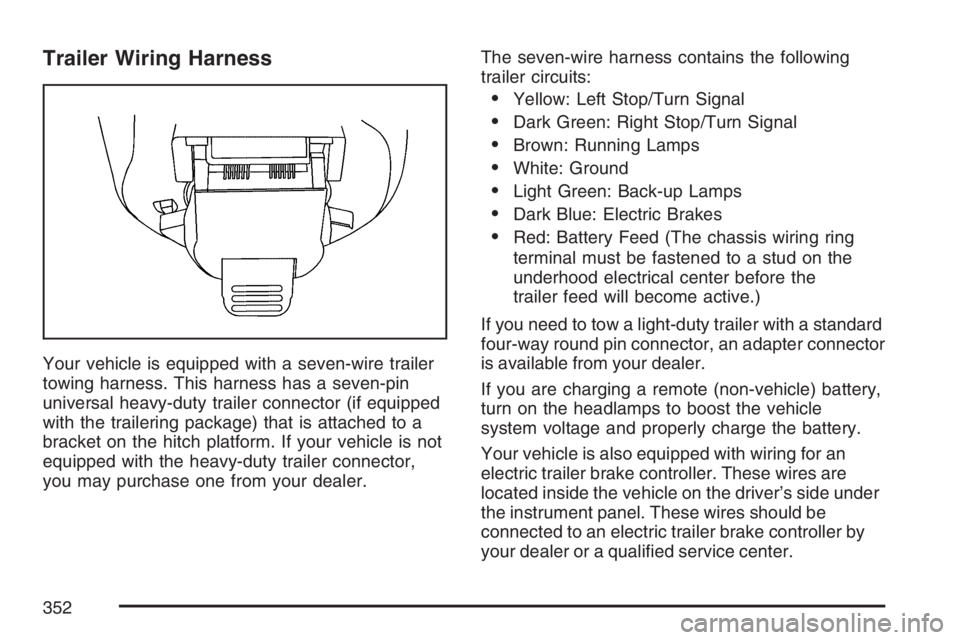
Trailer Wiring Harness
Your vehicle is equipped with a seven-wire trailer
towing harness. This harness has a seven-pin
universal heavy-duty trailer connector (if equipped
with the trailering package) that is attached to a
bracket on the hitch platform. If your vehicle is not
equipped with the heavy-duty trailer connector,
you may purchase one from your dealer.The seven-wire harness contains the following
trailer circuits:
Yellow: Left Stop/Turn Signal
Dark Green: Right Stop/Turn Signal
Brown: Running Lamps
White: Ground
Light Green: Back-up Lamps
Dark Blue: Electric Brakes
Red: Battery Feed (The chassis wiring ring
terminal must be fastened to a stud on the
underhood electrical center before the
trailer feed will become active.)
If you need to tow a light-duty trailer with a standard
four-way round pin connector, an adapter connector
is available from your dealer.
If you are charging a remote (non-vehicle) battery,
turn on the headlamps to boost the vehicle
system voltage and properly charge the battery.
Your vehicle is also equipped with wiring for an
electric trailer brake controller. These wires are
located inside the vehicle on the driver’s side under
the instrument panel. These wires should be
connected to an electric trailer brake controller by
your dealer or a qualied service center.
352
Page 353 of 534
Service........................................................ 356
Accessories and Modications................... 356
California Proposition 65 Warning.............. 357
Doing Your Own Service Work.................. 357
Adding Equipment to the Outside
of Your Vehicle...................................... 358
Fuel............................................................. 358
Gasoline Octane........................................ 358
Gasoline Specications.............................. 358
California Fuel........................................... 359
Additives................................................... 359
Fuels in Foreign Countries........................ 360
Filling the Tank......................................... 361
Filling a Portable Fuel Container............... 363
Checking Things Under the Hood.............. 364
Hood Release........................................... 364
Engine Compartment Overview.................. 366
Engine Oil................................................. 369
Engine Oil Life System.............................. 372
Engine Air Cleaner/Filter............................ 374
Automatic Transmission Fluid.................... 375
Engine Coolant.......................................... 379Radiator Pressure Cap.............................. 382
Engine Overheating................................... 382
Cooling System......................................... 384
Engine Fan Noise..................................... 390
Power Steering Fluid ................................. 390
Windshield Washer Fluid........................... 391
Brakes...................................................... 392
Battery...................................................... 396
Jump Starting............................................ 397
All-Wheel Drive........................................... 402
Rear Axle.................................................... 402
Front Axle................................................... 403
Bulb Replacement....................................... 404
Halogen Bulbs........................................... 404
Headlamps, Front Turn Signal, and
Parking Lamps....................................... 405
Taillamps and Turn Signal Lamps............. 405
License Plate Lamp................................... 407
Replacement Bulbs................................... 407
Windshield Replacement............................ 408
Windshield Wiper Blade Replacement....... 408
Section 5 Service and Appearance Care
353
Page 367 of 534
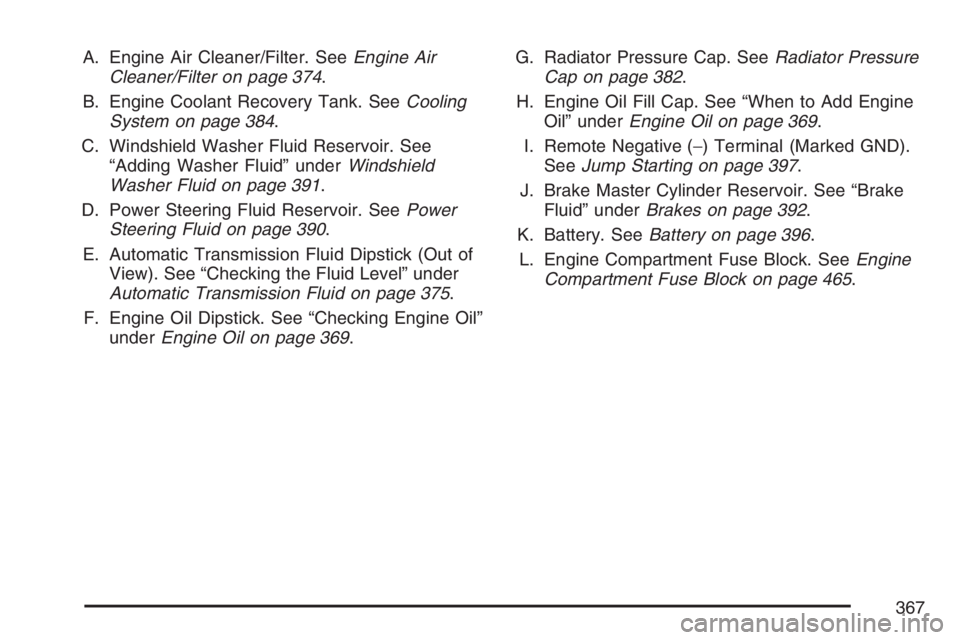
A. Engine Air Cleaner/Filter. SeeEngine Air
Cleaner/Filter on page 374.
B. Engine Coolant Recovery Tank. SeeCooling
System on page 384.
C. Windshield Washer Fluid Reservoir. See
“Adding Washer Fluid” underWindshield
Washer Fluid on page 391.
D. Power Steering Fluid Reservoir. SeePower
Steering Fluid on page 390.
E. Automatic Transmission Fluid Dipstick (Out of
View). See “Checking the Fluid Level” under
Automatic Transmission Fluid on page 375.
F. Engine Oil Dipstick. See “Checking Engine Oil”
underEngine Oil on page 369.G. Radiator Pressure Cap. SeeRadiator Pressure
Cap on page 382.
H. Engine Oil Fill Cap. See “When to Add Engine
Oil” underEngine Oil on page 369.
I. Remote Negative (−) Terminal (Marked GND).
SeeJump Starting on page 397.
J. Brake Master Cylinder Reservoir. See “Brake
Fluid” underBrakes on page 392.
K. Battery. SeeBattery on page 396.
L. Engine Compartment Fuse Block. SeeEngine
Compartment Fuse Block on page 465.
367
Page 369 of 534
A. Engine Coolant Recovery Tank. SeeCooling
System on page 384.
B. Engine Air Cleaner/Filter. SeeEngine Air
Cleaner/Filter on page 374.
C. Windshield Washer Fluid Reservoir. See
“Adding Washer Fluid” underWindshield
Washer Fluid on page 391.
D. Engine Oil Dipstick. See “Checking Engine Oil”
underEngine Oil on page 369.
E. Automatic Transmission Fluid Dipstick. See
“Checking the Fluid Level” underAutomatic
Transmission Fluid on page 375.
F. Engine Oil Fill Cap. See “When to Add Engine
Oil” underEngine Oil on page 369.
G. Radiator Pressure Cap. SeeRadiator Pressure
Cap on page 382.
H. Remote Negative (−) Terminal (Marked GND).
SeeJump Starting on page 397.
I. Power Steering Fluid Reservoir. SeePower
Steering Fluid on page 390.
J. Brake Master Cylinder Reservoir. See “Brake
Fluid” underBrakes on page 392.K. Engine Compartment Fuse Block. SeeEngine
Compartment Fuse Block on page 465.
L. Battery. SeeBattery on page 396.
Engine Oil
Checking Engine Oil
It is a good idea to check the engine oil every time
you get fuel. In order to get an accurate reading,
the oil must be warm and the vehicle must be
on level ground.
The engine oil dipstick handle is a yellow loop.
SeeEngine Compartment Overview on page 366
for the location of the engine oil dipstick.
1. Turn off the engine and give the oil several
minutes to drain back into the oil pan. If you
do not do this, the oil dipstick might not
show the actual level.
2. Pull out the dipstick and clean it with a paper
towel or cloth, then push it back in all the
way. Remove it again, keeping the tip down,
and check the level.
369
Page 396 of 534
Battery
Your vehicle has a maintenance free battery.
When it is time for a new battery, get one that has
the replacement number shown on the original
battery’s label. We recommend an ACDelco
®
replacement battery. SeeEngine Compartment
Overview on page 366for battery location.
Warning:Battery posts, terminals, and related
accessories contain lead and lead compounds,
chemicals known to the State of California
to cause cancer and reproductive harm. Wash
hands after handling.
Vehicle Storage
If you are not going to drive your vehicle for
25 days or more, remove the black, negative (−)
cable from the battery. This will help keep
your battery from running down.
{CAUTION:
Batteries have acid that can burn you and
gas that can explode. You can be badly
hurt if you are not careful. SeeJump
Starting on page 397for tips on working
around a battery without getting hurt.
396