instrument panel BUICK RAINIER 2007 Owner's Guide
[x] Cancel search | Manufacturer: BUICK, Model Year: 2007, Model line: RAINIER, Model: BUICK RAINIER 2007Pages: 534, PDF Size: 2.87 MB
Page 181 of 534
Airbag Readiness Light
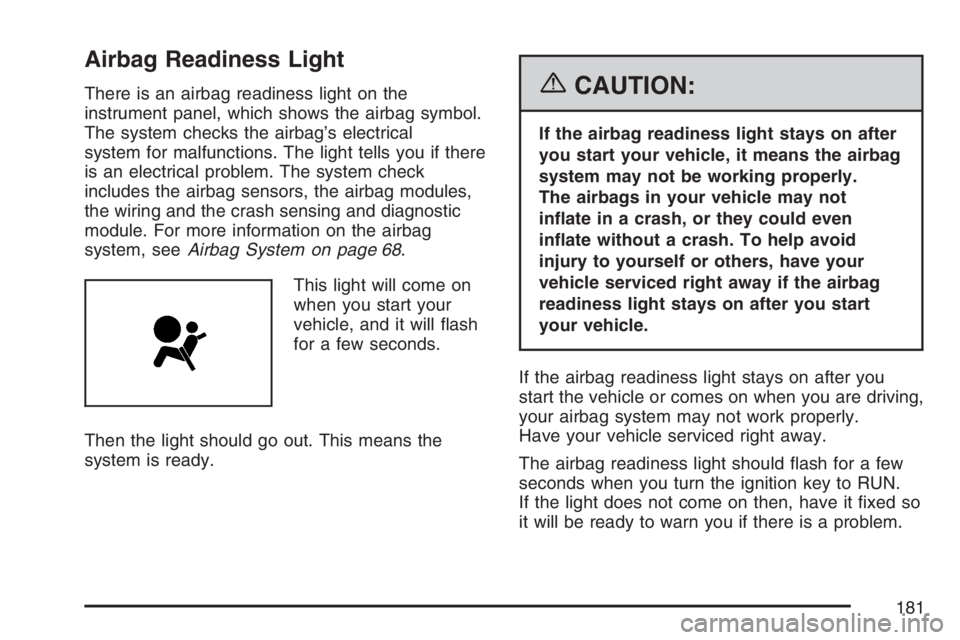
There is an airbag readiness light on the
instrument panel, which shows the airbag symbol.
The system checks the airbag’s electrical
system for malfunctions. The light tells you if there
is an electrical problem. The system check
includes the airbag sensors, the airbag modules,
the wiring and the crash sensing and diagnostic
module. For more information on the airbag
system, seeAirbag System on page 68.
This light will come on
when you start your
vehicle, and it will ash
for a few seconds.
Then the light should go out. This means the
system is ready.{CAUTION:
If the airbag readiness light stays on after
you start your vehicle, it means the airbag
system may not be working properly.
The airbags in your vehicle may not
inate in a crash, or they could even
inate without a crash. To help avoid
injury to yourself or others, have your
vehicle serviced right away if the airbag
readiness light stays on after you start
your vehicle.
If the airbag readiness light stays on after you
start the vehicle or comes on when you are driving,
your airbag system may not work properly.
Have your vehicle serviced right away.
The airbag readiness light should ash for a few
seconds when you turn the ignition key to RUN.
If the light does not come on then, have it xed so
it will be ready to warn you if there is a problem.
181
Page 198 of 534
Driver Information Center (DIC)
The Driver Information Center (DIC) display is
located on the instrument panel cluster, below the
speedometer. If your vehicle has DIC buttons,
they are located on the steering wheel. The DIC
can display information such as the trip odometer,
fuel economy, customization features, and
warning/status messages.
If your vehicle does not have DIC steering wheel
buttons, you will not have all of the features
listed. Scroll through the odometer and trip
odometer by pressing the trip odometer reset stem
located on the instrument panel cluster. Turn
off, or acknowledge, DIC messages by pressing
the trip odometer reset stem. SeeSpeedometer
and Odometer on page 179for information
on features for vehicles without DIC buttons.
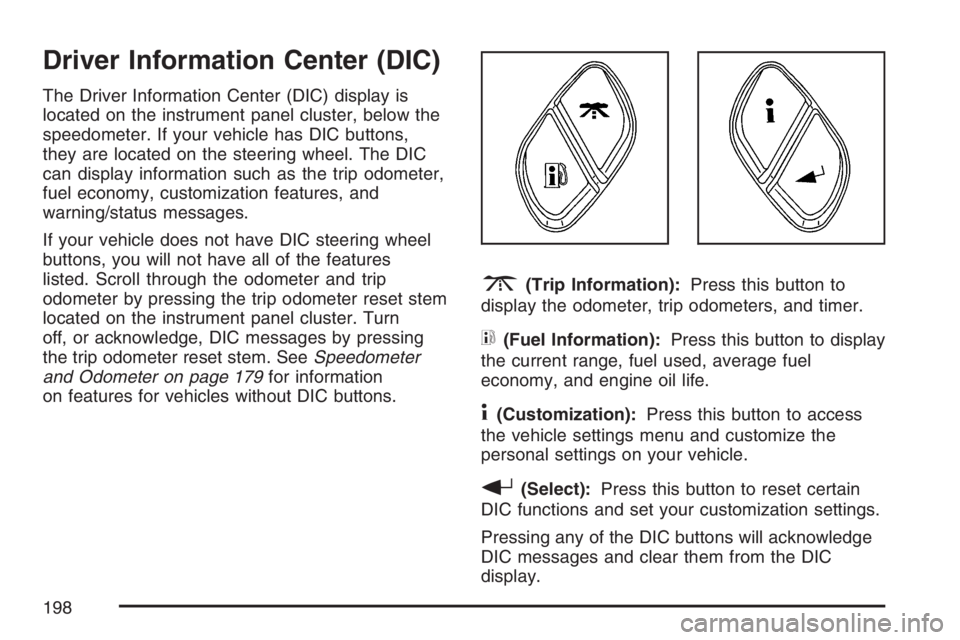
3(Trip Information):Press this button to
display the odometer, trip odometers, and timer.
t(Fuel Information):Press this button to display
the current range, fuel used, average fuel
economy, and engine oil life.
4(Customization):Press this button to access
the vehicle settings menu and customize the
personal settings on your vehicle.
r(Select):Press this button to reset certain
DIC functions and set your customization settings.
Pressing any of the DIC buttons will acknowledge
DIC messages and clear them from the DIC
display.
198
Page 202 of 534
Customization Button
4
(Customization):Press the customization
button to access the VEHICLE SETTINGS menu
and customize the settings to your vehicle.
SeeDIC Vehicle Customization on page 208for
more information.
Select Button
r
(Select):Press the select button to reset
certain DIC functions, turn off or acknowledge
messages on the DIC display, and set your
customization settings. For example, this button
will allow you to reset the trip odometers, turn
off the FUEL LEVEL LOW message, and enables
you to scroll through and select the language
in which the DIC information will appear.
DIC Warnings and Messages
Messages are displayed on the DIC to notify the
driver that the status of the vehicle has changed
and that some action may be needed to correct the
condition. Multiple messages may appear one
after another.Some messages may not require immediate
action. Press any of the DIC buttons on the
steering wheel or the trip odometer reset stem on
the instrument panel cluster to acknowledge
that you received the messages and to clear them
from the display.
Some messages cannot be cleared from the
display because they are more urgent. These
messages require action before they can be
removed from the DIC display. Take any messages
that appear on the display seriously and remember
that clearing the messages will only make the
messages disappear, not correct the problem.
The following are the possible messages that can
be displayed and some information about them.
CHANGE ENGINE OIL
This message displays when the engine oil needs
to be changed and service is required for your
vehicle. SeeScheduled Maintenance on page 479
andEngine Oil on page 369for more information.
Also seeEngine Oil Life System on page 372
for information on how to reset the message. This
message clears itself after 10 seconds until the
next ignition cycle.
202
Page 204 of 534
ENGINE COOLANT HOT/ENGINE
OVERHEATED
Notice:If you drive your vehicle while the
engine is overheating, severe engine damage
may occur. If an overheat warning appears
on the instrument panel cluster and/or
DIC, stop the vehicle as soon as possible.
Do not increase the engine speed above
normal idling speed. SeeEngine Overheating
on page 382for more information.
This message displays and a chime sounds if the
cooling system temperature gets hot. See
Engine Overheating on page 382for the proper
course of action. This message clears when
the coolant temperature drops to a safe operating
temperature.
FUEL LEVEL LOW
This message displays and a chime sounds if the
fuel level is low in the vehicle’s fuel tank. Refuel as
soon as possible. Press any of the DIC buttons, or
the trip stem, to acknowledge this message and
clear it from the DIC display. SeeLow Fuel Warning
Light on page 197,Filling the Tank on page 361,
andFuel on page 358for more information.
ICE POSSIBLE
This message may display if the outside
temperature reaches a level where ice could form
on the roadway. If the temperature rises to a safe
level, the message clears. This message clears
itself after 10 seconds, or you can press any of the
DIC buttons, or the trip stem, to acknowledge this
message and clear it from the DIC display.
KEY FOB # BATTERY LOW
This message displays if a Remote Keyless Entry
(RKE) transmitter battery is low. Replace the
battery in the transmitter. See “Battery
Replacement” underRemote Keyless Entry (RKE)
System Operation on page 94. Press any of the
DIC buttons, or the trip stem, to acknowledge this
message and clear it from the DIC display.
LEFT REAR DOOR AJAR
This message displays and a chime sounds if the
driver’s side rear door is not fully closed. Stop and
turn off the vehicle, check the door for obstructions,
and close the door again. Check to see if the
message still appears on the DIC. Press any of the
DIC buttons, or the trip stem, to acknowledge this
message and clear it from the DIC display.
204
Page 206 of 534
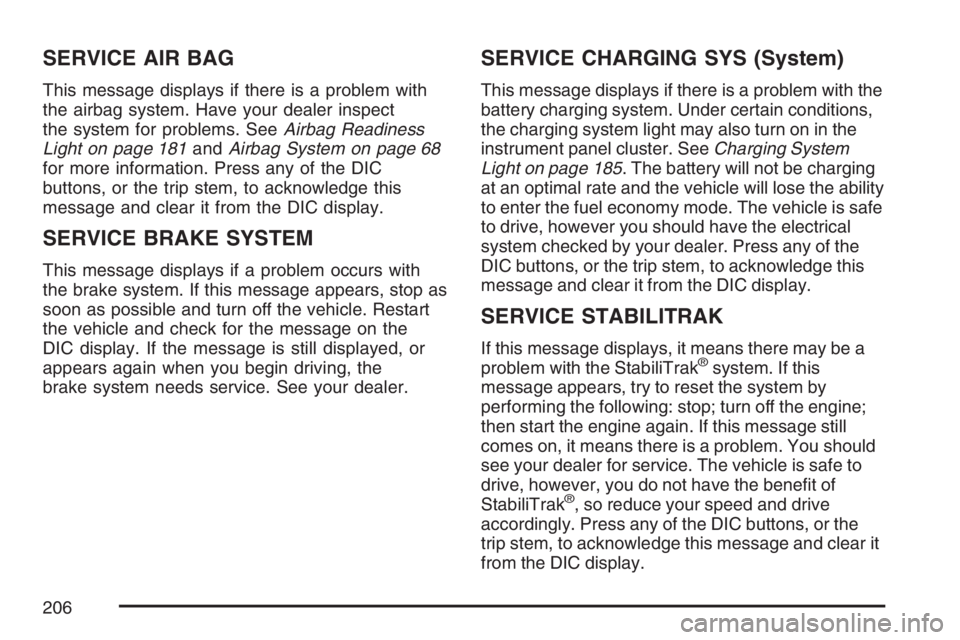
SERVICE AIR BAG
This message displays if there is a problem with
the airbag system. Have your dealer inspect
the system for problems. SeeAirbag Readiness
Light on page 181andAirbag System on page 68
for more information. Press any of the DIC
buttons, or the trip stem, to acknowledge this
message and clear it from the DIC display.
SERVICE BRAKE SYSTEM
This message displays if a problem occurs with
the brake system. If this message appears, stop as
soon as possible and turn off the vehicle. Restart
the vehicle and check for the message on the
DIC display. If the message is still displayed, or
appears again when you begin driving, the
brake system needs service. See your dealer.
SERVICE CHARGING SYS (System)
This message displays if there is a problem with the
battery charging system. Under certain conditions,
the charging system light may also turn on in the
instrument panel cluster. SeeCharging System
Light on page 185. The battery will not be charging
at an optimal rate and the vehicle will lose the ability
to enter the fuel economy mode. The vehicle is safe
to drive, however you should have the electrical
system checked by your dealer. Press any of the
DIC buttons, or the trip stem, to acknowledge this
message and clear it from the DIC display.
SERVICE STABILITRAK
If this message displays, it means there may be a
problem with the StabiliTrak®system. If this
message appears, try to reset the system by
performing the following: stop; turn off the engine;
then start the engine again. If this message still
comes on, it means there is a problem. You should
see your dealer for service. The vehicle is safe to
drive, however, you do not have the benet of
StabiliTrak
®, so reduce your speed and drive
accordingly. Press any of the DIC buttons, or the
trip stem, to acknowledge this message and clear it
from the DIC display.
206
Page 292 of 534
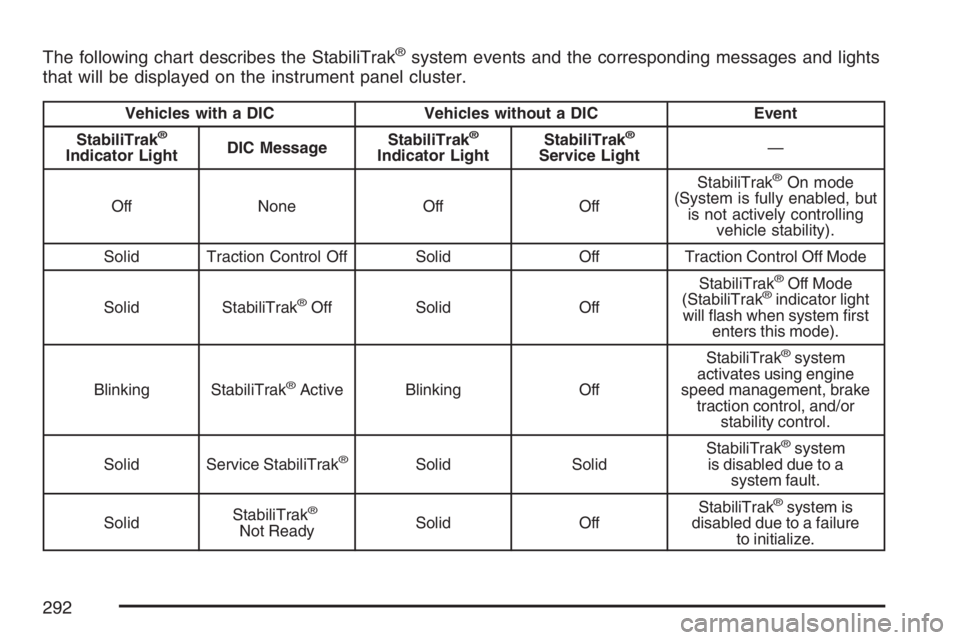
The following chart describes the StabiliTrak®system events and the corresponding messages and lights
that will be displayed on the instrument panel cluster.
Vehicles with a DIC Vehicles without a DIC Event
StabiliTrak
®
Indicator LightDIC MessageStabiliTrak
®
Indicator LightStabiliTrak
®
Service Light—
Off None Off OffStabiliTrak
®On mode
(System is fully enabled, but
is not actively controlling
vehicle stability).
Solid Traction Control Off Solid Off Traction Control Off Mode
Solid StabiliTrak
®Off Solid OffStabiliTrak
®Off Mode
(StabiliTrak®indicator light
will ash when system rst
enters this mode).
Blinking StabiliTrak
®Active Blinking OffStabiliTrak
®system
activates using engine
speed management, brake
traction control, and/or
stability control.
Solid Service StabiliTrak
®Solid SolidStabiliTrak
®system
is disabled due to a
system fault.
SolidStabiliTrak
®
Not ReadySolid OffStabiliTrak
®system is
disabled due to a failure
to initialize.
292
Page 349 of 534
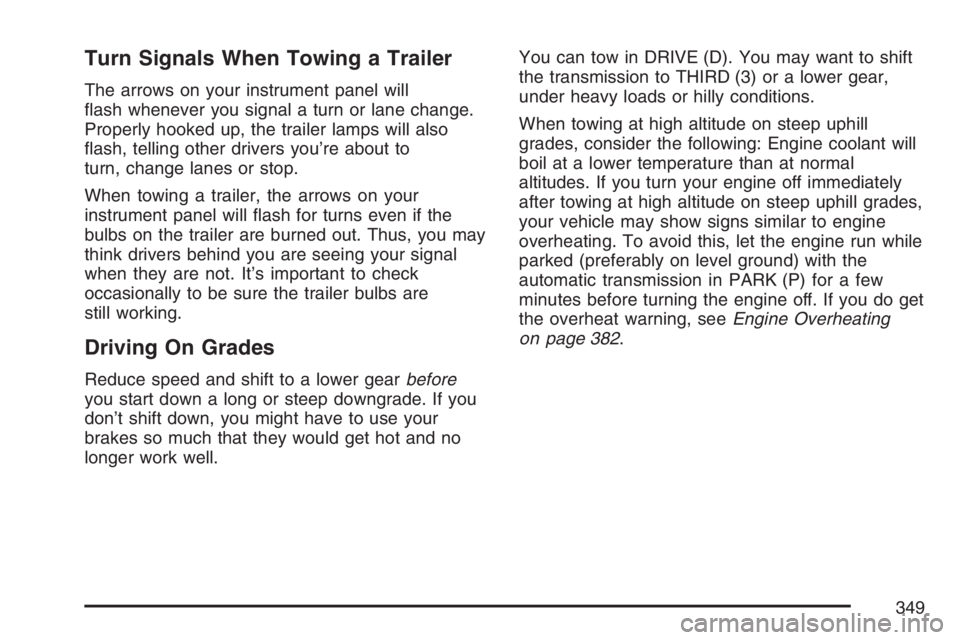
Turn Signals When Towing a Trailer
The arrows on your instrument panel will
ash whenever you signal a turn or lane change.
Properly hooked up, the trailer lamps will also
ash, telling other drivers you’re about to
turn, change lanes or stop.
When towing a trailer, the arrows on your
instrument panel will ash for turns even if the
bulbs on the trailer are burned out. Thus, you may
think drivers behind you are seeing your signal
when they are not. It’s important to check
occasionally to be sure the trailer bulbs are
still working.
Driving On Grades
Reduce speed and shift to a lower gearbefore
you start down a long or steep downgrade. If you
don’t shift down, you might have to use your
brakes so much that they would get hot and no
longer work well.You can tow in DRIVE (D). You may want to shift
the transmission to THIRD (3) or a lower gear,
under heavy loads or hilly conditions.
When towing at high altitude on steep uphill
grades, consider the following: Engine coolant will
boil at a lower temperature than at normal
altitudes. If you turn your engine off immediately
after towing at high altitude on steep uphill grades,
your vehicle may show signs similar to engine
overheating. To avoid this, let the engine run while
parked (preferably on level ground) with the
automatic transmission in PARK (P) for a few
minutes before turning the engine off. If you do get
the overheat warning, seeEngine Overheating
on page 382.
349
Page 352 of 534
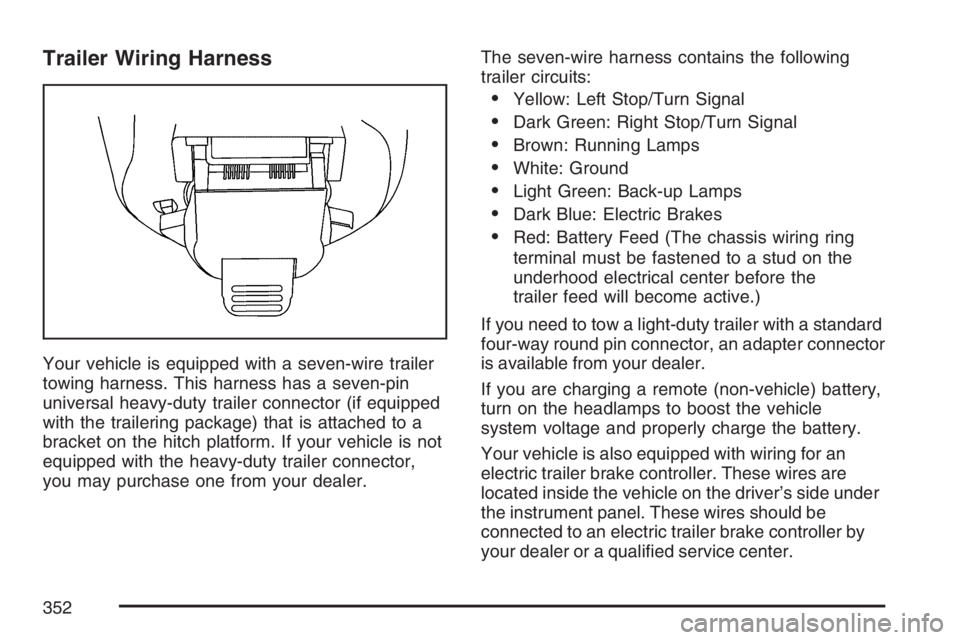
Trailer Wiring Harness
Your vehicle is equipped with a seven-wire trailer
towing harness. This harness has a seven-pin
universal heavy-duty trailer connector (if equipped
with the trailering package) that is attached to a
bracket on the hitch platform. If your vehicle is not
equipped with the heavy-duty trailer connector,
you may purchase one from your dealer.The seven-wire harness contains the following
trailer circuits:
Yellow: Left Stop/Turn Signal
Dark Green: Right Stop/Turn Signal
Brown: Running Lamps
White: Ground
Light Green: Back-up Lamps
Dark Blue: Electric Brakes
Red: Battery Feed (The chassis wiring ring
terminal must be fastened to a stud on the
underhood electrical center before the
trailer feed will become active.)
If you need to tow a light-duty trailer with a standard
four-way round pin connector, an adapter connector
is available from your dealer.
If you are charging a remote (non-vehicle) battery,
turn on the headlamps to boost the vehicle
system voltage and properly charge the battery.
Your vehicle is also equipped with wiring for an
electric trailer brake controller. These wires are
located inside the vehicle on the driver’s side under
the instrument panel. These wires should be
connected to an electric trailer brake controller by
your dealer or a qualied service center.
352
Page 354 of 534
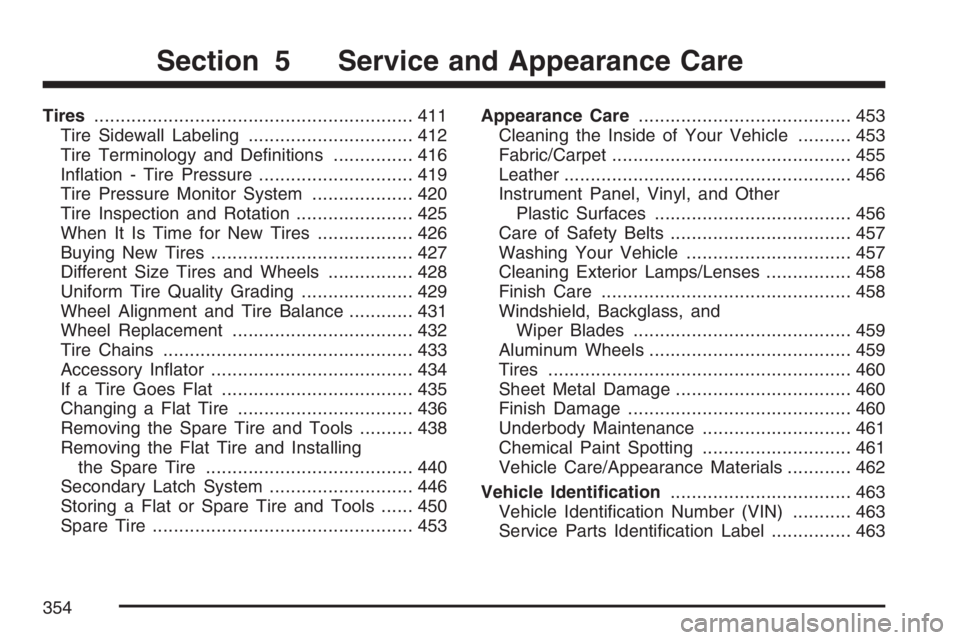
Tires............................................................ 411
Tire Sidewall Labeling............................... 412
Tire Terminology and Denitions............... 416
Ination - Tire Pressure............................. 419
Tire Pressure Monitor System................... 420
Tire Inspection and Rotation...................... 425
When It Is Time for New Tires.................. 426
Buying New Tires...................................... 427
Different Size Tires and Wheels................ 428
Uniform Tire Quality Grading..................... 429
Wheel Alignment and Tire Balance............ 431
Wheel Replacement.................................. 432
Tire Chains............................................... 433
Accessory Inator...................................... 434
If a Tire Goes Flat.................................... 435
Changing a Flat Tire................................. 436
Removing the Spare Tire and Tools.......... 438
Removing the Flat Tire and Installing
the Spare Tire....................................... 440
Secondary Latch System........................... 446
Storing a Flat or Spare Tire and Tools...... 450
Spare Tire................................................. 453Appearance Care........................................ 453
Cleaning the Inside of Your Vehicle.......... 453
Fabric/Carpet............................................. 455
Leather...................................................... 456
Instrument Panel, Vinyl, and Other
Plastic Surfaces..................................... 456
Care of Safety Belts.................................. 457
Washing Your Vehicle............................... 457
Cleaning Exterior Lamps/Lenses................ 458
Finish Care............................................... 458
Windshield, Backglass, and
Wiper Blades......................................... 459
Aluminum Wheels...................................... 459
Tires......................................................... 460
Sheet Metal Damage................................. 460
Finish Damage.......................................... 460
Underbody Maintenance............................ 461
Chemical Paint Spotting............................ 461
Vehicle Care/Appearance Materials............ 462
Vehicle Identication.................................. 463
Vehicle Identication Number (VIN)........... 463
Service Parts Identication Label............... 463
Section 5 Service and Appearance Care
354
Page 363 of 534
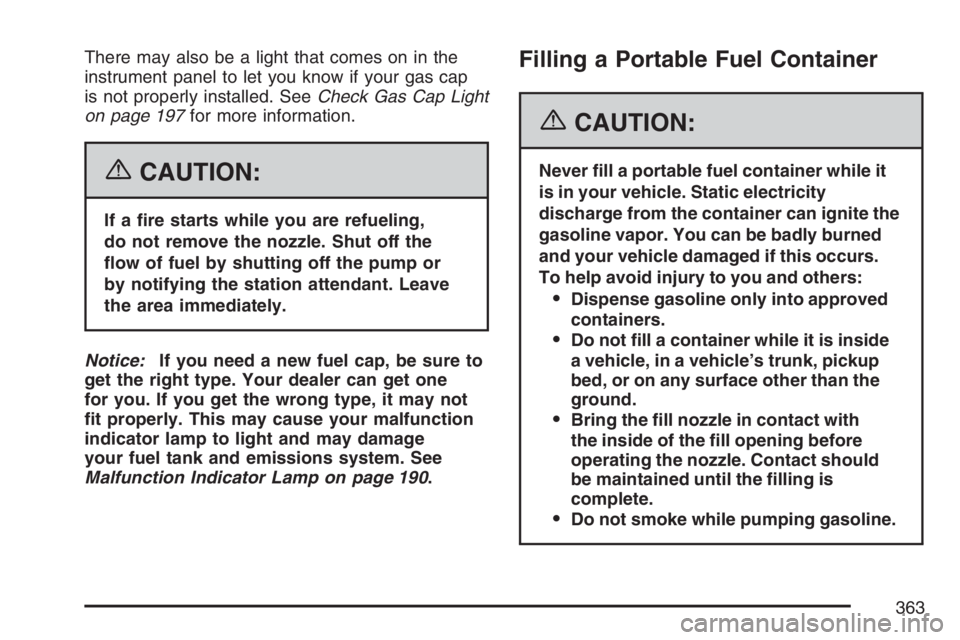
There may also be a light that comes on in the
instrument panel to let you know if your gas cap
is not properly installed. SeeCheck Gas Cap Light
on page 197for more information.
{CAUTION:
If a re starts while you are refueling,
do not remove the nozzle. Shut off the
ow of fuel by shutting off the pump or
by notifying the station attendant. Leave
the area immediately.
Notice:If you need a new fuel cap, be sure to
get the right type. Your dealer can get one
for you. If you get the wrong type, it may not
t properly. This may cause your malfunction
indicator lamp to light and may damage
your fuel tank and emissions system. See
Malfunction Indicator Lamp on page 190.
Filling a Portable Fuel Container
{CAUTION:
Never ll a portable fuel container while it
is in your vehicle. Static electricity
discharge from the container can ignite the
gasoline vapor. You can be badly burned
and your vehicle damaged if this occurs.
To help avoid injury to you and others:
Dispense gasoline only into approved
containers.
Do not ll a container while it is inside
a vehicle, in a vehicle’s trunk, pickup
bed, or on any surface other than the
ground.
Bring the ll nozzle in contact with
the inside of the ll opening before
operating the nozzle. Contact should
be maintained until the lling is
complete.
Do not smoke while pumping gasoline.
363