instrument panel BUICK RAINIER 2007 User Guide
[x] Cancel search | Manufacturer: BUICK, Model Year: 2007, Model line: RAINIER, Model: BUICK RAINIER 2007Pages: 534, PDF Size: 2.87 MB
Page 86 of 534
Restraint System Check
Checking the Restraint Systems
Now and then, make sure the safety belt reminder
light and all your belts, buckles, latch plates,
retractors and anchorages are working properly.
Look for any other loose or damaged safety
belt system parts. If you see anything that might
keep a safety belt system from doing its job, have
it repaired. Keep safety belts clean and dry.
SeeCare of Safety Belts on page 457for more
information.
Torn or frayed safety belts may not protect you in
a crash. They can rip apart under impact forces.
If a belt is torn or frayed, get a new one right away.Also look for any opened or broken airbag covers,
and have them repaired or replaced. The airbag
system does not need regular maintenance.
Notice:If you damage the covering for the
driver’s or the right front passenger’s airbag,
or the side impact airbag covering on the
ceiling near the side windows, the airbag may
not work properly. You may have to replace
the airbag module in the steering wheel, both
the airbag module and the instrument panel
for the right front passenger’s airbag, or
side impact airbag module and ceiling covering
for roof-mounted rollover airbags (if equipped).
Do not open or break the airbag coverings.
86
Page 102 of 534
Liftgate/Liftglass
{CAUTION:
It can be dangerous to drive with the
liftgate or liftglass open because carbon
monoxide (CO) gas can come into your
vehicle. You cannot see or smell CO.
It can cause unconsciousness and even
death. If you must drive with the liftgate
open or if electrical wiring or other cable
connections must pass through the seal
between the body and the liftgate or
liftglass:
Make sure all other windows are shut.
Turn the fan on your climate control
system to its highest speed and select
the control setting that will force
outside air into your vehicle. See
“Climate Control System” in the Index.
If you have air outlets on or under the
instrument panel, open them all the
way. SeeEngine Exhaust on page 122.
Liftgate Release
To unlock the liftgate, use the power door lock
switch or the remote keyless entry transmitter.
SeeRemote Keyless Entry (RKE) System
Operation on page 94. The liftglass will also unlock
when the liftgate is unlocked.
Press the button on the liftglass to open it.
To open the entire liftgate, lift the handle located
in the center of the liftgate. When the liftgate
is opened, the liftglass will lock after a short delay.
Emergency Release for
Opening Liftgate
1. Remove the trim plug, located on the inside of
the liftgate in the center, to expose the access
hole in the trim panel.
2. Use a tool to reach through the access hole in
the trim panel.
3. Pry the left release lever up to the unlock
position. Pry the right release lever up to
unlatch the liftgate.
4. Reinstall the trim plug.
102
Page 118 of 534
Parking Brake
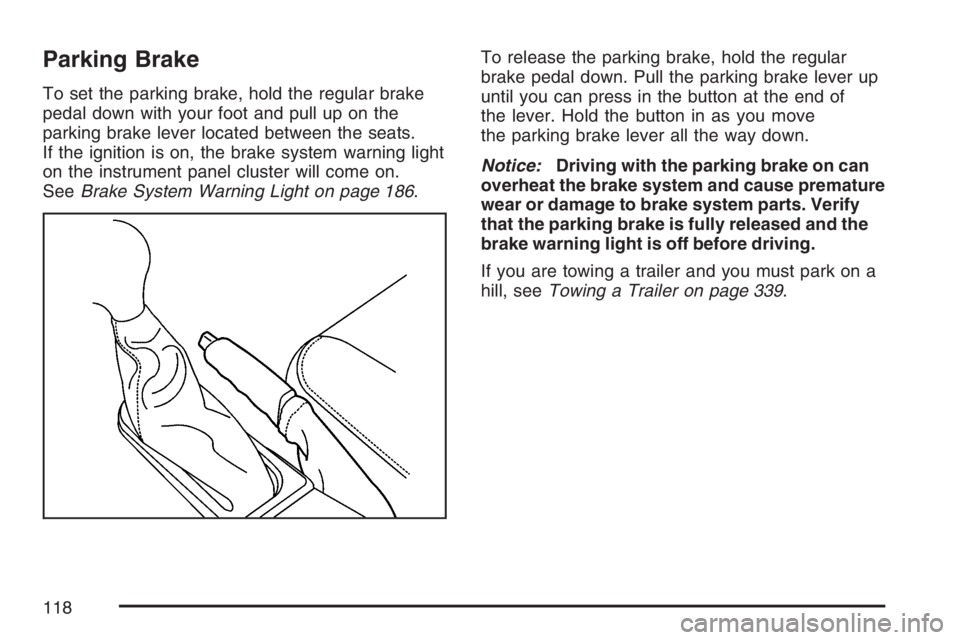
To set the parking brake, hold the regular brake
pedal down with your foot and pull up on the
parking brake lever located between the seats.
If the ignition is on, the brake system warning light
on the instrument panel cluster will come on.
SeeBrake System Warning Light on page 186.To release the parking brake, hold the regular
brake pedal down. Pull the parking brake lever up
until you can press in the button at the end of
the lever. Hold the button in as you move
the parking brake lever all the way down.
Notice:Driving with the parking brake on can
overheat the brake system and cause premature
wear or damage to brake system parts. Verify
that the parking brake is fully released and the
brake warning light is off before driving.
If you are towing a trailer and you must park on a
hill, seeTowing a Trailer on page 339.
118
Page 149 of 534
Instrument Panel Overview........................ 152
Hazard Warning Flashers.......................... 154
Other Warning Devices............................. 154
Horn.......................................................... 154
Tilt Wheel.................................................. 154
Turn Signal/Multifunction Lever.................. 155
Turn and Lane-Change Signals................. 156
Headlamp High/Low-Beam Changer.......... 157
Flash-to-Pass............................................ 157
Windshield Wipers..................................... 157
Windshield Washer.................................... 158
Rear Window Wiper/Washer...................... 158
Cruise Control........................................... 159
Headlamps................................................ 162
Headlamps on Reminder........................... 163
Daytime Running Lamps (DRL)................. 163
Automatic Headlamp System..................... 164
Fog Lamps................................................ 165
Instrument Panel Brightness...................... 166
Dome Lamps............................................. 166
Dome Lamp Override................................ 166
Entry Lighting............................................ 167
Exit Lighting.............................................. 167
Reading Lamps......................................... 167Electric Power Management...................... 167
Battery Run-Down Protection..................... 168
Accessory Power Outlet(s)........................ 168
Ashtray(s) and Cigarette Lighter................ 169
Climate Controls......................................... 170
Dual Automatic Climate Control System....... 170
Outlet Adjustment...................................... 175
Rear Climate Control System.................... 176
Warning Lights, Gages, and Indicators........ 176
Instrument Panel Cluster........................... 178
Speedometer and Odometer...................... 179
Trip Odometer........................................... 179
Tachometer............................................... 179
Safety Belt Reminder Light........................ 180
Passenger Safety Belt Reminder Light....... 180
Airbag Readiness Light............................. 181
Passenger Airbag Status Indicator............. 182
Charging System Light.............................. 185
Voltmeter Gage......................................... 185
Brake System Warning Light..................... 186
Anti-Lock Brake System Warning Light...... 187
StabiliTrak
®Service Light........................... 188
StabiliTrak®Indicator Light......................... 188
Section 3 Instrument Panel
149
Page 150 of 534
Engine Coolant Temperature Gage............ 189
Tire Pressure Light.................................... 189
Malfunction Indicator Lamp........................ 190
Oil Pressure Gage..................................... 193
Security Light............................................ 194
Cruise Control Light.................................. 194
Reduced Engine Power Light.................... 195
Highbeam On Light................................... 195
Service All-Wheel Drive Light.................... 196
Check Gages Warning Light...................... 196
Gate Ajar Light.......................................... 196
Fuel Gage................................................. 197
Low Fuel Warning Light............................ 197
Check Gas Cap Light................................ 197
Driver Information Center (DIC).................. 198
DIC Operation and Displays...................... 199
DIC Warnings and Messages.................... 202
DIC Vehicle Customization........................ 208Audio System(s)......................................... 215
Setting the Time........................................ 217
Radio with CD (Base)............................... 217
Radio with CD (MP3)................................ 228
Radio with Six-Disc CD............................. 238
Using an MP3........................................... 251
XM Radio Messages................................. 257
Navigation/Radio System........................... 260
Rear Seat Entertainment System............... 260
Rear Seat Audio (RSA)............................. 275
Theft-Deterrent Feature............................. 276
Audio Steering Wheel Controls.................. 277
Radio Reception........................................ 278
Care of Your CDs and DVDs.................... 279
Care of the CD and DVD Player............... 279
Fixed Mast Antenna.................................. 279
XM™ Satellite Radio Antenna System....... 280
Chime Level Adjustment............................ 280
Section 3 Instrument Panel
150
Page 152 of 534
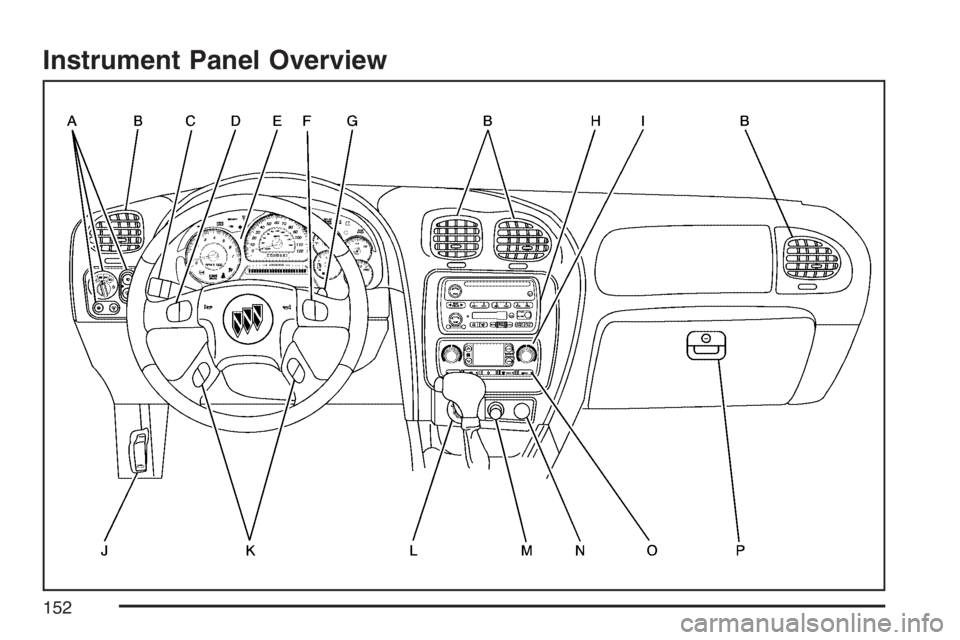
Instrument Panel Overview
152
Page 153 of 534
The main components of your instrument panel are the following:
A. Exterior Lamp Control. SeeHeadlamps on
page 162. Dome Lamp Override Button.
SeeDome Lamp Override on page 166.
Instrument Panel Brightness Control. See
Instrument Panel Brightness on page 166.
Fog Lamp Button (If Equipped). SeeFog
Lamps on page 165.
B. Air Outlets. SeeOutlet Adjustment on
page 175.
C. Turn Signal/Multifunction Lever. SeeTurn
Signal/Multifunction Lever on page 155.
D. OnStar and Audio Steering Wheel Controls.
SeeAudio Steering Wheel Controls on
page 277.
E. Instrument Panel Cluster. SeeInstrument
Panel Cluster on page 178.
F. Audio Steering Wheel Controls. SeeAudio
Steering Wheel Controls on page 277.
G. Ignition Switch. SeeIgnition Positions on
page 109.H. Audio System. SeeAudio System(s) on
page 215.
I. Climate Controls. SeeDual Automatic Climate
Control System on page 170.
J. Hood Release. SeeHood Release on
page 364.
K. Driver Information Center (DIC) Steering Wheel
Controls. SeeDriver Information Center (DIC)
on page 198.
L. Rear Window Washer/Wiper. SeeWindshield
Washer on page 158.
M. Lighter. SeeAshtray(s) and Cigarette Lighter
on page 169.
N. Accessory Power Outlet. SeeAccessory Power
Outlet(s) on page 168.
O. Rear Window Defogger. See “Rear Window
Defogger” underDual Automatic Climate
Control System on page 170.
P. Glove Box. SeeGlove Box on page 144.
153
Page 156 of 534
Turn and Lane-Change Signals
The turn signal has two upward (for right) and
two downward (for left) positions. These positions
let you signal a turn or a lane change.
To signal a turn, move the lever all the way up or
down. When the turn is nished, the lever
returns automatically.
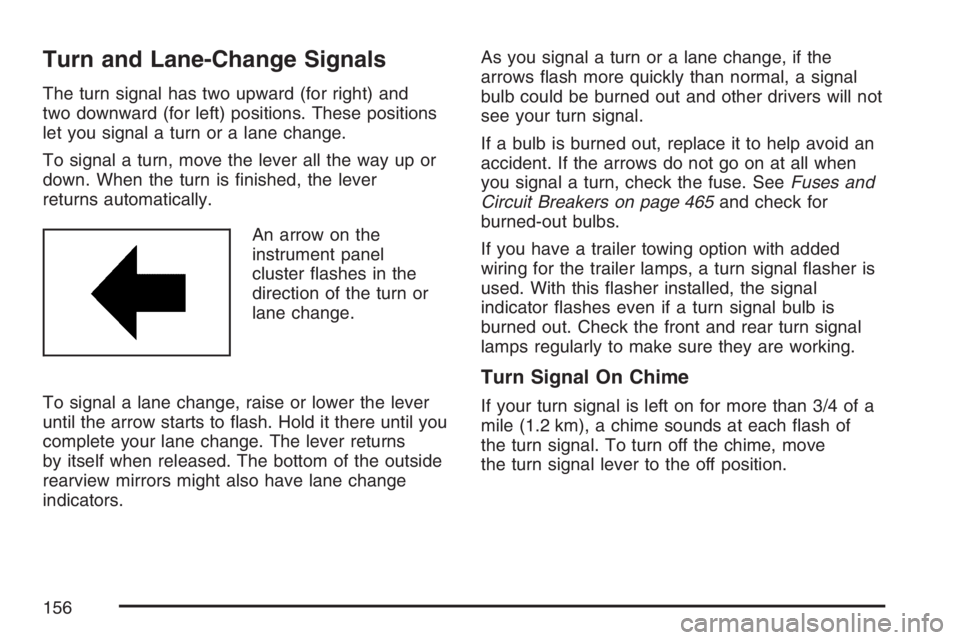
An arrow on the
instrument panel
cluster ashes in the
direction of the turn or
lane change.
To signal a lane change, raise or lower the lever
until the arrow starts to ash. Hold it there until you
complete your lane change. The lever returns
by itself when released. The bottom of the outside
rearview mirrors might also have lane change
indicators.As you signal a turn or a lane change, if the
arrows ash more quickly than normal, a signal
bulb could be burned out and other drivers will not
see your turn signal.
If a bulb is burned out, replace it to help avoid an
accident. If the arrows do not go on at all when
you signal a turn, check the fuse. SeeFuses and
Circuit Breakers on page 465and check for
burned-out bulbs.
If you have a trailer towing option with added
wiring for the trailer lamps, a turn signal asher is
used. With this asher installed, the signal
indicator ashes even if a turn signal bulb is
burned out. Check the front and rear turn signal
lamps regularly to make sure they are working.
Turn Signal On Chime
If your turn signal is left on for more than 3/4 of a
mile (1.2 km), a chime sounds at each ash of
the turn signal. To turn off the chime, move
the turn signal lever to the off position.
156
Page 157 of 534
Headlamp High/Low-Beam Changer
To change the headlamps from low to high
beam, push the lever toward the instrument panel.
To return to low-beam headlamps, pull the
multifunction lever toward you. Then release it.
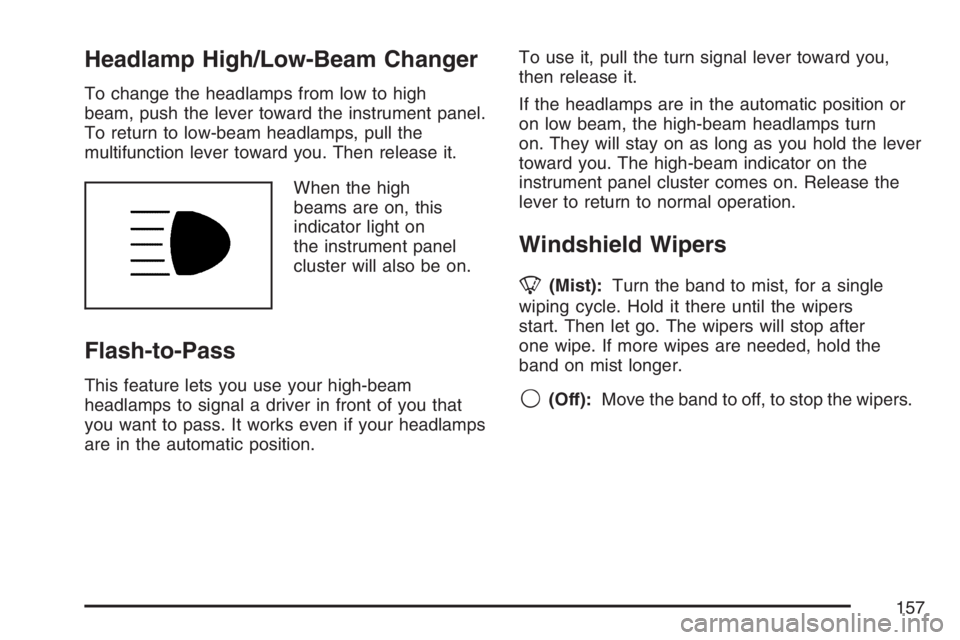
When the high
beams are on, this
indicator light on
the instrument panel
cluster will also be on.
Flash-to-Pass
This feature lets you use your high-beam
headlamps to signal a driver in front of you that
you want to pass. It works even if your headlamps
are in the automatic position.To use it, pull the turn signal lever toward you,
then release it.
If the headlamps are in the automatic position or
on low beam, the high-beam headlamps turn
on. They will stay on as long as you hold the lever
toward you. The high-beam indicator on the
instrument panel cluster comes on. Release the
lever to return to normal operation.
Windshield Wipers
8(Mist):Turn the band to mist, for a single
wiping cycle. Hold it there until the wipers
start. Then let go. The wipers will stop after
one wipe. If more wipes are needed, hold the
band on mist longer.
9(Off):Move the band to off, to stop the wipers.
157
Page 161 of 534
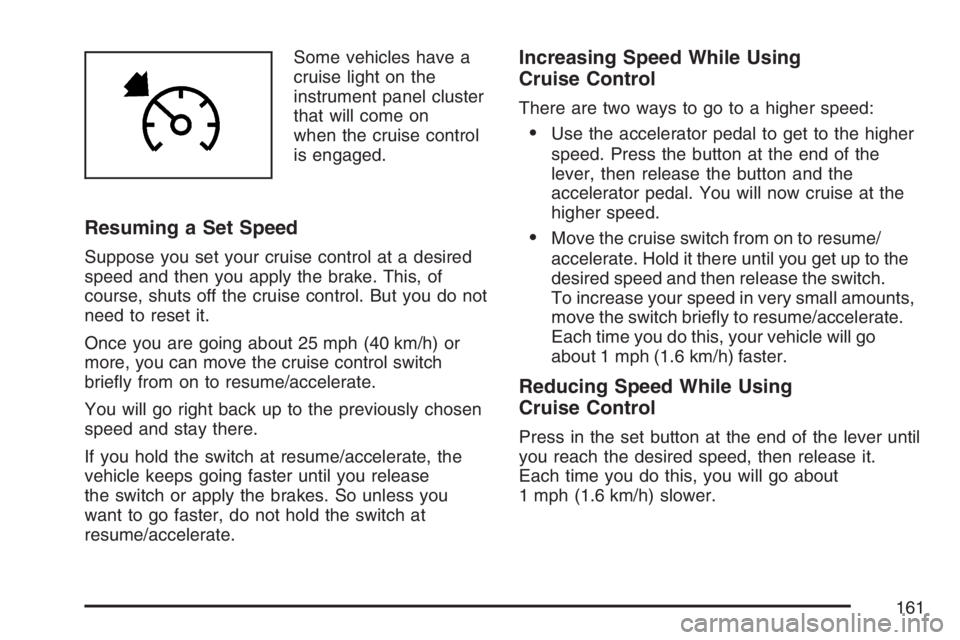
Some vehicles have a
cruise light on the
instrument panel cluster
that will come on
when the cruise control
is engaged.
Resuming a Set Speed
Suppose you set your cruise control at a desired
speed and then you apply the brake. This, of
course, shuts off the cruise control. But you do not
need to reset it.
Once you are going about 25 mph (40 km/h) or
more, you can move the cruise control switch
briey from on to resume/accelerate.
You will go right back up to the previously chosen
speed and stay there.
If you hold the switch at resume/accelerate, the
vehicle keeps going faster until you release
the switch or apply the brakes. So unless you
want to go faster, do not hold the switch at
resume/accelerate.
Increasing Speed While Using
Cruise Control
There are two ways to go to a higher speed:
Use the accelerator pedal to get to the higher
speed. Press the button at the end of the
lever, then release the button and the
accelerator pedal. You will now cruise at the
higher speed.
Move the cruise switch from on to resume/
accelerate. Hold it there until you get up to the
desired speed and then release the switch.
To increase your speed in very small amounts,
move the switch briey to resume/accelerate.
Each time you do this, your vehicle will go
about 1 mph (1.6 km/h) faster.
Reducing Speed While Using
Cruise Control
Press in the set button at the end of the lever until
you reach the desired speed, then release it.
Each time you do this, you will go about
1 mph (1.6 km/h) slower.
161