change time BUICK RAINIER 2007 Owner's Manual
[x] Cancel search | Manufacturer: BUICK, Model Year: 2007, Model line: RAINIER, Model: BUICK RAINIER 2007Pages: 534, PDF Size: 2.87 MB
Page 3 of 534
GENERAL MOTORS, GM, the GM Emblem,
BUICK, the BUICK Emblem, and the name
RAINIER are registered trademarks of
General Motors Corporation.
This manual includes the latest information at
the time it was printed. We reserve the right
to make changes after that time without notice.
For vehicles rst sold in Canada, substitute
the name “General Motors of Canada Limited”
for Buick Motor Division whenever it appears
in this manual.This manual describes features that may be
available in this model, but your vehicle may not
have all of them. For example, more than one
entertainment system may be offered or your
vehicle may have been ordered without a front
passenger or rear seats.
Keep this manual in the vehicle, so it will be there
if it is needed while you are on the road. If the
vehicle is sold, leave this manual in the vehicle.
Canadian Owners
A French language copy of this manual can be
obtained from your dealer or from:
Helm, Incorporated
P.O. Box 07130
Detroit, MI 48207
Litho in U.S.A.
Part No. 15863675 A First Printing
©2006 General Motors Corporation. All Rights Reserved.
3
Page 43 of 534
Infants and Young Children
Everyone in a vehicle needs protection! This
includes infants and all other children. Neither the
distance traveled nor the age and size of the
traveler changes the need, for everyone, to use
safety restraints. In fact, the law in every state
in the United States and in every Canadian
province says children up to some age must be
restrained while in a vehicle.{CAUTION:
Children can be seriously injured or
strangled if a shoulder belt is wrapped
around their neck and the safety belt
continues to tighten. Never leave children
unattended in a vehicle and never allow
children to play with the safety belts.
Every time infants and young children ride in
vehicles, they should have the protection provided
by appropriate restraints. Young children should
not use the vehicle’s adult safety belts alone,
unless there is no other choice. Instead, they need
to use a child restraint.
43
Page 93 of 534
Remote Keyless Entry (RKE)
System
Your Remote Keyless Entry (RKE) system
operates on a radio frequency subject to Federal
Communications Commission (FCC) Rules
and with Industry Canada.
This device complies with Part 15 of the
FCC Rules. Operation is subject to the following
two conditions:
1. This device may not cause interference.
2. This device must accept any interference
received, including interference that may
cause undesired operation of the device.
This device complies with RSS-210 of Industry
Canada. Operation is subject to the following
two conditions:
1. This device may not cause interference.
2. This device must accept any interference
received, including interference that may
cause undesired operation of the device.Changes or modications to this system by other
than an authorized service facility could void
authorization to use this equipment.
At times you may notice a decrease in operating
range. This is normal for any RKE system.
If the transmitter does not work or if you have
to stand closer to your vehicle for the transmitter
to work, try this:
Check the distance. You may be too far from
your vehicle. You may need to stand closer
during rainy or snowy weather.
Check the location. Other vehicles or objects
may be blocking the signal. Take a few steps
to the left or right, hold the transmitter
higher, and try again.
Check to determine if battery replacement
is necessary. See “Battery Replacement”
underRemote Keyless Entry (RKE) System
Operation on page 94.
If you are still having trouble, see your dealer
or a qualied technician for service.
93
Page 95 of 534
Battery Replacement
Under normal use, the battery in your remote
keyless entry transmitter should last about
two years.
You can tell the battery is weak if the transmitter
won’t work at the normal range in any location.
If you have to get close to your vehicle before the
transmitter works, it’s probably time to change
the battery.
The Driver Information Center (DIC) will display a
KEY FOB # BATTERY LOW message when
the transmitter battery is low.
Notice:When replacing the battery, use care
not to touch any of the circuitry. Static
from your body transferred to these surfaces
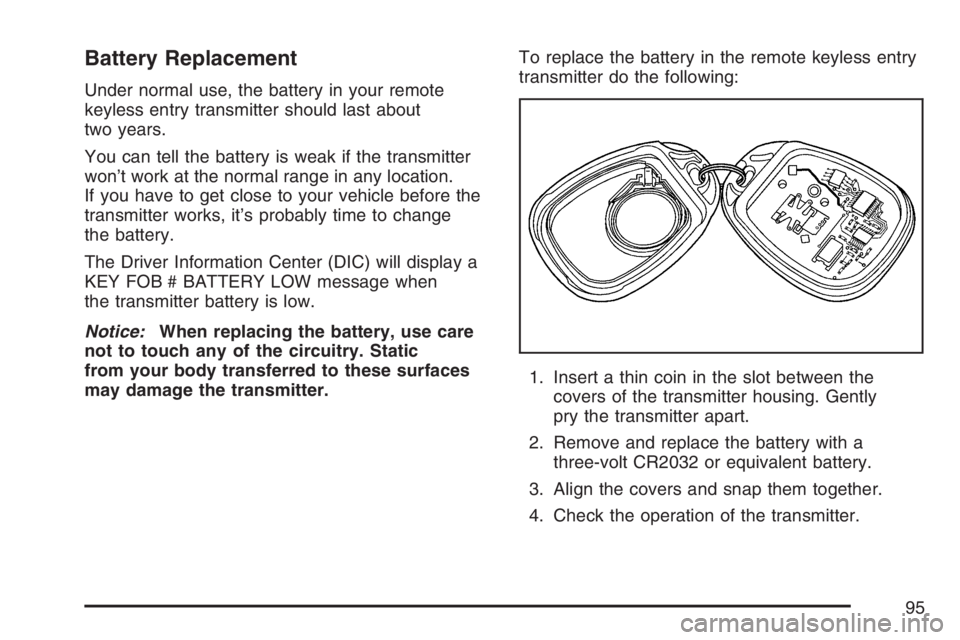
may damage the transmitter.To replace the battery in the remote keyless entry
transmitter do the following:
1. Insert a thin coin in the slot between the
covers of the transmitter housing. Gently
pry the transmitter apart.
2. Remove and replace the battery with a
three-volt CR2032 or equivalent battery.
3. Align the covers and snap them together.
4. Check the operation of the transmitter.
95
Page 111 of 534
Your vehicle has a Computer-Controlled
Cranking System. This feature assists in
starting the engine and protects components.
If the ignition key is turned to the START
position, and then released when the engine
begins cranking, the engine continues cranking
for a few seconds or until the vehicle starts.
If the engine does not start and the key is held
in START for many seconds, cranking stops
after 15 seconds to prevent cranking motor
damage. To prevent gear damage, this system
also prevents cranking if the engine is already
running. Engine cranking can be stopped by
turning the ignition switch to the ACCESSORY
or LOCK position.
Notice:Cranking the engine for long periods
of time, by returning the key to the START
position immediately after cranking has ended,
can overheat and damage the cranking
motor, and drain the battery. Wait at least
15 seconds between each try, to allow
the cranking motor to cool down.2. If the engine does not start after 5-10 seconds,
especially in very cold weather (below 0°F
or−18°C), it could be ooded with too much
gasoline. Try pushing the accelerator
pedal all the way to the oor and holding it
there as you hold the key in START for up to
a maximum of 15 seconds. Wait at least
15 seconds between each try, to allow the
cranking motor to cool down. When the engine
starts, let go of the key and accelerator.
If the vehicle starts briey but then stops
again, do the same thing. This clears the extra
gasoline from the engine. Do not race the
engine immediately after starting it. Operate
the engine and transmission gently until the oil
warms up and lubricates all moving parts.
Notice:Your engine is designed to work with
the electronics in your vehicle. If you add
electrical parts or accessories, you could
change the way the engine operates. Before
adding electrical equipment, check with your
dealer. If you do not, your engine might not
perform properly. Any resulting damage would
not be covered by your vehicle’s warranty.
111
Page 138 of 534
7. Immediately release the button when the
garage door moves. The indicator light will
blink rapidly until programming is complete.
8. Press and release the button again. The
garage door should move, conrming that
programming is successful and complete.
To program another device such as an additional
garage door opener, a security device, or
home lighting, repeat Steps 1 through 8, choosing
a different function button in Step 7 than what
you used for the garage door opener.
Programming Universal Home
Remote — Rolling Code
Rolling code garage door openers are used for
garage doors produced after 1996 and are
code protected. Rolling code means the coded
signal is changed every time your remote control
garage door opener is used.
Programming a rolling code garage door opener
involves time-sensitive actions, so read the
entire procedure before you begin. If you do not
follow these actions, the device will time out
and you will have to repeat the procedure.Follow these steps to program up to three channels:
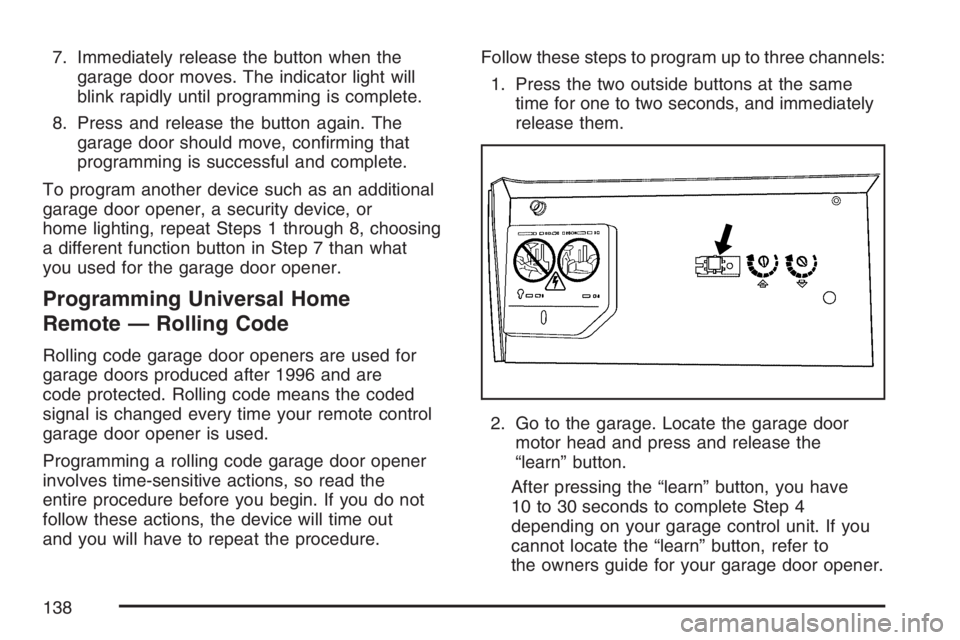
1. Press the two outside buttons at the same
time for one to two seconds, and immediately
release them.
2. Go to the garage. Locate the garage door
motor head and press and release the
“learn” button.
After pressing the “learn” button, you have
10 to 30 seconds to complete Step 4
depending on your garage control unit. If you
cannot locate the “learn” button, refer to
the owners guide for your garage door opener.
138
Page 149 of 534
Instrument Panel Overview........................ 152
Hazard Warning Flashers.......................... 154
Other Warning Devices............................. 154
Horn.......................................................... 154
Tilt Wheel.................................................. 154
Turn Signal/Multifunction Lever.................. 155
Turn and Lane-Change Signals................. 156
Headlamp High/Low-Beam Changer.......... 157
Flash-to-Pass............................................ 157
Windshield Wipers..................................... 157
Windshield Washer.................................... 158
Rear Window Wiper/Washer...................... 158
Cruise Control........................................... 159
Headlamps................................................ 162
Headlamps on Reminder........................... 163
Daytime Running Lamps (DRL)................. 163
Automatic Headlamp System..................... 164
Fog Lamps................................................ 165
Instrument Panel Brightness...................... 166
Dome Lamps............................................. 166
Dome Lamp Override................................ 166
Entry Lighting............................................ 167
Exit Lighting.............................................. 167
Reading Lamps......................................... 167Electric Power Management...................... 167
Battery Run-Down Protection..................... 168
Accessory Power Outlet(s)........................ 168
Ashtray(s) and Cigarette Lighter................ 169
Climate Controls......................................... 170
Dual Automatic Climate Control System....... 170
Outlet Adjustment...................................... 175
Rear Climate Control System.................... 176
Warning Lights, Gages, and Indicators........ 176
Instrument Panel Cluster........................... 178
Speedometer and Odometer...................... 179
Trip Odometer........................................... 179
Tachometer............................................... 179
Safety Belt Reminder Light........................ 180
Passenger Safety Belt Reminder Light....... 180
Airbag Readiness Light............................. 181
Passenger Airbag Status Indicator............. 182
Charging System Light.............................. 185
Voltmeter Gage......................................... 185
Brake System Warning Light..................... 186
Anti-Lock Brake System Warning Light...... 187
StabiliTrak
®Service Light........................... 188
StabiliTrak®Indicator Light......................... 188
Section 3 Instrument Panel
149
Page 165 of 534
There is a delay in the transition between the
daytime and nighttime operation of the Daytime
Running Lamps (DRL) and the automatic headlamp
systems, so that driving under bridges or bright
overhead street lights does not affect the system.
The DRL and automatic headlamp system are only
affected when the light sensor sees a change in
lighting lasting longer than the delay.
If you start your vehicle in a dark garage, the
automatic headlamp system comes on after the
transmission is shifted out of PARK (P). Once you
leave the garage, it will take about one minute
for the automatic headlamp system to change to
DRL if it is light outside. During that delay, the
instrument panel cluster might not be as bright as
usual. Make sure the instrument panel brightness
control is in the full bright position.
If the vehicle is running and the automatic
headlamp system is already on, it can be turned
off by turning and releasing the headlamp
control at the off position. The automatic headlamp
system stays off until you turn and release the
headlamp control at the off position again.
SeeHeadlamps on page 162.Fog Lamps
Use the fog lamps for better vision in foggy or
misty conditions. The ignition must be in RUN for
the fog lamps to work.
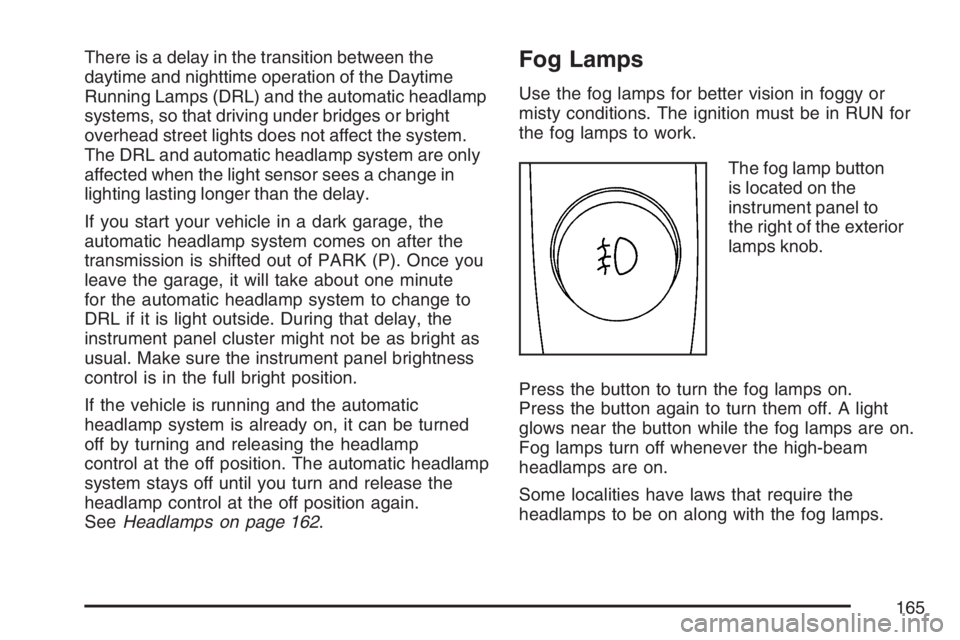
The fog lamp button
is located on the
instrument panel to
the right of the exterior
lamps knob.
Press the button to turn the fog lamps on.
Press the button again to turn them off. A light
glows near the button while the fog lamps are on.
Fog lamps turn off whenever the high-beam
headlamps are on.
Some localities have laws that require the
headlamps to be on along with the fog lamps.
165
Page 173 of 534
@(Recirculation):Press this button to turn
recirculation mode on or off. When this button is
pressed, an indicator light in the button will
also come on to let you know that it is activated.
Recirculation mode is used to recirculate the
air inside of your vehicle. Use this mode to help
prevent outside odors and/or dust from entering
your vehicle or to help cool the air inside of
your vehicle more quickly. Recirculation mode can
be used with vent and bi-level modes, but it
cannot be used with oor, defog or defrost modes.
You may also notice that the air conditioning
compressor will run while in recirculation mode.
This is normal and will help to prevent fogging.
If the weather is cold and damp, the system may
cause the windows to fog while using recirculation
mode. If the windows do start to fog, select
defog or defrost mode and increase fan speed.
Recirculation mode, if selected, will be cleared
when the engine is turned off.#A/C (Air Conditioning):Press this button to
manually turn the air conditioning system on or off.
When the system is on, the system will
automatically begin to cool and dehumidify the air
inside of your vehicle. The air conditioning
symbol will appear on the display when the air
conditioning is on and will turn off when the
air conditioning is off.
If you select turn the air conditioning off while in
front defrost or defog mode, the air conditioning
symbol will turn off, however, the A/C compressor
will remain on to help de-humidify the air inside
the vehicle. If one of the other modes is selected
the compressor will then turn the A/C off until it
is selected again or the AUTO button is pressed.
To avoid fogging the inside glass on rainy and
humid days at temperature above freezing,
press the air-conditioning button to run the air
conditioning compressor. Also, it is best to avoid
the use of recirculation mode except when
maximum air conditioning performance is needed
or for short times to avoid exterior odors.
You may notice a slight change in engine
performance when the air-conditioning compressor
shuts off and turns on again. This is normal.
173
Page 195 of 534
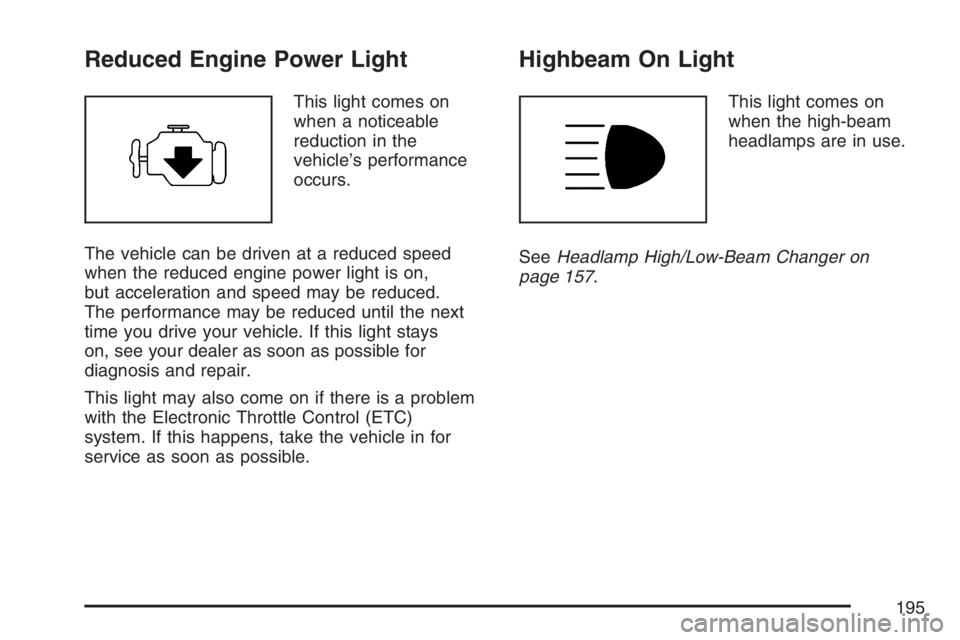
Reduced Engine Power Light
This light comes on
when a noticeable
reduction in the
vehicle’s performance
occurs.
The vehicle can be driven at a reduced speed
when the reduced engine power light is on,
but acceleration and speed may be reduced.
The performance may be reduced until the next
time you drive your vehicle. If this light stays
on, see your dealer as soon as possible for
diagnosis and repair.
This light may also come on if there is a problem
with the Electronic Throttle Control (ETC)
system. If this happens, take the vehicle in for
service as soon as possible.
Highbeam On Light
This light comes on
when the high-beam
headlamps are in use.
SeeHeadlamp High/Low-Beam Changer on
page 157.
195