instrument panel BUICK RANDEZVOUS 2003 User Guide
[x] Cancel search | Manufacturer: BUICK, Model Year: 2003, Model line: RANDEZVOUS, Model: BUICK RANDEZVOUS 2003Pages: 432, PDF Size: 2.75 MB
Page 96 of 432

Liftgate ReleaseYour vehicle may have
either a liftgate release
button, located in the
instrument panel
switchbank, or a release
button located on the inner
side of the liftgate
handle.
To open the liftgate, the transaxle must be in PARK (P)
and all of the doors must be unlocked. To unlock the
doors, use the remote keyless entry transmitter or
the power door locks.
If your vehicle has a remote keyless entry transmitter,
you may unlock and open the liftgate by pressing
the REAR button on the transmitter. Liftgate Handle
Instrument Panel
Switchbank
2-12
2003 - Rendezvous OM
Page 99 of 432

Lighted Visor Vanity Mirrors
Pull down the sun visor. Flip up the cover to expose the
vanity mirror. The lamps will come on when you open
the cover.
Theft-Deterrent Systems
Vehicle theft is big business, especially in some cities.
Although your vehicle has a number of theft-deterrent
features, we know that nothing we put on it can make it
impossible to steal.
Content Theft-Deterrent
Your vehicle may have a theft-deterrent alarm system.
A light located on top of
your instrument panel
(near the center of
the vehicle, next to the
windshield) willflash slowly
to let you know that the
system has been armed.
While armed, the doors will not unlock with the power
door lock switch.Once armed, the alarm will go off if someone tries to
enter the vehicle without the optional remote keyless
entry transmitter or the key or tries to turn the ignition on
without using the correct key. The horn will sound and
the headlamps and parking lamps willflash any time the
alarm sounds.
To open the liftgate while
armed, press the liftgate
release button, located on
the instrument panel
switchbank, or press
REAR on the remote
keyless entry transmitter.
Arming with the Power Lock Switch
Your alarm system will arm when you use either power
door lock switch to lock the doors while any door or
the liftgate is open and the key is removed from
the ignition. The security light will startflashing to let
you know the system is armed.
2-15
2003 - Rendezvous OM
Page 103 of 432

Ignition Positions
With the key in the ignition, you can turn the key to four
different positions.
A (OFF):This is the only position in which you can
remove the key. This position locks the steering wheel,
ignition and transaxle.Notice:If your key seems stuck in OFF and you
can’t turn it, be sure you are using the correct key;
if so, is it all the way in? If it is, then turn the
steering wheel left and right while you turn the key
hard. Turn the key only with your hand. Using a
tool to force it could break the key or the ignition
switch. If none of these works, then your vehicle
needs service.
B (ACCESSORY):This position allows you to use
things like the radio and the windshield wipers while the
engine is off. This position will allow you to turn off
the engine, but still turn the steering wheel. Use
ACCESSORY if you must have your vehicle in motion
while the engine is off, for example, if your vehicle
is being pushed or towed.
C (ON):This is the position that the switch returns to
after you start your engine and release the key.
The switch stays in ON when the engine is running. But
even when the engine is not running, you can use
ON to operate your electrical power accessories, and to
display some instrument panel warning lights.
D (START):This position starts the engine. When the
engine starts, release the key. The ignition switch
will return to ON for normal driving.
If the engine is not running, ACCESSORY and ON are
positions that allow you to operate your electrical
accessories, such as the radio.
2-19
2003 - Rendezvous OM
Page 109 of 432
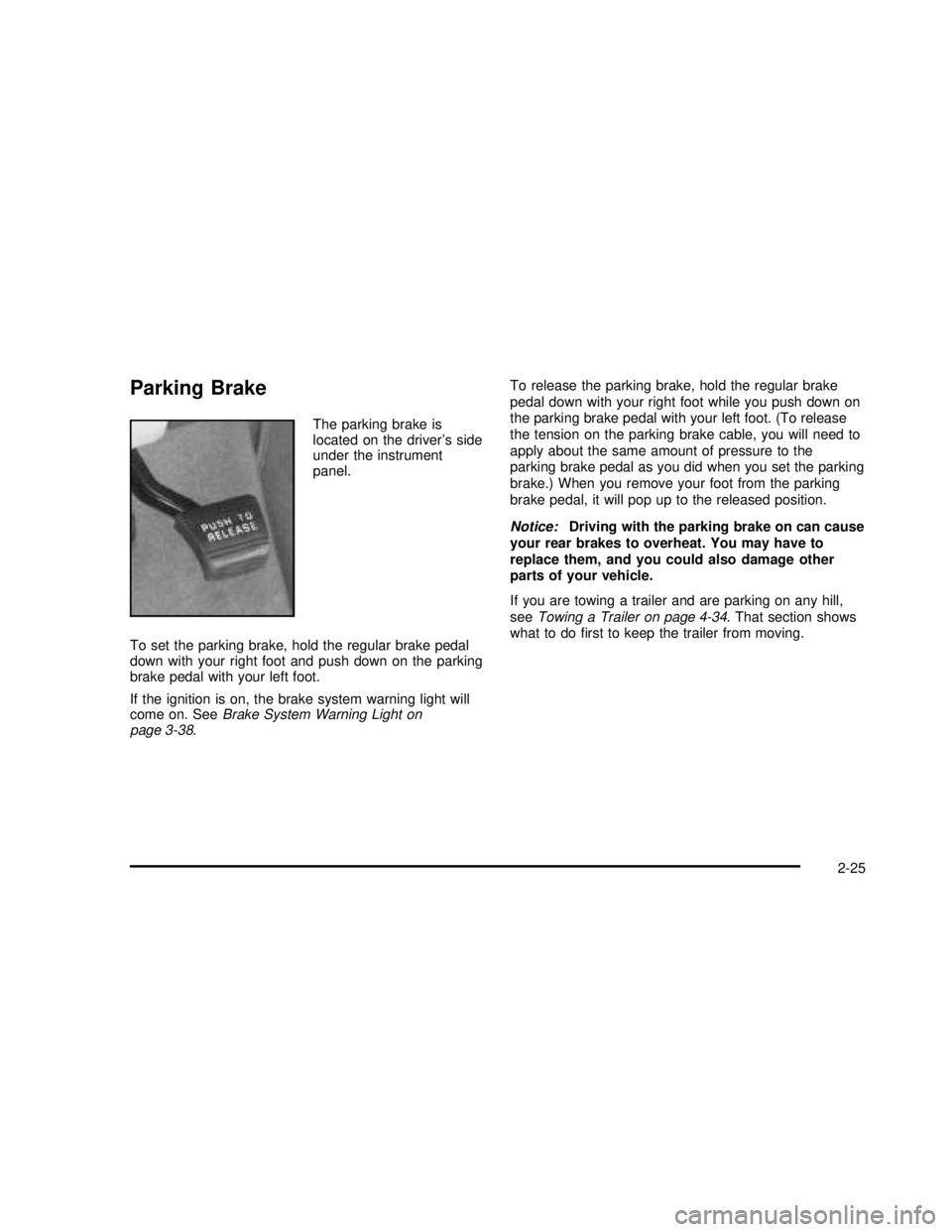
Parking Brake
The parking brake is
located on the driver’s side
under the instrument
panel.
To set the parking brake, hold the regular brake pedal
down with your right foot and push down on the parking
brake pedal with your left foot.
If the ignition is on, the brake system warning light will
come on. SeeBrake System Warning Light on
page 3-38.To release the parking brake, hold the regular brake
pedal down with your right foot while you push down on
the parking brake pedal with your left foot. (To release
the tension on the parking brake cable, you will need to
apply about the same amount of pressure to the
parking brake pedal as you did when you set the parking
brake.) When you remove your foot from the parking
brake pedal, it will pop up to the released position.
Notice:Driving with the parking brake on can cause
your rear brakes to overheat. You may have to
replace them, and you could also damage other
parts of your vehicle.
If you are towing a trailer and are parking on any hill,
seeTowing a Trailer on page 4-34. That section shows
what to dofirst to keep the trailer from moving.
2-25
2003 - Rendezvous OM
Page 130 of 432

Press the rear of the switch a second time and release
it to express-open the glass panel. The glass panel
and sunshade will fully open. When the glass panel is
express opening, pressing the switch in either direction
will stop it. If you press and hold the rear of the
switch, the express-open operation will be overridden.
To close the glass panel, press and hold the front of the
switch until the glass panel stops.
Vehicle Personalization
Some of your vehicle’s features can be reset or
customized according to your preference. The features
you can program depend on the options that came
with your vehicle.
If your vehicle has a DIC, seeDIC Vehicle
Personalization on page 3-57to customize your
features.
If you do not have the DIC, the following features
can be customized according to the options that your
vehicle has.
Entering Programming Mode
To program features, your vehicle must be in the
programming mode. Follow these steps:
1. Turn the ignition key to ON. The shift lever must be
in PARK (P).2. Press and hold the trip/reset button, located next to
the odometer for two seconds while the odometer is
in the odometer mode.
3. This message will appear in the message center,
located in the instrument panel cluster, as an
indication that your vehicle is ready to begin
programming.
If you have the remote keyless entry system, you
must press the LOCK button. This lets the
system know which transmitter is being
personalized, since each can be personalized
differently.
You can now program your choices.
To exit the programming mode, follow the steps listed
underExiting Programming Mode on page 2-51. United States
Canada
2-46
2003 - Rendezvous OM
Page 137 of 432

Instrument Panel Overview...............................3-4
Hazard Warning Flashers................................3-5
Other Warning Devices...................................3-6
Horn .............................................................3-6
Tilt Wheel.....................................................3-6
Turn Signal/Multifunction Lever.........................3-7
Exterior Lamps.............................................3-12
Interior Lamps..............................................3-14
Instrument Panel Switchbank..........................3-18
Head-Up Display (HUD).................................3-18
Ultrasonic Rear Parking Assist (URPA)............3-21
Accessory Power Outlets...............................3-23
Ashtrays and Cigarette Lighter........................3-24
Climate Controls............................................3-24
Climate Control System.................................3-24
Dual Climate Control System..........................3-27
Dual Automatic Climate Control System...........3-29
Outlet Adjustment.........................................3-32
Warning Lights, Gages and Indicators.............3-33
Instrument Panel Cluster................................3-34
Speedometer and Odometer...........................3-35
Tachometer.................................................3-36
Safety Belt Reminder Light.............................3-37
Air Bag Readiness Light................................3-37
Brake System Warning Light
..........................3-38
Anti-Lock Brake System Warning Light
.............3-39Traction Control System (TCS) Warning Light......3-39
Engine Coolant Temperature Gage..................3-40
Malfunction Indicator Lamp.............................3-40
Cruise Control Light......................................3-43
Fuel Gage...................................................3-43
Message Center.............................................3-44
Service Traction System Warning Message......3-44
Traction Active Message................................3-45
Engine Coolant Temperature Warning
Message..................................................3-45
Charging System Indicator Message................3-46
Low Oil Pressure Message............................3-46
Low Engine Oil Level Message.......................3-47
Change Engine Oil Message..........................3-47
Low Tire Message........................................3-48
Door Ajar Warning Message...........................3-48
Rear Hatch Ajar Warning Message..................3-48
PASS-Key
®III Security Message....................3-49
All-Wheel Drive Disable Warning Message.......3-49
Low Washer Fluid Warning Message...............3-50
Low Fuel Warning Message
...........................3-50
Low Brake Fluid Warning Message
.................3-51
Service Vehicle Soon Message
.......................3-51
Program Mode Message
................................3-52
Remote Keyless Entry Transmitter Battery
Low Warning Message
...............................3-52
Section 3 Instrument Panel
3-1
2003 - Rendezvous OM
Page 138 of 432

Park Lamp Warning Message.........................3-53
Highbeam Out Warning Message....................3-53
Driver Information
Center (DIC)................................................3-53
DIC Controls and Displays.............................3-55
DIC Vehicle Personalization............................3-57
Audio System(s).............................................3-64
Setting the Time...........................................3-65
Radio with CD
..............................................3-65
Radio with Cassette and CD
..........................3-71
Radio with Six-Disc CD
.................................3-82
Rear Seat Entertainment System
....................3-93Rear Seat Audio (RSA)................................3-105
Theft-Deterrent Feature................................3-106
Audio Steering Wheel Controls......................3-107
DVD Distortion............................................3-107
Understanding Radio Reception....................3-108
Care of Your Cassette Tape Player...............3-108
Care of Your CDs and DVDs........................3-109
Care of Your CD and DVD Player.................3-109
Cleaning Your DVD Player...........................3-109
Cleaning the Video Screen...........................3-110
Integrated Windshield Antenna......................3-110
XM™Satellite Radio Antenna System
(United States Only)
.................................3-110
Section 3 Instrument Panel
3-2
2003 - Rendezvous OM
Page 140 of 432

Instrument Panel Overview
3-4
2003 - Rendezvous OM
Page 141 of 432

The main components of the instrument panel are the
following:
A. Exterior/Interior Lamps Control
B. Turn Signal/Multifunction Lever
C. Hazard Warning Flasher Switch
D. Instrument Panel Cluster
E. Shift Lever
F. Instrument Panel Outlets
G. Audio System
H. Audio Steering Wheel Controls
I. Head-Up Display Switch and Driver Information
Center (DIC) Controls
J. Hood Release
K. Ignition Switch
L. Climate Controls
M. Instrument Panel Switchbank
N. Front Armrest Storage
O. Ashtray/Cigarette Lighter/Accessory Power
Outlet/Cell Phone Storage/Purse Storage/Cupholders
P. Floor Console Fuse Block
Q. Glove BoxHazard Warning Flashers
Your hazard warning flashers let you warn others. They
also let police know you have a problem. Your front
and rear turn signal lamps will flash on and off.
3-5
2003 - Rendezvous OM
Page 143 of 432

Turn Signal/Multifunction Lever
The lever on the left side of the steering column
includes the following:
•GTurn and Lane-Change Signals
•5Headlamp High/Low-Beam Changer
•Flash-to-Pass
•NWindshield Wipers
•LWindshield Washer
•ICruise Control
Turn and Lane-Change Signals
The turn signal has two upward (for right) and two
downward (for left) positions. These positions allow you
to signal a turn or a lane change.To signal a turn, move the lever all the way up or down.
When the turn isfinished, the lever will return
automatically.
An arrow on the instrument
panel cluster and the HUD
display willflash in the
direction of the turn or lane
change.
To signal a lane change, just raise or lower the lever
until the arrow starts toflash. Hold it there until you
complete your lane change. The lever will return by itself
when you release it.
As you signal a turn or a lane change, if the arrow
flashes faster than normal, a signal bulb may be burned
out and other drivers won’t see your turn signal.
If a bulb is burned out, replace it to help avoid an
accident. If the arrows don’t go on at all when you signal
a turn, check for burned-out bulbs and check the
fuse. SeeFuses and Circuit Breakers on page 5-86.
If you have a trailer towing option with added wiring for
the trailer lamps, the signal indicator willflash at a
normal rate even if a turn signal bulb is burned
out. Check the front and rear turn signal lamps regularly
to make sure they are working.
3-7
2003 - Rendezvous OM