instrument panel BUICK RANDEZVOUS 2004 Owner's Guide
[x] Cancel search | Manufacturer: BUICK, Model Year: 2004, Model line: RANDEZVOUS, Model: BUICK RANDEZVOUS 2004Pages: 486, PDF Size: 3.18 MB
Page 172 of 486
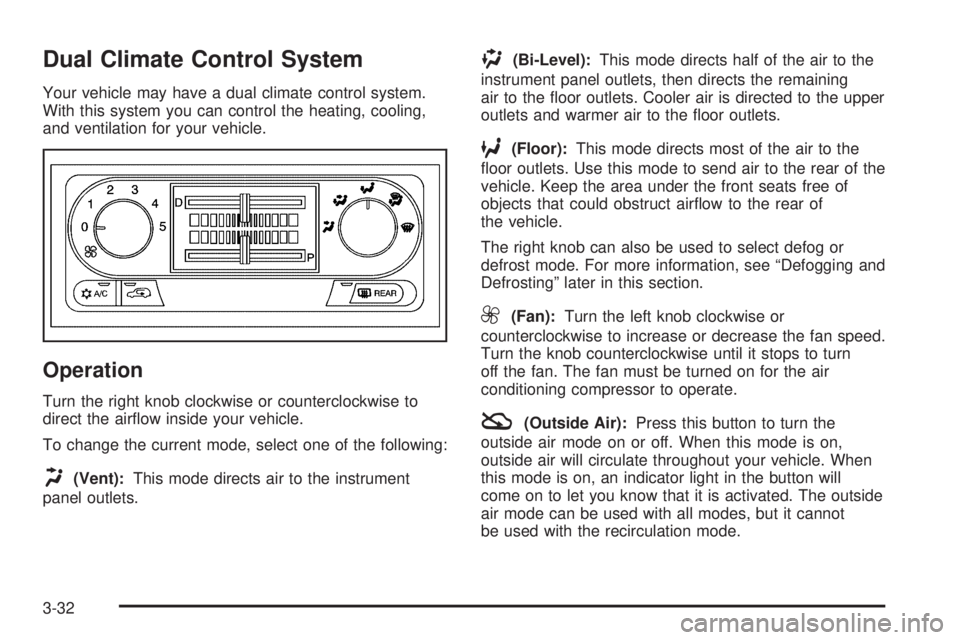
Dual Climate Control System
Your vehicle may have a dual climate control system.
With this system you can control the heating, cooling,
and ventilation for your vehicle.
Operation
Turn the right knob clockwise or counterclockwise to
direct the airow inside your vehicle.
To change the current mode, select one of the following:
H(Vent):This mode directs air to the instrument
panel outlets.
)(Bi-Level):This mode directs half of the air to the
instrument panel outlets, then directs the remaining
air to the oor outlets. Cooler air is directed to the upper
outlets and warmer air to the oor outlets.
6(Floor):This mode directs most of the air to the
oor outlets. Use this mode to send air to the rear of the
vehicle. Keep the area under the front seats free of
objects that could obstruct airow to the rear of
the vehicle.
The right knob can also be used to select defog or
defrost mode. For more information, see “Defogging and
Defrosting” later in this section.
9(Fan):Turn the left knob clockwise or
counterclockwise to increase or decrease the fan speed.
Turn the knob counterclockwise until it stops to turn
off the fan. The fan must be turned on for the air
conditioning compressor to operate.
:(Outside Air):Press this button to turn the
outside air mode on or off. When this mode is on,
outside air will circulate throughout your vehicle. When
this mode is on, an indicator light in the button will
come on to let you know that it is activated. The outside
air mode can be used with all modes, but it cannot
be used with the recirculation mode.
3-32
Page 175 of 486

Dual Automatic Climate Control
System
Your vehicle may have the dual automatic climate
control system. With this system you can control the
heating, cooling, and ventilation for your vehicle.
Automatic Operation
AUTO (Automatic):When the driver’s temperature
knob is pressed to select AUTO and the temperature is
set, the system will automatically control the inside
temperature, the air delivery and the fan speed. AUTO
will also appear on the display.To place the entire system in automatic mode,
do the following:
1. Press the driver’s temperature knob to turn the
system on.
2. Adjust the temperature to a comfortable setting.
Choosing the coldest or warmest temperature will
not cause the system to heat or cool any faster.
In cold weather, the system will start at reduced fan
speeds to avoid blowing cold air into your vehicle
until warmer air is available. Then, as the air warms,
it will be delivered through the instrument panel
outlets. The length of time needed for warm up will
depend on the outside temperature and the
length of time that has elapsed since your vehicle
was last driven.
3. Wait for the system to regulate. This may take from
10 to 30 minutes. Then adjust the temperature as
necessary.
4. To turn the system off, press the passenger’s knob.
3-35
Page 176 of 486
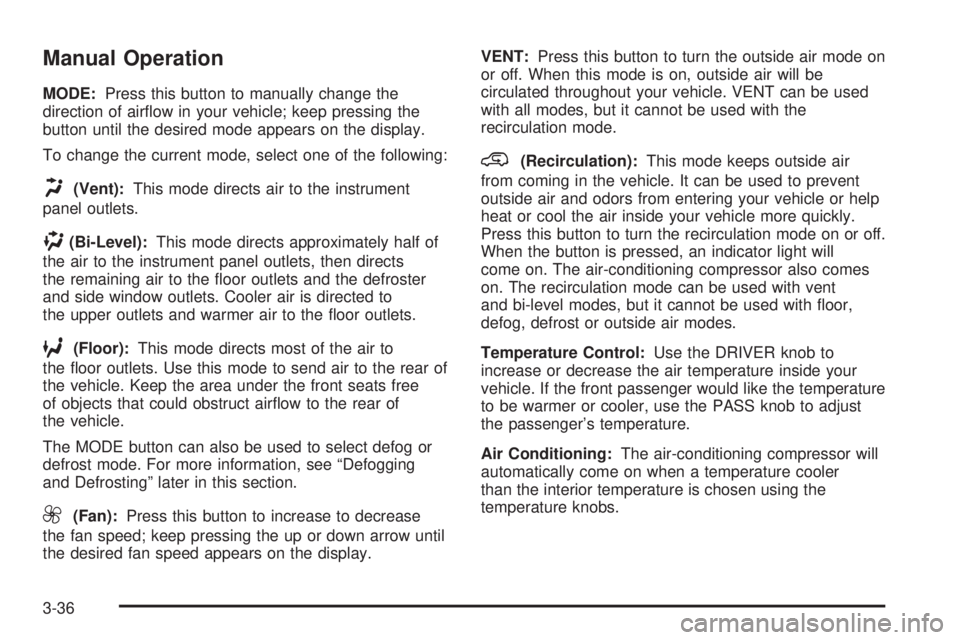
Manual Operation
MODE:Press this button to manually change the
direction of airow in your vehicle; keep pressing the
button until the desired mode appears on the display.
To change the current mode, select one of the following:
H(Vent):This mode directs air to the instrument
panel outlets.
)(Bi-Level):This mode directs approximately half of
the air to the instrument panel outlets, then directs
the remaining air to the oor outlets and the defroster
and side window outlets. Cooler air is directed to
the upper outlets and warmer air to the oor outlets.
6(Floor):This mode directs most of the air to
the oor outlets. Use this mode to send air to the rear of
the vehicle. Keep the area under the front seats free
of objects that could obstruct airow to the rear of
the vehicle.
The MODE button can also be used to select defog or
defrost mode. For more information, see “Defogging
and Defrosting” later in this section.
9(Fan):Press this button to increase to decrease
the fan speed; keep pressing the up or down arrow until
the desired fan speed appears on the display.VENT:Press this button to turn the outside air mode on
or off. When this mode is on, outside air will be
circulated throughout your vehicle. VENT can be used
with all modes, but it cannot be used with the
recirculation mode.
@(Recirculation):This mode keeps outside air
from coming in the vehicle. It can be used to prevent
outside air and odors from entering your vehicle or help
heat or cool the air inside your vehicle more quickly.
Press this button to turn the recirculation mode on or off.
When the button is pressed, an indicator light will
come on. The air-conditioning compressor also comes
on. The recirculation mode can be used with vent
and bi-level modes, but it cannot be used with oor,
defog, defrost or outside air modes.
Temperature Control:Use the DRIVER knob to
increase or decrease the air temperature inside your
vehicle. If the front passenger would like the temperature
to be warmer or cooler, use the PASS knob to adjust
the passenger’s temperature.
Air Conditioning:The air-conditioning compressor will
automatically come on when a temperature cooler
than the interior temperature is chosen using the
temperature knobs.
3-36
Page 180 of 486

Instrument Panel Cluster
Your instrument panel cluster is designed to let you know at a glance how your vehicle is running. You’ll know how
fast you’re going, how much fuel you’re using, and many other things you’ll need to drive safely and economically.
The indicator warning lights and gages are explained on the following pages.
United States up-level shown, United States base-level and Canadian similar
3-40
Page 183 of 486

Safety Belt Reminder Light
When the key is turned to ON or START, a chime will
come on for several seconds to remind people to fasten
their safety belts.
The safety belt light will
also come on and stay on
for several seconds. If
the driver’s belt is already
buckled, neither the
chime nor the light will
come on.
Air Bag Readiness Light
There is an air bag readiness light on the instrument
panel, which shows the air bag symbol. The system
checks the air bag’s electrical system for malfunctions.
The light tells you if there is an electrical problem. The
system check includes the air bag sensor, the air bag
modules, the wiring, diagnostic module, and safety belt
pretensioners. For more information on the air bag
system, seeAir Bag Systems on page 1-72. For more
information on safety belt pretensioners, seeSafety Belt
Pretensioners on page 1-46.This light will come on
when you start your
vehicle, and it will ash for
a few seconds. Then the
light should go out. This
means the system is ready.
If the air bag readiness light stays on after you start the
vehicle or comes on when you are driving, your air
bag system or safety belt pretensioners may not work
properly. Have your vehicle serviced right away.
{CAUTION:
If the air bag readiness light stays on after you
start your vehicle, it means the air bag system
may not be working properly. The air bags in
your vehicle may not inate in a crash, or they
could even inate without a crash. To help avoid
injury to yourself or others, have your vehicle
serviced right away if the air bag readiness light
stays on after you start your vehicle.
3-43
Page 185 of 486

Anti-Lock Brake System Warning
Light
Your vehicle may have an anti-lock brake system
warning light. If it does, the light should come on for a
few seconds when you turn the ignition key to ON. If the
anti-lock brake system warning light stays on longer
than normal after you’ve started your engine, turn
the ignition off. Or, if the light comes on and stays on
when you’re driving, stop as soon as possible and turn
the ignition off. Then start the engine again to reset
the system. If the light still stays on, or comes on again
while you’re driving, the anti-lock brake system needs
service and you don’t have anti-lock brakes.
The anti-lock brake system warning light should come
on briey when you turn the ignition key to ON. If
the light doesn’t come on then, have it xed so it will be
ready to warn you if there is a problem.
Traction Control System (TCS)
Warning Light
Your vehicle may have a traction control system warning
light. The traction control system warning light may come
on for the following reasons:
If you turn the system off by pressing the TRAC OFF
button located in the instrument panel switchbank the
warning light will come on and stay on. To turn the
system back on, press the button again. The warning
light should go off. SeeTraction Control System
(TCS) on page 4-11for more information.
If there’s an engine-related and brake system
problem that is specically related to traction control,
the traction control system will turn off and the
warning light will come on.
If the traction control system warning light comes on
and stays on for an extended period of time when the
system is turned on, your vehicle needs service. United States
CanadaUnited StatesCanada
3-45
Page 190 of 486

Here are four things that some owners ask about. All
these things are normal and do not indicate that
anything is wrong with the fuel gage.
At the gas station, the gas pump shuts off before
the gage reads full.
It takes a little more (or less) fuel to ll up than the
gage reads. For example, the gage reads half full,
but it took more (or less) than half of the tank’s
capacity to ll it.
The gage pointer may move while cornering,
braking or speeding up.
The gage may not indicate empty when the ignition
is turned off.
Message Center
The message center is located at the top of the
instrument panel cluster in between the tachometer
and speedometer. It gives you important safety
and maintenance facts.
Service Traction System Warning
Message
If your vehicle has the traction control system and this
message is displayed when you’re driving, there may be
a problem with your traction control system. Your
vehicle may need service.
When this message is displayed, the traction control
system will not limit wheel spin. Adjust your driving
accordingly.
If there’s an engine-related and brake system problem
that is specically related to traction control, the
traction control system will turn off and the warning
message will come on.
If the traction control system warning message comes
on and stays on for an extended period of time when the
system is turned on, your vehicle needs service.United States
Canada
3-50
Page 200 of 486
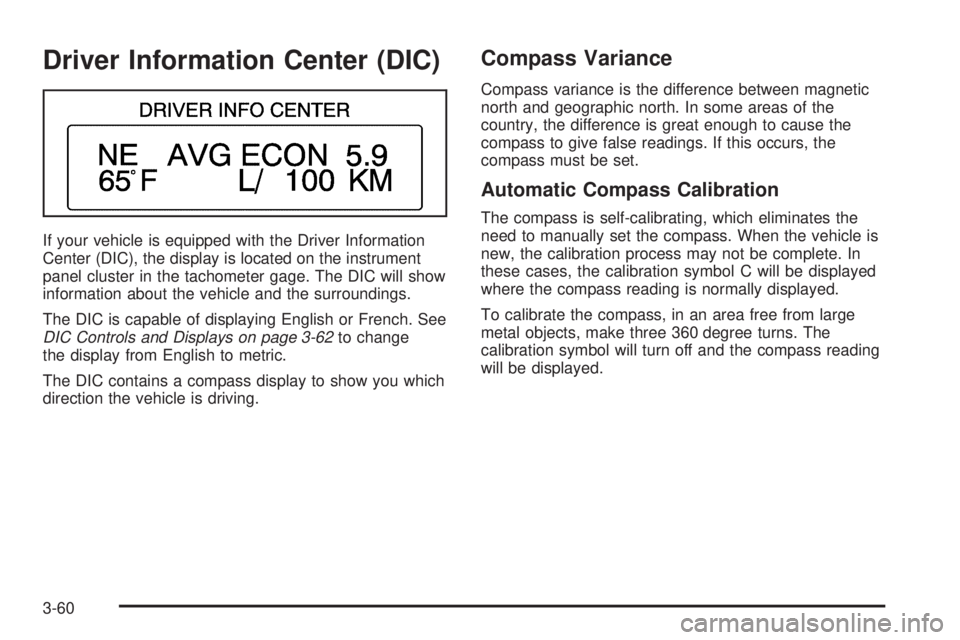
Driver Information Center (DIC)
If your vehicle is equipped with the Driver Information
Center (DIC), the display is located on the instrument
panel cluster in the tachometer gage. The DIC will show
information about the vehicle and the surroundings.
The DIC is capable of displaying English or French. See
DIC Controls and Displays on page 3-62to change
the display from English to metric.
The DIC contains a compass display to show you which
direction the vehicle is driving.
Compass Variance
Compass variance is the difference between magnetic
north and geographic north. In some areas of the
country, the difference is great enough to cause the
compass to give false readings. If this occurs, the
compass must be set.
Automatic Compass Calibration
The compass is self-calibrating, which eliminates the
need to manually set the compass. When the vehicle is
new, the calibration process may not be complete. In
these cases, the calibration symbol C will be displayed
where the compass reading is normally displayed.
To calibrate the compass, in an area free from large
metal objects, make three 360 degree turns. The
calibration symbol will turn off and the compass reading
will be displayed.
3-60
Page 202 of 486
DIC Controls and Displays
When the ignition is turned to ON or START, the DIC
will display the following:
BUICK:BUICK will be displayed for three seconds.
DRIVER #:This message will be displayed for another
three seconds after BUICK appears in the display.
This display lets the driver know which driver’s remote
keyless entry transmitter is being used and the
driver’s customization features.
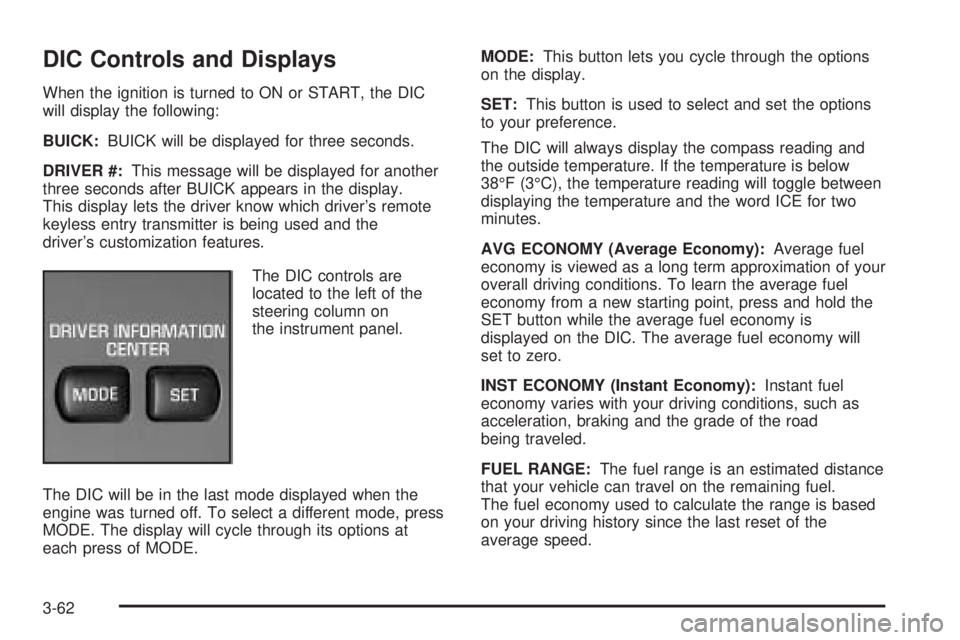
The DIC controls are
located to the left of the
steering column on
the instrument panel.
The DIC will be in the last mode displayed when the
engine was turned off. To select a different mode, press
MODE. The display will cycle through its options at
each press of MODE.MODE:This button lets you cycle through the options
on the display.
SET:This button is used to select and set the options
to your preference.
The DIC will always display the compass reading and
the outside temperature. If the temperature is below
38°F (3°C), the temperature reading will toggle between
displaying the temperature and the word ICE for two
minutes.
AVG ECONOMY (Average Economy):Average fuel
economy is viewed as a long term approximation of your
overall driving conditions. To learn the average fuel
economy from a new starting point, press and hold the
SET button while the average fuel economy is
displayed on the DIC. The average fuel economy will
set to zero.
INST ECONOMY (Instant Economy):Instant fuel
economy varies with your driving conditions, such as
acceleration, braking and the grade of the road
being traveled.
FUEL RANGE:The fuel range is an estimated distance
that your vehicle can travel on the remaining fuel.
The fuel economy used to calculate the range is based
on your driving history since the last reset of the
average speed.
3-62
Page 252 of 486
Listening to a DVD
Your vehicle may have a Rear Seat Entertainment
System. If your vehicle has this system and a DVD is
playing, the DVD symbol will appear on the radio display
indicating that the DVD is available and can be
listened through your vehicles speakers. To listen to the
DVD, press the CD AUX button until RSE appears on
the radio display. The current source will stop and
the DVD sound will come through the speakers. To stop
listening to the DVD press the CD AUX button, if a
CD is loaded, or press the BAND button to select
a different source.
When the RSE system is turned off, the radio will
display RSE OFF and the radio will return to the last
radio source that you were listening to.
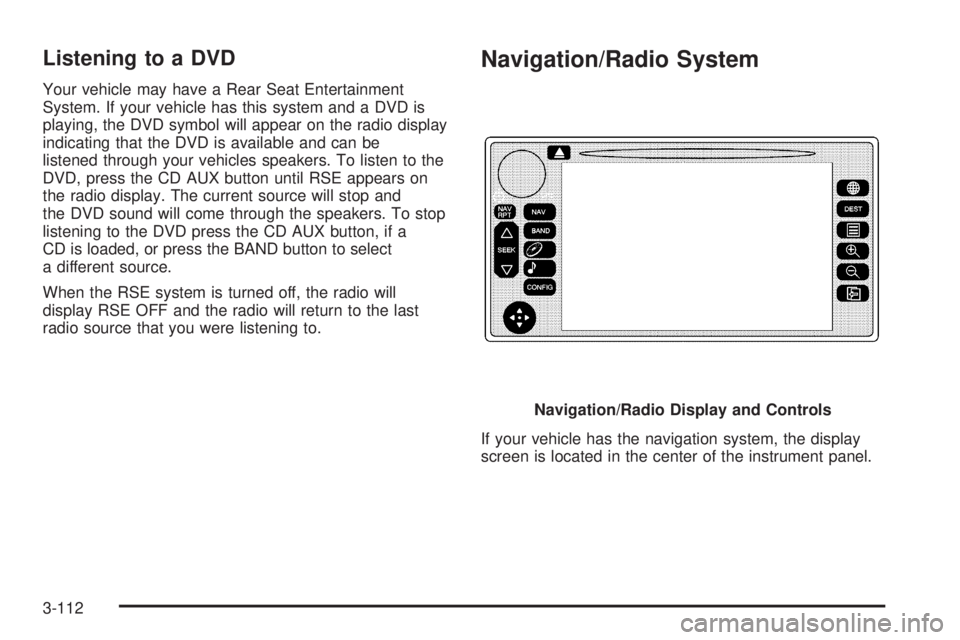
Navigation/Radio System
If your vehicle has the navigation system, the display
screen is located in the center of the instrument panel.Navigation/Radio Display and Controls
3-112