instrument panel BUICK RANDEZVOUS 2004 Owner's Guide
[x] Cancel search | Manufacturer: BUICK, Model Year: 2004, Model line: RANDEZVOUS, Model: BUICK RANDEZVOUS 2004Pages: 486, PDF Size: 3.18 MB
Page 150 of 486
Remember that damaged wiper blades may prevent you
from seeing well enough to drive safely. To avoid
damage, be sure to clear ice and snow from the wiper
blades before using them. If they are frozen to the
windshield, carefully loosen or thaw them. If your blades
do become damaged, get new blades or blade inserts.
Heavy snow or ice can overload your wipers. A
circuit breaker will stop them until the motor cools. Clear
away snow or ice to prevent an overload.
Windshield Washer
L
:To wash your windshield, push and hold the
paddle with the windshield washer symbol. The washers
and wipers will operate. When you release the paddle,
the washers will stop, and the wipers will continue
to operate for two cycles, unless your wipers were
already on. In that case, the wipers will resume the wiper
speed you selected earlier.
{CAUTION:
In freezing weather, do not use your washer
until the windshield is warmed. Otherwise the
washer uid can form ice on the windshield,
blocking your vision.
Rear Window Washer/Wiper
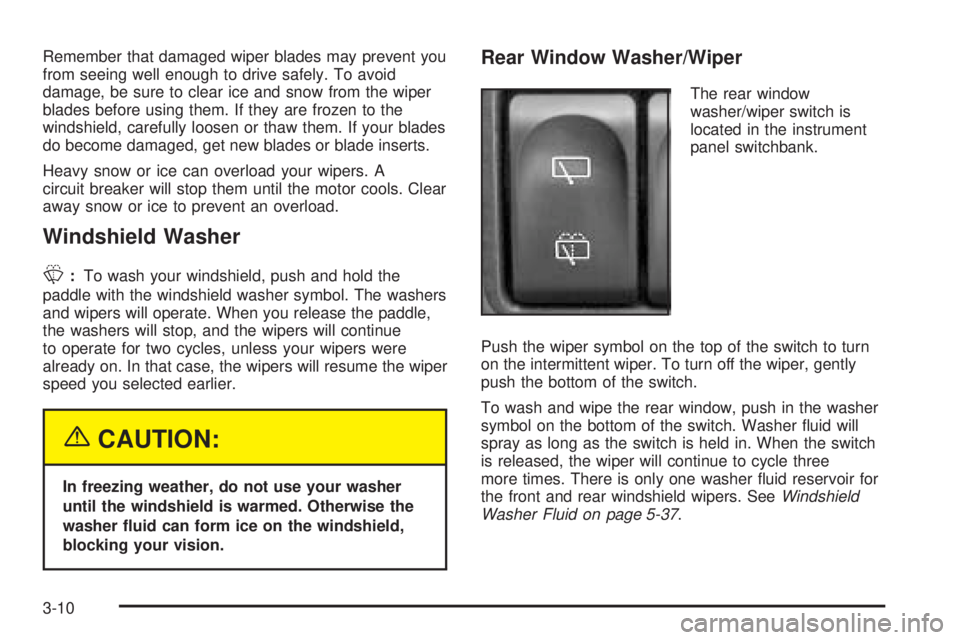
The rear window
washer/wiper switch is
located in the instrument
panel switchbank.
Push the wiper symbol on the top of the switch to turn
on the intermittent wiper. To turn off the wiper, gently
push the bottom of the switch.
To wash and wipe the rear window, push in the washer
symbol on the bottom of the switch. Washer uid will
spray as long as the switch is held in. When the switch
is released, the wiper will continue to cycle three
more times. There is only one washer uid reservoir for
the front and rear windshield wipers. SeeWindshield
Washer Fluid on page 5-37.
3-10
Page 154 of 486

Exterior Lamps
The control on the left side
of the steering column
operates the exterior
lamps.
The exterior lamp control has three positions:
AUTO (Automatic Headlamp Control/Off):Turning
the control to this position will activate the automatic
headlamps when it is dark enough outside and turn off
all lamps and lights during the day except for the
Daytime Running Lamps (DRL).
<(Parking Lamps):Turning the control to this
position turns on the parking lamps together with the
following:
Taillamps
Instrument Panel Lights
5(Headlamps):Turning the control to this position
turns on the headlamps together with the previously
listed lamps and lights.
Lamps on Reminder
If the driver’s door is opened and you turn the ignition to
OFF while leaving the lamps on, you will hear a
warning chime.
3-14
Page 155 of 486

Daytime Running Lamps (DRL)
Daytime Running Lamps (DRL) can make it easier for
others to see the front of your vehicle during the
day. DRL can be helpful in many different driving
conditions, but they can be especially helpful in the short
periods after dawn and before sunset. Fully functional
daytime running lamps are required on all vehicles
rst sold in Canada.
A light sensor on top of the instrument panel makes the
DRL work, so be sure it is not covered. The DRL
system will make your reduced intensity high-beam
headlamps come on in daylight when the following
conditions are met:
The ignition is on
The exterior lamps control is in AUTO
The shift lever is not in PARK (P)
When the DRL are on, only your reduced intensity
high-beam headlamps will be on. Your instrument panel
will not be lit up.When it is dark enough outside, the exterior lamps will
come on automatically. When it is bright enough
outside, the exterior lamps will go out and the DRL will
turn on. Of course, you may still turn on the headlamps
any time you need to.
As with any vehicle, you should turn on the regular
headlamp system when you need it.
Automatic Headlamp System
When the exterior lamps control is turned to AUTO, the
headlamps and parking lamps will come on
automatically when it is dark enough outside.
The lamps will come on automatically if the following
conditions are met:
It is dark enough outside
The ignition is in ON
The parking brake is released
The exterior lamps control is in the AUTO position
3-15
Page 156 of 486
Fog Lamps
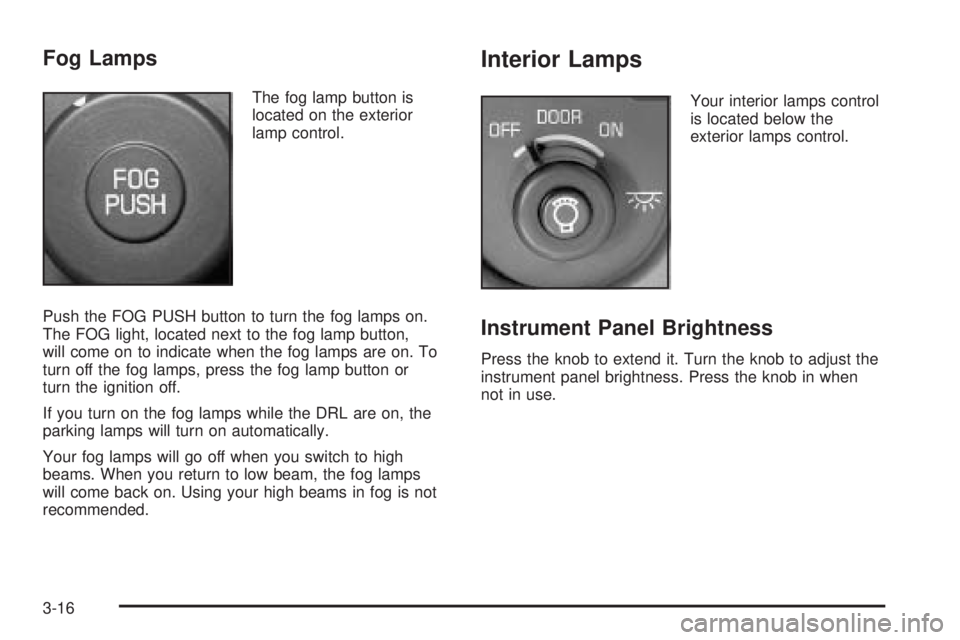
The fog lamp button is
located on the exterior
lamp control.
Push the FOG PUSH button to turn the fog lamps on.
The FOG light, located next to the fog lamp button,
will come on to indicate when the fog lamps are on. To
turn off the fog lamps, press the fog lamp button or
turn the ignition off.
If you turn on the fog lamps while the DRL are on, the
parking lamps will turn on automatically.
Your fog lamps will go off when you switch to high
beams. When you return to low beam, the fog lamps
will come back on. Using your high beams in fog is not
recommended.
Interior Lamps
Your interior lamps control
is located below the
exterior lamps control.
Instrument Panel Brightness
Press the knob to extend it. Turn the knob to adjust the
instrument panel brightness. Press the knob in when
not in use.
3-16
Page 161 of 486
Instrument Panel Switchbank
There is an instrument panel switchbank located below
the comfort controls. It contains switches or blanks
that will vary with the options that are on your vehicle.
The switches you may have are:
Rear Window Wiper/Washer. SeeTurn
Signal/Multifunction Lever on page 3-8.
Traction Disable. SeeTraction Control System
(TCS) on page 4-11.
Park Aid Disable. SeeUltrasonic Rear Parking
Assist (URPA) on page 3-24.
Heated Seats. SeeHeated Seats on page 1-6.
Head-Up Display (HUD)
{CAUTION:
If the HUD image is too bright, or too high in
your eld of view, it may take you more time to
see things you need to see when it is dark
outside. Be sure to keep the HUD image dim
and placed low in your eld of view.
If your vehicle has the HUD, it can display the
speedometer reading in English or metric. The current
audio system information, as well as Rear Seat
Entertainment system information, may also be
displayed and will appear as an image focused out
toward the front of your vehicle.
The HUD is capable of displaying English or French.
SeeDIC Controls and Displays on page 3-62to change
the display from English to metric.
3-21
Page 162 of 486

The Head-Up Display also displays the following lights
and messages when they appear on the instrument
panel cluster:
Turn Signal Indicators. SeeTurn
Signal/Multifunction Lever on page 3-8.
High-Beam Indicator. SeeTurn Signal/Multifunction
Lever on page 3-8.
Low-Fuel Warning Message. SeeLow Fuel Warning
Message on page 3-56.
The Head-Up Display also displays a CHECK GAGES
icon. The following messages could appear on the
instrument panel cluster when CHECK GAGES appears:
Engine Coolant Temperature Warning. SeeEngine
Coolant Temperature Warning Message on
page 3-51.
Low Oil Pressure. SeeLow Oil Pressure Message
on page 3-52.
Charging System Indicator. SeeCharging System
Indicator Message on page 3-52.
Low Brake Fluid Warning. SeeLow Brake Fluid
Warning Message on page 3-57.
Under warning conditions, the CHECK GAGES icon will
illuminate in the HUD. Look at the instrument panel
cluster for more information.
3-22
Page 163 of 486

Notice:If you try to use the HUD image as a
parking aid, you may misjudge the distance and
damage your vehicle. Do not use the HUD image as
a parking aid.
The HUD controls are
located to the left of the
steering wheel on the
instrument panel.
When the HUD is on, the speedometer reading will
always be displayed. The current audio system
information will only be displayed for three seconds after
the radio, tape or CD track status changes. This will
happen whenever one of the radio controls is pressed,
either on the radio or on the audio steering wheel
controls, if equipped.To adjust the HUD so you can see it properly,
do the following:
1. Start your engine and turn the dimmer knob to the
desired HUD image brightness.
The brightness of the HUD image is determined by
the ambient light conditions in the direction your
vehicle is facing and where you have the HUD
dimmer knob set. If you are facing a dark object or a
heavily shaded area, your HUD may anticipate that
you are entering a dark area and may begin to dim.
2. Adjust the driver’s seat. If you change your seat
position, you may have to readjust your HUD.
3. Press the UP or DN buttons until the HUD image is
easy to see and then press the DN button until the
HUD image is as low as possible, but remains
in full view straight ahead near the front bumper.
The HUD image can only be adjusted up and down,
not side-to-side.
4. To turn the image off, turn the dimmer knob
counterclockwise until it stops.
If the sun comes out or it becomes cloudy, you may
need to adjust the HUD brightness again using
the dimmer knob. Polarized sunglasses could make the
HUD image harder to see.
3-23
Page 165 of 486
{CAUTION:
Even with the Ultrasonic Rear Park Assist
system, the driver must check carefully before
backing up. The system does not operate above
typical backing speeds of 3 mph (5 km/h) while
parking. And, the system does not detect
objects that are more than 5 feet (1.5 meters)
behind the vehicle.
So, unless you check carefully behind you
before and when you back up, you could strike
children, pedestrians, bicyclists or pets behind
you, and they could be injured or killed.
Whether or not you are using Rear Park Assist,
always check carefully behind your vehicle
before you back up and then watch closely as
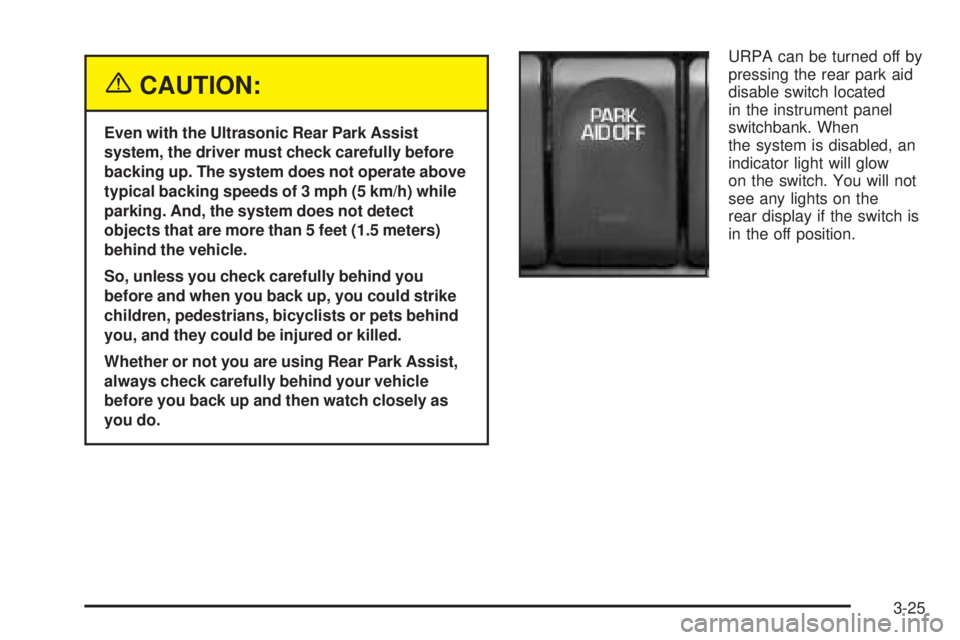
you do.URPA can be turned off by
pressing the rear park aid
disable switch located
in the instrument panel
switchbank. When
the system is disabled, an
indicator light will glow
on the switch. You will not
see any lights on the
rear display if the switch is
in the off position.
3-25
Page 168 of 486

Ashtrays and Cigarette Lighter
The ashtray is located on the oor console closest to
the instrument panel. Lift the lid to expose the ashtray.
To remove the ashtray, lift it up.
The cigarette lighter is located on the oor console in
the cell phone storage compartment closest to the
driver’s seat. Lift the lid to expose the cigarette lighter.
To use the lighter, push it in all the way and let go.
When it is ready, it will pop back out by itself.
Notice:Holding a cigarette lighter in while it is
heating will not allow the lighter to back away from
the heating element when it is hot. Damage from
overheating may occur to the lighter or heating
element, or a fuse could be blown. Do not hold a
cigarette lighter in while it is heating.
Notice:If you put papers or other ammable items
in the ashtray, hot cigarettes or other smoking
materials could ignite them and possibly damage
your vehicle. Never put ammable items in the
ashtray.
Climate Controls
Climate Control System
With this system you can control the heating, cooling,
and ventilation for your vehicle.
3-28
Page 169 of 486

Operation
Turn the right knob clockwise or counterclockwise to
direct the airow inside your vehicle.
To change the current mode, select one of the following:
H(Vent):This mode directs air to the instrument
panel outlets.
)(Bi-Level):This mode directs half of the air to the
instrument panel outlets, then directs the remaining
air to the oor outlets. Cooler air is directed to the upper
outlets and warmer air to the oor outlets.
6(Floor):This mode directs most of the air to the
oor outlets. Use this mode to send air to the rear of the
vehicle. Keep the area under the front seats free of
objects that could obstruct airow to the rear of
the vehicle.
The right knob can also be used to select defog or
defrost mode. For more information, see “Defogging and
Defrosting” later in this section.
9(Fan):Turn the left knob clockwise or
counterclockwise to increase or decrease the fan speed.
Turn the knob to 0 to turn off the fan. The fan must
be turned on for the air conditioning compressor
to operate.
@(Recirculation):This mode keeps outside air
from coming in the vehicle. It can be used to prevent
outside air and odors from entering your vehicle or help
heat or cool the air inside your vehicle more quickly.
Press this button to turn the recirculation mode on or off.
When the button is pressed, an indicator light will
come on. The air-conditioning compressor also comes
on. The recirculation mode can be used with vent
and bi-level modes, but it cannot be used with oor,
defog, defrost or outside air modes.
Temperature Control:Turn the center knob clockwise
or counterclockwise to increase or decrease the air
temperature inside your vehicle.
3-29