window BUICK REGAL 1995 Owners Manual
[x] Cancel search | Manufacturer: BUICK, Model Year: 1995, Model line: REGAL, Model: BUICK REGAL 1995Pages: 340, PDF Size: 17.16 MB
Page 12 of 340
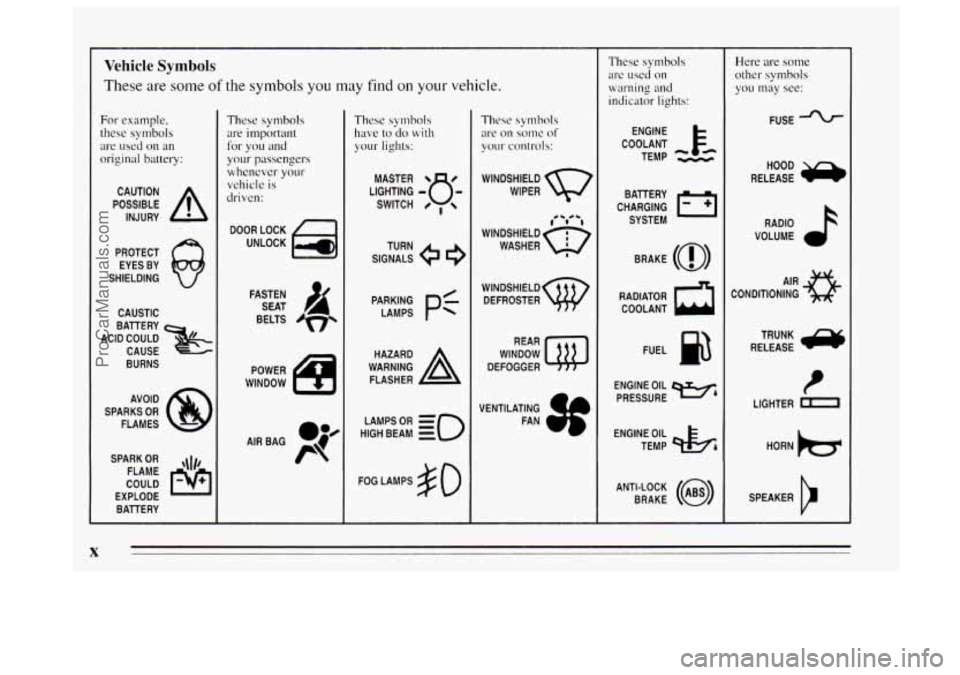
Vehicle Symbols
These are some of the symbols you may find on your vehicle.
For example,
these symbols
are used
on an
original battery:
POSSIBLE A
CAUTION
INJURY
PROTECT EYES BY
SHIELDING
CAUSTIC
BATTERY
CAUSE
BURNS
ACID COULD
x
AVOID
SPARKS
OR
FLAMES
SPARK
OR ,\I/,
COULD FLAME
EXPLODE BATTERY
These symbols are important
for you and
your passengers whenever your
vehicle
is
driven:
DOOR LOCK
UNLOCK
BELTS
4
These symbols
have
to do with
your lights:
SIGNALS e
TURN
POWER
WINDOW
HIGH LAMPSoR BEAM
= =o
FOG LAMPS $0
These symbols
are on
some of
your controls:
WINDSHIELD
WIPER
1. *td -1
WINDSHIELD c)
WASHER a
WINDSHIELD DEFROSTER
WINDOW
DEFOGGER
VENTILATING FAN
These symbols
are used on
warning and
indicator lights:
COOLANT F-
TEMP --
ENGINE
CHARGING BATTERY
SYSTEM
BRAKE
(0)
RADIATOR COOLANT
a
FUEL
ENGINE OIL
PRESSURE
w4
TEMP OIL 4%
ANTI-LOCK (@)
BRAKE
Here are some other symbols
you may
see:
FUSE
RADIO
VOLUME
AIR
CONDITIONING
TRUNK
e
RELEASE
t
LIGHTER n
SPEAKER
b
X
ProCarManuals.com
Page 39 of 340
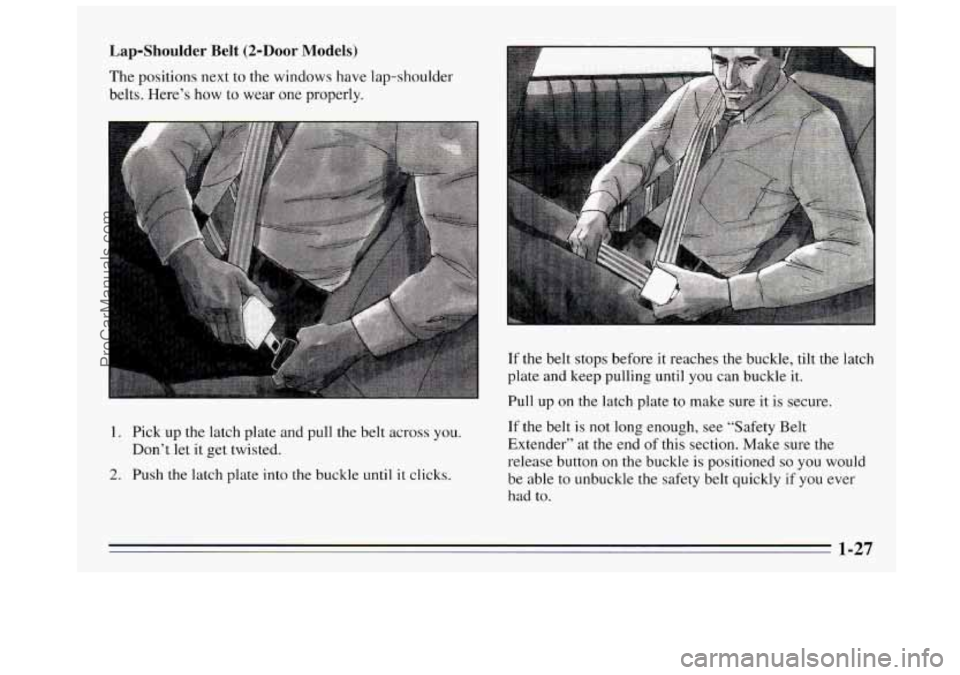
Lap-Shoulder Belt (2-Door Models)
The positions next to the windows have lap-shoulder
belts. Here’s how to wear one properly.
1. Pick up the latch plate and pull the belt across you.
Don’t let it get twisted.
2. Push the latch plate into the buckle until it clicks. If
the belt stops before it reaches the buckle, tilt the latch
plate and keep pulling until
you can buckle it.
Pull up on the latch plate to make sure it is secure.
If the belt
is not long enough, see “Safety Belt
Extender” at the end of this section. Make sure the
release button
on the buckle is positioned so you would
be able to unbuckle the safety belt quickly
if you ever
had to.
ProCarManuals.com
Page 41 of 340
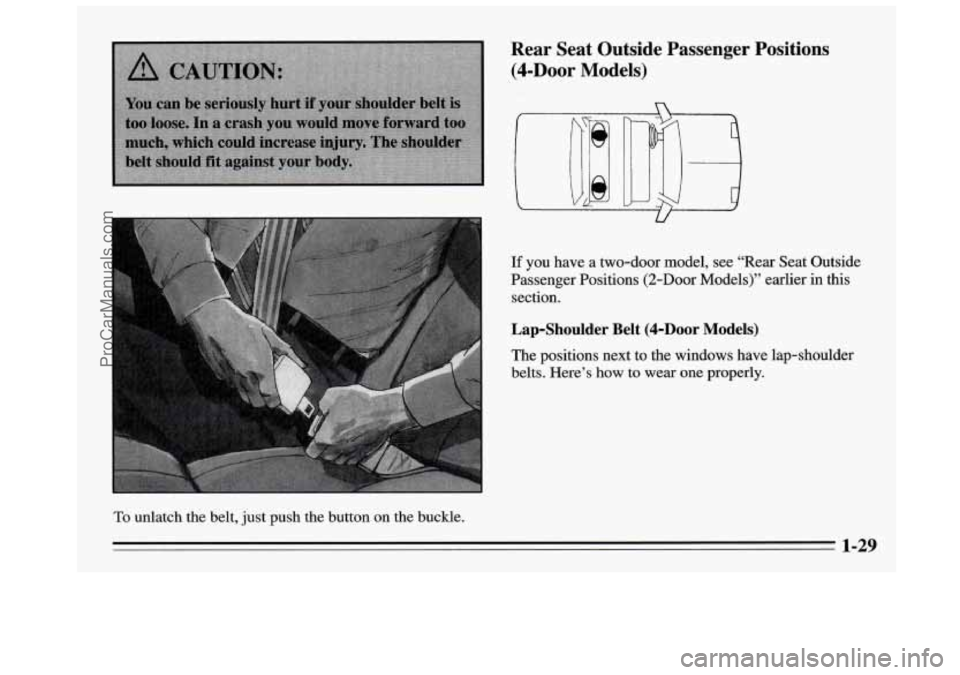
To unlatch the belt, just push the button on the buckle.
If you have a two-door model, see “Rear Seat Outside
Passenger Positions
(2-Door Models)” earlier in this
section.
Lap-Shoulder Belt (4-hOr Models)
The positions next to the windows have lap-shoulder
belts. Here’s how to wear one properly.
1-29
ProCarManuals.com
Page 59 of 340
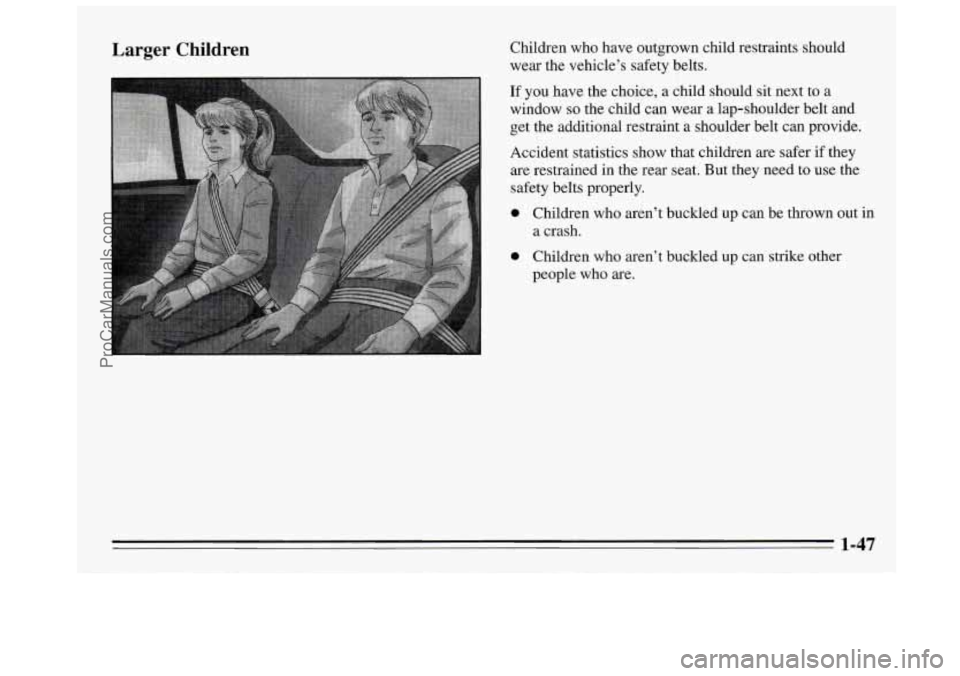
Larger Children Children who have outgrown child restraints should
wear the vehicle’s safety belts.
If you have the choice, a child should sit next to a
window
so the child can wear a lap-shoulder belt and
get the additional restraint a shoulder belt can provide.
Accident statistics show that children are safer if they
are restrained in the rear seat. But they need to use the
safety belts properly.
0 Children who aren’t buckled up can be thrown out in
a crash.
0 Children who aren’t buckled up can strike other
people who are.
ProCarManuals.com
Page 70 of 340
Glove Box Key in the Ignition
If you walk away from your vehicle with the keys
inside, it’s an easy target for joy riders or professional
thieves
-- so don’t do it.
When you park your Buick and open the driver’s door,
you’ll hear a chime reminding you to remove your key
from the ignition and take it with
you. Always do this.
Your steering wheel will be locked, and
so will your
ignition and transaxle. And remember to lock the doors.
Parking at Night
Park in a lighted spot, close all windows and lock your
vehicle. Remember to keep your valuables out of sight.
Put them in
a storage area, or take them with you.
Parking Lots
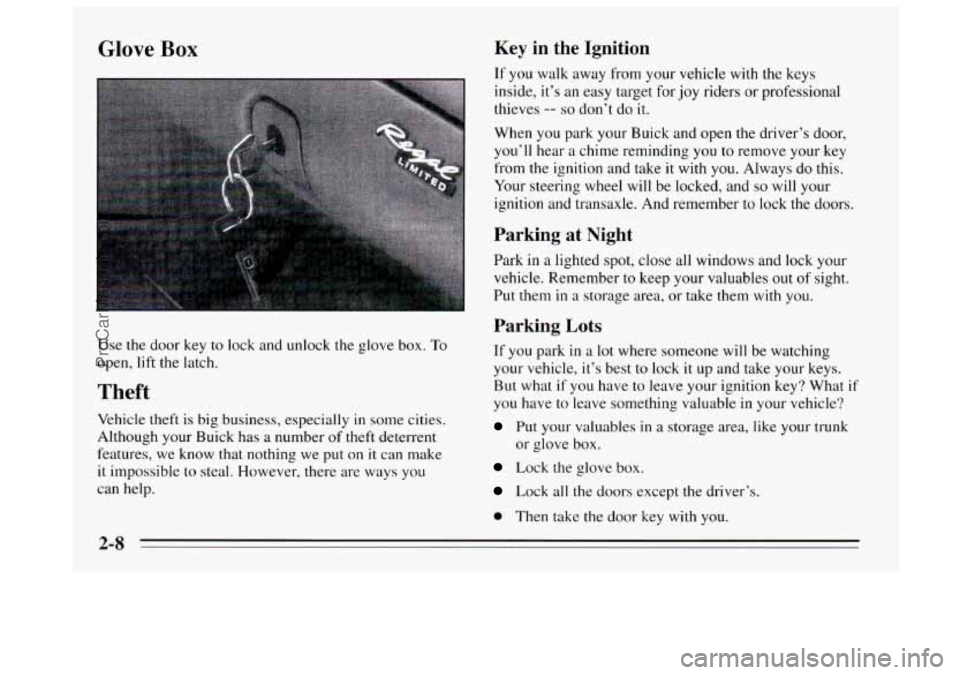
Use the door key to lock and unlock the glove box. To
open, lift the latch.
Theft
Vehicle theft is big business, especially in some cities.
Although your Buick has
a number of theft deterrent
features, we know that nothing we put on
it can make
it impossible to steal. However, there are ways you
can help.
If you park in a lot where someone will be watching
your vehicle, it’s best to lock it
up and take your keys.
But what if
you have to leave your ignition key? What if
you have to leave something valuable in your vehicle?
Put your valuables in a storage area, like your trunk
or glove box.
Lock the glove box.
Lock all the doors except the driver’s.
0 Then take the door key with you.
2-8
ProCarManuals.com
Page 86 of 340
Power Windows
Follow the proper steps to be sure your vehicle won’t
move. See “Shifting Into
PARK (P)” in the Index.
If you are parking on a hill and if you’re pulling a
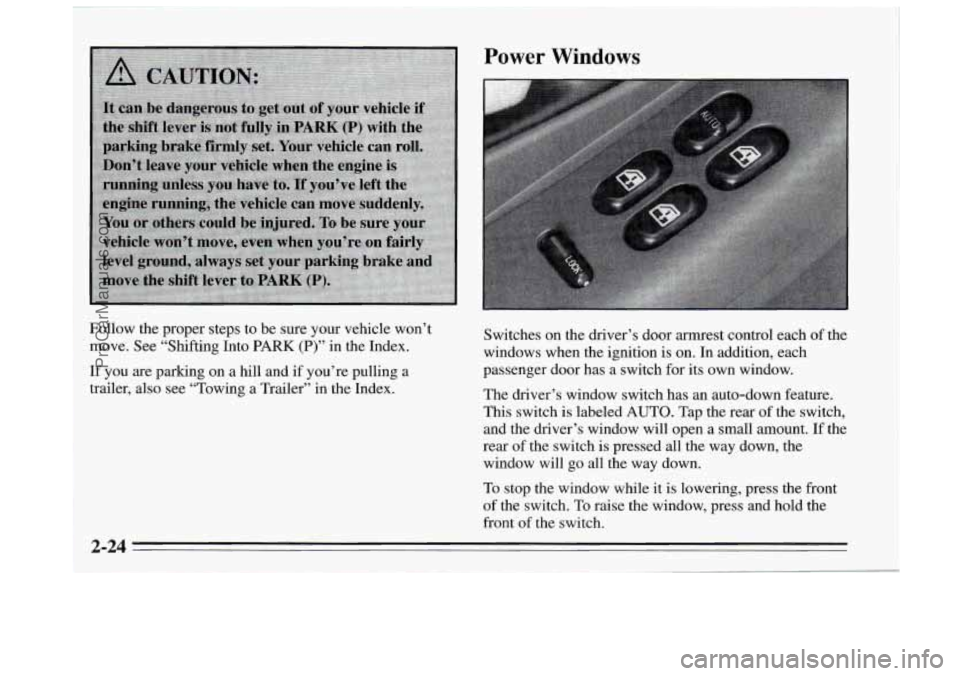
trailer, also see “Towing a Trailer” in the Index. Switches on the driver’s door armrest control each
of the
windows when the ignition is on. In addition, each
passenger door has a switch for its own window.
The driver’s window switch has an auto-down feature.
This switch is labeled
AUTO. Tap the rear of the switch,
and the driver’s window will open a small amount. If the
rear of the switch is pressed all the way down, the
window will
go all the way down.
To stop the window while it is lowering, press the front
of the switch.
To raise the window, press and hold the
front of the switch.
2-24
ProCarManuals.com
Page 87 of 340
On four-door models, the driver’s window controls also
include a lock-out switch. Press
LOCK to stop front and
rear passengers from using their window switches. The
driver can still control all the windows with the lock on.
Press the other side of the
LOCK button for normal
window operation.
Horn
Press either horn symbol on your steering wheel to
sound the horn.
Tilt Steering Wheel
A tilt steering wheel allows
you to adjust the steering
wheel before you drive.
You
can also raise it to the
highest level to give your
legs more room when you
exit and enter the vehicle.
To tilt the wheel, hold the steering wheel and pull the
lever. Move the steering wheel to a comfortable level,
then release the lever to lock the wheel in place.
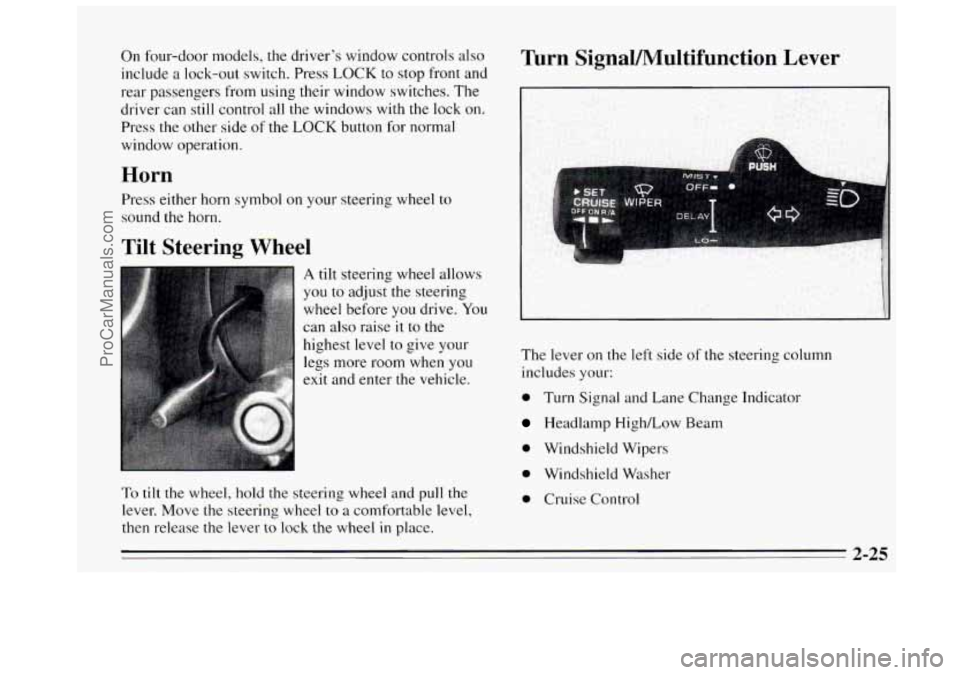
Turn Signal/Multifunction Lever
The lever on the left side of the steering column
includes your:
0 Turn Signal and Lane Change Indicator
Headlamp High/Low Beam
0 Windshield Wipers
0 Windshield Washer
0 Cruise Control
2-25
ProCarManuals.com
Page 117 of 340
@ Section 3 Comfort Controls and Audio Systems
In this section you'll find out how to operate the comfort
control systems and audio systems offered with your
Buick. Be sure to read about the particular system
supplied
with your vehicle.
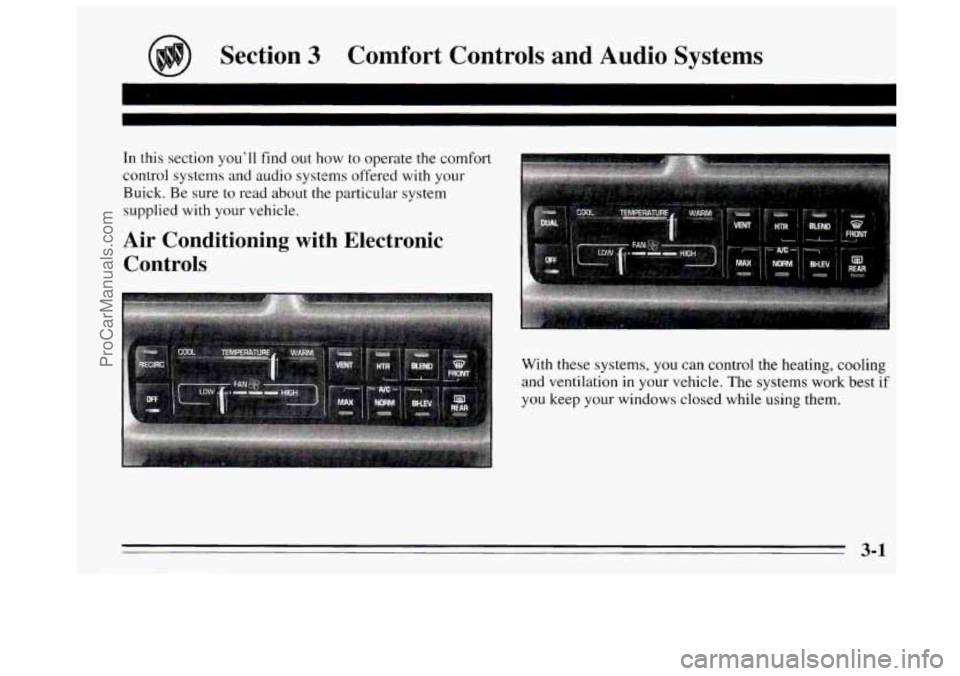
Air Conditioning with Electronic Controls
With these systems, you can control the heating, cooling
and ventilation in your vehicle. The systems work best
if
you keep your windows closed while using them.
3-1
ProCarManuals.com
Page 118 of 340
System Controls
Fan Lever
The bottom lever selects the force of air you want.
Temperature Lever
The upper lever changes the temperature of the air coming
through the system. Slide the lever toward
WARM for
warmer air. Slide the lever toward
COOL for cooler air. If
your system has the auxiliary temperature control option,
this lever controls the temperature for
the whole vehicle
unless
DUAL is pressed. When DUAL is pressed, this
lever controls the temperature for the driver.
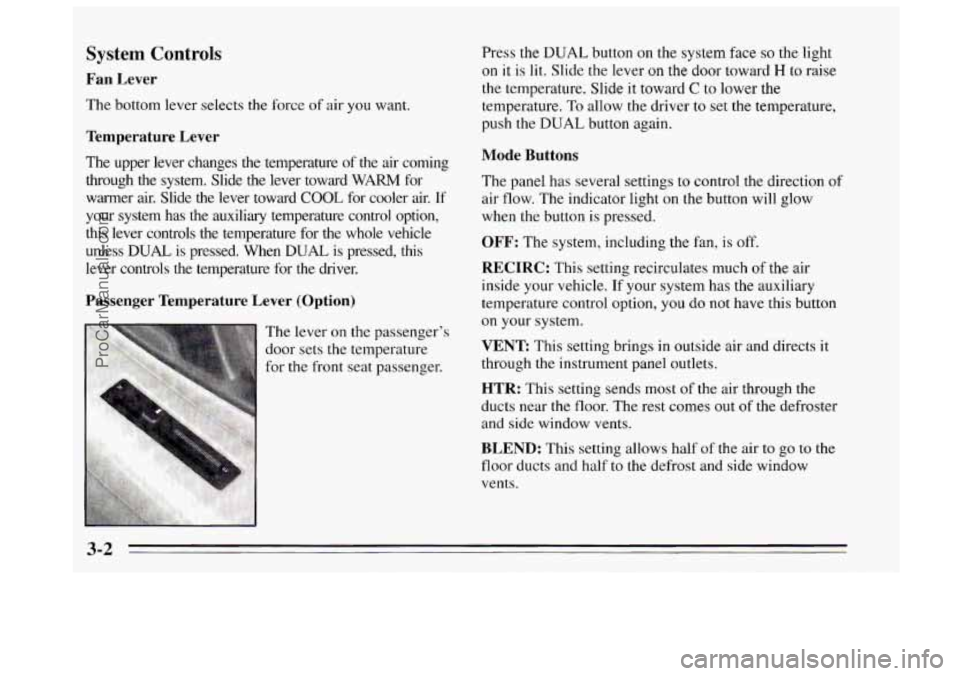
Passenger Temperature Lever (Option)
Press the DUAL button on the system face so the light
on it is lit. Slide the lever on the door toward H to raise
the temperature. Slide it toward
C to lower the
temperature. To allow the driver
to set the temperature,
push the
DUAL button again.
Mode Buttons
The panel has several settings to control the direction of
air flow. The indicator light
on the button will glow
when the button
is pressed.
OFF: The system, including the fan, is off.
RECIRC: This setting recirculates much or tne air
inside your vehicle.
If your system has the auxiliary
temperature control option, you do not have this button
on your system.
VENT This setting brings in outside air and directs it
through the instrument panel outlets.
HTR: This setting sends most of the air through the
ducts near the floor. The rest comes out of the defroster
and side window vents.
BLEND: This setting allows half of the air to go to the
floor ducts and half to
the defrost and side window
vents.
3-2
ProCarManuals.com
Page 119 of 340
FRONT This setting directs most of the air through the
defroster and side window vents. Some
of the air goes to
the floor ducts. The air conditioning compressor will run
automatically in this setting unless the outside
temperature is below 40°F (4.5"C).
MAX: This setting recirculates much of the air inside
your vehicle and sends it through the instrument panel
outlets. The air conditioning compressor will run
automatically in this setting unless the outside
temperature is below 40°F (4.5"C).
NORM: This setting brings in outside air and sends it
through the instrument panel outlets. The air
conditioning compressor will run automatically in this
setting unless the outside temperature
is below 40°F
(4.5
" C).
BI-LEV This setting brings in the outside air and
directs it two ways. Half of the air is directed through
the instrument panel outlets. Most
of the remaining air is
directed through the floor ducts and a little
to the defrost
and side window vents. The air conditioning compressor
will run automatically
in this setting unless the outside
temperature
is below 40°F (4.5"C).
Air Conditioning
On very hot days, open the windows long enough to
let hot inside air escape. This reduces the time
the
compressor has to run, which should help fuel economy.
For quick cool-down on very hot days, use
MAX with
the temperature lever all the way to
COOL. If this
setting is used for long periods of time, the air in your
vehicle may become too dry.
For normal cooling on hot days, use
NORM with the
temperature lever all the way to
COOL. The system will
bring in outside air and cool
it.
On cool but sunny days, the sun may warm your upper
body, but your lower body may not be warm enough.
You can use
BI-LEV with the temperature knob in the
middle. The system will bring
in outside air and direct it
to your upper body, while sending slightly warmed air to
your lower body.
You may notice this temperature
difference more at some times than others.
3-3
ProCarManuals.com