audio BUICK REGAL 1996 Owners Manual
[x] Cancel search | Manufacturer: BUICK, Model Year: 1996, Model line: REGAL, Model: BUICK REGAL 1996Pages: 356, PDF Size: 17.97 MB
Page 3 of 356
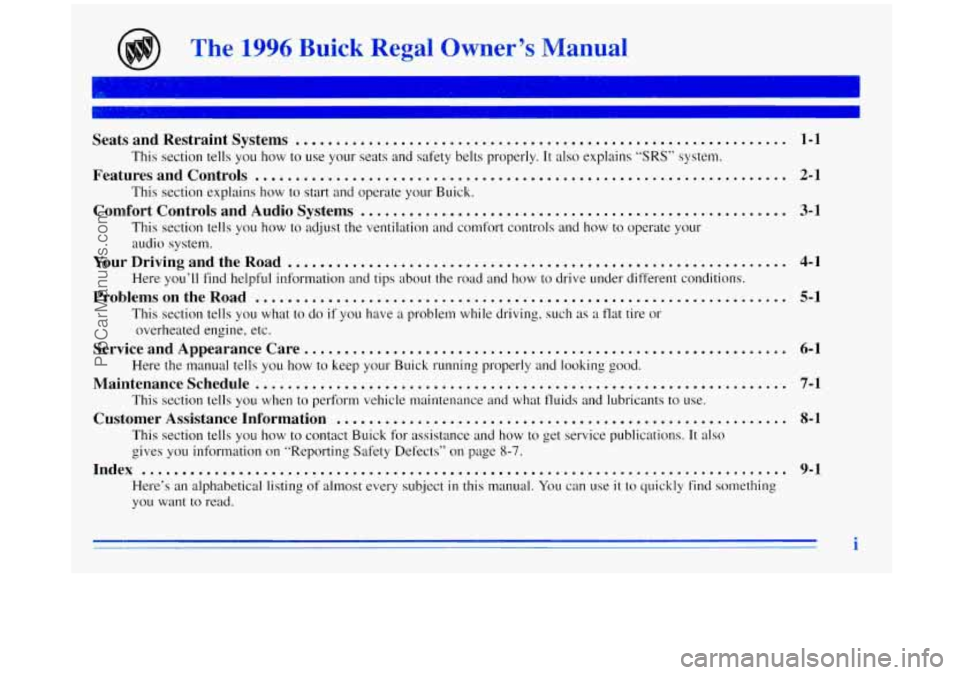
The 1996 Buick Regal Owner’s Manual
7-
Seats and Restraint Systems ............................................................. 1-1
This section tells you how to use your seats and safety belts properly. It also explains “SRS” system.
This section explains how to start and operate your Buick.
This section tells you how to adjust the ventilation and comfort controls and how to operate your
audio system.
Here you’ll find helpful information and tips about the road and how to drive under different conditions.
This section tells you
what to do if you have a problem while driving, such as a flat tire or
overheated engine, etc.
Here the manual tells you how to keep
your Buick running properly and looking good.
This section tells
you when to perform vehicle maintenance and what fluids and lubricants to use.
This section tells you how to contact Buick for assistance and how to get service publications.
It also
gives you information on “Reporting Safety Defects” on page
8-7.
Index ........................................................................\
........ 9-1
Here’s an alphabetical listing of almost every subject in this manual. You can use it to quickly find something
you want to read.
Features and Controls .................................................................. 2-1
Comfort Controls and Audio Systems ..................................................... 3-1
YourDrivingandtheRoad .............................................................. 4-1
ProblemsontheRoad .................................................................. 5-1
Service and Appearance Care. ........................................................... 6-1
Maintenanceschedule .................................................................. 7-1
Customer Assistance Information ........................................................ 8-1
i
ProCarManuals.com
Page 109 of 356
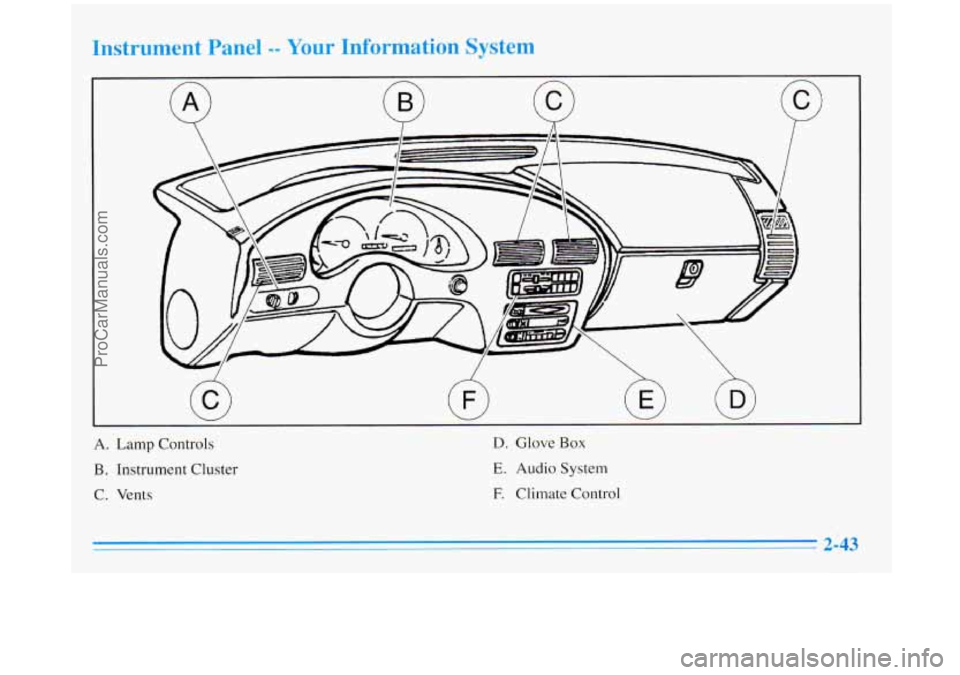
A. Lamp Controls
B. Instrument Cluster
C. Vents
D. Glove Box
E. Audio System
E Climate Control
ProCarManuals.com
Page 125 of 356
Section 3 Comfort Controls and Audio Systems
In this section you’ll find out how to operate the comfort
control and audio systems offered with your Buick. Be
sure to read about the particular systems supplied with
your vehicle.
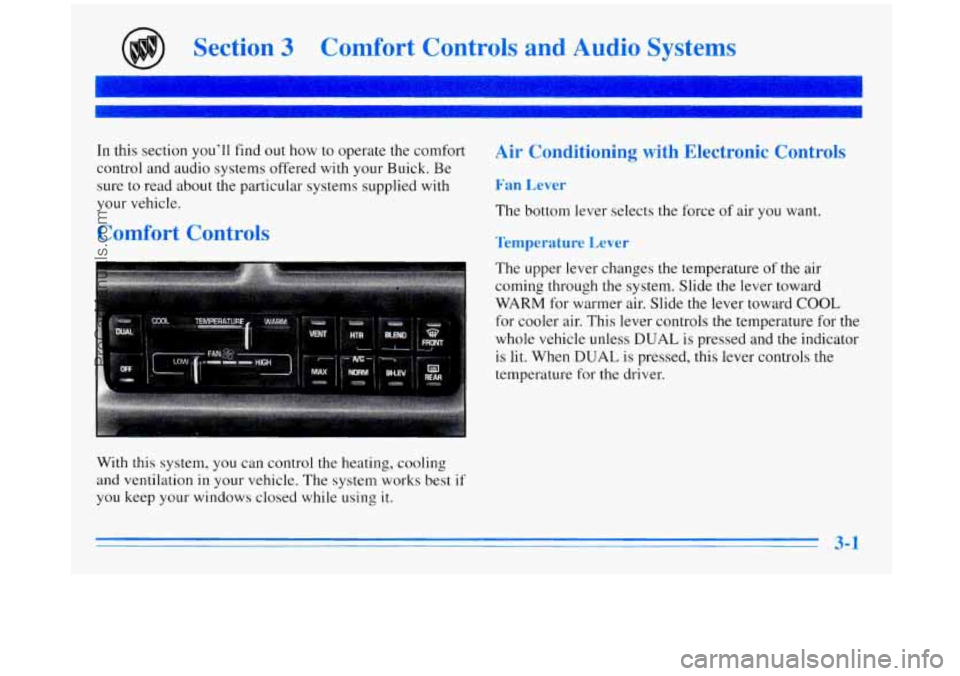
Comfort Controls
With this system, you can control the heating, cooling
and ventilation in your vehicle. The system works best
if
you keep your windows closed while using it.
Air Conditioning with Electronic Controls
Fan Lever
The bottom lever selects the force of air you want.
Temperature Lever
The upper lever changes the temperature of the air
coming through the system. Slide the lever toward
WARM for warmer air. Slide the lever toward COOL
for cooler air. This lever controls the temperature for the
whole vehicle unless
DUAL is pressed and the indicator
is lit. When
DUAL is pressed, this lever controls the
temperature for the driver.
ProCarManuals.com
Page 130 of 356
Rear Window Defogger
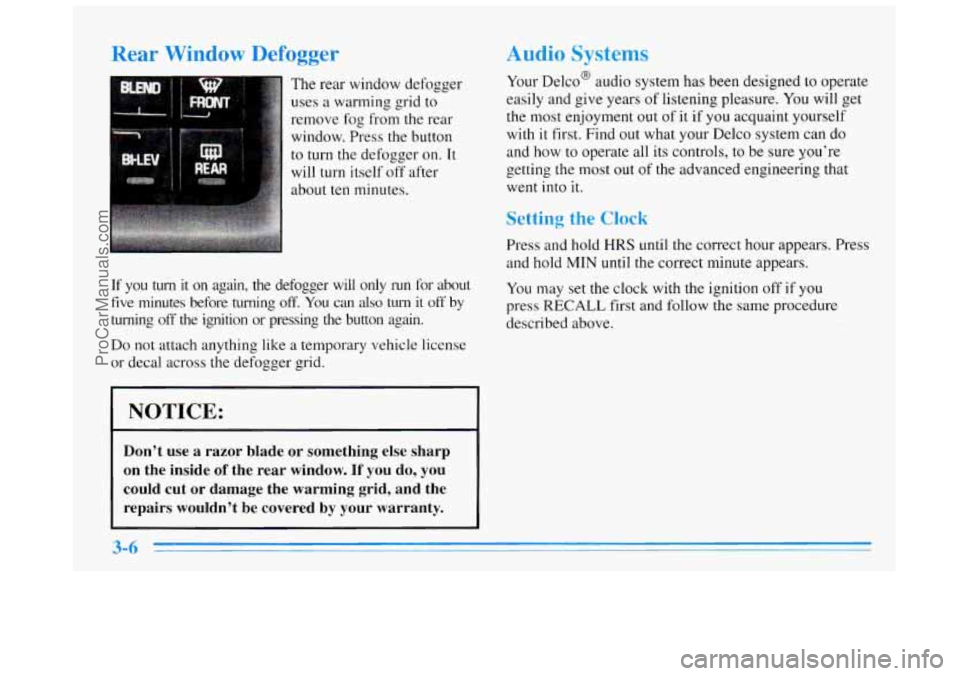
The rear window defogger
uses
a warming grid to
remove
fog from the rear
window. Press the button
to turn the defogger on. It
will turn itself off after
about
ten minutes.
If you turn it on again, the defogger will only run for about
five minutes before turning off. You can also turn it off by
turning off the ignition or pressing the button again.
Do not attach anything like a temporary vehicle license
or decal across
the defogger grid.
I NOTICE:
Don’t use a razor blade or something else sharp
on the inside
of the rear window. If you do, you
could cut or damage the warming grid, and the
repairs wouldn’t be covered by your warranty.
Audio Systems
Your Delco@ audio system has been designed to operate
easily and give years of listening pleasure. You will get
the most enjoyment out of
it if you acquaint yourself
with
it first. Find out what your Delco system can do
and how to operate all its controls, to be sure you’re
getting the most
out of the advanced engineering that
went into it.
Setting the Clock
Press and hold HRS until the correct hour appears. Press
and hold MIN until the correct minute appears.
You may set
the clock with the ignition off if you
press
RECALL first and follow the same procedure
described above.
ProCarManuals.com
Page 140 of 356
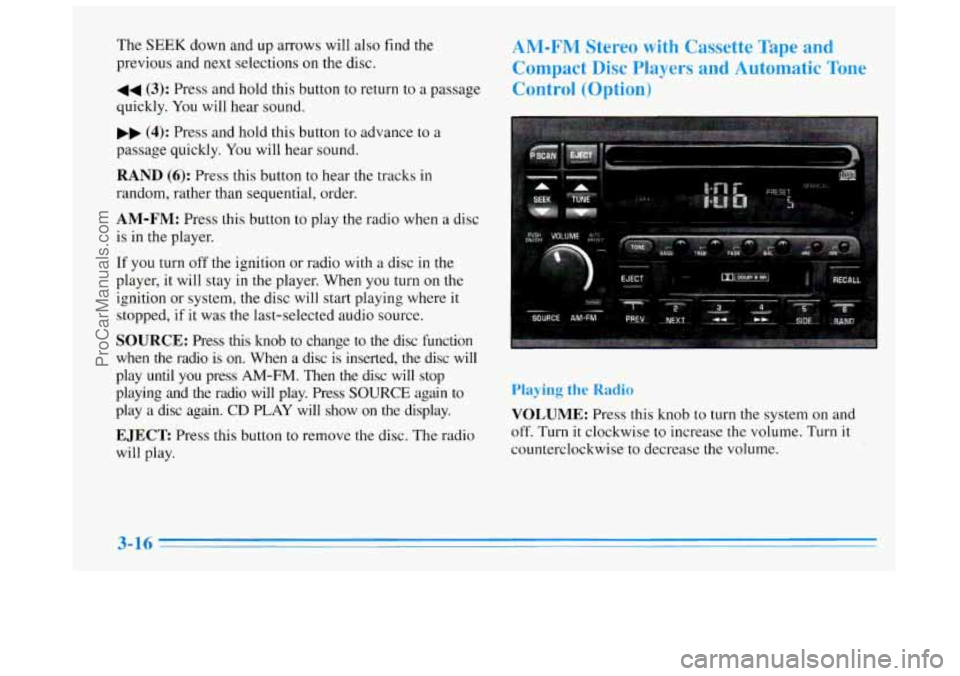
The SEEK down and up arrows will also find the
previous and next selections on the disc.
44 (3): Press and hold this button to return to a passage
quickly. You will hear sound.
.. (4): Press and hold this button to advance to a
passage quickly. You will hear sound.
RAND (6): Press this button to hear the tracks in
random, rather than sequential, order.
AM-FM: Press this button to play the radio when a disc
is in the player.
If you turn off the ignition or radio with a disc in the
player, it will stay
in the player. When you turn on the
ignition or system,
the disc will start playing where it
stopped, if it was the last-selected audio source.
SOURCE: Press this knob to change to the disc function
when the radio is
on. When a disc is inserted, the disc will
play until you press
AM-FM. Then the disc will stop
playing and the radio will play. Press
SOURCE again to
play a disc again.
CD PLAY will show on the display.
EJECT Press this button to remove the disc. The radio
will play.
AM-FM Stereo with Cassette Tape and
Compact Disc Players and Automatic Tone
Control (Option)
Playing the Radio
VOLUME: Press this knob to turn the system on and
off. Turn
it clockwise to increase the volume. Turn it
counterclockwise to decrease the volume.
3-16
ProCarManuals.com
Page 144 of 356
display. When things get back to normal, the disc should
play. If the disc comes out,
it could be that:
0 The disc is upside down.
It is dirty, scratched or wet.
It is very humid. (If so, wait about an hour and
try again.)
RECALL: Press this button to see which track is
playing. Press it again
within five seconds to see how
long it has been playing.
To change what is normally
shown on the display (track or elapsed time), press the
button until you see the display you want, then hold the
button until the display flashes.
PREV (1): Press this button to go to the start of the
current track,
if more than eight seconds have played. If
you hold the button or press it more than once, the
player will continue moving back through the disc. The
sound will be muted while seeking.
NEXT (2): Press this button to go to the next track.
If you hold the button or press it more than once, the
player will continue moving forward through the disc.
The sound will be muted while seeking.
The
SEEK down and up arrows will also find the previous
and next selections on
the disc.
44 (3): Press and hold this button to return to a passage
quickly.
You will hear sound.
,, (4): Press and hold this button to advance to a
passage quickly. You will hear sound.
RAND (6): Press this button to hear the tracks in
random, rather than sequential, order.
AM-FM: Press this button to play the radio when a disc
is in the player.
If you turn off the ignition or radio with a disc in the
player,
it will stay in the player. When you turn on the
ignition or system, the disc will start playing where it
stopped,
if it was the last-selected audio source.
SOURCE: Press this button to change to the disc
function when the radio
is on. When a disc is inserted,
the disc
will play until you press AM-FM. Then the disc
will stop playing and the radio will play. Press
SOURCE
again to play a disc again. CD PLAY will show on
the display.
EJECT Press this button to remove the disc. The radio
will play.
ProCarManuals.com
Page 147 of 356
Steering Wheel Controls tion)
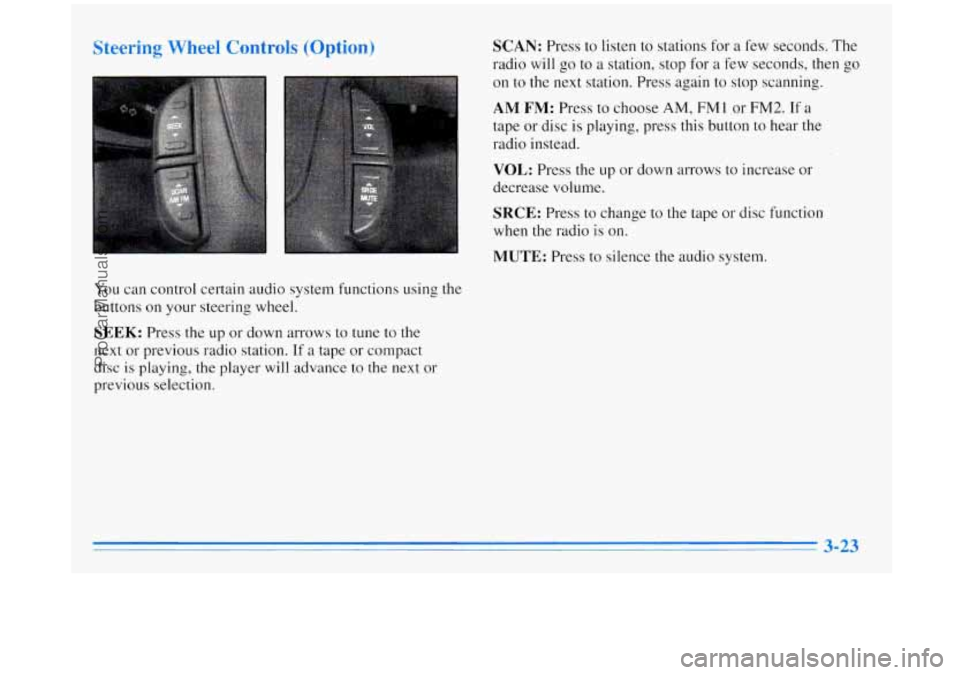
You can control certain audio system functions using the
buttons on your steering wheel.
SEEK: Press the up or down arrows to tune to the
next or previous radio station. If a tape or compact
disc
is playing, the player will advance to the next or
previous selection.
SCAN: Press to listen to stations for a few seconds. The
radio will
go to a station, stop for a few seconds, then go
on to the next station. Press again to stop scanning.
AM FM: Press to choose AM, FM 1 or FM2. If a
tape or disc is playing, press this button to hear the
radio instead.
VOL: Press the up or down arrows to increase or
decrease volume.
SRCE: Press to change to the tape or disc function
when the radio is on.
MUTE: Press to silence the audio system.
3-23
.~
ProCarManuals.com
Page 148 of 356
Understanding Radio Reception
FM Stereo
FM stereo will give you the best sound. But FM signals
will reach only about
10 to 40 miles (16 to 65 km). Tall
buildings or hills can interfere with
FM signals, causing
the sound to come and go.
AM
The range for most AM stations is greater than for FM,
especially at night. The longer range, however, can
cause stations to interfere with each other. AM can pick
up noise from things like storms and power lines. Try
reducing the treble to reduce this noise if you ever get it.
Tips About Your Audio System
Hearing damage from loud noise is almost undetectable
until it is too late. Your hearing can adapt to higher
volumes of sound. Sound that seems normal can be loud
and harmful to your hearing. Take precautions by
adjusting
the volume control on your radio to a safe
sound level before your hearing adapts to it.
To help avoid hearing loss or damage:
Adjust the volume control to the lowest setting.
Increase volume slowly until you hear comfortably
and clearly.
NOTICE:
Before you add any sound equipment to your
vehicle
-- like a tape player, CB radio, mobile
telephone or two-way radio
-- be sure you can add
what you want.
If you can, it’s very important to
do it properly. Added sound equipment may
interfere with the operation of your vehicle’s
engine, Delco radio
or other systems, and even
damage them. Your vehicle’s systems may
interfere with the operation
of sound equipment
that has been added improperly.
So, before adding sound equipment, check with
your dealer and be sure to check Federal rules
covering mobile radio and telephone units.
3-24
ProCarManuals.com
Page 252 of 356
Replacing Brake System Parts
The braking system on a modern vehicle is complex.
Its many parts have
to be of top quality and work well
together if the vehicle is to have really good braking.
Vehicles we design and test have top-quality
GM brake
parts in them, as your Buick does when it
is new. When
you replace parts
of your braking system -- for example,
when your brake linings wear down and you have to have
new ones put in
-- be sure you get new genuine GM
replacement parts. If you don’t, your brakes may no
longer work properly. For example,
if someone puts in
brake linings that are wrong for your vehicle, the balance
between your front and rear brakes can change
-- for the
worse. The braking performance you’ve come to expect
can change in many other ways if someone puts in the
wrong replacement brake parts.
Battery
Every new Buick has a Delco Freedom@ battery. You
never have to add water to one of these. When it’s time
for a new battery,
we recommend a Delco Freedom@
battery. Get one that has the replacement number shown
on the original battery’s label.
Vehicle Storage
If you’re not going to drive your vehicle for 25 days or
more,
tLke off the black, negative (-) cable from the battery.
This will help keep your be++ary from running down.
J II’
Batteries have acid that can burn you and gas
that can explode.
You can be badly hurt if you
aren’t careful. See “Jump Starting’’ in the Index
for tips on working around a battery without getting hurt.
Contact your dealer to learn how to prepare your vehicle
for longer storage periods.
Also, for your audio system, see “Theft-Deterrent
Feature” in the Index.
6-30
ProCarManuals.com
Page 322 of 356
Cassette Deck Service Automatic Transaxle Check
Clean
cassette deck. Cleaning should be done every
50 hours of tape play. See “Audio Systems’’ in the Index
for further details.
Power Antenna Service
Clean power antenna mast. See “Audio Systems” in the
Index for further details.
At Least Twice a Year
Restraint System Check
Make sure the safety belt reminder light and all your
belts, buckles, latch plates, retractors and anchorages are
working properly. Look for any other loose or damaged
safety belt system parts. If you see anything that might
keep a safety belt system from doing its job, have it
repaired. Have any torn or frayed safety belts replaced.
Also look for any opened or broken air bag covers, and
have them repaired or replaced. (The air bag system
does
not need regular maintenance.) Check the transaxle fluid level; add if needed.
See
“Automatic Transaxle”
in the Index. A fluid loss may
indicate a problem. Check the system and repair if needed.
At Least Once a Year
Key Lock Cylinders Service
Lubricate the key lock cylinders with the lubricant
specified
in Part D.
Body Lubrication Service
Lubricate all hinges and latches including those for the
body doors, hood, rear compartment, glove box door,
console door and any folding seat hardware. Part
D tells
you what to use. More frequent lubrication may be
required when exposed
to a corrosive environment.
7-36
ProCarManuals.com