clock BUICK REGAL 1996 Owners Manual
[x] Cancel search | Manufacturer: BUICK, Model Year: 1996, Model line: REGAL, Model: BUICK REGAL 1996Pages: 356, PDF Size: 17.97 MB
Page 130 of 356
Rear Window Defogger
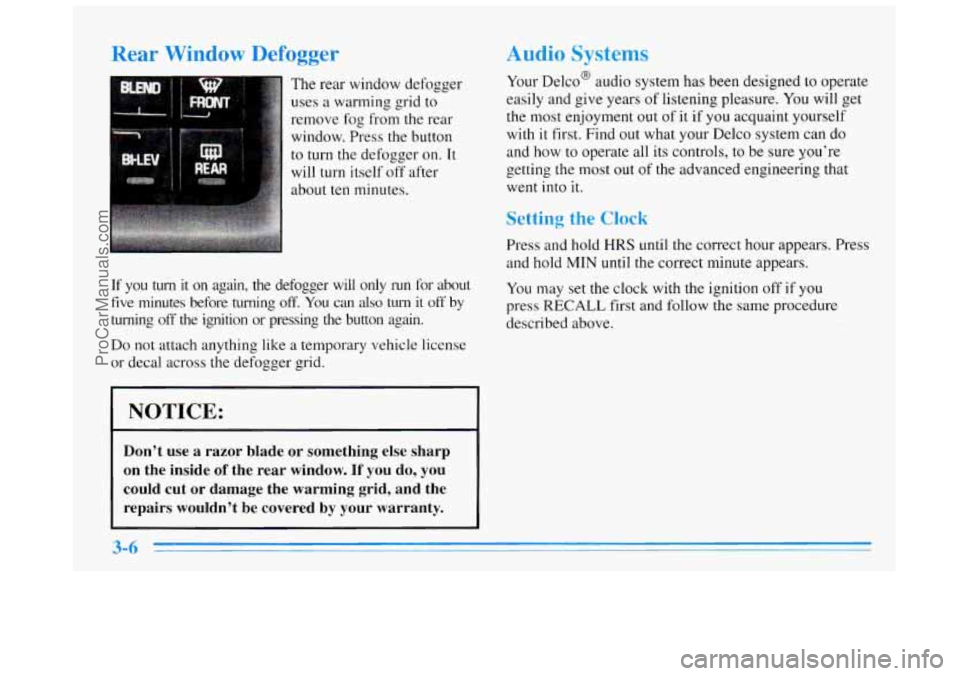
The rear window defogger
uses
a warming grid to
remove
fog from the rear
window. Press the button
to turn the defogger on. It
will turn itself off after
about
ten minutes.
If you turn it on again, the defogger will only run for about
five minutes before turning off. You can also turn it off by
turning off the ignition or pressing the button again.
Do not attach anything like a temporary vehicle license
or decal across
the defogger grid.
I NOTICE:
Don’t use a razor blade or something else sharp
on the inside
of the rear window. If you do, you
could cut or damage the warming grid, and the
repairs wouldn’t be covered by your warranty.
Audio Systems
Your Delco@ audio system has been designed to operate
easily and give years of listening pleasure. You will get
the most enjoyment out of
it if you acquaint yourself
with
it first. Find out what your Delco system can do
and how to operate all its controls, to be sure you’re
getting the most
out of the advanced engineering that
went into it.
Setting the Clock
Press and hold HRS until the correct hour appears. Press
and hold MIN until the correct minute appears.
You may set
the clock with the ignition off if you
press
RECALL first and follow the same procedure
described above.
ProCarManuals.com
Page 131 of 356
AM-FM Stereo with Cassette Tape
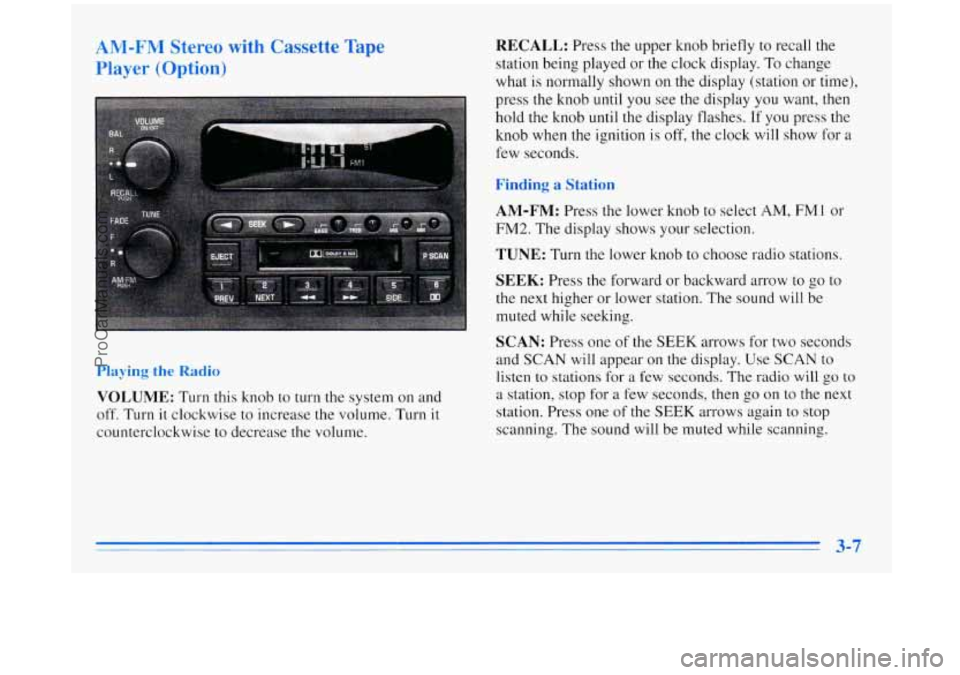
Player (Option) RECALL: Press the upper knob briefly to recall the
station being played or the clock display.
To change
what is normally shown on the display (station or time),
press the knob until you see the display you want,
then
hold the knob until the display flashes. If you press the
knob when the ignition is
off, the clock will show for a
few seconds.
Finding a Station
AM-FM:
Press the lower knob to select AM, FMl or
FM2. The display shows your selection.
TUNE: Turn the lower knob to choose radio stations.
SEEK: Press the forward or backward arrow to go to
the next higher or lower station. The sound will be
muted while seeking.
SCAN: Press one of the SEEK arrows for two seconds
and SCAN
will appear on the display. Use SCAN to
listen to stations for a few seconds. The radio will go to
a station, stop for a few seconds, then go on to the next
station. Press one
of the SEEK arrows again to stop
scanning. The sound will be muted while scanning.
Playing the Radio
VOLUME: Turn this knob to turn the system on and
off. Turn it clockwise to increase the volume. Turn it
counterclockwise to decrease the volume.
3-7
ProCarManuals.com
Page 134 of 356
AM-FM Stereo with Cassette Tape Player
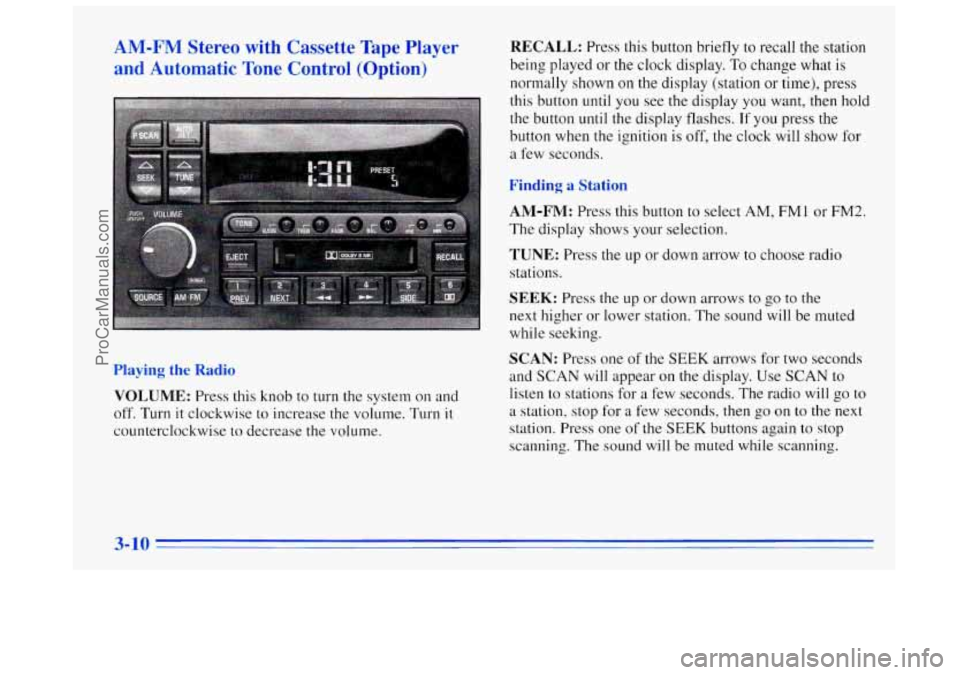
and Automatic Tone Control (Option) RECALL: Press this button briefly to recall the station
being played or the clock display.
To change what is
normally shown on the display (station
or time), press
this button until you see the display you want, then hold
the button
until the display flashes. If you press the
button when the ignition is off,
the clock will show for
a few seconds.
Finding a Station
AM-FM:
Press this button to select AM, FM1 or FM2.
The display shows your selection.
TUNE: Press the up or down arrow to choose radio
stations.
Playing the Radio
VOLUME: Press this knob to turn the system on and
off. Turn it clockwise to increase the volume. Turn it
counterclockwise to decrease the volume.
SEEK: Press the up or down arrows to go to the
next higher or lower station.
The sound will be muted
while seeking.
SCAN: Press one of the SEEK arrows for two seconds
and
SCAN will appear on the display. Use SCAN to
listen to stations for
a few seconds. The radio will go to
a station, stop for a few seconds, then go on to the next
station. Press one of the
SEEK buttons again to stop
scanning.
The sound will be muted while scanning.
ProCarManuals.com
Page 137 of 356
Dolby Noise Reduction is manufactured under a license
from Dolby Laboratories Licensing Corporation. Dolby
and the double-D symbol are trademarks of Dolby
Laboratories Licensing Corporation.
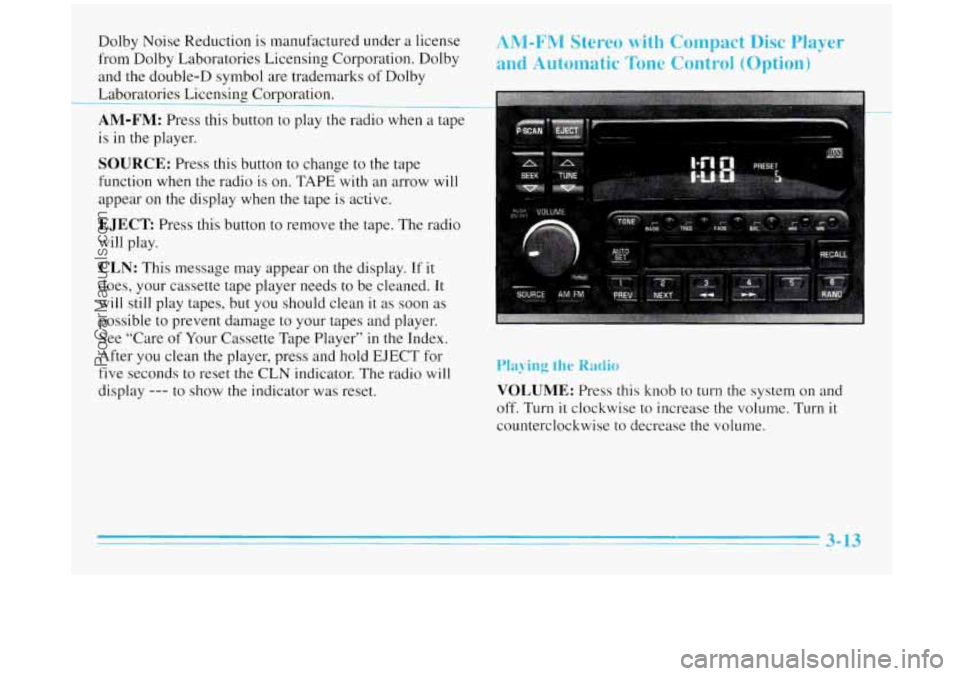
AM-FM: Press this button to play the radio when a tape
is in the player.
SOURCE: Press this button to change to the tape
function when the radio
is on. TAPE with an arrow will
appear on the display when the tape is active.
EJECT Press this button to remove the tape. The radio
will play.
CLN: This message may appear on the display. If it
does, your cassette tape player needs to be cleaned. It
will still play tapes, but you should clean
it as soon as
possible to prevent damage to your tapes and player.
See “Care of Your Cassette Tape Player” in the Index.
After you clean the player, press and hold
EJECT for
five seconds to reset
the CLN indicator. The radio will
display
--- to show the indicator was reset.
ANI-FM Stereo with Compact Disc Player
and Automatic
Tone Control (Option)
Playing the Radio
VOLUME: Press this knob to turn the system on and
off. Turn it clockwise to increase the volume. Turn it
counterclockwise to decrease the volume.
3- 13
ProCarManuals.com
Page 138 of 356
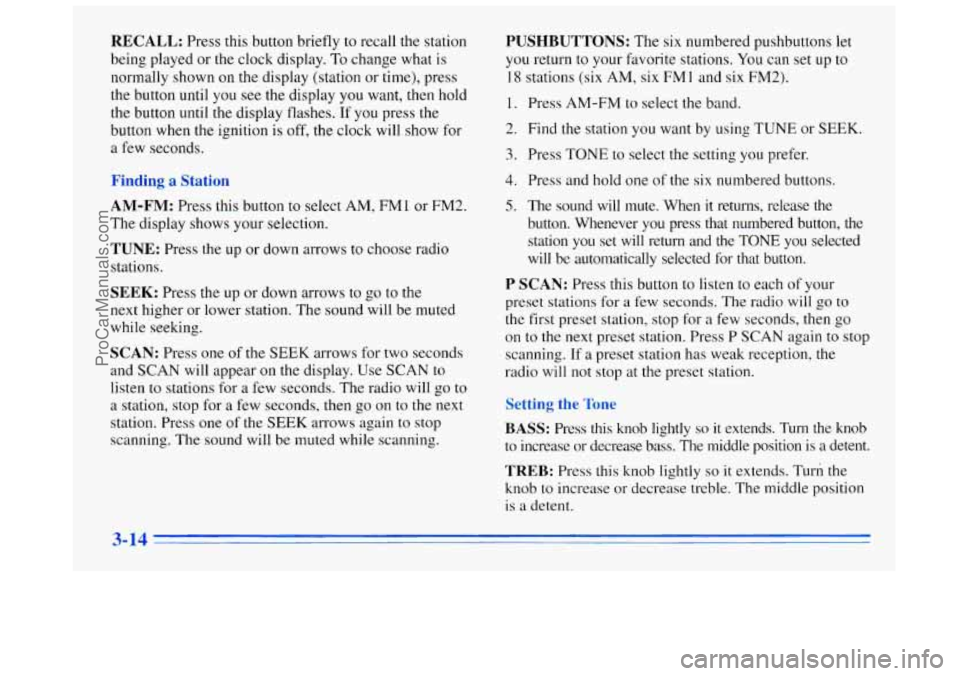
RECALL: Press this button briefly to recall the station
being played or the clock display. To change what is
normally shown on the display (station or time), press
the button until you see the display
you want, then hold
the button
until the display flashes. If you press the
button when the ignition is off, the clock will show for
a few seconds.
ung a :atlon
AM-FM: Press this button to select AM, FM1 or FM2.
The display shows your selection.
TUNE: Press the up or down arrows to choose radio
stations.
SEEK: Press the up or down arrows to go to the
next higher or lower station. The sound will be muted
while seeking.
SCAN: Press one of the SEEK arrows for two seconds
and
SCAN will appear on the display. Use SCAN to
listen to stations for a few seconds. The radio will go to
a station, stop
for a few seconds, then go on to the next
station. Press one of the SEEK arrows again to stop
scanning. The sound will be muted while scanning.
PUSHBUTTONS: The six numbered pushbuttons let
you return to your favorite stations. You can set up to
18 stations (six AM, six FM 1 and six FM2).
1. Press AM-FM to select the band.
2. Find the station you want by using TUNE or SEEK.
3. Press TONE to select the setting you prefer.
4. Press and hold one of the six numbered buttons.
5. The sound will mute. When it returns, release the
button. Whenever you press that numbered button, the
station you set will return and the TONE you selected
will be automatically selected for that button.
P SCAN: Press this button to listen to each of your
preset stations
for a few seconds. The radio will go to
the first preset station, stop for
a few seconds, then go
on to the next preset station. Press P
SCAN again to stop
scanning. If
a preset station has weak reception, the
radio will not stop at the preset station.
TREB: Press this knob lightly so it extends. Turn the
knob to increase
or decrease treble. The middle position
is a detent.
3-14
ProCarManuals.com
Page 140 of 356
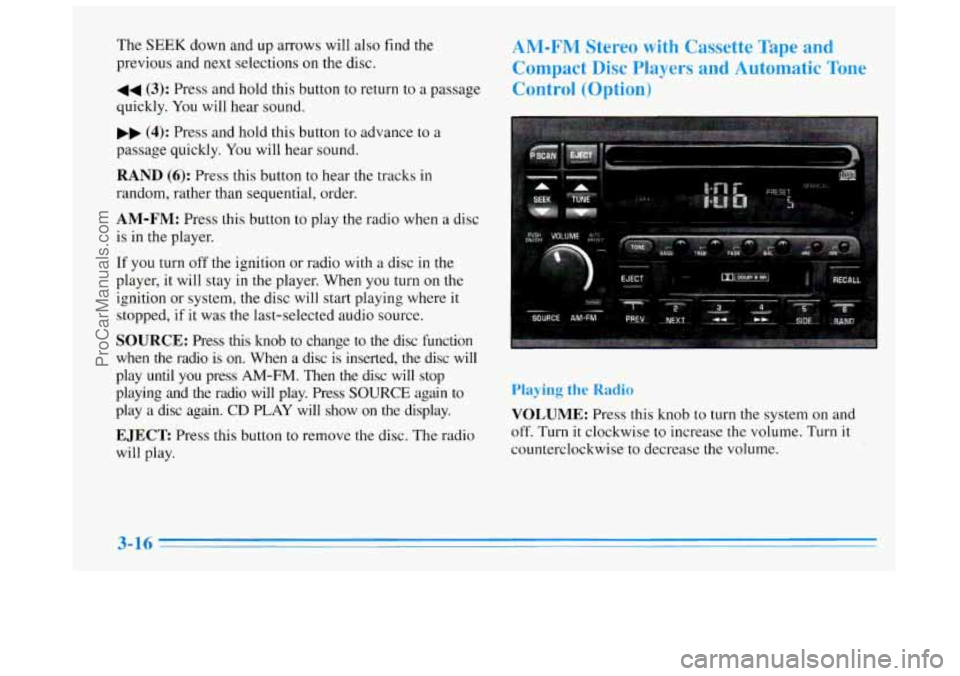
The SEEK down and up arrows will also find the
previous and next selections on the disc.
44 (3): Press and hold this button to return to a passage
quickly. You will hear sound.
.. (4): Press and hold this button to advance to a
passage quickly. You will hear sound.
RAND (6): Press this button to hear the tracks in
random, rather than sequential, order.
AM-FM: Press this button to play the radio when a disc
is in the player.
If you turn off the ignition or radio with a disc in the
player, it will stay
in the player. When you turn on the
ignition or system,
the disc will start playing where it
stopped, if it was the last-selected audio source.
SOURCE: Press this knob to change to the disc function
when the radio is
on. When a disc is inserted, the disc will
play until you press
AM-FM. Then the disc will stop
playing and the radio will play. Press
SOURCE again to
play a disc again.
CD PLAY will show on the display.
EJECT Press this button to remove the disc. The radio
will play.
AM-FM Stereo with Cassette Tape and
Compact Disc Players and Automatic Tone
Control (Option)
Playing the Radio
VOLUME: Press this knob to turn the system on and
off. Turn
it clockwise to increase the volume. Turn it
counterclockwise to decrease the volume.
3-16
ProCarManuals.com
Page 141 of 356
RECALL: Press this button briefly to recall the station
being played or the clock display. To change what is
normally shown on the display (station or time), press
the button until you see
the display you want, then hold
the button until the display flashes. If
you press the
button when the ignition is off,
the clock will show for
a few seconds.
AM-FM: Press this button to select AM, FMl or FM2.
The display shows your selection.
TUNE: Press the up or down arrow to choose
radio stations.
SEEK: Press the up or down arrows to go to the
next higher or lower station. The sound will be muted
while seeking.
SCAN: Press one of the SEEK arrows for two seconds
and
SCAN will appear on the display. Use SCAN to
listen to stations for a few seconds. The radio will go
to
a station, stop for a few seconds, then go on to the next
station. Press one of the
SEEK arrows again to stop
scanning. The sound will be muted while scanning.
PUSHBUTTONS: The six numbered pushbuttons let
you return to your favorite stations.
You can set up to
18 stations (six AM, six FM1 and six FM2).
1. Press AM-FM to select the band.
2. Find the station you want by using TUNE or SEEK.
3. Press TONE to select the setting you prefer.
4. Press and hold one of the six numbered buttons.
5. The sound will mute. When it returns, release the
button. Whenever you press that numbered button, the
station
you set will return and the TONE you selected
will be automatically selected for that button.
P SCAN: Press this button to listen to each of your
preset stations for
a few seconds. The radio will go to
the first preset station, stop for
a few seconds, then go
on to the next preset station. Press P SCAN again to stop
scanning. If a preset station
has weak reception, the
radio will not stop at the preset station.
AUTO PRESET Press this button and the system will
seek and set the
12 strongest FM or the 6 strongest AM
stations on your preset buttons.
To return to the stations
you manually set, press AUTO PRESET again.
ProCarManuals.com
Page 162 of 356
An emergency like this requires close attention and a
quick decision. If you
are holding the steering wheel at
the recommended
9 and 3 o’clock positions, you can
turn it a full
180 degrees very quickly without removing
either hand. But
you have to act fast, steer quickly, and
just as quickly straighten the wheel o,nce you have
avoided the object.
The fact that such emergency situations
are always
possible is a good reason to practice defensive driving at
all times and wear safety belts properly.
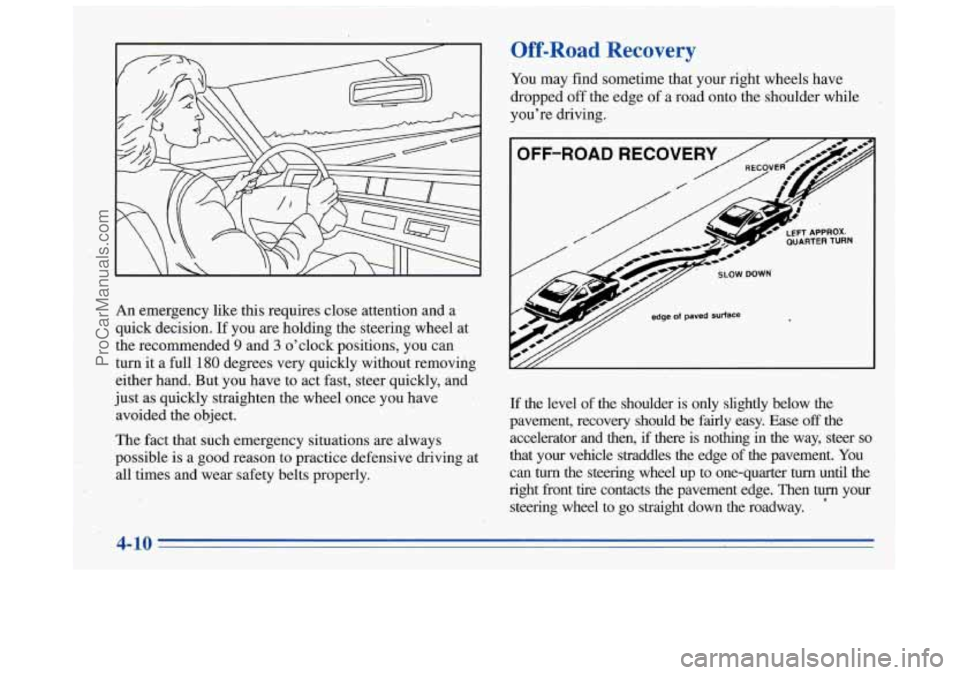
Off-Road Recovery
You may find sometime that your right wheels have
dropped off the edge of a road onto the shoulder while
you’re driving.
If the level of the shoulder is only slightly below the
pavement, recovery should be fairly easy. Ease
off the
accelerator and then, if there is nothing
in the way, steer so
that your vehicle straddles the edge of the pavement. You
can turn the steering wheel up to one-quarter turn until the
right front tire contacts the pavement edge. Then turn your
steering wheel
to go straight down the roadway.
4-10
ProCarManuals.com
Page 206 of 356
How to Add Coolant to the Radiator
NOTICE:
Your engine has a specific radiator fill procedure.
Failure to follow this procedure could cause your
engine
to overheat and be severely damaged.
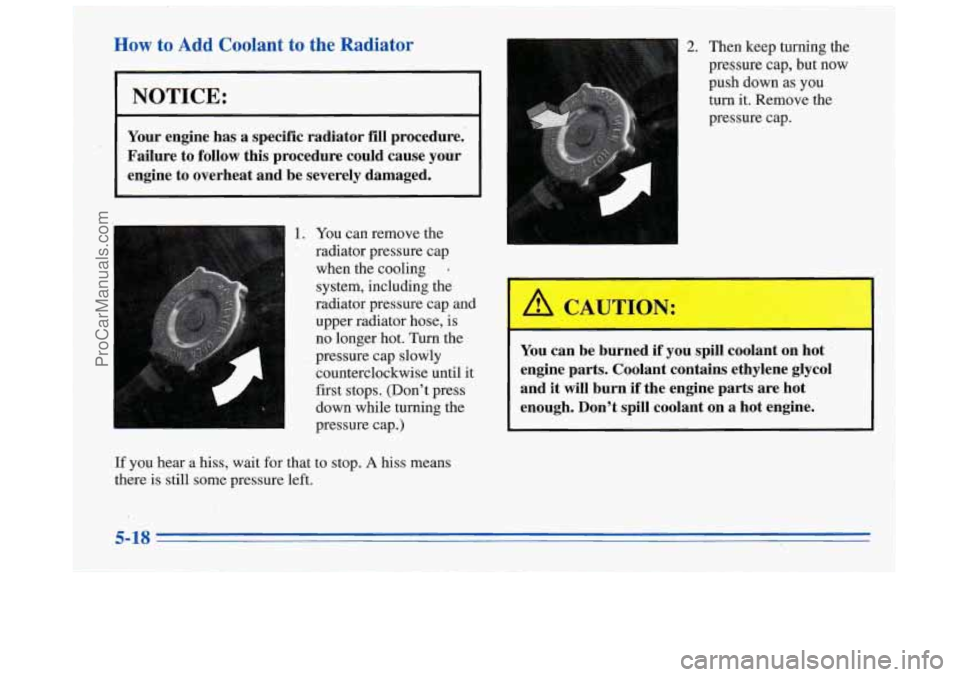
1. You can remove the
radiator pressure cap
when the cooling
‘
system, including the
radiator pressure cap and upper radiator hose, is
no longer hot. Turn the
pressure cap slowly counterclockwise until it
first stops. (Don’t press
down while turning the
pressure cap.)
h
2. Then keep turning the
pressure cap, but now
push down as you
turn it. Remove the
pressure cap.
AUTION:
You can be burned if you spill coolant on hot
engine parts. Coolant contains ethylene glycol
and
it will burn if the engine parts are hot
enough. Don’t spill coolant on
a hot engine.
If you hear a hiss, wait for that to stop. A hiss means
there is still some pressure left.
5-18
ProCarManuals.com
Page 211 of 356
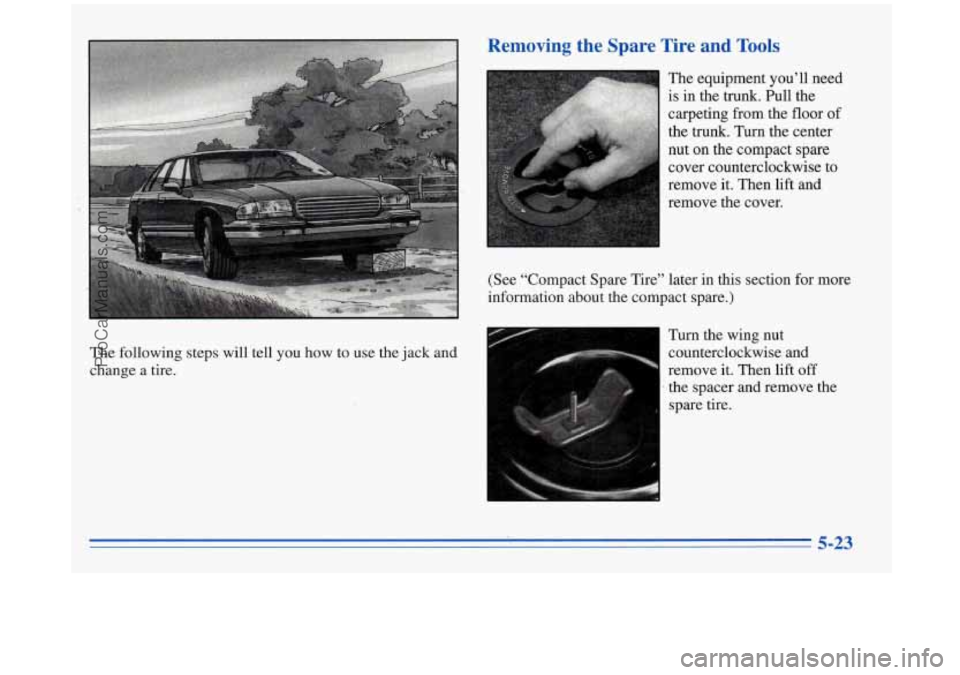
The following steps will tell you how to use the jack and
change a tire. Turn the
wing nut
counterclockwise and
remove it. Then lift
off
.the spacer and remove the
spare tire.
5-23
ProCarManuals.com