change time BUICK REGAL 2003 User Guide
[x] Cancel search | Manufacturer: BUICK, Model Year: 2003, Model line: REGAL, Model: BUICK REGAL 2003Pages: 344, PDF Size: 2.21 MB
Page 111 of 344

Fog Lamps
To turn the fog lamps on,
press the fog lamps button
located below the
exterior lamps control on
the left side of the steering
column.
A light will glow in the button to let you know that the
fog lamps are on. Your parking lamps or low-beam
headlamps must be on or your fog lamps won’t come
on. Press the button again to turn the fog lamps off. The
fog lamps will go off whenever you change to high-beam
headlamps. When you return to low beams, the fog
lamps will come on again.
Cornering Lamps
The cornering lamps are designed to come on when
you signal a turn. This will provide more light for
cornering at night.
Interior Lamps
Instrument Panel Brightness
This feature controls the brightness of the instrument
panel lights.
You can brighten or dim the instrument panel lights by
turning the exterior lamp knob.Turning the knob all
the way clockwise turns on the courtesy lamps.
Courtesy Lamps
When any door is opened, several lamps come on.
These lamps are courtesy lamps. They make it easy for
you to enter and leave your vehicle. You can also
turn these lamps on by turning the exterior lamps control
clockwise to MAX.
Entry Lighting
Your courtesy lamps will come on and stay on for a set
time whenever you press UNLOCK on the remote
keyless entry transmitter.
If you open a door, the lamps will stay on while it’s open
and then turn off automatically about 25 seconds after
you close it. If you press UNLOCK and don’t open
a door, the lamps will turn off after about 40 seconds.
3-13
2003 - Regal OM
Page 118 of 344

Dual Automatic Climate Control
System
With this system you can control the heating, cooling
and ventilation for your vehicle.
Automatic Operation
AUTO (Automatic):Press the AUTO button for
automatic control of the inside temperature, the air
delivery mode and the fan speed. You may notice a
delay of two to three minutes before the fan comes on
when the automatic operation is used in cold weather.
For the automatic system to function, the temperature
must be set between 61°F (16°C) and 89°F (31°C).
1. Adjust the temperature to a comfortable setting.2. Press the AUTO button.
Choosing the coldest or warmest temperature
setting will not cause the system to heat or cool any
faster.
If you set the system at the warmest temperature
setting, 90°F (32°C), hot air will be directed to
thefloor, the fan will increase to the highest speed,
and, the system will remain in manual mode at
that temperature. The system will not return
to automatic until the temperature setting is lowered.
If you set the system at the coldest temperature
setting, 60°F (15°C), cold interior air will be
recirculated through the air panel outlets, and the
fan will increase to the highest speed. The
system will not return to automatic until the
temperature is raised.
In cold weather, the system will start at reduced fan
speeds to avoid blowing cold air into your vehicle
until warmer air is available. The system will
start out blowing air at thefloor but may change
modes automatically as the vehicle warms up
to maintain the chosen temperature setting. The
length of time needed for warm up will depend on
the outside temperature and the length of time
that has elapsed since your vehicle was last driven.
3-20
2003 - Regal OM
Page 137 of 344

Low Oil Level Light
Your vehicle is equipped
with an oil level monitoring
system. When the
ignition key is turned on,
the LOW OIL light will
come on briefly.
If the light does not come on briefly, have itfixed so it
will be ready to warn you if there’s a problem.
If the light stays on, stop the vehicle on a level surface
and turn the engine off. Check the oil level using the
engine oil dipstick. SeeEngine Oil on page 5-13.Ifthe
light does not come on briefly, have the low oil level
sensor system repaired so it will be ready to warn you if
there’s a problem.
The oil level monitoring system only checks oil level
during the brief period between key on and engine
crank. It does not monitor engine oil level when
the engine is running. Additionally, an oil level check is
only performed if the engine has been turned off for
a considerable period of time, allowing the oil normally
in circulation to drain back into the oil pan.
Change Engine Oil Light
The CHANGE OIL SOON
light should come on
briefly as a bulb check
when you start the engine.
If the light doesn’t come
on, have it serviced.
If the CHANGE OIL SOON light comes on and stays on
after you start the engine, have the oil changed.
For additional information, see“When to Change Engine
Oil (GM Oil Life System)”underEngine Oil on
page 5-13. To reset the CHANGE OIL SOON light, see
“How to Reset the System”underEngine Oil on
page 5-13.
3-39
2003 - Regal OM
Page 144 of 344

Playing the Radio
ON/OFF:Push this knob to turn the system on and off.
VOLUME:Turn the knob to increase or to decrease
the volume.
RECALL:Press this button to switch the display
between the radio station frequency and the time. To
change what is normally shown on the display (station or
time), press this button until you see the display you
want, then hold the button until the displayflashes. If you
press the button when the ignition is off, the clock will
show for a few seconds.
Finding a Station
AM-FM:Press this button to switch between AM, FM1
and FM2. The display will show your selection.
wTUNEx:Press the up or the down arrow to
choose radio stations.
wSEEKx:Press the up or the down arrow to go to
the next or to the previous station and stay there.
To scan stations, press and hold one of the SEEK
arrows for two seconds and SCAN will appear on the
display. The radio will go to a station, play for a few
seconds, then go on to the next station. Press one of
the SEEK arrows again to stop scanning.The radio will seek and scan only to stations that are in
the selected band and only to those with a strong
signal.
P SCAN (Preset Scan):Press this button to listen to
each of your preset stations for a few seconds. The
radio will go to thefirst preset station, play for a
few seconds, then go on to the next preset station.
Press P SCAN again to stop scanning presets.
The radio will scan only to preset stations that are in the
selected band and only to those with a strong signal.
AUTO SET (Automatic Set):Press this button,
after selecting AM or FM, to seek and set the
12 strongest FM or the 6 strongest AM stations on your
preset pushbuttons. AUTO SET willflash while
seeking and will remain on until this function is complete.
To return to the stations you manually set, press
AUTO SET again.
Setting Preset Stations
The six numbered pushbuttons let you return to your
favorite stations. You can set up to 18 stations
(six AM, FM1 and six FM2) by performing the
following steps:
1. Turn the radio on.
2. Press AM-FM to select AM, FM1 or FM2.
3. Tune in the desired station.
3-46
2003 - Regal OM
Page 148 of 344

RECALL:Press this button to switch the display
between the radio station frequency and the time. To
change what is normally shown on the display (station or
time), press this button until you see the display you
want, then hold this button until the displayflashes.
Press this button when the ignition is off to display
the time.
Finding a Station
AM-FM:Press this button to switch between AM, FM1
and FM2. The display will show your selection.
wTUNEx:Press the up or the down arrow to
choose radio stations.
wSEEKx:Press the up or the down arrow to go to
the next or to the previous station and stay there.
To scan, press one of the SEEK arrows for two seconds
and SCAN will appear on the display. The radio will
go to a station, play for a few seconds, then go on to the
next station. Press one of the SEEK arrows again to
stop scanning.
The radio will seek and scan only to stations that are in
the selected band and only to those with a strong
signal.P SCAN (Preset Scan):Press this button to listen to
each of your preset stations for a few seconds.
Press P SCAN again to stop scanning.
The radio will scan only to preset stations that are in the
selected band and only to those with a strong signal.
AUTO SET (Automatic Set):Press this button,
after selecting AM or FM, to seek and set the
12 strongest FM or the 6 strongest AM stations on your
preset pushbuttons. AUTO SET willflash while
seeking and will remain on until this function is complete.
To return to the stations you manually set, press
AUTO SET again.
Setting Preset Stations
The six numbered pushbuttons let you return to your
favorite stations. You can set up to 18 stations (six AM,
six FM1 and six FM2) by performing the following
steps:
1. Turn the radio on.
2. Press AM-FM to select AM, FM1 or FM2.
3. Tune in the desired station.
4. Press TONE to select the setting you prefer.
3-50
2003 - Regal OM
Page 152 of 344

4[(Forward):Press and hold this pushbutton to
quickly advance within a track. You will hear sound at a
reduced level. Release it to play the passage.
6 RAND (Random):Press this pushbutton to hear the
tracks in random, rather than sequential, order.
Press it again to turn off random play.
RECALL:Press this button to see which track is
playing. Press it again withinfive seconds to see how
long it has been playing. To change what is normally
shown on the display (track or elapsed time), press this
button until you see the display you want, then hold
this button until the displayflashes.
AM-FM:Press this button to listen to the radio when a
CD is playing.
SOURCE:Press this button to play a cassette tape or
a CD when listening to the radio. TAPE SIDE and
an arrow will appear on the display. If this button is
pressed again, the system will go to disc play; CD PLAY
will appear on the display.
wSEEKx:Press the up or the down arrow to go to
the previous or to the next track on the CD.
EJECT:Press this button, located next to the CD slot,
to stop a CD when it is playing and to remove a CD
when it is not playing. Eject may be activated with the
radio off.
Compact Disc Messages
If the disc comes out or CHECK CD appears on the
display, it could be for one of the following reasons:
•You’re driving on a very rough road. When the road
becomes smoother, the disc should play.
•It’s very hot. When the temperature returns to
normal, the disc should play.
•The disc is dirty, scratched, wet, or upside down.
•It is very humid. If so, wait about an hour and
try again.
•There may have been a problem while burning
the CD.
•The label may be caught in the CD player.
If the CD is not playing correctly, for any other reason,
try a known good CD.
If any error occurs repeatedly or if an error can’tbe
corrected, contact your dealer. If your radio displays an
error number, write it down and provide it to your
dealer when reporting the problem.
3-54
2003 - Regal OM
Page 166 of 344
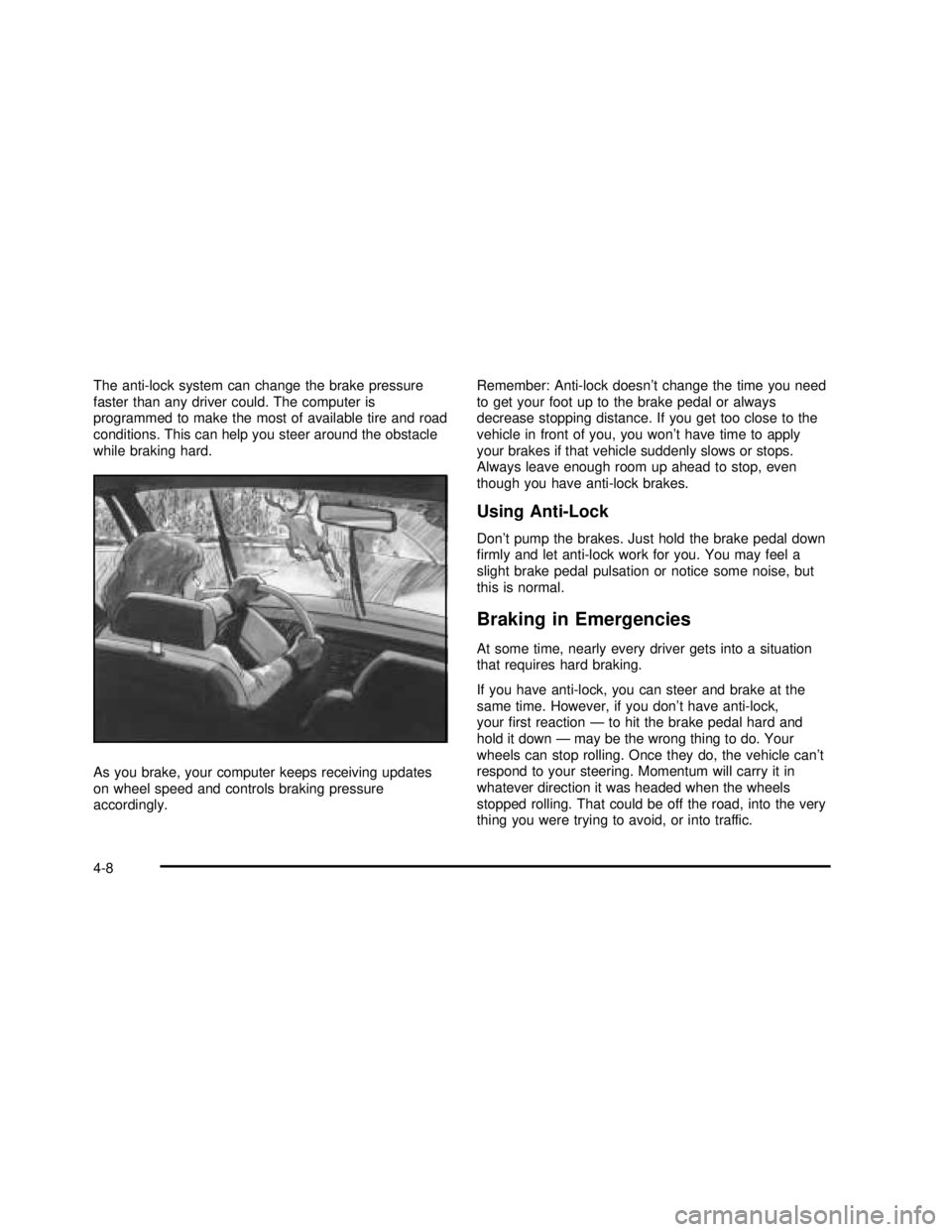
The anti-lock system can change the brake pressure
faster than any driver could. The computer is
programmed to make the most of available tire and road
conditions. This can help you steer around the obstacle
while braking hard.
As you brake, your computer keeps receiving updates
on wheel speed and controls braking pressure
accordingly.Remember: Anti-lock doesn’t change the time you need
to get your foot up to the brake pedal or always
decrease stopping distance. If you get too close to the
vehicle in front of you, you won’t have time to apply
your brakes if that vehicle suddenly slows or stops.
Always leave enough room up ahead to stop, even
though you have anti-lock brakes.
Using Anti-Lock
Don’t pump the brakes. Just hold the brake pedal down
rmly and let anti-lock work for you. You may feel a
slight brake pedal pulsation or notice some noise, but
this is normal.
Braking in Emergencies
At some time, nearly every driver gets into a situation
that requires hard braking.
If you have anti-lock, you can steer and brake at the
same time. However, if you don’t have anti-lock,
yourrst reaction—to hit the brake pedal hard and
hold it down—may be the wrong thing to do. Your
wheels can stop rolling. Once they do, the vehicle can’t
respond to your steering. Momentum will carry it in
whatever direction it was headed when the wheels
stopped rolling. That could be off the road, into the very
thing you were trying to avoid, or into traffic.
4-8
2003 - Regal OM
Page 173 of 344

Do not get too close to the vehicle you want to
pass while you’re awaiting an opportunity. For
one thing, following too closely reduces your area
of vision, especially if you’re following a larger
vehicle. Also, you won’t have adequate space if the
vehicle ahead suddenly slows or stops. Keep
back a reasonable distance.
When it looks like a chance to pass is coming up,
start to accelerate but stay in the right lane and
don’t get too close. Time your move so you will be
increasing speed as the time comes to move
into the other lane. If the way is clear to pass, you
will have a“running start”that more than makes
up for the distance you would lose by dropping
back. And if something happens to cause you to
cancel your pass, you need only slow down
and drop back again and wait for another
opportunity.
If other vehicles are lined up to pass a slow vehicle,
wait your turn. But take care that someone isn’t
trying to pass you as you pull out to pass the slow
vehicle. Remember to glance over your shoulder
and check the blind spot.
Check your mirrors, glance over your shoulder, and
start your left lane change signal before moving out
of the right lane to pass. When you are far
enough ahead of the passed vehicle to see its front
in your inside mirror, activate your right lane
change signal and move back into the right lane.(Remember that your right outside mirror is convex.
The vehicle you just passed may seem to be
farther away from you than it really is.)
Try not to pass more than one vehicle at a time on
two-lane roads. Reconsider before passing the
next vehicle.
Don’t overtake a slowly moving vehicle too rapidly.
Even though the brake lamps are notashing, it
may be slowing down or starting to turn.
If you’re being passed, make it easy for the
following driver to get ahead of you. Perhaps you
can ease a little to the right.
Loss of Control
Let’s review what driving experts say about what
happens when the three control systems (brakes,
steering and acceleration) don’t have enough friction
where the tires meet the road to do what the driver has
asked.
In any emergency, don’t give up. Keep trying to steer
and constantly seek an escape route or area of
less danger.
4-15
2003 - Regal OM
Page 193 of 344
Towing a Trailer
{CAUTION:
If you don’t use the correct equipment and
drive properly, you can lose control when you
pull a trailer. For example, if the trailer is too
heavy, the brakes may not work well—or
even at all. You and your passengers could be
seriously injured. You may also damage your
vehicle; the resulting repairs would not be
covered by your warranty. Pull a trailer only if
you have followed all the steps in this section.
Ask your dealer for advice and information
about towing a trailer with your vehicle.
Your vehicle can tow a trailer if it is equipped with the
proper trailer towing equipment. To identify what
the vehicle trailering capacity is for your vehicle, you
should read the information in“Weight of the Trailer”that
appears later in this section. But trailering is different
than just driving your vehicle by itself.Trailering means changes in handling, durability and
fuel economy. Successful, safe trailering takes correct
equipment, and it has to be used properly.
That’s the reason for this part. In it are many time-tested,
important trailering tips and safety rules. Many of
these are important for your safety and that of your
passengers. So please read this section carefully before
you pull a trailer.
Load-pulling components such as the engine, transaxle,
wheel assemblies and tires are forced to work harder
against the drag of the added weight. The engine
is required to operate at relatively higher speeds and
under greater loads, generating extra heat. What’s more,
the trailer adds considerably to wind resistance,
increasing the pulling requirements.
4-35
2003 - Regal OM
Page 216 of 344

SAE 10W-30 is the viscosity grade recommended for
your vehicle. However, you can use SAE 5W-30 if
it’s going to be colder than 60°F (16°C) before your next
oil change. When it’s very cold, colder than 0°F
(-18°C), you should use an SAE 5W-30 oil. These
numbers on an oil container show its viscosity, or
thickness. Do not use other viscosity grade oils, such as
SAE 10W-40 or SAE 20W-50 under any conditions.
Notice:Use only engine oil with the American
Petroleum Institute Certied For Gasoline Engines
starburst symbol. Failure to use the recommended
oil can result in engine damage not covered by
your warranty.
GM Goodwrench
®oil meets all the requirements for
your vehicle.
If you are in an area of extreme cold, where the
temperature falls below–20°F (-29°C),itis
recommended that you use either and SAE 5W-30
synthetic oil or and SAE 0W-30 oil. Both will provide
easier cold starting and better protection for your engine
at extremely low temperatures.
Engine Oil Additives
Don’t add anything to your oil. The recommended oils
with the starburst symbol are all you will need for
good performance and engine protection.
When to Change Engine Oil
(GM Oil Life System™)
Your vehicle has a computer system that lets you know
when to change the engine oil andfilter. This is
based on engine revolutions and engine temperature,
and not on mileage. Based on driving conditions,
the mileage at which an oil change will be indicated can
vary considerably. For the oil life system to work
properly, you must reset the system every time the oil is
changed.
When the system has calculated that oil life has been
diminished, it will indicate that an oil change is
necessary. A CHANGE OIL SOON light will come on.
Change your oil as soon as possible within the next two
times you stop for fuel. It is possible that, if you are
driving under the best conditions, the oil life system may
not indicate that an oil change is necessary for over a
year. However, your engine oil andfilter must be
changed at least once a year and at this time the system
must be reset. Your dealer has GM-trained service
people who will perform this work using genuine GM
parts and reset the system. It is also important to check
your oil regularly and keep it at the proper level.
If the system is ever reset accidentally, you must change
your oil at 3,000 miles (5 000 km) since your last oil
change. Remember to reset the oil life system whenever
the oil is changed.
5-16
2003 - Regal OM