wheel BUICK REGAL 2003 User Guide
[x] Cancel search | Manufacturer: BUICK, Model Year: 2003, Model line: REGAL, Model: BUICK REGAL 2003Pages: 344, PDF Size: 2.21 MB
Page 99 of 344

Instrument Panel Overview...............................3-2
Hazard Warning Flashers................................3-4
Other Warning Devices...................................3-4
Horn .............................................................3-5
Tilt Wheel.....................................................3-5
Turn Signal/Multifunction Lever.........................3-5
Exterior Lamps.............................................3-10
Interior Lamps..............................................3-13
Accessory Power Outlets...............................3-15
Auxiliary Power Connection (Power Drop).........3-16
Ashtrays and Cigarette Lighter........................3-17
Climate Controls............................................3-17
Dual Climate Control System..........................3-17
Dual Automatic Climate Control System...........3-20
Outlet Adjutment...........................................3-24
Passenger Compartment Air Filter...................3-24
Warning Lights, Gages and Indicators.............3-26
Instrument Panel Cluster................................3-27
Speedometer and Odometer...........................3-28
Tachometer.................................................3-29
Safety Belt Reminder Light.............................3-29
Air Bag Readiness Light................................3-30
Charging System Light..................................3-31
Brake System Warning Light..........................3-31
Anti-Lock Brake System Warning Light.............3-32
Traction Control System (TCS) Warning Light . . .3-33
Low Traction Light
........................................3-33Engine Coolant Temperature Warning Light......3-34
Engine Coolant Temperature Gage..................3-34
Tire Pressure Light.......................................3-35
Malfunction Indicator Lamp.............................3-35
Oil Pressure Light.........................................3-38
Low Oil Level Light.......................................3-39
Change Engine Oil Light................................3-39
Security Light...............................................3-40
Cruise Control Light......................................3-40
Low Washer Fluid Warning Light.....................3-40
Door/Trunk Ajar Warning Light........................3-40
Service Vehicle Soon Light............................3-41
Fuel Gage...................................................3-41
Low Fuel Warning Light.................................3-42
Driver Information Center (DIC).......................3-42
Audio System(s).............................................3-44
Setting the Time...........................................3-45
Radio with Cassette......................................3-45
Radio with Cassette and CD..........................3-49
Theft-Deterrent Feature..................................3-55
Audio Steering Wheel Controls.......................3-57
Understanding Radio Reception......................3-57
Care of Your Cassette Tape Player.................3-58
Care of Your CDs.........................................3-59
Care of Your CD Player................................3-59
Backglass Antenna.......................................3-59
Section 3 Instrument Panel
3-1
2003 - Regal OM
Page 101 of 344

The main components of the instrument panel are the following:
A. Exterior Lamps Control
B. Turn Signal/Multifunction Lever
C. Instrument Panel Cluster
D. Audio Steering Wheel Controls
E. Air Outlets
F. Side Window Defogger Outlet
G. Hood ReleaseH. Tilt Wheel Lever
I. Horn
J. Audio System
K. Ashtray
L. Climate Control
M. Glove Box
N. Instrument Panel Fuse Block
3-3
2003 - Regal OM
Page 103 of 344

Horn
Press the horn symbols on your steering wheel pad to
sound the horn.
Tilt Wheel
A tilt wheel allows you to adjust the steering wheel
before you drive. You can raise it to the highest level to
give your legs more room when you exit and enter
the vehicle.
The lever that allows you to tilt the steering wheel is
located on the left side of the steering column.
To tilt the wheel, hold the
wheel and pull the lever.
Then move the steering
wheel to a comfortable
position and release
the lever to lock the
wheel into place.
Turn Signal/Multifunction Lever
The lever located on the left side of the steering column
includes the following:
•Turn and Lane-Change Signals
•Headlamp High/Low-Beam Changer
•Flash-to-Pass
•Windshield Wipers
•Windshield Washer
•Cruise Control
3-5
2003 - Regal OM
Page 106 of 344

Windshield Washer
At the top of the multifunction lever, there is a paddle
with the word PUSH on it. To spray washerfluid on the
windshield, push the paddle. The wipers will run for
several sweeps and then either stop or return to your
preset speed. SeeWindshield Washer Fluid on
page 5-38.
{CAUTION:
In freezing weather, don’t use your washer
until the windshield is warmed. Otherwise the
washer fluid can form ice on the windshield,
blocking your vision.
The LOW WASH light on
your instrument panel
cluster will come on when
thefluid level is low.
Cruise Control
With cruise control, you can maintain a speed of about
25 mph (40 km/h) or more without keeping your foot
on the accelerator. This can really help on long
trips. Cruise control does not work at speeds below
about 25 mph (40 km/h).
When you apply your brakes, the cruise control
shuts off.
{CAUTION:
•Cruise control can be dangerous where
you can’t drive safely at a steady speed.
So, don’t use your cruise control on
winding roads or in heavy traffic.
•Cruise control can be dangerous on
slippery roads. On such roads, fast
changes in tire traction can cause
needless wheel spinning, and you could
lose control. Don’t use cruise control on
slippery roads.
3-8
2003 - Regal OM
Page 107 of 344

If your vehicle is in cruise control when the traction
control system (if equipped), begins to limit wheel spin,
the cruise control will automatically disengage. See
Traction Control System (TCS) on page 4-10. When
road conditions allow you to safely use it again, you may
turn the cruise control back on.
Setting Cruise Control
{CAUTION:
If you leave your cruise control on when you’re
not using cruise, you might hit a button and go
into cruise when you don’t want to. You could
be startled and even lose control. Keep the
cruise control switch off until you want to use
cruise control.
1. Move the cruise control switch to ON.
2. Get up to the speed you want.
3. Push in the SET button at the end of the lever and
release it. The CRUISE light on the instrument
panel cluster will come on.
4. Take your foot off the accelerator pedal.
Resuming a Set Speed
Suppose you set your cruise control at a desired speed
and then you apply the brake. This, of course, shuts
off the cruise control. But you don’t need to reset it.
Once you’re going about 25 mph (40 km/h) or more, you
can move the cruise control switch from ON to R/A
(Resume/Accelerate) briefly. You’ll go right back up to
your chosen speed and stay there.
Increasing Speed While Using Cruise
Control
There are two ways to go to a higher speed:
•Use the accelerator pedal to get to the higher
speed. Push in the SET button, then release
the button and the accelerator pedal. You’ll now
cruise at the higher speed.
•Move the cruise switch from ON to R/A. Hold it
there until you get up to the speed you want,
and then release the switch. To increase your speed
in very small amounts, move the switch to R/A
briefly and then release it. Each time you do this,
your vehicle will go about 1 mph (1.6 km/h) faster.
The accelerate feature will only work after you set the
cruise control speed by pushing the SET button.
3-9
2003 - Regal OM
Page 131 of 344

Traction Control System (TCS)
Warning Light
If your vehicle has a
Traction Control System
(TCS), the traction
control system warning
light may come on for the
following reasons:
•If you turn the system off by pressing the traction
control button located on the black panel directly
behind your automatic transaxle shift lever, the
warning light will come on and stay on. To turn the
system back on, press the button again. The
warning light should go off. SeeTraction Control
System (TCS) on page 4-10for more information.
•With Full-Range Traction Control equipped vehicles,
if there’s a brake system problem that is specifically
related to traction control, the traction control
system will turn off and the warning light will come
on. If your brakes begin to overheat, the traction
control system will turn off and the warning light will
come on until your brakes cool down.
•If the traction control system is affected by an
engine-related problem, the system will turn off and
the warning light will come on.
•With Full-Range Traction Control, if there is a base
brake problem, the system will turn off and the light
will come on.
If the traction control system warning light comes on
and stays on for an extended period of time when the
system is turned on, your vehicle needs service.
Low Traction Light
If your vehicle has the
traction control system,
this light will come on when
the system is limiting
wheel spin.
You may feel or hear the traction control system
working, but this is normal. Slippery road conditions
may exist if the low traction light comes on, so adjust
your driving accordingly. The light will stay on for a
few seconds after the traction control system stops
limiting wheel spin. SeeTraction Control System (TCS)
on page 4-10orFull-Range Traction Control System
on page 4-9.
3-33
2003 - Regal OM
Page 141 of 344

Control Buttons
The Driver Information Center has three buttons that
control its functions.
The English/Metric (E/M), RESET and MODE buttons
for the Driver Information Center are located to the left of
the steering wheel, just below the instrument panel
cluster.
MODE:Press this button to change the mode being
displayed.
RESET:Press this button to reset the mode displayed.
E/M (English/Metric):Press this button to change
the display from English to metric. 3800 V6 Supercharged Engine
3-43
2003 - Regal OM
Page 155 of 344
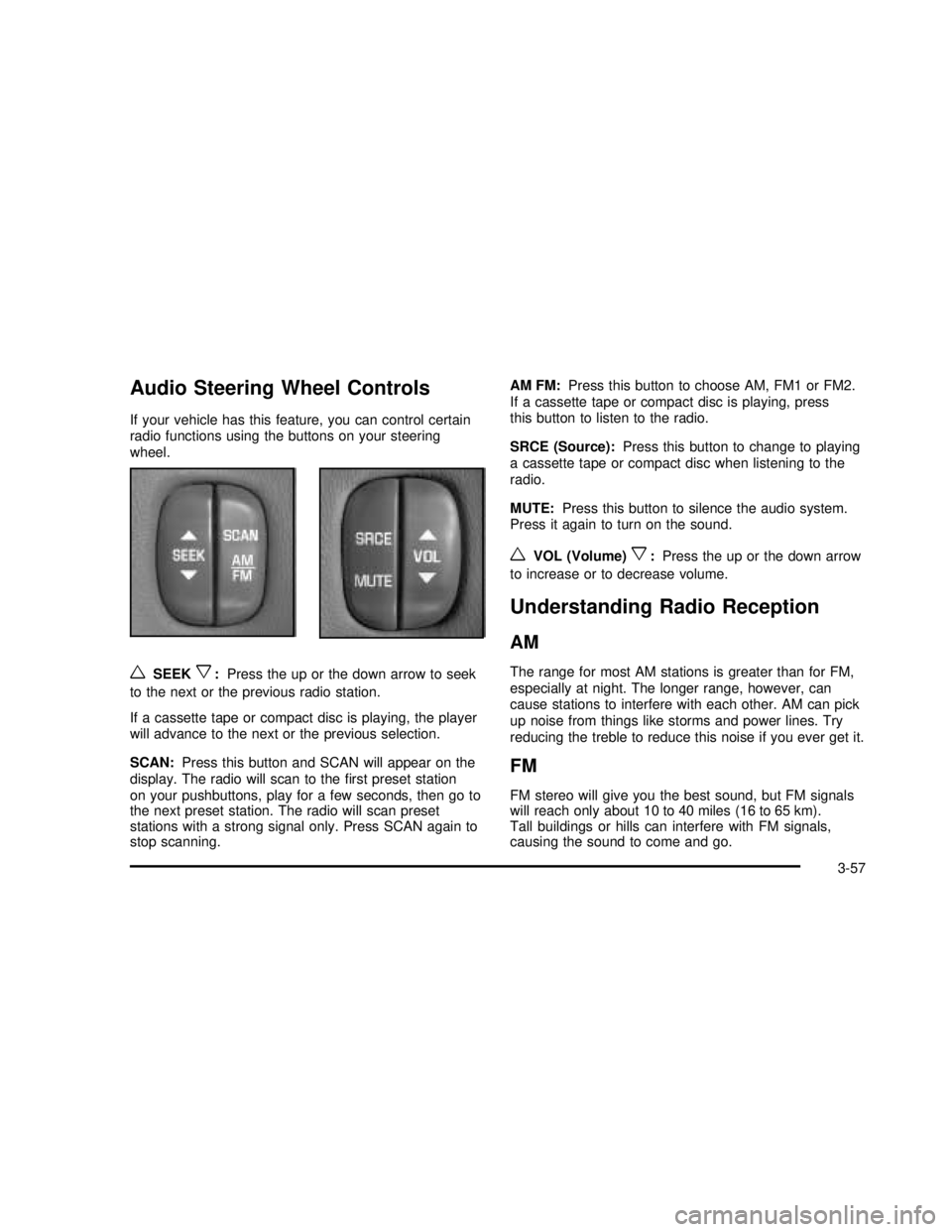
Audio Steering Wheel Controls
If your vehicle has this feature, you can control certain
radio functions using the buttons on your steering
wheel.
wSEEKx:Press the up or the down arrow to seek
to the next or the previous radio station.
If a cassette tape or compact disc is playing, the player
will advance to the next or the previous selection.
SCAN:Press this button and SCAN will appear on the
display. The radio will scan to thefirst preset station
on your pushbuttons, play for a few seconds, then go to
the next preset station. The radio will scan preset
stations with a strong signal only. Press SCAN again to
stop scanning.AM FM:Press this button to choose AM, FM1 or FM2.
If a cassette tape or compact disc is playing, press
this button to listen to the radio.
SRCE (Source):Press this button to change to playing
a cassette tape or compact disc when listening to the
radio.
MUTE:Press this button to silence the audio system.
Press it again to turn on the sound.
wVOL (Volume)x:Press the up or the down arrow
to increase or to decrease volume.
Understanding Radio Reception
AM
The range for most AM stations is greater than for FM,
especially at night. The longer range, however, can
cause stations to interfere with each other. AM can pick
up noise from things like storms and power lines. Try
reducing the treble to reduce this noise if you ever get it.
FM
FM stereo will give you the best sound, but FM signals
will reach only about 10 to 40 miles (16 to 65 km).
Tall buildings or hills can interfere with FM signals,
causing the sound to come and go.
3-57
2003 - Regal OM
Page 165 of 344

Anti-lock Brake System (ABS)
Your vehicle may have anti-lock brakes. ABS is an
advanced electronic braking system that will help
prevent a braking skid.
If your vehicle has anti-lock brakes, this warning light on
the instrument panel will come on briey when you
start your vehicle.
When you start your engine, or when you begin to drive
away, your anti-lock brake system will check itself.
You may hear a momentary motor or clicking noise while
this test is going on, and you may even notice that
your brake pedal moves or pulses a little. This is normal.Let’s say the road is wet and you’re driving safely.
Suddenly, an animal jumps out in front of you. You slam
on the brakes and continue braking. Here’s what
happens with ABS:
A computer senses that wheels are slowing down. If
one of the wheels is about to stop rolling, the computer
will separately work the brakes at each wheel. United States
Canada
4-7
2003 - Regal OM
Page 166 of 344
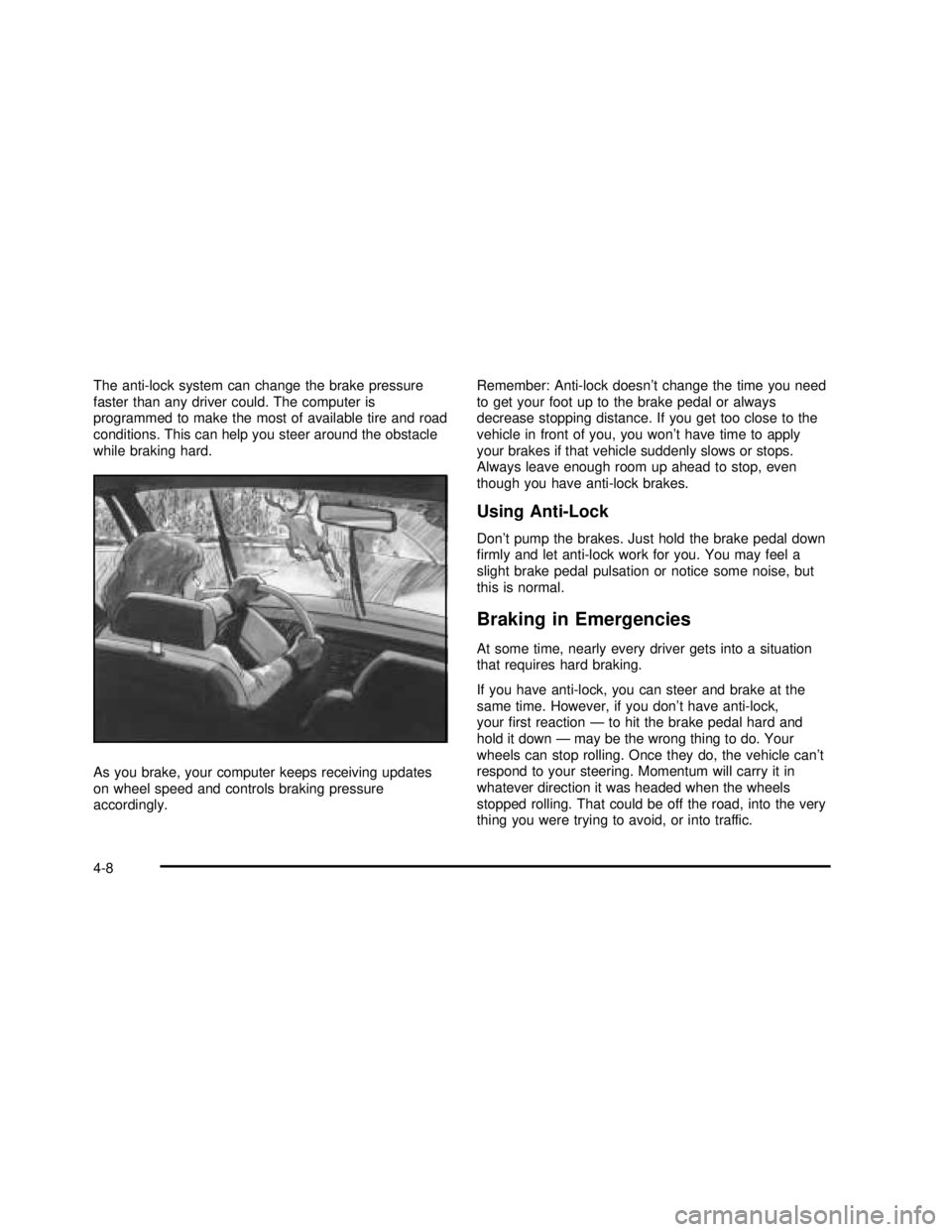
The anti-lock system can change the brake pressure
faster than any driver could. The computer is
programmed to make the most of available tire and road
conditions. This can help you steer around the obstacle
while braking hard.
As you brake, your computer keeps receiving updates
on wheel speed and controls braking pressure
accordingly.Remember: Anti-lock doesn’t change the time you need
to get your foot up to the brake pedal or always
decrease stopping distance. If you get too close to the
vehicle in front of you, you won’t have time to apply
your brakes if that vehicle suddenly slows or stops.
Always leave enough room up ahead to stop, even
though you have anti-lock brakes.
Using Anti-Lock
Don’t pump the brakes. Just hold the brake pedal down
rmly and let anti-lock work for you. You may feel a
slight brake pedal pulsation or notice some noise, but
this is normal.
Braking in Emergencies
At some time, nearly every driver gets into a situation
that requires hard braking.
If you have anti-lock, you can steer and brake at the
same time. However, if you don’t have anti-lock,
yourrst reaction—to hit the brake pedal hard and
hold it down—may be the wrong thing to do. Your
wheels can stop rolling. Once they do, the vehicle can’t
respond to your steering. Momentum will carry it in
whatever direction it was headed when the wheels
stopped rolling. That could be off the road, into the very
thing you were trying to avoid, or into traffic.
4-8
2003 - Regal OM