light BUICK REGAL 2003 Service Manual
[x] Cancel search | Manufacturer: BUICK, Model Year: 2003, Model line: REGAL, Model: BUICK REGAL 2003Pages: 344, PDF Size: 2.21 MB
Page 136 of 344
Your vehicle will not pass this inspection if the OBD
(on-board diagnostic) system determines that critical
emission control systems have not been completely
diagnosed by the system. The vehicle would be
considered not ready for inspection. This can happen if
you have recently replaced your battery or if your
battery has run down. The diagnostic system is
designed to evaluate critical emission control systems
during normal driving. This may take several days
of routine driving. If you have done this and your vehicle
still does not pass the inspection for lack of OBD
system readiness, your GM dealer can prepare the
vehicle for inspection.
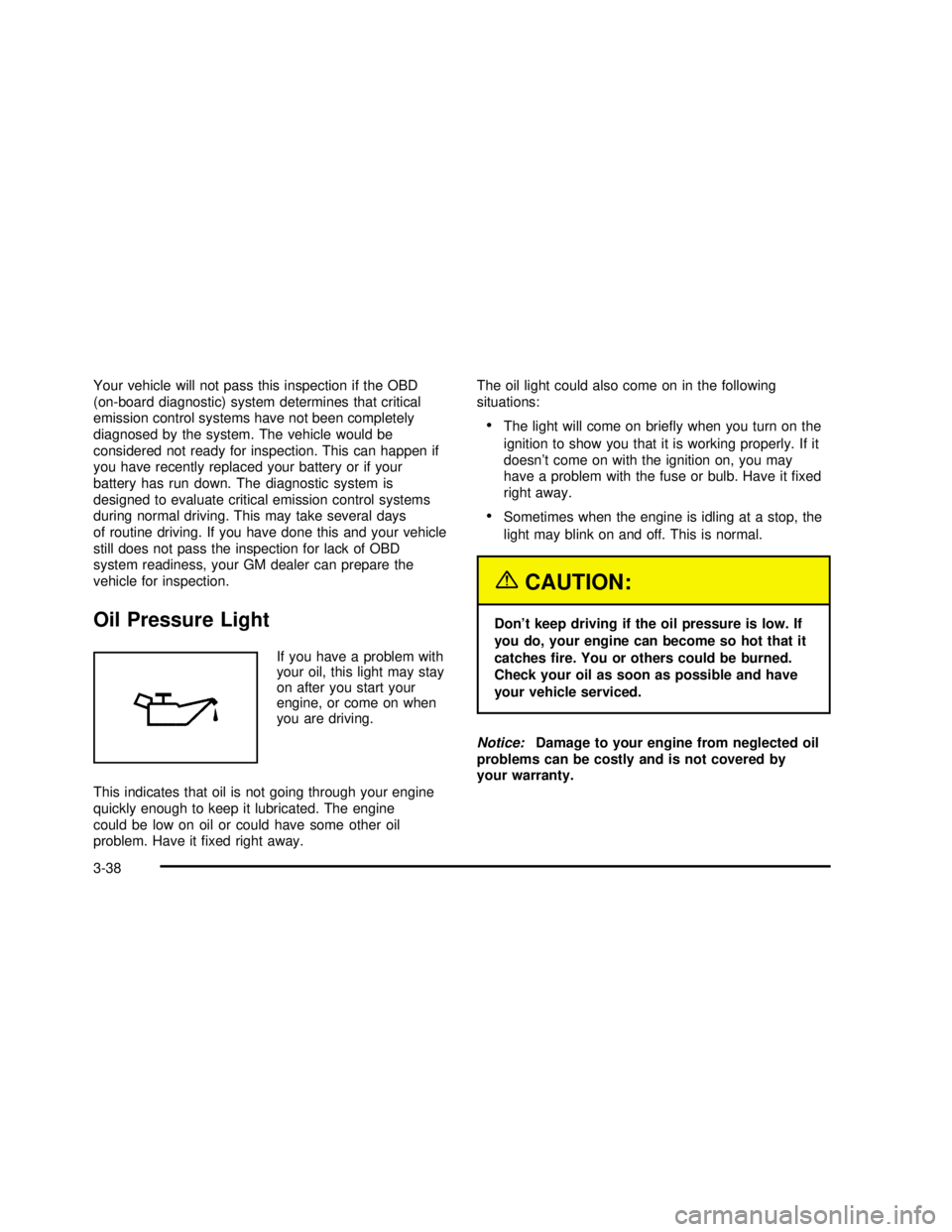
Oil Pressure Light
If you have a problem with
your oil, this light may stay
on after you start your
engine, or come on when
you are driving.
This indicates that oil is not going through your engine
quickly enough to keep it lubricated. The engine
could be low on oil or could have some other oil
problem. Have itfixed right away.The oil light could also come on in the following
situations:
•The light will come on briefly when you turn on the
ignition to show you that it is working properly. If it
doesn’t come on with the ignition on, you may
have a problem with the fuse or bulb. Have itfixed
right away.
•Sometimes when the engine is idling at a stop, the
light may blink on and off. This is normal.
{CAUTION:
Don’t keep driving if the oil pressure is low. If
you do, your engine can become so hot that it
catchesfire. You or others could be burned.
Check your oil as soon as possible and have
your vehicle serviced.
Notice:Damage to your engine from neglected oil
problems can be costly and is not covered by
your warranty.
3-38
2003 - Regal OM
Page 137 of 344

Low Oil Level Light
Your vehicle is equipped
with an oil level monitoring
system. When the
ignition key is turned on,
the LOW OIL light will
come on briefly.
If the light does not come on briefly, have itfixed so it
will be ready to warn you if there’s a problem.
If the light stays on, stop the vehicle on a level surface
and turn the engine off. Check the oil level using the
engine oil dipstick. SeeEngine Oil on page 5-13.Ifthe
light does not come on briefly, have the low oil level
sensor system repaired so it will be ready to warn you if
there’s a problem.
The oil level monitoring system only checks oil level
during the brief period between key on and engine
crank. It does not monitor engine oil level when
the engine is running. Additionally, an oil level check is
only performed if the engine has been turned off for
a considerable period of time, allowing the oil normally
in circulation to drain back into the oil pan.
Change Engine Oil Light
The CHANGE OIL SOON
light should come on
briefly as a bulb check
when you start the engine.
If the light doesn’t come
on, have it serviced.
If the CHANGE OIL SOON light comes on and stays on
after you start the engine, have the oil changed.
For additional information, see“When to Change Engine
Oil (GM Oil Life System)”underEngine Oil on
page 5-13. To reset the CHANGE OIL SOON light, see
“How to Reset the System”underEngine Oil on
page 5-13.
3-39
2003 - Regal OM
Page 138 of 344

Security Light
The SECURITY light will
come on when you turn
the key to START and stay
on until the vehicle
starts.
It will alsoflash if your ignition key is too dirty or wet for
the PASS-Key
®II system to read the resistor pellet.
SeePASS-Key®II on page 2-16.
If the resistor pellet is damaged or missing, the light will
come on.
Cruise Control Light
The CRUISE light comes
on whenever you set the
cruise control, if equipped.
See“Cruise Control”
underTurn
Signal/Multifunction Lever
on page 3-5.
Low Washer Fluid Warning Light
The LOW WASH light will
come on when your
windshield washers are
working and thefluid
container is low.
The light will also come on briefly when your ignition is
turned on to show that it is working properly.
Door/Trunk Ajar Warning Light
The DOOR/TRUNK light
will come on if your trunk
or any door is not
completely closed.
3-40
2003 - Regal OM
Page 139 of 344

Service Vehicle Soon Light
The SERVICE VEHICLE
SOON light will come on if
you have certain
non-emission related
vehicle problems.
These problems may not be obvious and may affect
vehicle performance or durability. Consult a qualified
dealership for necessary repairs to maintain top vehicle
performance. The light will come on briefly when your
ignition is turned on to show that it is working properly.
Fuel Gage
Your fuel gage tells you about how much fuel you have
left when the ignition is on. When the indicator nears
empty, you still have a little fuel left, but you should get
more soon.
Here are four things that some owners ask about. All
these things are normal and do not indicate that
anything is wrong with the fuel gage:
•At the gas station, the pump shuts off before the
gage reads full.
•It takes more (or less) fuel tofill up than the gage
reads. For example, the gage reads half full, but it
took more (or less) than half of the tank’s
capacity tofill it.
•The gage pointer may move while cornering,
braking or speeding up.
•The gage may not indicate empty when the ignition
is turned off.
United StatesCanada
3-41
2003 - Regal OM
Page 140 of 344

Low Fuel Warning Light
If your fuel is low, a circular light on your instrument
panel cluster will come on and stay on and a chime will
sound periodically until you add fuel.
It will also come on for a few seconds when youfirst
turn on the ignition as a check to show you it’s working.
If it doesn’t come on then, have itfixed.
Driver Information Center (DIC)
If your vehicle is equipped with the Driver Information
Center (DIC), it is located below the tachometer on the
instrument panel cluster. The DIC gives you important
safety and maintenance facts. When you turn the
ignition on, the entire center lights up for just a
few seconds.
United States
Canada
3800 V6 Engine
3-42
2003 - Regal OM
Page 142 of 344

Modes
AVG ECON (Average Economy):This mode shows
your average fuel economy since you last reset this
mode. Average fuel economy is viewed as a long term
approximation of your overall driving and driving
conditions. To learn the average fuel economy from a
new starting point, press the RESET button while
the average fuel economy is displayed in the DIC.
INSTANTANEOUS FUEL ECONOMY:This mode
shows your current fuel economy. Instantaneous fuel
economy varies with your driving conditions, such
as acceleration, braking and the grade of the road being
traveled. The instantaneous fuel economy display
cannot be reset.
OIL LIFE MONITOR:This mode shows an estimate of
the oil’s remaining useful life. When the oil life index
is less than 10%, the CHANGE OIL SOON light
will come on. When you have the oil changed according
to the maintenance schedule. SeePart A: Scheduled
Maintenance Services on page 6-4. You will have
to reset the CHANGE OIL SOON light.
To reset the CHANGE OIL SOON light, see“How to
Reset the CHANGE OIL SOON light underEngine Oil
on page 5-13.Also, see“When to Change Engine Oil (GM Oil Life
System)”underEngine Oil on page 5-13andPart
A: Scheduled Maintenance Services on page 6-4.
RANGE:This mode shows the approximate distance
you can drive without refueling. This is based on
the amount of fuel in the tank and on the fuel economy
of the most recent 25 miles (40 km). This display
cannot be reset.
BOOST GAGE:If you have the supercharged engine,
this gage will show the amount of boost your engine
is receiving. This display cannot be reset.
Audio System(s)
Notice:Before you add any sound equipment to
your vehicle–like a tape player, CB radio, mobile
telephone or two-way radio–be sure you can
add what you want. If you can, it’s very important to
do it properly. Added sound equipment may
interfere with the operation of your vehicle’s engine,
Delphi Electronics radio or other systems, and
even damage them. Your vehicle’s systems may
interfere with the operation of sound equipment that
has been added improperly.
So, before adding sound equipment, check with
your dealer and be sure to check federal rules
covering mobile radio and telephone units.
3-44
2003 - Regal OM
Page 145 of 344

4. Press TONE to select the setting you prefer.
5. Press and hold one of the six numbered
pushbuttons. The sound will mute. When it returns,
release the pushbutton. Whenever you press
that numbered pushbutton, the station you set will
return and the tone you selected will be
automatically selected for that pushbutton.
6. Repeat the steps for each pushbutton.
Setting the Tone (Bass/Treble)
BASS:Press this knob lightly so it extends. Turn the
knob to increase or to decrease bass.
TREB (Treble):Press this knob lightly so it extends.
Turn the knob to increase or to decrease treble. If
a station is weak or noisy, you may want to decrease
the treble.
Return these knobs to their stored positions when
you’re not using them.
TONE:Press this button to choose bass and treble
equalization settings designed for country/western, jazz,
talk, pop and classical stations.
To return the bass and treble to the manual mode,
press either TONE, BASS or TREB until MANUAL
appears. See“Setting Preset Stations”listed previously
to program the auto tone feature.
Adjusting the Speakers (Balance/Fade)
BAL (Balance):Press this knob lightly so it extends.
Turn the knob to move the sound toward the left or the
right speakers.
FADE:Press this knob lightly so it extends. Turn the
knob to move the sound toward the front or the
rear speakers.
Return these knobs to their stored positions when
you’re not using them.
Playing a Cassette Tape
The longer side with the tape visible should face to the
right. If the ignition and the radio are on, the tape
can be inserted and will begin playing. If you hear
nothing or hear a garbled sound, the tape may not be in
squarely. Press EJECT to remove the tape and start
over.
While the tape is playing, use the VOLUME, SEEK,
FADE, BAL, BASS and TREB controls just as you do for
the radio. Other controls may have different functions
when a tape is inserted. The display will show an arrow
to show which side of the tape is playing.
If you want to insert a tape while the ignition or radio is
off,first press EJECT or RECALL. Cassette tape
adapter kits for portable compact disc players will work
in your cassette tape player.
Your tape bias is set automatically.
3-47
2003 - Regal OM
Page 149 of 344

5. Press and hold one of the six numbered
pushbuttons. The sound will mute. When it returns,
release the pushbutton. Whenever you press
that numbered pushbutton, the station you set will
return and the tone you selected will be
automatically selected for that pushbutton.
6. Repeat the steps for each pushbutton.
Setting the Tone (Bass/Treble)
BASS:Press this knob lightly so it extends. Turn the
knob to increase or to decrease bass.
TREB (Treble):Press this knob lightly so it extends.
Turn the knob to increase or to decrease treble. If
a station is weak or noisy, you may want to decrease
the treble.
Return these knobs to their stored positions when
you’re not using them.
TONE:Press this button to choose bass and treble
equalization settings designed for country/western, jazz,
talk, pop and classical stations.
To return the bass and treble to the manual mode,
press either TONE until MANUAL appears or press and
release the BASS or TREB knob and turn it until the
display goes blank. See“Setting Preset Stations”listed
previously to program the auto tone feature.
Adjusting the Speakers (Balance/Fade)
BAL (Balance):Press this knob lightly so it extends.
Turn the knob to move the sound toward the left or the
right speakers.
FADE:Press this knob lightly so it extends. Turn the
knob to move the sound toward the front or the
rear speakers.
Return these knobs to their stored positions when
you’re not using them.
Playing a Cassette Tape
The longer side with the tape visible should face to the
right. If the ignition and the radio are on, the tape
can be inserted and will begin playing. If you hear
nothing or hear a garbled sound, the tape may not be
in squarely. Press EJECT to remove the tape and
start over.
While the tape is playing, use the VOLUME, SEEK,
FADE, BAL, BASS and TREB controls just as you do for
the radio. Other controls may have different functions
when a tape is inserted. The display will show an arrow
to show which side of the tape is playing.
If you want to insert a tape while the ignition or radio is
off,first press EJECT or RECALL.
Your tape bias is set automatically.
If an error appears on the display, see“Cassette Tape
Messages”later in this section.
3-51
2003 - Regal OM
Page 156 of 344

Care of Your Cassette Tape Player
A tape player that is not cleaned regularly can cause
reduced sound quality, ruined cassettes or a damaged
mechanism. Cassette tapes should be stored in their
cases away from contaminants, direct sunlight and
extreme heat. If they aren’t, they may not operate
properly or may cause failure of the tape player.
Your tape player should be cleaned regularly after every
50 hours of use. Your radio may display CLEAN
PLAYR to indicate that you have used your tape player
for 50 hours without resetting the tape clean timer. If
this message appears on the display, your cassette tape
player needs to be cleaned. It will still play tapes, but
you should clean it as soon as possible to prevent
damage to your tapes and player. If you notice a
reduction in sound quality, try a known good cassette to
see if the tape or the tape player is at fault. If this
other cassette has no improvement in sound quality,
clean the tape player.
For best results, use a scrubbing action, non-abrasive
cleaning cassette with pads which scrub the tape
head as the hubs of the cleaner cassette turn. The
recommended cleaning cassette is available through
your dealership.The cut tape detection feature of your cassette tape
player may identify the cleaning cassette as a damaged
tape, in error. If the cleaning cassette ejects, insert
the cassette at least three times to ensure thorough
cleaning.
You may also choose a non-scrubbing action, wet-type
cleaner which uses a cassette with a fabric belt to
clean the tape head. This type of cleaning cassette will
not eject on its own. A non-scrubbing action cleaner
may not clean as thoroughly as the scrubbing type
cleaner. The use of a non-scrubbing action, dry-type
cleaning cassette is not recommended.
After you clean the player, press and hold the EJECT
button forfive seconds with the ignition on and the radio
power off to reset the CLEAN PLAYR indicator. The
radio will display --- to show the indicator was reset.
Cassettes are subject to wear and the sound quality may
degrade over time. Always make sure the cassette
tape is in good condition before you have your
tape player serviced.
3-58
2003 - Regal OM
Page 157 of 344

Care of Your CDs
Handle discs carefully. Store them in their original cases
or other protective cases and away from direct sunlight
and dust. If the surface of a disc is soiled, dampen
a clean, soft cloth in a mild, neutral detergent solution
and clean it, wiping from the center to the edge.
Be sure never to touch the side without writing when
handling discs. Pick up discs by grasping the outer
edges or the edge of the hole and the outer edge.
Care of Your CD Player
The use of CD lens cleaner discs is not advised, due to
the risk of contaminating the lens of the CD optics
with lubricants internal to the CD mechanism.
Backglass Antenna
The AM-FM antenna is integrated with the rear window
defogger, located in the rear window. Be sure that
the inside surface of the rear window is not scratched
and that the lines on the glass are not damaged. If
the inside surface is damaged, it could interfere
with radio reception. Also, for proper radio reception, the
antenna connector at the top-center of the rear window
needs to be properly attached to the post on the
glass.Notice:Do not try to clear frost or other material
from the inside of the rear window with a razor blade
or anything else that is sharp. This may damage
the rear defogger grid and affect your radio’s ability
to pick up stations clearly. The repairs wouldn’t
be covered by your warranty.
Notice:Do not apply aftermarket glass tinting with
metallicfilm. The metallicfilm in some tinting
materials will interfere with or distort the incoming
radio reception. Any damage caused to your
backglass antenna due to metallic tinting materials
will not be covered by your warranty.
Because this antenna is built into your rear window,
there is a reduced risk of damage caused by car washes
and vandals.
If you choose to add a cellular telephone to your
vehicle, and the antenna needs to be attached to the
glass, be sure that you do not damage the grid lines for
the AM-FM antenna. There is enough space between
the lines to attach a cellular telephone antenna
without interfering with radio reception
Do not apply aftermarket glass tinting to the back glass.
The metallicfilm in some tinting materials will interfere
with or distort the incoming radio reception. Care
must be taken when cleaning the rear window because
it breaks in the resistive material heating element
and will adversely affect radio and defogger
performance. See your dealer for details.
3-59
2003 - Regal OM