light BUICK REGAL 2011 Manual PDF
[x] Cancel search | Manufacturer: BUICK, Model Year: 2011, Model line: REGAL, Model: BUICK REGAL 2011Pages: 368, PDF Size: 5.35 MB
Page 223 of 368
Black plate (33,1)Buick Regal Owner Manual - 2011
Driving and Operating 9-33
EPB Release
To release the EPB, place the
ignition in the ON/RUN position,
apply and hold the brake pedal, and
push down momentarily on the EPB
switch. If you attempt to release
the EPB without the brake pedal
applied, a chime will sound, and
the DIC message PRESS BRAKE
PEDAL TO RELEASE PARK
BRAKE will be displayed. The EPB
is released when the parking brake
status light is off.
If the parking brake warning
light is on, the EPB has detected
an error in another system and is
operating with reduced functionality.
To release the EPB when this light
is on, push down on the EPB switch
and hold it in the down position.
EPB release may take a longer
period of time than normal when
this light is on. Continue to hold the
switch until the parking brake status
light is off. If the light is on, see your
dealer.Notice:
Driving with the parking
brake on can overheat the brake
system and cause premature
wear or damage to brake system
parts. Make sure that the parking
brake is fully released and the
brake warning light is off before
driving.
Automatic EPB Release
The EPB will automatically release if
the vehicle is running, placed into
gear, and an attempt is made to
drive away. Avoid rapid acceleration
when the EPB is applied, to
preserve parking brake lining life.
The EPB can also be used to
prevent roll back for vehicles with a
manual transmission taking off on
a hill. In a situation where no roll
back is desired, an applied EPB will
allow both feet to be used for the
clutch and accelerator pedals in
preparation for starting the vehicle
moving in the intended direction. In this situation, perform the normal
clutch and/or accelerator actions
required to begin moving the
vehicle. There is no need to push
the switch to release the EPB.
Brake Assist
This vehicle has a brake assist
feature designed to assist the driver
in stopping or decreasing vehicle
speed in emergency driving
conditions. This feature uses the
stability system hydraulic brake
control module to supplement
the power brake system under
conditions where the driver has
quickly and forcefully applied the
brake pedal in an attempt to quickly
stop or slow down the vehicle.
Page 225 of 368
Black plate (35,1)Buick Regal Owner Manual - 2011
Driving and Operating 9-35
dflashes to indicate that TCS is
active. See Traction Control System
(TCS)/StabiliTrak
®Light on
page 5‑18 for more information.
If there is a problem detected
with TCS, SERVICE TRACTION
CONTROL is displayed on the
Driver Information Center (DIC).
See Ride Control System Messages
on page 5‑29. When this message
is displayed and
dcomes on and
stays on, the vehicle is safe to drive
but the system is not operational.
Driving should be adjusted
accordingly.
If
dcomes on and stays on, reset
the system.
To reset:
1. Stop the vehicle.
2. Turn the engine off and waiting 15 seconds.
3. Start the engine. If
dstill comes on and stays on, the
vehicle needs service.
Notice: Do not repeatedly brake
or accelerate heavily when TCS is
off. The vehicle's driveline could
be damaged.
With Interactive Drive Control
System
Without Interactive Drive Control
System
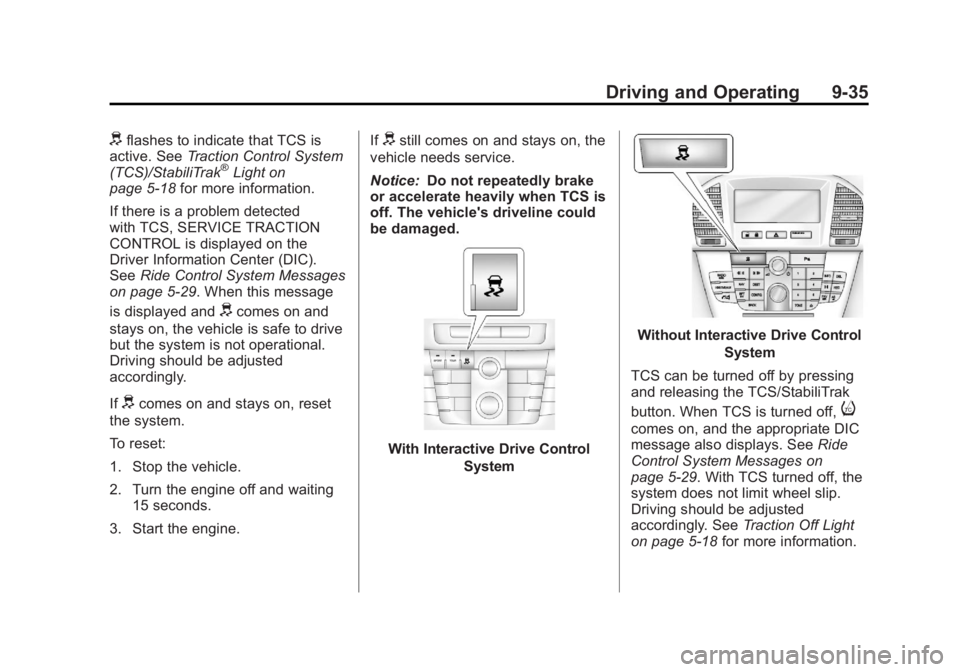
TCS can be turned off by pressing
and releasing the TCS/StabiliTrak
button. When TCS is turned off,
i
comes on, and the appropriate DIC
message also displays. See Ride
Control System Messages on
page 5‑29. With TCS turned off, the
system does not limit wheel slip.
Driving should be adjusted
accordingly. See Traction Off Light
on page 5‑18 for more information.
Page 226 of 368
Black plate (36,1)Buick Regal Owner Manual - 2011
9-36 Driving and Operating
Press and release the
TCS/StabiliTrak button again
to turn the system back on.
It may be necessary to turn the
system off if the vehicle gets stuck
in sand, mud, or snow and rocking
the vehicle is required. SeeIf the
Vehicle Is Stuck on page 9‑11 for
more information. See also Winter
Driving on page 9‑9 for information
on using TCS when driving in snowy
or icy conditions.
Adding non‐GM accessories can
affect the vehicle performance.
See Accessories and Modifications
on page 10‑3 for more information.
StabiliTrak®System
The vehicle may have a vehicle
stability enhancement system called
StabiliTrak. It is an advanced
computer-controlled system that
assists with directional control of the
vehicle in difficult driving conditions. StabiliTrak activates when the
computer senses a difference
between the intended path and the
direction the vehicle is actually
traveling. StabiliTrak selectively
applies braking pressure to the
vehicle brakes to help steer the
vehicle in the intended direction.
StabiliTrak comes on automatically
whenever the vehicle is started.
To assist with directional control
of the vehicle, the system should
always be left on.
When StabiliTrak activates,
d
flashes on the instrument panel.
A noise may be heard or vibration
may be felt in the brake pedal.
This is normal. Continue to steer the
vehicle in the intended direction.
See
Traction Control System (TCS)/
StabiliTrak
®Light on page 5‑18 for
more information. If a problem is detected with
StabiliTrak, SERVICE
STABILITRAK is displayed on the
Driver Information Center (DIC).
See
Ride Control System Messages
on page 5‑29. When this message
is displayed and
dcomes on and
stays on, the vehicle is safe to drive
but the system is not operational.
Driving should be adjusted
accordingly.
If
dcomes on and stays on, reset
the system.
To reset:
1. Stop the vehicle.
2. Turn the engine off and waiting 15 seconds.
3. Start the engine.
If
dstill comes on and stays on, the
vehicle needs service.
Page 227 of 368
Black plate (37,1)Buick Regal Owner Manual - 2011
Driving and Operating 9-37
With Interactive Drive ControlSystemWithout Interactive Drive Control System
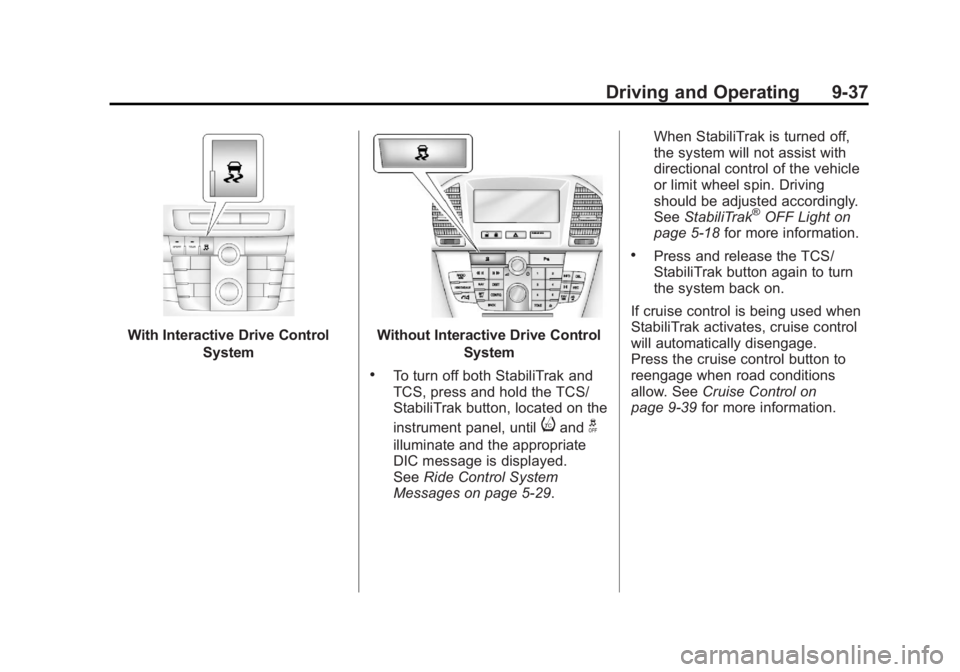
.To turn off both StabiliTrak and
TCS, press and hold the TCS/
StabiliTrak button, located on the
instrument panel, until
iandg
illuminate and the appropriate
DIC message is displayed.
SeeRide Control System
Messages on page 5‑29. When StabiliTrak is turned off,
the system will not assist with
directional control of the vehicle
or limit wheel spin. Driving
should be adjusted accordingly.
See
StabiliTrak
®OFF Light on
page 5‑18 for more information.
.Press and release the TCS/
StabiliTrak button again to turn
the system back on.
If cruise control is being used when
StabiliTrak activates, cruise control
will automatically disengage.
Press the cruise control button to
reengage when road conditions
allow. See Cruise Control on
page 9‑39 for more information.
Page 228 of 368
Black plate (38,1)Buick Regal Owner Manual - 2011
9-38 Driving and Operating
Interactive Drive Control
System
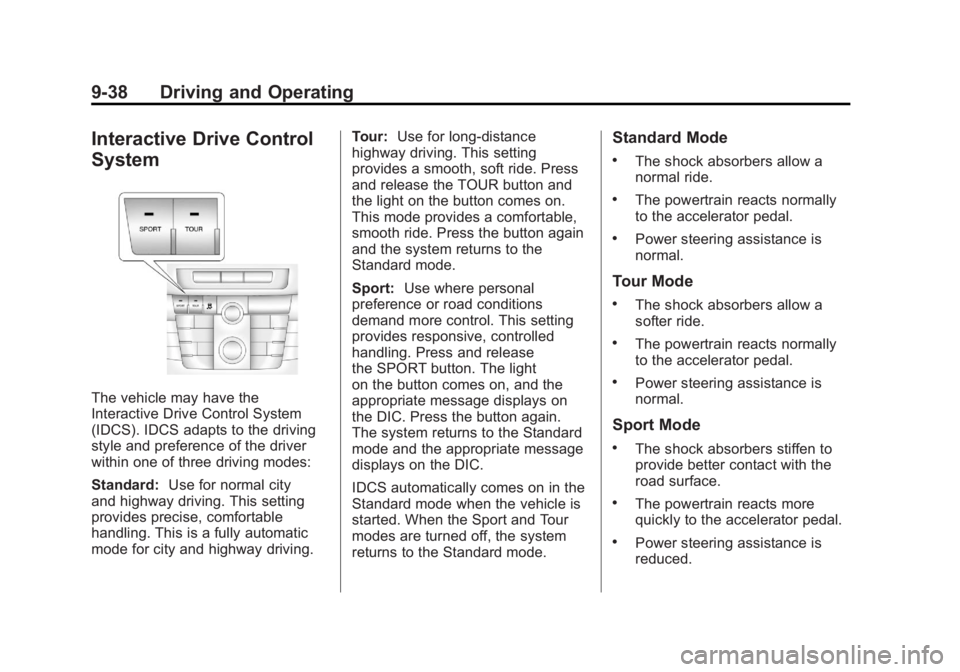
The vehicle may have the
Interactive Drive Control System
(IDCS). IDCS adapts to the driving
style and preference of the driver
within one of three driving modes:
Standard:Use for normal city
and highway driving. This setting
provides precise, comfortable
handling. This is a fully automatic
mode for city and highway driving. Tour:
Use for long-distance
highway driving. This setting
provides a smooth, soft ride. Press
and release the TOUR button and
the light on the button comes on.
This mode provides a comfortable,
smooth ride. Press the button again
and the system returns to the
Standard mode.
Sport: Use where personal
preference or road conditions
demand more control. This setting
provides responsive, controlled
handling. Press and release
the SPORT button. The light
on the button comes on, and the
appropriate message displays on
the DIC. Press the button again.
The system returns to the Standard
mode and the appropriate message
displays on the DIC.
IDCS automatically comes on in the
Standard mode when the vehicle is
started. When the Sport and Tour
modes are turned off, the system
returns to the Standard mode.
Standard Mode
.The shock absorbers allow a
normal ride.
.The powertrain reacts normally
to the accelerator pedal.
.Power steering assistance is
normal.
Tour Mode
.The shock absorbers allow a
softer ride.
.The powertrain reacts normally
to the accelerator pedal.
.Power steering assistance is
normal.
Sport Mode
.The shock absorbers stiffen to
provide better contact with the
road surface.
.The powertrain reacts more
quickly to the accelerator pedal.
.Power steering assistance is
reduced.
Page 230 of 368
Black plate (40,1)Buick Regal Owner Manual - 2011
9-40 Driving and Operating
1(On/Off):Press to turn the
cruise control system on and off.
An indicator light will turn on or off in
the instrument panel cluster.
*(Cancel): Press to disengage
cruise control without erasing the
set speed from memory.
RES/+ (Resume/Accelerate):
Move the thumbwheel up to make
the vehicle resume to a previously
set speed or to accelerate.
SET/− (Set/Coast): Move the
thumbwheel down to set a speed or
to make the vehicle decelerate.
Setting Cruise Control
If the cruise button is on when not in
use, it could get bumped and go into
cruise when not desired. Keep the
cruise control switch off when cruise
is not being used.
1. Press
1to turn cruise
control on.
2. Get to the speed desired. 3. Move the thumbwheel down
toward SET/− and release it.
The desired set speed briefly
appears in the instrument panel
cluster.
4. Take your foot off the accelerator pedal.
Resuming a Set Speed
If the cruise control is set at a
desired speed and then the brakes
are applied, the cruise control is
disengaged without erasing the set
speed from memory.
Once the vehicle speed reaches
about 40 km/h (25 mph) or more,
move the thumbwheel up toward
RES/+ briefly. The vehicle returns to
the previous set speed and stays
there. Increasing Speed While Using
Cruise Control
If the cruise control system is
already activated:
.Move the thumbwheel up toward
RES/+ and hold it until the
desired speed is reached, then
release it.
.To increase vehicle speed in
small amounts, move the
thumbwheel up toward RES/+
briefly and then release it. Each
time this is done, the vehicle
goes about 1.6 km/h (1 mph)
faster.
Page 231 of 368
Black plate (41,1)Buick Regal Owner Manual - 2011
Driving and Operating 9-41
Reducing Speed While Using
Cruise Control
If the cruise control system is
already activated:
.Move the thumbwheel toward
SET/−and hold until the desired
lower speed is reached, then
release it.
.To slow down in small amounts,
move the thumbwheel toward
SET/− briefly. Each time this is
done, the vehicle goes about
1.6 km/h (1 mph) slower.
Passing Another Vehicle While
Using Cruise Control
Use the accelerator pedal to
increase the vehicle speed. When
you take your foot off the pedal, the
vehicle will slow down to the
previous set cruise control speed. Using Cruise Control on Hills
How well the cruise control works
on hills depends upon the vehicle
speed, load, and the steepness of
the hills. When going up steep hills,
you might have to step on the
accelerator pedal to maintain
the vehicle speed. When going
downhill, you might have to brake
or shift to a lower gear to maintain
the vehicle speed. When the brakes
are applied, the cruise control is
disengaged.
Ending Cruise Control
There are three ways to end cruise
control:
.Step lightly on the brake pedal
or clutch to disengage cruise
control.
.Press*on the steering wheel.
.Press1on the steering wheel
to turn off the cruise control.
Erasing Speed Memory
The cruise control set speed is
erased from memory by pressing
the
1button or if the ignition is
turned off.
Page 233 of 368

Black plate (43,1)Buick Regal Owner Manual - 2011
Driving and Operating 9-43
PARK ASSIST OFF displays on the
Driver Information Center (DIC) to
indicate that URPA is off. The
message disappears after a short
period of time.
Turning the System On and Off
The URPA system can be turned on
and off using the park assist button
located next to the radio.
The park assist button lights up
when the system is on or in standby
and turns off when it has been
disabled.
URPA defaults to the on setting
each time the vehicle is started.
When the System Does Not
Seem to Work Properly
SERVICE PARK ASSIST:If this
message occurs, take the vehicle to
your dealer to repair the system.
PARK ASSIST OFF: If the URPA
system does not activate due to a
temporary condition, the message
displays on the DIC. See Driver
Information Center (DIC) on
page 5‑22 for more information.
This can occur under the following
conditions:
.The driver has disabled the
system.
.The ultrasonic sensors are not
clean. Keep the vehicle's rear
bumper free of mud, dirt, snow,
ice, and slush. For cleaning
instructions, see Exterior Care
on page 10‑77.
.An object was hanging out of the
trunk during the last drive cycle.
Once the object is removed and
URPA detects no objects of
interest, the URPA will return to
normal operation.
.The vehicle's bumper is
damaged. Take the vehicle to
your dealer to repair the system.
.Other conditions, such as
vibrations from a jackhammer or
the compression of air brakes on
a very large truck, are affecting
system performance.
If the system is still disabled after
checking all conditions listed above
and driving forward at least 40 km/h
(25 mph), take the vehicle to your
dealer.
Page 235 of 368
Black plate (45,1)Buick Regal Owner Manual - 2011
Driving and Operating 9-45
If the vehicle has the 2.0L L4 engine
(VIN Code V), use premium
unleaded gasoline with a posted
octane rating of 91 or higher.
You can also use regular unleaded
gasoline rated at 87 octane or
higher, but the vehicle's acceleration
could be slightly reduced, and a
slight audible knocking noise,
commonly referred to as spark
knock, might be heard. If the octane
is less than 87, a heavy knocking
noise might be heard when driving.
If this occurs, use a gasoline rated
at 87 octane or higher as soon as
possible. Otherwise, you could
damage the engine. If heavy
knocking is heard when using
gasoline rated at 87 octane or
higher, the engine needs service.Gasoline Specifications
(U.S. and Canada Only)
At a minimum, gasoline
should meet ASTM specification
D 4814 in the United States or
CAN/CGSB‐3.5 or 3.511 in Canada.
Some gasolines contain an
octane-enhancing additive called
methylcyclopentadienyl manganese
tricarbonyl (MMT). We recommend
against the use of gasolines
containing MMT. SeeFuel Additives
on page 9‑46 for additional
information.
California Fuel
Requirements
If the vehicle is certified to meet
California Emissions Standards, it is
designed to operate on fuels that
meet California specifications.
See the underhood emission control
label. If this fuel is not available in
states adopting California Emissions
Standards, the vehicle will operate satisfactorily on fuels meeting
federal specifications, but emission
control system performance might
be affected. The malfunction
indicator lamp could turn on and the
vehicle might fail a smog‐check test.
See
Malfunction Indicator Lamp on
page 5‑13. If this occurs, return to
your authorized dealer for diagnosis.
If it is determined that the condition
is caused by the type of fuel used,
repairs might not be covered by the
vehicle warranty.
Fuels in Foreign
Countries
Never use leaded gasoline or any
other fuel not recommended in the
previous text on fuel. Costly repairs
caused by use of improper fuel
would not be covered by the vehicle
warranty.
To check the fuel availability, ask an
auto club, or contact a major oil
company that does business in the
country where you will be driving.
Page 239 of 368
Black plate (49,1)Buick Regal Owner Manual - 2011
Driving and Operating 9-49
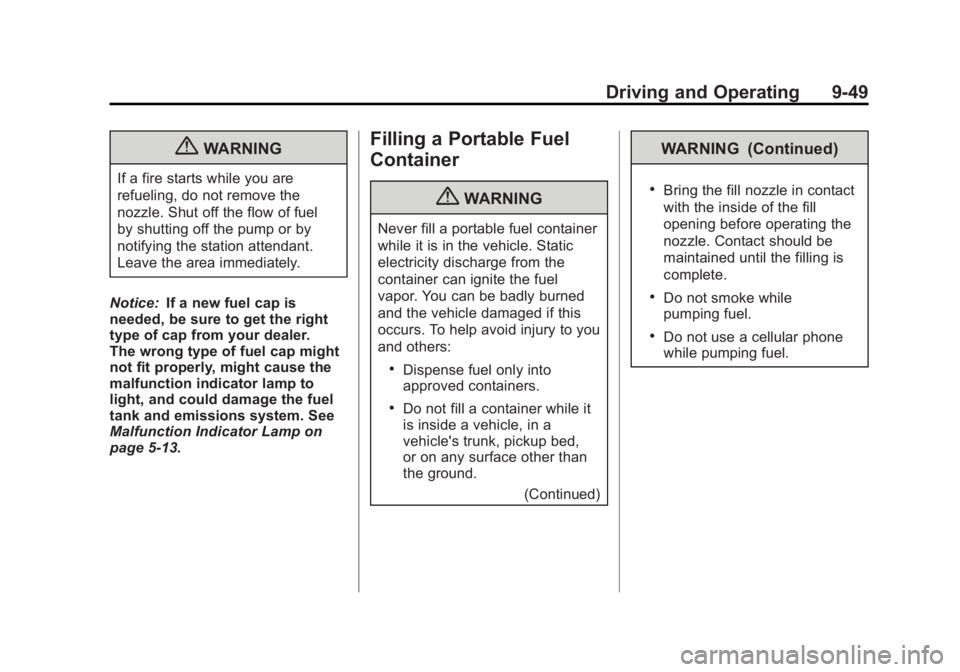
{WARNING
If a fire starts while you are
refueling, do not remove the
nozzle. Shut off the flow of fuel
by shutting off the pump or by
notifying the station attendant.
Leave the area immediately.
Notice: If a new fuel cap is
needed, be sure to get the right
type of cap from your dealer.
The wrong type of fuel cap might
not fit properly, might cause the
malfunction indicator lamp to
light, and could damage the fuel
tank and emissions system. See
Malfunction Indicator Lamp on
page 5‑13.
Filling a Portable Fuel
Container
{WARNING
Never fill a portable fuel container
while it is in the vehicle. Static
electricity discharge from the
container can ignite the fuel
vapor. You can be badly burned
and the vehicle damaged if this
occurs. To help avoid injury to you
and others:
.Dispense fuel only into
approved containers.
.Do not fill a container while it
is inside a vehicle, in a
vehicle's trunk, pickup bed,
or on any surface other than
the ground.
(Continued)
WARNING (Continued)
.Bring the fill nozzle in contact
with the inside of the fill
opening before operating the
nozzle. Contact should be
maintained until the filling is
complete.
.Do not smoke while
pumping fuel.
.Do not use a cellular phone
while pumping fuel.