ESP BUICK REGAL 2012 Owner's Manual
[x] Cancel search | Manufacturer: BUICK, Model Year: 2012, Model line: REGAL, Model: BUICK REGAL 2012Pages: 440, PDF Size: 6.22 MB
Page 22 of 440
Black plate (16,1)Buick Regal Owner Manual - 2012
1-16 In Brief
Manual Mode
Driver Shift Control (DSC) allows
you to shift an automatic
transmission similar to a manual
transmission. To use the DSC
feature:
1. Move the shift lever to the leftfrom D (Drive) into the side gate
marked with (+) and (−).
2. Press the shift lever forward to upshift or rearward to downshift.
See Automatic Transmission on
page 9‑28.Vehicle Features
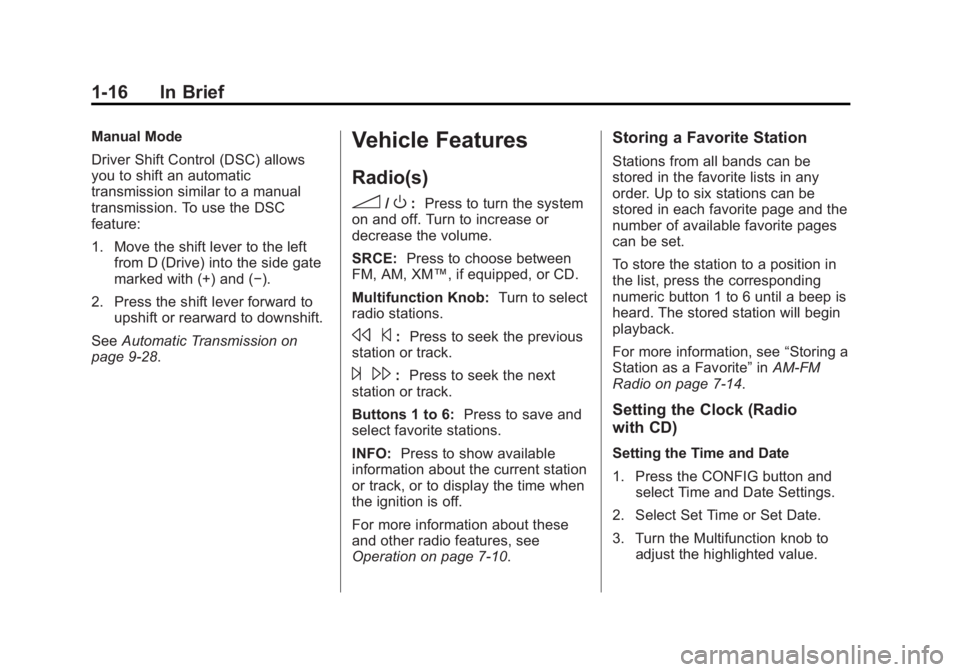
Radio(s)
3
/O: Press to turn the system
on and off. Turn to increase or
decrease the volume.
SRCE: Press to choose between
FM, AM, XM™, if equipped, or CD.
Multifunction Knob: Turn to select
radio stations.
s ©:Press to seek the previous
station or track.
¨ \:Press to seek the next
station or track.
Buttons 1 to 6: Press to save and
select favorite stations.
INFO: Press to show available
information about the current station
or track, or to display the time when
the ignition is off.
For more information about these
and other radio features, see
Operation on page 7‑10.
Storing a Favorite Station
Stations from all bands can be
stored in the favorite lists in any
order. Up to six stations can be
stored in each favorite page and the
number of available favorite pages
can be set.
To store the station to a position in
the list, press the corresponding
numeric button 1 to 6 until a beep is
heard. The stored station will begin
playback.
For more information, see “Storing a
Station as a Favorite” inAM-FM
Radio on page 7‑14.
Setting the Clock (Radio
with CD)
Setting the Time and Date
1. Press the CONFIG button and select Time and Date Settings.
2. Select Set Time or Set Date.
3. Turn the Multifunction knob to adjust the highlighted value.
Page 28 of 440
Black plate (22,1)Buick Regal Owner Manual - 2012
1-22 In Brief
This vehicle has a Hill Start Assist
(HSA) feature, which may be useful
when the vehicle is stopped on a
grade. SeeHill Start Assist (HSA)
on page 9‑37.
Vehicles with eAssist have a slightly
different instrument cluster, which
includes an efficiency gauge, and
an AUTO STOP indicator on the
tachometer. See Instrument Cluster
on page 5‑9. There is also a Power
Flow Gauge in the Driver
Information Center (DIC). See
Driver Information Center (DIC) on
page 5‑25.
The eAssist system uses a high
voltage battery, which is cooled with
air drawn from the vehicle interior.
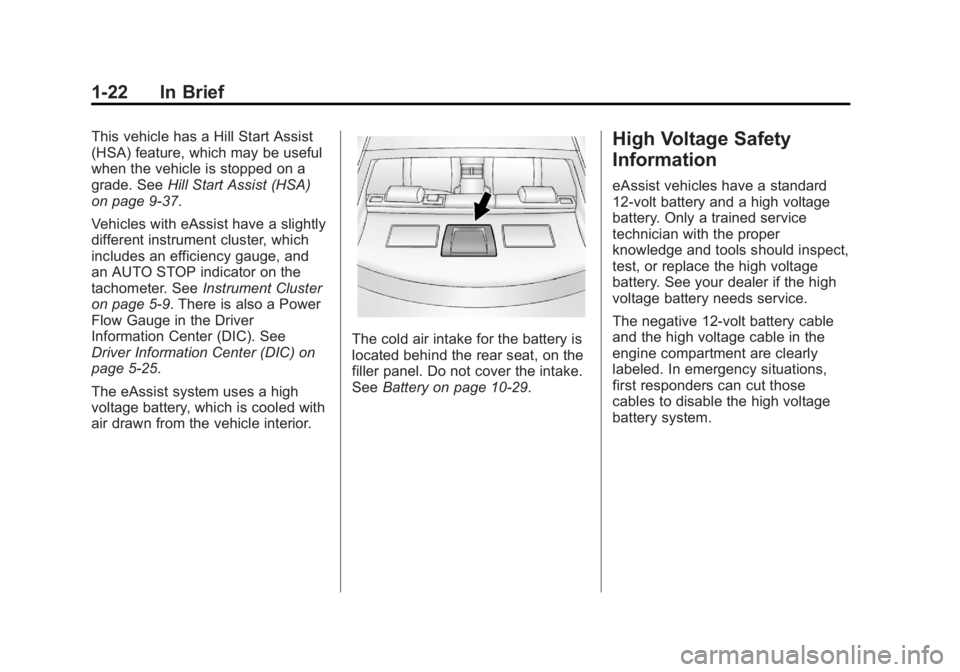
The cold air intake for the battery is
located behind the rear seat, on the
filler panel. Do not cover the intake.
See Battery on page 10‑29.
High Voltage Safety
Information
eAssist vehicles have a standard
12-volt battery and a high voltage
battery. Only a trained service
technician with the proper
knowledge and tools should inspect,
test, or replace the high voltage
battery. See your dealer if the high
voltage battery needs service.
The negative 12-volt battery cable
and the high voltage cable in the
engine compartment are clearly
labeled. In emergency situations,
first responders can cut those
cables to disable the high voltage
battery system.
Page 31 of 440
Black plate (25,1)Buick Regal Owner Manual - 2012
In Brief 1-25
Tire Pressure Monitor
This vehicle may have a Tire
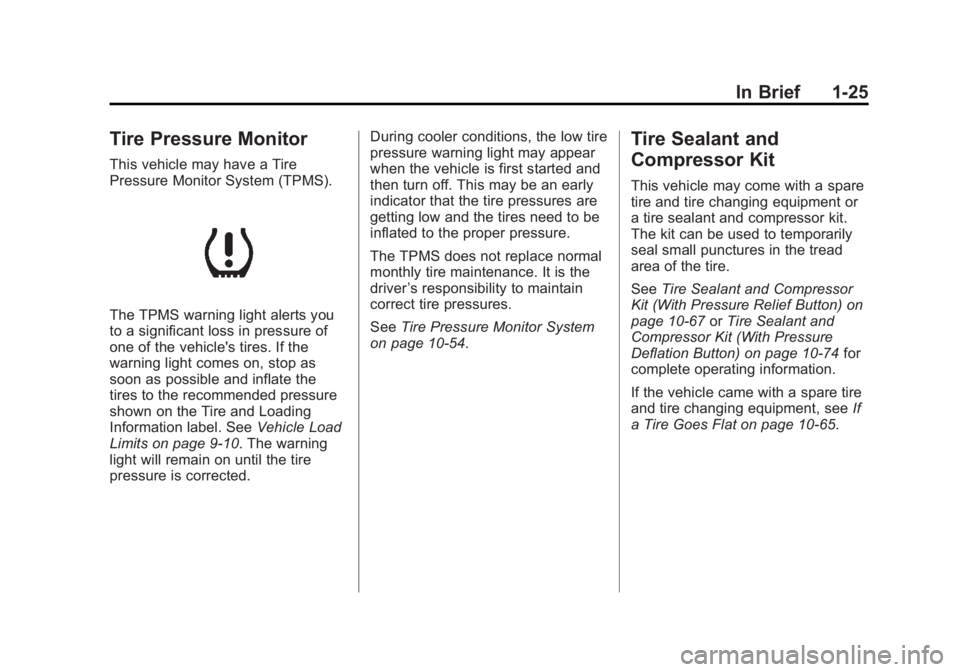
Pressure Monitor System (TPMS).
The TPMS warning light alerts you
to a significant loss in pressure of
one of the vehicle's tires. If the
warning light comes on, stop as
soon as possible and inflate the
tires to the recommended pressure
shown on the Tire and Loading
Information label. SeeVehicle Load
Limits on page 9‑10. The warning
light will remain on until the tire
pressure is corrected. During cooler conditions, the low tire
pressure warning light may appear
when the vehicle is first started and
then turn off. This may be an early
indicator that the tire pressures are
getting low and the tires need to be
inflated to the proper pressure.
The TPMS does not replace normal
monthly tire maintenance. It is the
driver
’s responsibility to maintain
correct tire pressures.
See Tire Pressure Monitor System
on page 10‑54.
Tire Sealant and
Compressor Kit
This vehicle may come with a spare
tire and tire changing equipment or
a tire sealant and compressor kit.
The kit can be used to temporarily
seal small punctures in the tread
area of the tire.
See Tire Sealant and Compressor
Kit (With Pressure Relief Button) on
page 10‑67 orTire Sealant and
Compressor Kit (With Pressure
Deflation Button) on page 10‑74 for
complete operating information.
If the vehicle came with a spare tire
and tire changing equipment, see If
a Tire Goes Flat on page 10‑65.
Page 43 of 440
Black plate (9,1)Buick Regal Owner Manual - 2012
Keys, Doors, and Windows 2-9
Canceling a Remote Start
To cancel a remote start, do one of
the following:
.Aim the RKE transmitter at the
vehicle and press and hold
/
until the parking lamps turn off.
.Turn on the hazard warning
flashers.
.Turn the vehicle on and then off.
Conditions in Which Remote Start
Will Not Work
The remote vehicle start feature will
not operate if:
.The key is in the ignition (key
access) or if the key is in the
vehicle (keyless access).
.The hood is not closed.
.The hazard warning flashers
are on.
.The malfunction indicator lamp
is on.
.The engine coolant temperature
is too high.
.The oil pressure is low.
.Two remote vehicle starts, or a
single remote start with an
extension, have already
been used.
.The vehicle is not in P (Park).
Door Locks
{WARNING
Unlocked doors can be
dangerous.
.Passengers, especially
children, can easily open the
doors and fall out of a moving
vehicle. The chance of being
thrown out of the vehicle in a
crash is increased if the
doors are not locked. So, all
passengers should wear
safety belts properly and the
doors should be locked
whenever the vehicle is
driven. (Continued)
WARNING (Continued)
.Young children who get into
unlocked vehicles may be
unable to get out. A child can
be overcome by extreme heat
and can suffer permanent
injuries or even death from
heat stroke. Always lock the
vehicle whenever leaving it.
.Outsiders can easily enter
through an unlocked door
when slowing or stopping the
vehicle. Lock the doors to
help prevent this from
happening.
To lock and unlock the door, use
the Remote Keyless Entry (RKE)
transmitter or the key from the
outside, and the door lock knob or
switch from the inside.
Page 50 of 440
Black plate (16,1)Buick Regal Owner Manual - 2012
2-16 Keys, Doors, and Windows
Interior Mirrors
Automatic Dimming
Rearview Mirror
The vehicle has an automatic
dimming inside rearview mirror.
Automatic dimming reduces the
glare from the headlamps of the
vehicle behind you.
Vehicles with OnStar
®have three
control buttons located at the
bottom of the mirror. See your
dealer for more information about
OnStar and how to subscribe to it.
See OnStar Overview on page 14‑1.
Cleaning the Mirror
Do not spray glass cleaner directly
on the mirror. Use a soft towel
dampened with water.
Windows
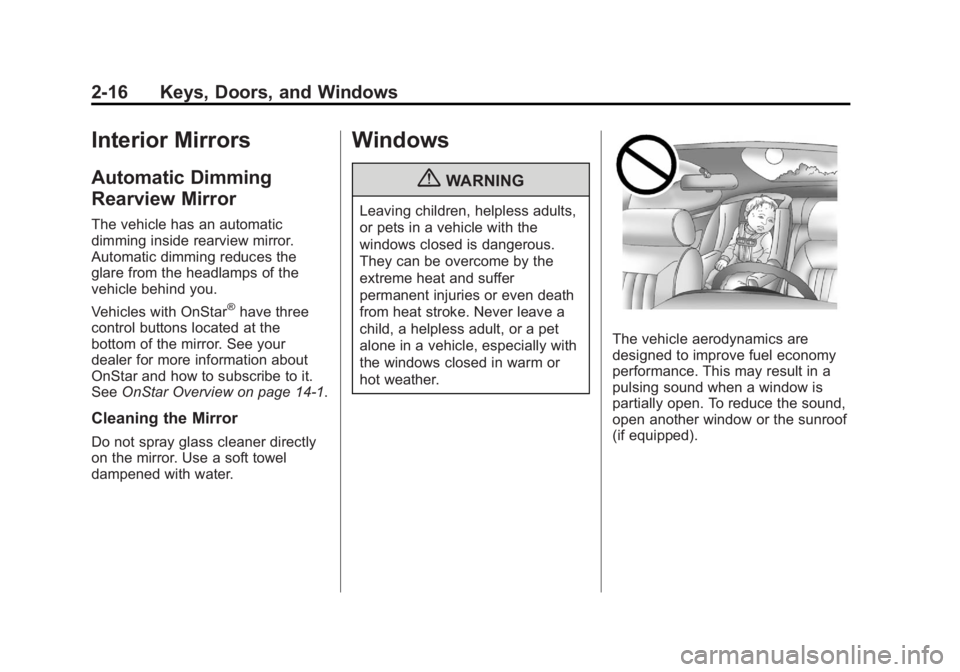
{WARNING
Leaving children, helpless adults,
or pets in a vehicle with the
windows closed is dangerous.
They can be overcome by the
extreme heat and suffer
permanent injuries or even death
from heat stroke. Never leave a
child, a helpless adult, or a pet
alone in a vehicle, especially with
the windows closed in warm or
hot weather.
The vehicle aerodynamics are
designed to improve fuel economy
performance. This may result in a
pulsing sound when a window is
partially open. To reduce the sound,
open another window or the sunroof
(if equipped).
Page 61 of 440
Black plate (7,1)Buick Regal Owner Manual - 2012
Seats and Restraints 3-7
To recline the seatback:
1. Lift the lever.
2. Move the seatback to thedesired position, and then
release the lever to lock the
seatback in place.
3. Push and pull on the seatback to make sure it is locked.
To return the seatback to the upright
position:
1. Lift the lever fully without applying pressure to the
seatback, and the seatback will
return to the upright position.
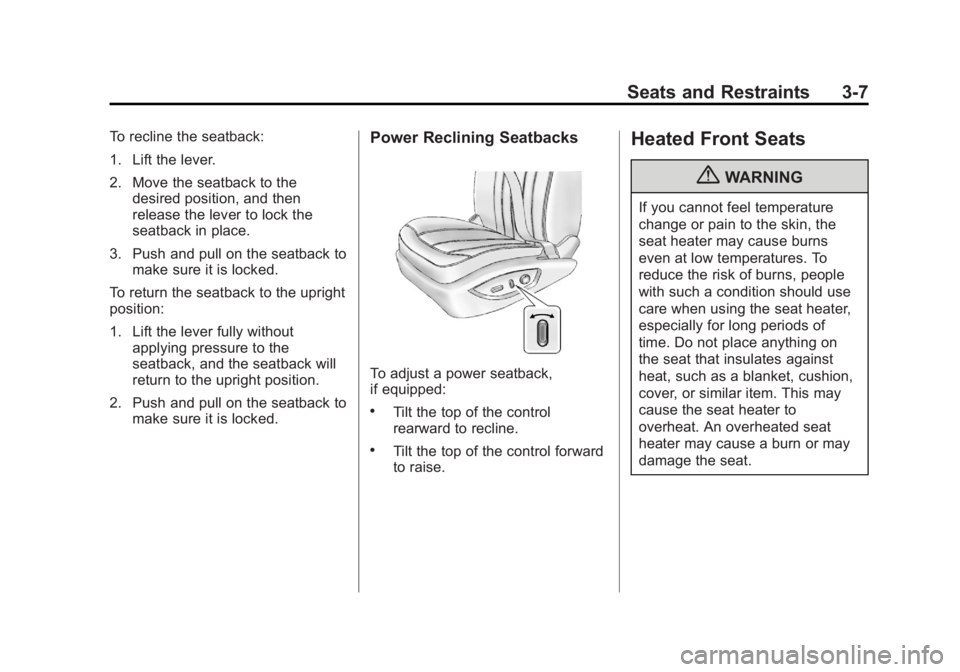
2. Push and pull on the seatback to make sure it is locked.Power Reclining Seatbacks
To adjust a power seatback,
if equipped:
.Tilt the top of the control
rearward to recline.
.Tilt the top of the control forward
to raise.
Heated Front Seats
{WARNING
If you cannot feel temperature
change or pain to the skin, the
seat heater may cause burns
even at low temperatures. To
reduce the risk of burns, people
with such a condition should use
care when using the seat heater,
especially for long periods of
time. Do not place anything on
the seat that insulates against
heat, such as a blanket, cushion,
cover, or similar item. This may
cause the seat heater to
overheat. An overheated seat
heater may cause a burn or may
damage the seat.
Page 151 of 440
Black plate (37,1)Buick Regal Owner Manual - 2012
Instruments and Controls 5-37
Press the Multifunction knob when
Auto Area Zone Temp is highlighted.
Turn the knob to highlight Single
Zone, Dual Zone, or Last Setting.
Press the knob to confirm the
selection and go back to the
last menu.
Auto Defog
This allows the auto defog function
to be turned on or off.
Press the Multifunction knob when
Auto Defog is highlighted to select
On or Off. Turn the knob to confirm
the selection and move back to the
last menu.
Auto Rear Defog
This allows the auto rear defog to
be turned on or off. This feature will
automatically turn on the rear
defogger when it is cold outside.
Press the Multifunction knob when
Auto Rear Defog is highlighted to
select On or Off. Turn the knob to
confirm the selection and move
back to the last menu.Comfort and Convenience
Select the Comfort and
Convenience menu and Chime
Volume will be displayed.
Chime Volume
This allows the selection of the
chime volume level.
Press the Multifunction knob when
Chime Volume is highlighted. Turn
the knob to select Normal or High.
Press the knob to confirm and go
back to the last menu.
Collision/Detection Systems
Select the Collision/Detection
Systems menu and Park Assist will
be displayed.
Park Assist
This allows the Ultrasonic Parking
Assist feature to be turned on or off.
Press the Multifunction knob when
Park Assist is highlighted to select
On or Off. Press BACK to return to
the last menu.
Language
Select the Language menu and the
following will be displayed:
.English
.Francais
.Espanol
Turn the Multifunction knob to select
the language. Press BACK to return
to the last menu.
Lighting
Select the Lighting menu and the
following will be displayed:
.Vehicle Locator Lights
.Exit Lighting
Vehicle Locator Lights
This allows the vehicle locator lights
to be turned on or off.
Press the Multifunction knob when
Vehicle Locator Lights is highlighted
to select On or Off. Turn the knob to
confirm and go back to the
last menu.
Page 180 of 440
Black plate (16,1)Buick Regal Owner Manual - 2012
7-16 Infotainment System
Category Lists
Most stations that broadcast an
RDS program‐type code specify the
type of programming transmitted.
Some stations change the program
type code depending on the
content. The system stores the RDS
stations sorted by program type in
the FM category list.
To search for a programming type
determined by station:
1. Press the multifunction knob.
2. Select FM Category List. A list ofall programming types available
displays.
3. Select the programming type. A list of stations that transmit
programming of the selected
type displays.
4. Select the station. The category lists are updated
when the station lists are
updated. Updating Station & Category Lists
If stations stored in the station list
can no longer be received:
1. Press the multifunction knob.
2. Select Update AM or FM Station
List, if the stations stored in the
station list are no longer
received. A station search will be
completed and the first station in
the updated list will play.
To cancel the station search, press
the multifunction knob.
Storing a Station as a Favorite
Stations from all bands can be
stored in any order in the favorite
pages.
Up to six stations can be stored in
each favorite page and the number
of available favorite pages can
be set. Storing Stations
To store the station to a position in
the list, press the corresponding
numeric button 1 to 6 until a beep is
heard. The stored station will begin
playback.
Retrieving Stations
Press the FAV 1/2/3 button to open
a favorite page or to switch to
another favorite page. Briefly press
one of the 1 to 6 buttons to retrieve
the station.
Autostore Stations
AS 1/2 (Autostore):
Autostore
searches and stores six FM and
six AM stations with the strongest
signal. To use autostore:
1. Press RADIO/BAND to select FM or AM.
2. Press AS 1/2 for at least two seconds. The radio then
searches for available stations.
3. The radio automatically stores the six strongest stations found
as autostore presets.
Page 183 of 440
Black plate (19,1)Buick Regal Owner Manual - 2012
Infotainment System 7-19
Storing Stations
To store the station to a position in
the list, press the corresponding
numeric button 1 to 6 until a beep is
heard. The stored station will begin
playback.
Retrieving Stations
Press the FAV 1/2/3 button to open
a favorite page or to switch to
another favorite page. Briefly press
one of the 1 to 6 buttons to retrieve
the station.
Autostore Stations
AS 1/2 (Autostore):Autostore
searches and stores six FM and
six AM stations with the strongest
signal. To use autostore:
1. Press SRCE to select FM or AM.
2. Press AS 1/2 for at least two seconds. The radio then
searches for available stations.
3. The radio automatically stores the six strongest stations found
as autostore presets. Press the AS 1/2 button to alternate
between the autostore stations and
favorites.
AS displays on the radio when using
autostore presets.
Autostore does not delete
previously stored favorite stations.
Autostore does not function with XM
radio stations.
Satellite Radio
For vehicles equipped with the
MyLink or IntelliLink infotainment
system, see the separate MyLink/
IntelliLink Features and Functions
Guide for more information.
Vehicles with an XM Satellite Radio
tuner and a valid XM Satellite Radio
subscription can receive XM
programming.
XM Satellite Radio Service
XM is a satellite radio service based
in the 48 contiguous United States
and 10 Canadian provinces. XM
Satellite Radio has a wide variety of programming and commercial-free
music, coast to coast, and in
digital-quality sound. A service fee
is required to receive the XM
service. If XM Service needs to be
reactivated, the radio will display
"No Subscription Please Renew" on
channel XM1. For more information,
contact XM at www.xmradio.com or
1-800-929-2100 in the U.S. and
www.xmradio.ca or
1-877-438-9677 in Canada.
Control Buttons (Radio
with CD)
The buttons used to control the XM
radio are:
RADIO/BAND:
Press to turn the
radio on and choose between AM,
FM, and XM™, if equipped.
Multifunction Knob: Turn to
search for channels and press to
navigate the available menus.
INFO: Press to display additional
information that may be available
about the current song.
Page 185 of 440
Black plate (21,1)Buick Regal Owner Manual - 2012
Infotainment System 7-21
Storing an XM Channel as a
Favorite
Channels from all bands can be
stored in any order in the favorites
pages.
Up to six channels can be stored in
each favorites page and the number
of available favorites pages can
be set.
Storing a Channel as a Favorite
To store the channel to a position
in the list, press and hold the
corresponding 1 to 6 button until the
channel can be heard again.
Retrieving Channels
Press the FAV 1/2/3 button to open
a favorites page or to change to
another favorites page. Briefly press
one of the 1 to 6 buttons to retrieve
the channel.
Control Buttons (Radio with
CD and Touchscreen)
The buttons used to control the XM
radio are:
SRCE:Press to choose between
AM, FM, XM, if equipped, and CD.
Multifunction Knob: Turn to
search for channels and press to
navigate the available menus.
INFO: Press to display additional
information that may be available
about the current song.
s ©or¨\:Press to go to the
previous or next channel.
FAV 1/2/3: Press to open the
favorites list and select favorite
pages.
Buttons 1 to 6: Press to select
preset stations. Adding or Removing Categories
1. From the Home Page press the
Config screen button or the
CONFIG button on the faceplate.
2. Select Radio Settings from the Config Menu list.
3. Select Add/Remove XM Categories.
4. From the Add/Remove XM Categories screen, select or
deselect any category to be
used in XM mode. A checkmark
will indicate that the category is
selected.
Turning XM Album Art On or Off
1. From the Home Page press the Config screen button or the
CONFIG button on the faceplate.
2. Select Radio Settings from the Config Menu list.
3. Select XM Album Art to turn on or off.