instrument cluster BUICK REGAL 2013 User Guide
[x] Cancel search | Manufacturer: BUICK, Model Year: 2013, Model line: REGAL, Model: BUICK REGAL 2013Pages: 412, PDF Size: 6.06 MB
Page 117 of 412
Black plate (13,1)Buick Regal Owner Manual - 2013 - crc - 11/5/12
Instruments and Controls 5-13
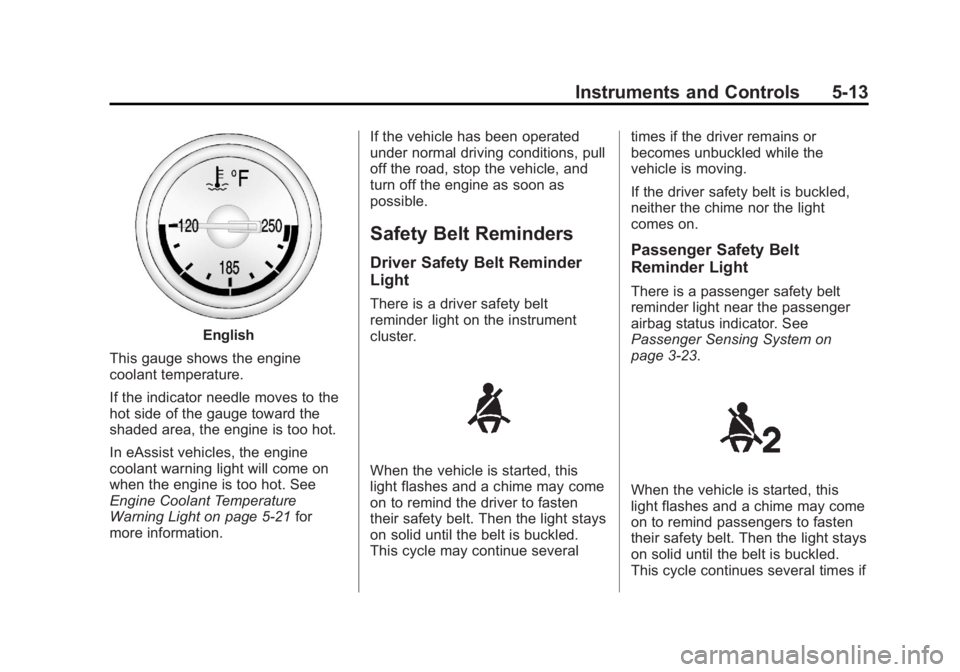
English
This gauge shows the engine
coolant temperature.
If the indicator needle moves to the
hot side of the gauge toward the
shaded area, the engine is too hot.
In eAssist vehicles, the engine
coolant warning light will come on
when the engine is too hot. See
Engine Coolant Temperature
Warning Light on page 5‑21 for
more information. If the vehicle has been operated
under normal driving conditions, pull
off the road, stop the vehicle, and
turn off the engine as soon as
possible.
Safety Belt Reminders
Driver Safety Belt Reminder
Light
There is a driver safety belt
reminder light on the instrument
cluster.
When the vehicle is started, this
light flashes and a chime may come
on to remind the driver to fasten
their safety belt. Then the light stays
on solid until the belt is buckled.
This cycle may continue severaltimes if the driver remains or
becomes unbuckled while the
vehicle is moving.
If the driver safety belt is buckled,
neither the chime nor the light
comes on.
Passenger Safety Belt
Reminder Light
There is a passenger safety belt
reminder light near the passenger
airbag status indicator. See
Passenger Sensing System on
page 3‑23.
When the vehicle is started, this
light flashes and a chime may come
on to remind passengers to fasten
their safety belt. Then the light stays
on solid until the belt is buckled.
This cycle continues several times if
Page 128 of 412
Black plate (24,1)Buick Regal Owner Manual - 2013 - crc - 11/5/12
5-24 Instruments and Controls
The light goes out when the fog
lamps are turned off. SeeFog
Lamps on page 6‑4 for more
information.
Lamps On Reminder
For vehicles with the lamps on
reminder light, it comes on when the
lights are in use.
Cruise Control Light
For vehicles with cruise control, the
cruise control light is white when the
cruise control is on and ready, and
turns green when the cruise control
is set and active.
The light turns off when the cruise
control is turned off. See Cruise
Control on page 9‑41.
Door Ajar Light
When the ignition is on, this light
stays on until all doors are closed
and completely latched.
If a door is not closed properly, a
chime sounds after the engine is
started and the vehicle is not in
P (Park).
Information Displays
Driver Information
Center (DIC)
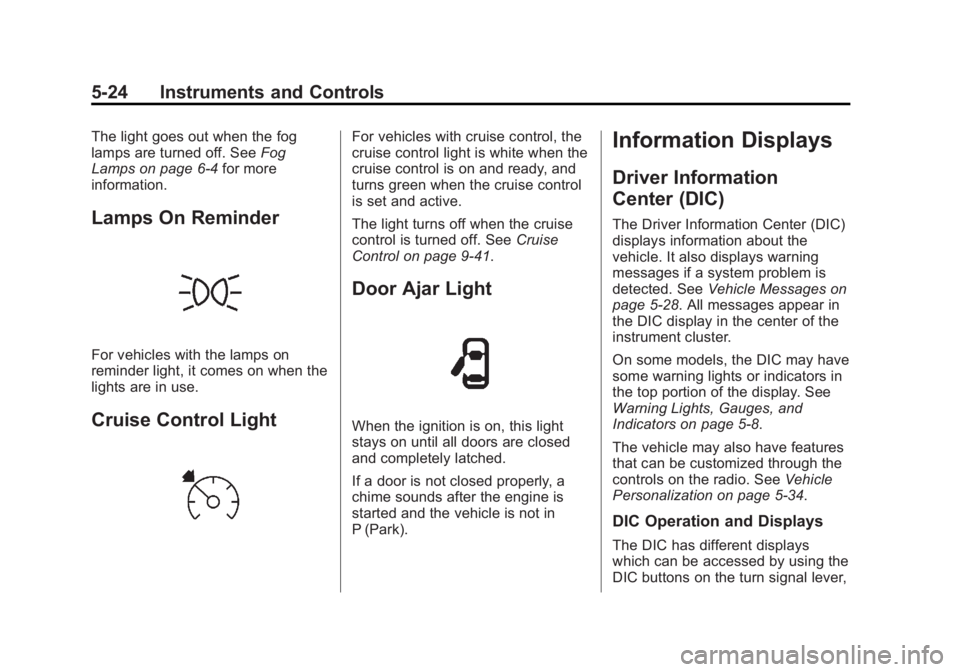
The Driver Information Center (DIC)
displays information about the
vehicle. It also displays warning
messages if a system problem is
detected. See Vehicle Messages on
page 5‑28. All messages appear in
the DIC display in the center of the
instrument cluster.
On some models, the DIC may have
some warning lights or indicators in
the top portion of the display. See
Warning Lights, Gauges, and
Indicators on page 5‑8.
The vehicle may also have features
that can be customized through the
controls on the radio. See Vehicle
Personalization on page 5‑34.
DIC Operation and Displays
The DIC has different displays
which can be accessed by using the
DIC buttons on the turn signal lever,
Page 131 of 412
Black plate (27,1)Buick Regal Owner Manual - 2013 - crc - 11/5/12
Instruments and Controls 5-27
Vehicle Information Menu
(OPTION) Items
Press MENU on the turn signal
lever until the OPTION menu is
displayed. Use
w/xto scroll
through the following menu items:
.Unit
.Tire Pressure
.Remaining Oil Life
.Jump Start (eAssist Only)
Unit
Move
w/xto switch between
metric or US when the Unit display
is active. Press SET/CLR to confirm
the setting. This will change the
displays on the cluster and DIC to
either metric or English (US)
measurements.
Tire Pressure
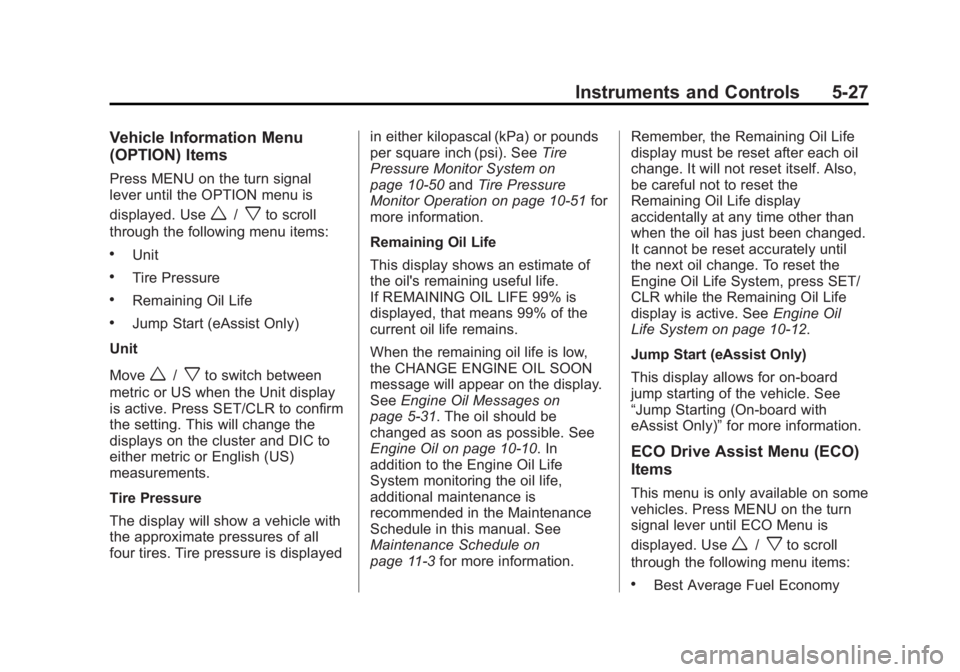
The display will show a vehicle with
the approximate pressures of all
four tires. Tire pressure is displayed in either kilopascal (kPa) or pounds
per square inch (psi). See
Tire
Pressure Monitor System on
page 10‑50 andTire Pressure
Monitor Operation on page 10‑51 for
more information.
Remaining Oil Life
This display shows an estimate of
the oil's remaining useful life.
If REMAINING OIL LIFE 99% is
displayed, that means 99% of the
current oil life remains.
When the remaining oil life is low,
the CHANGE ENGINE OIL SOON
message will appear on the display.
See Engine Oil Messages on
page 5‑31. The oil should be
changed as soon as possible. See
Engine Oil on page 10‑10. In
addition to the Engine Oil Life
System monitoring the oil life,
additional maintenance is
recommended in the Maintenance
Schedule in this manual. See
Maintenance Schedule on
page 11‑3 for more information. Remember, the Remaining Oil Life
display must be reset after each oil
change. It will not reset itself. Also,
be careful not to reset the
Remaining Oil Life display
accidentally at any time other than
when the oil has just been changed.
It cannot be reset accurately until
the next oil change. To reset the
Engine Oil Life System, press SET/
CLR while the Remaining Oil Life
display is active. See
Engine Oil
Life System on page 10‑12.
Jump Start (eAssist Only)
This display allows for on-board
jump starting of the vehicle. See
“Jump Starting (On-board with
eAssist Only)” for more information.
ECO Drive Assist Menu (ECO)
Items
This menu is only available on some
vehicles. Press MENU on the turn
signal lever until ECO Menu is
displayed. Use
w/xto scroll
through the following menu items:
.Best Average Fuel Economy
Page 148 of 412
Black plate (2,1)Buick Regal Owner Manual - 2013 - crc - 11/5/12
6-2 Lighting
Exterior Lamps Off
Reminder
A warning chime sounds if the driver
door is opened while the ignition is
off and the exterior lamps are on.
Headlamp High/
Low-Beam Changer
2 3
(Headlamp High/Low-Beam
Changer): Push the turn signal
lever away from you and release, to
turn the high beams on. To return to
low beams, push the lever again or
pull it toward you and release.
This indicator light turns on in the
instrument cluster when the
high-beam headlamps are on.
Flash-to-Pass
To flash the high beams, pull the
turn signal lever toward you, and
release.
Daytime Running
Lamps (DRL)
Daytime Running Lamps (DRL) can
make it easier for others to see the
front of your vehicle during the day.
Fully functional daytime running
lamps are required on all vehicles
first sold in Canada.
The DRL system turns on the
low-beam headlamps at a reduced
brightness. For vehicles with High
Intensity Discharge (HID)
headlamps, the dedicated DRL will
come on when all of the following
conditions are met:
.The ignition is on.
.The exterior lamps control is
in AUTO.
.The light sensor determines it is
daytime.
.The parking brake is released or
the vehicle is not in P (Park).
When the DRL are on, the
low-beam headlamps will be on.
The taillamps, sidemarker lamps,
instrument panel lights, and other
lamps will not be on.
The DRL turn off when the
headlamps are turned to
Oor the
ignition is off.
This vehicle may have a DRL
disabling function. When the DRL
are on and a turn signal is activated,
the DRL on that side will be off until
the turn signal goes off.
Automatic Headlamp
System
When the exterior lamp control is
set to AUTO and it is dark enough
outside, the headlamps come on
automatically.
Page 149 of 412
Black plate (3,1)Buick Regal Owner Manual - 2013 - crc - 11/5/12
Lighting 6-3
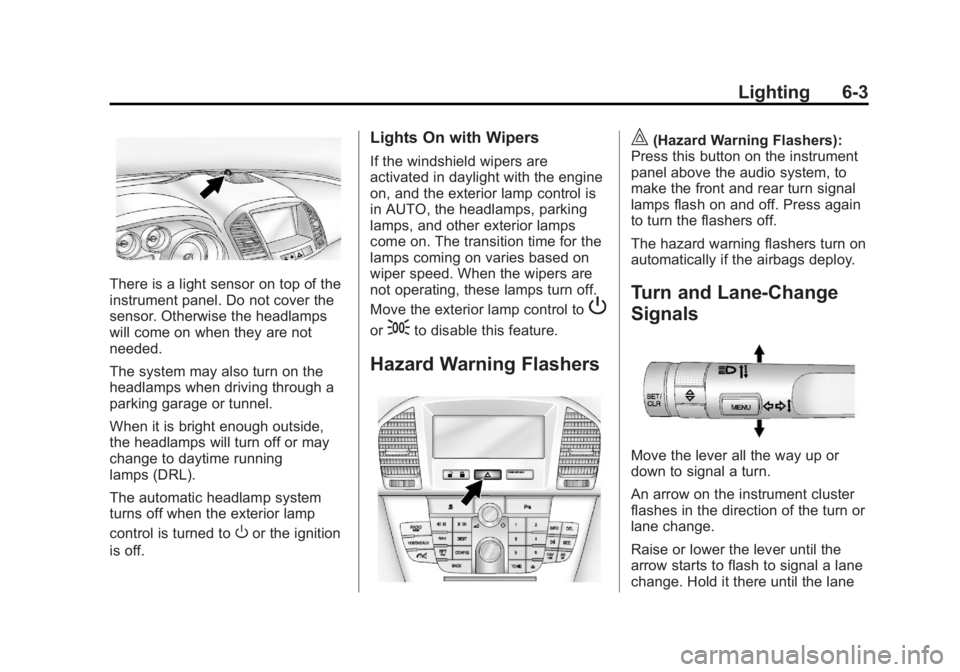
There is a light sensor on top of the
instrument panel. Do not cover the
sensor. Otherwise the headlamps
will come on when they are not
needed.
The system may also turn on the
headlamps when driving through a
parking garage or tunnel.
When it is bright enough outside,
the headlamps will turn off or may
change to daytime running
lamps (DRL).
The automatic headlamp system
turns off when the exterior lamp
control is turned to
Oor the ignition
is off.
Lights On with Wipers
If the windshield wipers are
activated in daylight with the engine
on, and the exterior lamp control is
in AUTO, the headlamps, parking
lamps, and other exterior lamps
come on. The transition time for the
lamps coming on varies based on
wiper speed. When the wipers are
not operating, these lamps turn off.
Move the exterior lamp control to
P
or;to disable this feature.
Hazard Warning Flashers
|(Hazard Warning Flashers):
Press this button on the instrument
panel above the audio system, to
make the front and rear turn signal
lamps flash on and off. Press again
to turn the flashers off.
The hazard warning flashers turn on
automatically if the airbags deploy.
Turn and Lane-Change
Signals
Move the lever all the way up or
down to signal a turn.
An arrow on the instrument cluster
flashes in the direction of the turn or
lane change.
Raise or lower the lever until the
arrow starts to flash to signal a lane
change. Hold it there until the lane
Page 150 of 412
Black plate (4,1)Buick Regal Owner Manual - 2013 - crc - 11/5/12
6-4 Lighting
change is completed. If the lever is
briefly pressed and released, the
turn signal flashes three times.
The turn and lane-change signal
can be turned off manually by
moving the lever back to its original
position.
If after signaling a turn or lane
change, the arrow flashes rapidly or
does not come on, a signal bulb
may be burned out.
Replace any burned out bulbs. If a
bulb is not burned out, check the
fuse. SeeFuses and Circuit
Breakers on page 10‑35.
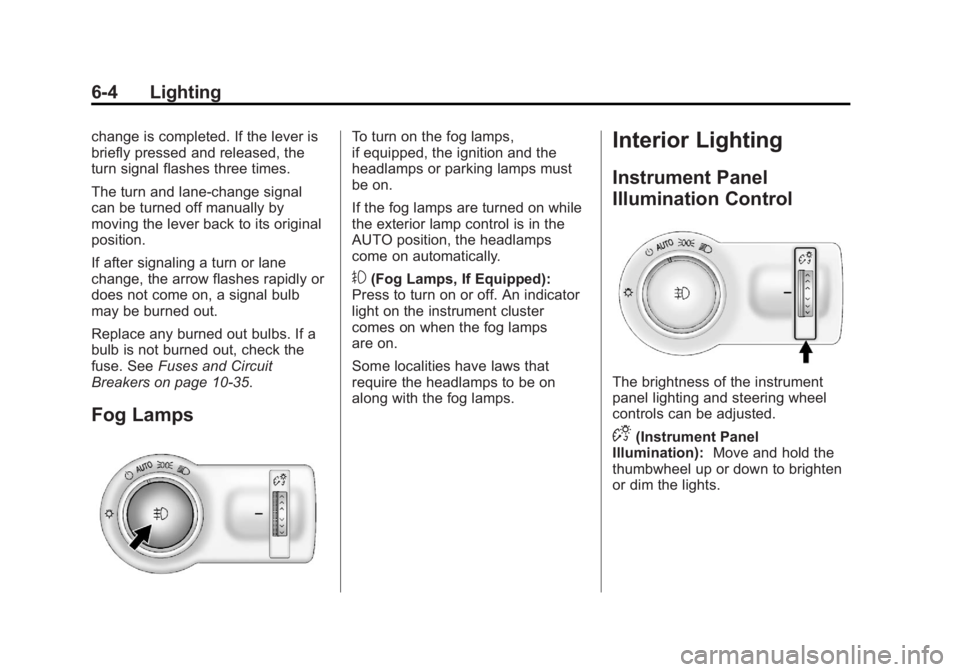
Fog Lamps
To turn on the fog lamps,
if equipped, the ignition and the
headlamps or parking lamps must
be on.
If the fog lamps are turned on while
the exterior lamp control is in the
AUTO position, the headlamps
come on automatically.
#(Fog Lamps, If Equipped):
Press to turn on or off. An indicator
light on the instrument cluster
comes on when the fog lamps
are on.
Some localities have laws that
require the headlamps to be on
along with the fog lamps.
Interior Lighting
Instrument Panel
Illumination Control
The brightness of the instrument
panel lighting and steering wheel
controls can be adjusted.
D(Instrument Panel
Illumination): Move and hold the
thumbwheel up or down to brighten
or dim the lights.
Page 223 of 412
Black plate (27,1)Buick Regal Owner Manual - 2013 - crc - 11/5/12
Driving and Operating 9-27
Automatic
Transmission
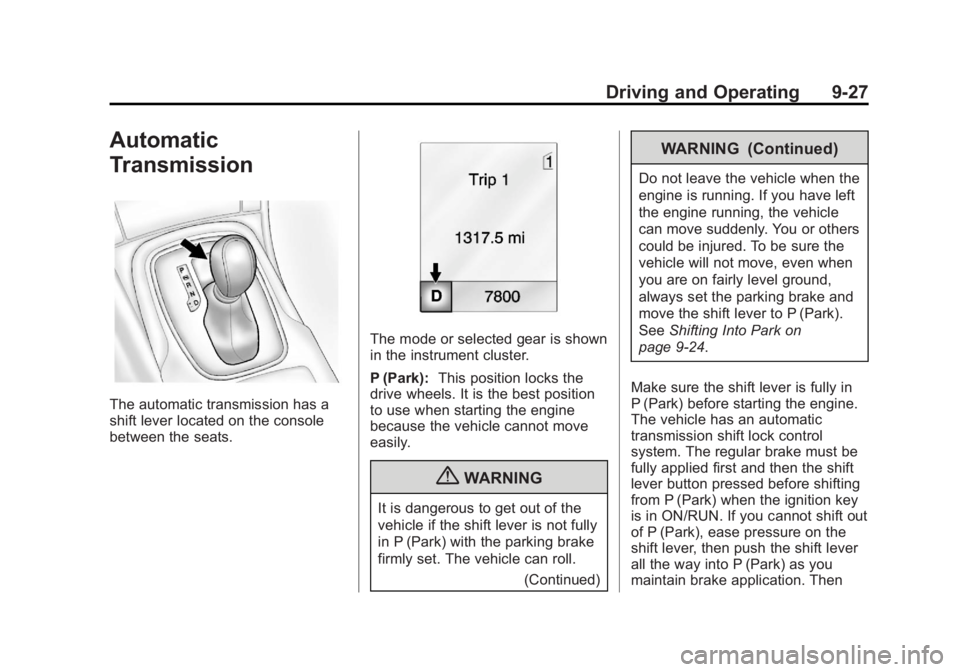
The automatic transmission has a
shift lever located on the console
between the seats.
The mode or selected gear is shown
in the instrument cluster.
P (Park):This position locks the
drive wheels. It is the best position
to use when starting the engine
because the vehicle cannot move
easily.
{WARNING
It is dangerous to get out of the
vehicle if the shift lever is not fully
in P (Park) with the parking brake
firmly set. The vehicle can roll.
(Continued)
WARNING (Continued)
Do not leave the vehicle when the
engine is running. If you have left
the engine running, the vehicle
can move suddenly. You or others
could be injured. To be sure the
vehicle will not move, even when
you are on fairly level ground,
always set the parking brake and
move the shift lever to P (Park).
SeeShifting Into Park on
page 9‑24.
Make sure the shift lever is fully in
P (Park) before starting the engine.
The vehicle has an automatic
transmission shift lock control
system. The regular brake must be
fully applied first and then the shift
lever button pressed before shifting
from P (Park) when the ignition key
is in ON/RUN. If you cannot shift out
of P (Park), ease pressure on the
shift lever, then push the shift lever
all the way into P (Park) as you
maintain brake application. Then
Page 226 of 412
Black plate (30,1)Buick Regal Owner Manual - 2013 - crc - 11/5/12
9-30 Driving and Operating
Manual Transmission
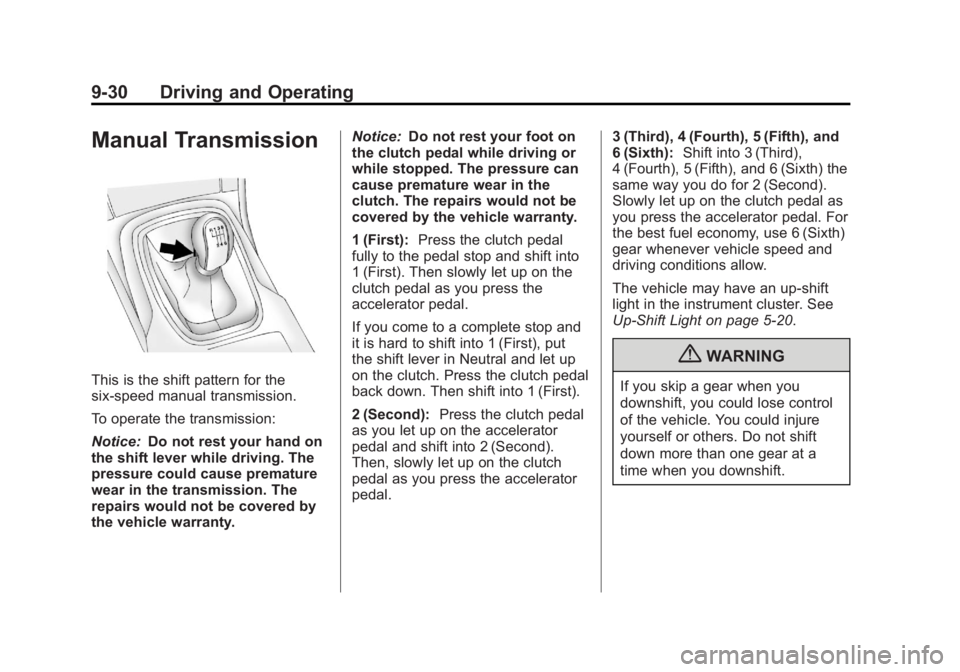
This is the shift pattern for the
six-speed manual transmission.
To operate the transmission:
Notice:Do not rest your hand on
the shift lever while driving. The
pressure could cause premature
wear in the transmission. The
repairs would not be covered by
the vehicle warranty. Notice:
Do not rest your foot on
the clutch pedal while driving or
while stopped. The pressure can
cause premature wear in the
clutch. The repairs would not be
covered by the vehicle warranty.
1 (First): Press the clutch pedal
fully to the pedal stop and shift into
1 (First). Then slowly let up on the
clutch pedal as you press the
accelerator pedal.
If you come to a complete stop and
it is hard to shift into 1 (First), put
the shift lever in Neutral and let up
on the clutch. Press the clutch pedal
back down. Then shift into 1 (First).
2 (Second): Press the clutch pedal
as you let up on the accelerator
pedal and shift into 2 (Second).
Then, slowly let up on the clutch
pedal as you press the accelerator
pedal. 3 (Third), 4 (Fourth), 5 (Fifth), and
6 (Sixth):
Shift into 3 (Third),
4 (Fourth), 5 (Fifth), and 6 (Sixth) the
same way you do for 2 (Second).
Slowly let up on the clutch pedal as
you press the accelerator pedal. For
the best fuel economy, use 6 (Sixth)
gear whenever vehicle speed and
driving conditions allow.
The vehicle may have an up-shift
light in the instrument cluster. See
Up-Shift Light on page 5‑20.
{WARNING
If you skip a gear when you
downshift, you could lose control
of the vehicle. You could injure
yourself or others. Do not shift
down more than one gear at a
time when you downshift.
Page 233 of 412
Black plate (37,1)Buick Regal Owner Manual - 2013 - crc - 11/5/12
Driving and Operating 9-37
StabiliTrak activates when the
computer senses a difference
between the intended path and the
direction the vehicle is actually
traveling. StabiliTrak selectively
applies braking pressure to the
vehicle brakes to help steer the
vehicle in the intended direction.
StabiliTrak comes on automatically
whenever the vehicle is started. To
assist with directional control of the
vehicle, the system should always
be left on.
When StabiliTrak activates,
d
flashes on the instrument cluster.
A noise may be heard or vibration
may be felt in the brake pedal. This
is normal. Continue to steer the
vehicle in the intended direction.
SeeTraction Control System (TCS)/
StabiliTrak
®Light on page 5‑20. If a problem is detected with
StabiliTrak, the appropriate
message is displayed in the Driver
Information Center (DIC). See
Ride
Control System Messages on
page 5‑32. When this message is
displayed and
dcomes on and
stays on, the vehicle is safe to drive
but the system is not operational.
Driving should be adjusted
accordingly.
If
dcomes on and stays on, reset
the system. To reset:
1. Stop the vehicle.
2. Turn the engine off and wait 15 seconds.
3. Start the engine.
If
dstill comes on and stays on, the
vehicle needs service.
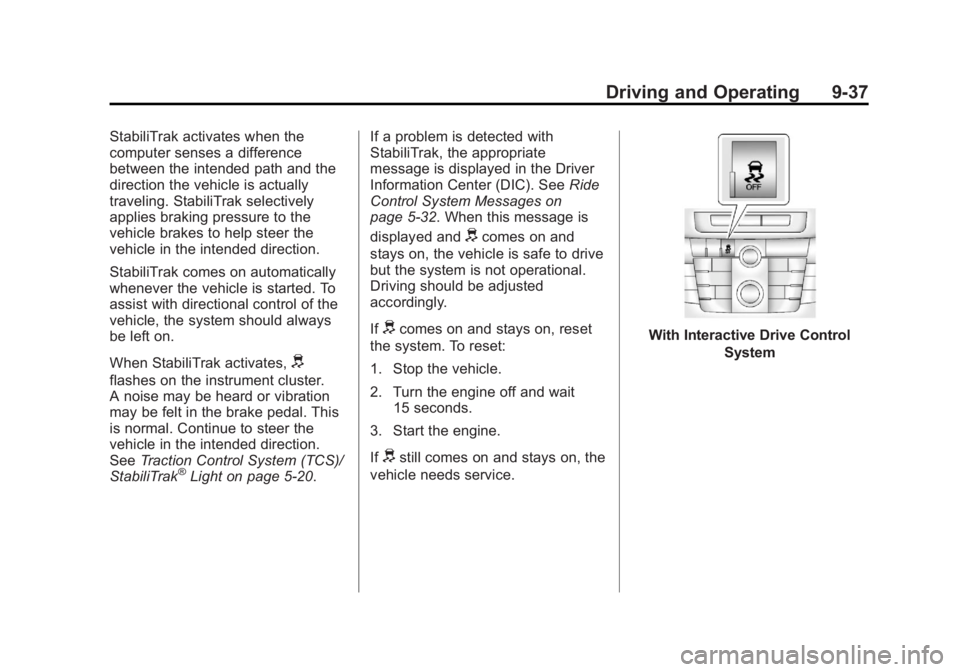
With Interactive Drive Control
System
Page 237 of 412
Black plate (41,1)Buick Regal Owner Manual - 2013 - crc - 11/5/12
Driving and Operating 9-41
GS Mode
.Additional stiffness in the shock
absorbers for increased body
control.
.The powertrain reacts more
quickly to the accelerator pedal.
.Power steering assistance is
reduced.
There is no automatic Drive Mode
Control (DMC) in this vehicle.
Cruise Control
With cruise control, the vehicle can
maintain a speed of about 40 km/h
(25 mph) or more without keeping
your foot on the accelerator. Cruise
control does not work at speeds
below 40 km/h (25 mph).
On vehicles with the Traction
Control System (TCS) or StabiliTrak,
the system may begin to limit wheel
spin while you are using cruise
control. If this happens, the cruise
control will automatically disengage.
See Traction Control System (TCS)
on page 9‑35 orStabiliTrak
®System
on page 9‑36.
{WARNING
Cruise control can be dangerous
where you cannot drive safely at
a steady speed. So, do not use
the cruise control on winding
roads or in heavy traffic.
(Continued)
WARNING (Continued)
Cruise control can be dangerous
on slippery roads. On such roads,
fast changes in tire traction can
cause excessive wheel slip, and
you could lose control. Do not use
cruise control on slippery roads.
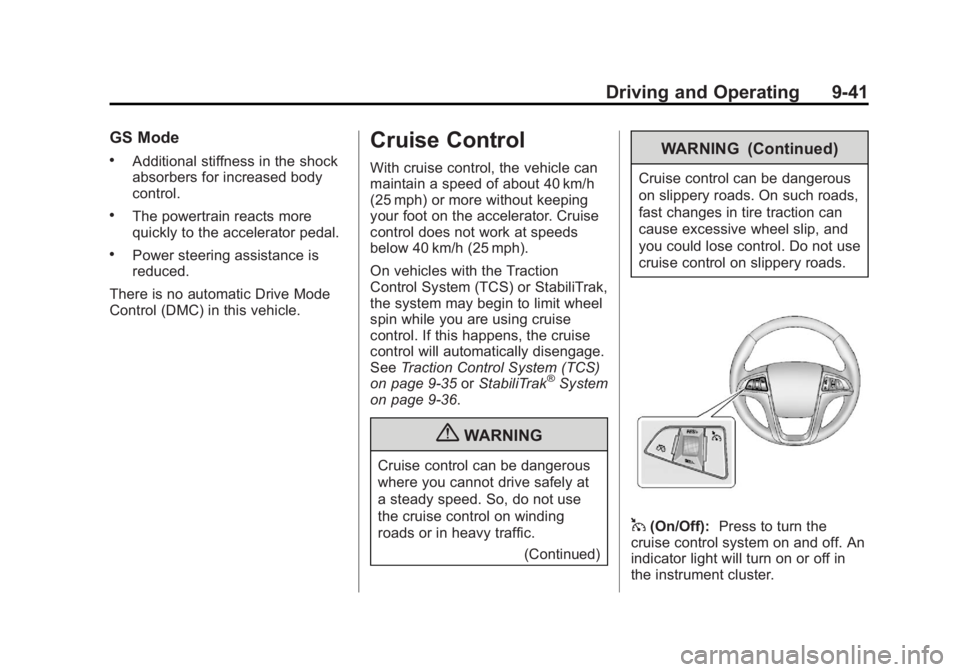
1(On/Off):Press to turn the
cruise control system on and off. An
indicator light will turn on or off in
the instrument cluster.