wheel BUICK REGAL 2013 Owner's Manual
[x] Cancel search | Manufacturer: BUICK, Model Year: 2013, Model line: REGAL, Model: BUICK REGAL 2013Pages: 412, PDF Size: 6.06 MB
Page 1 of 412
Black plate (1,1)Buick Regal Owner Manual - 2013 - crc - 11/5/12
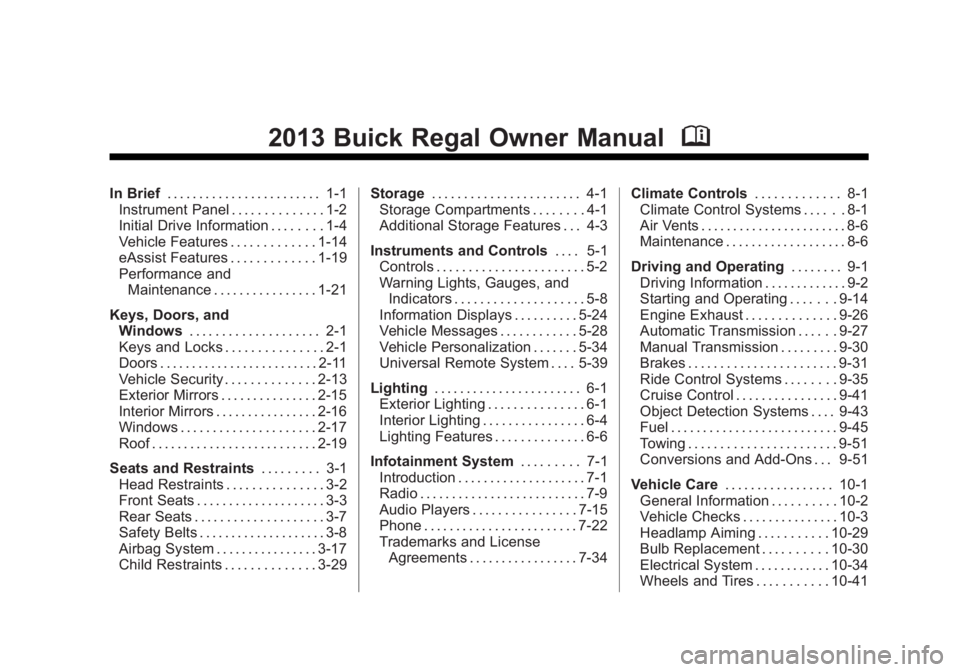
2013 Buick Regal Owner ManualM
In Brief. . . . . . . . . . . . . . . . . . . . . . . . 1-1
Instrument Panel . . . . . . . . . . . . . . 1-2
Initial Drive Information . . . . . . . . 1-4
Vehicle Features . . . . . . . . . . . . . 1-14
eAssist Features . . . . . . . . . . . . . 1-19
Performance and
Maintenance . . . . . . . . . . . . . . . . 1-21
Keys, Doors, and Windows . . . . . . . . . . . . . . . . . . . . 2-1
Keys and Locks . . . . . . . . . . . . . . . 2-1
Doors . . . . . . . . . . . . . . . . . . . . . . . . . 2-11
Vehicle Security . . . . . . . . . . . . . . 2-13
Exterior Mirrors . . . . . . . . . . . . . . . 2-15
Interior Mirrors . . . . . . . . . . . . . . . . 2-16
Windows . . . . . . . . . . . . . . . . . . . . . 2-17
Roof . . . . . . . . . . . . . . . . . . . . . . . . . . 2-19
Seats and Restraints . . . . . . . . . 3-1
Head Restraints . . . . . . . . . . . . . . . 3-2
Front Seats . . . . . . . . . . . . . . . . . . . . 3-3
Rear Seats . . . . . . . . . . . . . . . . . . . . 3-7
Safety Belts . . . . . . . . . . . . . . . . . . . . 3-8
Airbag System . . . . . . . . . . . . . . . . 3-17
Child Restraints . . . . . . . . . . . . . . 3-29 Storage
. . . . . . . . . . . . . . . . . . . . . . . 4-1
Storage Compartments . . . . . . . . 4-1
Additional Storage Features . . . 4-3
Instruments and Controls . . . . 5-1
Controls . . . . . . . . . . . . . . . . . . . . . . . 5-2
Warning Lights, Gauges, and
Indicators . . . . . . . . . . . . . . . . . . . . 5-8
Information Displays . . . . . . . . . . 5-24
Vehicle Messages . . . . . . . . . . . . 5-28
Vehicle Personalization . . . . . . . 5-34
Universal Remote System . . . . 5-39
Lighting . . . . . . . . . . . . . . . . . . . . . . . 6-1
Exterior Lighting . . . . . . . . . . . . . . . 6-1
Interior Lighting . . . . . . . . . . . . . . . . 6-4
Lighting Features . . . . . . . . . . . . . . 6-6
Infotainment System . . . . . . . . . 7-1
Introduction . . . . . . . . . . . . . . . . . . . . 7-1
Radio . . . . . . . . . . . . . . . . . . . . . . . . . . 7-9
Audio Players . . . . . . . . . . . . . . . . 7-15
Phone . . . . . . . . . . . . . . . . . . . . . . . . 7-22
Trademarks and License Agreements . . . . . . . . . . . . . . . . . 7-34 Climate Controls
. . . . . . . . . . . . . 8-1
Climate Control Systems . . . . . . 8-1
Air Vents . . . . . . . . . . . . . . . . . . . . . . . 8-6
Maintenance . . . . . . . . . . . . . . . . . . . 8-6
Driving and Operating . . . . . . . . 9-1
Driving Information . . . . . . . . . . . . . 9-2
Starting and Operating . . . . . . . 9-14
Engine Exhaust . . . . . . . . . . . . . . 9-26
Automatic Transmission . . . . . . 9-27
Manual Transmission . . . . . . . . . 9-30
Brakes . . . . . . . . . . . . . . . . . . . . . . . 9-31
Ride Control Systems . . . . . . . . 9-35
Cruise Control . . . . . . . . . . . . . . . . 9-41
Object Detection Systems . . . . 9-43
Fuel . . . . . . . . . . . . . . . . . . . . . . . . . . 9-45
Towing . . . . . . . . . . . . . . . . . . . . . . . 9-51
Conversions and Add-Ons . . . 9-51
Vehicle Care . . . . . . . . . . . . . . . . . 10-1
General Information . . . . . . . . . . 10-2
Vehicle Checks . . . . . . . . . . . . . . . 10-3
Headlamp Aiming . . . . . . . . . . . 10-29
Bulb Replacement . . . . . . . . . . 10-30
Electrical System . . . . . . . . . . . . 10-34
Wheels and Tires . . . . . . . . . . . 10-41
Page 5 of 412
Black plate (5,1)Buick Regal Owner Manual - 2013 - crc - 11/5/12
Introduction v
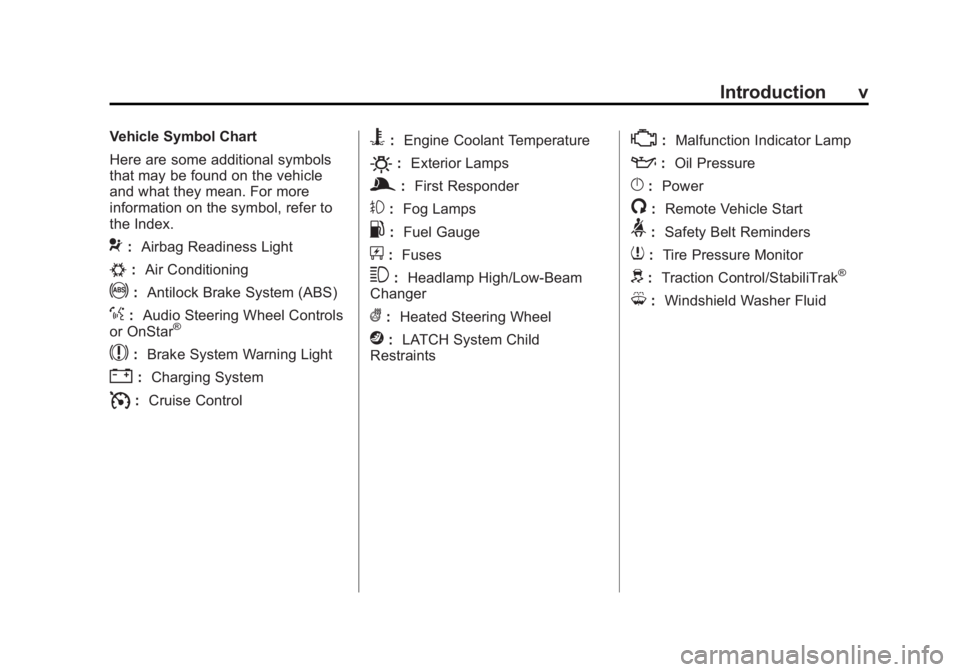
Vehicle Symbol Chart
Here are some additional symbols
that may be found on the vehicle
and what they mean. For more
information on the symbol, refer to
the Index.
9:Airbag Readiness Light
#:Air Conditioning
!:Antilock Brake System (ABS)
%:Audio Steering Wheel Controls
or OnStar®
$: Brake System Warning Light
":Charging System
I:Cruise Control
B: Engine Coolant Temperature
O:Exterior Lamps
g:First Responder
#:Fog Lamps
.: Fuel Gauge
+:Fuses
3: Headlamp High/Low-Beam
Changer
(: Heated Steering Wheel
j:LATCH System Child
Restraints
*: Malfunction Indicator Lamp
::Oil Pressure
}:Power
/:Remote Vehicle Start
>:Safety Belt Reminders
7:Tire Pressure Monitor
d:Traction Control/StabiliTrak®
M:Windshield Washer Fluid
Page 7 of 412
Black plate (1,1)Buick Regal Owner Manual - 2013 - crc - 11/5/12
In Brief 1-1
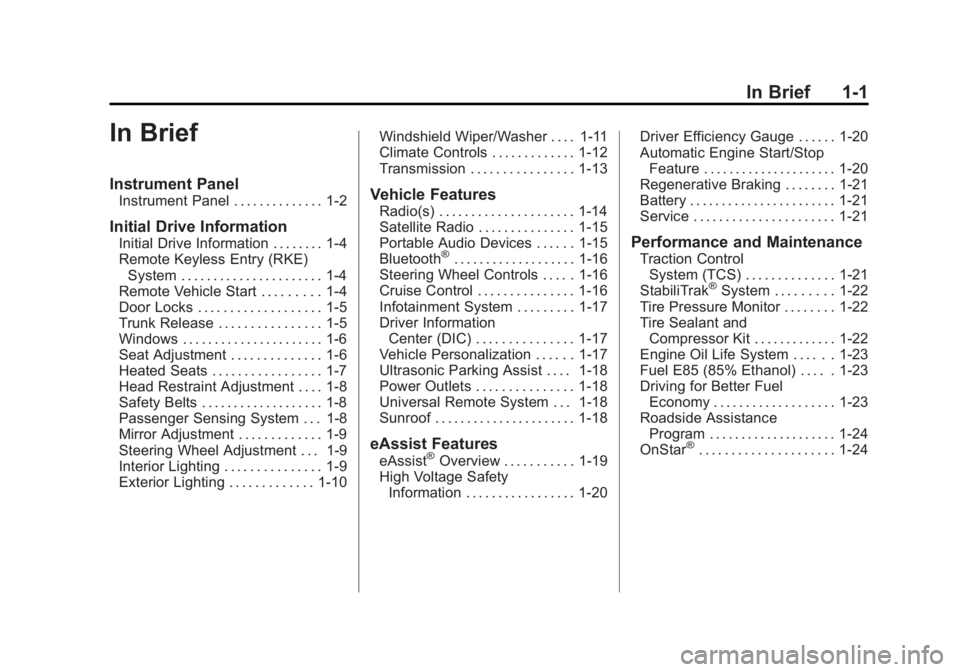
In Brief
Instrument Panel
Instrument Panel . . . . . . . . . . . . . . 1-2
Initial Drive Information
Initial Drive Information . . . . . . . . 1-4
Remote Keyless Entry (RKE)System . . . . . . . . . . . . . . . . . . . . . . 1-4
Remote Vehicle Start . . . . . . . . . 1-4
Door Locks . . . . . . . . . . . . . . . . . . . 1-5
Trunk Release . . . . . . . . . . . . . . . . 1-5
Windows . . . . . . . . . . . . . . . . . . . . . . 1-6
Seat Adjustment . . . . . . . . . . . . . . 1-6
Heated Seats . . . . . . . . . . . . . . . . . 1-7
Head Restraint Adjustment . . . . 1-8
Safety Belts . . . . . . . . . . . . . . . . . . . 1-8
Passenger Sensing System . . . 1-8
Mirror Adjustment . . . . . . . . . . . . . 1-9
Steering Wheel Adjustment . . . 1-9
Interior Lighting . . . . . . . . . . . . . . . 1-9
Exterior Lighting . . . . . . . . . . . . . 1-10 Windshield Wiper/Washer . . . . 1-11
Climate Controls . . . . . . . . . . . . . 1-12
Transmission . . . . . . . . . . . . . . . . 1-13
Vehicle Features
Radio(s) . . . . . . . . . . . . . . . . . . . . . 1-14
Satellite Radio . . . . . . . . . . . . . . . 1-15
Portable Audio Devices . . . . . . 1-15
Bluetooth
®. . . . . . . . . . . . . . . . . . . 1-16
Steering Wheel Controls . . . . . 1-16
Cruise Control . . . . . . . . . . . . . . . 1-16
Infotainment System . . . . . . . . . 1-17
Driver Information Center (DIC) . . . . . . . . . . . . . . . 1-17
Vehicle Personalization . . . . . . 1-17
Ultrasonic Parking Assist . . . . 1-18
Power Outlets . . . . . . . . . . . . . . . 1-18
Universal Remote System . . . 1-18
Sunroof . . . . . . . . . . . . . . . . . . . . . . 1-18
eAssist Features
eAssist®Overview . . . . . . . . . . . 1-19
High Voltage Safety Information . . . . . . . . . . . . . . . . . 1-20 Driver Efficiency Gauge . . . . . . 1-20
Automatic Engine Start/Stop
Feature . . . . . . . . . . . . . . . . . . . . . 1-20
Regenerative Braking . . . . . . . . 1-21
Battery . . . . . . . . . . . . . . . . . . . . . . . 1-21
Service . . . . . . . . . . . . . . . . . . . . . . 1-21
Performance and Maintenance
Traction Control System (TCS) . . . . . . . . . . . . . . 1-21
StabiliTrak
®System . . . . . . . . . 1-22
Tire Pressure Monitor . . . . . . . . 1-22
Tire Sealant and Compressor Kit . . . . . . . . . . . . . 1-22
Engine Oil Life System . . . . . . 1-23
Fuel E85 (85% Ethanol) . . . . . 1-23
Driving for Better Fuel Economy . . . . . . . . . . . . . . . . . . . 1-23
Roadside Assistance Program . . . . . . . . . . . . . . . . . . . . 1-24
OnStar
®. . . . . . . . . . . . . . . . . . . . . 1-24
Page 9 of 412
Black plate (3,1)Buick Regal Owner Manual - 2013 - crc - 11/5/12
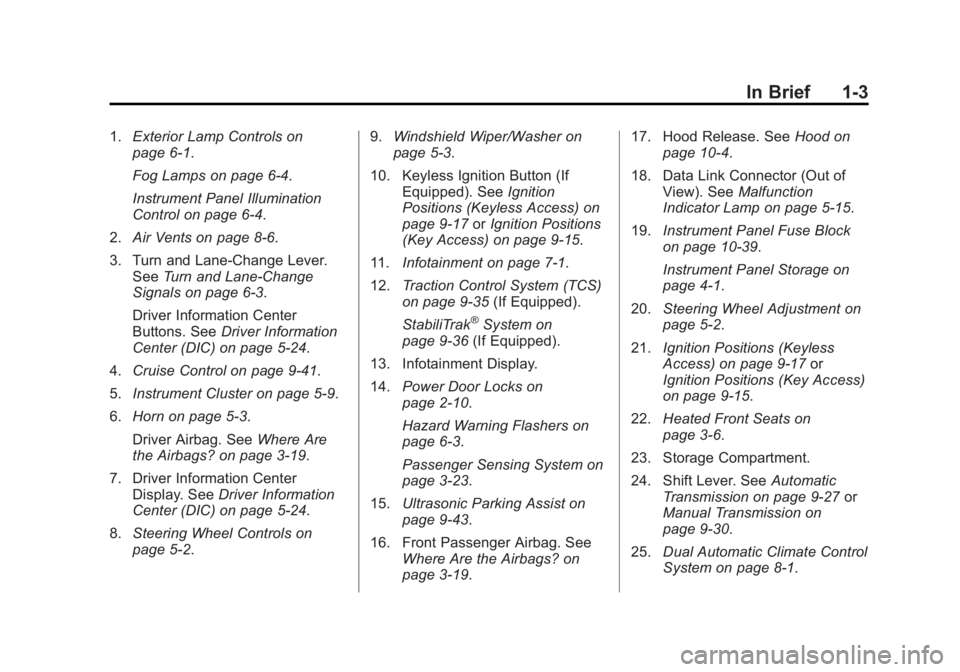
In Brief 1-3
1.Exterior Lamp Controls on
page 6‑1.
Fog Lamps on page 6‑4.
Instrument Panel Illumination
Control on page 6‑4.
2. Air Vents on page 8‑6.
3. Turn and Lane-Change Lever. See Turn and Lane-Change
Signals on page 6‑3.
Driver Information Center
Buttons. See Driver Information
Center (DIC) on page 5‑24.
4. Cruise Control on page 9‑41.
5. Instrument Cluster on page 5‑9.
6. Horn on page 5‑3.
Driver Airbag. See Where Are
the Airbags? on page 3‑19.
7. Driver Information Center Display. See Driver Information
Center (DIC) on page 5‑24.
8. Steering Wheel Controls on
page 5‑2. 9.
Windshield Wiper/Washer on
page 5‑3.
10. Keyless Ignition Button (If Equipped). See Ignition
Positions (Keyless Access) on
page 9‑17 orIgnition Positions
(Key Access) on page 9‑15.
11. Infotainment on page 7‑1.
12. Traction Control System (TCS)
on page 9‑35 (If Equipped).
StabiliTrak
®System on
page 9‑36 (If Equipped).
13. Infotainment Display.
14. Power Door Locks on
page 2‑10.
Hazard Warning Flashers on
page 6‑3.
Passenger Sensing System on
page 3‑23.
15. Ultrasonic Parking Assist on
page 9‑43.
16. Front Passenger Airbag. See Where Are the Airbags? on
page 3‑19. 17. Hood Release. See
Hood on
page 10‑4.
18. Data Link Connector (Out of View). See Malfunction
Indicator Lamp on page 5‑15.
19. Instrument Panel Fuse Block
on page 10‑39.
Instrument Panel Storage on
page 4‑1.
20. Steering Wheel Adjustment on
page 5‑2.
21. Ignition Positions (Keyless
Access) on page 9‑17 or
Ignition Positions (Key Access)
on page 9‑15.
22. Heated Front Seats on
page 3‑6.
23. Storage Compartment.
24. Shift Lever. See Automatic
Transmission on page 9‑27 or
Manual Transmission on
page 9‑30.
25. Dual Automatic Climate Control
System on page 8‑1.
Page 15 of 412
Black plate (9,1)Buick Regal Owner Manual - 2013 - crc - 11/5/12
In Brief 1-9
Mirror Adjustment
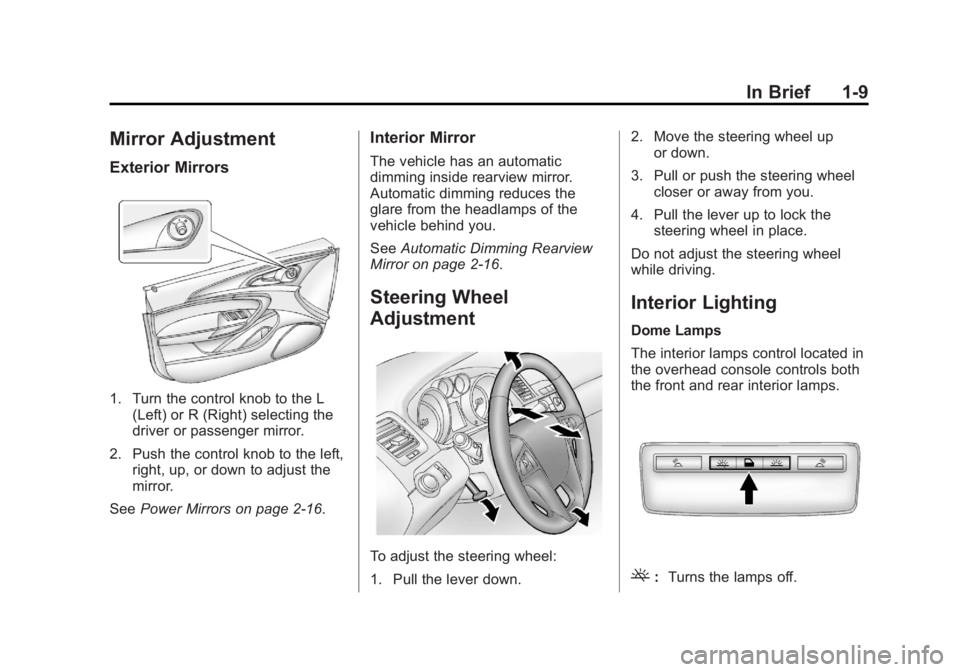
Exterior Mirrors
1. Turn the control knob to the L(Left) or R (Right) selecting the
driver or passenger mirror.
2. Push the control knob to the left, right, up, or down to adjust the
mirror.
See Power Mirrors on page 2‑16.
Interior Mirror
The vehicle has an automatic
dimming inside rearview mirror.
Automatic dimming reduces the
glare from the headlamps of the
vehicle behind you.
SeeAutomatic Dimming Rearview
Mirror on page 2‑16.
Steering Wheel
Adjustment
To adjust the steering wheel:
1. Pull the lever down. 2. Move the steering wheel up
or down.
3. Pull or push the steering wheel closer or away from you.
4. Pull the lever up to lock the steering wheel in place.
Do not adjust the steering wheel
while driving.
Interior Lighting
Dome Lamps
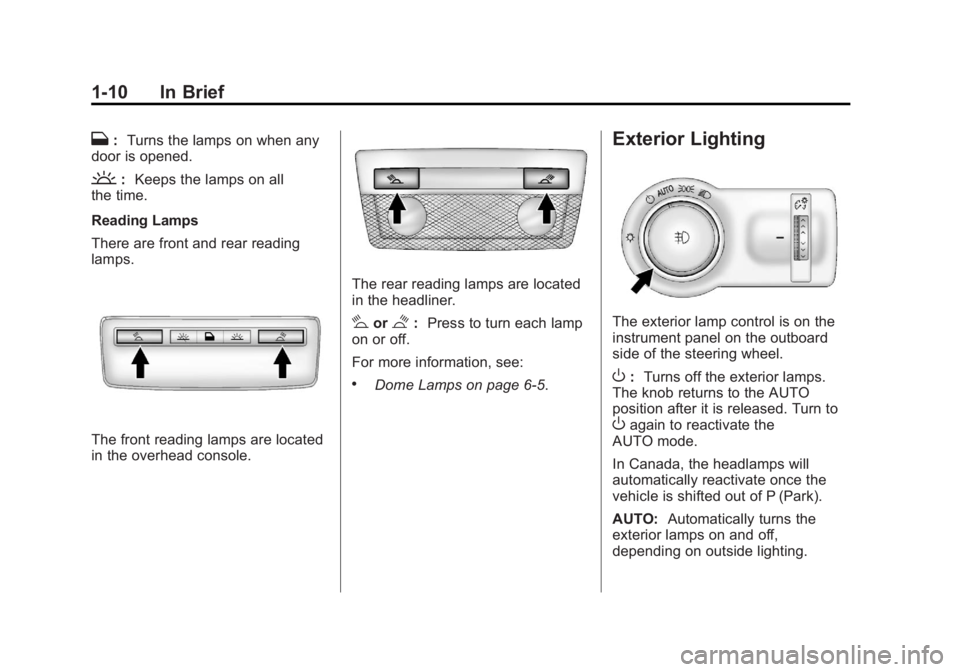
The interior lamps control located in
the overhead console controls both
the front and rear interior lamps.
(: Turns the lamps off.
Page 16 of 412
Black plate (10,1)Buick Regal Owner Manual - 2013 - crc - 11/5/12
1-10 In Brief
H:Turns the lamps on when any
door is opened.
': Keeps the lamps on all
the time.
Reading Lamps
There are front and rear reading
lamps.
The front reading lamps are located
in the overhead console.
The rear reading lamps are located
in the headliner.
#or$: Press to turn each lamp
on or off.
For more information, see:
.Dome Lamps on page 6‑5.
Exterior Lighting
The exterior lamp control is on the
instrument panel on the outboard
side of the steering wheel.
O: Turns off the exterior lamps.
The knob returns to the AUTO
position after it is released. Turn to
Oagain to reactivate the
AUTO mode.
In Canada, the headlamps will
automatically reactivate once the
vehicle is shifted out of P (Park).
AUTO: Automatically turns the
exterior lamps on and off,
depending on outside lighting.
Page 22 of 412
Black plate (16,1)Buick Regal Owner Manual - 2013 - crc - 11/5/12
1-16 In Brief
Bluetooth®
The Bluetooth®system allows users
with a Bluetooth-enabled mobile
phone to make and receive
hands-free calls using the vehicle
audio system and controls.
The Bluetooth-enabled mobile
phone must be paired with the
in-vehicle Bluetooth system before it
can be used in the vehicle. Not all
phones will support all functions.
See Bluetooth (Overview) on
page 7‑22 orBluetooth
(Infotainment Controls) on
page 7‑24 orBluetooth (Voice
Recognition) on page 7‑27.
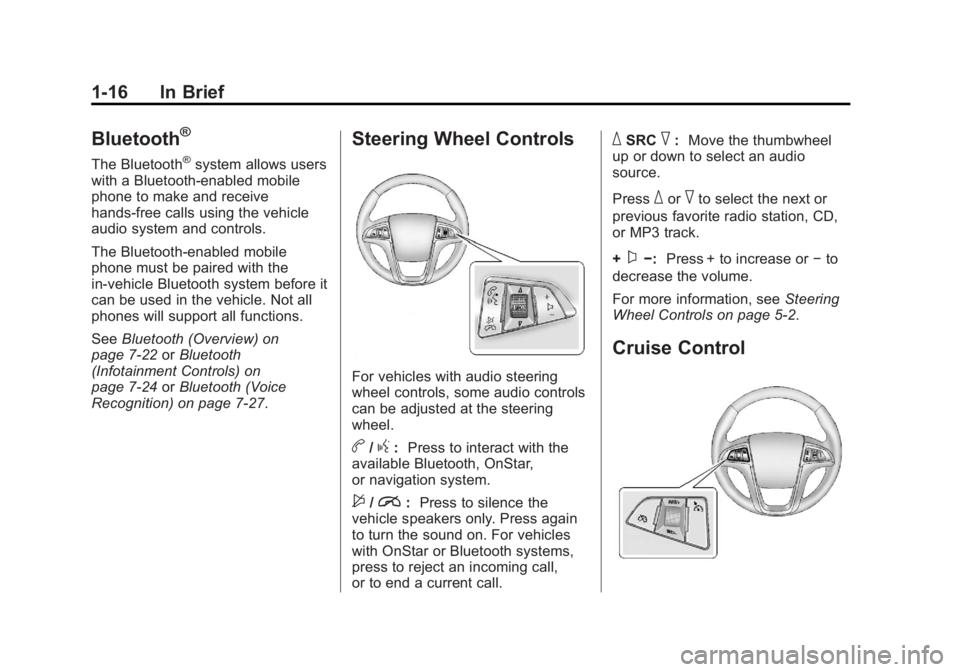
Steering Wheel Controls
For vehicles with audio steering
wheel controls, some audio controls
can be adjusted at the steering
wheel.
b/g: Press to interact with the
available Bluetooth, OnStar,
or navigation system.
$/i: Press to silence the
vehicle speakers only. Press again
to turn the sound on. For vehicles
with OnStar or Bluetooth systems,
press to reject an incoming call,
or to end a current call.
_SRC^: Move the thumbwheel
up or down to select an audio
source.
Press
_or^to select the next or
previous favorite radio station, CD,
or MP3 track.
+
x−: Press + to increase or −to
decrease the volume.
For more information, see Steering
Wheel Controls on page 5‑2.
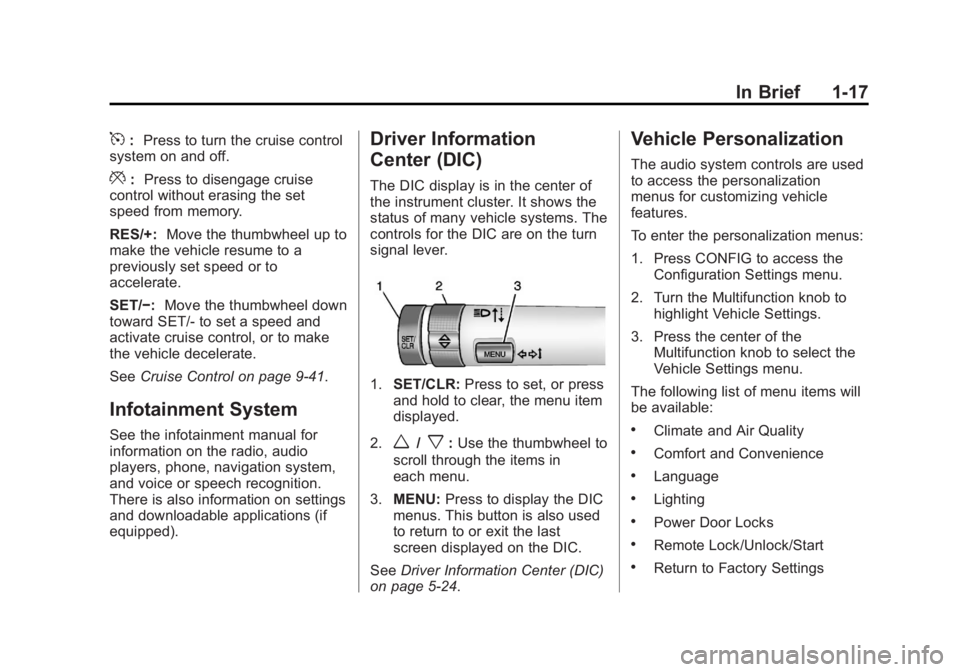
Cruise Control
Page 23 of 412
Black plate (17,1)Buick Regal Owner Manual - 2013 - crc - 11/5/12
In Brief 1-17
5:Press to turn the cruise control
system on and off.
*: Press to disengage cruise
control without erasing the set
speed from memory.
RES/+: Move the thumbwheel up to
make the vehicle resume to a
previously set speed or to
accelerate.
SET/−: Move the thumbwheel down
toward SET/- to set a speed and
activate cruise control, or to make
the vehicle decelerate.
See Cruise Control on page 9‑41.
Infotainment System
See the infotainment manual for
information on the radio, audio
players, phone, navigation system,
and voice or speech recognition.
There is also information on settings
and downloadable applications (if
equipped).
Driver Information
Center (DIC)
The DIC display is in the center of
the instrument cluster. It shows the
status of many vehicle systems. The
controls for the DIC are on the turn
signal lever.
1.SET/CLR: Press to set, or press
and hold to clear, the menu item
displayed.
2.
w/x: Use the thumbwheel to
scroll through the items in
each menu.
3. MENU: Press to display the DIC
menus. This button is also used
to return to or exit the last
screen displayed on the DIC.
See Driver Information Center (DIC)
on page 5‑24.
Vehicle Personalization
The audio system controls are used
to access the personalization
menus for customizing vehicle
features.
To enter the personalization menus:
1. Press CONFIG to access the Configuration Settings menu.
2. Turn the Multifunction knob to highlight Vehicle Settings.
3. Press the center of the Multifunction knob to select the
Vehicle Settings menu.
The following list of menu items will
be available:
.Climate and Air Quality
.Comfort and Convenience
.Language
.Lighting
.Power Door Locks
.Remote Lock/Unlock/Start
.Return to Factory Settings
Page 27 of 412
Black plate (21,1)Buick Regal Owner Manual - 2013 - crc - 11/5/12
In Brief 1-21
AUTO STOP on the tachometer
signifies that the engine is in auto
stop mode. SeeTachometer on
page 5‑11 for more information.
A chime will sound when the driver
door is opened while in auto stop
mode. Remember to shift to P (Park)
and turn the ignition to LOCK/OFF
before exiting the vehicle.
See Starting the Engine on
page 9‑19.
Regenerative Braking
Regenerative braking takes some of
the energy from the moving vehicle
and turns it into electrical energy.
This energy is then stored in the
vehicle's high voltage battery
system, contributing to increased
fuel efficiency.
The system works whenever the
accelerator pedal is released, and
increases the energy captured as
more brake pedal is applied.
Battery
This vehicle has a standard 12-volt
battery. Refer to the replacement
number on the original battery label
when a new standard 12-volt battery
is needed.
Vehicles with eAssist also have a
high voltage battery. Only a trained
service technician with the proper
knowledge and tools should inspect,
test, or replace the high voltage
battery. See your dealer if the high
voltage battery needs service. See
Battery on page 10‑26.
Service
Never try to do your own service on
eAssist components. You can be
injured and the vehicle can be
damaged if you try to do your own
service work. Service and repair of
these high voltage components
should only be performed by a
trained service technician with the
proper knowledge and tools. See
Doing Your Own Service Work on
page 10‑3.
Performance and
Maintenance
Traction Control
System (TCS)
The vehicle may have a traction
control system that limits wheel slip.
The system turns on automatically
every time the vehicle is started.
.To turn off traction control, press
and release the TCS/StabiliTrak
button, on the center stack.
i
illuminates and the appropriate
DIC message is displayed. See
Ride Control System Messages
on page 5‑32.
.Press and release the TCS/
StabiliTrak button again to turn
on traction control.
See Traction Control System (TCS)
on page 9‑35.
Page 29 of 412
Black plate (23,1)Buick Regal Owner Manual - 2013 - crc - 11/5/12
In Brief 1-23
Engine Oil Life System
The engine oil life system calculates
engine oil life based on vehicle use
and displays the CHANGE ENGINE
OIL SOON message when it is time
to change the engine oil and filter.
The oil life system should be reset
to 100% only following an oil
change.
Resetting the Oil Life System
1. Turn the ignition to ON/RUN withthe engine off.
2. Press the DIC MENU button on the turn signal lever to enter the
Vehicle Information Menu. Use
the thumbwheel to scroll through
the menu items until you reach
REMAINING OIL LIFE.
3. Press the SET/CLR button to reset the oil life at 100%.
4. Turn the ignition to LOCK/OFF.
See Engine Oil Life System on
page 10‑12.
Fuel E85 (85% Ethanol)
Vehicles with a yellow fuel cap can
use either unleaded gasoline or
ethanol fuel containing up to 85%
ethanol (E85). See Fuel E85 (85%
Ethanol) on page 9‑48. For all other
vehicles, use only the unleaded
gasoline described under
Recommended Fuel on page 9‑46.
Driving for Better Fuel
Economy
Driving habits can affect fuel
mileage. Here are some driving tips
to get the best fuel economy
possible.
.Avoid fast starts and accelerate
smoothly.
.Brake gradually and avoid
abrupt stops.
.Avoid idling the engine for long
periods of time.
.When road and weather
conditions are appropriate, use
cruise control.
.Always follow posted speed
limits or drive more slowly when
conditions require.
.Keep vehicle tires properly
inflated.
.Combine several trips into a
single trip.
.Replace the vehicle's tires with
the same TPC Spec number
molded into the tire's sidewall
near the size.
.Follow recommended scheduled
maintenance.