instrument cluster BUICK REGAL 2016 Owner's Manual
[x] Cancel search | Manufacturer: BUICK, Model Year: 2016, Model line: REGAL, Model: BUICK REGAL 2016Pages: 357, PDF Size: 5.37 MB
Page 8 of 357

Buick Regal Owner Manual (GMNA-Localizing-U.S./Canada/Mexico-
9159380) - 2016 - CRC - 2/23/16
In Brief 7
1.Exterior Lamp Controls 0150.
Fog Lamps 0153 (If
Equipped).
Instrument Panel Illumination
Control 0153.
2. Air Vents 0161.
3. Turn Signal Lever. See Turn
and Lane-Change
Signals 0152.
4. Cruise Control 0194 (If
Equipped).
Adaptive Cruise Control 0197
(If Equipped).
Heated Steering Wheel 099 (If
Equipped).
Forward Collision Alert (FCA)
System 0207 (If Equipped).
5. Instrument Cluster (Base Level
Cluster) 0104 orInstrument
Cluster (Uplevel Cluster) 0108.
Driver Information Center
Display. See Driver Information
Center (DIC) (Base Level
Cluster) 0125 orDriver
Information Center (DIC)
(Uplevel Cluster) 0127. 6.
Steering Wheel Controls 099
(If Equipped).
Driver Information Center (DIC)
Controls. See Driver
Information Center (DIC) (Base
Level Cluster) 0125 orDriver
Information Center (DIC)
(Uplevel Cluster) 0127.
7. Windshield Wiper/
Washer 0100.
8. Infotainment 0156.
9. Traction Control/Electronic
Stability Control 0192.
Hazard Warning
Flashers 0152.
GS/Sport Buttons (If
Equipped). See Selective Ride
Control 0193.
Parking Assist Button (If
Equipped). See Assistance
Systems for Parking or
Backing 0204.
Lane Departure Warning
(LDW) 0212 (If Equipped).
10. Light Sensor. See Automatic
Headlamp System 0151. 11. Passenger Safety Belt
Reminder Light. See Safety
Belt Reminders 0113.
12. Heated Front Seats 055 (If
Equipped).
13. Electric Parking Brake Switch. SeeParking Brake 0189.
14. Shift Lever. See Automatic
Transmission 0186.
15. Dual Automatic Climate Control
System 0157.
16. Ignition Positions (Key Access)
0175 orIgnition Positions
(Keyless Access) 0177.
17. Horn 0100.
18. Steering Wheel
Adjustment 099.
19. Hood Release. See Hood 0222.
20. Data Link Connector (DLC) (Out of View). See Malfunction
Indicator Lamp (Check Engine
Light) 0116.
21. Instrument Panel Storage 095.
Page 18 of 357
Buick Regal Owner Manual (GMNA-Localizing-U.S./Canada/Mexico-
9159380) - 2016 - CRC - 2/23/16
In Brief 17
Manual Mode
Driver Shift Control (DSC) allows
you to shift an automatic
transmission similar to a manual
transmission. To use the DSC
feature:1. Move the shift lever to the left from D (Drive) into the side
gate marked with (+) and (−).
2. Press the shift lever forward to upshift or rearward to
downshift.
See Automatic Transmission 0186.Vehicle Features
Infotainment System
See the infotainment manual for
information on the radio, audio
players, phone, navigation system,
and voice or speech recognition.
It also includes information on
settings.
Steering Wheel Controls
The infotainment system can be
operated by using the steering
wheel controls. See "Steering
Wheel Controls" in the infotainment
manual.
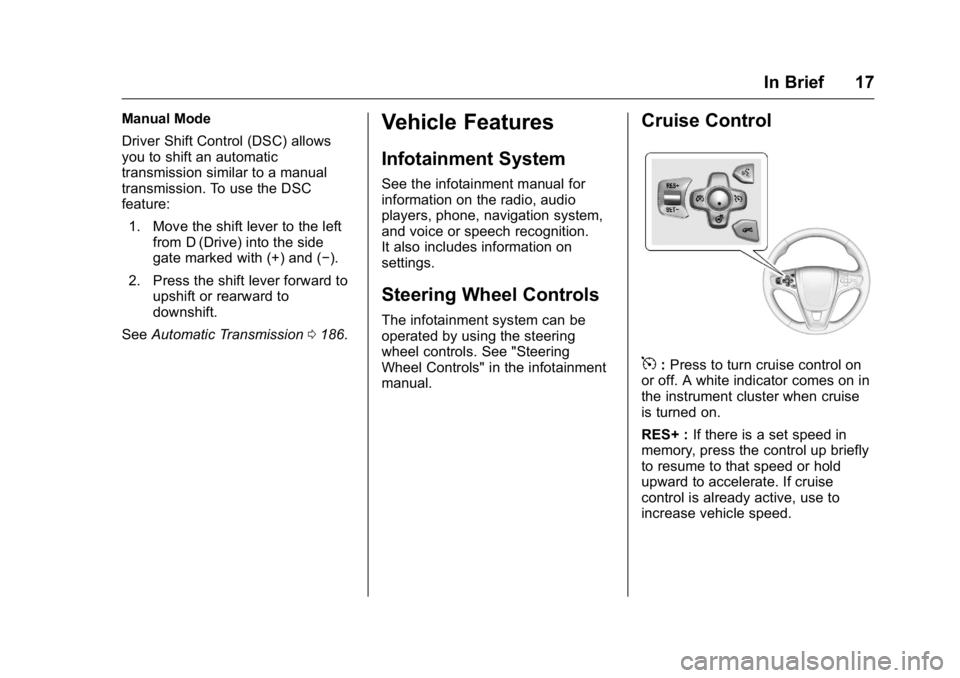
Cruise Control
5:Press to turn cruise control on
or off. A white indicator comes on in
the instrument cluster when cruise
is turned on.
RES+ : If there is a set speed in
memory, press the control up briefly
to resume to that speed or hold
upward to accelerate. If cruise
control is already active, use to
increase vehicle speed.
Page 19 of 357
Buick Regal Owner Manual (GMNA-Localizing-U.S./Canada/Mexico-
9159380) - 2016 - CRC - 2/23/16
18 In Brief
SET−:Press the control down
briefly to set the speed and activate
cruise control. If cruise control is
already active, use to decrease
vehicle speed.
*: Press to disengage cruise
control without erasing the set
speed from memory.
See Cruise Control 0194 and
Adaptive Cruise Control 0197 (if
equipped).
Driver Information
Center (DIC)
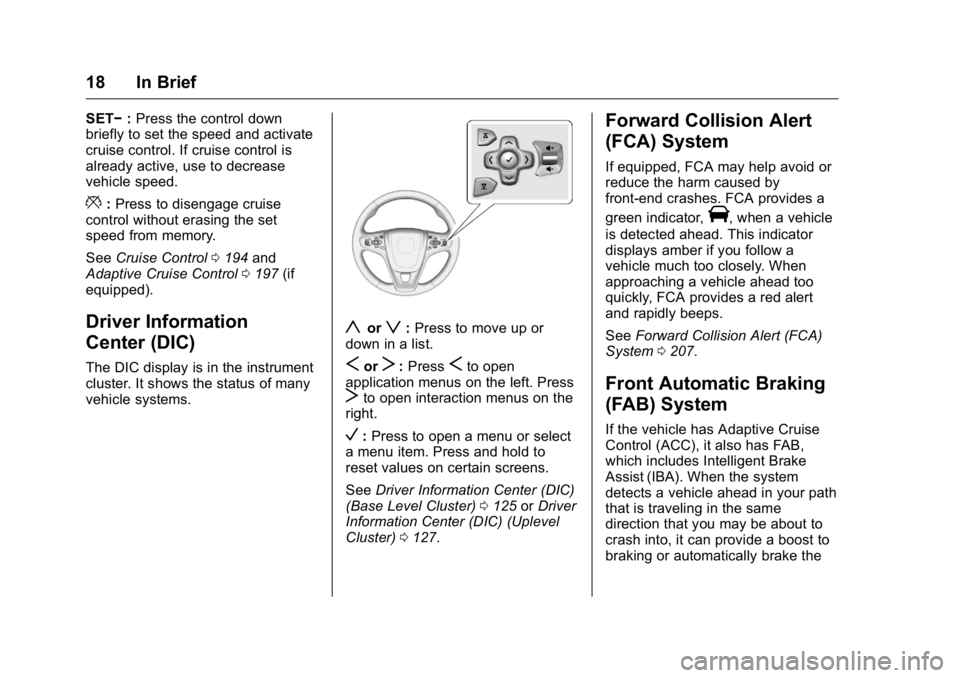
The DIC display is in the instrument
cluster. It shows the status of many
vehicle systems.
yorz: Press to move up or
down in a list.
SorT: PressSto open
application menus on the left. Press
Tto open interaction menus on the
right.
V: Press to open a menu or select
a menu item. Press and hold to
reset values on certain screens.
See Driver Information Center (DIC)
(Base Level Cluster) 0125 orDriver
Information Center (DIC) (Uplevel
Cluster) 0127.
Forward Collision Alert
(FCA) System
If equipped, FCA may help avoid or
reduce the harm caused by
front-end crashes. FCA provides a
green indicator,
V, when a vehicle
is detected ahead. This indicator
displays amber if you follow a
vehicle much too closely. When
approaching a vehicle ahead too
quickly, FCA provides a red alert
and rapidly beeps.
See Forward Collision Alert (FCA)
System 0207.
Front Automatic Braking
(FAB) System
If the vehicle has Adaptive Cruise
Control (ACC), it also has FAB,
which includes Intelligent Brake
Assist (IBA). When the system
detects a vehicle ahead in your path
that is traveling in the same
direction that you may be about to
crash into, it can provide a boost to
braking or automatically brake the
Page 20 of 357
Buick Regal Owner Manual (GMNA-Localizing-U.S./Canada/Mexico-
9159380) - 2016 - CRC - 2/23/16
In Brief 19
vehicle. This can help avoid or
lessen the severity of crashes when
driving in a forward gear.
SeeFront Automatic Braking (FAB)
System 0209.
Lane Departure
Warning (LDW)
If equipped, LDW may help avoid
unintentional lane departures at
speeds of 56 km/h (35 mph) or
greater. LDW uses a camera sensor
to detect the lane markings. The
LDW light,
@, is green if a lane
marking is detected. If the vehicle
departs the lane without using a turn
signal in that direction, the light will
change to amber and flash. In
addition, beeps will sound.
See Lane Departure Warning
(LDW) 0212.
Lane Change Alert (LCA)
If equipped, the LCA system is a
lane-changing aid that assists
drivers with avoiding lane change
crashes that occur with moving
vehicles in the side blind zone (or spot) areas or with vehicles rapidly
approaching these areas from
behind. The LCA warning display
will light up in the corresponding
outside side mirror and will flash if
the turn signal is on. The Side Blind
Zone Alert (SBZA) system is
included as part of the LCA system.
See
Side Blind Zone Alert (SBZA)
0 210 andLane Change Alert
(LCA) 0210.
Rear Vision
Camera (RVC)
If equipped, RVC displays a view of
the area behind the vehicle on the
center stack display when the
vehicle is shifted into R (Reverse) to
aid with parking and low-speed
backing maneuvers.
See Assistance Systems for Parking
or Backing 0204.
Rear Cross Traffic Alert
(RCTA) System
If equipped, the RCTA system uses
a triangle with an arrow displayed
on the RVC screen to warn of traffic behind your vehicle that may cross
your vehicle's path while in
R (Reverse). In addition, beeps will
sound.
See
Assistance Systems for Parking
or Backing 0204.
Parking Assist
If equipped, Rear Parking Assist
(RPA) uses sensors on the rear
bumper to assist with parking and
avoiding objects while in
R (Reverse). It operates at speeds
less than 8 km/h (5 mph). RPA may
display a warning triangle on the
RVC screen and a graphic on the
instrument cluster to provide the
object distance. In addition, multiple
beeps may occur if very close to an
object.
The vehicle may also have the Front
Parking Assist system.
See Assistance Systems for Parking
or Backing 0204.
Page 22 of 357
Buick Regal Owner Manual (GMNA-Localizing-U.S./Canada/Mexico-
9159380) - 2016 - CRC - 2/23/16
In Brief 21
To express-open or express-close
the sunroof with the safety function
enabled, press the open or close
sunroof switch (1) to the second
detent position and release. To stop
the movement, press the switch
again.
To automatically tilt or close the
sunroof, press the tilt open or close
sunroof switch (2).
If an object is in the path of the
sunroof while it is closing, the
automatic reversal feature will
detect the object and stop the
sunroof. The sunroof will then return
to the full-open or vent position.
The sunroof glass panel cannot be
opened or closed if the vehicle has
an electrical failure.
SeeSunroof 047.eAssist Features
eAssist®Overview
If the vehicle has eAssist, there are
several additional features that
contribute to increased efficiency.
Vehicles with eAssist have an
automatic engine start/stop feature.
This feature saves fuel by shutting
the engine off when the vehicle is
stopped. When the engine shuts off
automatically, all the accessories
will continue to operate normally. In
very hot or cold conditions, the
engine will only shut off
automatically part of the time. See
Starting the Engine 0178.
There are two air conditioning
settings available. The comfort
setting maximizes cabin comfort.
The eco setting maximizes
efficiency allowing more frequent,
and longer engine stops than the
comfort setting. See Dual Automatic
Climate Control System 0157. This vehicle has a Hill Start Assist
(HSA) feature, which may be useful
when the vehicle is stopped on a
grade. See
Hill Start Assist
(HSA) 0191.
Vehicles with eAssist have a slightly
different instrument cluster, which
includes an AUTO STOP indicator
on the tachometer. See Instrument
Cluster (Base Level Cluster) 0104
or Instrument Cluster (Uplevel
Cluster) 0108.
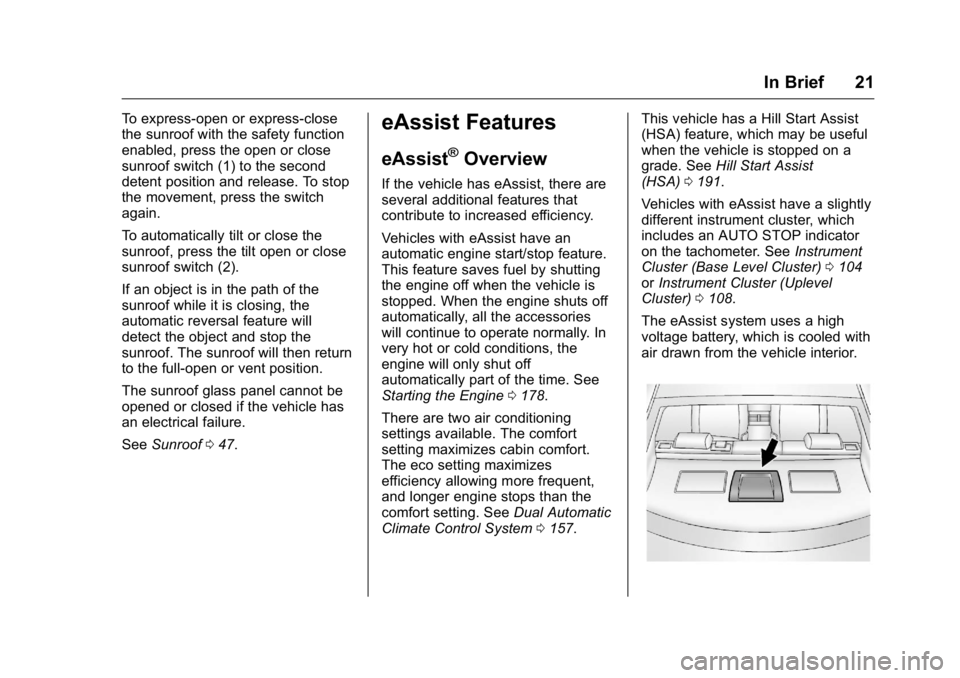
The eAssist system uses a high
voltage battery, which is cooled with
air drawn from the vehicle interior.
Page 24 of 357
Buick Regal Owner Manual (GMNA-Localizing-U.S./Canada/Mexico-
9159380) - 2016 - CRC - 2/23/16
In Brief 23
Service
Never try to do your own service on
eAssist components. You can be
injured and the vehicle can be
damaged if you try to do your own
service work. Service and repair of
these high voltage components
should only be performed by a
trained service technician with the
proper knowledge and tools. See
Doing Your Own Service
Work0221.
Performance and
Maintenance
Traction Control/
Electronic Stability
Control
The traction control system limits
wheel slip. The system turns on
automatically every time the vehicle
is started.
The StabiliTrak system assists with
directional control of the vehicle in
difficult driving conditions. The
system turns on automatically every
time the vehicle is started.
.
To turn off traction control, press
and release
gon the center
stack.
iilluminates and the
appropriate DIC message is
displayed. See Ride Control
System Messages 0137.
. Press and release
gagain to
turn on traction control.
. To turn off both traction control
and StabiliTrak, press and hold
g, on the center stack, untili
andgilluminate in the
instrument cluster and the
appropriate DIC message is
displayed. See Ride Control
System Messages 0137.
. Press and release
gto turn on
both systems.
See Traction Control/Electronic
Stability Control 0192.
Tire Pressure Monitor
This vehicle may have a Tire
Pressure Monitor System (TPMS).
The low tire pressure warning light
alerts to a significant loss in
pressure of one of the vehicle's
tires. If the warning light comes on,
stop as soon as possible and inflate
the tires to the recommended
pressure shown on the Tire and
Loading Information label. See
Page 43 of 357
Buick Regal Owner Manual (GMNA-Localizing-U.S./Canada/Mexico-
9159380) - 2016 - CRC - 2/23/16
42 Keys, Doors, and Windows
How to Detect a Tamper
Condition
IfKis pressed on the RKE
transmitter and the horn chirps three
times, an alarm occurred previously
while the alarm system was armed.
If the alarm has been activated, a
message will appear on the DIC.
See Security Messages 0138.
Immobilizer
See Radio Frequency
Statement 0332.
Immobilizer Operation
(Key Access)
This vehicle has a passive
theft-deterrent system.
The system does not have to be
manually armed or disarmed.
The vehicle is automatically
immobilized when the key is
removed from the ignition.
The system is automatically
disarmed when the vehicle is
started with the correct key. The key uses a transponder that matches an
immobilizer control unit in the
vehicle and automatically disarms
the system. Only the correct key
starts the vehicle. The vehicle may
not start if the key is damaged.
The security light in the instrument
cluster comes on if there is a
problem with arming or disarming
the theft-deterrent system.
When trying to start the vehicle, the
security light comes on briefly when
the ignition is turned on.
If the engine does not start and the
security light stays on, there is a
problem with the system. Turn the
ignition off and try again.
If the engine still does not start, and
the key appears to be undamaged
or the light continues to stay on, try
another ignition key.
If the engine still does not start with
the other key, the vehicle needs
service. If the vehicle does start, the
first key may be damaged. See your
dealer who can service the
theft-deterrent system and have a
new key made.
Do not leave the key or device that
disarms or deactivates the
theft-deterrent system in the vehicle.
Immobilizer Operation
(Keyless Access)
This vehicle has a passive
theft-deterrent system.
The system does not have to be
manually armed or disarmed.
The vehicle is automatically
immobilized when the transmitter
leaves the vehicle.
The immobilization system is
disarmed when the ignition button is
pushed in and a valid transmitter is
in the vehicle.
Page 44 of 357
Buick Regal Owner Manual (GMNA-Localizing-U.S./Canada/Mexico-
9159380) - 2016 - CRC - 2/23/16
Keys, Doors, and Windows 43
The security light on the instrument
cluster comes on when there is a
problem with arming or disarming
the theft-deterrent system.
The system has one or more
transmitters matched to an
immobilizer control unit in the
vehicle. Only a correctly matched
transmitter will start the vehicle.
If the transmitter is ever damaged,
you may not be able to start your
vehicle.
When trying to start the vehicle, the
security light comes on briefly when
the ignition is turned on.If the vehicle does not start and the
security light stays on, there is a
problem with the system. Turn the
vehicle off and try again.
If the RKE transmitter appears to be
undamaged, try another transmitter,
or place the transmitter in the
transmitter pocket. See
“Starting the
Vehicle with a Low Transmitter
Battery” underRemote Keyless
Entry (RKE) System Operation 028.
If the vehicle does not start with the
other transmitter or when the
transmitter is in the transmitter
pocket, the vehicle needs service.
See your dealer who can service
the theft-deterrent system and have
a new transmitter programmed to
the vehicle.
Do not leave the transmitter or
device that disarms or deactivates
the theft-deterrent system in the
vehicle.
Exterior Mirrors
Convex Mirrors
{Warning
A convex mirror can make things,
like other vehicles, look farther
away than they really are. If you
cut too sharply into the right lane,
you could hit a vehicle on the
right. Check the inside mirror or
glance over your shoulder before
changing lanes.
The passenger side mirror is convex
shaped. A convex mirror's surface is
curved so more can be seen from
the driver seat.
Page 66 of 357
Buick Regal Owner Manual (GMNA-Localizing-U.S./Canada/Mexico-
9159380) - 2016 - CRC - 2/23/16
Seats and Restraints 65
{Warning
Because airbags inflate with great
force and faster than the blink of
an eye, anyone who is up
against, or very close to any
airbag when it inflates can be
seriously injured or killed. Do not
sit unnecessarily close to any
airbag, as you would be if sitting
on the edge of the seat or leaning
forward. Safety belts help keep
you in position before and during
a crash. Always wear a safety
belt, even with airbags. The driver
should sit as far back as possible
while still maintaining control of
the vehicle. The safety belts and
the front outboard passenger
airbags are most effective when
you are sitting well back and
upright in the seat with both feet
on the floor.
Occupants should not lean on or
sleep against the door or side
windows in seating positions with
seat-mounted side impact airbags
and/or roof-rail airbags.
{Warning
Children who are up against,
or very close to, any airbag when
it inflates can be seriously injured
or killed. Always secure children
properly in the vehicle. To read
how, seeOlder Children 075 or
Infants and Young Children 077.
There is an airbag readiness light
on the instrument cluster, which
shows the airbag symbol. The
system checks the airbag electrical
system for malfunctions. The light
tells you if there is an electrical
problem. See Airbag Readiness
Light 0114 for more information.
Where Are the Airbags?
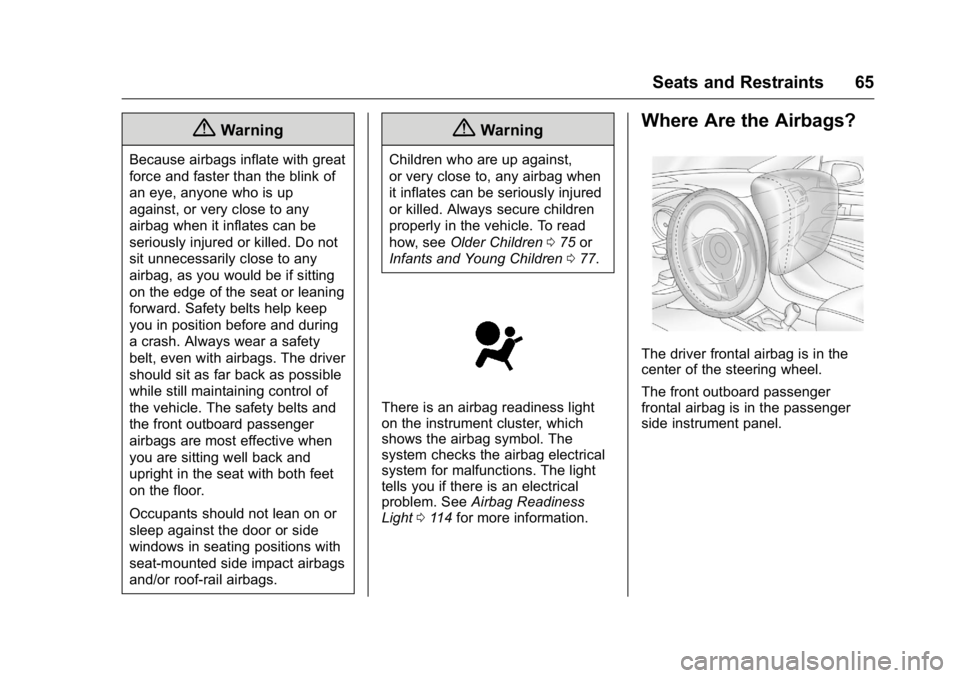
The driver frontal airbag is in the
center of the steering wheel.
The front outboard passenger
frontal airbag is in the passenger
side instrument panel.
Page 99 of 357
Buick Regal Owner Manual (GMNA-Localizing-U.S./Canada/Mexico-
9159380) - 2016 - CRC - 2/23/16
98 Instruments and Controls
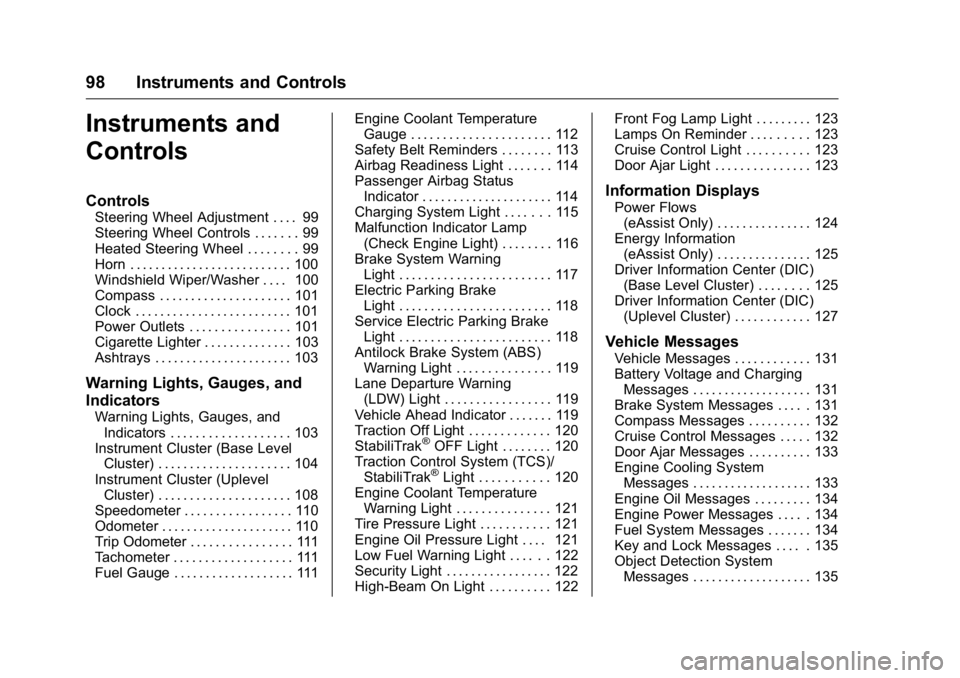
Instruments and
Controls
Controls
Steering Wheel Adjustment . . . . 99
Steering Wheel Controls . . . . . . . 99
Heated Steering Wheel . . . . . . . . 99
Horn . . . . . . . . . . . . . . . . . . . . . . . . . . 100
Windshield Wiper/Washer . . . . 100
Compass . . . . . . . . . . . . . . . . . . . . . 101
Clock . . . . . . . . . . . . . . . . . . . . . . . . . 101
Power Outlets . . . . . . . . . . . . . . . . 101
Cigarette Lighter . . . . . . . . . . . . . . 103
Ashtrays . . . . . . . . . . . . . . . . . . . . . . 103
Warning Lights, Gauges, and
Indicators
Warning Lights, Gauges, andIndicators . . . . . . . . . . . . . . . . . . . 103
Instrument Cluster (Base Level Cluster) . . . . . . . . . . . . . . . . . . . . . 104
Instrument Cluster (Uplevel Cluster) . . . . . . . . . . . . . . . . . . . . . 108
Speedometer . . . . . . . . . . . . . . . . . 110
Odometer . . . . . . . . . . . . . . . . . . . . . 110
Trip Odometer . . . . . . . . . . . . . . . . 111
Tachometer . . . . . . . . . . . . . . . . . . . 111
Fuel Gauge . . . . . . . . . . . . . . . . . . . 111 Engine Coolant Temperature
Gauge . . . . . . . . . . . . . . . . . . . . . . 112
Safety Belt Reminders . . . . . . . . 113
Airbag Readiness Light . . . . . . . 114
Passenger Airbag Status Indicator . . . . . . . . . . . . . . . . . . . . . 114
Charging System Light . . . . . . . 115
Malfunction Indicator Lamp (Check Engine Light) . . . . . . . . 116
Brake System Warning Light . . . . . . . . . . . . . . . . . . . . . . . . 117
Electric Parking Brake Light . . . . . . . . . . . . . . . . . . . . . . . . 118
Service Electric Parking Brake Light . . . . . . . . . . . . . . . . . . . . . . . . 118
Antilock Brake System (ABS) Warning Light . . . . . . . . . . . . . . . 119
Lane Departure Warning (LDW) Light . . . . . . . . . . . . . . . . . 119
Vehicle Ahead Indicator . . . . . . . 119
Traction Off Light . . . . . . . . . . . . . 120
StabiliTrak
®OFF Light . . . . . . . . 120
Traction Control System (TCS)/ StabiliTrak
®Light . . . . . . . . . . . 120
Engine Coolant Temperature Warning Light . . . . . . . . . . . . . . . 121
Tire Pressure Light . . . . . . . . . . . 121
Engine Oil Pressure Light . . . . 121
Low Fuel Warning Light . . . . . . 122
Security Light . . . . . . . . . . . . . . . . . 122
High-Beam On Light . . . . . . . . . . 122 Front Fog Lamp Light . . . . . . . . . 123
Lamps On Reminder . . . . . . . . . 123
Cruise Control Light . . . . . . . . . . 123
Door Ajar Light . . . . . . . . . . . . . . . 123
Information Displays
Power Flows
(eAssist Only) . . . . . . . . . . . . . . . 124
Energy Information (eAssist Only) . . . . . . . . . . . . . . . 125
Driver Information Center (DIC) (Base Level Cluster) . . . . . . . . 125
Driver Information Center (DIC) (Uplevel Cluster) . . . . . . . . . . . . 127
Vehicle Messages
Vehicle Messages . . . . . . . . . . . . 131
Battery Voltage and ChargingMessages . . . . . . . . . . . . . . . . . . . 131
Brake System Messages . . . . . 131
Compass Messages . . . . . . . . . . 132
Cruise Control Messages . . . . . 132
Door Ajar Messages . . . . . . . . . . 133
Engine Cooling System Messages . . . . . . . . . . . . . . . . . . . 133
Engine Oil Messages . . . . . . . . . 134
Engine Power Messages . . . . . 134
Fuel System Messages . . . . . . . 134
Key and Lock Messages . . . . . 135
Object Detection System Messages . . . . . . . . . . . . . . . . . . . 135