steering BUICK SKYLARK 1993 Owners Manual
[x] Cancel search | Manufacturer: BUICK, Model Year: 1993, Model line: SKYLARK, Model: BUICK SKYLARK 1993Pages: 306, PDF Size: 15.84 MB
Page 71 of 306
The rear doors of your vehicle cannot be opened from
inside when this feature is in use. If you want to open a
rear door when. the security lock is on:
1. Unlock the door from the inside..
2. Then open the door from the outside.
If you don’t cancel the security lock feature, adults or
older children who ride in the rear won’t be able to open
the rear door from the inside. You should let adults and
older children know how these security locks work, and
how to cancel the locks.
To cancel the rear door lock:
1. Unlock the door from the inside and open the door
2. Use a key to move the lever all the way down.
from the outside.
3. Do the
same for the other rear door.
. The rear door locks will now work norinally.
Theft
Vehicle theft is big business, especially in some cities.
Although your Buick has a number
of theft deterrent
features, we know that nothing we put on it can make it
impossible to steal. However, there are ways you can
help.
Kev in the ipnition: If you walk away from your
vehicle with the keys inside, it’s an easy target for
joy
riders or professional thieves -- so don’t do it. . .) ..
When you park your Buick and open the driver’s’a*oor,
you’ll hear a tone reminding you to remove your key
from the ignition and take it with you. Always do this.
Your steering wheel will be locked, and
so will your
ignition and transaxle. And remember to lock the doors.
: .+.,-:.,: <::: ., .,<. , p,
Parking at Night: Park in a lighted spot, close all
windows and lock your vehicle. Remember to keep your
valuables out of sight. Put them in a storage area,
or take
them with you.
Page 73 of 306
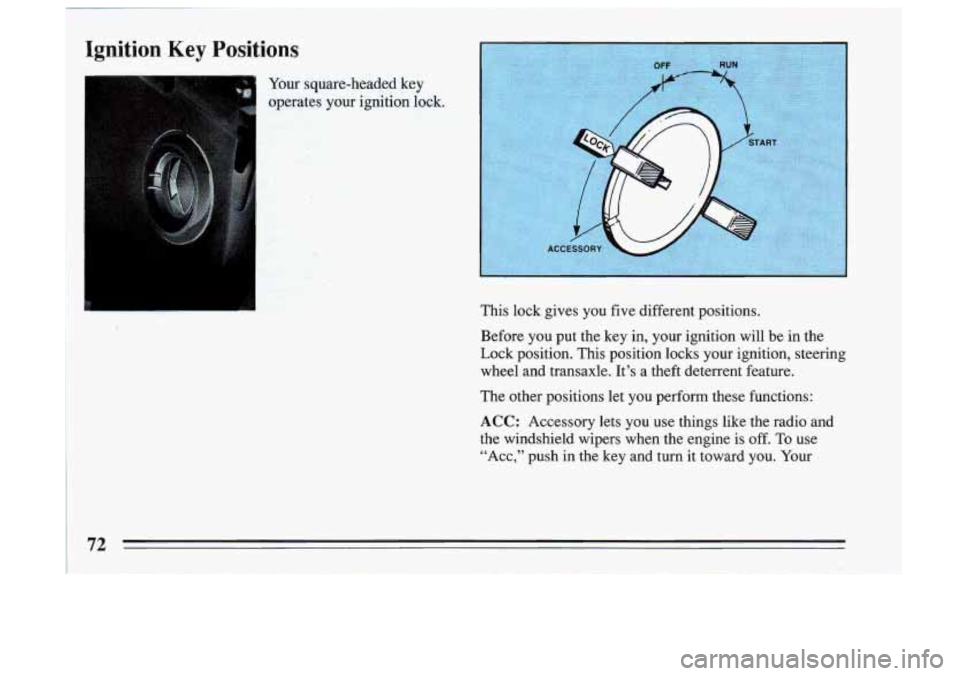
Ignition Key Positions
Your square-headed key
opgs.@gs ,. .r , your ignition lock. ..
This lock gives you five different positions.
Before you put the key in, your ignition will be in the
Lock position. This position locks your ignition, steering
wheel and transaxle. It’s a theft deterrent feature.
The other positions let you perform these functions:
ACC: Accessory lets you’use things like the radio and
the windshield wipers when the engine is
off. To use
“Acc,” push in the key and turn
it toward you. Your
72
Page 74 of 306
steering wheel will remain locked, just as it was before
you inserted the key.
OFF: This position lets you turn off the engine but still
turn the steering wheel. It doesn’t lock the steering
wheel like “Lock.” Use
“Off’” if you must .have your car
in motion while the engine is
off.
RUN: This is the position for driving.
START This key position starts your engine.
Starting .Your Engine
Engines start differently. The 8th digit of your Vehicle
Identification Number (VIN)
shows the code letter or
number for your engine. You will- find the VIN at the
top
left of your instrument panel. (See “Vehicle
Identification Number” in the Index.) Follow the proper
steps to start the engine.
Move your shift lever to
“P” (Park) or “N” (Neutral).
Your engine won’t start in any other position
-- that’s a
safety feature;
To restart when you’re already moving,
use
“N’ (Neutral) only.
73
Page 82 of 306
If YOU are on a hill: See “ Parking on Hills” in the Index.
That section shows how to tuk your front wheels.
If you are towing a trailer and are parking on any hill:
See
“ Towing a Trailer” in the Index. That section shows
what to do first to keep the trailer from moving.
Shifting Into 44 P 99 (Park)
I I
A CAUTION:
It can be dangerous to get out of your vehicle if
the shift lever is not fully in “PYy (Park) with the
parking brake firmly set. Your vehicle can roll.
If you have left the engine running, the vehicle
can move suddenly. You or others could be
injured. To be sure your vehicle won’t move,
when you’re on fairly level ground, use the steps
that follow.
If you are parking on a hill, or if
you’re pulling a trailer, also see “Parking On
Hills” or “Towing a Trailer”
in the Index.
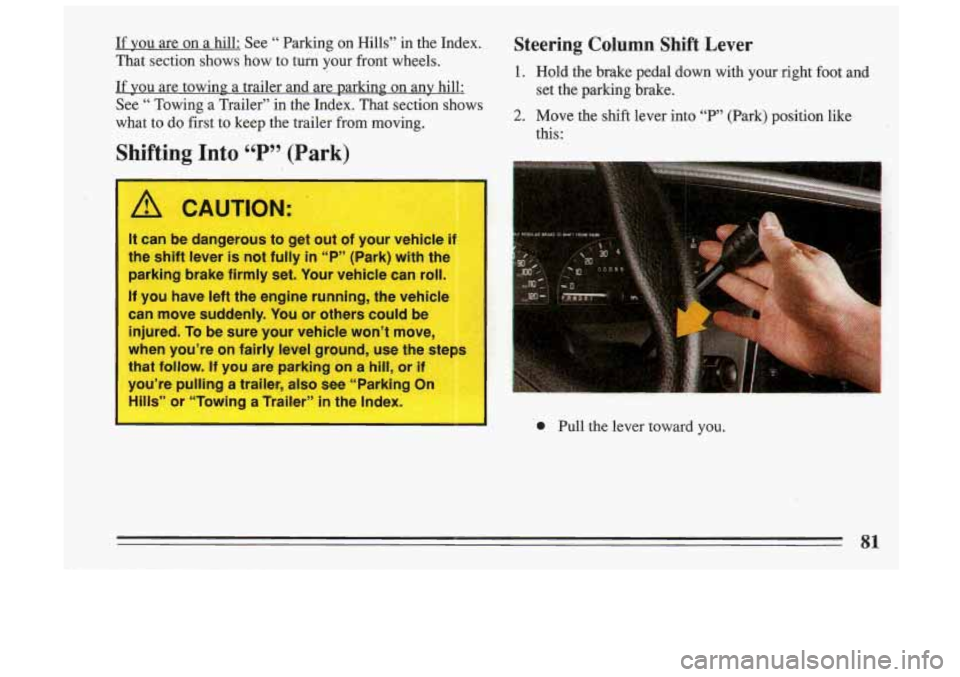
Steering Column Shift Lever
1. Hold the brake pedal down with your right fuot and
2. Move the shift lever into “F”’ (Park) position like
set
the parking brake.
this:
0 Pull the lever toward you.
81
Page 88 of 306
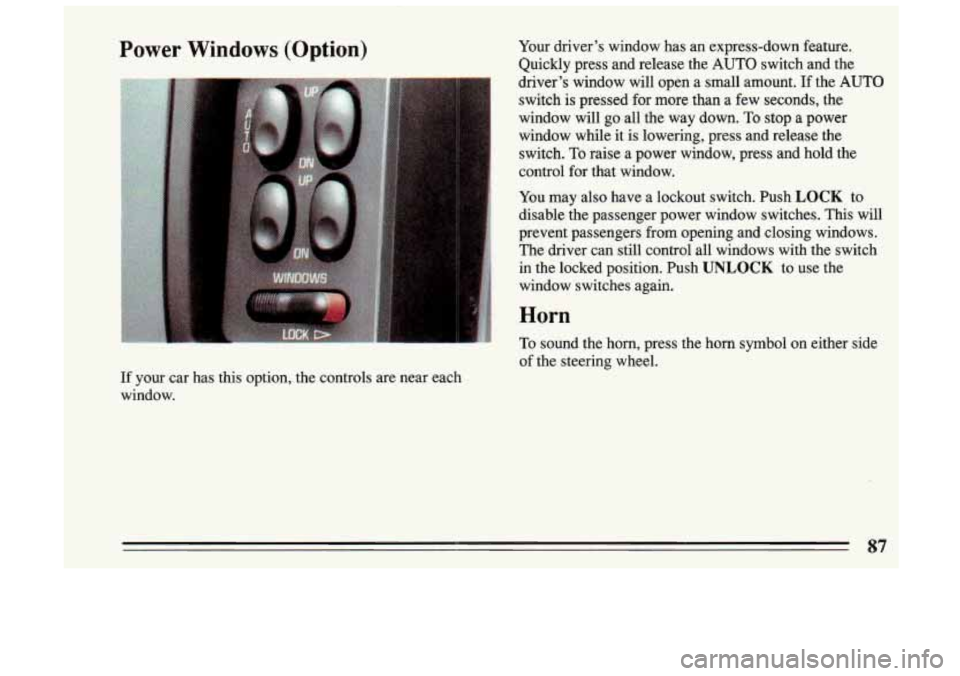
Power Windows (Option) Your driver's window has an express-down feature.
Quickly press and release the AUTO switch and the
driver's window will open a small amount.
If the AUTO
switch is pressed for more than
a few seconds, the
window will go all the way down. To stop a power
window while it is lowering, press and release the
switch. To raise a power window, press and hold the
control for that window.
You may
also have a lockout switch. Push LOCK to
disable the passenger power window switches. This will
prevent passengers from opening and closing windows.
i The driver can still control all windows with the switch
' in the locked position. Push UNLOCK to use the
1 window switches again.
I
1 Horn
' To sound the horn, press the horn symbol on either side
of the steering wheel.
If your car has this option, the controls are near each
window.
87
Page 89 of 306
!
Tilt WheeI (Option)
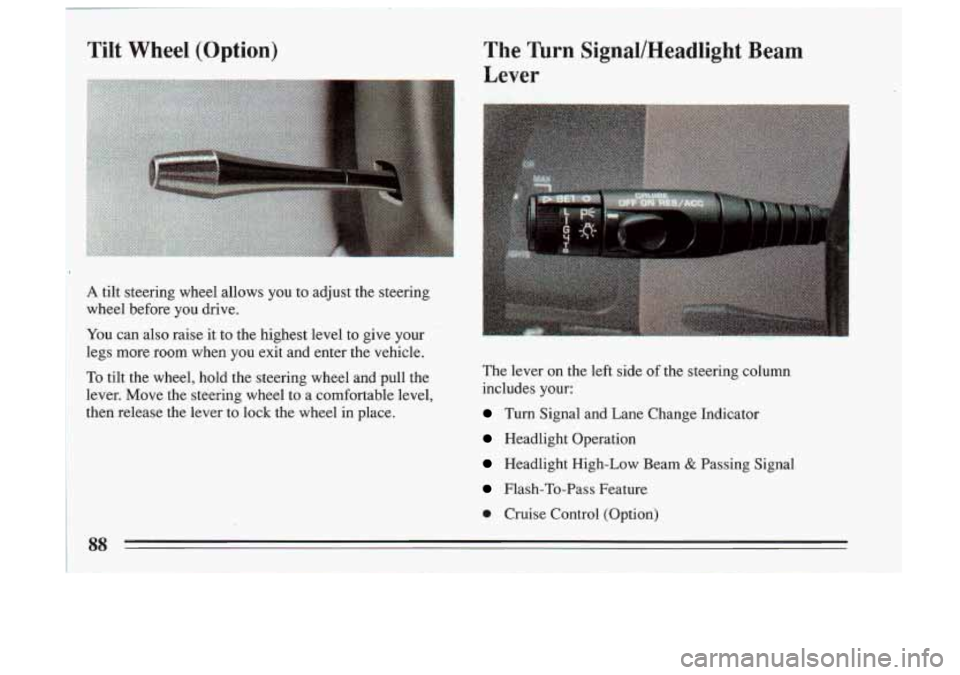
A tilt steering wheel allows you to adjust the steering
wheel before you drive.
You can also raise it ,to the highest level to give your
legs more room when you exit and enter the vehicle.
To tilt the wheel, hold the steering wheel and pull the
lever. Move the steering wheel to a comfortable level,
then release the lever to lock the wheel in place. The lever on the left side
of the
steering column
includes your:
Turn Signal and Lane Change Indicator
Headlight Operation
Headlight High-Low Beam & Passing Signal
Flash-To-Pass Feature
0 Cruise Control (Option)
88
Page 100 of 306
Lights
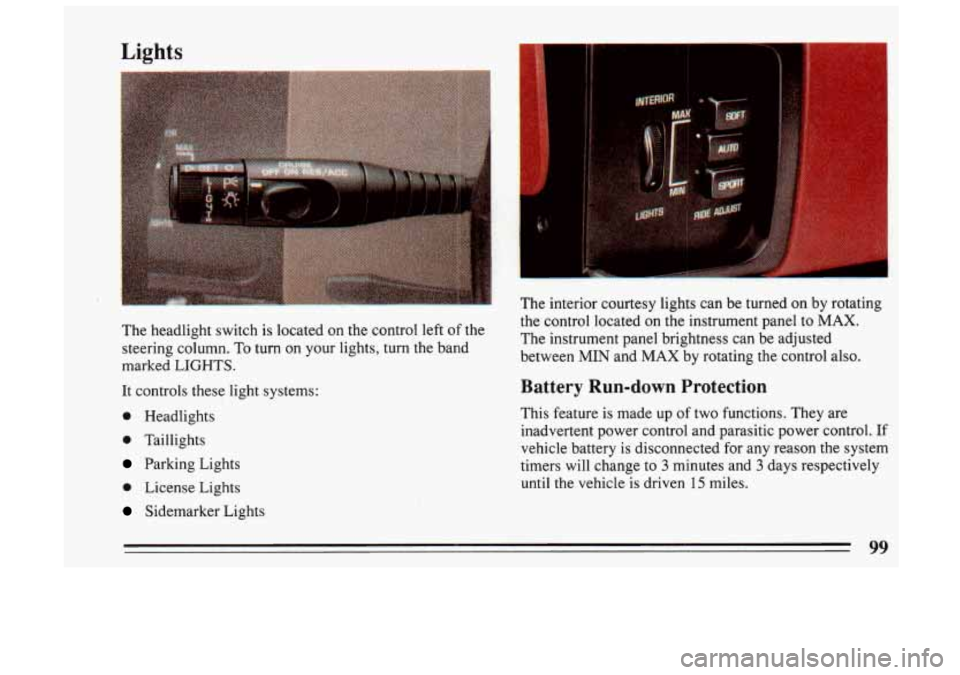
The headlight switch is located on the control left of the
steering column. To turn on your lights, turn the band
marked LIGHTS.
It controls these light systems:
0 Headlights
0 Taillights
Parking Lights
0 License Lights
Sidemarker Lights The interior courtesy lights can be turned on by rotating
the control located
on the instrument panel
to MAX.
The instrument panel brightness can be adjusted
between MIN and MAX by rotating the control also.
Battery Run-down Protection
This feature is made up of two functions. They are
inadvertent power control and parasitic power control. If
vehicle battery is disconnected for any reason the system
timers will change to
3 minutes and 3 days respectively
until the vehicle is driven 15 miles.
77
Page 138 of 306

Part 4 Your Driving and the Road
I
Here you’ll find information about driving on different kinds\
of roads and io varying weather conditions . We’ve also
included many other useful tips
on driving .
Part 4 includes:
RoadSigns
....................................................................... \
DefensiveDriving .................................................................
DrunkenDriving ..................................................................
ControlofaVehicle ................................................................
Braking ......................................................................
Steering .....................................................................
Passing .....................................................................
LossofControl ...............................................................
DrivingatNight ...................................................................
DrivingintheRain .................................................................
Driving in Fog, Mist and Haze ........................................................
CityDriving ......................................................................
FreewayDriving ...................................................................
DrivingonaLongTrip .............................................................
HillandMountainRoads ............................................................
ParkingonHills ...................................................................
WinterDriving ....................................................................
TowingaTrailer ...................................................................
138
144
145
148
149
154
156
158
159
161
164
165
166
168
170
172
175
179
Page 149 of 306
alcohol in a person’s system can make crash injuries Control of a Vehicle
worse. That’s especially true for brain, spinal cord and
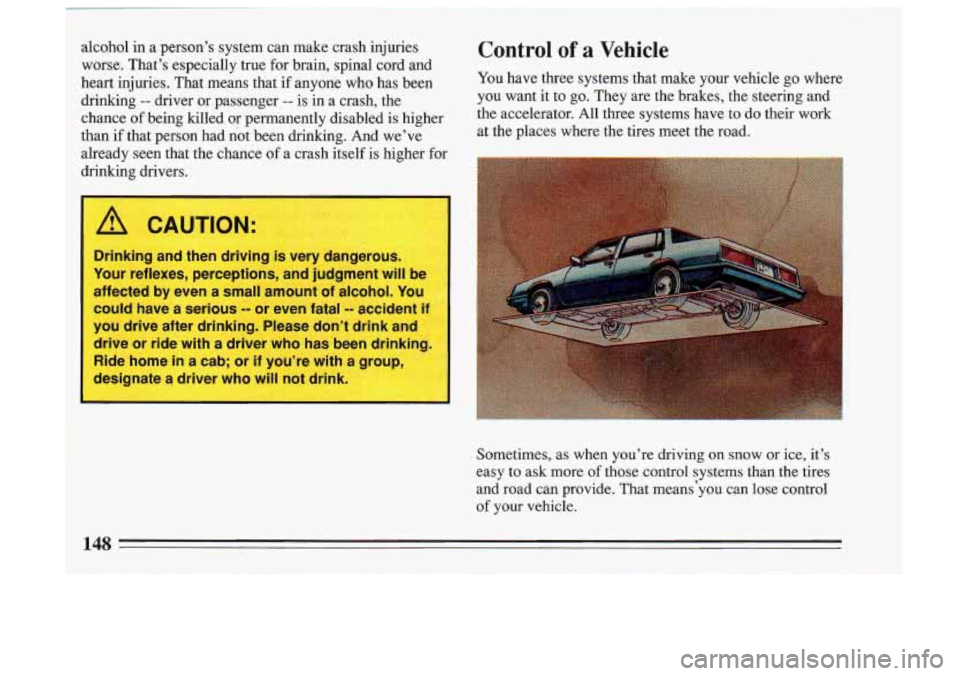
heart injuries. That means that if anyone who has been You have three systems that make
your vehicle go where
drinking
-- driver or passenger -- is in a crash, the you want it to go. They are the brakes, the steering and
than if that person had not been drinking. And we’ve
at the places where the tires meet the road.
already seen that the chance of a crash itself is higher for
drinking drivers. chance
of being
filled or permanently disabled is higher the accelerator. All three Systems have to do their work
L
A CAUTION:
-
*. ,
Drinking and then driving is very dangerous.
Your reflexes, perceptions, and judgment will be
affected by even a small amount
of alcohol. You
could have a serious
-- or even fatal -- accident i 1
you drive after drinking. Please don’t drink an
drive or ride with a driver who has been drinking.
1;
Ride home in a cab; or if you’re with a group,
designate
a driver who will not drink.
Sometimes, as when you’re driving on snow or ice, it’s
easy
to ask more of those control systems than the tires
and road can provide. That means‘you can lose control of your vehicle.
148
Page 155 of 306
Braking in Emergencies
Use your anti-lock braking system when you need to.
With anti-lock, you can steer and brake at the same time.
In many emergencies, steering can help you more than
even the very best braking.
Steering
Power Steering
If you lose power steering assist because the engine
stops or the system fails to function, you can steer but it
will take much more effort.
Steering Tips
Driving on Curves
It’s important to take curves at a reasonable speed.
A lot of the “driver lost control” accidents mentioned on
the news happen on curves. Here’s why:
Experienced driver or beginner, each of us is subject to
the same laws of physics when driving on curves. The
traction of the tires against the road surface makes it
possible for the vehicle to change its path when you
turn
the front wheels. If there’s no traction, inertia will keep
the vehicle going in the same direction.
If you’ve ever
tried to steer
a vehicle on wet ice, you’ll understand this. The traction you can get in a curve depends on the
condition of your tires and the road surface, the angle at
which the curve is banked, and your speed. While
you’re in a curve, speed is the one factor you can
control.
Suppose you’re steering through a sharp curve. Then
you suddenly accelerate.
Those two control systems
-- steering and acceleration --
can overwhelm those places where.the tires meet the
road and make you lose control.
What should you do if this ever happens? Let up on the
accelerator pedal, steer the vehicle the way you want it
to
go, and slow down.
Speed limit signs near curves warn that you should
adjust your speed. Of course, the posted speeds are
based on good weather and road conditions. Under less favorable conditions you’ll want to go slower.
If you need to reduce your speed as you approach a
curve, do it before you enter the curve, while your front
wheels are straight ahead.
Try to adjust your speed
so you can “drive” through the
curve. Maintain a reasonable, steady speed. Wait to
accelerate until you are out of the curve, and then
accelerate gently into the straightaway.
154