brake light BUICK TERRAZA 2005 User Guide
[x] Cancel search | Manufacturer: BUICK, Model Year: 2005, Model line: TERRAZA, Model: BUICK TERRAZA 2005Pages: 428, PDF Size: 2.6 MB
Page 193 of 428
REMOTE START ON
If your vehicle has the remote start feature, this
message will display when a remote start is initiated.
See “Remote Vehicle Start” underRemote Keyless Entry
System Operation on page 2-5for more information.
RIGHT FRONT TURN LAMP OUT
This message will display when the right front turn
signal bulb needs to be replaced. SeeHeadlamps and
Sidemarker Lamps on page 5-43.
This message will display while the ignition is in RUN.
Press any of the DIC buttons to acknowledge this
message and to clear it from the screen.
This message will continue to display for two seconds
if it has not been acknowledged when the engine is
turned off. It will also re-display for two seconds if the
message has been acknowledged, but the condition still
exists when the engine is turned off.
If the condition still exists, the message will re-appear
when the engine is turned on.
RIGHT REAR TURN LAMP OUT
This message will display when the right rear turn signal
bulb needs to be replaced. SeeTaillamps, Turn
Signal, Stoplamps and Back-up Lamps on page 5-45.
This message will display while the ignition is in
RUN. Press any of the DIC buttons to acknowledge this
message and to clear it from the screen.
This message will continue to display for two seconds
if it has not been acknowledged when the engine is
turned off. It will also re-display for two seconds if the
message has been acknowledged, but the condition still
exists when the engine is turned off.
If the condition still exists, the message will re-appear
when the engine is turned on.
SERVICE ABS SYSTEM
If the vehicle has the Anti-Lock Brake System (ABS),
this message will display when the vehicle’s brakes are
not functioning properly. Have the brake system
serviced by your GM dealer as soon as possible.
The anti-lock brake system warning light will also appear
on the instrument panel cluster when this message
appears on the DIC. SeeAnti-Lock Brake System
Warning Light on page 3-38.
3-63
Page 194 of 428
This message will only display while the ignition is in
RUN. Press any of the DIC buttons to acknowledge this
message and to clear it from the screen.
This message will continue to display for two seconds
if it has not been acknowledged when the engine is
turned off. It will also re-display for two seconds if the
message has been acknowledged, but the condition still
exists when the engine is turned off.
If the condition still exists, the message will re-appear
when the engine is turned on.
SERVICE BRAKE SYSTEM
This message will display when a problem with the
brake system has been detected. Have your vehicle
serviced by your GM dealer as soon as possible.
The brake system warning light will also appear on the
instrument panel cluster when this message appears
on the DIC. SeeBrake System Warning Light on
page 3-37.
This message will only display while the ignition is in
RUN. Press any of the DIC buttons to acknowledge this
message and to clear it from the screen.This message will continue to display for two seconds
if it has not been acknowledged when the engine is
turned off. It will also re-display for two seconds if the
message has been acknowledged, but the condition still
exists when the engine is turned off.
If the condition still exists, the message will re-appear
when the engine is turned on.
SERVICE PARK LAMPS
This message will display when there is a problem with
the park lamps. Check to see if the park lamp fuse
is blown and replace the fuse if necessary. SeeFuses
and Circuit Breakers on page 5-87andInstrument
Panel Fuse Block on page 5-88for more information.
If changing the fuse does not correct the problem,
see your GM dealer.
This message will only display while the ignition is in
RUN. Press any of the DIC buttons to acknowledge this
message and to clear it from the screen.
This message will continue to display for two seconds
if it has not been acknowledged when the engine is
turned off. It will also re-display for two seconds if the
message has been acknowledged, but the condition still
exists when the engine is turned off.
If the condition still exists, the message will re-appear
when the engine is turned on.
3-64
Page 251 of 428
Anti-Lock Brake System (ABS)
Your vehicle has anti-lock brakes. ABS is an advanced
electronic braking system that will help prevent a
braking skid.
When you start your engine and begin to drive away,
your anti-lock brake system will check itself. You
may hear a momentary motor or clicking noise while
this test is going on, and you may even notice that your
brake pedal moves or pulses a little. This is normal.
If there is a problem with
the anti-lock brake system,
this warning light will
stay on. SeeAnti-Lock
Brake System Warning
Light on page 3-38.
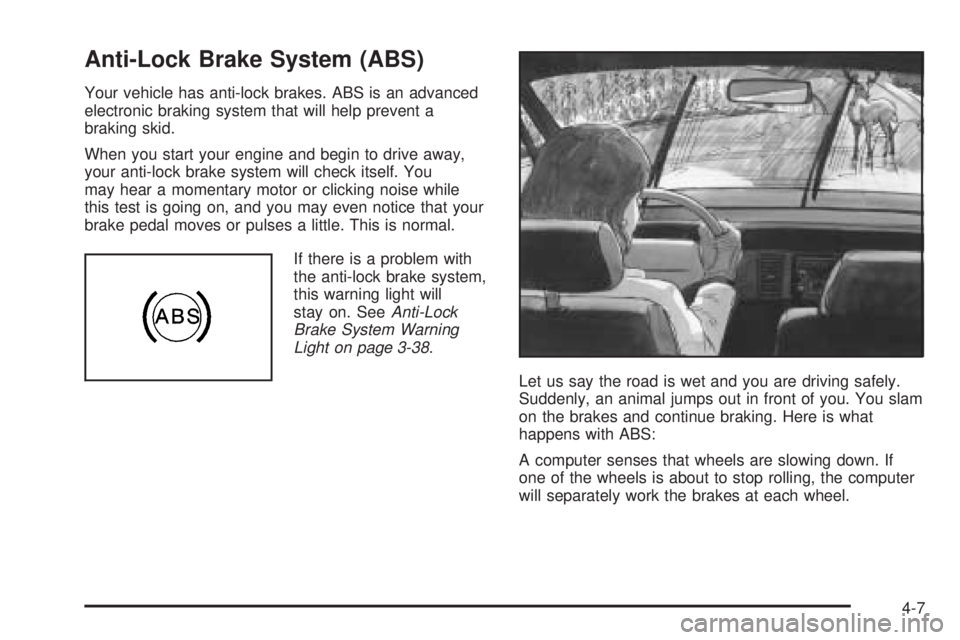
Let us say the road is wet and you are driving safely.
Suddenly, an animal jumps out in front of you. You slam
on the brakes and continue braking. Here is what
happens with ABS:
A computer senses that wheels are slowing down. If
one of the wheels is about to stop rolling, the computer
will separately work the brakes at each wheel.
4-7
Page 252 of 428
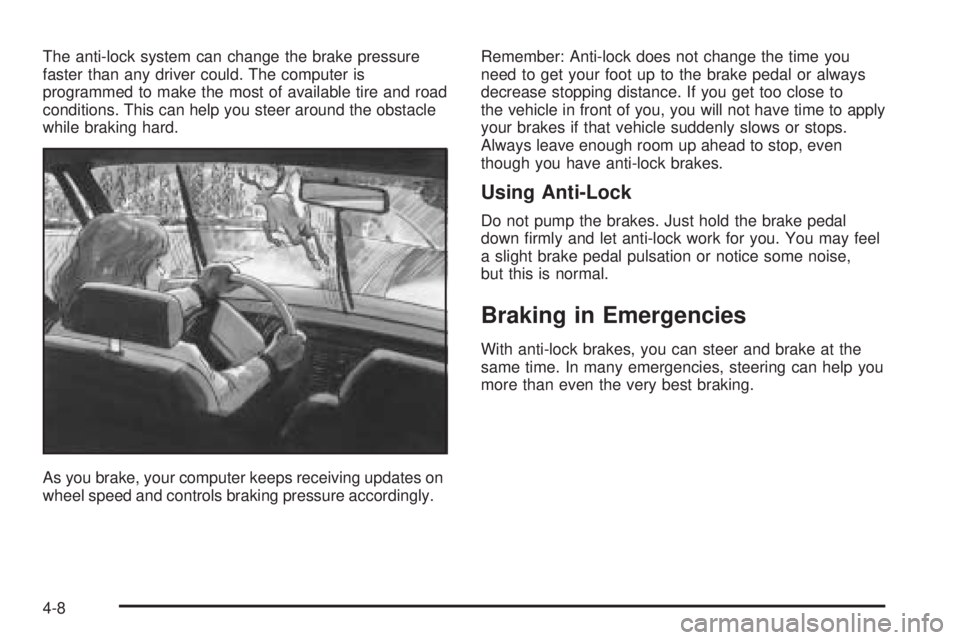
The anti-lock system can change the brake pressure
faster than any driver could. The computer is
programmed to make the most of available tire and road
conditions. This can help you steer around the obstacle
while braking hard.
As you brake, your computer keeps receiving updates on
wheel speed and controls braking pressure accordingly.Remember: Anti-lock does not change the time you
need to get your foot up to the brake pedal or always
decrease stopping distance. If you get too close to
the vehicle in front of you, you will not have time to apply
your brakes if that vehicle suddenly slows or stops.
Always leave enough room up ahead to stop, even
though you have anti-lock brakes.
Using Anti-Lock
Do not pump the brakes. Just hold the brake pedal
down rmly and let anti-lock work for you. You may feel
a slight brake pedal pulsation or notice some noise,
but this is normal.
Braking in Emergencies
With anti-lock brakes, you can steer and brake at the
same time. In many emergencies, steering can help you
more than even the very best braking.
4-8
Page 253 of 428
Traction Control System (TCS)
Your vehicle may have a traction control system that
limits wheel spin. This is especially useful in slippery
road conditions. On a front-wheel-drive vehicle,
the system operates if it senses that one or both of the
front wheels are spinning or beginning to lose traction.
On an all-wheel-drive vehicle, the system will operate if it
senses that any of the wheels are spinning or beginning
to lose traction. When this happens, the system
brakes the spinning wheel(s) and/or reduces engine
power to limit wheel spin.
The TRACTION CONTROL ACTIVE message will come
on in the Driver Information Center (DIC) when the
traction control system is limiting wheel spin. You may
feel or hear the system working, but this is normal.
If your vehicle is in cruise control when the traction
control system begins to limit wheel spin, the cruise
control will automatically disengage. When road
conditions allow you to safely use it again, you may
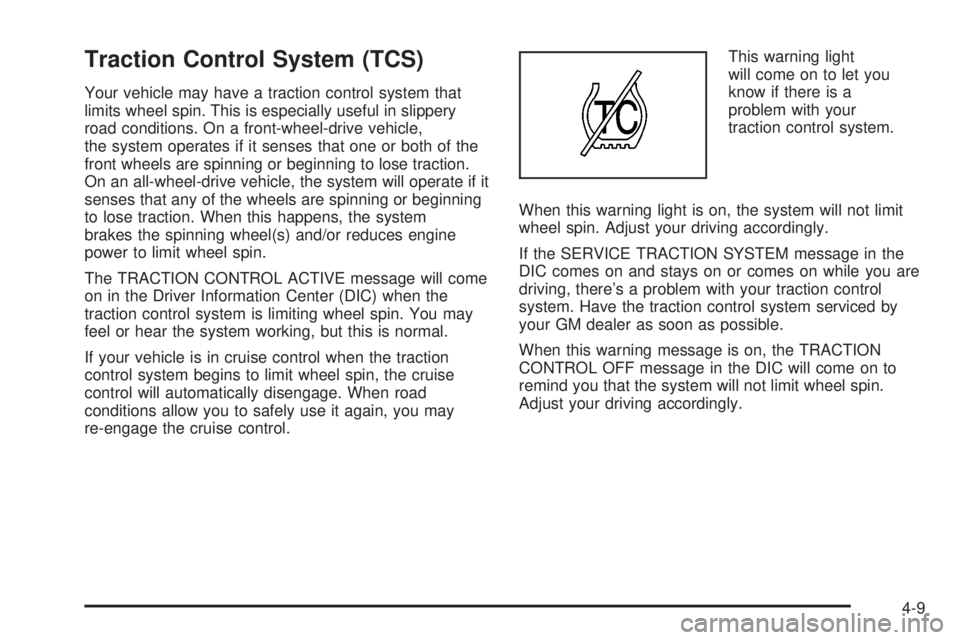
re-engage the cruise control.This warning light
will come on to let you
know if there is a
problem with your
traction control system.
When this warning light is on, the system will not limit
wheel spin. Adjust your driving accordingly.
If the SERVICE TRACTION SYSTEM message in the
DIC comes on and stays on or comes on while you are
driving, there’s a problem with your traction control
system. Have the traction control system serviced by
your GM dealer as soon as possible.
When this warning message is on, the TRACTION
CONTROL OFF message in the DIC will come on to
remind you that the system will not limit wheel spin.
Adjust your driving accordingly.
4-9
Page 255 of 428
StabiliTrak®activates when the computer senses that
your vehicle is just starting to spin, as it might if you hit a
patch of ice or other slippery spot on the road. When the
system activates, you may hear a noise or feel a vibration
in the brake pedal. This is normal. When the STABILITY
CONTROL ACTIVE message is on, you should continue
to steer in the direction you want to go. The system is
designed to help you in bad weather or other difficult
driving situations by making the most of whatever road
conditions will permit. For more information on the
stability messages, seeDriver Information Center (DIC)
on page 3-45.
If the StabiliTrak
®system turns off, the traction control
system warning light will illuminate, and the STABILITY
CONTROL OFF message will appear on the DIC to
warn the driver that StabiliTrak
®is no longer available
to assist you with directional control of the vehicle.
Adjust your driving accordingly.
To limit wheel spin and realize the full benets of the
stability enhancement system, you should normally
leave traction control on, but it may be necessary to
turn the system off if your vehicle is stuck in sand, mud,
ice or snow, and you want to “rock” your vehicle to
attempt to free it. SeeRocking Your Vehicle to Get It
Out on page 4-32andIf Your Vehicle is Stuck in Sand,
Mud, Ice or Snow on page 4-31.
Traction Control Operation
The traction control system is part of the StabiliTrak®
system. Traction control limits wheel spin by reducing
engine power to the wheels (engine speed
management) and by applying brakes to each individual
wheel (brake-traction control) as necessary.
The traction control system is enabled automatically
when you start your vehicle. It will activate and display
the TRACTION CONTROL ACTIVE message in the
DIC if it senses that any of the wheels are spinning or
beginning to lose traction while driving an all-wheel-drive
vehicle, or if one or both of the front wheels are
spinning or beginning to lose traction while driving a
front-wheel-drive vehicle.
If the brake traction-control system activates constantly
or if the brakes have heated up due to high-speed
braking, brake traction-control will be disabled and the
TRACTION CONTROL ACTIVE message will be
displayed. In the limited mode, the traction control
system will only use engine traction-control and is limited
in its ability to provide optimal performance since the
system will not utilize brake traction-control to control
slip on the drive wheels. The system will return to normal
operation after the brakes have cooled. This can take
up to two minutes or longer depending on brake usage.
4-11
Page 264 of 428
The heavier the rain, the harder it is to see. Even if
your windshield wiper blades are in good shape, a heavy
rain can make it harder to see road signs and traffic
signals, pavement markings, the edge of the road, and
even people walking.
It is wise to keep your wiping equipment in good shape
and keep your windshield washer tank lled with
washer uid. Replace your windshield wiper inserts
when they show signs of streaking or missing areas on
the windshield, or when strips of rubber start to
separate from the inserts.
Driving too fast through large water puddles or even
going through some car washes can cause problems,
too. The water may affect your brakes. Try to avoid
puddles. But if you cannot, try to slow down before
you hit them.
{CAUTION:
Wet brakes can cause accidents. They will not
work as well in a quick stop and may cause
pulling to one side. You could lose control of
the vehicle.
After driving through a large puddle of water
or a car wash, apply your brake pedal lightly
until your brakes work normally.
Hydroplaning
Hydroplaning is dangerous. So much water can build
up under your tires that they can actually ride on
the water. This can happen if the road is wet enough
and you are going fast enough. When your vehicle
is hydroplaning, it has little or no contact with the road.
4-20
Page 326 of 428
So, it is not a good idea to top off your brake uid.
Adding brake uid will not correct a leak. If you add
uid when your linings are worn, then you will have
too much uid when you get new brake linings.
You should add or remove brake uid, as necessary,
only when work is done on the brake hydraulic system.
{CAUTION:
If you have too much brake uid, it can spill on
the engine. The uid will burn if the engine is
hot enough. You or others could be burned,
and your vehicle could be damaged. Add brake
uid only when work is done on the brake
hydraulic system.
When your brake uid falls to a low level, your brake
warning light will come on. SeeBrake System Warning
Light on page 3-37.
What to Add
When you do need brake uid, use only DOT-3 brake
uid. Use new brake uid from a sealed container
only. SeeRecommended Fluids and Lubricants
on page 6-11.Always clean the brake uid reservoir cap and the
area around the cap before removing it. This will
help keep dirt from entering the reservoir.
{CAUTION:
With the wrong kind of uid in your brake
system, your brakes may not work well, or they
may not even work at all. This could cause a
crash. Always use the proper brake uid.
Notice:
Using the wrong uid can badly damage brake
system parts. For example, just a few drops of
mineral-based oil, such as engine oil, in your
brake system can damage brake system parts so
badly that they will have to be replaced. Do not
let someone put in the wrong kind of uid.
If you spill brake uid on your vehicle’s painted
surfaces, the paint nish can be damaged. Be
careful not to spill brake uid on your vehicle. If
you do, wash it off immediately. SeeAppearance
Care on page 5-77.
5-34
Page 327 of 428
Brake Wear
Your vehicle has four-wheel disc brakes.
Disc brake pads have built-in wear indicators that make
a high-pitched warning sound when the brake pads
are worn and new pads are needed. The sound
may come and go or be heard all the time your vehicle
is moving, except when you are pushing on the
brake pedal rmly.
{CAUTION:
The brake wear warning sound means that
soon your brakes will not work well. That
could lead to an accident. When you hear the
brake wear warning sound, have your vehicle
serviced.
Notice:Continuing to drive with worn-out brake
pads could result in costly brake repair.Some driving conditions or climates may cause a brake
squeal when the brakes are rst applied or lightly
applied. This does not mean something is wrong with
your brakes.
Properly torqued wheel nuts are necessary to help
prevent brake pulsation. When tires are rotated, inspect
brake pads for wear and evenly tighten wheel nuts in
the proper sequence to GM torque specications.
Brake linings should always be replaced as complete
axle sets.
Brake Pedal Travel
See your dealer if the brake pedal does not return to
normal height, or if there is a rapid increase in
pedal travel. This could be a sign of brake trouble.
Brake Adjustment
Every time you apply the brakes, with or without the
vehicle moving, your brakes adjust for wear.
5-35
Page 329 of 428
{CAUTION:
Batteries can hurt you. They can be dangerous
because:
They contain acid that can burn you.
They contain gas that can explode or
ignite.
They contain enough electricity to
burn you.
If you do not follow these steps exactly, some
or all of these things can hurt you.
Notice:Ignoring these steps could result in costly
damage to your vehicle that would not be covered
by your warranty.
Trying to start your vehicle by pushing or pulling it
will not work, and it could damage your vehicle.
1. Check the other vehicle. It must have a 12-volt
battery with a negative ground system.
Notice:If the other vehicle’s system is not a 12-volt
system with a negative ground, both vehicles can
be damaged. Only use vehicles with 12-volt systems
with negative grounds to jump start your vehicle.2. Get the vehicles close enough so the jumper cables
can reach, but be sure the vehicles are not touching
each other. If they are, it could cause a ground
connection you do not want. You would not be able
to start your vehicle, and the bad grounding
could damage the electrical systems.
To avoid the possibility of the vehicles rolling, set
the parking brake rmly on both vehicles involved in
the jump start procedure. Put an automatic
transaxle in PARK (P) or a manual transaxle in
NEUTRAL before setting the parking brake.
Notice:If you leave your radio or other accessories
on during the jump starting procedure, they could
be damaged. The repairs would not be covered
by your warranty. Always turn off your radio and
other accessories when jump starting your vehicle.
3. Turn off the ignition on both vehicles. Unplug
unnecessary accessories plugged into the cigarette
lighter or the accessory power outlet. Turn off
the radio and all lamps that are not needed. This
will avoid sparks and help save both batteries.
And it could save the radio!
4. Open the hoods and locate the batteries. Find the
positive (+) and negative (−) terminal locations on
each vehicle.
You will not need to access your battery for jump
starting. Your vehicle has a remote positive (+)
jump starting terminal for that purpose.
5-37