wheel CADILLAC ATS 2013 1.G Workshop Manual
[x] Cancel search | Manufacturer: CADILLAC, Model Year: 2013, Model line: ATS, Model: CADILLAC ATS 2013 1.GPages: 450, PDF Size: 6.98 MB
Page 253 of 450
Black plate (35,1)Cadillac ATS Owner Manual - 2013 - CRC - 10/5/12
Driving and Operating 9-35
Ifdcomes on and stays on, reset
the system:
1. Stop the vehicle.
2. Turn the engine off and wait 15 seconds.
3. Start the engine.
If
dstill comes on and stays on at a
speed above 20 km/h (13 mph), see
your dealer for service.
A chime may also sound when the
light comes on steady.
Notice: Do not repeatedly brake
or accelerate heavily when TCS is
off. The vehicle's driveline could
be damaged.
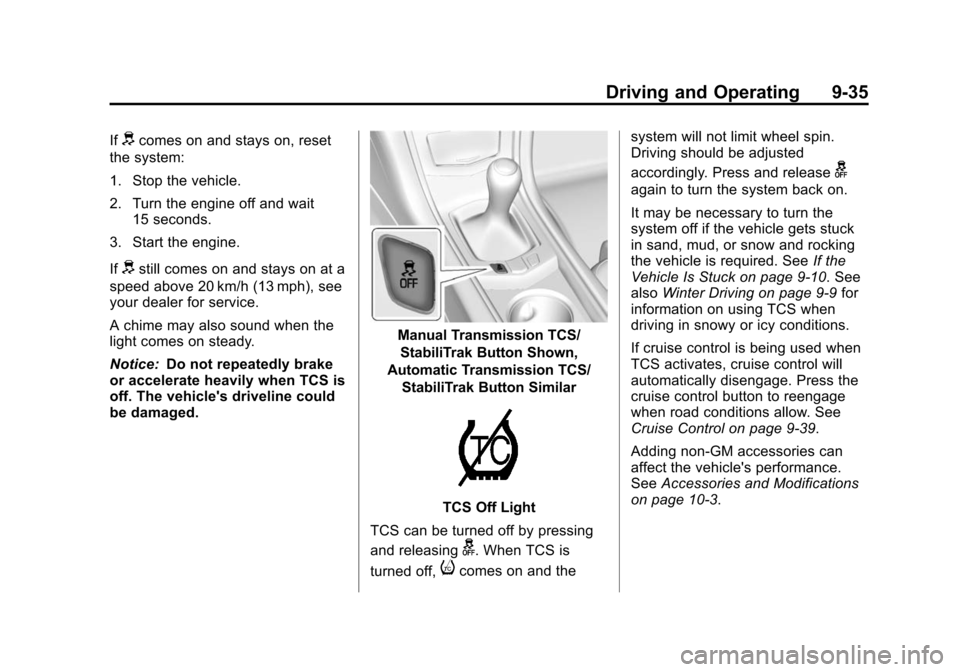
Manual Transmission TCS/
StabiliTrak Button Shown,
Automatic Transmission TCS/
StabiliTrak Button Similar
TCS Off Light
TCS can be turned off by pressing
and releasing
g. When TCS is
turned off,
icomes on and the system will not limit wheel spin.
Driving should be adjusted
accordingly. Press and release
g
again to turn the system back on.
It may be necessary to turn the
system off if the vehicle gets stuck
in sand, mud, or snow and rocking
the vehicle is required. See
If the
Vehicle Is Stuck on page 9‑10. See
also Winter Driving on page 9‑9 for
information on using TCS when
driving in snowy or icy conditions.
If cruise control is being used when
TCS activates, cruise control will
automatically disengage. Press the
cruise control button to reengage
when road conditions allow. See
Cruise Control on page 9‑39.
Adding non-GM accessories can
affect the vehicle's performance.
See Accessories and Modifications
on page 10‑3.
Page 255 of 450
Black plate (37,1)Cadillac ATS Owner Manual - 2013 - CRC - 10/5/12
Driving and Operating 9-37
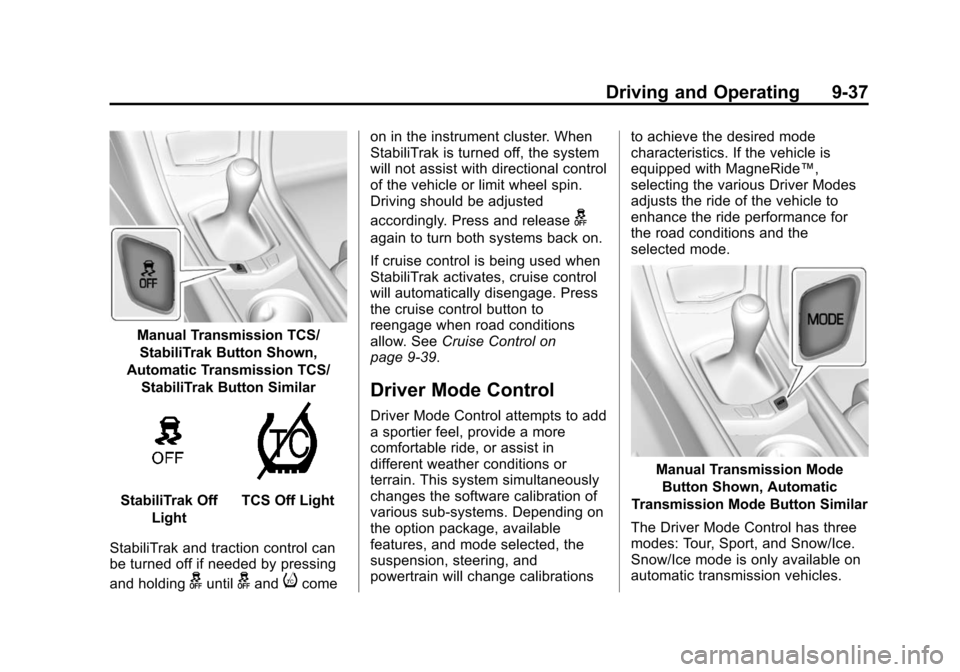
Manual Transmission TCS/StabiliTrak Button Shown,
Automatic Transmission TCS/
StabiliTrak Button Similar
StabiliTrak Off LightTCS Off Light
StabiliTrak and traction control can
be turned off if needed by pressing
and holding
guntilgandicome on in the instrument cluster. When
StabiliTrak is turned off, the system
will not assist with directional control
of the vehicle or limit wheel spin.
Driving should be adjusted
accordingly. Press and release
g
again to turn both systems back on.
If cruise control is being used when
StabiliTrak activates, cruise control
will automatically disengage. Press
the cruise control button to
reengage when road conditions
allow. See
Cruise Control on
page 9‑39.
Driver Mode Control
Driver Mode Control attempts to add
a sportier feel, provide a more
comfortable ride, or assist in
different weather conditions or
terrain. This system simultaneously
changes the software calibration of
various sub-systems. Depending on
the option package, available
features, and mode selected, the
suspension, steering, and
powertrain will change calibrations to achieve the desired mode
characteristics. If the vehicle is
equipped with MagneRide™,
selecting the various Driver Modes
adjusts the ride of the vehicle to
enhance the ride performance for
the road conditions and the
selected mode.
Manual Transmission Mode
Button Shown, Automatic
Transmission Mode Button Similar
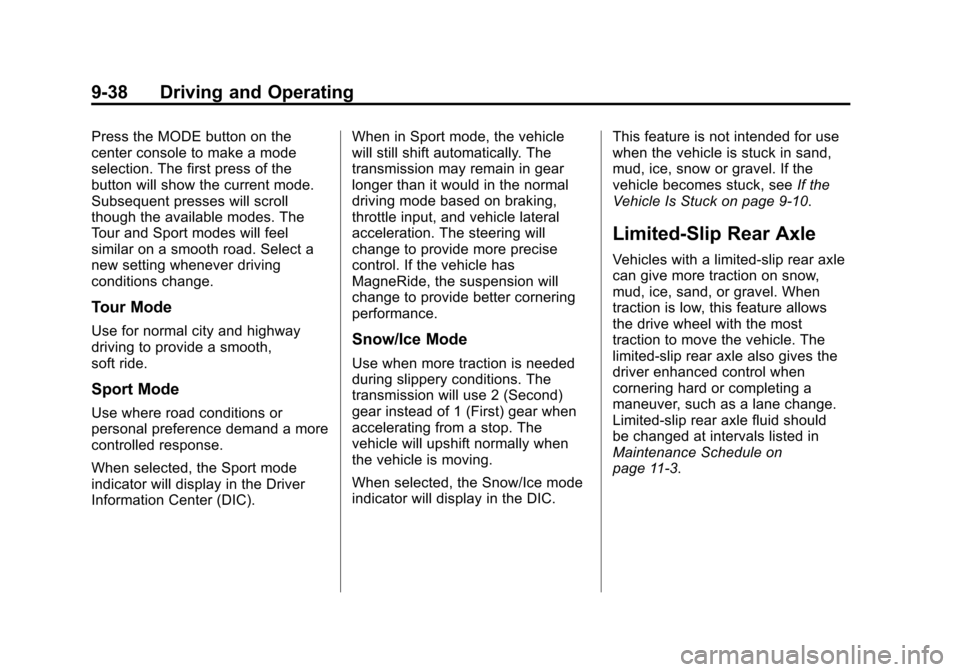
The Driver Mode Control has three
modes: Tour, Sport, and Snow/Ice.
Snow/Ice mode is only available on
automatic transmission vehicles.
Page 256 of 450
Black plate (38,1)Cadillac ATS Owner Manual - 2013 - CRC - 10/5/12
9-38 Driving and Operating
Press the MODE button on the
center console to make a mode
selection. The first press of the
button will show the current mode.
Subsequent presses will scroll
though the available modes. The
Tour and Sport modes will feel
similar on a smooth road. Select a
new setting whenever driving
conditions change.
Tour Mode
Use for normal city and highway
driving to provide a smooth,
soft ride.
Sport Mode
Use where road conditions or
personal preference demand a more
controlled response.
When selected, the Sport mode
indicator will display in the Driver
Information Center (DIC).When in Sport mode, the vehicle
will still shift automatically. The
transmission may remain in gear
longer than it would in the normal
driving mode based on braking,
throttle input, and vehicle lateral
acceleration. The steering will
change to provide more precise
control. If the vehicle has
MagneRide, the suspension will
change to provide better cornering
performance.
Snow/Ice Mode
Use when more traction is needed
during slippery conditions. The
transmission will use 2 (Second)
gear instead of 1 (First) gear when
accelerating from a stop. The
vehicle will upshift normally when
the vehicle is moving.
When selected, the Snow/Ice mode
indicator will display in the DIC.
This feature is not intended for use
when the vehicle is stuck in sand,
mud, ice, snow or gravel. If the
vehicle becomes stuck, see
If the
Vehicle Is Stuck on page 9‑10.
Limited-Slip Rear Axle
Vehicles with a limited-slip rear axle
can give more traction on snow,
mud, ice, sand, or gravel. When
traction is low, this feature allows
the drive wheel with the most
traction to move the vehicle. The
limited-slip rear axle also gives the
driver enhanced control when
cornering hard or completing a
maneuver, such as a lane change.
Limited-slip rear axle fluid should
be changed at intervals listed in
Maintenance Schedule on
page 11‑3.
Page 257 of 450
Black plate (39,1)Cadillac ATS Owner Manual - 2013 - CRC - 10/5/12
Driving and Operating 9-39
Cruise Control
{WARNING
Cruise control can be dangerous
where you cannot drive safely at
a steady speed. So, do not use
the cruise control on winding
roads or in heavy traffic.
Cruise control can be dangerous
on slippery roads. On such roads,
fast changes in tire traction can
cause excessive wheel slip, and
you could lose control. Do not use
cruise control on slippery roads.
With cruise control, a speed of
about 40 km/h (25 mph) or more can
be maintained without keeping your
foot on the accelerator. Cruise
control does not work at speeds
below about 40 km/h (25 mph).
If the brakes are applied, the cruise
control disengages. For vehicles with a manual
transmission, the cruise control will
remain active when the gears are
shifted. The cruise is deactivated if
the clutch is depressed for several
seconds.
If the StabiliTrak
®system begins to
limit wheel spin while using cruise
control, the cruise control
automatically disengages. See
StabiliTrak
®System on page 9‑36 or
Traction Control System (TCS) on
page 9‑34. When road conditions
allow the cruise control to be safely
used, you can apply the cruise
control again.
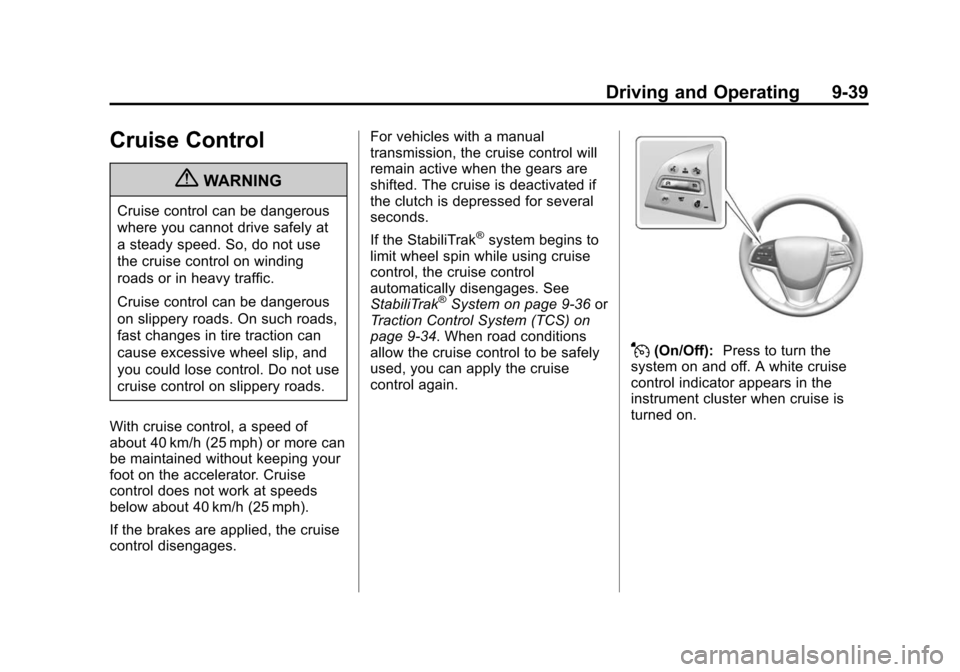
J(On/Off): Press to turn the
system on and off. A white cruise
control indicator appears in the
instrument cluster when cruise is
turned on.
Page 258 of 450
Black plate (40,1)Cadillac ATS Owner Manual - 2013 - CRC - 10/5/12
9-40 Driving and Operating
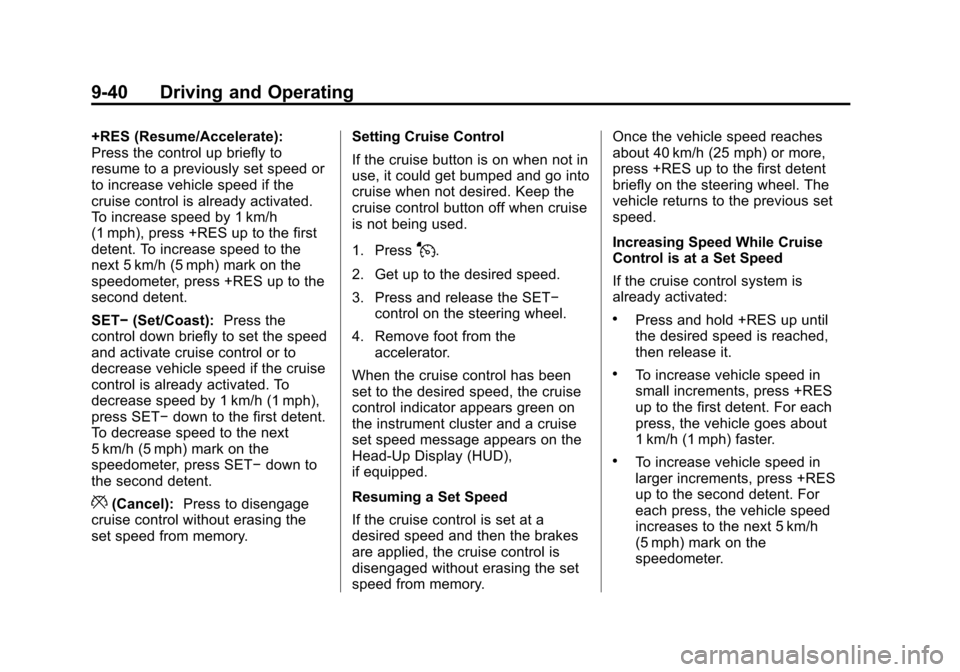
+RES (Resume/Accelerate):
Press the control up briefly to
resume to a previously set speed or
to increase vehicle speed if the
cruise control is already activated.
To increase speed by 1 km/h
(1 mph), press +RES up to the first
detent. To increase speed to the
next 5 km/h (5 mph) mark on the
speedometer, press +RES up to the
second detent.
SET−(Set/Coast): Press the
control down briefly to set the speed
and activate cruise control or to
decrease vehicle speed if the cruise
control is already activated. To
decrease speed by 1 km/h (1 mph),
press SET− down to the first detent.
To decrease speed to the next
5 km/h (5 mph) mark on the
speedometer, press SET− down to
the second detent.
*(Cancel): Press to disengage
cruise control without erasing the
set speed from memory. Setting Cruise Control
If the cruise button is on when not in
use, it could get bumped and go into
cruise when not desired. Keep the
cruise control button off when cruise
is not being used.
1. Press
J.
2. Get up to the desired speed.
3. Press and release the SET− control on the steering wheel.
4. Remove foot from the accelerator.
When the cruise control has been
set to the desired speed, the cruise
control indicator appears green on
the instrument cluster and a cruise
set speed message appears on the
Head-Up Display (HUD),
if equipped.
Resuming a Set Speed
If the cruise control is set at a
desired speed and then the brakes
are applied, the cruise control is
disengaged without erasing the set
speed from memory. Once the vehicle speed reaches
about 40 km/h (25 mph) or more,
press +RES up to the first detent
briefly on the steering wheel. The
vehicle returns to the previous set
speed.
Increasing Speed While Cruise
Control is at a Set Speed
If the cruise control system is
already activated:
.Press and hold +RES up until
the desired speed is reached,
then release it.
.To increase vehicle speed in
small increments, press +RES
up to the first detent. For each
press, the vehicle goes about
1 km/h (1 mph) faster.
.To increase vehicle speed in
larger increments, press +RES
up to the second detent. For
each press, the vehicle speed
increases to the next 5 km/h
(5 mph) mark on the
speedometer.
Page 260 of 450
Black plate (42,1)Cadillac ATS Owner Manual - 2013 - CRC - 10/5/12
9-42 Driving and Operating
Adaptive Cruise Control
For vehicles with Adaptive Cruise
Control (ACC), it allows the driver to
select the cruise control set speed
and following gap. Read this entire
section before using this system.
The following gap is the following
time between your vehicle and a
vehicle detected directly ahead in
your path moving in the same
direction. If no vehicle is detected in
your path, ACC works like regular
cruise control. ACC uses camera
and radar sensors. SeeRadio
Frequency Statement on
page 13‑21 for information
regarding Part 15 of the Federal
Communications Commission (FCC)
rules and Industry Canada
Standards RSS-GEN/210/220/310.
If a vehicle is detected in your path,
ACC can apply acceleration or
limited, moderate braking to
maintain the selected following gap.
To disengage ACC, apply the brake. If ACC is controlling your vehicle
speed when the Traction Control
System (TCS) activates, the ACC
will automatically disengage. See
Traction Control System (TCS) on
page 9‑34. When road conditions
allow ACC to be safely used, the
ACC can be turned back on.
{WARNING
ACC has limited braking ability
and may not have time to slow
the vehicle down enough to avoid
a collision with another vehicle
you are following. This can occur
when vehicles suddenly slow or
stop ahead, or enter your lane.
Also see
“Alerting the Driver” in
this section. Complete attention is
always required while driving and
you should be ready to take
action and apply the brakes. See
Defensive Driving on page 9‑3.
{WARNING
Adaptive Cruise Control will not
detect or brake for children,
pedestrians, animals, or other
objects.
Do not use Adaptive Cruise
Control when:
.On winding and hilly roads or
when the sensors are
blocked by snow, ice, or dirt.
The system may not detect a
vehicle ahead. Keep the
entire front of the vehicle
clean.
.Visibility is low, such as in
fog, rain, or snow conditions.
Adaptive Cruise Control
performance is limited under
these conditions.
.On slippery roads where fast
changes in tire traction can
cause excessive wheel slip.
Page 261 of 450
:Press to turn the
system on or off.
+RES (Resume/Accelerate):
Press the control up briefly to
re](/img/23/7841/w960_7841-260.png "CADILLAC ATS 2013 1.G Workshop Manual Black plate (43,1)Cadillac ATS Owner Manual - 2013 - CRC - 10/5/12
Driving and Operating 9-43
](On/Off):Press to turn the
system on or off.
+RES (Resume/Accelerate):
Press the control up briefly to
re")
Black plate (43,1)Cadillac ATS Owner Manual - 2013 - CRC - 10/5/12
Driving and Operating 9-43
](On/Off):Press to turn the
system on or off.
+RES (Resume/Accelerate):
Press the control up briefly to
resume the previous set speed or to
increase vehicle speed if ACC is
already activated. To increase
speed by 1 km/h (1 mph), press
+RES up to the first detent. To
increase speed to the next 5 km/h
(5 mph) mark on the speedometer,
press +RES up to the second
detent. SET–
(Set/Coast): Press the
control down briefly to set the speed
and activate ACC or to decrease
vehicle speed if ACC is already
activated. To decrease speed by
1 km/h (1 mph), press SET− down to
the first detent. To decrease speed
to the next 5 km/h (5 mph) mark on
the speedometer, press SET− down
to the second detent.
*(Cancel): Press to disengage
ACC without erasing the set speed
from memory.
3(Follow Distance Gap): Press
to select a following gap time (or
distance) setting for ACC of Far,
Medium, or Near.
Setting Adaptive Cruise Control
If the cruise button is on when not in
use, it could get bumped and go into
cruise when not desired. Keep the
cruise control button off when cruise
is not being used. Select the set speed desired for
cruise. This is the vehicle speed
when no vehicle is detected in its
path slower than the set speed.
ACC will not set or resume at a
speed less than 40 km/h (25 mph).
To set ACC:
1. Press
].
2. Get up to the desired speed.
3. Press and release the SET– control on the steering wheel.
4. Remove foot from the accelerator.
After ACC is set, it may immediately
apply the brakes if a vehicle ahead
is detected closer than the selected
following gap.
Page 262 of 450
Black plate (44,1)Cadillac ATS Owner Manual - 2013 - CRC - 10/5/12
9-44 Driving and Operating
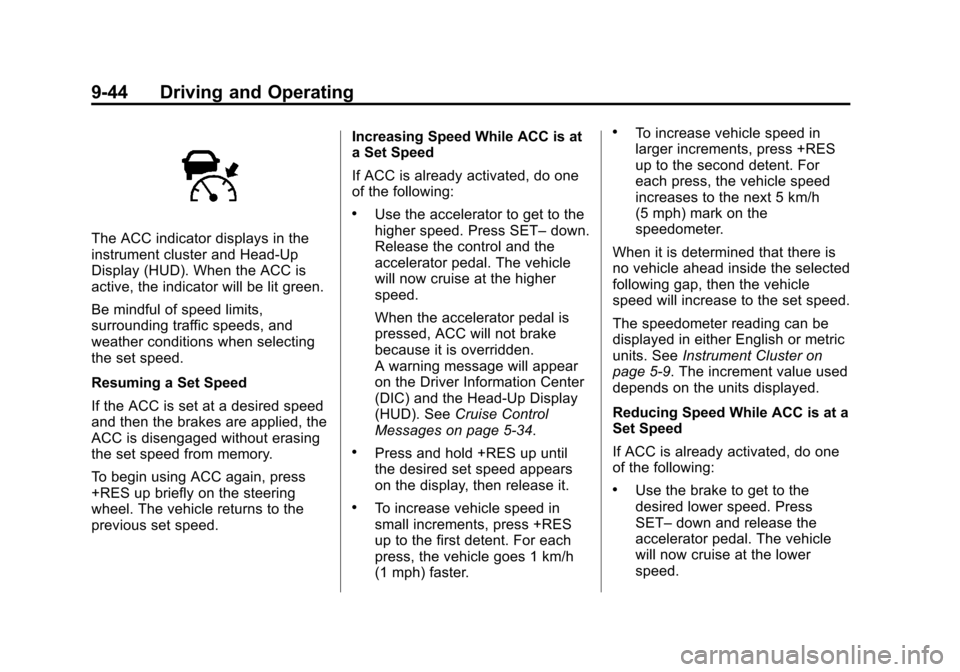
The ACC indicator displays in the
instrument cluster and Head-Up
Display (HUD). When the ACC is
active, the indicator will be lit green.
Be mindful of speed limits,
surrounding traffic speeds, and
weather conditions when selecting
the set speed.
Resuming a Set Speed
If the ACC is set at a desired speed
and then the brakes are applied, the
ACC is disengaged without erasing
the set speed from memory.
To begin using ACC again, press
+RES up briefly on the steering
wheel. The vehicle returns to the
previous set speed.Increasing Speed While ACC is at
a Set Speed
If ACC is already activated, do one
of the following:
.Use the accelerator to get to the
higher speed. Press SET–
down.
Release the control and the
accelerator pedal. The vehicle
will now cruise at the higher
speed.
When the accelerator pedal is
pressed, ACC will not brake
because it is overridden.
A warning message will appear
on the Driver Information Center
(DIC) and the Head-Up Display
(HUD). See Cruise Control
Messages on page 5‑34.
.Press and hold +RES up until
the desired set speed appears
on the display, then release it.
.To increase vehicle speed in
small increments, press +RES
up to the first detent. For each
press, the vehicle goes 1 km/h
(1 mph) faster.
.To increase vehicle speed in
larger increments, press +RES
up to the second detent. For
each press, the vehicle speed
increases to the next 5 km/h
(5 mph) mark on the
speedometer.
When it is determined that there is
no vehicle ahead inside the selected
following gap, then the vehicle
speed will increase to the set speed.
The speedometer reading can be
displayed in either English or metric
units. See Instrument Cluster on
page 5‑9. The increment value used
depends on the units displayed.
Reducing Speed While ACC is at a
Set Speed
If ACC is already activated, do one
of the following:
.Use the brake to get to the
desired lower speed. Press
SET– down and release the
accelerator pedal. The vehicle
will now cruise at the lower
speed.
Page 263 of 450
Black plate (45,1)Cadillac ATS Owner Manual - 2013 - CRC - 10/5/12
Driving and Operating 9-45
.Press and hold SET–down until
the desired lower speed is
reached, then release it.
.To decrease the vehicle speed in
small increments, press SET−
down to the first detent. For
each press, the vehicle goes
about 1 km/h (1 mph) slower.
.To decrease the vehicle speed in
larger increments, press SET−
down to the second detent. For
each press, the vehicle speed
decreases to the next 5 km/h
(5 mph) mark on the
speedometer.
The speedometer reading can be
displayed in either English or metric
units. See Instrument Cluster on
page 5‑9. The increment value used
depends on the units displayed.
Selecting the Follow Distance
When a slower moving vehicle is
detected ahead within the selected
following gap, ACC will adjust the
vehicle's speed and attempt to
maintain the follow distance gap
selected. Press
3on the steering wheel to
adjust the following gap. Each press
cycles the gap button through three
settings: Far, Medium, or Near.
When pressed, the current gap
setting displays briefly on the
instrument cluster and HUD. The
gap setting will be maintained until it
is changed.
Since each gap setting corresponds
to a following time (Far, Medium,
or Near), the following distance will
vary based on vehicle speed. The
faster the vehicle speed, the further
back your vehicle will follow a
vehicle detected ahead. Consider
traffic and weather conditions when
selecting the following gap. The
range of selectable gaps may not be
appropriate for all drivers and
driving conditions. Changing the gap setting
automatically changes the alert
timing sensitivity (Far, Medium,
or Near) for the Forward Collision
Alert (FCA) feature. See
Forward
Collision Alert (FCA) System on
page 9‑55.
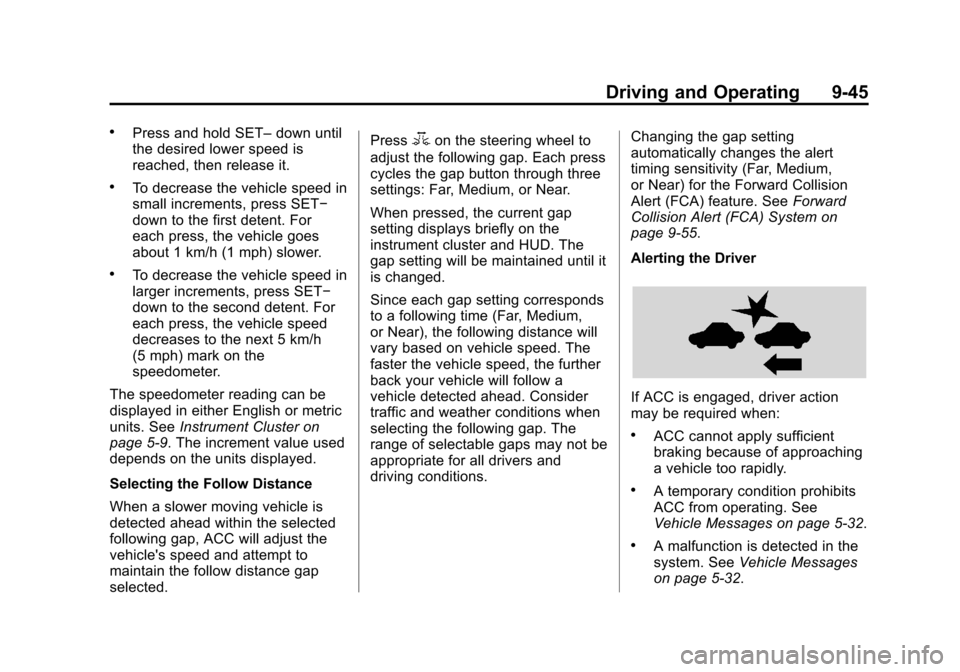
Alerting the Driver
If ACC is engaged, driver action
may be required when:
.ACC cannot apply sufficient
braking because of approaching
a vehicle too rapidly.
.A temporary condition prohibits
ACC from operating. See
Vehicle Messages on page 5‑32.
.A malfunction is detected in the
system. See Vehicle Messages
on page 5‑32.
Page 273 of 450
Black plate (55,1)Cadillac ATS Owner Manual - 2013 - CRC - 10/5/12
Driving and Operating 9-55
Turning the Features On or Off
TheXbutton to the left of the
steering wheel is used to turn on or
off the Front and Rear Parking
Assist, Rear Automatic Braking, and
Backing Warning System at the
same time. The indicator light next
to the button comes on when the
features are on and turns off when
the features have been disabled. The Rear Vision Camera (RVC) can
be turned on or off through the
Settings menu on the infotainment
system. The parking assist symbols,
guidance lines, and Rear Cross
Traffic Alert (RCTA) can also be
turned off. To turn the RVC system,
symbols, guidance lines, or RCTA
on or off:
1. On the infotainment system,
press the Settings screen
button, or turn the MENU knob
to highlight Settings and
press MENU.
2. Select Rear Camera.
3. Press Rear Camera Display, Park Assist Symbols, Guidance
Lines, or Rear Cross Traffic Alert
and then select OFF or ON.
Assistance Systems for
Driving
If equipped, when driving the
vehicle, Forward Collision Alert
(FCA), Lane Departure Warning
(LDW), Side Blind Zone Alert
(SBZA), and/or the Active
Emergency Braking System can
help to avoid a crash or reduce
crash damage.
Forward Collision Alert
(FCA) System
The FCA system may help to avoid
or reduce the harm caused by
front-end crashes. FCA provides a
flashing alert on the windshield, and
beeps or pulses the Safety Alert
Seat when approaching a vehicle
directly ahead too quickly. FCA also
provides a visual alert if following
another vehicle much too closely.