oil warning CADILLAC ATS 2014 Owner's Manual
[x] Cancel search | Manufacturer: CADILLAC, Model Year: 2014, Model line: ATS, Model: CADILLAC ATS 2014Pages: 434, PDF Size: 5.61 MB
Page 4 of 434
Black plate (4,1)Cadillac ATS Owner Manual (GMNA-Localizing-U.S./Canada/Mexico-
6014430) - 2014 - 2nd Edition - 8/23/13
iv Introduction
{Warning
Text marked{Warning provides
information on risk of accident or
injury. Disregarding this
information may lead to injury.
{Caution
Text marked{Caution provides
information that may indicate a
hazard that could result in injury
or death. It could also result in
possible damage to the vehicle.
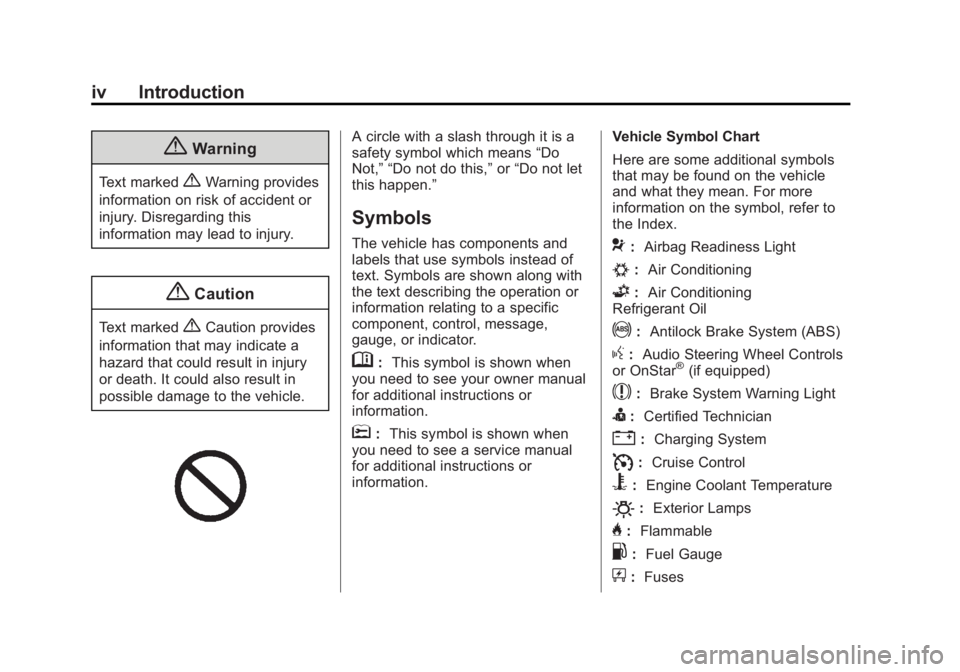
A circle with a slash through it is a
safety symbol which means “Do
Not,” “Do not do this,” or“Do not let
this happen.”
Symbols
The vehicle has components and
labels that use symbols instead of
text. Symbols are shown along with
the text describing the operation or
information relating to a specific
component, control, message,
gauge, or indicator.
M: This symbol is shown when
you need to see your owner manual
for additional instructions or
information.
*: This symbol is shown when
you need to see a service manual
for additional instructions or
information. Vehicle Symbol Chart
Here are some additional symbols
that may be found on the vehicle
and what they mean. For more
information on the symbol, refer to
the Index.
9:
Airbag Readiness Light
#:Air Conditioning
G:Air Conditioning
Refrigerant Oil
!: Antilock Brake System (ABS)
g:Audio Steering Wheel Controls
or OnStar®(if equipped)
$: Brake System Warning Light
I:Certified Technician
":Charging System
I:Cruise Control
B: Engine Coolant Temperature
O:Exterior Lamps
H:Flammable
.: Fuel Gauge
+:Fuses
Page 7 of 434
Black plate (1,1)Cadillac ATS Owner Manual (GMNA-Localizing-U.S./Canada/Mexico-
6014430) - 2014 - 2nd Edition - 8/23/13
In Brief 1-1
In Brief
Instrument Panel
Instrument Panel Overview . . . . 1-2
Initial Drive Information
Initial Drive Information . . . . . . . . 1-4
Remote Keyless Entry (RKE)System . . . . . . . . . . . . . . . . . . . . . . 1-4
Remote Vehicle Start . . . . . . . . . 1-5
Door Locks . . . . . . . . . . . . . . . . . . . 1-5
Trunk . . . . . . . . . . . . . . . . . . . . . . . . . 1-6
Windows . . . . . . . . . . . . . . . . . . . . . . 1-6
Seat Adjustment . . . . . . . . . . . . . . 1-6
Memory Features . . . . . . . . . . . . . 1-7
Second Row Seats . . . . . . . . . . . 1-8
Heated Seats . . . . . . . . . . . . . . . . . 1-8
Head Restraint Adjustment . . . . 1-8
Safety Belts . . . . . . . . . . . . . . . . . . . 1-9
Passenger Sensing System . . . 1-9
Mirror Adjustment . . . . . . . . . . . . . 1-9 Steering Wheel
Adjustment . . . . . . . . . . . . . . . . . 1-10
Interior Lighting . . . . . . . . . . . . . . 1-10
Exterior Lighting . . . . . . . . . . . . . 1-11
Windshield Wiper/Washer . . . . 1-11
Climate Controls . . . . . . . . . . . . . 1-13
Transmission . . . . . . . . . . . . . . . . 1-14Vehicle Features
Radio(s) . . . . . . . . . . . . . . . . . . . . . 1-15
Satellite Radio . . . . . . . . . . . . . . . 1-15
Portable Audio Devices . . . . . . 1-15
Bluetooth
®. . . . . . . . . . . . . . . . . . . 1-16
Steering Wheel Controls . . . . . 1-16
Cruise Control . . . . . . . . . . . . . . . 1-17
Infotainment System . . . . . . . . . 1-17
Driver Information Center (DIC) . . . . . . . . . . . . . . . 1-17
Forward Collision Alert (FCA) System . . . . . . . . . . . . . . . . . . . . . 1-18
Lane Departure Warning (LDW) . . . . . . . . . . . . . 1-18 Side Blind Zone
Alert (SBZA) . . . . . . . . . . . . . . . 1-18
Rear Vision Camera (RVC) . . . . . . . . . . . . . 1-18
Ultrasonic Parking Assist . . . . 1-19
Active Emergency Braking
System . . . . . . . . . . . . . . . . . . . . . 1-19
Power Outlets . . . . . . . . . . . . . . . 1-19
Universal Remote System . . . 1-19
Sunroof . . . . . . . . . . . . . . . . . . . . . . 1-20
Performance and Maintenance
Traction Control/Electronic Stability Control . . . . . . . . . . . . 1-21
Tire Pressure Monitor . . . . . . . . 1-21
Engine Oil Life System . . . . . . 1-21
E85 or FlexFuel . . . . . . . . . . . . . . 1-22
Driving for Better Fuel Economy . . . . . . . . . . . . . . . . . . . 1-22
Roadside Service . . . . . . . . . . . . 1-23
OnStar
®. . . . . . . . . . . . . . . . . . . . . 1-23
Page 27 of 434
Black plate (21,1)Cadillac ATS Owner Manual (GMNA-Localizing-U.S./Canada/Mexico-
6014430) - 2014 - 2nd Edition - 8/23/13
In Brief 1-21
Performance and
Maintenance
Traction Control/
Electronic Stability
Control
The traction control system limits
wheel spin. The system is on when
the vehicle is started.
The StabiliTrak system assists with
directional control of the vehicle in
difficult driving conditions. The
system is on when the vehicle is
started.
.To turn off traction control, press
and release
gon the center
console.
iilluminates in the
instrument cluster and the
appropriate DIC message
displays. See Ride Control
System Messages on page 5-39.
.Press and releasegagain to
turn traction control back on.
.To turn off both Traction Control
and StabiliTrak, press and hold
guntilgandiilluminate in the
instrument cluster. The
appropriate DIC message
displays. See Ride Control
System Messages on page 5-39.
.Press and releasegagain to
turn on both systems.
See Traction Control/Electronic
Stability Control on page 9-33.
Tire Pressure Monitor
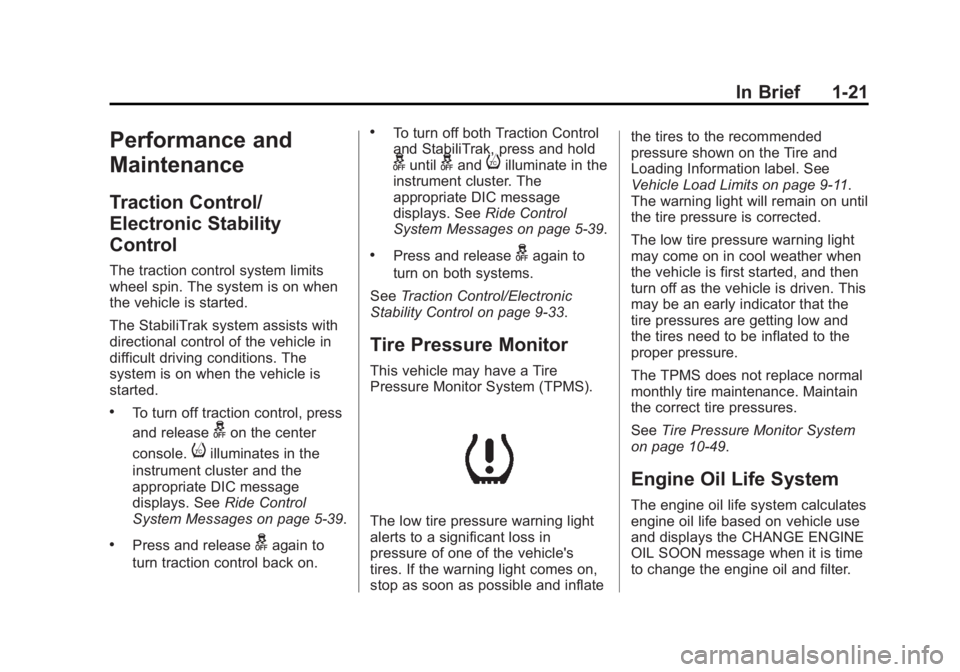
This vehicle may have a Tire
Pressure Monitor System (TPMS).
The low tire pressure warning light
alerts to a significant loss in
pressure of one of the vehicle's
tires. If the warning light comes on,
stop as soon as possible and inflate the tires to the recommended
pressure shown on the Tire and
Loading Information label. See
Vehicle Load Limits on page 9-11.
The warning light will remain on until
the tire pressure is corrected.
The low tire pressure warning light
may come on in cool weather when
the vehicle is first started, and then
turn off as the vehicle is driven. This
may be an early indicator that the
tire pressures are getting low and
the tires need to be inflated to the
proper pressure.
The TPMS does not replace normal
monthly tire maintenance. Maintain
the correct tire pressures.
See
Tire Pressure Monitor System
on page 10-49.
Engine Oil Life System
The engine oil life system calculates
engine oil life based on vehicle use
and displays the CHANGE ENGINE
OIL SOON message when it is time
to change the engine oil and filter.
Page 40 of 434
Black plate (10,1)Cadillac ATS Owner Manual (GMNA-Localizing-U.S./Canada/Mexico-
6014430) - 2014 - 2nd Edition - 8/23/13
2-10 Keys, Doors, and Windows
Canceling a Remote Start
To cancel a remote start, do any of
the following:
.Press and hold/until the
parking lamps turn off.
.Turn on the hazard warning
flashers.
.Turn the vehicle on and then
back off.
Conditions in Which Remote Start
Will Not Work
The remote start will not operate if
any of the following occur:
.The ignition is in any mode other
than OFF.
.The transmitter is in the vehicle.
.The hood is not closed.
.The hazard warning flashers
are on.
.There is an emission control
system malfunction.
.The engine coolant temperature
is too high.
.The oil pressure is low.
.Two remote vehicle starts or a
start with an extension have
already been used.
.The vehicle is not in P (Park).
Door Locks
{Warning
Unlocked doors can be
dangerous.
.Passengers, especially
children, can easily open the
doors and fall out of a moving
vehicle. The chance of being
thrown out of the vehicle in a
crash is increased if the
doors are not locked. So, all
passengers should wear
safety belts properly and the
doors should be locked
whenever the vehicle is
driven. (Continued)
Warning (Continued)
.Young children who get into
unlocked vehicles may be
unable to get out. A child can
be overcome by extreme heat
and can suffer permanent
injuries or even death from
heat stroke. Always lock the
vehicle whenever leaving it.
.Outsiders can easily enter
through an unlocked door
when slowing or stopping the
vehicle. Lock the doors to
help prevent this from
happening.
Page 109 of 434
Black plate (1,1)Cadillac ATS Owner Manual (GMNA-Localizing-U.S./Canada/Mexico-
6014430) - 2014 - 2nd Edition - 8/23/13
Instruments and Controls 5-1
Instruments and
Controls
Controls
Steering Wheel Adjustment . . . 5-2
Steering Wheel Controls . . . . . . 5-2
Heated Steering Wheel . . . . . . . 5-3
Horn . . . . . . . . . . . . . . . . . . . . . . . . . . 5-3
Windshield Wiper/Washer . . . . . 5-3
Headlamp Washer . . . . . . . . . . . . 5-5
Compass . . . . . . . . . . . . . . . . . . . . . 5-5
Clock (Base Radio) . . . . . . . . . . . 5-6
Clock (Uplevel Radio) . . . . . . . . . 5-6
Power Outlets . . . . . . . . . . . . . . . . . 5-7
Warning Lights, Gauges, and
Indicators
Warning Lights, Gauges, andIndicators . . . . . . . . . . . . . . . . . . . . 5-8
Instrument Cluster . . . . . . . . . . . 5-10
Speedometer . . . . . . . . . . . . . . . . 5-11
Odometer . . . . . . . . . . . . . . . . . . . . 5-11
Trip Odometer . . . . . . . . . . . . . . . 5-12
Tachometer . . . . . . . . . . . . . . . . . . 5-12
Fuel Gauge . . . . . . . . . . . . . . . . . . 5-12
Engine Coolant Temperature Gauge . . . . . . . . . . . . . . . . . . . . . . 5-13 Safety Belt Reminders . . . . . . . 5-13
Airbag Readiness Light . . . . . . 5-14
Passenger Airbag Status
Indicator . . . . . . . . . . . . . . . . . . . . 5-15
Charging System Light . . . . . . 5-15
Malfunction
Indicator Lamp . . . . . . . . . . . . . 5-16
Brake System Warning Light . . . . . . . . . . . . . . . . . . . . . . . 5-18
Parking Brake Light . . . . . . . . . . 5-19
Service Electric Parking Brake Light . . . . . . . . . . . . . . . . . . . . . . . 5-19
Antilock Brake System (ABS) Warning Light . . . . . . . . . . . . . . 5-20
Lane Departure Warning (LDW) Light . . . . . . . . . . . . . . . . 5-20
Vehicle Ahead Indicator . . . . . . 5-20
Traction Off Light . . . . . . . . . . . . 5-21
StabiliTrak
®OFF Light . . . . . . . 5-21
Traction Control System (TCS)/StabiliTrak
®Light . . . . 5-21
Engine Coolant Temperature Warning Light . . . . . . . . . . . . . . 5-22
Tire Pressure Light . . . . . . . . . . 5-22
Engine Oil Pressure Light . . . . 5-23
Low Fuel Warning Light . . . . . . 5-23
Security Light . . . . . . . . . . . . . . . . 5-23
High-Beam On Light . . . . . . . . . 5-24 Adaptive Forward Lighting
(AFL) Light . . . . . . . . . . . . . . . . . 5-24
Lamps On Reminder . . . . . . . . . 5-24
Cruise Control Light . . . . . . . . . 5-24
Information Displays
Driver Information Center (DIC) . . . . . . . . . . . . . . . 5-25
Head-Up Display (HUD) . . . . . 5-28
Vehicle Messages
Vehicle Messages . . . . . . . . . . . 5-32
Battery Voltage and Charging Messages . . . . . . . . . . . . . . . . . . 5-32
Brake System Messages . . . . 5-32
Compass Messages . . . . . . . . . 5-33
Cruise Control Messages . . . . 5-33
Door Ajar Messages . . . . . . . . . 5-34
Engine Cooling System Messages . . . . . . . . . . . . . . . . . . 5-34
Engine Oil Messages . . . . . . . . 5-35
Engine Power Messages . . . . 5-35
Fuel System Messages . . . . . . 5-35
Key and Lock Messages . . . . . 5-36
Lamp Messages . . . . . . . . . . . . . 5-36
Object Detection System Messages . . . . . . . . . . . . . . . . . . 5-37
Ride Control System Messages . . . . . . . . . . . . . . . . . . 5-39
Page 131 of 434
Black plate (23,1)Cadillac ATS Owner Manual (GMNA-Localizing-U.S./Canada/Mexico-
6014430) - 2014 - 2nd Edition - 8/23/13
Instruments and Controls 5-23
When the Light Flashes First and
Then Is On Steady
If the light flashes for about a minute
and then stays on, there may be a
problem with the TPMS. If the
problem is not corrected, the light
will come on at every ignition cycle.
SeeTire Pressure Monitor
Operation on page 10-50.
Engine Oil Pressure Light
{Caution
Lack of proper engine oil
maintenance can damage the
engine. Driving with the engine
oil low can also damage the
engine. The repairs would not be
covered by the vehicle warranty.
Check the oil level as soon as
possible. Add oil if required, but if
the oil level is within the operating
range and the oil pressure is still
low, have the vehicle serviced.
Always follow the maintenance
schedule for changing engine oil.
This light should come on briefly as
the engine is started. If it does not
come on, have the vehicle serviced
by your dealer.
If the light comes on and stays on, it
means that oil is not flowing through
the engine properly. The vehicle
could be low on oil and might have
some other system problem. See
your dealer.
Low Fuel Warning Light
This light is near the fuel gauge and
comes on briefly when the ignition is
turned on as a check to show it is
working.
It also comes on when the fuel tank
is low on fuel. The light turns off
when fuel is added. If it does not,
have the vehicle serviced.
Security Light
The security light should come on
briefly as the engine is started. If it
does not come on, have the vehicle
serviced by your dealer. If the
system is working normally, the
indicator light turns off.
Page 135 of 434
Black plate (27,1)Cadillac ATS Owner Manual (GMNA-Localizing-U.S./Canada/Mexico-
6014430) - 2014 - 2nd Edition - 8/23/13
Instruments and Controls 5-27
that has passed since the timer was
last reset. To stop the timer, press
SEL briefly while this display is
active and the timer is running. To
reset the timer to zero, press and
hold SEL while this display is active.
Compass (Base Cluster):Shows
the direction the vehicle is driving.
Turn Arrow: Shows the next
maneuver when using route
guidance.
Travel Time: Shows the estimated
time duration remaining for the
current route.
Distance to Destination: Shows
the distance to the destination when
using route guidance.
Speed Limit: Shows the current
speed limit on vehicles with the
navigation system. The information
for this page comes from a roadway
database.
Speed Warning: Allows the driver
to set a speed that they do not want
to exceed. To set the Speed
Warning, press SEL when Speed Warning is displayed. Pressyor
zto adjust the value. This feature
can be turned off by pressing and
holding SEL while viewing this
page. If the selected speed limit is
exceeded, a pop-up warning is
displayed and a chime may sound.
Cruise Set Speed: Shows the
speed the cruise control or Adaptive
Cruise Control (ACC, if equipped) is
set to.
Follow Distance Indicator/Gap
Setting: The current follow time to
the vehicle ahead is displayed as a
time value on this page when ACC
is not engaged. When ACC has
been engaged, the Follow Distance
Indicator page switches to the Gap
Setting page. This page shows the
current gap setting along with the
vehicle ahead telltale.
Battery Voltage: Shows the
current battery voltage. Oil Life:
Shows an estimate of the
oil's remaining useful life.
If REMAINING OIL LIFE 99% is
displayed, that means 99% of the
current oil life remains.
When the remaining oil life is low,
the CHANGE ENGINE OIL SOON
message will appear on the display.
See Engine Oil Messages on
page 5-35. The oil should be
changed as soon as possible. See
Engine Oil on page 10-10. In
addition to the engine oil life system
monitoring the oil life, additional
maintenance is recommended in the
Maintenance Schedule. See
Maintenance Schedule on
page 11-3.
The Oil Life display must be reset
after each oil change. It will not
reset itself. Do not to reset the Oil
Life display accidentally at any time
other than when the oil has just
been changed. It cannot be reset
accurately until the next oil change.
To reset the engine oil life system,
press and hold SEL for several
Page 136 of 434
Black plate (28,1)Cadillac ATS Owner Manual (GMNA-Localizing-U.S./Canada/Mexico-
6014430) - 2014 - 2nd Edition - 8/23/13
5-28 Instruments and Controls
seconds while the Oil Life display is
active. SeeEngine Oil Life System
on page 10-12.
Tire Pressure: Shows the
approximate pressures of all four
tires. Tire pressure is displayed in
either kilopascal (kPa) or in pounds
per square inch (psi). If the pressure
is low, the value for that tire is
shown in amber. See Tire Pressure
Monitor System on page 10-49 and
Tire Pressure Monitor Operation on
page 10-50.
Vehicle Odometer (Base
Cluster): Shows the odometer.
Blank Page: The Blank Page
display allows for no information to
be displayed in the DIC display
zone(s).Head-Up Display (HUD)
{Warning
If the HUD image is too bright or
too high in your field of view, it
may take you more time to see
things you need to see when it is
dark outside. Be sure to keep the
HUD image dim and placed low in
your field of view.
If equipped with HUD, some
information concerning the
operation of the vehicle is projected
onto the windshield. The information
is projected through the HUD lens
on the driver side of the instrument
panel and focused out toward the
front of the vehicle.
{Caution
If you try to use the HUD image
as a parking aid, you may
misjudge the distance and
damage your vehicle. Do not use
the HUD image as a parking aid.
The HUD information can be
displayed in various languages. The
speedometer reading and other
numerical values can be displayed
in either English or metric units.
The language selection is changed
through the radio and the units of
measurement is changed through
the instrument cluster. See Vehicle
Personalization on page 5-43 and
“Settings” underInstrument Cluster
on page 5-10.
Page 220 of 434
Black plate (6,1)Cadillac ATS Owner Manual (GMNA-Localizing-U.S./Canada/Mexico-
6014430) - 2014 - 2nd Edition - 8/23/13
9-6 Driving and Operating
material on the road. Learn to
recognize warning clues—such
as enough water, ice, or packed
snow on the road to make a
mirrored surface —and slow
down when you have any doubt.
.Try to avoid sudden steering,
acceleration, or braking,
including reducing vehicle speed
by shifting to a lower gear. Any
sudden changes could cause
the tires to slide.
Remember: Antilock brakes help
avoid only the braking skid.
Track Events and
Competitive Driving
Competitive driving may affect the
vehicle warranty. See the warranty
manual before using the vehicle for
competitive driving.
{Caution
Low oil levels can damage the
engine. If using the vehicle for
competitive driving, the engine
may use more oil than it would
with normal use. Check the oil
level often during competitive
driving.
Because the fluid temperature may
be higher, it is necessary to change
the rear axle fluid after first time
track or competitive driving event.
After first time event, the rear axle
fluid should be changed every
24 hours of racing or competitive
driving. See Recommended Fluids
and Lubricants on page 11-13.
{Caution
During a first time track or racing
event, high rear axle
temperatures can occur. Damage
(Continued)
Caution (Continued)
could be caused to the rear axle
and would not be covered by the
vehicle warranty.
Do not drive as long or as fast the
first time the vehicle is driven on
the track or raced.
For 2.0L Engine Only:
.Keep the level at or near 1 L
(1 qt) above the upper mark that
shows the proper operating
range on the engine oil dipstick.
.Use a 600 W fan in addition to
the production option V03.
.Gasolines with a Pump Octane
((R+M)/2) of 99 or greater and
ethanol content below 15%
volume must be used for
competitive driving to protect
against engine damage. Colder
spark plug ratings should also
be used. Consult your dealer.
Page 221 of 434
Black plate (7,1)Cadillac ATS Owner Manual (GMNA-Localizing-U.S./Canada/Mexico-
6014430) - 2014 - 2nd Edition - 8/23/13
Driving and Operating 9-7
For 3.6L Engine Only:
.Keep the level at or near 0.5 L
(0.5 qt) above the upper mark
that shows the proper operating
range on the engine oil dipstick.
.Install an engine oil cooler kit,
including engine oil cooler lines
and oil filter adapter.
.Install a heavy duty fan. This
requires electrical changes to
the vehicle. Contact your dealer.
{Caution
Failure to change the brake fluid
and transfer case fluid after any
performance or race track driving
could result in damage not
covered by the vehicle warranty.
Have the brake fluid and transfer
case fluid changed by your dealer
after any performance or race
track driving. SeeRecommended
Fluids and Lubricants on
page 11-13. For vehicles equipped with front
Brembo brake systems:
.Performance/racing brake pads
are required prior to racing or
closed track driving. Vehicles
with option code Y4Q have
performance brake pads.
.Before racing, replace existing
brake fluid with a qualified racing
brake fluid from a sealed
container. Brake fluid with a dry
boiling point >279°C (534°F) is
qualified. If racing brake fluid is
used, replace it with GM
approved brake fluid before
driving on public roads. See
Recommended Fluids and
Lubricants on page 11-13.
.Do not use silicone-based fluids.
If racing brake fluid is in the vehicle
and the age of the brake fluid is
over a month old or unknown,
replace the brake fluid before
racing/closed track driving.
.The rear axle lubricant should be
replaced with new lubricant.
.Additional cooling capacity is
also required for continuous
competitive driving.
Driving on Wet Roads
Rain and wet roads can reduce
vehicle traction and affect your
ability to stop and accelerate.
Always drive slower in these types
of driving conditions and avoid
driving through large puddles and
deep‐standing or flowing water.
{Warning
Wet brakes can cause crashes.
They might not work as well in a
quick stop and could cause
pulling to one side. You could
lose control of the vehicle.
After driving through a large
puddle of water or a car/vehicle
wash, lightly apply the brake
pedal until the brakes work
normally. (Continued)