ignition CADILLAC ATS 2017 1.G Owner's Manual
[x] Cancel search | Manufacturer: CADILLAC, Model Year: 2017, Model line: ATS, Model: CADILLAC ATS 2017 1.GPages: 335, PDF Size: 3.73 MB
Page 111 of 335
Cadillac ATS/ATS-V Owner Manual (GMNA-Localizing-MidEast-10287885) -
2017 - crc - 6/16/16
110 INSTRUMENTS AND CONTROLS
favorite and pressing and holdingC
andBwill seek. When SEEK Primary
is selected, pressing
CandBwill
seek and pressing and holding
Cand
Bwill go to the next or previous
favorite.
Tire Loading : Press SEL while Tire
Loading is highlighted to change the
tire loading setting.
Open Source Software : Press SEL
while Open Source Software is
highlighted to display open source
software information.
Speedometer
The speedometer shows the vehicle's
speed in kilometers per hour (km/h)
or miles per hour (mph).
This vehicle is equipped with an
overspeed warning device. When the
vehicle's speed reaches 120 km/h
(75 mph), a chime will sound.
A message also displays in the Driver
Information Center (DIC). See Vehicle
Speed Messages 0136.
Odometer
The odometer shows how far the
vehicle has been driven, in either
kilometers or miles.
Trip Odometer
The trip odometer shows how far the
vehicle has been driven since the trip
odometer was last reset.
The trip odometer is accessed and
reset through the Driver Information
Center (DIC). See Driver Information
Center (DIC) 0122.
Tachometer
The tachometer displays the engine
speed in revolutions per minute (rpm).
For vehicles with the Stop/Start
system, when the ignition is in ON/
RUN, the tachometer indicates the
vehicle status. When pointing to
AUTO STOP, the engine is off but the
vehicle is on and can move. The
engine could auto start at any time.
When the indicator points to OFF, the
vehicle is off. When the engine is on, the
tachometer will indicate the engine’s
revolutions per minute (rpm). The
tachometer may vary by several
hundred rpm’s, during Auto Stop
mode, when the engine is shutting off
and restarting.
A slight bump may be felt when the
transmission is determining the most
fuel efficient operating range.
Caution
If the engine is operated with the
rpm’s in the warning area at the
high end of the tachometer, the
vehicle could be damaged, and the
damage would not be covered by
the vehicle warranty. Do not operate
the engine with the rpm’s in the
warning area.
Page 112 of 335
Cadillac ATS/ATS-V Owner Manual (GMNA-Localizing-MidEast-10287885) -
2017 - crc - 6/16/16
INSTRUMENTS AND CONTROLS 111
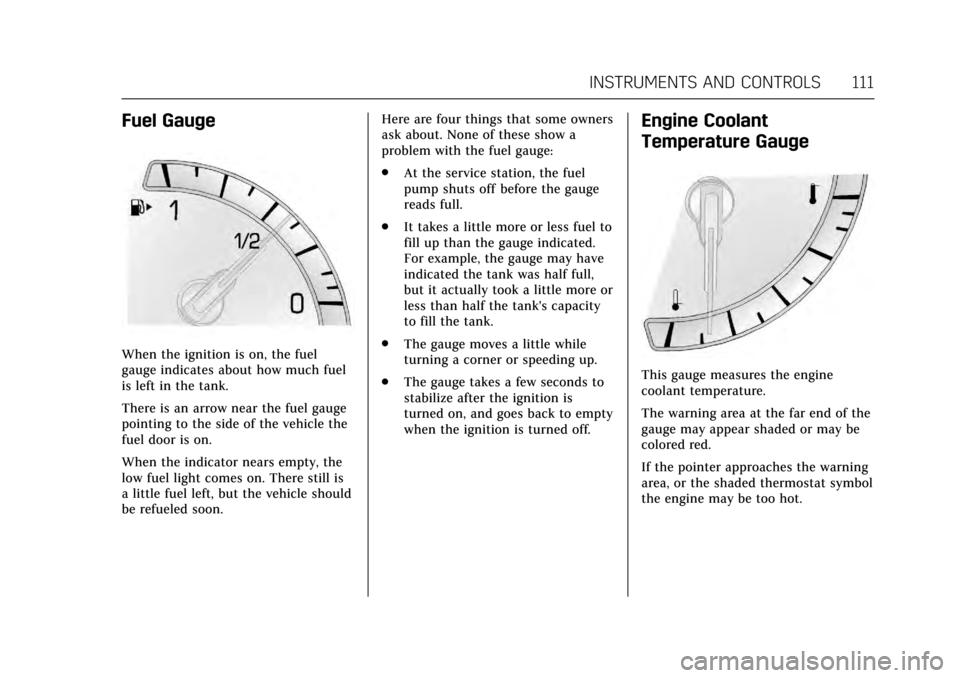
Fuel Gauge
When the ignition is on, the fuel
gauge indicates about how much fuel
is left in the tank.
There is an arrow near the fuel gauge
pointing to the side of the vehicle the
fuel door is on.
When the indicator nears empty, the
low fuel light comes on. There still is
a little fuel left, but the vehicle should
be refueled soon.Here are four things that some owners
ask about. None of these show a
problem with the fuel gauge:
.
At the service station, the fuel
pump shuts off before the gauge
reads full.
. It takes a little more or less fuel to
fill up than the gauge indicated.
For example, the gauge may have
indicated the tank was half full,
but it actually took a little more or
less than half the tank's capacity
to fill the tank.
. The gauge moves a little while
turning a corner or speeding up.
. The gauge takes a few seconds to
stabilize after the ignition is
turned on, and goes back to empty
when the ignition is turned off.
Engine Coolant
Temperature Gauge
This gauge measures the engine
coolant temperature.
The warning area at the far end of the
gauge may appear shaded or may be
colored red.
If the pointer approaches the warning
area, or the shaded thermostat symbol
the engine may be too hot.
Page 115 of 335
Cadillac ATS/ATS-V Owner Manual (GMNA-Localizing-MidEast-10287885) -
2017 - crc - 6/16/16
114 INSTRUMENTS AND CONTROLS
problem with the lights or the
passenger sensing system. See your
dealer for service.
{Warning
If the airbag readiness light ever
comes on and stays on, it means
that something may be wrong with
the airbag system. To help avoid
injury to yourself or others, have
the vehicle serviced right away. See
Airbag Readiness Light0113 for
more information, including
important safety information.
Charging System Light
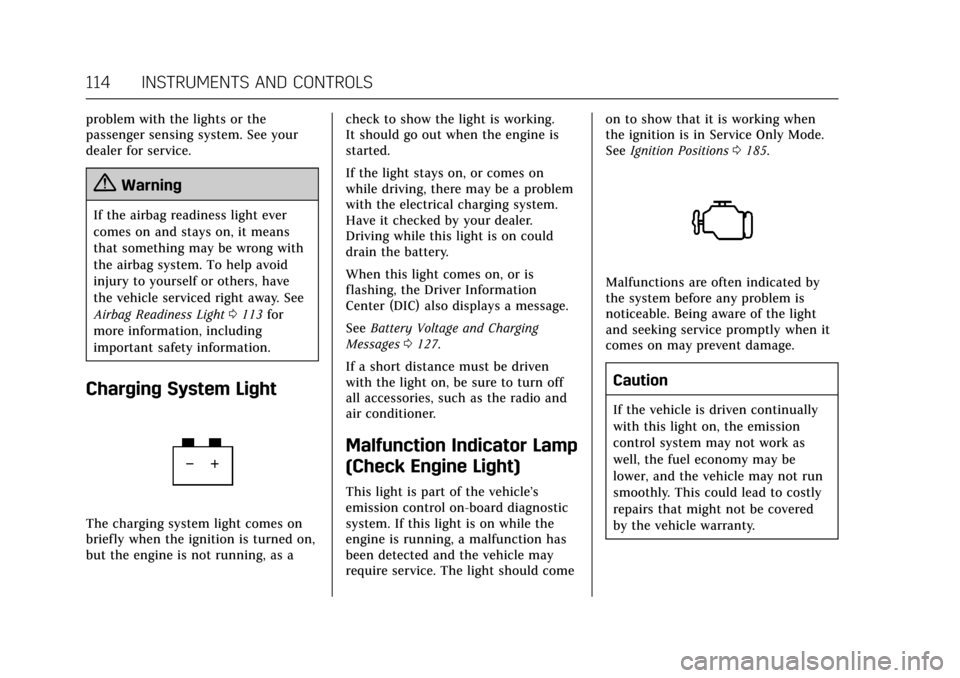
The charging system light comes on
briefly when the ignition is turned on,
but the engine is not running, as a check to show the light is working.
It should go out when the engine is
started.
If the light stays on, or comes on
while driving, there may be a problem
with the electrical charging system.
Have it checked by your dealer.
Driving while this light is on could
drain the battery.
When this light comes on, or is
flashing, the Driver Information
Center (DIC) also displays a message.
See
Battery Voltage and Charging
Messages 0127.
If a short distance must be driven
with the light on, be sure to turn off
all accessories, such as the radio and
air conditioner.
Malfunction Indicator Lamp
(Check Engine Light)
This light is part of the vehicle’s
emission control on-board diagnostic
system. If this light is on while the
engine is running, a malfunction has
been detected and the vehicle may
require service. The light should come on to show that it is working when
the ignition is in Service Only Mode.
See
Ignition Positions 0185.
Malfunctions are often indicated by
the system before any problem is
noticeable. Being aware of the light
and seeking service promptly when it
comes on may prevent damage.
Caution
If the vehicle is driven continually
with this light on, the emission
control system may not work as
well, the fuel economy may be
lower, and the vehicle may not run
smoothly. This could lead to costly
repairs that might not be covered
by the vehicle warranty.
Page 117 of 335

Cadillac ATS/ATS-V Owner Manual (GMNA-Localizing-MidEast-10287885) -
2017 - crc - 6/16/16
116 INSTRUMENTS AND CONTROLS
The DLC is under the instrument
panel to the left of the steering wheel.
Connecting devices that are not used
to perform an Emissions Inspection/
Maintenance test or to service the
vehicle may affect vehicle operation.
SeeAdd-On Electrical Equipment 0230.
See your dealer if assistance is needed.
The vehicle may not pass
inspection if:
. The light is on when the engine is
running.
. The light does not come on when
the ignition is in Service
Only Mode.
. Critical emission control systems
have not been completely
diagnosed. If this happens, the
vehicle would not be ready for
inspection and might require
several days of routine driving
before the system is ready for
inspection. This can happen if the
12-volt battery has recently been
replaced or run down, or if the
vehicle has been recently serviced. See your dealer if the vehicle will not
pass or cannot be made ready for
the test.
Brake System Warning
Light
The vehicle brake system consists of
two hydraulic circuits. If one circuit is
not working, the remaining circuit can
still work to stop the vehicle. For
normal braking performance, both
circuits need to be working.
If the warning light comes on, there is
a problem with the braking system.
Have the brake system inspected
right away.
This light should come on briefly
when the engine is started. If it does
not come on then, have it fixed so it
will be ready to warn you if there is a
problem. If the light comes on and stays on,
there is a base brake problem.
{Warning
The brake system might not be
working properly if the brake
system warning light is on. Driving
with the brake system warning light
on can lead to a crash. If the light is
still on after the vehicle has been
pulled off the road and carefully
stopped, have the vehicle towed for
service.
Parking Brake Light
The parking brake status light comes
on when the parking brake is applied.
If the light continues flashing after
the parking brake is released, or while
driving, there is a problem with the
electric parking brake system or
Page 121 of 335
Cadillac ATS/ATS-V Owner Manual (GMNA-Localizing-MidEast-10287885) -
2017 - crc - 6/16/16
120 INSTRUMENTS AND CONTROLS
pressure value shown on the Tire and
Loading Information label. SeeTire
Pressure 0273.
When the Light Flashes First and
Then Is On Steady
If the light flashes for about a minute
and then stays on, there may be a
problem with the TPMS. If the
problem is not corrected, the light will
come on at every ignition cycle. See
Tire Pressure Monitor Operation 0275.
Engine Oil Pressure Light
Caution
Lack of proper engine oil
maintenance can damage the
engine. Driving with the engine oil
low can also damage the engine.
The repairs would not be covered
by the vehicle warranty. Check the
oil level as soon as possible. Add oil
if required, but if the oil level is
within the operating range and the
oil pressure is still low, have the
(Continued)
Caution (Continued)
vehicle serviced. Always follow the
maintenance schedule for changing
engine oil.
This light should come on briefly as
the engine is started. If it does not
come on, have the vehicle serviced by
your dealer.
If the light comes on and stays on, it
means that oil is not flowing through
the engine properly. The vehicle could
be low on oil and might have some
other system problem. See your dealer.
Low Fuel Warning Light
This light is near the fuel gauge and
comes on briefly when the ignition is
turned on as a check to show it is
working.
It also comes on when the fuel tank is
low on fuel. The light turns off when
fuel is added. If it does not, have the
vehicle serviced.
Security Light
The security light should come on
briefly as the engine is started. If it
does not come on, have the vehicle
Page 137 of 335
Cadillac ATS/ATS-V Owner Manual (GMNA-Localizing-MidEast-10287885) -
2017 - crc - 6/16/16
136 INSTRUMENTS AND CONTROLS
This message also displays LEFT
FRONT, RIGHT FRONT, LEFT REAR,
or RIGHT REAR to indicate the
location of the low tire.
The low tire pressure warning light
will also come on. SeeTire Pressure
Light 0119.
If a tire pressure message appears on
the DIC, stop as soon as possible.
Inflate the tires by adding air until the
tire pressure is equal to the values
shown on the Tire and Loading
Information label. See Tires0270,
Vehicle Load Limits 0181, and Tire
Pressure 0273.
More than one tire pressure message
can appear at a time. The DIC also
shows the tire pressure values. See
Driver Information Center (DIC) 0122.
Transmission Messages
SERVICE TRANSMISSION
This message displays if there is a
problem with the transmission. See
your dealer.
SHIFT DENIED
This message displays when using the
Driver Shift Control (DSC) and
attempting to shift to a gear not
appropriate for the vehicle speed and
engine revolutions per minute (rpm).
See Manual Mode 0193.
SHIFT TO PARK
This message displays when the
transmission needs to be shifted to
P (Park). This may appear when
turning the ignition off if the vehicle
is not in P (Park).
TRANSMISSION HOT —IDLE
ENGINE
This message displays and a chime
sounds if the transmission fluid in the
vehicle gets hot. Driving with the
transmission fluid temperature high
can cause damage to the vehicle. Stop
the vehicle and let it idle to allow the
transmission to cool. This message
clears when the fluid temperature
reaches a safe level.
Vehicle Reminder
Messages
ICE POSSIBLE DRIVE WITH CARE
This message displays when ice
conditions are possible.
Vehicle Speed Messages
SPEED LIMIT EXCEEDED
This message is displayed when the
vehicle speed is greater than the set
speed. See “Speed Warning” under
Driver Information Center (DIC) 0122.
VEHICLE OVERSPEED
This message displays when the
vehicle speed exceeds 120 km/h
(75 mph).
Page 141 of 335
Cadillac ATS/ATS-V Owner Manual (GMNA-Localizing-MidEast-10287885) -
2017 - crc - 6/16/16
140 INSTRUMENTS AND CONTROLS
Collision/Detection Systems
Select the Collision/Detection Systems
menu and the following may display
(if equipped):
.Alert Type
. Auto Collision Preparation
. Go Notifier
. Lane Change Alert
Alert Type
This feature will set crash alerts to
beeps or seat vibrations. This setting
affects all crash alerts including
Forward Collision, Lane Departure
Warning, Adaptive Cruise Control,
Parking Assist, and Backing Warning
alerts.
Select Beeps or Safety Alert Seat.
Auto Collision Preparation
This feature will turn on or off the
Forward Collision Alert (FCA) and
Forward Automatic Braking (FAB).
The Off setting disables all FCA and
FAB functions. With the Alert and
Brake setting, both FCA and FAB are available. The Alert setting disables
FAB. See
Forward Automatic Braking
(FAB) 0221.
Select Off, Alert and Brake, or Alert.
Go Notifier
This feature will give a reminder that
Adaptive Cruise Control provides
when it has brought the vehicle to a
complete stop behind another
stopping vehicle, and then that vehicle
drives on.
Select Off or On.
Lane Change Alert
This allows the Lane Change Alert
feature to be turned on or off. See
Lane Change Alert (LCA) 0222.
Select Off or On.
Comfort and Convenience
Select the Comfort and Convenience
menu and the following may display:
. Auto Memory Recall
. Reverse Tilt Mirror
. Auto Mirror Folding
. Easy Exit Options .
Chime Volume
. Personalization by Driver
. Rain Sense Wipers
Auto Memory Recall
This feature automatically recalls the
current driver’s previously stored 1 or
2 button positions when the ignition
is changed from off to ON/RUN or
ACC/ACCESSORY. See Memory
Seats 056.
Select Off or On.
Reverse Tilt Mirror
When on, both the driver and
passenger, driver, or passenger mirrors
will tilt downward when the vehicle is
shifted to R (Reverse) to improve
visibility of the ground near the rear
wheels. They will return to their
previous driving position when the
vehicle is shifted out of R (Reverse),
remains in R (Reverse) for about
30 seconds, or the ignition is turned
to OFF.
Select Off, On - Driver and Passenger,
On - Driver, or On - Passenger.
Page 147 of 335
Cadillac ATS/ATS-V Owner Manual (GMNA-Localizing-MidEast-10287885) -
2017 - crc - 6/16/16
146 LIGHTING
Driving with IntelliBeam
The system only activates the high
beams when driving over 40 km/h
(25 mph).
There is a sensor near the top center
of the windshield, which automatically
controls the system. Keep this area of
the windshield clear of debris to allow
for best system performance.
The high-beam headlamps remain on,
under the automatic control, until one
of the following situations occurs:
.The system detects an
approaching vehicle's headlamps.
. The system detects a preceding
vehicle's taillamps.
. The outside light is bright enough
that high-beam headlamps are not
required.
. The vehicle's speed drops below
20 km/h (12 mph).
. The turn signal lever is moved
forward to the high-beam position
or the Flash-to-Pass feature is
used. See Headlamp High/
Low-Beam Changer 0147
and Flash-to-Pass 0147. .
The IntelliBeam system can be
disabled by the High/Low-Beam
Changer or the Flash-to-Pass
feature. If this happens, the High/
Low-Beam Changer must be
activated two times within
five seconds to reactivate the
IntelliBeam system. The
instrument cluster light will come
on to indicate the IntelliBeam is
reactivated.
The high beams may not turn off
automatically if the system cannot
detect other vehicle's lamps because
of any of the following:
. The other vehicle's lamp(s) are
missing, damaged, obstructed from
view, or otherwise undetected.
. The other vehicle's lamp(s) are
covered with dirt, snow, and/or
road spray.
. The other vehicle's lamp(s) cannot
be detected due to dense exhaust,
smoke, fog, snow, road spray, mist,
or other airborne obstructions. .
Your vehicle's windshield is dirty,
cracked, or obstructed by
something that blocks the view of
the light sensor.
. Your vehicle's windshield is
covered with ice, dirt, haze,
or other obstructions.
. Your vehicle is loaded such that
the front end points upward,
causing the light sensor to aim
high and not detect headlamps
and taillamps.
. You are driving on winding or hilly
roads.
You may need to manually disable or
cancel the high-beam headlamps by
turning the low-beam headlamps on,
if any of the above conditions exist.
Exterior Lamps Off
Reminder
A warning chime will sound if the
exterior lamp control is left on in
either the headlamp or parking lamp
position and the driver door is opened
with the ignition off.
Page 148 of 335
Cadillac ATS/ATS-V Owner Manual (GMNA-Localizing-MidEast-10287885) -
2017 - crc - 6/16/16
LIGHTING 147
Headlamp High/Low-Beam
Changer
2 3
:Push the turn signal lever
away from you and release, to turn the
high beams on. To return to low
beams, push the lever again or pull it
toward you and release.
This indicator light turns on in the
instrument cluster when the
high-beam headlamps are on.
Flash-to-Pass
This feature allows the high-beam
headlamps to be used to signal the
driver in front of you that you want
to pass.
Pull and hold the turn signal lever
toward you to use this feature. When
this is done the following will occur: .
If the headlamps are off or in
low-beam mode, the high-beam
headlamps will turn on. They will
stay on as long as the lever is held
there. Release the lever to turn
them off.
. If the headlamps are in high-beam
mode, they will go to low beam.
Daytime Running
Lamps (DRL)
DRL can make it easier for others to
see the front of your vehicle during
the day.
The DRL will come on when all of the
following conditions are met:
.The ignition is on and the engine
is running.
. The exterior lamp control is
in AUTO.
. The light sensor determines it is
daytime.
. The parking brake is released or
the vehicle is not in P (Park).
The taillamps, sidemarker lamps,
instrument panel lights, and other
lamps will not be on. The DRL turn off when the headlamps
are turned to
;or the ignition is off.
Automatic Headlamp
System
When the exterior lamp control is set
to AUTO and it is dark enough
outside, the headlamps come on
automatically.
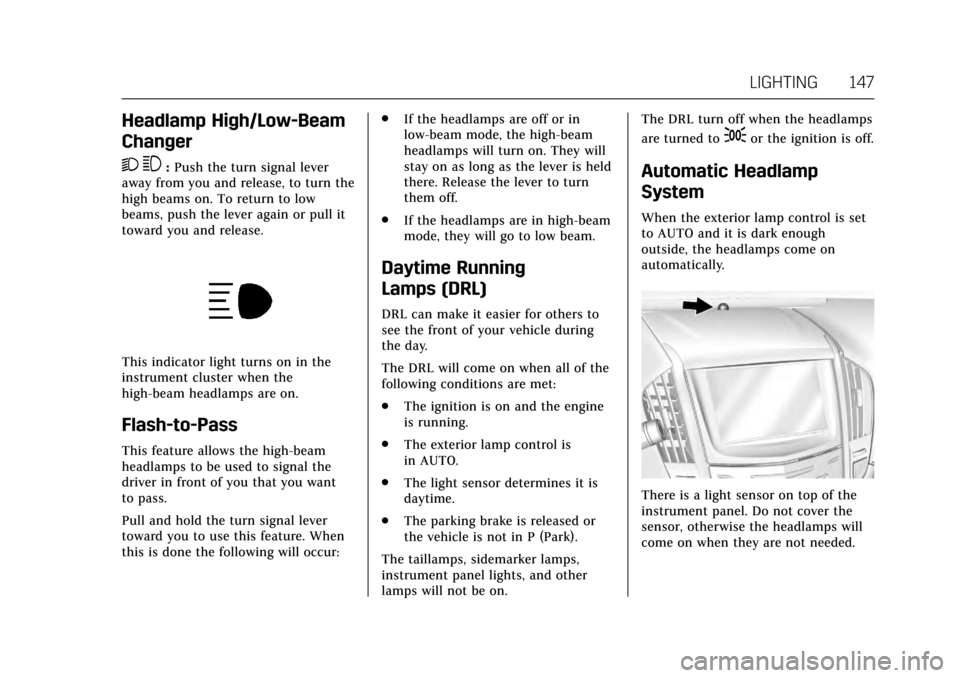
There is a light sensor on top of the
instrument panel. Do not cover the
sensor, otherwise the headlamps will
come on when they are not needed.
Page 149 of 335
Cadillac ATS/ATS-V Owner Manual (GMNA-Localizing-MidEast-10287885) -
2017 - crc - 6/16/16
148 LIGHTING
The system may also turn on the
headlamps when driving through a
parking garage or tunnel.
If the vehicle is started in a dark
garage, the automatic headlamp
system comes on immediately. If it is
light outside when the vehicle leaves
the garage, there is a slight delay
before the automatic headlamp
system changes to the DRL. During
that delay, the instrument cluster may
not be as bright as usual. Make sure
the instrument panel brightness
control is in the full bright position.
SeeInstrument Panel Illumination
Control 0149.
When it is bright enough outside, the
headlamps will turn off or may change
to Daytime Running Lamps (DRL).
The automatic headlamp system turns
off when the exterior lamp control is
turned to
Oor the ignition is off.
Lights On with Wipers
If the windshield wipers are activated
in daylight with the engine on, and
the exterior lamp control is in AUTO,
the headlamps, parking lamps, and
other exterior lamps come on. The transition time for the lamps coming
on varies based on wiper speed. When
the wipers are not operating, these
lamps turn off. Move the exterior
lamp control to
Oor;to disable
this feature.
Adaptive Forward
Lighting (AFL)
On vehicles with the AFL system, the
headlamps pivot horizontally to
provide greater road illumination
while turning. To enable AFL, set the
exterior lamp control on the turn
signal lever to the AUTO position.
Moving the control out of the AUTO
position will deactivate the system.
AFL will operate when the vehicle
speed is greater than 3 km/h (2 mph).
AFL will not operate when the
transmission is in R (Reverse). AFL is
not immediately operable after
starting the vehicle; driving a short
distance is required to calibrate the
AFL. See Exterior Lamp Controls 0145.
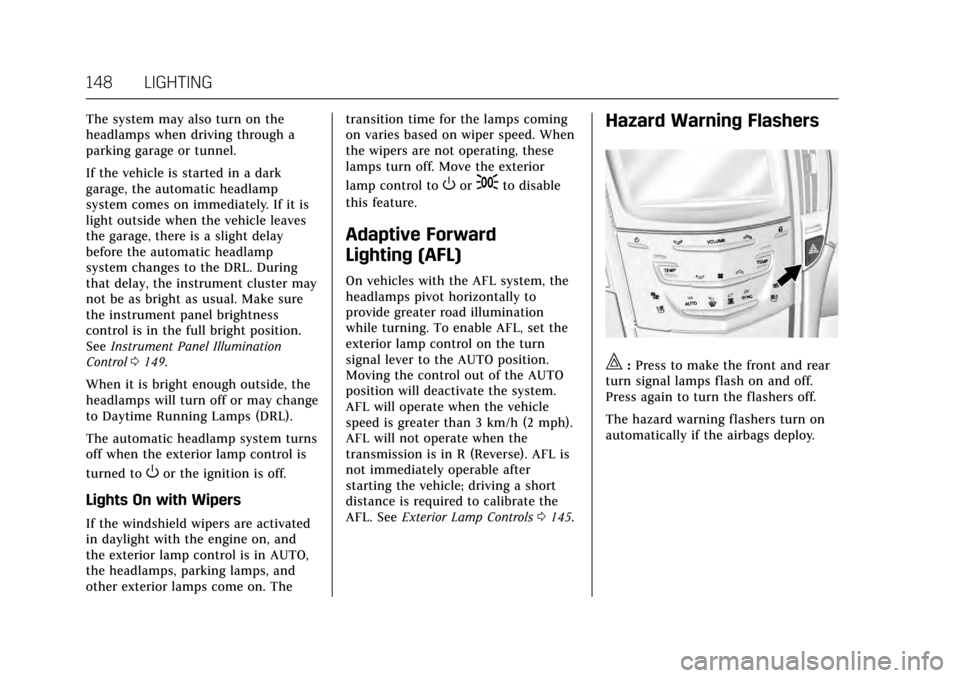
Hazard Warning Flashers
|:Press to make the front and rear
turn signal lamps flash on and off.
Press again to turn the flashers off.
The hazard warning flashers turn on
automatically if the airbags deploy.