reset CADILLAC ATS 2018 Owner's Manual
[x] Cancel search | Manufacturer: CADILLAC, Model Year: 2018, Model line: ATS, Model: CADILLAC ATS 2018Pages: 376, PDF Size: 6.71 MB
Page 20 of 376
Cadillac XTS Owner Manual (GMNA-Localizing-U.S./Canada-12032610) -
2019 - crc - 8/22/18
IN BRIEF 19
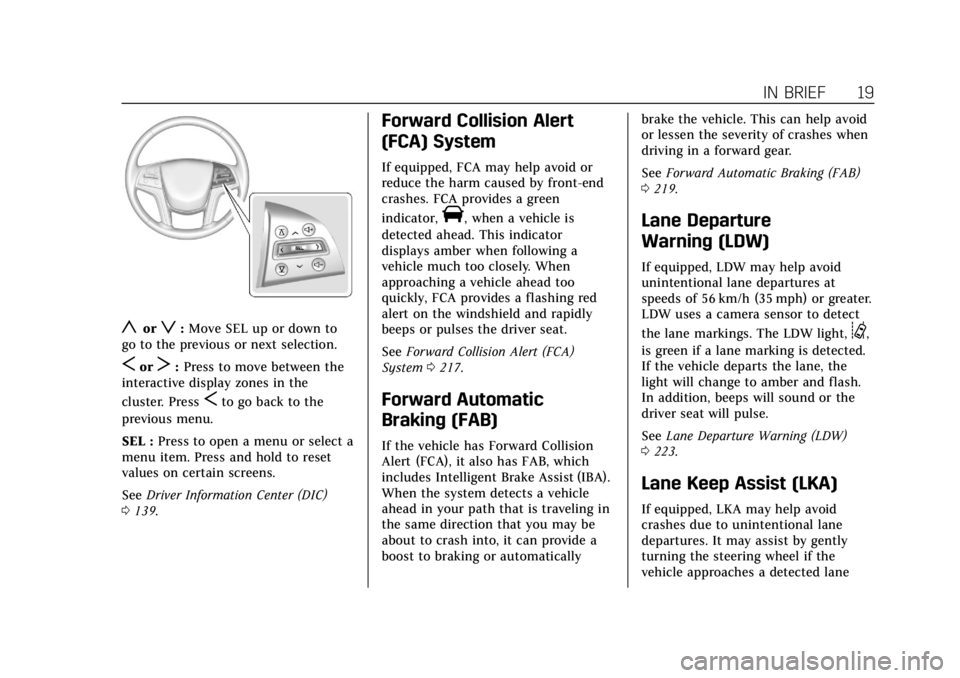
yorz:Move SEL up or down to
go to the previous or next selection.
SorT: Press to move between the
interactive display zones in the
cluster. Press
Sto go back to the
previous menu.
SEL : Press to open a menu or select a
menu item. Press and hold to reset
values on certain screens.
See Driver Information Center (DIC)
0 139.
Forward Collision Alert
(FCA) System
If equipped, FCA may help avoid or
reduce the harm caused by front-end
crashes. FCA provides a green
indicator,
V, when a vehicle is
detected ahead. This indicator
displays amber when following a
vehicle much too closely. When
approaching a vehicle ahead too
quickly, FCA provides a flashing red
alert on the windshield and rapidly
beeps or pulses the driver seat.
See Forward Collision Alert (FCA)
System 0217.
Forward Automatic
Braking (FAB)
If the vehicle has Forward Collision
Alert (FCA), it also has FAB, which
includes Intelligent Brake Assist (IBA).
When the system detects a vehicle
ahead in your path that is traveling in
the same direction that you may be
about to crash into, it can provide a
boost to braking or automatically brake the vehicle. This can help avoid
or lessen the severity of crashes when
driving in a forward gear.
See
Forward Automatic Braking (FAB)
0 219.
Lane Departure
Warning (LDW)
If equipped, LDW may help avoid
unintentional lane departures at
speeds of 56 km/h (35 mph) or greater.
LDW uses a camera sensor to detect
the lane markings. The LDW light,
@,
is green if a lane marking is detected.
If the vehicle departs the lane, the
light will change to amber and flash.
In addition, beeps will sound or the
driver seat will pulse.
See Lane Departure Warning (LDW)
0 223.
Lane Keep Assist (LKA)
If equipped, LKA may help avoid
crashes due to unintentional lane
departures. It may assist by gently
turning the steering wheel if the
vehicle approaches a detected lane
Page 25 of 376
Cadillac XTS Owner Manual (GMNA-Localizing-U.S./Canada-12032610) -
2019 - crc - 8/22/18
24 IN BRIEF
SeeRecommended Fuel (LFX 3.6L
V6 Engine) 0226 orRecommended Fuel
(LF3 3.6L Twin Turbo V6 Engine) 0226.
Fuel (LF3 3.6L Twin Turbo
V6 Engine)
Premium Required
Use premium 93 octane —(R+M)/2 —
unleaded gasoline in your vehicle. TOP
TIER Detergent Gasoline is
recommended. Unleaded gasoline with
a 91 octane rating may be used, but it
will reduce performance and fuel
economy.
See Recommended Fuel (LFX 3.6L
V6 Engine) 0226 orRecommended Fuel
(LF3 3.6L Twin Turbo V6 Engine) 0226.
E85 or FlexFuel
No E85 or FlexFuel
Gasoline-ethanol fuel blends greater
than E15 (15% ethanol by volume),
such as E85, cannot be used in this
vehicle.
Engine Oil Life System
The engine oil life system calculates
engine oil life based on vehicle use
and displays the CHANGE ENGINE
OIL SOON message when it is time to
change the engine oil and filter. The
oil life system should be reset to 100%
only following an oil change.
Resetting the Oil Life System
1. Using the DIC buttons, display REMAINING OIL LIFE on the
DIC. See Driver Information Center
(DIC) 0139. 2. Press and hold SEL to clear the
CHANGE ENGINE OIL SOON
message and reset the oil life
at 100%.
Be careful not to reset the oil life
display accidentally at any time
other than after the oil is
changed. It cannot be reset
accurately until the next oil
change.
The oil life system can also be reset as
follows: 1. Using the DIC buttons, display REMAINING OIL LIFE on the
DIC. See Driver Information Center
(DIC) 0139.
2. Fully press and release the accelerator pedal three times
within five seconds.
If the CHANGE ENGINE OIL
SOON message is not on, the
system is reset.
See Engine Oil Life System 0246.
Page 38 of 376
Cadillac XTS Owner Manual (GMNA-Localizing-U.S./Canada-12032610) -
2019 - crc - 8/22/18
KEYS, DOORS, AND WINDOWS 37
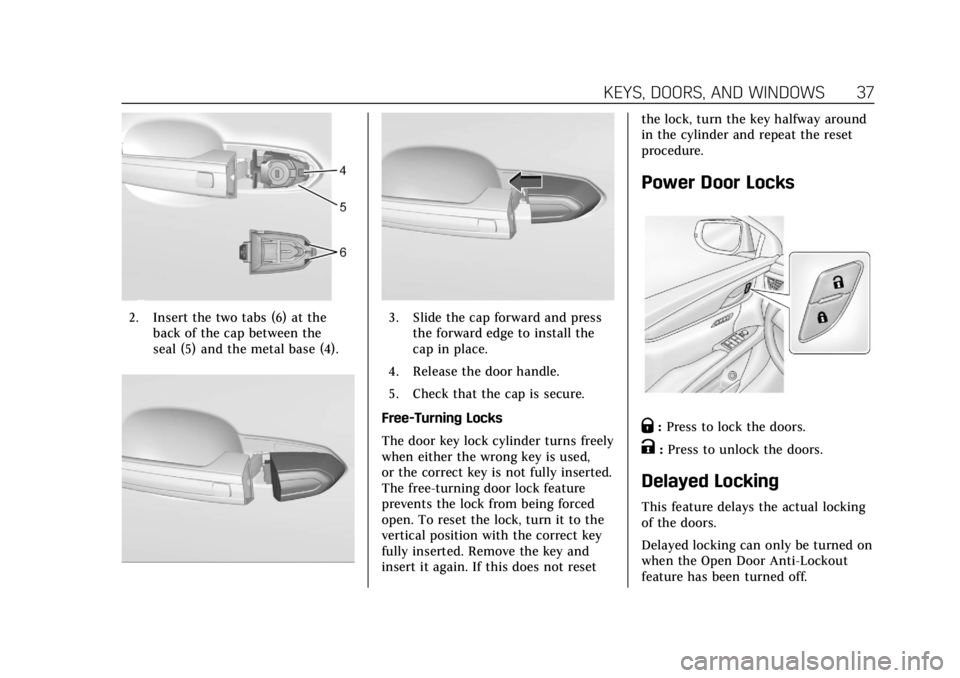
2. Insert the two tabs (6) at theback of the cap between the
seal (5) and the metal base (4).3. Slide the cap forward and pressthe forward edge to install the
cap in place.
4. Release the door handle.
5. Check that the cap is secure.
Free-Turning Locks
The door key lock cylinder turns freely
when either the wrong key is used,
or the correct key is not fully inserted.
The free-turning door lock feature
prevents the lock from being forced
open. To reset the lock, turn it to the
vertical position with the correct key
fully inserted. Remove the key and
insert it again. If this does not reset the lock, turn the key halfway around
in the cylinder and repeat the reset
procedure.
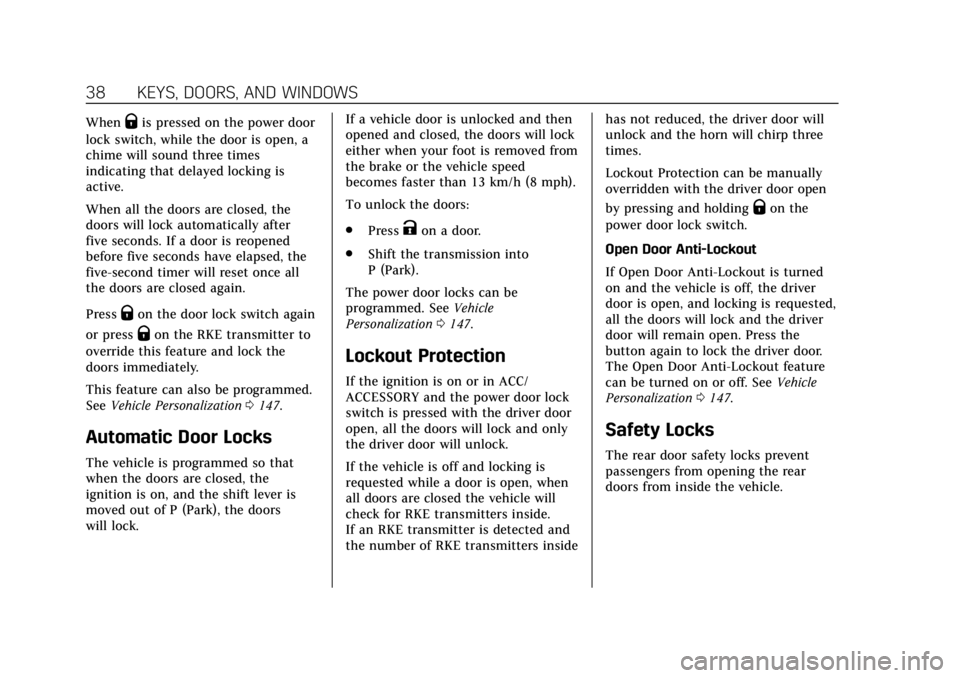
Power Door Locks
Q:
Press to lock the doors.
K:Press to unlock the doors.
Delayed Locking
This feature delays the actual locking
of the doors.
Delayed locking can only be turned on
when the Open Door Anti-Lockout
feature has been turned off.
Page 39 of 376
Cadillac XTS Owner Manual (GMNA-Localizing-U.S./Canada-12032610) -
2019 - crc - 8/22/18
38 KEYS, DOORS, AND WINDOWS
WhenQis pressed on the power door
lock switch, while the door is open, a
chime will sound three times
indicating that delayed locking is
active.
When all the doors are closed, the
doors will lock automatically after
five seconds. If a door is reopened
before five seconds have elapsed, the
five-second timer will reset once all
the doors are closed again.
Press
Qon the door lock switch again
or press
Qon the RKE transmitter to
override this feature and lock the
doors immediately.
This feature can also be programmed.
See Vehicle Personalization 0147.
Automatic Door Locks
The vehicle is programmed so that
when the doors are closed, the
ignition is on, and the shift lever is
moved out of P (Park), the doors
will lock. If a vehicle door is unlocked and then
opened and closed, the doors will lock
either when your foot is removed from
the brake or the vehicle speed
becomes faster than 13 km/h (8 mph).
To unlock the doors:
.
Press
Kon a door.
. Shift the transmission into
P (Park).
The power door locks can be
programmed. See Vehicle
Personalization 0147.
Lockout Protection
If the ignition is on or in ACC/
ACCESSORY and the power door lock
switch is pressed with the driver door
open, all the doors will lock and only
the driver door will unlock.
If the vehicle is off and locking is
requested while a door is open, when
all doors are closed the vehicle will
check for RKE transmitters inside.
If an RKE transmitter is detected and
the number of RKE transmitters inside has not reduced, the driver door will
unlock and the horn will chirp three
times.
Lockout Protection can be manually
overridden with the driver door open
by pressing and holding
Qon the
power door lock switch.
Open Door Anti-Lockout
If Open Door Anti-Lockout is turned
on and the vehicle is off, the driver
door is open, and locking is requested,
all the doors will lock and the driver
door will remain open. Press the
button again to lock the driver door.
The Open Door Anti-Lockout feature
can be turned on or off. See Vehicle
Personalization 0147.
Safety Locks
The rear door safety locks prevent
passengers from opening the rear
doors from inside the vehicle.
Page 117 of 376
Cadillac XTS Owner Manual (GMNA-Localizing-U.S./Canada-12032610) -
2019 - crc - 8/22/18
116 INSTRUMENTS AND CONTROLS
Certain accessory power plugs may
not be compatible with the accessory
power outlet and could overload
vehicle or adapter fuses. If a problem
is experienced, see your dealer.
When adding electrical equipment, be
sure to follow the proper installation
instructions included with the
equipment. SeeAdd-On Electrical
Equipment 0235.
Caution
Hanging heavy equipment from the
power outlet can cause damage not
covered by the vehicle warranty.
The power outlets are designed for
accessory power plugs only, such as
cell phone charge cords.
Always unplug electrical equipment
when not in use and do not plug in
equipment that exceeds the maximum
20 amps rating.
Power Outlet 110/120-Volt
Alternating Current
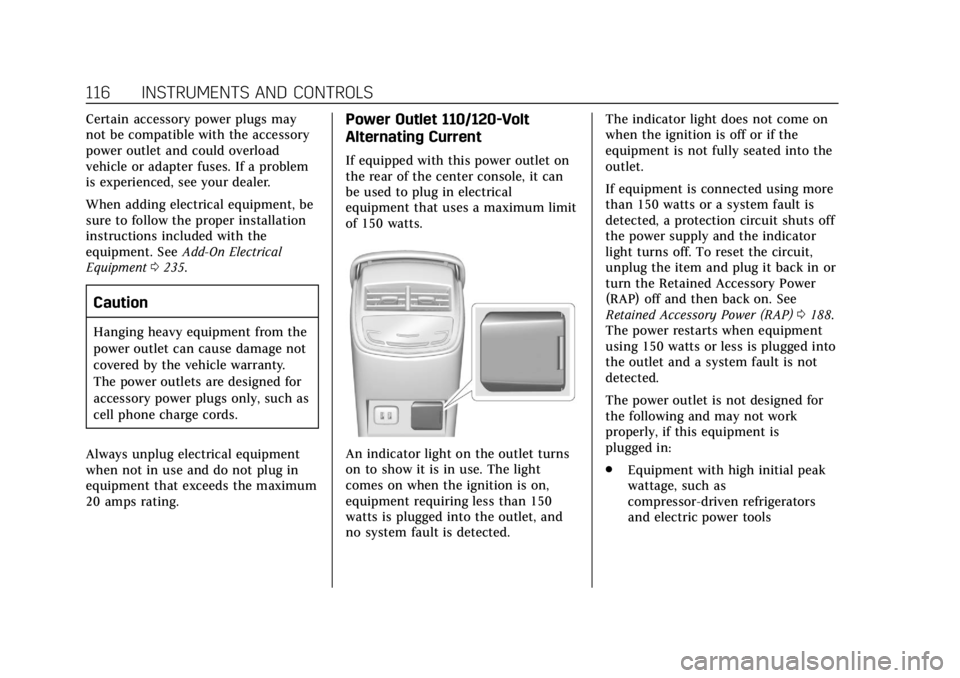
If equipped with this power outlet on
the rear of the center console, it can
be used to plug in electrical
equipment that uses a maximum limit
of 150 watts.
An indicator light on the outlet turns
on to show it is in use. The light
comes on when the ignition is on,
equipment requiring less than 150
watts is plugged into the outlet, and
no system fault is detected. The indicator light does not come on
when the ignition is off or if the
equipment is not fully seated into the
outlet.
If equipment is connected using more
than 150 watts or a system fault is
detected, a protection circuit shuts off
the power supply and the indicator
light turns off. To reset the circuit,
unplug the item and plug it back in or
turn the Retained Accessory Power
(RAP) off and then back on. See
Retained Accessory Power (RAP)
0188.
The power restarts when equipment
using 150 watts or less is plugged into
the outlet and a system fault is not
detected.
The power outlet is not designed for
the following and may not work
properly, if this equipment is
plugged in:
. Equipment with high initial peak
wattage, such as
compressor-driven refrigerators
and electric power tools
Page 126 of 376
Cadillac XTS Owner Manual (GMNA-Localizing-U.S./Canada-12032610) -
2019 - crc - 8/22/18
INSTRUMENTS AND CONTROLS 125
Head-up Display (HUD) Rotation :
This feature allows for adjusting the
angle of the HUD image. Press SEL on
the steering wheel controls while
Head-up Display Rotation is
highlighted to enter Adjust Mode.
Press
yorzto adjust the angle of
the HUD display. Press
SorTto
highlight OK, then press SEL to save
the setting. Cancel can also be
selected to cancel the setting. The
vehicle must be in P (Park).
Open Source Software : Press SEL
while Open Source Software is
highlighted to display open source
software information.
Speedometer
The speedometer shows the vehicle's
speed in either kilometers per hour
(km/h) or miles per hour (mph).
Odometer
The odometer shows how far the
vehicle has been driven, in either
kilometers or miles.
Trip Odometer
The trip odometer shows how far the
vehicle has been driven since the trip
odometer was last reset.
The trip odometer is accessed and
reset through the Driver Information
Center (DIC). See Driver Information
Center (DIC) 0139.
Tachometer
The tachometer displays the engine
speed in revolutions per minute (rpm).
Caution
If the engine is operated with the
rpm’s in the warning area at the
high end of the tachometer, the
vehicle could be damaged, and the
damage would not be covered by
the vehicle warranty. Do not operate
the engine with the rpm’s in the
warning area.
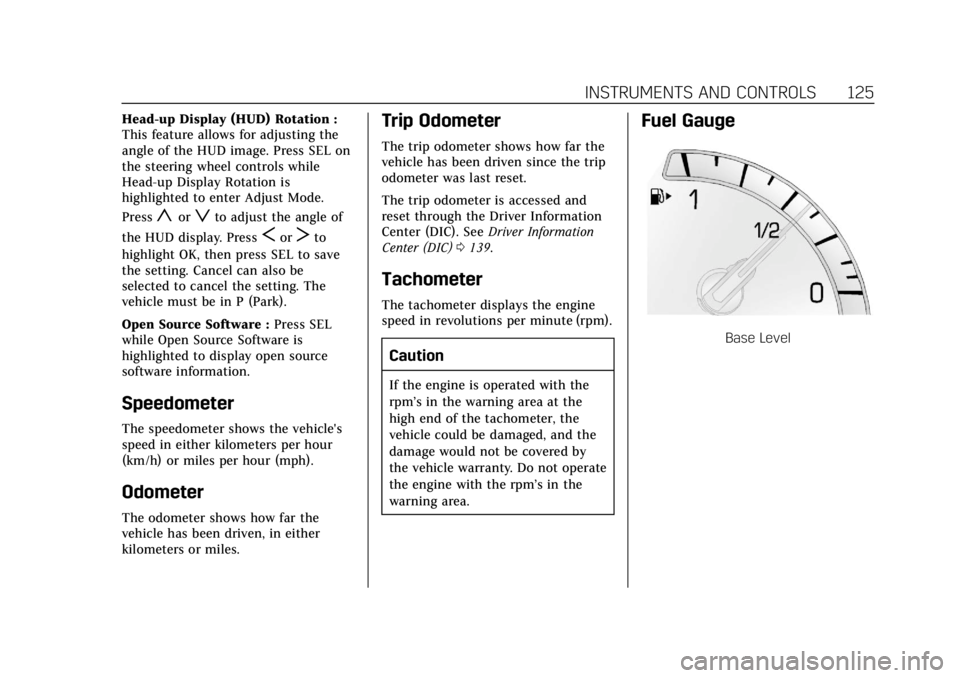
Fuel Gauge
Base Level
Page 135 of 376
Cadillac XTS Owner Manual (GMNA-Localizing-U.S./Canada-12032610) -
2019 - crc - 8/22/18
134 INSTRUMENTS AND CONTROLS
Brake system. A message may also
display in the Driver Information
Center (DIC).
If the light does not come on,
or remains flashing, see your dealer.
Service Electric Parking
Brake Light
On some vehicles the service electric
parking brake light should come on
briefly when the vehicle is started.
If it does not come on, have it fixed so
it will be ready to warn if there is a
problem. For vehicles with the
reconfigurable cluster, this light may
not come on when the vehicle is
started.If this light stays on, the vehicle
should be taken to a dealer as soon as
possible. See
Electric Parking Brake
0 194. A message may also display in
the Driver Information Center (DIC).
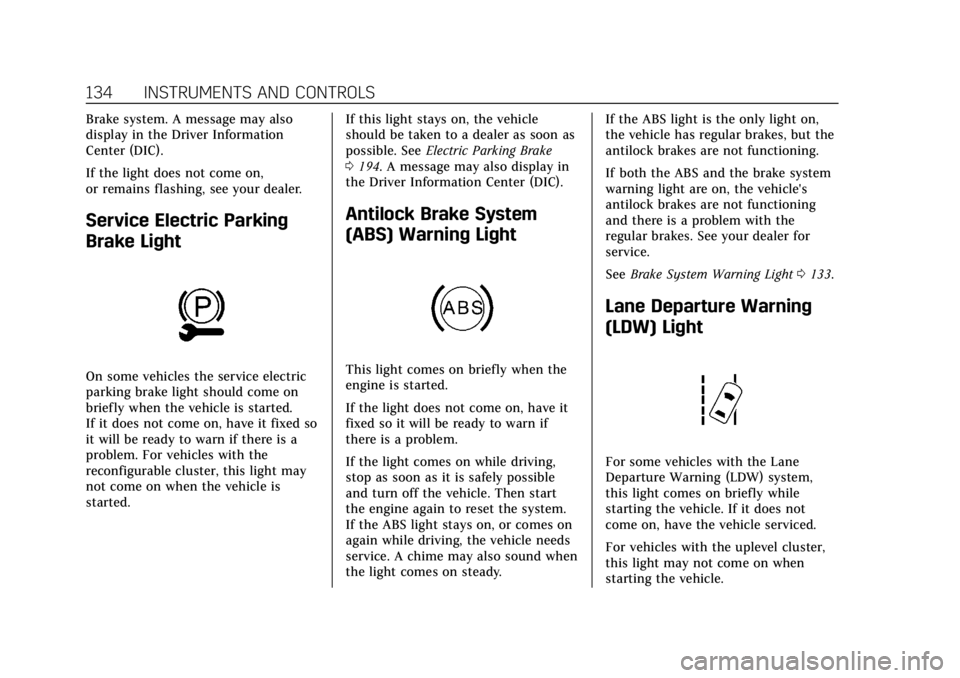
Antilock Brake System
(ABS) Warning Light
This light comes on briefly when the
engine is started.
If the light does not come on, have it
fixed so it will be ready to warn if
there is a problem.
If the light comes on while driving,
stop as soon as it is safely possible
and turn off the vehicle. Then start
the engine again to reset the system.
If the ABS light stays on, or comes on
again while driving, the vehicle needs
service. A chime may also sound when
the light comes on steady. If the ABS light is the only light on,
the vehicle has regular brakes, but the
antilock brakes are not functioning.
If both the ABS and the brake system
warning light are on, the vehicle's
antilock brakes are not functioning
and there is a problem with the
regular brakes. See your dealer for
service.
See
Brake System Warning Light 0133.
Lane Departure Warning
(LDW) Light
For some vehicles with the Lane
Departure Warning (LDW) system,
this light comes on briefly while
starting the vehicle. If it does not
come on, have the vehicle serviced.
For vehicles with the uplevel cluster,
this light may not come on when
starting the vehicle.
Page 141 of 376
Cadillac XTS Owner Manual (GMNA-Localizing-U.S./Canada-12032610) -
2019 - crc - 8/22/18
140 INSTRUMENTS AND CONTROLS
SEL :Press to open a menu or select a
menu item. Press and hold to reset
values on certain screens.
DIC Information Display Options
The info displays on the DIC can be
turned on or off through the
Options menu.
1. Press SEL while viewing the Options page in one of the
interactive display zones on the
cluster.
2. Scroll to Info Pages and press SEL.
3. Press
yorzto move through
the list of possible info displays.
4. Press SEL while an item is highlighted to select or deselect
that item. When an item is
selected, a checkmark will appear
next to it.
DIC Information Displays
The following is the list of all possible
DIC information displays. Some of the
information displays may not be
available for your particular vehicle. Speed (Base Cluster) :
Shows the
vehicle speed in either kilometers per
hour (km/h) or miles per hour (mph).
Trip 1 or Trip 2 (Base Cluster) / Trip
1 or Trip 2 and Average Fuel
Economy (Uplevel Cluster) : The Trip
display shows the current distance
traveled, in either kilometers (km) or
miles (mi), since the trip odometer
was last reset. The trip odometer can
be reset by pressing and holding SEL
while this display is active.
The Average Fuel Economy display
shows the approximate average liters
per 100 kilometers (L/100 km) or
miles per gallon (mpg). This number
is calculated based on the number of
L/100 km (mpg) recorded since the
last time this menu item was reset.
This number reflects only the
approximate average fuel economy
that the vehicle has right now, and
will change as driving conditions
change. The Average Fuel Economy
can be reset along with the trip
odometer by pressing and holding SEL
while this display is active. Fuel Range :
Shows the approximate
distance the vehicle can be driven
without refueling. LOW will be
displayed when the vehicle is low on
fuel. The fuel range estimate is based
on an average of the vehicle's fuel
economy over recent driving history
and the amount of fuel remaining in
the fuel tank.
Average Fuel Economy (Base
Cluster) : Shows the approximate
average liters per 100 kilometers (L/
100 km) or miles per gallon (mpg).
This number is calculated based on
the number of L/100 km (mpg)
recorded since the last time this menu
item was reset. This number reflects
only the approximate average fuel
economy that the vehicle has right
now, and will change as driving
conditions change. The Average Fuel
Economy can be reset by pressing and
holding SEL while this display is
active.
Instantaneous Fuel Economy : Shows
the current fuel economy in either
liters per 100 kilometers (L/100 km) or
miles per gallon (mpg). This number
reflects only the approximate fuel
Page 142 of 376
Cadillac XTS Owner Manual (GMNA-Localizing-U.S./Canada-12032610) -
2019 - crc - 8/22/18
INSTRUMENTS AND CONTROLS 141
economy that the vehicle has right
now and changes frequently as driving
conditions change.
Average Speed :Shows the average
speed of the vehicle in kilometers per
hour (km/h) or miles per hour (mph).
This average is calculated based on
the various vehicle speeds recorded
since the last reset of this value. The
average speed can be reset by pressing
and holding SEL while this display is
active.
Timer : This display can be used as a
timer. To start the timer, press SEL
while this display is active. The
display will show the amount of time
that has passed since the timer was
last reset. To stop the timer, press SEL
briefly while this display is active and
the timer is running. To reset the
timer to zero, press and hold SEL
while this display is active.
Compass (Base Cluster) : Shows the
direction the vehicle is driving.
Turn Arrow : Shows the next
maneuver when using route guidance. Estimated Time to Arrival :
Shows
the estimated time until arrival at
your destination.
Distance to Destination : Shows the
distance to the destination when
using route guidance.
Speed Limit : Shows the current
speed limit. The information for this
page comes from a roadway database.
Speed Warning : Allows the driver to
set a speed that they do not want to
exceed. To set the Speed Warning,
press SEL when Speed Warning is
displayed. Press
yorzto adjust the
value. This feature can be turned off
by pressing and holding SEL while
viewing this page. If the selected
speed limit is exceeded, a pop-up
warning is displayed and a chime may
sound.
Best Fuel Economy : Displays average
fuel economy, the best fuel economy
over the selected distance, and a bar
graph showing instantaneous fuel
economy. Driver Assistance (Uplevel
Cluster) :
Shows information for Lane
Keep Assist (LKA), Lane Departure
Warning (LDW), and Forward
Collision Alert (FCA).
Performance Timer (V Sport Only) :
Shows the last performance time
recorded. Press and hold SEL while
viewing the performance timer to
reset and stop the timer. Press SEL to
enter the performance timer menu. In
the menu, set the start speed, set the
end speed, and reset the timer.
Cruise Set Speed : Shows the speed
the cruise control or Adaptive Cruise
Control is set to.
Follow Distance Indicator : When
Adaptive Cruise Control (ACC) is not
engaged, the current follow time to
the vehicle ahead is displayed as a
time value on this page. When ACC
has been engaged, the display
switches to the gap setting page. This
page shows the current gap setting
along with the vehicle ahead telltale.
Battery Voltage : Shows the current
battery voltage.
Page 143 of 376
Cadillac XTS Owner Manual (GMNA-Localizing-U.S./Canada-12032610) -
2019 - crc - 8/22/18
142 INSTRUMENTS AND CONTROLS
Oil Life :Shows an estimate of the
oil's remaining useful life.
If REMAINING OIL LIFE 99% is
displayed, that means 99% of the
current oil life remains.
When the remaining oil life is low, the
CHANGE ENGINE OIL SOON message
will appear on the display. The oil
should be changed as soon as
possible. See Engine Oil0244. In
addition to the engine oil life system
monitoring the oil life, additional
maintenance is recommended. See
Maintenance Schedule 0322.
The Oil Life display must be reset
after each oil change. It will not reset
itself. Do not reset the Oil Life display
accidentally at any time other than
when the oil has just been changed.
It cannot be reset accurately until the
next oil change. To reset the engine
oil life system, press and hold SEL for
several seconds while the Oil Life
display is active. See Engine Oil Life
System 0246.
Tire Pressure : Shows the
approximate pressures of all four tires.
Tire pressure is displayed in either
kilopascal (kPa) or in pounds per square inch (psi). If the pressure is
low, the value for that tire is shown in
amber.
See
Tire Pressure Monitor System 0281
and Tire Pressure Monitor Operation
0 282.
Vehicle Odometer (Base Cluster) :
Shows the odometer.
Blank Page : Allows for no
information to be displayed in the
cluster info display areas.
Head-Up Display (HUD)
{Warning
If the HUD image is too bright or
too high in your field of view, it
may take you more time to see
things you need to see when it is
dark outside. Be sure to keep the
HUD image dim and placed low in
your field of view.
If equipped with HUD, some
information concerning the operation
of the vehicle is projected onto the
windshield. The image is projected through the HUD lens on top of the
instrument panel. The information
appears as an image focused out
toward the front of the vehicle.
Caution
If you try to use the HUD image as
a parking aid, you may misjudge
the distance and damage your
vehicle. Do not use the HUD image
as a parking aid.
The HUD information can be
displayed in various languages. The
speedometer reading and other
numerical values can be displayed in
either English or metric units.
The language selection is changed
through the radio and the units of
measurement is changed through the
instrument cluster. See “Settings”in
the Infotainment Manual and
“Options” underInstrument Cluster
0 121.